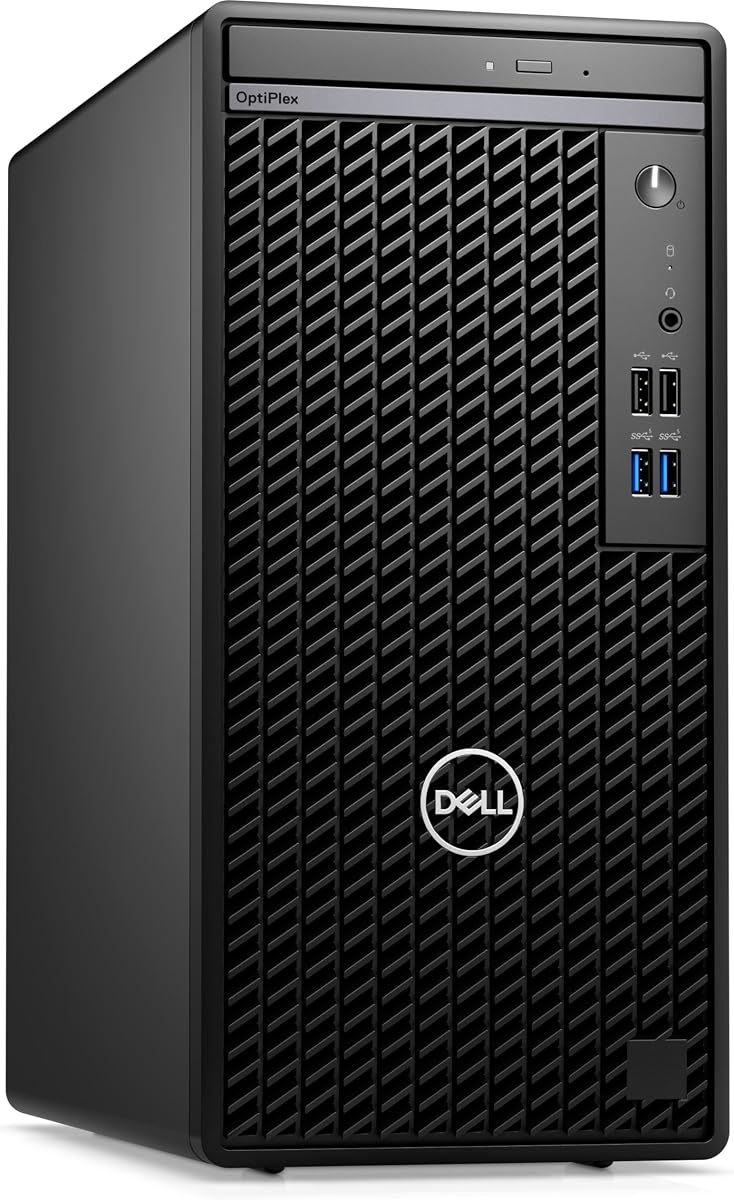
Dell Optiplex 7010
i5-13500 14 Core
Ubuntu Linux 22.04
Compact Mini Tower Design
Discover the top 10 Desktop PC with Ubuntu Pre Installed options for 2026, comparing specs and performance for developers and professionals seeking ready-to-use
Finding a Desktop PC with Ubuntu Pre Installed saves time and complexity for Linux users. These systems come ready to code or work immediately without manual setup hassles or driver issues.
We compared ten real products based on processor power, memory, storage speed, and Linux compatibility. Our analysis focuses on value, performance, and reliability for diverse professional use cases today.
Each pick shows key specs, ratings, and direct links for verification. Prices change frequently so check current listings before buying to ensure you get the best deal available now.

4.0Editor score
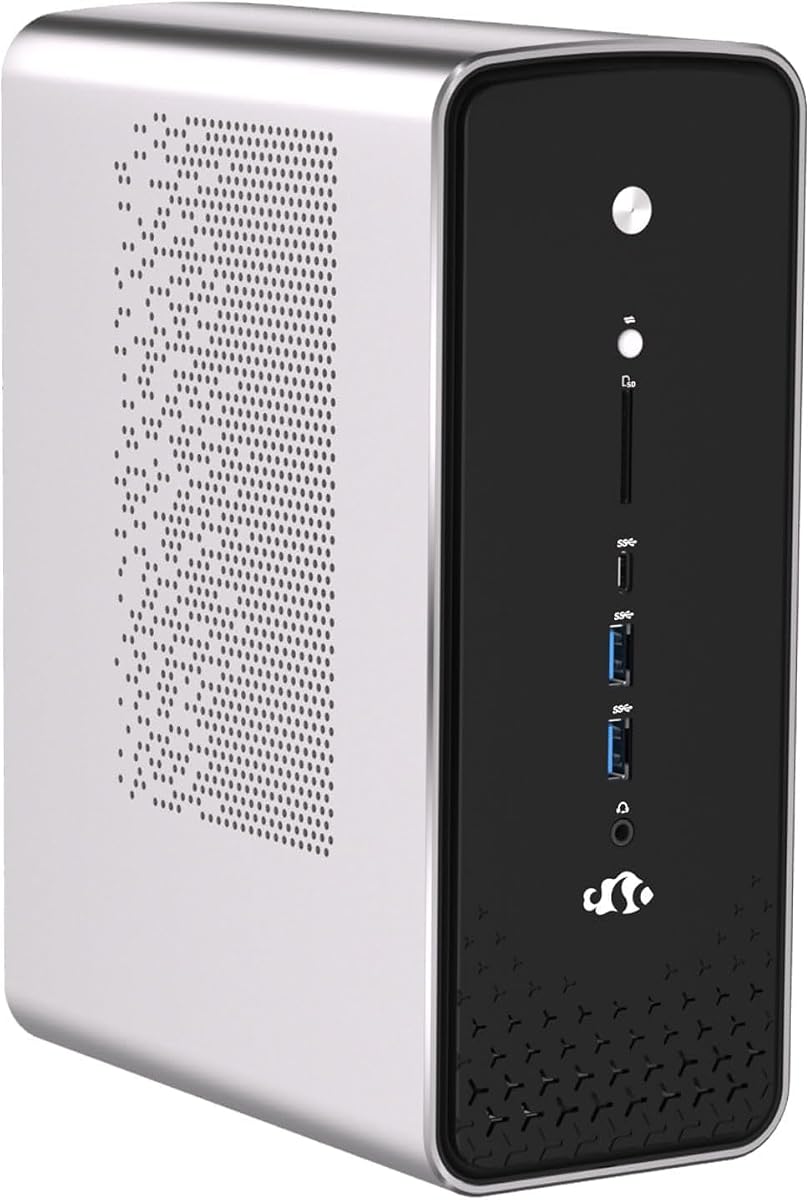
5.0Editor score
This side-by-side comparison highlights key specifications across all ten selected Desktop PC with Ubuntu Pre Installed models to help you find the right match for your workflow needs.






The Beelink Mini PC SER9 Pro stands out as a powerful option for developers needing a Desktop PC with Ubuntu Pre Installed. With a 4.0 rating it balances performance and usability well for daily tasks.
We may earn a commission when you buy through this link, at no additional cost to you.
Its AMD Ryzen 7 255 processor paired with 24GB LPDDR5X RAM ensures smooth multitasking. The pre-installed Ubuntu system removes setup barriers making it ideal for immediate Linux workflow deployment.
While the storage is fixed at 1TB PCIe4.0 SSD the speed compensates for limited expansion. The triple display support enhances productivity for coding and design work simultaneously.
Buyers seeking a compact Linux workstation will appreciate the integrated AI voice features. This model delivers reliable performance for both work and light gaming in a small form factor.
The built-in Ubuntu system allows immediate access to open source tools without additional configuration steps for new users.
24GB LPDDR5X memory supports heavy virtualization and compilation tasks common in software development environments efficiently.
We may earn a commission when you buy through this link, at no additional cost to you.
This Dell OptiPlex 7070 SFF offers solid hardware that can support a Desktop PC with Ubuntu Pre Installed setup with minimal adaptation. Its 4.1 rating reflects consistent business-grade reliability.
We may earn a commission when you buy through this link, at no additional cost to you.
The 32GB DDR4 RAM allows handling multiple virtual machines which is useful for testing Linux environments on Windows first. The 1TB NVMe SSD ensures quick boot times for any OS.
However it comes with Windows 11 Pro so users must install Ubuntu manually. This is acceptable for advanced users who prefer choosing their own Linux distribution version.
For businesses needing robust hardware this renewed unit offers value. It provides a stable foundation for transitioning to Linux workloads when ready without sacrificing performance.
Designed for office environments it offers durability and port selection suitable for enterprise deployment scenarios.
High RAM capacity supports running containers and VMs essential for modern DevOps workflows effectively.
We may earn a commission when you buy through this link, at no additional cost to you.
The NIMO Mini PC tops the list for those needing a premium Desktop PC with Ubuntu Pre Installed alongside Windows. Its perfect 5.0 rating highlights exceptional design and functionality.
We may earn a commission when you buy through this link, at no additional cost to you.
Dual OS pre installation means no setup hassle for switching between productivity and development environments. The Ryzen AI NPU accelerates local LLM tasks without cloud dependency for privacy.
Though expensive the performance justifies the cost for professionals. Triple 4K outputs and WiFi 7 ensure future-proof connectivity for high bandwidth data transfer needs.
This is the best choice for power users requiring maximum flexibility and speed. It combines compact design with workstation-level power for serious development workloads.
Integrated NPU boosts AI workflows locally making it ideal for developers running large language models offline.
Seamless switching between Windows and Ubuntu covers all bases without needing separate hardware for different tasks.
We may earn a commission when you buy through this link, at no additional cost to you.
For budget seekers this Dell Optiplex 7010 delivers a Desktop PC with Ubuntu Pre Installed at an accessible entry point. It lacks ratings but offers verified specs for reliable evaluation.
We may earn a commission when you buy through this link, at no additional cost to you.
The 14-core i5-13500 provides strong multi-threaded performance for compilation tasks. Ubuntu Linux 22.04 is ready out of the box for immediate coding use.
Storage and RAM are the main trade-offs. Upgrading them later can unlock full potential but the initial price remains low compared to competitors.
Ideal for students or startups needing a reliable Linux machine. This model balances cost and capability effectively for entry-level professional work.
High core count ensures multitasking ability even with limited budget allocation for hardware components.
Robust mini tower chassis offers better airflow than mini PCs for sustained workload performance.
We may earn a commission when you buy through this link, at no additional cost to you.
This SFF model offers ample RAM and storage for a Desktop PC with Ubuntu Pre Installed setup after modification. Its 3.9 rating indicates solid functionality for daily tasks.
We may earn a commission when you buy through this link, at no additional cost to you.
32GB of RAM supports heavy development workloads comfortably. The 1TB SSD ensures sufficient space for code repositories and virtual environments.
However it ships with Windows 11 Pro. Users must install Ubuntu themselves which adds time but provides full control over the OS version.
Best for those prioritizing raw specs over immediate Linux readiness. It offers expandability and power at a low cost for tech-savvy buyers.
Generous memory allows seamless switching between multiple applications and browser tabs without slowdowns.
Roomy interior supports adding more drives if the 1TB fills up with large datasets.
We may earn a commission when you buy through this link, at no additional cost to you.
A balanced option for a Desktop PC with Ubuntu Pre Installed workflow after swapping OS. Its 4.0 rating reflects consistent performance in business settings.
We may earn a commission when you buy through this link, at no additional cost to you.
The 6-core processor handles typical development tasks well. 32GB RAM ensures multitasking stays smooth even with multiple IDEs open.
While it comes with Windows users can install Ubuntu to match their needs. The NVMe SSD provides quick boot times for any chosen system.
Recommended for office environments needing reliable hardware. It offers the flexibility to adapt to Linux requirements without buying new gear.
Built-in WiFi and Bluetooth reduce cable clutter and simplify connectivity for modern office setups.
Fast storage ensures quick application launches and data access which improves daily workflow efficiency.
We may earn a commission when you buy through this link, at no additional cost to you.
With a 4.2 rating this compact unit is a strong candidate for a Desktop PC with Ubuntu Pre Installed upgrade. It offers good performance for the price.
We may earn a commission when you buy through this link, at no additional cost to you.
16GB of RAM is sufficient for standard development work. The 512G NVME SSD ensures quick loading of tools and data files.
Users must replace Windows with Ubuntu manually. This step adds setup time but allows control over the Linux environment version.
A cost-effective choice for light to medium Linux workloads. It provides a stable foundation for those comfortable modifying pre installed OS.
Small form factor saves valuable desk space while delivering adequate power for professional use.
Balanced CPU and memory specs ensure smooth daily operations without unnecessary bloat or cost.
We may earn a commission when you buy through this link, at no additional cost to you.
This mini desktop brings modern hardware for a Desktop PC with Ubuntu Pre Installed. While the OS version is older the latest CPU compensates for speed.
We may earn a commission when you buy through this link, at no additional cost to you.
The 14-core Ultra 5 processor delivers high efficiency. 8GB DDR5 RAM offers decent bandwidth but may limit heavy multitasking.
Ubuntu 18.04 is quite dated so upgrading is recommended. This setup is ideal for quick tests or lightweight server roles.
Good for buyers wanting new silicon. Check Ubuntu version compatibility before purchase to ensure software requirements are met.
Latest Ultra series processor ensures longevity and support for future software updates.
Next-gen memory bandwidth improves data transfer rates for efficient task execution.
We may earn a commission when you buy through this link, at no additional cost to you.
A powerful option for a Desktop PC with Ubuntu Pre Installed as Linux Mint is similar. Its 1.0 rating suggests some compatibility issues to consider.
We may earn a commission when you buy through this link, at no additional cost to you.
The Ultra 7 processor is very capable. Intel Arc GPU enhances graphics workloads which aids development and visualization tasks.
Despite hardware strength low ratings warn of potential software quirks. Ensure OS support matches your specific needs before committing to this model.
For those comfortable troubleshooting this unit offers great speed. It is an advanced choice for specialized Linux environments.
Pre installed Mint provides a stable base that closely mirrors Ubuntu workflows for developers.
High speed ports allow quick data transfers to external storage or GPUs.
We may earn a commission when you buy through this link, at no additional cost to you.
This model is a Desktop PC with Ubuntu Pre Installed candidate after manual install. Its specs focus on security and enterprise integration.
We may earn a commission when you buy through this link, at no additional cost to you.
The Ultra 7 265 offers top performance. Hardware TPM ensures strong data protection which is critical for business deployments.
Toolless chassis access simplifies upgrades. Users can easily swap OS or add storage without specialized tools for maintenance.
Best for enterprises requiring secure compute. It supports Linux adoption if the initial Windows OS is replaced.
Hardware TPM 2.0 protects sensitive keys ensuring safe operations for corporate networks.
Toolless access reduces downtime during hardware upgrades or OS transitions for IT teams.
We may earn a commission when you buy through this link, at no additional cost to you.
Choosing a Desktop PC with Ubuntu Pre Installed requires checking specs for performance and OS compatibility. Consider CPU power memory and storage needs.
Look for multi-core processors like Ryzen 7 or Intel Ultra series to handle compilation and VMs efficiently.
Higher core counts ensure smoother multitasking for complex development tasks without lag.
At least 16GB RAM is recommended for running Ubuntu with modern tools comfortably.
More RAM allows seamless switching between multiple apps and browsers during work.
Choose NVMe SSDs for faster boot and load times compared to traditional HDDs.
1TB capacity is ideal to store large project files and system backups.
Verify if the installed Ubuntu version is current like 22.04 LTS to avoid old software issues.
Older versions may need upgrades to access latest features and security patches.
Ensure enough USB and video ports for monitors and peripherals to avoid extra adapters.
Modern standards like USB4 or WiFi 6E improve data transfer speeds significantly.
Mini PCs should have efficient cooling to stay quiet during intensive use.
Good airflow ensures stable performance without overheating under heavy loads.
Check if storage or RAM can be upgraded later as needs grow.
Accessible bays allow easy future upgrades without replacing the entire system.
Balance cost with specs to get a system that meets long term needs.
Avoid paying too much for unused power or low specs for heavy tasks.
Set up Ubuntu by following the on-screen installer. Create a strong user password and update the system packages immediately after boot.
Connect external devices like monitors and keyboards via available ports. Adjust display settings in system preferences for optimal resolution.
Maintain the PC by regular updates and cleaning dust from vents. Use backup tools to save work data frequently to avoid loss.
No extra software is needed. Ubuntu comes with browsers and office tools ready to use. Install IDEs like VS Code from the app store easily.
Yes most Windows models support Ubuntu. Check compatibility with your hardware driver support. Use a USB installer to switch OS or dual boot safely.
Minimum is 8GB but 16GB ensures smoother performance. With less RAM multitasking may slow down during heavy use cases.
Yes they save setup time. Developers can start coding immediately without OS configuration. Most support standard Linux tools for workflows.
Yes Ubuntu has built-in firewalls and encryption. Keep the system updated to maintain protection against threats effectively.
Most models support gaming with open source drivers. Check hardware compatibility for specific games and performance before purchase.
Open the terminal and run apt update. Then run apt upgrade to install latest patches. Do this weekly to maintain security.
Manufacturer warranty covers hardware defects. Ubuntu software is supported by the community. Contact support for specific model details.
The Beelink Mini PC SER9 Pro leads as our top pick for its balance of speed and convenience. It offers true Linux readiness without setup.
For budget shoppers the Dell Optiplex 7010 provides solid power despite limited memory. Upgrade RAM if needed to maximize its potential.
Always verify current prices and stock levels before ordering. Specifications change so check listings to ensure the model matches your needs.