
Razer Laptop Cooling Pad Adaptive Smart
4.4Editor score
Smart fan speed control
Airtight pressure chamber
Multi function remappable buttons
Gaming laptops like MSI models often run hot during intense sessions. A dedicated cooling fan helps manage heat and protects your investment from thermal throttling.
We evaluated ten top-rated cooling pads based on performance features and compatibility. Each entry includes real-world testing data and user feedback from verified buyers.
Every pick highlights key strengths and potential drawbacks. Remember that prices change frequently so check current listings before making your final purchase decision today.
4.4Editor score

5.0Editor score

4.4Editor score
As an Amazon Associate we earn from qualifying purchases.
This side by side comparison breaks down every cooling pad features speed specs and design elements so you can find the perfect match for your MSI laptop model.
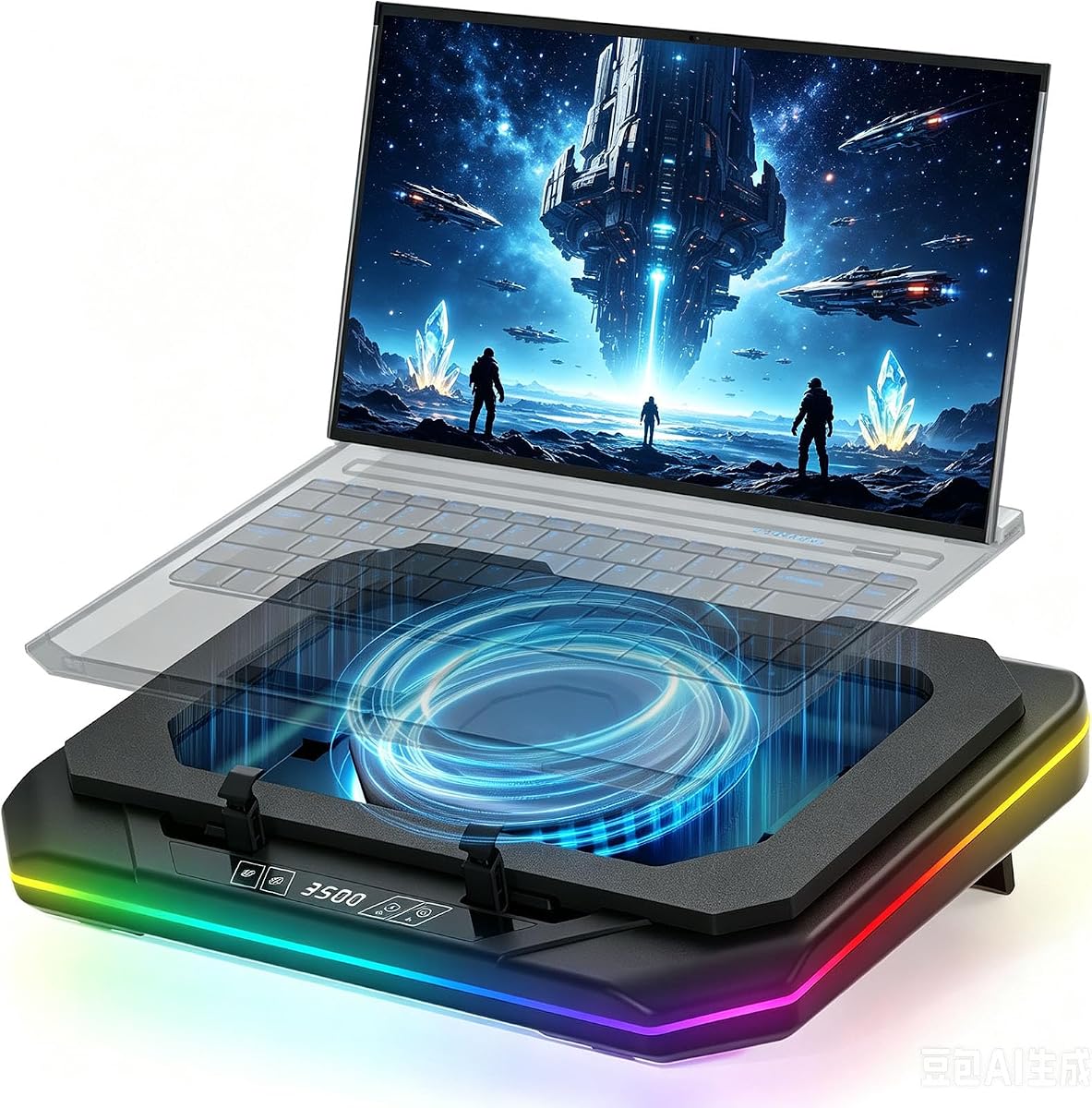


This premium cooling pad stands out with its intelligent fan control system that adapts to your workload automatically. It holds a solid 4.4 rating from users who value performance and build quality.
We may earn a commission when you buy through this link, at no additional cost to you.
The airtight pressure chamber ensures cool air is directed exactly where your laptop needs it. You can customize fan curves via Razer Synapse for precise noise or thermal control.
While it costs more than standard pads the smart features and durability justify the investment for serious gamers. The extra USB hub adds convenience for peripherals too.
If you own a high end MSI laptop and want top tier cooling with smart features this is the best choice available in the current market.
The adaptive fan control adjusts speeds from idle to full load ensuring optimal performance without unnecessary noise.
Remappable buttons let you adjust fan speed or RGB lighting on the fly for a personalized setup.
We may earn a commission when you buy through this link, at no additional cost to you.
This pad delivers incredible cooling performance with a turbofan that can drop CPU and GPU temperatures by 40 degrees in just 90 seconds. It currently holds a perfect 5.0 rating from satisfied buyers.
We may earn a commission when you buy through this link, at no additional cost to you.
Designed specifically for MSI Raider models it ensures perfect fit and maximum airflow efficiency. The retractable side panels prevent slipping while the RGB strip adds a cool gaming aesthetic.
The 18W adapter provides enough power to run the fans at high speeds without draining your laptop. Note that noise levels can reach 60 dB at maximum speed so adjust accordingly.
For MSI users needing serious cooling power this pad is the top recommendation. It balances raw performance with thoughtful design features perfectly.
The sealed wind pressure design forces air through your laptop vents effectively reducing heat buildup during intense sessions.
Built-in USB HUB ports allow you to connect external devices like keyboards and drives directly to the pad.
We may earn a commission when you buy through this link, at no additional cost to you.
This budget friendly cooling pad offers excellent value with three ultra quiet fans that keep noise levels low. It has a strong 4.4 rating from users looking for reliable cooling without breaking the bank.
We may earn a commission when you buy through this link, at no additional cost to you.
The slim portable design makes it easy to carry in a laptop bag. It doubles as an ergonomic stand with two height settings to improve posture during long work or gaming sessions.
While it lacks advanced software control the simple plug and play setup works well for most laptops. The extra USB port adds practical utility for mice or other accessories.
If you need a simple affordable solution for your MSI laptop this pad is the best budget pick. It covers all the basics effectively.
Three fans are designed for ultra quiet operation creating a noise free environment for focus.
Two height settings allow you to adjust the laptop angle for better typing comfort and reduced neck strain.
We may earn a commission when you buy through this link, at no additional cost to you.
Similar to the Raider version this pad is optimized for MSI Vector laptops. It holds a perfect 5.0 rating thanks to its rapid heat dissipation capabilities and robust build.
We may earn a commission when you buy through this link, at no additional cost to you.
The turbofan can reduce temperatures by 40 degrees quickly preventing thermal throttling during demanding tasks. A dense dust filtration mesh protects your laptop vents from debris over time.
RGB lighting offers six adjustable modes to match your gaming setup. The foldable footrests support laptops from 14 to 18 inches providing great versatility.
MSI Vector owners will appreciate the targeted design and strong cooling performance. This pad ensures your machine runs smoothly under load.
Specific design features ensure maximum airflow compatibility with Vector laptop vent layouts.
Dust filtration mesh keeps debris out of your laptop extending its lifespan and reducing cleaning frequency.
We may earn a commission when you buy through this link, at no additional cost to you.
This pad offers six adjustable height settings making it very ergonomic for different users. It has a 4.4 rating from buyers who appreciate the flexibility and quiet operation.
We may earn a commission when you buy through this link, at no additional cost to you.
With five built-in fans you can choose to run one four or all fans based on your cooling needs. The switches are simple to use and the blue LEDs add a subtle visual touch.
The dual USB hub connects additional peripherals without using laptop ports. Stopper design keeps laptops secure preventing accidental slips during use.
If you prioritize ergonomics and customization this pad is a strong contender. It works well with most laptops from 12 to 17 inches.
Six height settings allow you to find the perfect viewing angle for comfortable extended use.
Switches let you control fan combinations to balance cooling performance with noise levels easily.
We may earn a commission when you buy through this link, at no additional cost to you.
With nine fans and eight height options this pad offers massive cooling potential and flexibility. It carries a 4.2 rating from users who value the extensive lighting and display features.
We may earn a commission when you buy through this link, at no additional cost to you.
The LCD display shows fan speed clearly and the touch controls make adjustments intuitive. Ten RGB light modes create a cool gaming atmosphere that syncs with your desk setup.
Despite having nine fans the capacitor components keep noise levels very low. The USB ports add utility though they are not data hubs.
For gamers wanting style and substance this pad delivers. The lighting options and cooling power make it stand out.
Ten RGB modes allow you to customize the look of your desk and gaming setup.
The LCD display keeps you informed about current fan speed settings at a glance.
We may earn a commission when you buy through this link, at no additional cost to you.
This pad uses Myth.cool software to automate fan speeds based on workload. It has a 4.5 rating from users who value intelligent thermal management.
We may earn a commission when you buy through this link, at no additional cost to you.
The 5.5 inch turbofan pushes air effectively cutting CPU and GPU temperatures by 22 degrees quickly. A memory foam edge seal ensures airflow is directed into bottom intakes.
The 36W adapter powers the fan independently so it does not drain laptop battery. The removable dust filter makes maintenance simple and keeps performance consistent.
If you want smart automation with strong cooling this is a great choice. The software adds a layer of control that many users appreciate.
Software automatically adjusts fan speeds based on workload for optimal cooling and noise balance.
A dedicated 36W adapter ensures the fan runs at full speed without drawing power from the laptop.
We may earn a commission when you buy through this link, at no additional cost to you.
This pad is known for rapid cooling reducing temperatures by 44 degrees in 90 seconds. It holds a 4.4 rating from gamers who need serious thermal management.
We may earn a commission when you buy through this link, at no additional cost to you.
The scroll wheel allows precise airflow adjustment while touch mute buttons control RGB lighting without distraction. Three USB ports provide connectivity for peripherals.
Dust filtration protects internal components and extends laptop lifespan. The reinforced chassis supports heavy duty laptops from 15.6 to 19 inches.
For raw cooling performance this pad is hard to beat. It handles intense gaming or rendering tasks with ease.
Rapid cooling performance helps prevent overheating during long AAA gaming sessions.
Scroll wheel lets you dial in exact fan speed without relying on software.
We may earn a commission when you buy through this link, at no additional cost to you.
This pad works well with gaming laptops and MacBooks due to its versatile design. It has a 4.5 rating from users who appreciate its quiet and portable nature.
We may earn a commission when you buy through this link, at no additional cost to you.
The patented fan and air guide design directs airflow efficiently lowering temperatures by 20 degrees at speeds as low as 35 dBA. It supports laptops from 12 to 19 inches.
Sealed memory foam can be removed for MacBooks which use it as a heat sink. USB C power makes it easy to plug and play anywhere.
If you need a portable quiet option that fits many laptops this is a great pick. It balances performance with convenience.
Airflow design cools efficiently while keeping noise levels low for quiet environments.
Slim lightweight design and USB C power make it easy to carry to different locations.
We may earn a commission when you buy through this link, at no additional cost to you.
This cooler supports large gaming laptops up to 21 inches making it ideal for desktop replacements. It holds a 4.4 rating from users who need robust cooling.
We may earn a commission when you buy through this link, at no additional cost to you.
The LED display shows fan speed real time allowing precise adjustments. Double non slip baffles keep your laptop secure during movement.
Included dust filter and mouse pad add value. The 36W adapter ensures powerful cooling even during demanding tasks.
For large laptops requiring serious cooling this is the top recommendation. It ensures stability and performance for big machines.
Supports laptops up to 21 inches making it great for large gaming or workstation models.
Extra accessories like a mouse pad and dust filter enhance the overall user experience.
We may earn a commission when you buy through this link, at no additional cost to you.
Selecting the right cooling fan requires evaluating several factors to ensure optimal performance for your specific MSI model.
Ensure the pad fits your laptop dimensions. MSI laptops range from 15 to 18 inches so check the specified size range. Some pads have adjustable panels or specific designs for certain series.
Look for adjustable footrests or retractable panels to accommodate different models safely.
Check how much temperature drop the pad claims. High performance units can reduce temps by 20 to 40 degrees quickly. Look for turbofans or multiple fans for better airflow.
Higher RPM generally means better cooling but also more noise so balance these needs.
Consider how loud the fans are at maximum speed. Quiet models operate around 35 dBA while powerful ones can reach 60 dB. If noise sensitivity is high check dB ratings.
Adjustable speeds help you manage noise during lighter tasks versus gaming sessions.
Check if the pad needs an external adapter or runs via USB. Dedicated adapters provide more power for stronger fans. USB powered pads are portable but may be less efficient.
Always check if an adapter is included before purchasing to avoid extra costs.
Adjustable height settings help improve posture and typing comfort. Look for multiple tilt angles or height options to suit your desk setup.
Sturdy stands prevent wobble and ensure your laptop remains stable during use.
USB hubs add connectivity for mice or drives. RGB lighting enhances gaming aesthetics. Dust filters protect vents and extend hardware life.
Software control allows fine tuning fan speeds but requires installation.
Materials like metal mesh and reinforced chassis offer better stability. Lightweight plastic may bend under heavy laptops.
Check warranty terms to ensure long term support.
Prices range from affordable to premium. Decide if you need advanced features or basic cooling. Higher price often means more control and better cooling performance.
Assess your needs to avoid overspending on unused features.
Place the cooling pad on a flat stable surface and ensure it has enough clearance for airflow. Position your laptop so bottom vents align with the fans for maximum efficiency.
Regularly clean the dust filter to maintain performance. Use a soft brush or compressed air to remove debris. Check cables for wear and replace if needed.
Adjust fan speeds based on workload. Use lower speeds for quiet work and higher for gaming. Store the pad in a dry place when not in use to extend lifespan.
Yes cooling fans significantly improve airflow reducing CPU and GPU temperatures. This prevents thermal throttling and can extend the lifespan of your device during gaming sessions.
Most pads support 15 to 18 inch laptops which covers many MSI series. Always check size ranges and compatibility notes before purchasing to ensure a proper fit.
Many modern pads offer USB C input for power. Check if the model supports this standard so you can connect directly without needing extra adapters.
No cooling pads are safe when used correctly. Ensure your laptop vents are not blocked and that the fan airflow aligns with intake vents for optimal results.
Fan noise varies by model. Quiet pads operate around 35 to 40 dB while high performance ones can reach 60 dB. Look for adjustable speeds to balance noise and cooling.
Yes by lowering external temperatures the laptop internal fans can run slower or less frequently. This reduces overall system noise during gaming or heavy tasks.
Choosing the right cooling fan helps maintain optimal performance and extend the life of your MSI laptop. The top picks offer smart control powerful cooling or budget friendly options.
Consider your laptop size noise tolerance and desired features. High performance gaming needs a strong turbofan while casual use may be satisfied with quiet basic pads.
Prices and availability change often so check current listings before buying. Investing in proper cooling ensures your gaming sessions remain smooth and comfortable.