
CLEEFUN Long USB C Cable 20ft
4.6Editor score
20 foot extra length
QC 3.0 fast charge
Durable nylon jacket
Compatible with most C devices
This guide compares the best long USB cables for data transfer and charging across various devices, ensuring reliable connections for your setup.
Finding the right long USB cable can transform how you interact with your technology. Whether you need to charge a phone from across the room or connect a printer to a distant port, quality matters. These cables offer durability and speed without sacrificing convenience.
We evaluated ten top-rated options based on build quality, length, and compatibility. Our comparison covers various connector types including USB A to A, A to C, and A to B. Each pick addresses specific needs like fast charging, high-speed data, or rugged durability.
Each review highlights key features, pros, and cons to help you decide. Prices and availability can change frequently, so check current listings before purchasing. This guide ensures you find a cable that fits your unique workspace and device requirements perfectly.
4.6Editor score

4.7Editor score

4.7Editor score
This side-by-side comparison highlights the core specifications of each selected cable. We look at length, connector type, data speed, and build materials to show you exactly how each option performs.


This USB to USB Cable 20FT stands out as a top choice for data transfer needs. It holds a solid 4.7 rating from users who value reliability. The standout quality is its 5 Gbps speed which is ten times faster than USB 2.0.
We may earn a commission when you buy through this link, at no additional cost to you.
Its construction features a nylon braided jacket and gold plated connectors that resist corrosion. The aluminum alloy case and reinforced SR molding ensure the cable lasts through frequent plugging. This makes it ideal for external hard drives and printers.
While it is not designed for charging devices, its data capabilities are unmatched. The cable minimizes interference with multiple shielding layers. This trade-off is acceptable if your primary goal is moving large files quickly.
Anyone needing a reliable extension for peripherals should buy this cable. It is perfect for home offices or studios where devices are far from the PC. The combination of speed and durability justifies the investment.
The 5 Gbps rate ensures files move almost instantly compared to older standards.
Reinforced joints and braided material prevent wear over thousands of bends.
We may earn a commission when you buy through this link, at no additional cost to you.
The CLEEFUN Long USB C Cable offers excellent value for those needing length. It holds a 4.6 rating and is praised for its 20-foot reach. This allows users to charge phones while relaxing on a couch without restriction.
We may earn a commission when you buy through this link, at no additional cost to you.
It supports QC 3.0 fast charging which saves time for compatible Android devices. The nylon braided jacket adds durability and prevents tangling. Metal connections ensure stable conductivity for both data and power.
While data speeds are standard at 480 Mbps this is not an issue for charging. The cable lacks video output capabilities which limits screen sharing. However for charging and syncing it performs reliably.
Budget conscious shoppers looking for a long charging solution should pick this. It works well for phones and tablets in living rooms or bedrooms. The price point makes it easy to buy spares for different rooms.
QC 3.0 compatibility ensures your devices charge quickly even over long distances.
The extra length lets you move freely without unplugging your device constantly.
We may earn a commission when you buy through this link, at no additional cost to you.
This 40ft Active USB A to B Cable is unique for its extreme length. It holds a 4.7 rating and solves the problem of distant printer connections. The active technology ensures signals remain strong even at forty feet.
We may earn a commission when you buy through this link, at no additional cost to you.
It connects printers and scanners to computers without signal loss. The multiple layers of shielding provide stable data transmission. The nylon braid protects the cable from wear and tear in high traffic areas.
Note that this is for USB 2.0 Type B devices specifically. It will not work with Type B printers which use a different shape. For older models this cable is essential for flexibility in office layouts.
Professionals with large offices or multi-room setups should buy this cable. It eliminates the need for wall mounting or relocating computers. The price reflects the specialized technology required for such a long active cable.
Internal electronics boost the USB signal to maintain stability over 40 feet.
Designed specifically for Type B printers and scanners requiring long connections.
We may earn a commission when you buy through this link, at no additional cost to you.
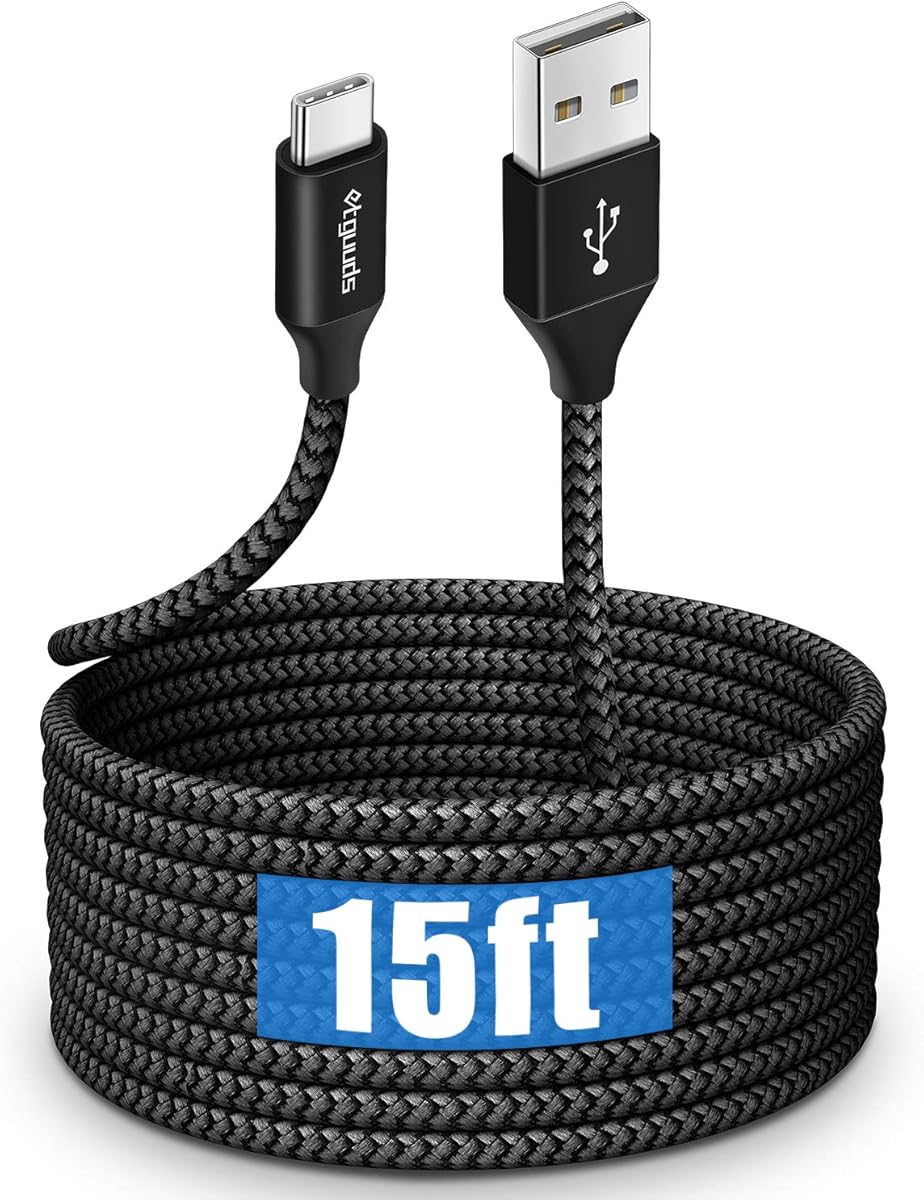
The etguuds Long USB C Cable provides a balanced 15-foot length for daily use. It holds a 4.6 rating and is popular for Samsung and iPhone users. The cable supports 3 amp fast charging which is efficient for many modern devices.
We may earn a commission when you buy through this link, at no additional cost to you.
Its nylon braided design resists tangling and wear over time. A 56k resistor ensures stable conductivity and protects devices from power surges. This makes it safe for daily charging routines without risk of damage.
Data speeds are standard at 480 Mbps which suffices for syncing files. While it cannot output video signals it excels at charging and syncing tasks. This limitation is common for this price and length class.
Users needing a versatile cable for multiple phones should consider this option. It fits well in bedrooms or offices where outlets are mid-range away. The build quality ensures it remains functional through years of use.
Built-in resistors protect your devices from voltage spikes during fast charging.
The braided texture keeps the cable organized and easy to manage on desks.
We may earn a commission when you buy through this link, at no additional cost to you.
This USB C Cable 10 ft offers a compact solution for those needing extra reach. It holds a 4.6 rating and is ideal for travel or small apartments. The nylon braided build makes it sturdy enough for heavy daily use.
We may earn a commission when you buy through this link, at no additional cost to you.
It supports up to 3 amps of current for efficient charging. The heavy duty design ensures it can handle frequent bending without breaking. This reliability is crucial for users who plug and unplug often.
While 10 feet is shorter than some options it covers most needs. Data speeds are standard which is fine for syncing photos and documents. It does not support video output which limits its use to charging.
Travelers or minimalists should choose this cable for its balance of length and portability. It fits easily in bags and provides enough slack for bed charging. The durability ensures it survives being tossed in a suitcase.
The 10 foot length fits neatly in luggage while reaching distant outlets.
Strong nylon braiding prevents fraying even with rough handling during trips.
We may earn a commission when you buy through this link, at no additional cost to you.
The Extra Long USB C Cable Fast Charging offers a 2-pack for versatile use. It holds a 4.5 rating and provides 15 feet of reach per cable. This is perfect for households needing multiple long chargers for different devices.
We may earn a commission when you buy through this link, at no additional cost to you.
It includes multiple safety mechanisms to prevent overheating and overvoltage. The reinforced connectors withstand thousands of bends without loosening. This durability ensures long service life even with frequent movement or use.
Data transfer is efficient enough for typical files and photos. The thicker cable design might be less flexible than thin options but adds strength. This trade-off is acceptable for the reliability it provides.
Families with multiple phones or tablets should buy this 2-pack. It allows placing chargers in different rooms without running short wires. The safety features add peace of mind for overnight charging sessions.
Built-in protection prevents overheating and ensures safe charging for all devices.
Getting two cables means you can cover both home and office needs easily.
We may earn a commission when you buy through this link, at no additional cost to you.
This VCZHS Tech USB 3.0 Extension Cable is designed for extending existing ports. It holds a 4.6 rating and is ideal for webcams or printers placed far from PC. The male to female design allows you to plug a device directly into the end.
We may earn a commission when you buy through this link, at no additional cost to you.
It supports 5 Gbps speeds ensuring high performance for data devices. The 22AWG power wire ensures stable power delivery over long distances. Triple layer shielding reduces interference for smooth operation.
The cable is not for charging phones but for peripherals only. Its bulkier build resists bending but might be harder to route through tight spaces. This is acceptable for fixed installations like desks or shelves.
Tech enthusiasts or home office users should choose this for peripherals. It connects scanners or hard drives to the front of a PC easily. The warranty offers extra confidence in its long-term reliability.
Extends your existing USB port to reach devices far away from your computer.
Multiple shielding layers keep data signals clean and free from noise.
We may earn a commission when you buy through this link, at no additional cost to you.
This Amazon Basics cable provides a reliable connection for printers and drives. It holds a 4.7 rating and is known for consistent performance. The gold plated connectors resist corrosion and ensure a solid signal.
We may earn a commission when you buy through this link, at no additional cost to you.
At 16 feet it offers decent reach for most home offices. The standard black design blends in with most furniture and electronics. It is designed to work with standard printers and hard drives without issues.
Data speeds are limited to USB 2.0 which is slower than modern standards. However for printing or backing up data this speed is sufficient. The basic build keeps costs low while maintaining quality.
Users needing a standard printer cable should pick this option for value. It works perfectly for home office setups requiring a long link. The brand trust ensures you receive exactly what is advertised.
Gold plating protects against rust and ensures a lasting connection over time.
Amazon Basics delivers a no-frills cable that performs its specific function well.
We may earn a commission when you buy through this link, at no additional cost to you.
The USB C Cable 20ft Extra Long supports 5 Gbps data transfer for speed. It holds a 4.2 rating and is built with double braided layers for longevity. This makes it suitable for connecting portable SSDs or large data drives.
We may earn a commission when you buy through this link, at no additional cost to you.
It supports 18W charging though power loss is expected at 20 feet. The reinforced ports add strength to prevent wear at connection points. The design focuses on data performance while providing enough power for charging.
While it has a lower rating than others the speed is a plus. The actual charging power may be lower due to length resistance. This is normal but users expecting fast charging should be aware.
Data professionals or gamers needing long high speed cables should consider this. It connects controllers or drives to computers across rooms effectively. The warranty ensures you are supported if issues arise.
5 Gbps transfer rates make it ideal for moving large files quickly.
Strengthened connectors at both ends prevent breakage during frequent use.
We may earn a commission when you buy through this link, at no additional cost to you.
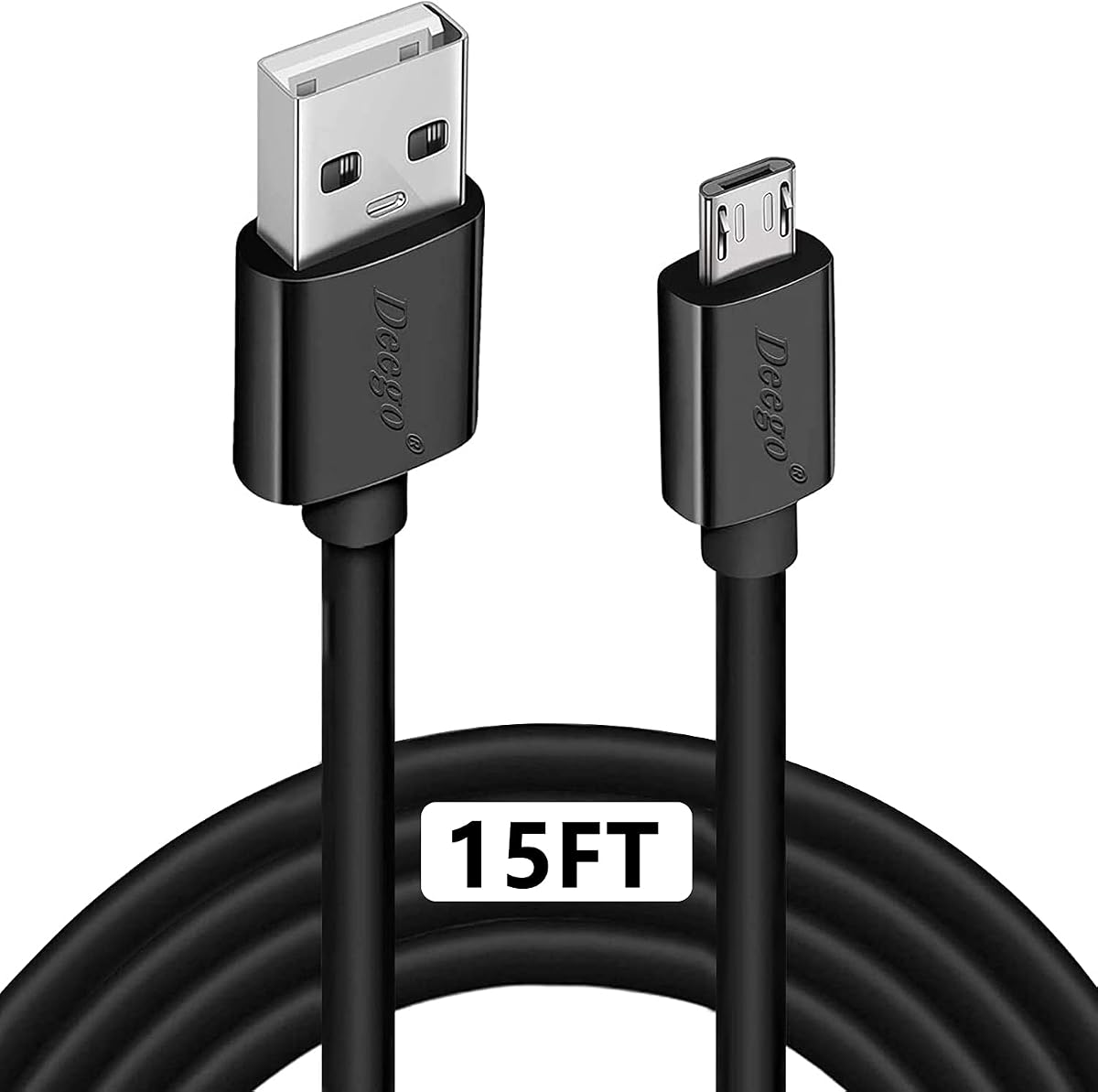
This DEEGO Micro USB Cable supports devices with older ports. It holds a 4.6 rating and is great for PS4 controllers and older Androids. The stainless steel head ensures a tight fit that does not loosen over time.
We may earn a commission when you buy through this link, at no additional cost to you.
The cable charges at 2.4 amps which is fast for these devices. It transfers data at standard speeds suitable for syncing. The flexible PVC jacket resists tangling and allows easy routing under furniture.
Micro USB is becoming rare but still essential for many accessories. The 15 foot length provides enough slack for use on sofas or beds. Users with older gear will find this indispensable.
Gamers or users with legacy devices should choose this for its compatibility. It fits controllers and e-readers perfectly without issues. The build quality ensures it remains reliable even with constant plugging.
Reinforced head prevents loosening and ensures a secure connection always.
Works with many older phones controllers and speakers needing Micro USB.
We may earn a commission when you buy through this link, at no additional cost to you.
Selecting the right cable depends on your specific device and use case. We break down the critical factors to consider before you buy.
Always match the connectors to your devices. USB A to C is common for phones while A to B is for printers. Micro USB is still used for some accessories and older phones.
Check your device ports carefully to ensure the cable matches perfectly.
Choose a length that reaches from your power source to your device. Too short limits movement while too long creates clutter. Consider where you sit or place your devices daily.
Measure your distance and add a few feet for comfort.
USB 3.0 offers speeds up to 5 Gbps which is great for large files. USB 2.0 is slower but works for basic charging and printing. Check if your needs justify faster transfer rates.
Faster cables usually cost more but save time with big data.
Look for braided nylon jackets and reinforced strain relief. These materials resist fraying and tangling. Gold plated connectors prevent corrosion and signal loss over time.
Higher quality builds last longer and save money eventually.
Ensure the cable supports the amperage your device needs. Some cables limit charging power which slows down battery refill. Check for fast charging labels if speed matters.
A good cable should deliver enough power for your specific device.
Quality cables include shielding to prevent signal interference. This ensures stable data transfer especially over longer lengths. Multi-layer shielding is best for reducing noise.
Shielding is critical for maintaining high data speeds.
Check for warranties that protect your investment. Brands offering replacements show confidence in their product. Good support helps if you encounter defects quickly.
A warranty adds peace of mind to your purchase.
Balance cost with features to get the best value. Sometimes paying a little more buys better durability. Avoid cheap cables that break within months.
Investing in quality saves you time and money.
Always connect the cable securely to both ends to avoid signal issues. Make sure the ports are free of dust or debris before plugging in for best connection.
Avoid bending the cable sharply near the connectors where strain is highest. Use the cable gently when winding or storing it to prevent internal wire damage.
Keep the cable away from heat sources or sharp edges that could fray it. Store it in a cool dry place to maintain the integrity of the materials.
Yes if they are designed to support high amperage. Look for ratings like 3A or fast charge labels. Poor quality cables may lose power and slow down charging.
Longer cables have higher resistance which reduces power over distance. This is normal physics and happens with most materials. Use cables designed for low resistance to minimize this.
Yes USB 3.0 cables are backward compatible with 2.0 devices. They will work at the slower speed of the device. This ensures you can use modern cables for older gadgets easily.
Not all cables are designed for data some are power only. Check product descriptions to ensure it supports syncing or file transfer. Power only cables will charge but not connect to PC.
Use twist ties or the natural coiling of braided cables. Do not wrap it tightly around sharp edges or corners. Storing it loosely keeps it untangled for next use.
USB A is rectangular and common on older devices while C is smaller and reversible. C is the modern standard for newer phones and laptops. Always choose the right shape for your port.
We reviewed ten top options ranging from budget-friendly to premium active cables. Each offers unique benefits depending on your need for speed length or durability. The right choice depends on your specific setup and devices.
Prioritize build quality and connector type to ensure reliability. A durable cable saves money in the long run by lasting longer. Speed and charging support are also vital for performance.
Check current prices and availability before you buy to get the best deal. Prices fluctuate and discounts may make premium options more affordable. Choose wisely to enhance your tech experience.