
TK Node Mini PC – Zorin OS Core Linux
4.4Editor score
AMD Ryzen R2314 Processor
Zorin OS Core Pre-installed
Dual NVMe and SO-DIMM Slots
This guide compares the best Linux Mini Pcs for performance and compatibility, helping you choose the right model for your home or office needs.
Linux Mini Pcs offer a powerful alternative to traditional desktops, combining efficiency with open-source flexibility. These compact systems are ideal for developers and enthusiasts seeking reliable hardware without the bloat of proprietary operating systems.
We evaluated ten top models based on processor power, expansion options, and Linux compatibility. Our comparison highlights devices that support modern distributions while delivering strong performance for daily tasks and specialized workloads alike.
Each pick showcases key strengths like thermal design, connectivity, and pre-installed options. Note that availability and configurations may change, so check current listings for the latest specs and support details before purchasing.
4.4Editor score

4.5Editor score

4.2Editor score
The following table provides a side-by-side comparison of all ten Linux Mini Pcs, highlighting their processors, memory, storage, and key connectivity features for easy evaluation.


The TK Node Mini PC delivers a seamless start for Linux users with Zorin OS Core pre-installed. It features an AMD Ryzen R2314 processor, 8GB RAM, and 512GB SSD storage. Its compact design and expandable storage make it ideal for home or office use.
We may earn a commission when you buy through this link, at no additional cost to you.
This device shines with its dual NVMe SSD slots and dual SO-DIMM slots supporting up to 64GB RAM. The triple 4K display support via HDMI, DisplayPort, and USB-C enables multi-monitor setups. It includes a 2-Year US-Based Limited Warranty for dependable support.
While 8GB RAM is standard, the upgrade path is clear. The absence of Thunderbolt is a trade-off for the focus on affordability and Linux integration. The US-based assembly ensures quality control for long-term reliability.
Buyers seeking a hassle-free Linux desktop with room to grow should choose this model. It balances performance and flexibility for everyday tasks and development workloads alike.
Zorin OS Core provides a familiar Ubuntu-based environment for easy transition from Windows or other systems.
Dual M.2 slots allow up to 4TB total storage, and SO-DIMM slots support up to 64GB RAM for heavy multitasking.
We may earn a commission when you buy through this link, at no additional cost to you.
The Beelink SER3 Mini PC offers robust specs for daily computing with its AMD Ryzen 3 3200U processor and 16GB DDR4 RAM. It includes a 500GB M.2 SSD and supports dual 4K displays. Beelink provides lifetime technical support and a 3-year warranty.
We may earn a commission when you buy through this link, at no additional cost to you.
Its Radeon Vega 3 graphics handle light multimedia tasks efficiently. The dual HDMI ports and WiFi 6 connectivity ensure versatile setup options. The 16GB RAM provides smooth performance for multitasking and office applications without needing immediate upgrades.
The 2-core CPU may limit heavy workloads, but it suffices for web browsing and media. The memory design is fixed to dual-channel 2 sticks, so upgrades require replacing existing modules. This model balances cost and capability well for entry-level Linux systems.
Choose this for a reliable, affordable Linux desktop with strong memory and display support. It suits users prioritizing smooth daily performance over high-end processing power.
16GB DDR4 RAM ensures fluid operation across multiple applications and browser tabs without slowdowns.
Dual HDMI 4K and WiFi 6 provide flexible options for monitors and wireless networking in any environment.
We may earn a commission when you buy through this link, at no additional cost to you.
The ASUS NUC 14 Pro delivers flagship performance with an Intel Ultra 7 155H processor and 64GB DDR5 RAM. Pre-installed Linux Mint ensures a secure, open-source environment. It supports Thunderbolt 4, 8K displays, and advanced cooling for continuous operation.
We may earn a commission when you buy through this link, at no additional cost to you.
Developers and AI researchers will appreciate the 2TB PCIe Gen4 SSD and expandable memory up to 96GB. The Intel Arc GPU accelerates visuals and AI tasks. Silent cooling and VESA mount options make it ideal for professional or office setups.
The high cost is justified for power users needing top-tier specs. Memory expansion is limited to specific slots, but 64GB suffices for most heavy workloads. It lacks the affordability of entry models but leads in raw capability.
Invest in this for cutting-edge Linux computing with maximum speed and flexibility. It suits developers and businesses requiring stable, high-performance mini desktops.
Pre-installed Linux Mint offers a clutter-free, privacy-focused environment perfect for coding and virtualization.
Thunderbolt 4 ports enable rapid data transfer and daisy-chaining of high-resolution displays or docking stations.
We may earn a commission when you buy through this link, at no additional cost to you.
The Beelink Mini S12 Pro Mini PC features Intel N100 processor power for efficient 24/7 operation. It supports 16GB DDR4 RAM and offers dual storage slots for up to 2TB each. With low power consumption and WiFi 6, it is suited for NAS or office use.
We may earn a commission when you buy through this link, at no additional cost to you.
The 6W TDP ensures quiet operation and energy savings. Dual HDMI ports allow 4K@60Hz displays for multitasking. Auto Power On and Wake-on-LAN features enable remote management for home server setups or light workloads.
The single RAM slot limits maximum memory to 16GB. While sufficient for most tasks, heavy virtualization may require other models. The plastic chassis and laser engraving ensure durability without adding weight or cost.
Choose this for an affordable, energy-efficient Linux Mini PC or router. It balances performance and power use well for continuous deployment.
With a 6W TDP, this model runs cool and quiet while minimizing electricity costs for round-the-clock use.
Dual M.2 and SATA3 interfaces allow combining SSDs and HDDs for large storage pools in NAS setups.
We may earn a commission when you buy through this link, at no additional cost to you.
The KAMRUI Pinova P2 Mini PC features an AMD Ryzen 7 3300U processor with Zen3 architecture. It comes with 16GB LPDDR4X RAM and a 256GB M.2 SSD. The triple 4K display support and two expansion slots make it versatile for multi-monitor setups and storage needs.
We may earn a commission when you buy through this link, at no additional cost to you.
Its 16GB LPDDR4X memory provides smooth multitasking, while the 7nm processor ensures efficiency. USB 3.2 Gen2 Type-C ports offer fast data transfer. The VESA mount support enables space-saving wall or monitor mounting for offices.
The 256GB SSD requires early expansion for large files. LPDDR4X is soldered so memory cannot be upgraded later. However, the triple display support at 60Hz is rare in this price range, offering strong productivity value.
Buy this for multi-monitor Linux workstations or home media hubs. It delivers high display and CPU performance with room for storage growth.
HDMI 2.0, DP 1.4, and USB-C with DP Alt Mode enable three 4K@60Hz screens simultaneously.
The Zen3 architecture and 8MB L3 cache deliver fast single and multi-core performance for coding and media.
We may earn a commission when you buy through this link, at no additional cost to you.
The CyberGeek Mini PC Gaming delivers top-tier power with an 11th Gen Core i9-11900H processor. It includes 32GB DDR4 RAM and 1TB PCIe SSD with Ubuntu Linux preloaded. The triple 4K display support and dual LAN ports suit gaming or professional setups.
We may earn a commission when you buy through this link, at no additional cost to you.
The 6 USB ports and Wi-Fi 6 connectivity ensure versatile peripheral connections. Advanced cooling maintains full frequency performance without throttling. Its compact design fits environments needing desktop-level power in a small footprint.
Power and thermals are considerations for continuous use. RAM caps at 32GB with available slots, which may limit virtualization. Still, the Core i9 provides unmatched speed in this mini PC class for demanding workloads.
Choose this for Linux gaming or intensive development requiring raw CPU strength. It brings workstation-level performance into a compact, portable form.
The Core i9-11900H offers 8 cores and 16 threads up to 4.9GHz for heavy multitasking and compute.
Six USB ports and dual LAN enable direct connections to multiple devices and network isolation.
We may earn a commission when you buy through this link, at no additional cost to you.
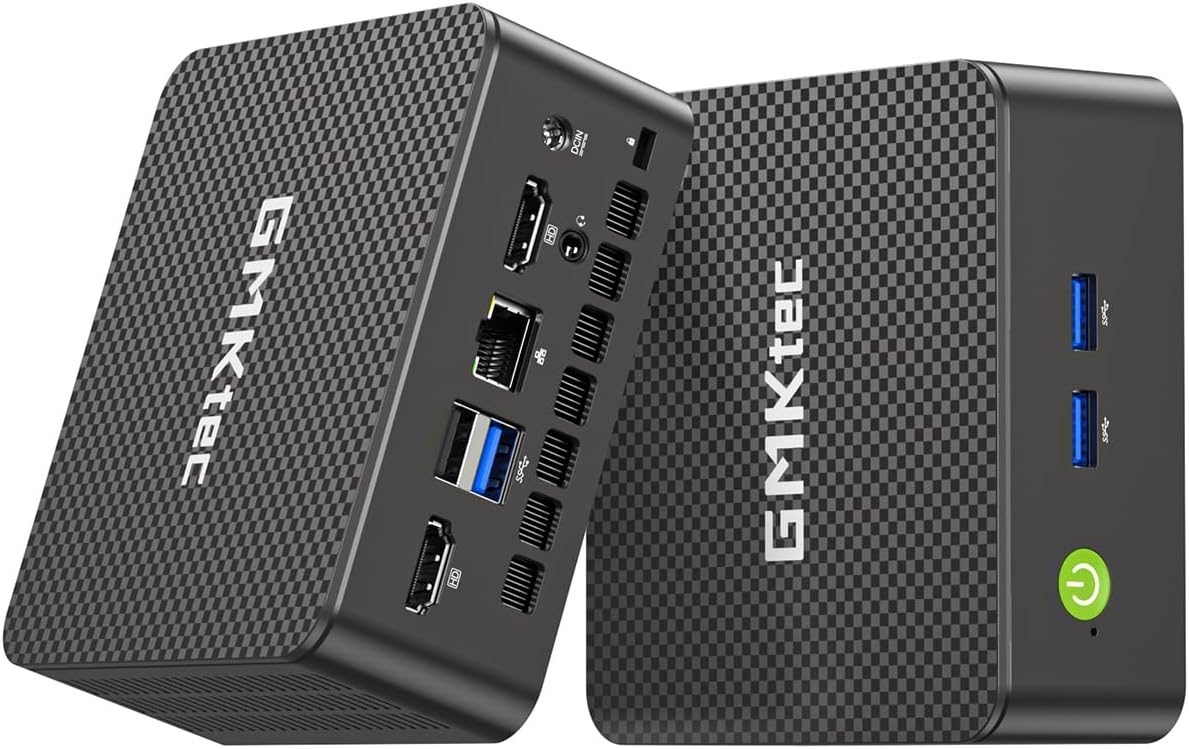
The GMKtec G11 Mini PC features AMD Ryzen Embedded R2514 with dual 2.5GbE LAN ports. It includes 16GB dual-channel DDR4 memory and supports three 4K displays. This design is ideal for networking applications like pfSense or OPNsense firewalls.
We may earn a commission when you buy through this link, at no additional cost to you.
The dual-channel memory and dedicated shader core GPU enhance throughput and media performance. WiFi 6E ensures low-latency wireless connectivity. Triple display support enables multi-monitor workstations for office or control room use.
The embedded processor limits raw CPU performance compared to desktop chips. However, its network efficiency and display options stand out. The lack of Thunderbolt keeps focus on LAN capabilities and cost-effectiveness.
Buy this for Linux home labs, routers, or compact servers needing dual high-speed LAN. It delivers strong networking and visual performance in a small form.
Two 2.5GbE LAN ports enable hardware firewall routing or isolated network setups for security.
Dual-channel DDR4 improves GPU bandwidth and multitasking speed significantly over single-channel designs.
We may earn a commission when you buy through this link, at no additional cost to you.
The BOSGAME E5 Mini PC features AMD Ryzen 3 5300U with dual 2.5GbE LAN ports. It includes 16GB DDR4 RAM and dual M.2 NVMe slots supporting up to 64GB total. Triple 4K output and USB-C enhance connectivity for Linux and office setups.
We may earn a commission when you buy through this link, at no additional cost to you.
Dual NVMe slots allow RAID or fast storage pooling without removing drives. The full-function USB-C supports display output and power delivery. Quiet operation and VESA mount options ensure versatility for home or professional environments.
While limited to 64GB max RAM, dual NICs are rare at this level. The 5300U provides stable daily performance. It lacks Thunderbolt but excels in networking and display flexibility for the price.
Choose this for Linux server builds or workstations needing dual LAN and multiple displays. It balances expandability and power well for enthusiasts.
Dual 2.5GbE RJ45 LAN ports enable pfSense deployment or high-speed NAS configurations.
Two M.2 NVMe slots provide fast storage expansion with full PCIe 3.0 performance.
We may earn a commission when you buy through this link, at no additional cost to you.
The BOSGAME E4 Air Mini PC features Ryzen 5 3500U with 8GB DDR4 RAM and 256GB SATA SSD. It supports triple 4K displays and dual Gigabit LAN. This model provides reliable performance for office work, web browsing, and Linux development.
We may earn a commission when you buy through this link, at no additional cost to you.
Radeon Vega 8 graphics handle 4K video streaming and editing well. Dual LAN and USB-C enhance network and peripheral connectivity. The compact size and VESA mount save desk space for tidy setups.
8GB RAM may slow under heavy multitasking. SATA SSD is slower than NVMe. However, the affordability and triple 4K support make it strong for entry users needing display versatility on a budget.
Buy this for a budget-friendly Linux Mini PC with strong display options. It is best for general use, media, or light workloads where cost matters.
The 3500U delivers 4C/8T performance for smooth daily Linux tasks and media consumption.
Triple 4K support via HDMI, DP, and USB-C enables productive multi-monitor Linux work.
We may earn a commission when you buy through this link, at no additional cost to you.
The GMKtec G3S Mini PC features Intel N95 processor with 4 cores and 8GB DDR4 RAM. It includes a 256GB M.2 SSD and dual HDMI 4K@60Hz outputs. This compact unit is ideal for light Linux desktop use and home entertainment.
We may earn a commission when you buy through this link, at no additional cost to you.
The N95 delivers up to 36% performance gains over prior low-power chips. AV1 decoding ensures smooth streaming. Dual HDMI and USB 3.2 enable versatile setups for displays and peripherals without clutter.
RAM is limited to 8GB and non-upgradeable. It suits basic Linux tasks but not heavy multitasking. Still, its small footprint and efficiency make it suitable for kiosks, media centers, or secondary desktops.
Choose this for a compact Linux Mini PC for everyday use. It balances speed and size for users prioritizing space-saving design.
The Intel N95 ensures fast boot and quiet operation ideal for desktop environments.
Dual HDMI 4K outputs let you use two monitors simultaneously for browsing and document work.
We may earn a commission when you buy through this link, at no additional cost to you.
Selecting the right Linux Mini PC depends on performance needs, connectivity, and expandability.
Evaluate the CPU architecture for Linux support. Modern Zen or Intel Core processors ensure smooth performance and compatibility with distributions like Ubuntu or Linux Mint.
Choose a CPU that matches your workload to avoid unnecessary costs.
Look for SO-DIMM or NVMe slots to upgrade later. At least 16GB RAM is recommended for development tasks and multi-display Linux setups.
Expandable storage ensures flexibility for growing data needs.
Multiple HDMI, DisplayPort, or USB-C ports enable triple 4K setups. This feature enhances productivity for multitasking and coding workflows.
Ensure the GPU supports simultaneous multi-monitor displays.
Dual Ethernet or 2.5GbE ports enable firewall or NAS builds. WiFi 6E and Bluetooth keep wireless setups modern and efficient.
Prioritize LAN diversity for advanced networking Linux projects.
Active cooling with heat pipes prevents throttling under load. Silent operation is key for office or home use.
Choose models with optimized airflow for 24/7 Linux operations.
Some models offer Zorin OS or Linux Mint pre-installed. This saves time and ensures immediate usability.
Verify distribution versions for current Linux kernel support.
Dual NVMe slots or M.2 SATA interfaces provide storage flexibility. Check max supported RAM before purchasing.
Look for models that allow future upgrades to extend lifespan.
US-based or long warranties ensure reliable after-sales service. Check vendor support options and certification.
Choose brands offering lifetime technical support for peace of mind.
Connect the Mini PC via HDMI or USB-C to your display. Use the included VESA mount to attach it behind monitors for a clean setup.
Install Linux distributions via USB drives or use pre-installed OS. Configure networking settings and update drivers for optimal performance.
Keep the device in a cool place with good airflow to maintain performance. Regular updates ensure system stability and security over time.
Yes, all models support Ubuntu Linux via standard kernel drivers. Ensure firmware updates are installed for WiFi or graphics performance.
Most models have SO-DIMM slots allowing RAM upgrades. Some use soldered memory so check specs before purchasing.
The ASUS NUC 14 Pro offers 64GB DDR5 RAM and Thunderbolt 4, ideal for virtualization and coding tasks.
Yes, all models support at least dual 4K displays via HDMI or DisplayPort. Higher-end models support triple setups.
Create a bootable USB with your desired Linux ISO. Boot from USB in BIOS and follow the installer prompts.
The GMKtec G11 and BOSGAME E5 feature dual 2.5GbE LAN, making them ideal for pfSense or OPNsense deployments.
The TK Node, ASUS NUC 14 Pro, and CyberGeek Mini PCs stand out for Linux readiness and performance across budgets.
Prioritize expandable RAM, triple display outputs, and networking features to future-proof your Mini PC investments.
Check current product pages for the latest Linux compatibility and availability before buying.