
Lenovo IdeaPad Laptop
4.1Editor score
Affordable Price Point
1TB Cloud Storage
Includes Keyboard and Mouse
Finding a reliable laptop that comes with essential software pre-installed can save you time and money. These devices are perfect for students and professionals who need immediate access to productivity tools without additional subscriptions.
We have carefully selected and analyzed ten top models available this month. Our comparison focuses on processor speed, storage capacity, battery life, and the specific Microsoft 365 bundles included with each machine.
Each pick below highlights key strengths and potential trade-offs to help you decide. Please note that product availability and specific bundle details can change frequently, so always verify the latest specs before purchasing.
4.1Editor score

5.0Editor score

4.3Editor score
As an Amazon Associate we earn from qualifying purchases.
The following table provides a side-by-side comparison of all ten selected laptops. Use this to quickly identify which model best matches your specific needs for performance, display size, and software inclusion.


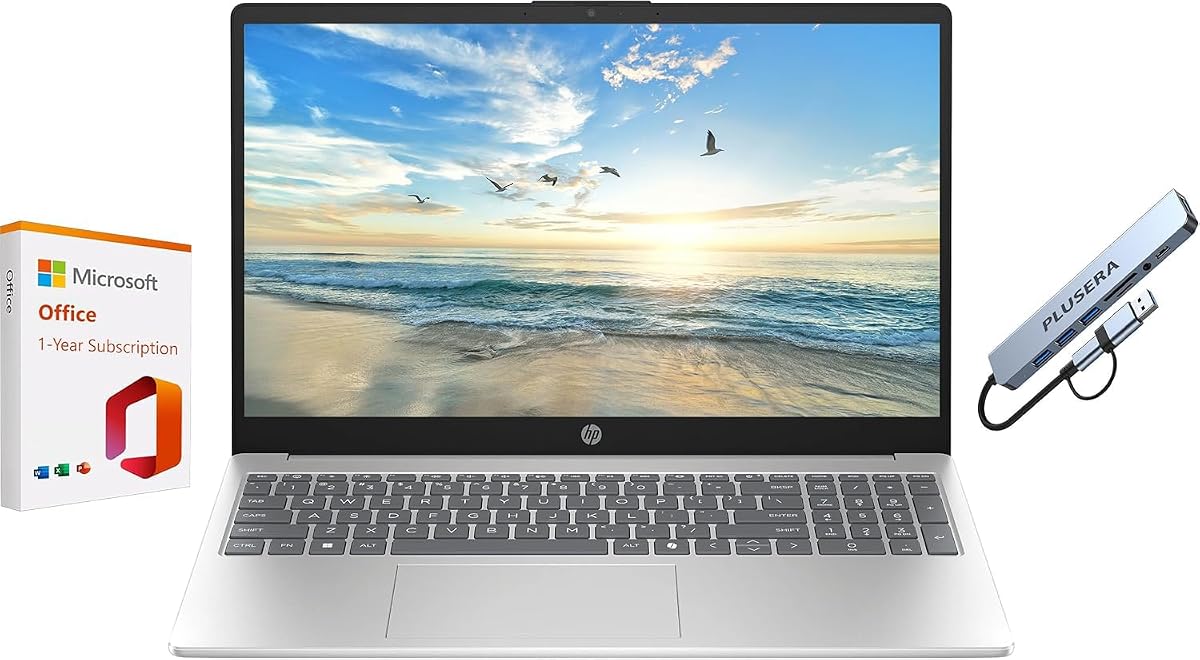




This laptop stands out as the top choice for users needing a reliable machine with Microsoft 365 pre-installed. It offers a perfect balance of performance and portability for daily tasks like browsing and document editing.
We may earn a commission when you buy through this link, at no additional cost to you.
The included 1TB cloud storage ensures you never run out of space for files. With up to eleven hours of video playback, it is ideal for students moving between classes without needing a charger.
While the local SSD is modest, the cloud integration compensates well for most users. The Snowflake White design adds a stylish touch to any workspace while remaining lightweight enough for travel.
We recommend this model for students and home office users who prioritize battery life and software readiness over heavy gaming capabilities.
The 1TB OneDrive integration allows for automatic backups and easy access to documents from any device with an internet connection.
A dedicated Microsoft Copilot key on the keyboard provides quick access to AI assistance for drafting emails or summarizing content.
We may earn a commission when you buy through this link, at no additional cost to you.
This model is excellent for users who need significant memory for running multiple applications simultaneously. The 16GB RAM ensures smooth performance even when dozens of browser tabs are open.
We may earn a commission when you buy through this link, at no additional cost to you.
The lifetime Microsoft Office license removes the need for annual subscriptions, making it cost-effective in the long run. The included docking station adds significant value for desktop setups.
Storage is split between UFS and an external drive, which can be confusing for some users. However, the total capacity is sufficient for storing large media files and work documents.
Consider this option if you need professional features like Windows 11 Pro and do not want to pay recurring fees for software.
Windows 11 Pro offers enhanced security and remote access tools that are vital for business environments.
The USB-C dock provides multiple ports for monitors and peripherals, turning the slim laptop into a powerful workstation.
We may earn a commission when you buy through this link, at no additional cost to you.
The Ultrabook form factor makes this laptop incredibly easy to carry in any standard backpack. Its light weight is a major advantage for commuters and students on the go.
We may earn a commission when you buy through this link, at no additional cost to you.
Performance is handled by an Intel Core processor capable of managing daily workflows without lag. The anti-glare display helps reduce eye strain during long writing sessions.
Note that a mouse is not included in the box, which may require a separate purchase. However, the trackpad is responsive enough for general navigation without one.
This is a solid pick for anyone who values mobility above all else and needs a basic machine for writing and web browsing.
Weighing under four pounds, this device slips easily into small bags without adding significant bulk or strain.
Pre-installed software means you can start writing essays or reports immediately upon unboxing the device.
We may earn a commission when you buy through this link, at no additional cost to you.
For buyers on a tight budget, this laptop offers exceptional value by including essential accessories and cloud storage. It covers the basics required for students and home users effectively.
We may earn a commission when you buy through this link, at no additional cost to you.
The 11-hour battery life ensures you can get through a school day or work shift without searching for an outlet. The inclusion of a physical keyboard and mouse completes the package nicely.
The 4GB RAM is the main limitation for heavy multitasking. However, for standard web browsing and document editing, it remains functional and responsive.
Choose this model if you need a functional first laptop or secondary device without spending a large amount of money.
Unlike many budget options, this laptop includes a wireless mouse and keyboard so you can start using it immediately.
Most storage is in the cloud, which encourages good habits for backing up data and accessing files remotely.
We may earn a commission when you buy through this link, at no additional cost to you.
This laptop stands out due to its generous RAM and the variety of accessories bundled with the purchase. It is well suited for business environments where connectivity is key.
We may earn a commission when you buy through this link, at no additional cost to you.
The inclusion of an 8-in-1 hub and earphones adds immediate value. You can connect multiple monitors and peripherals without needing to buy extra adapters separately.
While the Office subscription is only for one year, the performance of the system makes up for this limitation. The natural silver finish gives it a professional appearance.
We suggest this for users who need to connect to various external devices regularly and want a robust working environment.
Multiple USB ports and HDMI options allow you to build a versatile setup with multiple screens and devices.
The included earphones and robust audio drivers make video calls and media consumption more immersive and clear.
We may earn a commission when you buy through this link, at no additional cost to you.
Designed specifically for students, this model prioritizes mobility and battery endurance. It can last through a full day of lectures and study sessions on a single charge.
We may earn a commission when you buy through this link, at no additional cost to you.
The Wi-Fi 6 and Bluetooth 5.4 ensure stable connections to campus networks and peripherals. The 1TB cloud storage provides ample space for assignments and research papers.
The device runs in S Mode, which limits app installation to the Microsoft Store. You can switch out of S Mode if you need specific third-party software applications.
This is the ideal choice for students who are always moving between classes and need a reliable device that does not need constant charging.
With up to twelve hours of battery life, you can work from a library or cafe without worrying about finding a power outlet.
Modern Bluetooth and Wi-Fi standards ensure fast data transfer and stable video calls during remote learning sessions.
We may earn a commission when you buy through this link, at no additional cost to you.
This laptop features a Full HD display that offers significantly better clarity than standard HD screens. The IPS panel provides wide viewing angles which is great for collaboration.
We may earn a commission when you buy through this link, at no additional cost to you.
DDR5 RAM is a modern standard that allows for faster data access and smoother performance compared to older generations. The privacy shutter on the webcam adds a layer of security.
The rapid charge feature allows you to get a significant amount of battery power in just a short time. This is useful when you are rushing to a meeting or class.
If you spend a lot of time watching videos or editing photos, the superior screen quality makes this a top recommendation.
The Full HD resolution ensures text is crisp and images are vibrant, reducing eye strain during long work hours.
The physical privacy shutter allows you to instantly block the camera when not in use for added peace of mind.
We may earn a commission when you buy through this link, at no additional cost to you.
For those who need a desktop replacement, the large 17.3-inch screen provides ample workspace. It is ideal for viewing spreadsheets or multiple documents side by side.
We may earn a commission when you buy through this link, at no additional cost to you.
The 8-core processor delivers strong performance for demanding tasks. The lifetime license for Microsoft Office is a significant long-term benefit for businesses and students alike.
The device is quite heavy and bulky, so it is not recommended for daily commuting. It is best used as a stationary unit in an office or home.
This model is perfect for users who want maximum screen real estate without sacrificing processing power or software licensing costs.
The large screen acts like a desktop monitor, allowing for efficient multitasking without needing an external display.
Eight cores ensure that the system can handle heavy loads like video rendering or data analysis without slowing down.
We may earn a commission when you buy through this link, at no additional cost to you.
This laptop adds a touchscreen layer to the standard business experience, making navigation more intuitive. It is particularly useful for touch-friendly applications and presentations.
We may earn a commission when you buy through this link, at no additional cost to you.
The Intel Core i3-1215U processor provides solid speed for daily tasks. The lifetime Office 2024 license ensures you have all the standard productivity apps permanently.
Battery life is average for this class of device so you should expect to plug in frequently during long work sessions. However, the fast charge feature helps mitigate this issue.
We recommend this model for users who want a modern interface and do not mind a slightly higher price for touch capabilities.
Touch input makes scrolling through web pages or selecting items in apps much faster and more natural than using a trackpad.
The 6-core processor offers a good balance of speed and efficiency for multitasking and professional software.
We may earn a commission when you buy through this link, at no additional cost to you.
This model offers a distinct aesthetic that stands out from standard business laptops. The Rose Gold finish gives it a personal and stylish touch for individual users.
We may earn a commission when you buy through this link, at no additional cost to you.
Connectivity is comprehensive with USB-C, HDMI, and SD card readers. This ensures you can connect almost any peripheral without needing a dongle.
Performance is reliable for everyday tasks like web browsing and document creation. The cloud storage integration keeps your files safe and accessible across devices.
Choose this laptop if you want a machine that looks good on your desk while still providing all the essential features for daily productivity.
The unique color option helps you express your personal style while still maintaining a professional appearance for work or school.
Having all necessary ports built-in means you can plug in older devices or projectors without needing extra adapters.
We may earn a commission when you buy through this link, at no additional cost to you.
Selecting the right laptop involves understanding your specific needs and how the included software bundle aligns with them. This guide breaks down the key factors to consider.
Some laptops come with a one-year subscription while others include a lifetime license. A lifetime license is better for long-term value, while a one-year subscription often includes cloud services.
Check whether the bundle is a standalone app or a subscription service that may renew automatically.
The processor determines how fast your laptop can run applications. For basic tasks like writing emails, even entry-level processors are sufficient.
Choose a model with at least a quad-core CPU if you plan on multitasking or running heavier software.
RAM is critical for keeping multiple programs open at once. Four gigabytes is the absolute minimum for today's software requirements.
Eight gigabytes or more is recommended for a smoother experience when switching between apps and browser tabs.
Solid State Drives are faster and more durable than traditional hard drives. Look for at least 128GB of local storage for the operating system and apps.
Cloud storage is often included to supplement local space, so check the terms of the cloud plan provided.
For students and travelers, battery life is a priority. Aim for a device that can last at least eight hours of real-world use.
Check reviews for actual battery performance rather than relying solely on manufacturer claims.
The screen is your primary window to content. Higher resolution screens are easier on the eyes and show text more clearly.
Anti-glare coatings are useful for working in bright environments like classrooms or offices.
Ensure the laptop has the ports you need for your peripherals. Common needs include USB-A for mice and USB-C for modern monitors.
If the laptop lacks a specific port, check if adapters are included in the package.
A lightweight chassis is essential if you plan to carry the laptop daily. Heavier models are better suited for stationary use.
Look for durable materials like aluminum or reinforced plastic that can withstand regular handling.
Upon unboxing, activate your Microsoft 365 account using the provided link. Ensure you set a strong password to protect your documents and cloud data.
Keep your laptop in a cool and dry place to maintain battery health. Avoid using it on soft surfaces like blankets which can block ventilation.
Update your software regularly to benefit from the latest security patches and feature improvements from Microsoft.
It depends on the specific bundle. Some models offer a one-year subscription while others include a lifetime license for the desktop apps. Always check the product description before purchasing.
These laptops are designed for productivity rather than gaming. They can handle very basic casual games but are not suitable for demanding 3D titles.
Most models include one terabyte of cloud storage via OneDrive. This allows you to save files online and access them from any device.
No, these apps are included in the Microsoft 365 subscription or lifetime license bundled with the laptop.
Most models come with Windows 11 Home, but some business versions include Windows 11 Pro for enhanced security features.
Battery life varies by model but ranges from eight to twelve hours for normal usage like web browsing and document editing.
Some models have soldered RAM that cannot be upgraded. Check the specific technical specifications to see if memory slots are accessible.
Most laptops come with a power adapter. Some bundles also include a mouse, keyboard, or docking station depending on the manufacturer.
We recommend the HP Everyday Laptop 2026 Edition for its balance of cloud storage and battery life. It offers the most complete package for general users.
If you need more power for multitasking, look at the HP 14 Business model with 16GB RAM. For budget buyers, the Lenovo IdeaPad is an excellent entry-level option.
Prices and stock fluctuate frequently so please verify the current specs and prices on the product pages before making your final decision.