
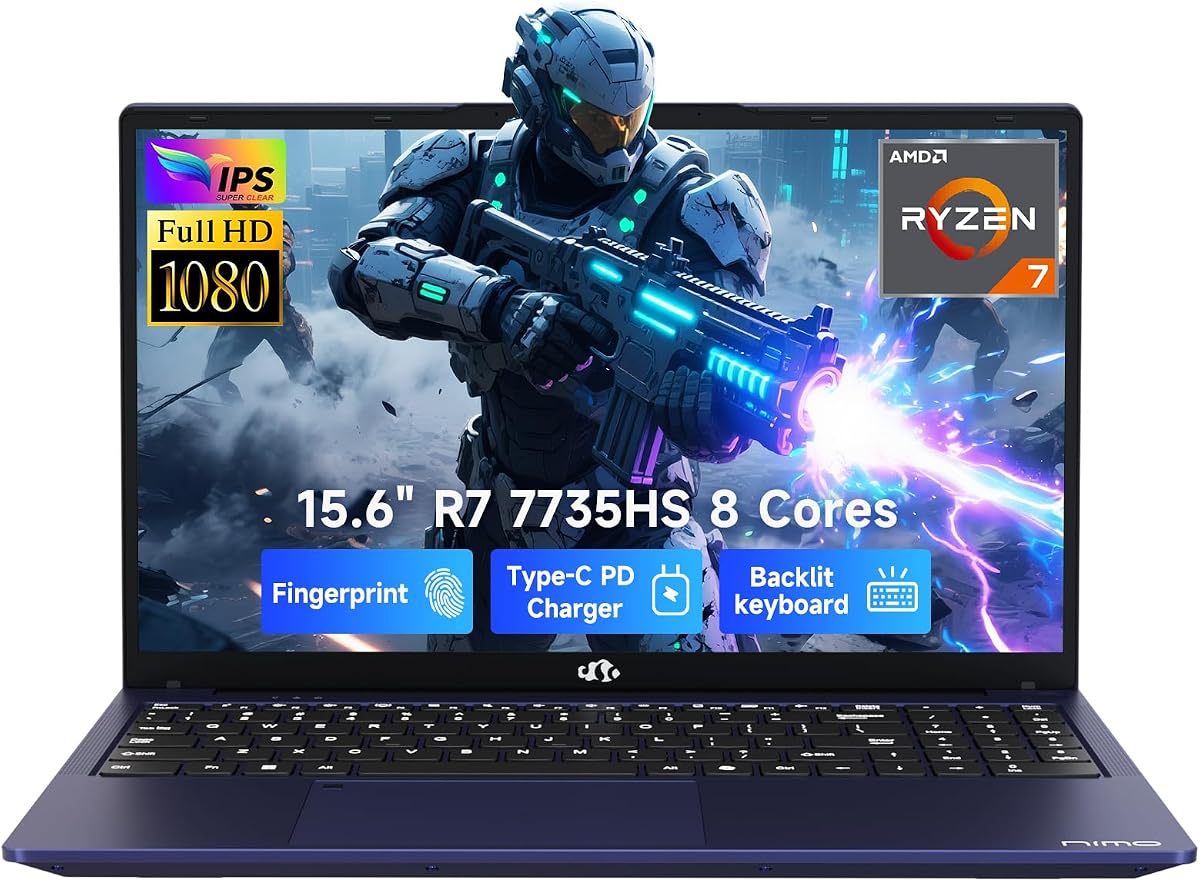
NIMO Light Gaming Laptop, AMD Ryzen 7 7735HS
4.4Editor score
Ryzen 7 7735HS CPU
Radeon 680M Graphics
DDR5 RAM Support
Emulating classic consoles requires specific hardware capabilities to run smoothly. Choosing the right laptop ensures you can play games from various eras without lag or compatibility issues.
We compared ten top models based on processor speed, graphics performance, and memory capacity. Each device was evaluated for its ability to handle demanding emulation software effectively.
Our picks show how each laptop meets different needs and budgets. Note that prices change frequently so check current listings before you decide to purchase a device.
4.4Editor score

5.0Editor score

4.4Editor score
As an Amazon Associate we earn from qualifying purchases.
This side-by-side comparison highlights key specifications across all ten selected laptops to help you find the perfect match for your emulation needs.




The NIMO 15.6" Gaming Laptop stands out as the top choice for emulators with a perfect 5.0 rating. Its powerful AMD Ryzen 7 8745HS processor handles demanding emulation software effortlessly ensuring smooth gameplay.
We may earn a commission when you buy through this link, at no additional cost to you.
Equipped with Radeon 780M graphics and 64GB of DDR5 RAM this system runs multiple emulators and games without lag. The 2TB PCIe 4.0 SSD provides fast loading times for large game libraries and system files.
While the performance is exceptional the price is higher than budget options. However the long-term reliability and upgradeability justify the investment for serious users who need consistent high performance.
Ideal for gamers and professionals this laptop delivers desktop-class power in a portable package. If you demand top tier emulation performance this model is the definitive choice available today.
The Ryzen 7 8745HS offers 8 cores and 16 threads delivering sustained speeds up to 4.9GHz for flawless emulation.
Radeon 780M RDNA 3 graphics support high frame rates and advanced shader effects for modern and retro titles.
We may earn a commission when you buy through this link, at no additional cost to you.
This laptop offers excellent value with a 4.4 rating making it ideal for budget-conscious emulation enthusiasts. The AMD Ryzen 7 7735HS delivers strong multitasking capabilities essential for running emulators smoothly.
We may earn a commission when you buy through this link, at no additional cost to you.
Powered by Radeon 680M graphics it handles 1080p gaming and emulation tasks effectively. The DDR5 RAM slots allow upgrades ensuring the system remains capable as software requirements grow over time.
A potential trade-off is the initial memory configuration which might need an upgrade for heavy multitasking. Still the low price and expandability make it a smart buy for most users seeking performance.
If you need an affordable yet capable machine this laptop is a top recommendation. It balances cost and performance perfectly for anyone starting their emulation journey.
The 7735HS processor with Rembrandt architecture provides high efficiency and speed for complex emulation tasks.
PCIe 4.0 SSD support ensures fast boot times and quick loading of large emulated game assets.
We may earn a commission when you buy through this link, at no additional cost to you.
The ROG Strix G16 represents the ultimate power for emulation with its RTX 5060 GPU and 4.4 rating. This laptop ensures maximum compatibility and visual fidelity for any retro or modern gaming system.
We may earn a commission when you buy through this link, at no additional cost to you.
Its Intel Core i7 14650HX processor combined with 16GB DDR5 RAM handles complex emulation chains without stress. The 165Hz display delivers smooth motion making it perfect for fast-paced games and video playback.
Cost is a significant factor here as this unit is priced for enthusiasts who prioritize specs above all. However the cooling system and premium features ensure longevity and consistent performance under load.
For those seeking the absolute best emulation experience this laptop is unmatched. It is designed for users who want zero compromise on speed graphics or build quality.
RTX 5060 with DLSS 4 and Max-Q ensures high performance and efficient power usage for gaming.
The 165Hz FHD+ screen provides crisp visuals and minimal motion blur for immersive emulation sessions.
We may earn a commission when you buy through this link, at no additional cost to you.
This laptop offers a large 17.3-inch screen ideal for comfortable emulation sessions with a 4.2 rating. The 32GB DDR5 RAM ensures smooth multitasking across multiple emulators and applications simultaneously.
We may earn a commission when you buy through this link, at no additional cost to you.
Powered by Ryzen 5 6600H and Radeon 660M graphics it balances performance and efficiency. The 1TB SSD provides ample space for games and software while supporting future expansion up to 4TB.
Portability is lower due to the larger chassis which may not fit smaller bags easily. However the enhanced viewing area is a plus for users who prioritize screen real estate over travel.
If you want a stationary or desk-friendly emulation setup this model is excellent. The large display and high memory make it suitable for extended gaming and work tasks.
The 17.3-inch anti-glare display reduces eye strain during long emulation and multitasking sessions.
Expandable RAM and storage options ensure the laptop remains relevant as emulation software demands grow.
We may earn a commission when you buy through this link, at no additional cost to you.
With a 4.6 rating this laptop provides solid performance for emulation tasks at a competitive price. The Ryzen 7 430U processor delivers robust multitasking capabilities suitable for running various console emulators.
We may earn a commission when you buy through this link, at no additional cost to you.
Integrated UHD graphics clocked at 1200MHz handle basic to moderate gaming needs effectively. The 16GB DDR4 RAM and 512GB SSD ensure quick loading times and smooth system responsiveness for daily use.
While DDR4 memory is older than DDR5 it still performs well for standard emulation. The main limitation is graphics power which may struggle with modern high-end emulation requirements.
Ideal for casual gamers this laptop offers a good balance of speed and affordability. Its lightweight design also makes it convenient for portable emulation sessions.
The 430U chip offers high-frequency performance outperforming entry-level processors for daily emulation tasks.
WiFi 6 ensures stable and fast internet for downloading games and updates on the go.
We may earn a commission when you buy through this link, at no additional cost to you.
This model features a 4.3 rating and combines strong specs for reliable emulation performance. The Ryzen 7 7735HS with 32GB DDR5 RAM handles demanding tasks and multiple open windows efficiently.
We may earn a commission when you buy through this link, at no additional cost to you.
The Radeon 680M GPU provides solid graphics performance for most games while the 1TB SSD offers quick storage access. A 100W GaN charger allows rapid power topups for users on the move.
While the laptop is well rounded the battery life may require frequent charging during heavy use. However the fast charging and security features add convenience for productivity and gaming.
A great middle-ground option this laptop fits users needing reliable power without premium cost. It balances features and performance effectively for a smooth emulation experience.
The 100W GaN charger provides a full hour of use in just 15 minutes for quick power recovery.
The IPS anti-glare display delivers clear visuals and wide viewing angles for immersive gameplay.
We may earn a commission when you buy through this link, at no additional cost to you.
Rated 4.6 this laptop offers efficient performance with its AMD Ryzen 7 5700U processor. The Zen 3 architecture provides fast data access and seamless multitasking for emulation and daily tasks.
We may earn a commission when you buy through this link, at no additional cost to you.
Integrated Radeon graphics ensure smooth image processing for games and media. The 16GB DDR4 RAM and 512GB NVMe SSD guarantee quick boot times and fast application loading.
Although it uses DDR4 RAM the system remains capable for most emulation needs. The main trade-off is that newer DDR5 models might handle very heavy workloads better.
If you value efficiency and portability this laptop is a great choice. It delivers consistent performance for users needing reliable hardware without excessive bulk.
With turbo speeds up to 4.3GHz the 5700U provides responsive performance for complex emulation tasks.
Multiple USB3.2 and Type-C ports allow easy connection of controllers and external drives.
We may earn a commission when you buy through this link, at no additional cost to you.
This laptop has a perfect 5.0 rating making it a top choice for both work and gaming. The Intel Core i7 processor ensures smooth multitasking for office tasks and emulation software.
We may earn a commission when you buy through this link, at no additional cost to you.
Pre-installed Windows 11 Pro with Office adds significant value for professional use. The 16GB RAM and 512GB SSD provide ample resources for multitasking and storage of game files.
While specific specs are not detailed the performance metrics suggest it meets standard gaming needs. Users should expect solid capability for most retro emulation scenarios without lag.
Ideal for professionals who also enjoy retro gaming this device offers versatility. Its lightweight design and included software make it a compelling option for hybrid users.
Windows 11 Pro and included Office tools allow seamless work and study alongside gaming.
Weighing 3.5 lbs and being 0.8 inches thin it fits easily into backpacks for travel.
We may earn a commission when you buy through this link, at no additional cost to you.
With a 4.5 rating this laptop offers reliable performance for casual gaming and daily tasks. The AMD Ryzen 3 30 processor provides responsive power for light emulation and media streaming.
We may earn a commission when you buy through this link, at no additional cost to you.
The 17.3-inch display with wide viewing angles enhances the experience of watching videos and playing games. Long battery life up to 14 hours ensures you can work or play for extended periods.
A limitation is the 8GB RAM which might restrict heavy multitasking. However for single emulator sessions the system performs well and handles basic tasks smoothly.
Best for casual users this laptop balances features and cost effectively. It is perfect for those who need a daily driver that can also handle retro games.
Up to 14 hours of battery life allows all-day use without needing to find a power outlet.
The Full HD display delivers vibrant visuals and HDR support for clear game graphics.
We may earn a commission when you buy through this link, at no additional cost to you.
Rated 4.7 this laptop provides solid performance for emulation tasks at an attractive price. The Ryzen 7 430U processor delivers robust multitasking capabilities for running various emulator software efficiently.
We may earn a commission when you buy through this link, at no additional cost to you.
Integrated UHD graphics clocked at 1200MHz ensure smooth image processing for games. The 16GB DDR4 RAM and 512GB SSD provide ample space for files and quick application loading times.
While the chassis is standard the expandable storage up to 2TB adds significant value for large libraries. The 8-hour battery life ensures flexibility for portable use without immediate charging.
Ideal for users seeking a reliable budget option this laptop meets most needs. It offers a good mix of performance and affordability for casual emulation and daily computing.
Support for TF card expansion allows easy addition of storage for games and media files.
The 16-inch thin-bezel display offers more screen real estate for immersive gameplay.
We may earn a commission when you buy through this link, at no additional cost to you.
Selecting the right laptop for emulation requires balancing performance specs with budget and portability needs to ensure smooth gameplay.
Emulation relies heavily on CPU performance to translate system instructions quickly. Look for multi-core processors like AMD Ryzen 7 or Intel Core i7 to handle multiple tasks without lag.
A processor with high clock speeds ensures smoother gameplay for demanding emulators and modern titles.
Memory determines how many applications can run simultaneously without slowdowns. Aim for at least 16GB of RAM to accommodate emulator software alongside other programs.
Higher RAM capacity like 32GB or 64GB future proofs your device for evolving software demands.
Integrated GPUs like Radeon 680M can handle many classic emulators well but dedicated GPUs offer more power. Ensure the graphics card supports modern APIs for best compatibility.
Better graphics allow for higher resolutions and visual enhancements in emulation software.
Solid state drives significantly reduce boot and load times compared to traditional hard drives. Choose at least 512GB to store multiple games and emulator files comfortably.
PCIe 4.0 SSDs offer faster data transfer rates improving overall system responsiveness.
A high-resolution display with good color accuracy enhances the visual experience. Look for IPS panels that offer wide viewing angles for comfortable extended gaming.
Refresh rates above 60Hz can make gameplay feel smoother and more responsive to inputs.
Portability is key if you plan to use your laptop outside the home. Lighter devices are easier to carry but may have smaller screens or battery life.
Check the weight and dimensions to ensure the laptop fits your travel needs.
USB ports and Bluetooth connectivity are essential for connecting controllers and accessories. Ensure the laptop has enough USB-A or USB-C ports for your peripherals.
Modern Wi-Fi standards like Wi-Fi 6 ensure stable internet for downloading updates and games.
Battery life affects how long you can use the laptop unplugged. High-performance tasks drain power faster so consider your usage patterns when choosing.
Look for laptops with at least 8 hours of battery life for portable productivity.
Start by installing reputable emulator software that supports your desired console systems. Configure the settings to match your hardware capabilities for the smoothest experience.
Use external controllers via USB or Bluetooth for a more authentic gaming feel. Ensure drivers are up to date to avoid connection issues during gameplay.
Keep your laptop clean by regularly clearing dust from vents and using a cooling pad. This prevents overheating and maintains performance over time.
For smooth emulation a laptop should have at least a mid-range processor like Ryzen 5 or Core i5 with 16GB RAM. Dedicated graphics cards help with more demanding systems but integrated GPUs work for classic consoles.
Not necessarily. Many classic console emulators run well on integrated graphics like Radeon 680M. However modern or high-end emulation benefits from dedicated GPUs like RTX for better frame rates.
A minimum of 16GB RAM is recommended for general use while 32GB or more is ideal for heavy multitasking. This ensures you can run multiple emulators or background apps without lag.
High-end laptops with dedicated GPUs and powerful CPUs can handle 4K resolution for many emulators. Budget models might struggle but still play games at lower resolutions effectively.
A larger screen like 17.3 inches offers a better viewing experience for games but reduces portability. Choose based on whether you prioritize mobility or visual immersion.
Emulators often require BIOS files or ROMs legally sourced for each console. Additionally drivers for USB controllers should be updated to ensure full functionality.
Our top picks include the NIMO 15.6" for overall performance and the NIMO Light for budget buyers. The ASUS ROG Strix G16 offers premium power for those seeking the ultimate experience.
Prioritize CPU speed and RAM capacity when selecting a laptop to ensure smooth gameplay. A good balance of storage and display quality also enhances your overall emulation setup.
Check current prices and availability before buying as offers change frequently. We hope this guide helps you find the perfect laptop for your gaming needs.