
Dell Precision 3581 Workstation
Core i7-13800H
32GB DDR5 RAM
Nvidia RTX A500
15.6 Inch FHD Display
Choosing the right laptop for CAD work requires balancing powerful hardware with reliable software compatibility. Professionals need machines that can handle complex 3D modeling and rendering without lagging during critical design phases.
We evaluated ten top-rated workstation laptops based on processor speed, graphics capabilities, and memory configurations. Each model was assessed for its ability to run industry-standard applications like AutoCAD and SolidWorks efficiently.
Each pick highlights specific strengths for different user needs from budget-conscious students to enterprise engineers. Prices fluctuate frequently so verify current deals before purchasing to ensure you get the best value for your investment.

4.4Editor score

4.1Editor score
As an Amazon Associate we earn from qualifying purchases.
The following table provides a side-by-side comparison of all ten selected laptops. It highlights key specifications such as processor type, memory capacity, storage speed, and graphics hardware to help you identify the most suitable workstation for your specific CAD workflow requirements.



The Dell Precision 7680 stands out as a top-tier workstation designed specifically for demanding creative workflows. With a rating of 4.4 stars it delivers exceptional performance for CAD design and 3D rendering tasks.
We may earn a commission when you buy through this link, at no additional cost to you.
Its Intel i9-13950HX processor provides the raw speed needed to handle complex simulations without bottlenecks. The 32GB DDR5 RAM ensures smooth multitasking even when running multiple heavy applications simultaneously.
While the price is premium the build quality and ISV certifications justify the investment for professional users. The anti-glare display offers sharp visuals crucial for precise architectural and engineering work.
This laptop is ideal for architects and engineers who need reliability and power on-site. It is the best choice for those prioritizing performance over portability in a professional setting.
The high clock speed of the i9 processor accelerates rendering times significantly reducing wait periods during critical project deadlines.
The FHD+ anti-glare screen provides accurate color representation and sharp details essential for precise CAD drafting and modeling.
We may earn a commission when you buy through this link, at no additional cost to you.
This configuration of the Dell Precision 7680 balances performance with cost efficiency for daily CAD tasks. It scores a solid 4.3 stars from users who value stability and reliability in their mobile workflow.
We may earn a commission when you buy through this link, at no additional cost to you.
The NVIDIA RTX 1000 Ada GPU provides dedicated graphics power for rendering and visualization tasks that integrated graphics cannot handle. This ensures smoother interaction with complex 3D models.
However the i5 processor might limit speed in extremely heavy simulation workloads compared to higher tier chips. Users should consider this model for standard design work rather than extreme computational tasks.
It is a suitable choice for design firms needing a standardized reliable machine across multiple employees. The robust connectivity allows seamless integration into existing office infrastructure and docking setups.
The RTX 1000 Ada GPU offloads rendering tasks allowing the CPU to focus on logic and geometry processing during active modeling sessions.
Support for up to four external monitors enables designers to keep reference materials and toolbars open while working on the primary canvas.
We may earn a commission when you buy through this link, at no additional cost to you.
The HP ZBook 8 G1i offers premium features tailored for engineers requiring substantial memory and storage. Its 4.1 rating reflects strong user satisfaction regarding its professional capabilities and build quality.
We may earn a commission when you buy through this link, at no additional cost to you.
With 64GB of DDR5 RAM this machine handles incredibly large assemblies and complex datasets without slowdown. The 2TB SSD ensures ample space for storing extensive project libraries and high-resolution textures.
The touchscreen interface adds a layer of interactivity for sketching concepts directly on the display. While the price is high the included three-year warranty provides peace of mind for business investments.
This laptop is perfect for senior engineers managing vast data sets who need all-in-one performance. It excels in environments where data access speed and storage capacity are critical constraints.
64GB of RAM allows for running virtual machines alongside CAD software which is essential for developers needing isolated testing environments.
Wi-Fi 7 ensures ultra-fast file transfers to cloud servers reducing downtime when accessing remote project files across multiple locations.
We may earn a commission when you buy through this link, at no additional cost to you.
This renewed model of the Dell Precision 3581 offers an accessible entry point for professionals seeking workstation grade power. It delivers the core components needed for reliable CAD performance at a lower price point.
We may earn a commission when you buy through this link, at no additional cost to you.
The Core i7-13800H processor provides 14 cores of computing power ensuring smooth operation during active design sessions. The RTX A500 GPU is certified for professional use ensuring stability with industry software.
Being a renewed unit it may lack the pristine cosmetic condition of a new device but functionality remains intact. The on-site warranty service ensures minimal downtime if hardware issues arise during critical work.
It is an excellent choice for students or small firms with budget constraints. This machine proves you do not need flagship specs to get professional results for standard drafting and modeling.
By choosing a renewed model with a warranty buyers save significantly while retaining access to professional tier hardware and reliable performance.
The NVIDIA RTX A500 ensures compatibility with professional drivers which reduces crashes during complex rendering tasks compared to consumer graphics cards.
We may earn a commission when you buy through this link, at no additional cost to you.
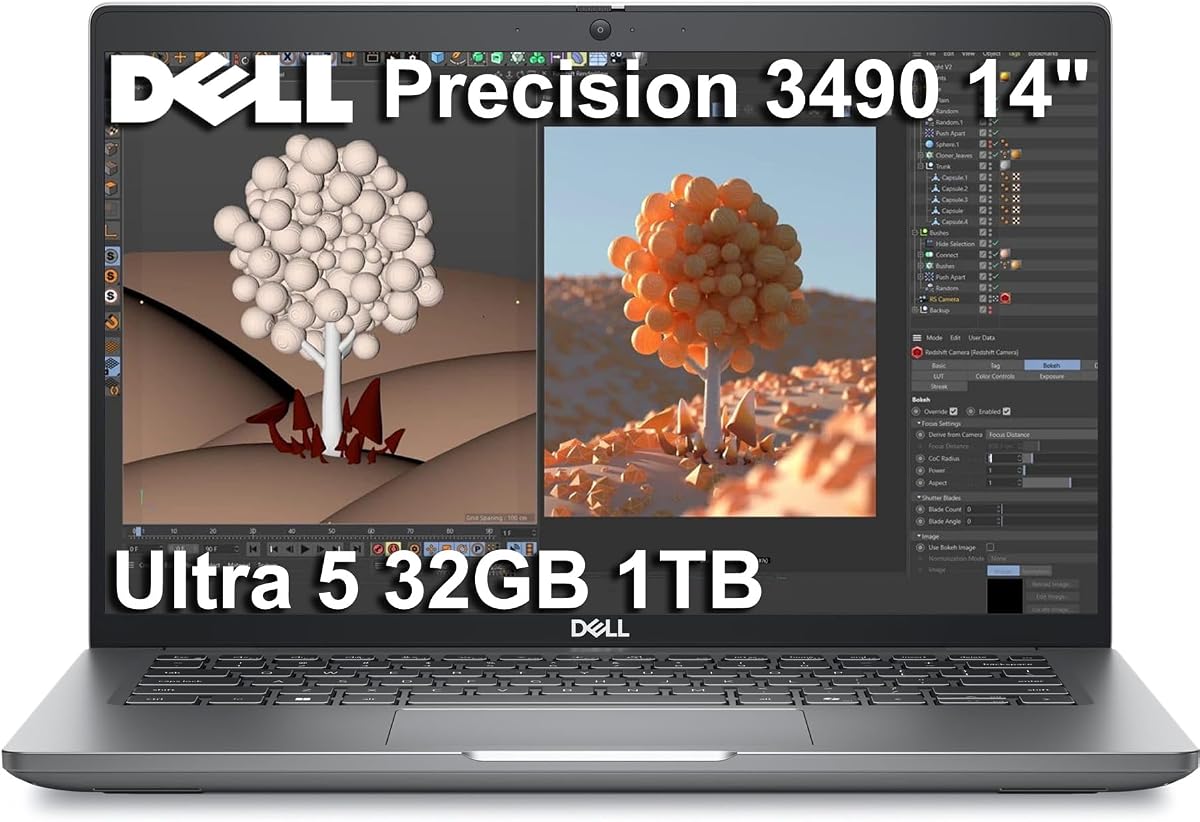
The Dell Precision 3490 prioritizes portability without sacrificing essential professional capabilities. It holds a perfect 5.0 rating for its ability to deliver reliable performance in a compact lightweight chassis.
We may earn a commission when you buy through this link, at no additional cost to you.
Weighing just over 3 pounds this laptop is ideal for engineers who travel frequently between sites and offices. The Intel Ultra 5 processor balances speed with power efficiency to extend battery life.
Integrated graphics mean it is less suitable for heavy 3D rendering but sufficient for 2D drafting and basic modeling. The durability testing ensures it survives the rigors of on-site field work.
This model is best for consultants who need a primary machine for daily administrative tasks and light CAD work. It is a practical choice when mobility is more important than raw graphics power.
The slim profile allows easy transport in a standard backpack making it convenient for engineers who work across multiple client locations daily.
Windows 11 Pro and enterprise security features protect sensitive design data when accessing confidential projects on public networks.
We may earn a commission when you buy through this link, at no additional cost to you.
The Dell Precision 7780 is a powerhouse designed for users who need maximum performance on the go. With a 5.0 rating it excels in delivering desktop-level rendering speeds in a mobile chassis.
We may earn a commission when you buy through this link, at no additional cost to you.
The RTX 4000 Ada GPU with 12GB of memory handles complex ray tracing and heavy simulations efficiently. This makes it a strong candidate for visualization specialists and advanced simulation engineers.
The 17.3 inch display provides ample screen real estate to view detailed drawings without constant zooming. Its high brightness ensures visibility even in bright indoor environments or outdoor settings.
This laptop is ideal for users who want a single device to replace a desktop workstation. It is the ultimate choice for power users who prioritize performance above all other factors.
The RTX 4000 Ada GPU supports advanced rendering features allowing photorealistic visualizations without needing an external render farm.
The expansive 17.3 inch screen minimizes the need for external monitors increasing productivity during long detailed design sessions.
We may earn a commission when you buy through this link, at no additional cost to you.
This configuration offers a solid middle ground for professionals needing dedicated graphics without the highest cost. It has a rating of 3.9 indicating mixed experiences but reliable core performance for CAD tasks.
We may earn a commission when you buy through this link, at no additional cost to you.
The RTX 2000 Ada GPU provides dedicated memory for rendering which is a significant upgrade over integrated graphics solutions. This ensures smoother viewport performance when manipulating large 3D objects.
While users have reported varied satisfaction the ISV certifications ensure that software compatibility remains high for major design applications. It is a dependable choice for standard engineering workflows.
This laptop is best for teams needing a standard workstation with consistent performance across multiple units. It offers a balance of cost and capability suitable for general design work.
The 8GB of dedicated video memory prevents texture bottlenecks during high-resolution rendering ensuring smoother operation in complex assemblies.
Comprehensive ports allow easy connection to projectors and external hard drives essential for collaborative reviews and data backup.
We may earn a commission when you buy through this link, at no additional cost to you.
This ultra-high-end configuration of the Dell Precision 7780 is built for extreme computational needs. It has a perfect 5.0 rating for users who demand maximum capacity and performance in a laptop.
We may earn a commission when you buy through this link, at no additional cost to you.
The 128GB of RAM allows for handling virtually any dataset size without paging to disk significantly speeding up complex simulations and rendering. This is essential for large scale engineering projects.
Despite the high cost it offers a level of capability that would otherwise require a dedicated desktop server. It is a future-proof investment for firms anticipating growth in workload complexity.
This laptop is designed for specialized teams working with massive assemblies and real-time rendering. It is the ultimate choice for those who cannot tolerate any performance lag during critical calculations.
128GB RAM ensures that even the largest industry models run smoothly without memory bottlenecks slowing down the design process.
The combination of top-tier CPU and GPU delivers desktop equivalent speeds making it a viable replacement for fixed workstation setups.
We may earn a commission when you buy through this link, at no additional cost to you.
This variant of the Dell Precision 7680 focuses on memory capacity for users dealing with large datasets. It holds a 5.0 rating for its ability to handle intensive professional workflows efficiently.
We may earn a commission when you buy through this link, at no additional cost to you.
The 64GB of DDR5 RAM significantly reduces loading times for large CAD assemblies and complex simulations. The 2TB SSD provides plenty of room for storing all your project files locally.
Combined with the RTX 2000 Ada GPU it offers a balanced high-performance system for advanced design work. The MIL-STD certification ensures it can handle the physical demands of a mobile office.
It is ideal for architects who work with large site models and need fast access to extensive libraries. This machine is perfect for those who prioritize data handling over raw CPU power.
64GB RAM allows for keeping massive file structures in memory reducing lag when switching between complex project files.
The 2TB SSD ensures you never run out of space for high-resolution textures and archived project history.
We may earn a commission when you buy through this link, at no additional cost to you.
The Lenovo ThinkPad P16s Gen 4 offers a balanced mobile workstation experience for modern engineers. With a 4.0 rating it delivers reliable performance for standard CAD work in a sleek package.
We may earn a commission when you buy through this link, at no additional cost to you.
Its lighter design compared to traditional workstations makes it easier to carry during long commutes. The Intel Ultra 7 processor ensures smooth operation for everyday productivity and moderate design tasks.
Integrated graphics limit heavy rendering performance but it is sufficient for 2D drafting and simple 3D models. The 16-inch display provides enough space for comfortable multitasking on the go.
This laptop is suitable for engineers who need a reliable daily driver for mixed tasks. It is a practical choice for those who value portability and durability without needing maximum graphics power.
Wi-Fi 7 support ensures stable and fast internet connections for cloud collaboration even in areas with congested networks.
The ThinkPad combines professional build quality with a slim profile making it an ideal companion for consultants and field workers.
We may earn a commission when you buy through this link, at no additional cost to you.
Selecting the right workstation requires understanding your specific workload needs and budget. This guide breaks down the key factors that influence performance and usability for CAD professionals.
The central processing unit (CPU) is the brain of your workstation. For CAD work look for high core counts and high clock speeds to handle complex calculations and simulations efficiently.
Prioritize Intel Core i7 or i9 or AMD Ryzen 7 or 9 series for best results.
Graphics cards determine how well your laptop handles 3D rendering and visualization. Dedicated GPUs from NVIDIA RTX or AMD Radeon Pro series are essential for professional stability.
Choose a model with sufficient VRAM to handle your largest typical project files.
RAM allows your computer to store data temporarily for quick access. CAD software and multitasking demand significant memory to run smoothly without lagging.
Aim for at least 32GB of DDR5 RAM to ensure seamless operation with modern applications.
Solid State Drives (SSDs) significantly reduce load times for large files. NVMe SSDs are preferred for their speed compared to older SATA drives.
Select a minimum of 1TB capacity to store multiple project files locally.
A high-resolution anti-glare screen is vital for precise design work. Look for displays with accurate color reproduction and comfortable viewing angles.
16-inch screens provide a good balance between portability and workspace.
Weight and size matter if you need to travel frequently with your device. Lighter chassis are easier to carry but may sacrifice some cooling performance.
Balance your mobility needs with the raw power required for your specific tasks.
Ample ports ensure you can connect to external monitors, hard drives, and other peripherals. USB-C and Thunderbolt 4 are essential for future-proofing your setup.
Ensure the laptop supports multiple external displays if you use a multi-screen setup.
ISV certifications verify that hardware works smoothly with specific software like AutoCAD or SolidWorks. This reduces the risk of crashes during critical work.
Always check for ISV certification for the specific CAD applications you use daily.
To maximize performance ensure your operating system and drivers are always updated. This maintains compatibility with the latest CAD features and security patches.
Use a cooling pad during heavy rendering sessions to prevent thermal throttling. Keeping the device cool helps maintain consistent processing speeds.
Regularly clean the keyboard and vents with compressed air to prevent dust buildup. This simple maintenance habit extends the lifespan of your hardware.
Most professional CAD applications require a minimum of 16GB of RAM to run smoothly. However for complex 3D modeling and large assemblies 32GB or more is recommended to avoid slowdowns.
Yes a dedicated GPU is highly recommended for efficient rendering and viewport manipulation. Integrated graphics can struggle with complex 3D objects leading to lag and reduced productivity.
Many CAD applications are optimized for Windows. While some can run on macOS using virtual machines, Windows laptops often provide better native support and performance.
A larger screen like 15 or 16 inches helps in viewing detailed drawings without constant zooming. It increases productivity by allowing more toolbars and reference windows to be visible.
Workstation laptops offer better durability ISV certification and professional-grade components. They are worth the investment for businesses needing reliability and performance for critical projects.
High-quality workstation laptops typically last 4 to 6 years with proper care. Regular maintenance and software updates help extend their usable lifespan for demanding applications.
This guide highlights ten distinct options ranging from affordable renewed models to high-end flagship machines. Selecting the right one depends on your specific budget and performance requirements.
Prioritize processor and GPU power if you work with complex simulations or rendering. For those on a budget the Dell Precision 3581 offers a solid entry point into professional computing.
Always verify current pricing and availability before purchasing as deals change frequently. Investing in the right hardware ensures your CAD workflow remains efficient and productive for years.