
Lenovo V15 Business Laptop
4.4Editor score
Intel N-Series Quad-Core Processor
8GB DDR5 RAM
RJ-45 Ethernet Port
In today's connected world, a stable internet connection is crucial for productivity. Many modern laptops omit the traditional Ethernet port, forcing users to rely on adapters. Finding a laptop with a built-in Ethernet port ensures reliable connectivity for work, school, and critical tasks.
We have evaluated ten top-rated laptops that feature native RJ-45 Ethernet connectivity. Our analysis covers performance, build quality, security features, and port selection. This list helps you find a machine that balances speed, reliability, and value for your specific needs without needing extra dongles.
Each pick highlights key strengths and potential limitations to guide your decision. Whether you need budget-friendly options or premium business machines, this roundup offers diverse choices. Please note that availability and pricing fluctuate frequently, so verify current details before purchasing your new device.
4.4Editor score

4.4Editor score

5.0Editor score
As an Amazon Associate we earn from qualifying purchases.
The following table provides a side-by-side comparison of all ten laptops featured in this guide. It highlights core specifications such as processor type, memory capacity, storage size, and display details to help you quickly identify the most suitable device for your workflow and budget requirements.

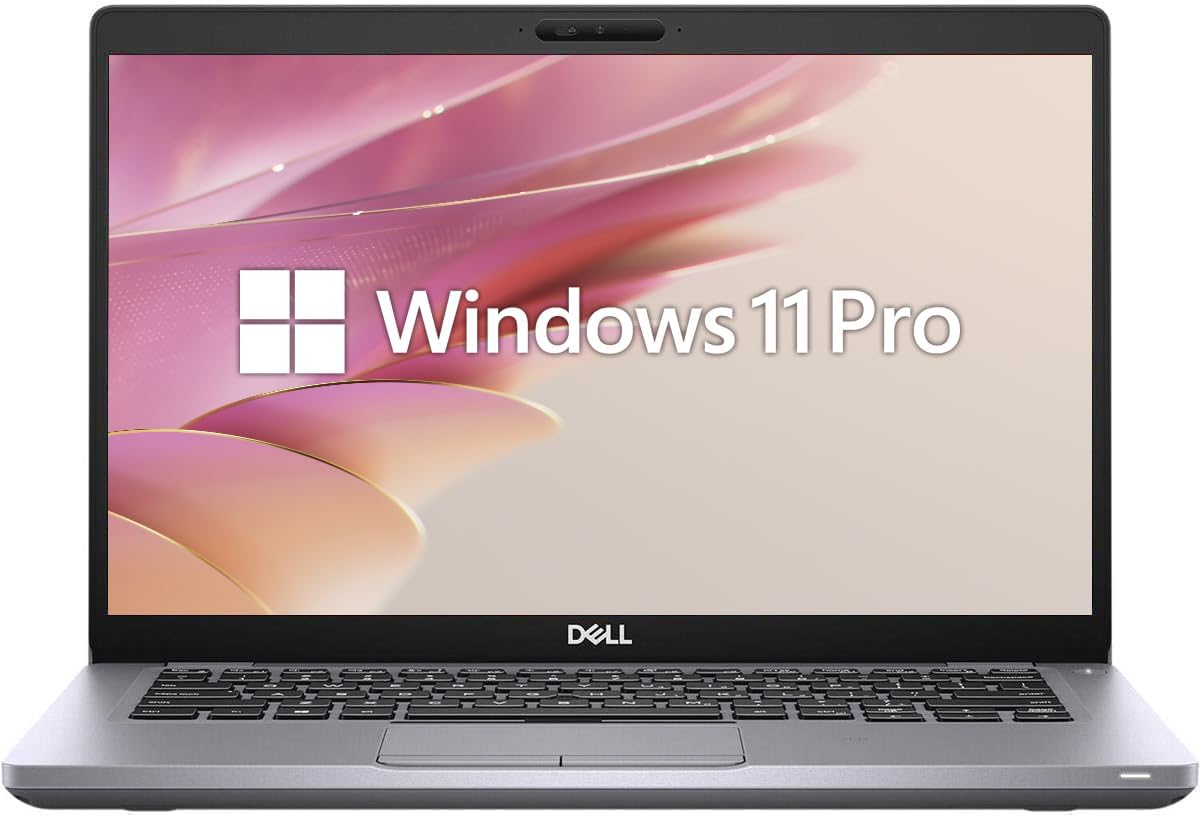




This Lenovo V15 Business Laptop stands out as an accessible option for users seeking reliable wired connectivity without breaking the bank. With a solid 4.4-star rating, it delivers essential features like a 15.6-inch FHD display and a native RJ-45 Ethernet port for stable internet access.
We may earn a commission when you buy through this link, at no additional cost to you.
The device is powered by an Intel N-Series Quad-Core processor paired with 8GB of DDR5 RAM, ensuring smooth performance for everyday tasks like web browsing and office applications. The inclusion of a PCIe SSD provides faster boot times compared to traditional hard drives. Security is addressed with TPM 2.0 firmware.
While the 128GB storage space might require external solutions for large files, the laptop compensates with versatile connectivity options including HDMI and USB-C. The Wi-Fi 6 support ensures strong wireless backup when wired connections are not needed. Overall, it is a practical choice for basic productivity needs.
Buyers looking for a budget-friendly workhorse that does not sacrifice essential ports will find this model compelling. It is particularly well-suited for students or small business users who need dependable performance at an affordable price point without relying on adapters.
The integrated RJ-45 Ethernet port ensures stable network speeds for critical tasks without needing extra dongles.
DDR5 RAM technology provides improved power efficiency and faster data processing for multitasking workflows.
We may earn a commission when you buy through this link, at no additional cost to you.
The Lenovo V15 Gen 4 Business Laptop earns our Editor's Choice for balancing performance and connectivity effectively. It features a 15.6-inch FHD anti-glare display and an AMD Ryzen 3 7320U processor that handles multitasking with ease. The native Ethernet port ensures a secure connection for business data.
We may earn a commission when you buy through this link, at no additional cost to you.
With 16GB of LPDDR5 RAM and 512GB of storage, this machine offers significantly more room for applications and files compared to entry-level alternatives. Security is a priority with TPM 2.0, malware detection, and a webcam privacy shutter. The device is also MIL-SPEC tested for durability in various environments.
Connectivity is well-rounded with USB Type-C, USB-A, HDMI, and Bluetooth 5.3. The numeric keypad facilitates efficient data entry for professionals. While it lacks discrete graphics, the integrated AMD graphics are sufficient for standard business tasks. The overall build quality feels resilient for daily travel.
This laptop is ideal for professionals who need more power and storage without the cost of high-end workstations. It provides a comprehensive package for office work, study, and remote connectivity, making it a top recommendation for those seeking reliability.
The 16GB RAM and 512GB SSD combination allows for seamless multitasking and ample space for large project files.
Features like TPM 2.0 and malware detection provide peace of mind when handling sensitive business information.
We may earn a commission when you buy through this link, at no additional cost to you.
The Lenovo ThinkPad P14s AMD represents the premium tier with exceptional specifications for demanding workflows. Rated 5.0 stars, it features an AMD Ryzen AI 7 Pro processor with an NPU for efficient AI tasks. The 14-inch FHD+ display offers vibrant visuals for detailed design work.
We may earn a commission when you buy through this link, at no additional cost to you.
Equipped with 32GB of RAM and a massive 1TB SSD, this laptop handles complex applications like CAD and video editing smoothly. Enterprise-grade security includes fingerprint readers and IR cameras. It also maintains an RJ-45 Ethernet port for stable connectivity in office settings.
The chassis is built to MIL-STD-810H standards, ensuring durability against shock and vibration. Connectivity includes Thunderbolt 4 and Gigabit Ethernet, reducing the need for dongles. While the price reflects its high-end status, the performance and reliability justify the investment for professionals.
This model is perfect for engineers, designers, and data professionals who require robust hardware. It balances mobility with desktop-class performance, making it a standout choice for users who prioritize speed and stability above all else.
The built-in NPU accelerates AI workflows and local Copilot tasks without heavy cloud dependency.
Validated compatibility with professional software ensures stability for specialized engineering and design tasks.
We may earn a commission when you buy through this link, at no additional cost to you.
The Dell Latitude 3420 brings proven business reliability to the mid-range market. Featuring an 11th Gen Intel Core i5-1135G7, it delivers strong performance for daily office tasks and content creation. The 14-inch anti-glare display ensures comfort during long work sessions.
We may earn a commission when you buy through this link, at no additional cost to you.
With 16GB of DDR4 RAM, this laptop handles multiple applications efficiently. Storage is managed via a 256GB SSD for quick access. The inclusion of an RJ-45 Ethernet port is vital for users requiring stable network connections. Ports like USB-C and HDMI offer extensive connectivity.
As a renewed device, it offers value while maintaining enterprise-grade security features like BitLocker. The 4.4-star rating indicates consistent satisfaction among users. It supports domain joining and remote desktop, which are essential for corporate IT environments.
This laptop is a great choice for budget-conscious businesses or students needing enterprise features. It balances performance and connectivity well, providing a reliable tool for work without the cost of brand-new flagship models.
BitLocker and domain joining support protect enterprise data effectively in shared work environments.
Multiple USB ports including Type-C and HDMI allow easy connection to monitors and peripherals.
We may earn a commission when you buy through this link, at no additional cost to you.
The Dell Latitude 5410 serves as a value-oriented option with a larger 512GB SSD and 16GB RAM. It features an Intel Core i5-10310U processor that ensures smooth performance for productivity and web browsing. The 14-inch Full HD display provides clear visuals for daily use.
We may earn a commission when you buy through this link, at no additional cost to you.
While rated 3.7 stars, it remains a solid choice for basic business tasks due to its storage and memory capacity. The Ethernet port ensures stable connectivity without adapters. HDMI and USB-C ports support versatile setups for external monitors and devices.
As a renewed unit, it offers cost savings while retaining essential Windows 11 Pro security tools. The build quality is typical of the Latitude series known for durability. It is well-suited for users who prioritize storage over cutting-edge processing power.
Ideal for home offices or small businesses needing a straightforward work machine. The combination of ample storage and wired networking makes it a practical solution for document management and communication.
A 512GB SSD provides significant space for files and applications compared to standard budget models.
Built-in Ethernet ensures consistent performance for tasks requiring reliable internet access.
We may earn a commission when you buy through this link, at no additional cost to you.
The Lenovo 15.6 V15 G6 Business Laptop brings modern connectivity to users needing reliable performance. It features an Intel N100 processor with DDR5 RAM for efficient multitasking. The 15.6-inch FHD display is anti-glare and bright enough for varied lighting conditions.
We may earn a commission when you buy through this link, at no additional cost to you.
Storage is handled by a 256GB PCIe 4.0 SSD for fast access. The Ethernet port supports Gigabit speeds for quick file transfers. Security is bolstered by a privacy shutter and Kensington Nano Security Slot for physical protection against theft.
Weighing only 3.33 lbs, this laptop is easy to carry between offices and homes. The full-size keyboard with numeric keypad improves data entry efficiency. While not a powerhouse, it covers essential business needs with reliability and durability.
This model is well-suited for professionals who travel frequently and require a sturdy machine. Its balance of portability and functional ports makes it a strong contender for mobile workforces.
At just 3.33 lbs, this lightweight device is designed for easy transport while resisting shocks.
The Nano Security Slot and camera shutter protect against theft and privacy breaches effectively.
We may earn a commission when you buy through this link, at no additional cost to you.
This Lenovo V15 Gen 4 Business Laptop offers a refined version of the popular Gen 4 series. The AMD Ryzen 3 7320U processor ensures smooth performance for general tasks. It is rated 4.4 stars for its reliability and user-friendly interface.
We may earn a commission when you buy through this link, at no additional cost to you.
With 16GB LPDDR5 RAM, multitasking is effortless. Storage is provided via a 256GB drive, which is adequate for documents and media. The Ethernet port remains a critical feature for stable connectivity in office environments. The numeric keypad simplifies input tasks.
Security features include TPM 2.0 and malware detection. The Service Hot Key allows quick access to device details. The MIL-SPEC testing ensures the machine can withstand rough handling. Connectivity includes Wi-Fi 6 and Bluetooth 5.3 for flexibility.
Ideal for business users who need a balanced laptop without high costs. It offers strong memory performance and essential ports, making it a dependable tool for daily work and remote collaboration.
Access warranty info and device details instantly with the dedicated Service Hot Key feature.
LPDDR5 RAM optimizes battery life while maintaining fast processing speeds for applications.
We may earn a commission when you buy through this link, at no additional cost to you.
The HP 14 Business Laptop is a compact solution for basic computing needs. Featuring an Intel Quad-Core N150 processor, it handles web browsing and media playback efficiently. The design includes a stylish Pale Rose Gold finish.
We may earn a commission when you buy through this link, at no additional cost to you.
While memory is limited to 4GB RAM, it supports everyday apps smoothly. Storage is 128GB UFS which is quick for reading files. The RJ-45 Ethernet port ensures stable internet connectivity. Included accessories like earphones add value.
Connectivity includes USB-C and SD card readers for versatility. The 14-inch display offers anti-glare protection. Windows 11 Home provides a user-friendly interface. It is a good choice for students needing portable tools for basic tasks.
This model suits users prioritizing aesthetics and portability over heavy performance. The bundled Office 365 subscription makes it a complete package for school or home use without extra costs.
A one-year Office 365 subscription enhances productivity with Word and Excel included immediately.
The 14-inch chassis makes this laptop easy to carry in bags for on-the-go work.
We may earn a commission when you buy through this link, at no additional cost to you.
The Lenovo V15 Gen 4 Business Laptop with Intel Core i5-13420H delivers strong performance for demanding tasks. Rated 4.3 stars, it offers a 15.6-inch FHD display and 16GB of RAM. The processor is capable of handling multitasking better than standard chips.
We may earn a commission when you buy through this link, at no additional cost to you.
Storage is provided via a 512GB SSD for ample space. The Ethernet port supports stable connections for large file transfers. HDMI and USB-C ports ensure versatile connectivity. Windows 11 Pro helps organize apps and improve productivity.
The numeric keypad is useful for data entry. While the processor is efficient, it may drain battery faster. It remains a robust choice for users needing speed and reliability in a standard chassis. The 4.3-star rating reflects positive user feedback.
This laptop is ideal for students or workers needing high performance for engineering or design. It balances speed and practical features, making it a top contender for performance-minded buyers.
The i5-13420H processor offers clock speeds up to 4.6 GHz for rapid processing speeds.
Pre-configured layouts in Windows 11 Pro optimize app organization and workflow management.
We may earn a commission when you buy through this link, at no additional cost to you.
The HP 17 Business Laptop is designed for users who prefer a larger screen. With a 17.3-inch FHD anti-glare display, it offers ample space for multitasking. The AMD Ryzen 5 Processor ensures smooth performance for demanding workflows.
We may earn a commission when you buy through this link, at no additional cost to you.
It includes 16GB RAM and 512GB SSD for robust storage. The Ethernet port provides reliable connectivity. A dedicated Copilot key simplifies AI assistance. The 10-key number pad supports efficient data entry.
Despite its size, it remains portable enough for desk-based work. The HP Fast Charge feature helps maintain uptime. The 5.0-star rating suggests high satisfaction among users. It supports Wi-Fi 6 and Bluetooth 5.3.
This model is best for users who need a desktop replacement. The large screen and performance make it ideal for detailed work, while the Ethernet port ensures stable networking for large transfers.
The 17.3-inch screen provides expansive real estate for split-screen multitasking and detailed designs.
A dedicated key offers quick access to AI features for streamlined workflow management.
We may earn a commission when you buy through this link, at no additional cost to you.
Selecting a laptop with a built-in Ethernet port requires evaluating several technical factors to ensure it meets your networking and productivity needs.
The processor determines how well the laptop handles daily tasks and heavy applications. Modern laptops often feature Intel Core or AMD Ryzen chips that offer multi-core performance. Choosing a newer generation ensures faster speeds and better efficiency for your workflows.
Prioritize processors with multiple cores for multitasking capabilities to keep your work flowing smoothly.
RAM is essential for running multiple applications simultaneously without slowdowns. Most business laptops come with 8GB or 16GB of memory. Having enough RAM ensures that your browser tabs and productivity tools operate seamlessly together.
Select at least 16GB of RAM for future-proofing your device against increasing software demands.
Solid State Drives provide faster boot times and file access compared to traditional hard drives. Look for PCIe NVMe SSDs that offer superior performance. The storage capacity should match your needs for files and applications without requiring external drives.
A minimum of 256GB SSD is recommended to ensure ample space for essential data and system files.
Ethernet ports vary in speed, with Gigabit connections being the standard for most business laptops. Faster speeds ensure quick file transfers and stable connections during online meetings. Verify that the RJ-45 port supports Gigabit Ethernet for optimal performance.
Confirm the port supports Gigabit speeds to ensure your wired connection is not a bottleneck for internet speed.
A high-resolution anti-glare display reduces eye strain during long work sessions. Full HD resolution ensures sharp text and visuals for documents. Size preferences vary between compact 14-inch screens and larger 15.6 or 17-inch displays.
Choose an anti-glare display to minimize eye strain and improve visibility in bright office environments.
Business laptops often include advanced security like TPM modules and webcam shutters. These features protect sensitive data and privacy effectively. Ensure the device has physical security slots to deter theft in public spaces.
Look for TPM 2.0 and physical security options to safeguard your business data and hardware investment.
Windows 11 Pro offers enterprise features like remote desktop and BitLocker encryption. It provides better management tools for professionals compared to Home editions. Ensure the OS supports the software you need for daily operations.
Verify that Windows 11 Pro is included to access advanced tools needed for professional tasks.
Build quality determines how long your laptop lasts under regular use. Many business models undergo MIL-SPEC testing for durability against shocks and heat. A sturdy chassis ensures reliability for travel and office use.
Check for MIL-SPEC certification to ensure the laptop can withstand physical stress and environmental conditions.
To utilize the Ethernet port effectively, connect an Ethernet cable directly from your router or wall jack to the RJ-45 port on the laptop. This ensures a stable and fast connection that is less prone to interference than Wi-Fi.
Keep the Ethernet port free of dust and debris by periodically checking it when not in use. Using a protective cap can prevent dust accumulation inside the port which might affect connectivity over time.
Ensure your operating system network drivers are up to date to maintain optimal Ethernet performance. Regular updates help prevent connection issues and ensure compatibility with the latest security protocols.
While many consumer laptops omit the Ethernet port, business and professional models still include them. The reviewed laptops specifically feature built-in RJ-45 ports to provide reliable wired connectivity without needing extra adapters.
An Ethernet port ensures a stable and secure internet connection that is less susceptible to interference. It is essential for transferring large files quickly or maintaining reliable connections during critical business activities.
Look for Gigabit Ethernet support, sufficient memory, and a reliable processor. Ensure the device meets your specific needs for performance and security features to get the best value for your purchase.
Yes, most laptops support both connections simultaneously. However, your system will typically prioritize Ethernet when both are active. This setup ensures maximum speed and stability whenever possible.
Most modern operating systems automatically detect and install Ethernet drivers. If issues arise, checking the manufacturer's support site for the latest drivers can resolve connectivity problems quickly.
Wired connections are generally more secure than wireless ones because they are harder to intercept physically. An Ethernet port allows you to connect directly to a secured network, reducing the risk of wireless attacks.
Prices vary based on specs and build quality. Budget models start around affordable ranges while business-class machines command higher prices. Expect to pay more for durable chassis and enterprise security features.
Yes, they remain relevant for businesses requiring stable and fast network access. While Wi-Fi has improved, Ethernet is still the gold standard for reliability in office and professional environments.
We have reviewed ten laptops with Ethernet ports to help you find the perfect device. From budget options to premium business machines, each offers reliable connectivity for various needs.
When choosing, prioritize memory and storage capacity alongside the processor speed. Security features and durability ratings also play a vital role in ensuring long-term usability.
Always verify the current price and availability before purchasing since these factors change frequently. A reliable laptop with Ethernet connectivity will serve as a foundation for productive work.