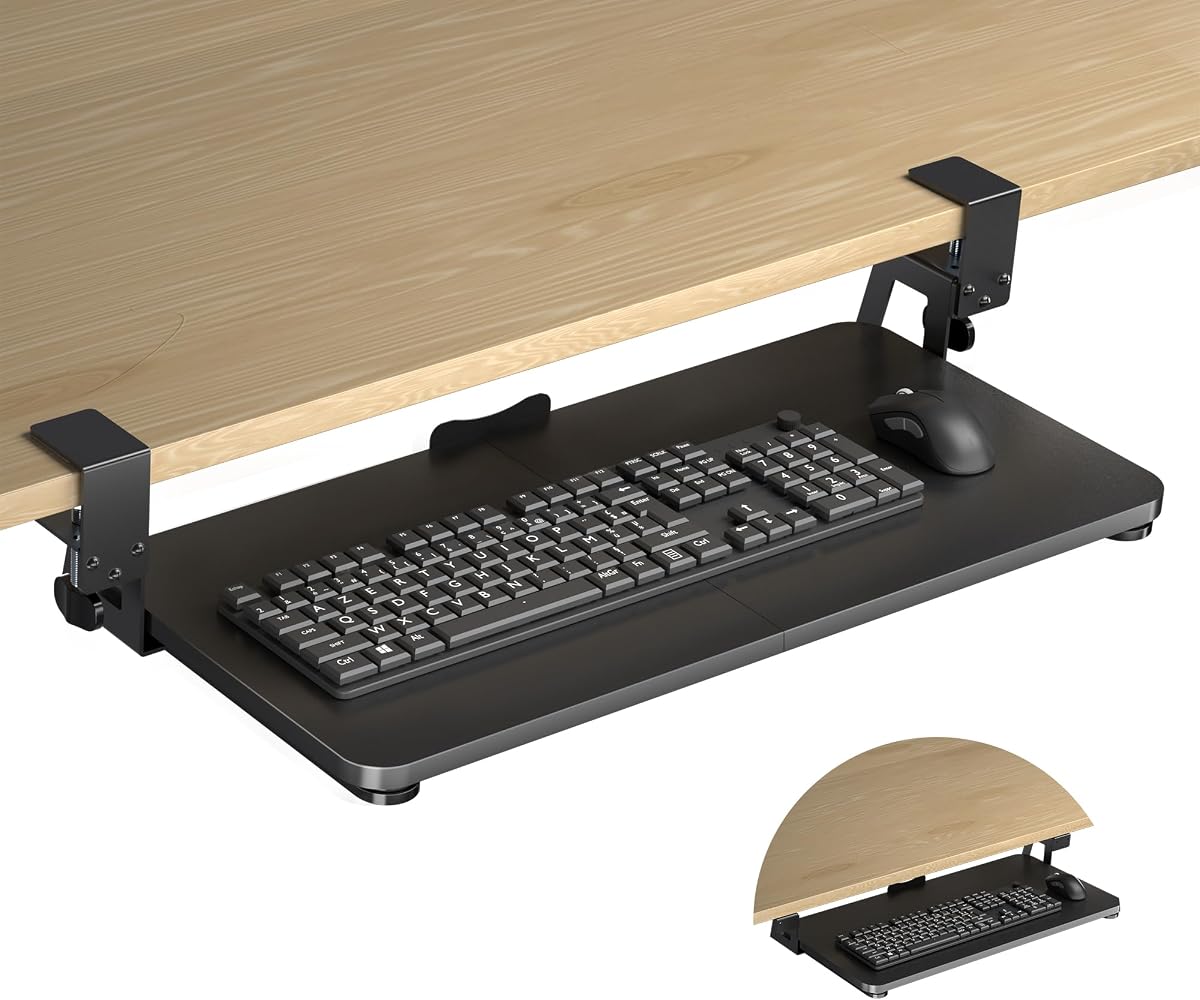
XINLEI Keyboard Tray Under Desk
4.4Editor score
Affordable price point for budget shoppers
C-clamp design fits thick desks
Quiet metal sliding rail system
Finding the right keyboard tray for standing desk setups is essential for maintaining ergonomic posture throughout your workday. These accessories help position your typing surface at the perfect height to reduce strain on your wrists and shoulders while you work.
We compared ten top-rated models based on build quality, installation ease, adjustability, and compatibility with various desk types. Our analysis focuses on real-world performance and user feedback to ensure you find a solution that fits your specific workspace needs effectively.
Each pick below highlights key features, pros, and cons to help you make an informed decision. Please note that prices and availability change frequently, so check current listings before finalizing your purchase to secure the best deal available today.
4.4Editor score
4.4Editor score

4.4Editor score
As an Amazon Associate we earn from qualifying purchases.
This side-by-side comparison highlights the key specifications and features of all ten products to help you quickly identify the model that best matches your desk dimensions and ergonomic requirements.


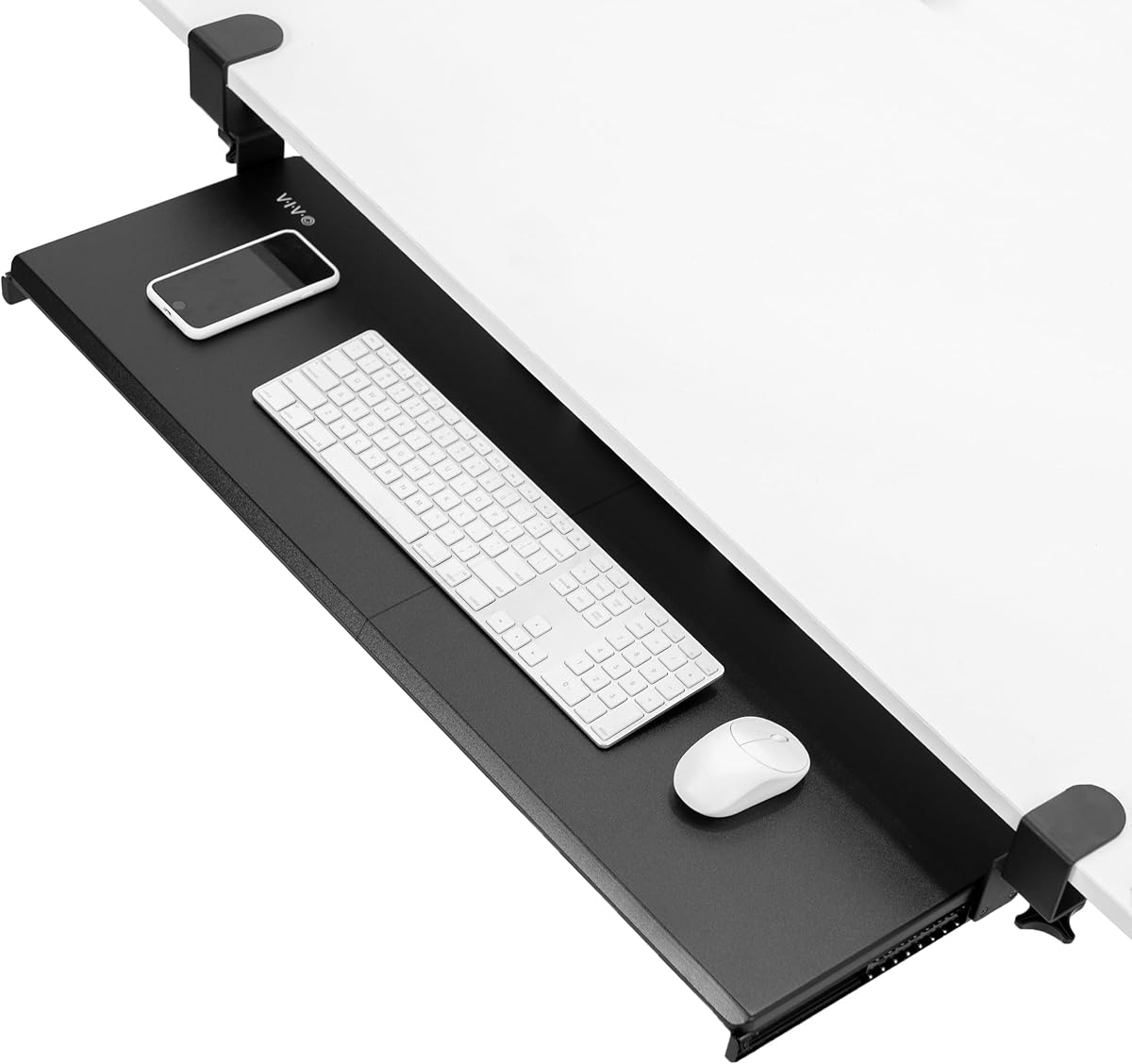
The VIVO Black Extra Large Clamp-on Keyboard Tray is a top choice for users seeking a spacious and stable typing solution. With a 4.4 rating and solid feedback, it stands out for its large 34 by 11 inch surface that accommodates full-size keyboards and mice with room to spare.
We may earn a commission when you buy through this link, at no additional cost to you.
Its standout feature is the extra long design that provides ample workspace below the desktop, freeing up surface area for other tools. The sturdy C-clamps attach securely to desks up to 1.25 inches thick without causing damage, while the smooth sliding mechanism allows for easy access when needed.
While it offers excellent ergonomic angles to relieve stress, users must ensure their desk has enough clearance and is not beveled. The total length from clamp to clamp is significant, so measuring your workspace before purchasing is essential to avoid fitment issues.
This tray is ideal for anyone looking to upgrade their workstation ergonomics without replacing the desk. It combines durability, ease of installation, and a generous typing surface to create a comfortable environment for long work sessions.
By moving your keyboard below the desk, you reclaim valuable top space for monitors and documents, creating a cleaner and more organized professional environment.
The adjustable typing angles help maintain neutral wrist positions, reducing the risk of repetitive strain injuries during extended typing sessions.
We may earn a commission when you buy through this link, at no additional cost to you.
The HUANUO Under Desk Keyboard Tray solves a common problem for owners of electric standing desks with cross beams. Its unique bracket design allows installation on both flat bottoms and beams, making it versatile for modern workstation setups that often lack standard clamping surfaces.
We may earn a commission when you buy through this link, at no additional cost to you.
Users appreciate the advanced metal roller track system that ensures smooth sliding even after thousands of cycles. The tray supports up to 11 lbs and offers a wide range of adjustments including height and tilt to accommodate both seated and standing typing positions effectively.
However, compatibility is key as it requires specific desk depths and is only suitable for wood, plywood, or particle board. The installation process simplifies holding the top plate while hanging the tray, but checking your beam size before buying is critical.
This model is perfect for those needing flexibility in installation methods without compromising on stability. It delivers reliable performance for frequent users who want a durable solution that adapts to different desk structures.
Special brackets allow secure mounting on desks with support beams, ensuring you don't have to avoid modern standing desks with complex understructures.
High-quality metal rollers tested for longevity ensure the tray glides quietly and effortlessly every time you pull it out to work.
We may earn a commission when you buy through this link, at no additional cost to you.
The Mount-It! Standing Keyboard Tray is engineered to address the limitations of typical risers that sit too high for seated typing. Its unique ability to lower to just 1.7 inches makes it a true dual-use solution that works perfectly whether you are sitting or standing.
We may earn a commission when you buy through this link, at no additional cost to you.
Key strengths include a scissor-lift mechanism that stays put once set and a wide footprint that keeps the platform steady during typing. The lifetime warranty and US-based support add significant value, offering peace of mind that few competitors provide with their standard covers.
While it comes ready to use without assembly, the range of motion is fixed rather than continuously adjustable. This simplicity ensures reliability but limits fine-tuning for unique ergonomic preferences compared to more complex systems.
Buyers looking for a reliable sit-and-stand conversion without permanent installation will find this tray exceptional. It balances convenience with durability to make switching between positions easy and comfortable throughout your day.
Unlike risers that only work for standing, this tray lowers low enough for seated comfort, making it a versatile choice for dynamic work habits.
A lifetime warranty backed by US support shows confidence in the build quality and ensures you are covered long after your purchase.
We may earn a commission when you buy through this link, at no additional cost to you.
The XINLEI Keyboard Tray Under Desk offers exceptional value for users seeking ergonomic improvements without a high cost. With a solid 4.4 rating, it proves that budget options can still deliver on core functionalities like smooth gliding and stable typing surfaces.
We may earn a commission when you buy through this link, at no additional cost to you.
Its C-clamp design accommodates desks up to 1.63 inches thick, which is thicker than many competitors, making it suitable for robust wooden desks. The metal sliding rails operate silently, and the back baffle adds a safety feature to prevent your keyboard from accidentally sliding off.
Although it lacks premium extras like swivel options, the core function of moving your keyboard out of the way is executed well. Users should note the total length including clamps to ensure fitment on their specific workbench before ordering.
This tray is the go-to for students and home office workers who prioritize function over form. It provides a clean, effective solution to free up desk space and reduce wrist strain at a fraction of the cost of luxury models.
Get the essential benefits of an under-desk tray without breaking the bank, making health improvements accessible for every budget.
The clamp system handles thicker desktops better than standard options, allowing you to retrofit almost any solid wood desk easily.
We may earn a commission when you buy through this link, at no additional cost to you.
The VIVO Black Clamp-on 23 to 30 Keyboard Tray is designed for those who need a wider typing surface. Its adjustable width feature allows you to customize the distance from the desk edge, ensuring the keyboard sits comfortably relative to your seating position.
We may earn a commission when you buy through this link, at no additional cost to you.
Included accessories like wrist pads and mouse rests add immediate value right out of the box. The clamp system is robust enough to hold desks up to 3.4 inches thick, making it ideal for heavy-duty workstations or rustic furniture where standard clamps fail.
However, like other clamp-on models, it cannot be used on beveled edges. Users should verify their desk shape beforehand to avoid returns. The split design allows for flexible placement which is great for multitasking setups with multiple devices.
This tray is excellent for professionals needing a customizable setup that can accommodate a wide array of peripherals. It combines practical adjustability with strong build quality to deliver a solid daily typing experience.
Adjusting the width helps position your hands correctly relative to your body, preventing awkward stretching or leaning during work.
Pre-installed pads provide immediate comfort and support, saving you the hassle of buying separate ergonomic accessories for your setup.
We may earn a commission when you buy through this link, at no additional cost to you.
The BONTEC Under Desk Keyboard Tray is an excellent choice for renters or office managers who need a damage-free solution. Its no-drill C-clamp system installs securely without modifying your desk, preserving the condition of your furniture while improving ergonomics.
We may earn a commission when you buy through this link, at no additional cost to you.
The platform measures 25.6 by 11.8 inches, providing ample room for standard keyboards and mice. Protective pads on the clamps prevent scratches and improve grip, ensuring that the tray stays fixed in place even with vigorous typing.
Compatibility is key as it requires a flat and unobstructed underside. Users must measure their desk width and depth accurately to ensure the tray slides smoothly without hitting legs or crossbars. This attention to detail avoids common fitment headaches.
This model is best for temporary setups or spaces where drilling is prohibited. It offers a reliable and clean way to organize your workspace without leaving permanent marks on your equipment or furniture.
Perfect for rental offices, this tray allows you to upgrade ergonomics without risking security deposits or damaging your furniture.
Moving peripherals under the desk reduces clutter and leaves room for documents and monitors, creating a tidy professional environment.
We may earn a commission when you buy through this link, at no additional cost to you.
The VIVO Black Under Desk 25 x 10 Keyboard Tray provides a straightforward approach to ergonomic typing. Its universal design fits most standard desks, and the 5-inch height adjustment allows you to find a comfortable position for your wrists and arms.
We may earn a commission when you buy through this link, at no additional cost to you.
Key features include full side-to-side rotations and supportive rubber padding to enhance comfort. The tray installs quickly with all hardware included, and the total weight of 10 lbs ensures it is sturdy enough for daily use without being too heavy to move.
For height-adjustable desks, an adapter bracket is needed to clear the frame crossbar. This adds a small step to installation but ensures compatibility with modern standing desks. Users should verify their desk thickness to avoid issues.
This tray is ideal for users who want a no-fuss solution to improve posture. It combines reliability with simple adjustments to deliver a solid ergonomic upgrade without unnecessary complexity.
The ability to adjust height and rotate helps you fine-tune the tray to your body without complicated mechanisms or tools.
Rubber padding provides a soft touch for your wrists, reducing pressure points during long periods of typing at your desk.
We may earn a commission when you buy through this link, at no additional cost to you.
The HUANUO Under Desk Keyboard Tray offers a large practical surface that accommodates various keyboard sizes effectively. Its ability to swivel and tilt gives users the flexibility to find a comfortable typing angle regardless of their chair or desk setup.
We may earn a commission when you buy through this link, at no additional cost to you.
Height adjustment allows you to switch between sitting and standing comfortably, and the included wrist rest adds a layer of immediate comfort. The installation process is straightforward, but users must ensure enough clearance to allow full rotation without obstruction.
Tightening the knob is essential for stability during use to prevent the tray from moving unintentionally. While this adds a minor step, it ensures the tray stays where you need it during intensive typing sessions.
This model is perfect for dynamic workers who move around or use multiple angles throughout the day. It offers the flexibility needed to maintain good posture in a variety of positions.
The swivel feature lets you face different parts of your room or desk, reducing strain on your back and neck.
The included wrist rest provides a cushioned surface that keeps your hands in a natural position to prevent fatigue.
We may earn a commission when you buy through this link, at no additional cost to you.
The Klearlook Upgraded Adjustable Keyboard Tray is a unique all-in-one solution that can be installed above or under the desk. This flexibility allows users to choose the best ergonomic position for their specific workflow, whether typing while seated or standing.
We may earn a commission when you buy through this link, at no additional cost to you.
Beyond just holding a keyboard, it includes a storage drawer and phone slot to keep small items organized. A built-in headphone hanger adds to the functionality, ensuring your accessories are within reach while keeping the space tidy.
Its 360-degree rotation and adjustable arm support reduce neck strain significantly. However, the premium features come at a higher price. Users should consider whether the extra organization features justify the cost compared to simpler trays.
This tray is ideal for those who want a comprehensive workspace organizer. It combines typing support with storage to create a streamlined and efficient environment for work or leisure activities.
Choose between above or under desk mounting to suit your height preferences and specific desk configuration needs.
Drawers and slots keep your essentials neat, reducing clutter on your main desktop surface for a cleaner look.
We may earn a commission when you buy through this link, at no additional cost to you.
The Mount-It! Keyboard Tray Under Desk stands out for its extra-wide 30-inch design, providing massive surface area for large keyboards and multiple devices. Despite a lower overall rating, it offers strong features like a lifetime warranty and US-based support that add significant confidence.
We may earn a commission when you buy through this link, at no additional cost to you.
It is designed to fit desks up to 1.77 inches thick, surpassing many competitors. The premium steel gliding rails ensure a smooth, wobble-free experience, keeping the tray locked in position while you type to maintain a stable workspace.
Installation is no-drill and reversible, which is perfect for renters. However, it requires a flat edge and is not compatible with beveled surfaces. Users should ensure their desk meets these criteria before purchasing to avoid issues.
This tray is best for users who need maximum width and stability. It offers a reliable solution for those wanting a large typing platform without modifying their furniture permanently.
The extra width allows you to spread out your typing setup comfortably, reducing the need to shuffle devices constantly.
Backed by a lifetime warranty, this product promises long-term durability, giving you peace of mind for daily heavy use.
We may earn a commission when you buy through this link, at no additional cost to you.
Selecting the right keyboard tray requires careful consideration of your desk setup and ergonomic needs. This guide breaks down the critical factors to ensure you find a model that fits perfectly.
The first factor to check is whether your desk has a flat underside or cross beams. Some trays offer specific brackets for beam installation, while others require a flat surface. Always verify desk thickness limits to ensure the clamps will secure properly without damage.
Measuring your desk dimensions before buying prevents fitment issues and ensures the tray fits comfortably without obstructing drawers or legs.
Ensure the tray surface is large enough for your keyboard and mouse. A minimum of 25 inches width is recommended for standard setups. Check the weight capacity to confirm it can hold your equipment safely during daily use without flexing.
Choosing the right size helps maintain a balanced workflow and prevents your keyboard from sliding off during typing.
For standing desk users, height adjustability is crucial. Look for models that lower enough for seated comfort and rise high enough for standing positions. A scissor lift mechanism or adjustable brackets can help you find the optimal position for your wrists.
Proper height adjustment promotes a neutral wrist angle, reducing the risk of strain and repetitive motion injuries.
The quality of the sliding mechanism affects the daily usability of the tray. Smooth metal rollers or ball bearing rails ensure quiet and effortless movement. Avoid cheap plastic mechanisms that may rattle or stick over time.
A reliable slide system keeps your work uninterrupted and allows you to store the tray neatly when not in use.
Decide between clamp-on and drill-in options based on your needs. Clamp-on trays are ideal for renters or those who want a damage-free setup. Drill-in options may offer more stability for heavy-duty use.
Selecting the right installation method protects your furniture and simplifies the setup process for your workspace.
Look for trays made from durable steel or reinforced materials. A sturdy construction prevents wobbling during typing and ensures long-lasting performance. Check for protective pads that prevent scratches on your desk surface.
High-quality materials ensure the tray remains stable and functional throughout its lifespan without degrading.
Consider additional features like wrist rests or tilt capabilities. These help maintain a neutral posture and reduce stress on your joints. Some trays offer rotation to allow flexible typing angles for your comfort.
Prioritizing ergonomics can significantly improve your work experience and health over extended periods.
Check for warranty coverage and customer support options. A lifetime warranty or strong guarantee indicates manufacturer confidence and protects your investment. US-based support can resolve issues quickly if they arise.
Good support ensures you can get help if the product needs replacement or repair during ownership.
Start by measuring your desk to ensure the tray fits and aligns with your preferred typing height. Follow the manufacturer instructions to attach the clamps or brackets securely without damaging your desk surface. Test the slide mechanism to confirm smooth movement before daily use.
When using the tray, maintain a neutral wrist position by adjusting the height so your elbows are at a right angle. Keep the slide tracks clean from dust and debris to ensure they operate smoothly over time. Tighten any loose screws periodically to maintain stability.
Store the tray under the desk when not in use to keep your workspace tidy. Avoid placing heavy items on the extended tray that exceed its weight capacity. Periodically check the clamps and mounting points to ensure they remain tight and secure.
Most clamp-on trays fit desks up to 1.25 inches thick. Some models accommodate up to 1.77 inches. Always check the product specifications to ensure your desk thickness is within the allowed range before purchasing.
Yes, many trays are designed for standing desks. Look for models with height adjustability that allow you to transition smoothly between sitting and standing positions while maintaining ergonomic comfort.
Many options offer no-drill installation using sturdy clamps. Drill-free mounting is ideal for renters. Always check if your desk underside is flat and unobstructed before selecting a no-drill model.
Measure the width and depth of your desk underside. Ensure the tray length plus clamps fits within your available space. Check that there is enough clearance for the tray to slide in and out fully.
Most clamp-on trays do not fit beveled edges. You need a flat surface for clamps to hold securely. Verify your desk edge type before purchasing to avoid installation issues.
Your keyboard should be level with your elbows when standing. This ensures neutral wrist positioning. Adjustable trays allow you to find the perfect height for your body to reduce strain.
Most trays support up to 11 pounds. This capacity is sufficient for standard keyboards and mice. Check the weight limit of your chosen model to ensure it supports your equipment.
Clamp-on trays are portable and can be moved. Ensure the new desk meets compatibility requirements before installing. Always check the clamps and hardware for wear before reuse.
We reviewed ten top-rated keyboard trays, highlighting the VIVO, Mount-It, and HUANUO models for their performance and value. Each product offers unique features like width adjustability, height flexibility, and cross beam compatibility to suit different needs.
Prioritize ergonomic features like height adjustment and smooth sliding to protect your health. Ensure your desk compatibility before buying to avoid fitment issues. A good tray improves comfort and keeps your workspace tidy.
Prices and availability change regularly. Check current listings on Amazon for the best deals before purchasing. Investing in a quality tray is a worthwhile step for long-term workspace comfort.