
Keyboard Case for Fire Max 11 inch
4.5Editor score
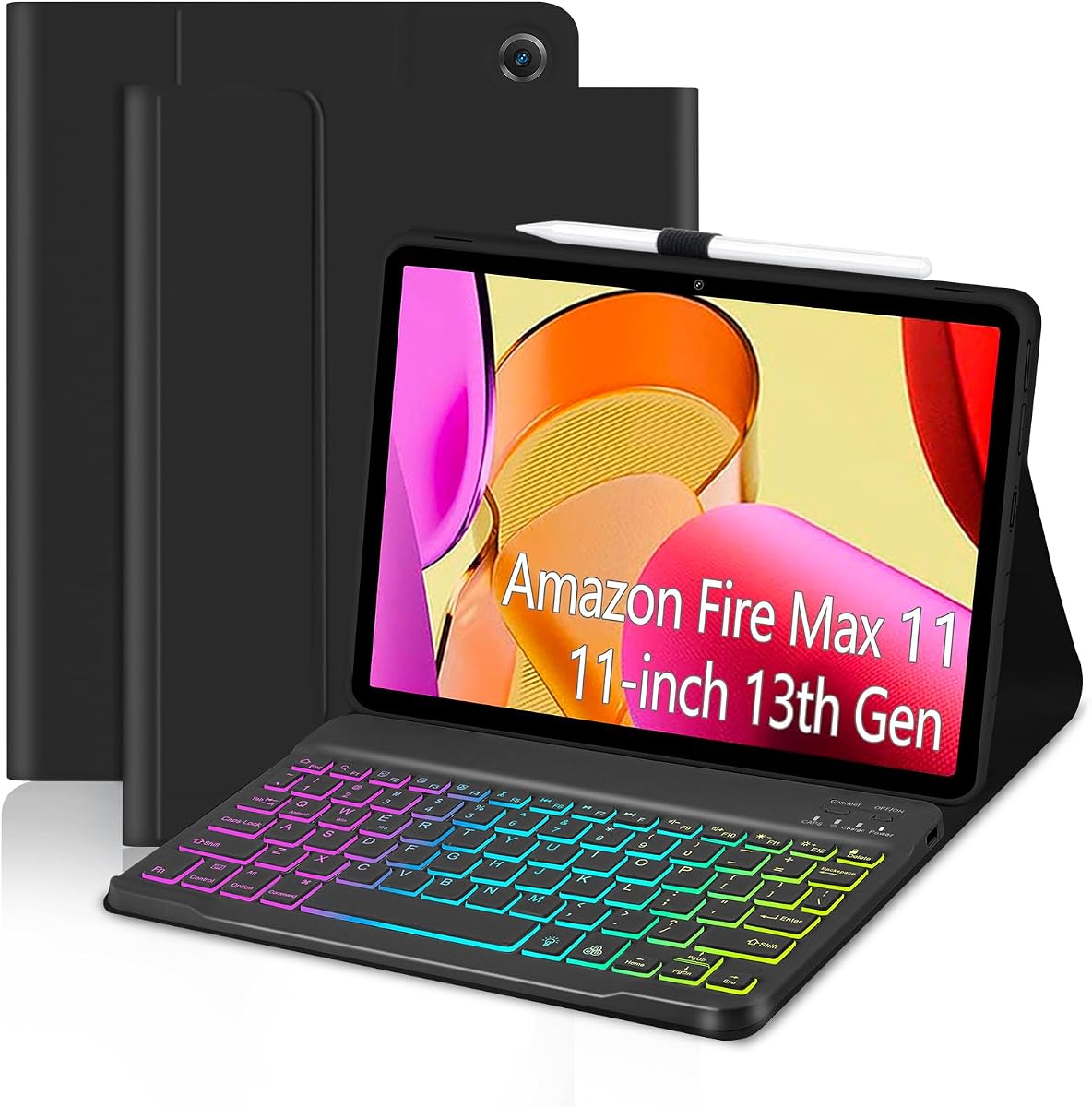
7 color backlit keys
90 hours battery life
Type-C charging support
Lightweight magnetic design
This guide compares the top keyboard case for Fire Max 11 options to help you choose the perfect accessory for productivity and protection.
Finding the right keyboard case for Fire Max 11 transforms your tablet into a powerful productivity tool. You need reliable typing, strong protection, and features that fit your workflow without adding unnecessary bulk or cost to your setup.
We analyzed ten top-rated cases based on build quality, keyboard functionality, battery life, and user feedback. Our comparison covers magnetic designs, detachable keyboards, and models with touchpads or stylus holders to match diverse usage needs.
Each pick highlights key features, pros, and cons to help you decide quickly. Prices and availability change often, so check current listings before buying to ensure you get the best value for your specific tablet model and usage requirements.
4.5Editor score

4.6Editor score
4.5Editor score
This side-by-side comparison lists all ten top models with their core specifications. Review each entry to find the right fit for your Fire Max 11 tablet based on protection, typing experience, and extra features.
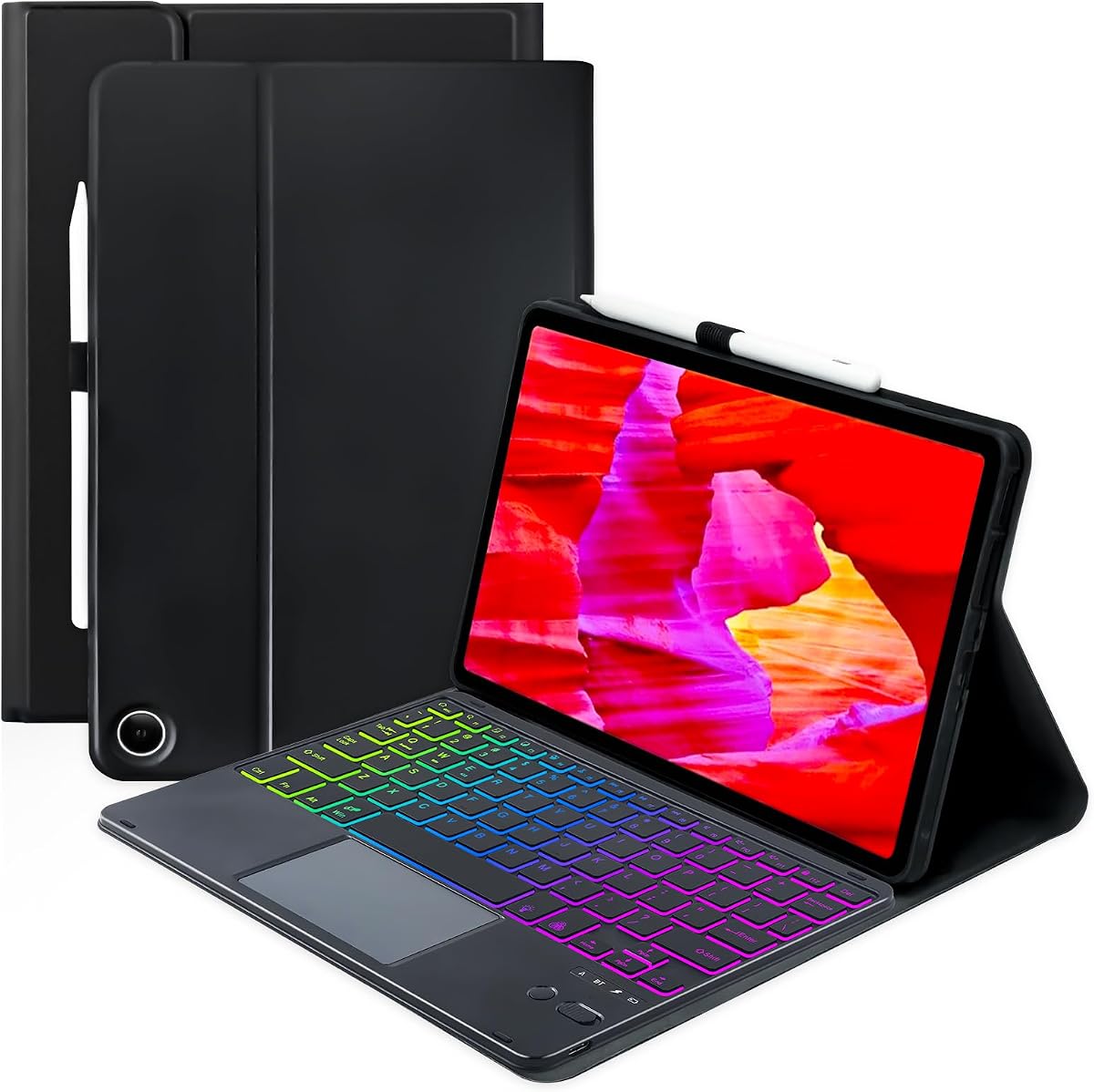


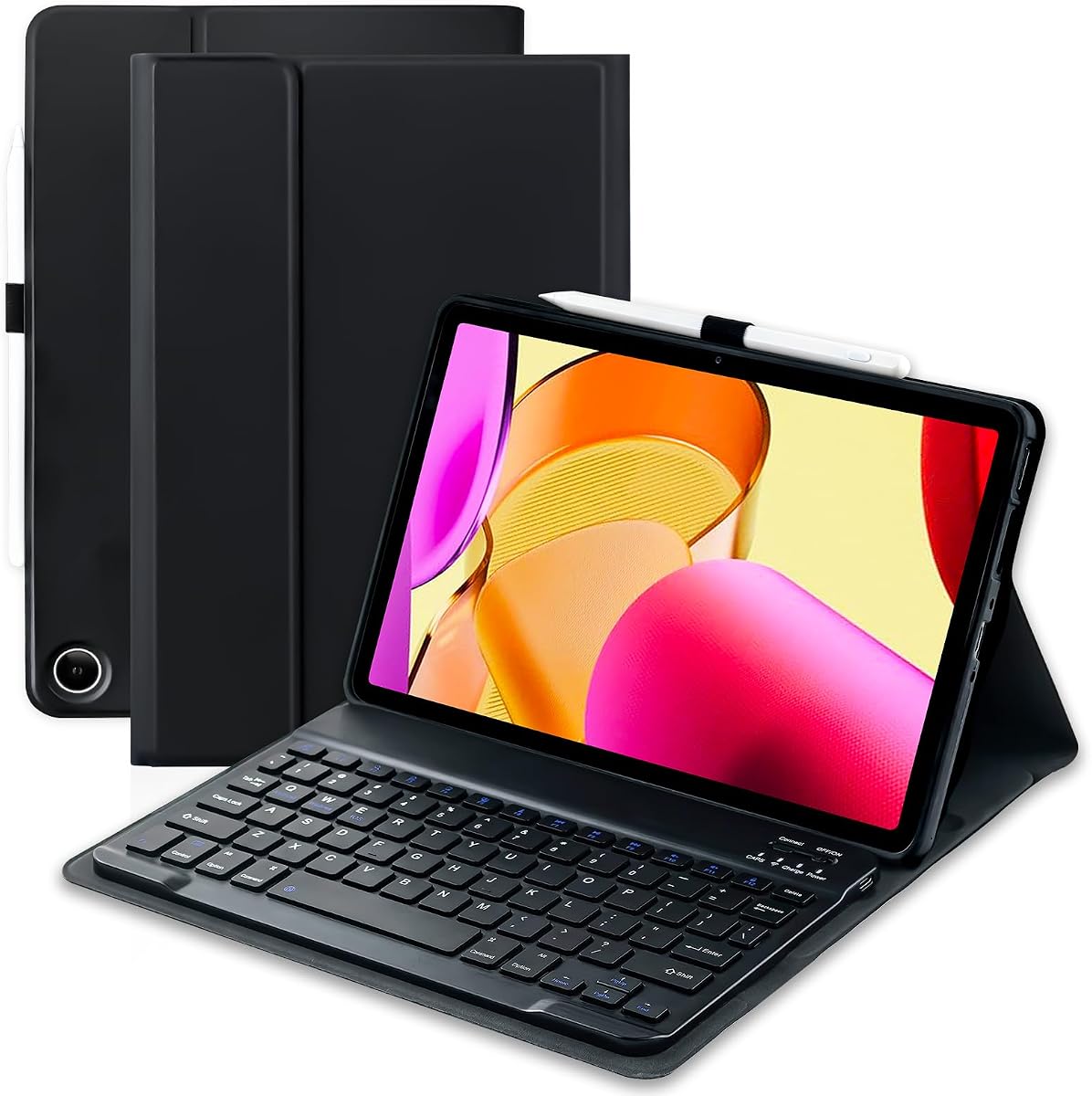


This premium keyboard case for Fire Max 11 delivers a robust typing experience with a detachable backlit keyboard and magnetic protection. It supports the 13th generation model and includes a pen holder for stylus storage.
We may earn a commission when you buy through this link, at no additional cost to you.
The seven-color rainbow backlight allows easy typing in dark environments while the honeycomb inner shell improves heat dissipation. Precise cutouts ensure all ports and buttons remain accessible during daily use.
While it lacks a built-in touchpad, the magnetic keyboard connects easily via Type-C charging. Some users note it adds modest bulk, but the protection and keyboard features outweigh this trade-off.
Ideal for power users who want customization and reliable protection. If you need typing versatility with style and cooling, this model is a strong recommendation for your tablet setup.
Choose from seven colors or breathing modes for visual flair and low-light typing convenience.
Keep your stylus secure and accessible with a built-in slot on the case cover.
We may earn a commission when you buy through this link, at no additional cost to you.
This keyboard case for Fire Max 11 offers a touchpad for cursor control and a detachable backlit keyboard. It fits the 13th generation tablet and includes a pen holder for stylus access.
We may earn a commission when you buy through this link, at no additional cost to you.
The built-in touchpad enables mouse-like navigation without extra hardware. Rainbow backlighting provides visibility in dim light while anti-slip grooves keep the tablet secure during use.
Users report solid construction but note added weight from the touchpad mechanism. Charging is rechargeable so battery changes are unnecessary though it may add bulk.
Great for users needing cursor control on the go. If you value integrated navigation and typing comfort, this model is worth considering despite its weight.
Navigate apps and documents without external peripherals thanks to built-in multi-finger gesture support.
Remove the keyboard for pure tablet use while keeping the case and touchpad ready for work.
We may earn a commission when you buy through this link, at no additional cost to you.
This option includes a magnetic detachable Bluetooth keyboard and a separate rechargeable Bluetooth mouse for full laptop functionality. It supports the 13th generation Fire Max 11 and offers versatile viewing angles.
We may earn a commission when you buy through this link, at no additional cost to you.
The three adjustable viewing angles suit writing, reading, or drawing tasks. Auto sleep wake conserves battery when closed and the honeycomb pattern reduces heat during extended sessions.
The included mouse adds versatility but requires pairing and charging. Some users find the setup slightly complex yet appreciate the complete productivity kit.
Ideal for multitaskers who want mouse navigation without extra purchases. If you need full control features this model provides an all-in-one solution.
Keyboard and mouse included for desktop-like control without needing separate accessories.
Save power automatically as the case detects lid position to wake or sleep the tablet.
We may earn a commission when you buy through this link, at no additional cost to you.
This official Amazon case delivers seamless integration with a trackpad and pogo pin power so no separate charging is needed. It fits the 13th generation Fire Max 11 exactly.
We may earn a commission when you buy through this link, at no additional cost to you.
Trackpad gestures support pinch-to-zoom and scrolling for intuitive navigation. Fifteen shortcut keys and customizable options speed up workflows while 35 percent recycled materials support sustainability.
The higher cost reflects build quality and official support. Some users prefer cheaper third-party options but value the reliability and design consistency of the official choice.
Perfect for users prioritizing seamless performance and eco-friendly materials. If official compatibility matters most this model is a top-tier pick.
Power flows directly from the tablet so the keyboard never needs separate charging or batteries.
Use multi-finger gestures like zooming and task switching to navigate apps faster.
We may earn a commission when you buy through this link, at no additional cost to you.
This set includes a detachable Bluetooth keyboard and a rechargeable Bluetooth mouse alongside a protective case with pen holder. It fits the 13th generation Fire Max 11 with multiple viewing angles.
We may earn a commission when you buy through this link, at no additional cost to you.
The three-zone rainbow backlighting offers visual variety while anti-slip slots support comfortable typing and reading. Built-in pen holder keeps stylus tools accessible during use.
The mouse adds functionality but requires pairing and charging which may complicate setup. Users appreciate the comprehensive kit for productivity on the go.
Recommended for those who want full laptop features in one package. If versatility and multi-device control matter this is a solid choice.
Choose from seven colors to customize visibility and style for any environment.
Keyboard and mouse together provide desktop-like efficiency for documents and media.
We may earn a commission when you buy through this link, at no additional cost to you.
This budget-friendly case offers a detachable Bluetooth keyboard with seven-color backlighting and a 420mAh battery for up to 90 hours of use. It includes a pen holder and multi-angle support.
We may earn a commission when you buy through this link, at no additional cost to you.
The large battery reduces charging frequency while the Type-C port speeds up recharging. Soft TPU and flexible inner shell provide drop and scratch resistance with honeycomb cooling.
It lacks a trackpad and uses basic materials compared to premium options. Still, the performance and price balance make it a strong value choice.
Perfect for students or casual users needing reliable typing without high cost. If budget and battery life matter most, this case delivers great value.
Up to 90 hours of use on one charge reduces interruptions during work or study.
Switch between seven colors to match preferences or lighting needs easily.
We may earn a commission when you buy through this link, at no additional cost to you.
This official model mirrors the earlier official variant with a trackpad and pogo pin power. It supports the 13th generation Fire Max 11 and includes sustainable materials.
We may earn a commission when you buy through this link, at no additional cost to you.
Trackpad gestures enable smooth navigation while the shortcuts speed up access to apps and documents. The case wakes the tablet on opening and sleeps it when closed.
Higher cost compared to third-party options reflects build quality and seamless integration. Some users find value in the official compatibility and eco-friendly design.
Ideal for those seeking official support and durability. If you prioritize reliability and sustainability this option stands out in the lineup.
Designed specifically for Fire Max 11 to ensure perfect fit and function.
Contains post-consumer recycled plastics and fully recyclable packaging.
We may earn a commission when you buy through this link, at no additional cost to you.
This keyboard case features magnetic adsorption and anti-slip grooves for secure positioning. It includes a detachable keyboard with Type-C charging and a pen holder for stylus storage.
We may earn a commission when you buy through this link, at no additional cost to you.
Three anti-slip grooves support comfortable angles for typing, reading, or media viewing. Precise cutouts align with ports and the honeycomb interior helps dissipate heat.
Battery life is modest but sufficient for daily use without frequent recharges. It offers solid protection and typing comfort at a mid-range price.
Great for everyday users needing reliable typing and protection. If you want magnetic stability and heat management this model fits well.
Three grooves adjust the tablet angle for comfortable use in various environments.
Strong magnets keep the keyboard attached without slipping during active use.
We may earn a commission when you buy through this link, at no additional cost to you.
This variant offers rainbow backlight and a pen holder with full protection. It fits the 13th generation Fire Max 11 and includes a detachable keyboard with Type-C charging.
We may earn a commission when you buy through this link, at no additional cost to you.
The seven-color backlight enhances low-light typing and the soft TPU shell resists drops. Honeycomb design supports cooling while the pen slot keeps styluses secure.
Lower user ratings suggest occasional issues with fit or backlight reliability. Still, the lightweight design and protection appeal to budget-conscious buyers.
Suitable for casual users prioritizing color and price. If you accept variability this model provides style and decent protection.
Soft PU leather and flexible TPU shell protect against scratches and drops.
Slim design keeps the setup light for easier transport and handling.
We may earn a commission when you buy through this link, at no additional cost to you.
This case features a detachable Bluetooth keyboard and a premium vegan leather cover. It supports up to 70 hours of use and includes a pen holder and full-row shortcuts.
We may earn a commission when you buy through this link, at no additional cost to you.
Quiet and comfortable keys support extended typing while auto sleep wake conserves battery. Multiple viewing angles let you adapt the setup for different tasks.
Premium leather adds style but may increase weight slightly. Overall, it balances build quality and practical features for everyday use.
Ideal for users wanting a polished look with solid functionality. If style and comfort matter this model delivers well.
Premium exterior offers a refined look with reliable scratch and drop resistance.
Media and brightness controls make quick adjustments easy without touching the screen.
We may earn a commission when you buy through this link, at no additional cost to you.
Selecting the right case requires balancing features, build quality, and intended usage. This section outlines the key factors to consider before purchasing.
Ensure the case specifically states support for the Fire Max 11 13th generation model released in 2023. Incompatible cases may leave ports misaligned or the tablet unstable during typing.
Always verify the product description matches your exact tablet model number before purchase to avoid return hassles.
Choose between Bluetooth keyboards that pair independently and magnetic cases with pogo pin or magnetic connectors. Bluetooth offers more flexibility while direct connection simplifies setup.
Consider whether you need a rechargeable battery or one powered directly from the tablet.
Many cases feature seven-color backlighting for typing in low-light environments. Check if brightness is adjustable or if colors are fixed to suit your preferences.
Backlight modes like breathing or breathing add visual appeal and enhance usability at night.
Some premium cases include a built-in touchpad to replace a mouse for cursor control. This can significantly improve productivity when editing documents or navigating apps.
If no touchpad is included, you may need to pair a separate mouse for similar functionality.
Battery life typically ranges from 50 to 90 hours depending on usage and backlight settings. Long-life batteries reduce frequent charging and improve portability.
Look for Type-C charging ports for faster recharging and compatibility with existing cables.
Materials like PU leather and TPU provide scratch resistance and drop protection. Honeycomb or grid inner shells help dissipate heat to prevent overheating.
Full edge coverage and anti-slip grooves ensure the tablet stays secure during active use.
Pen holders for stylus storage add convenience for note-taking or drawing. Check if a stylus is included or if the case simply has a slot for your existing pen.
Some bundles include a mouse or extra cables which can save additional purchases and setup time.
Prices vary from budget-friendly options to premium official cases. Consider what features justify the cost for your workflow and long-term usage.
Warranty coverage and customer service responsiveness can protect your investment if issues arise.
Attach the keyboard to the case using magnets or connectors and ensure it aligns with the tablet's orientation. If Bluetooth, power it on and pair via the tablet's settings menu before typing.
Adjust viewing angles by sliding the tablet into anti-slip grooves or rotating the cover. Use the sleep wake function by closing the lid to conserve battery when not in use.
Clean the case with a soft dry cloth and avoid harsh chemicals. Store the keyboard in a dry place and recharge it periodically if not used for extended periods.
No, these cases are designed exclusively for the Fire Max 11 13th generation model released in 2023. Using them with older or different Fire tablets may lead to misalignment or poor protection.
It depends on the model. Some use rechargeable Bluetooth batteries with Type-C charging, while official models power via pogo pin connections so you never need to charge the keyboard itself.
Most cases include a pen holder or slot for stylus storage but do not include the stylus itself. You can insert your compatible stylus into the holder for easy access.
Battery life varies by model and usage, ranging from 50 to 90 hours on a full charge. Using backlighting frequently may reduce runtime but Type-C charging allows quick top-ups.
Not all cases include a touchpad. Some higher-end models integrate one for cursor control, while others rely on the tablet's touchscreen or an external mouse for navigation.
Yes, most magnetic detachable keyboards allow you to remove the keyboard and use the case as a standard folio. This supports hands-free viewing or reading when typing is not needed.
Most cases offer scratch and drop protection but are not water resistant. Keep them away from moisture to avoid damage to the keyboard electronics and internal components.
Turn off the keyboard and tablet Bluetooth, then power the keyboard back on and re-pair from the tablet's settings. If issues persist, check the manual for a reset button or combination.
The best case depends on your priority whether it is official integration with the Amazon Fire Max 11 Keyboard Case or budget value from models like the Keyboard Case for Fire Max 11 inch.
Prioritize battery life, protection, and typing comfort based on how often you use your tablet for work or study. Features like touchpads and backlights can greatly enhance daily productivity.
Prices and stock change frequently so review current listings before purchasing. Always verify compatibility with your tablet model to ensure a perfect fit and optimal performance.