10 Best Jbod Enclosure (November 2026) Expert Guide
Written by Jamie · Updated November 2026
JBOD enclosures provide a flexible way to expand storage without complex RAID setups. They allow you to connect multiple drives as individual volumes, perfect for backups and media libraries where simplicity matters most.
We compared ten leading models based on port speed, drive support, cooling performance, and build quality. Our analysis focuses on real-world usability, compatibility across operating systems, and reliability under sustained heavy workloads.
Each pick highlights specific strengths like hot-swap support, tool-free access, or hybrid NVMe options. Prices change often so check current listings before buying to ensure you get the best value available today.
Top 3 Picks for Best Jbod Enclosure
Best Budget
CENMATE Aluminum 4 Bay Hard Drive Enclosure with Cooling Fan for 2.5“/3.5" SATA HDD/SSD with USB A/C 3.0, Support Hot Swappable, Tool-Free HDD Enclosure, DAS(NO RAID/NAS)
As an Amazon Associate we earn from qualifying purchases.
Top 10 Best Jbod Enclosure in 2026 Compared
This table compares all ten selected JBOD enclosures side by side. Review key specs like bay count, interface speed, and maximum capacity to find the model that fits your workflow needs.
TERRAMASTER D4-320 External Hard Drive Enclosure 4-Bay (Diskless)
4 Bays
10Gbps USB-C
120TB Max Capacity
Hot Swappable
The TERRAMASTER D4-320 stands out as a top choice for users needing fast and simple external storage. With a rating of 4.2 stars it delivers reliable performance across multiple operating systems without complex setup steps.
Pros
High 10Gbps transfer speeds
Tool-free drive installation
Excellent heat dissipation
Compatible with Mac and Linux
Cons
Noise in high-load scenarios
No RAID functionality
We may earn a commission when you buy through this link, at no additional cost to you.
Its USB 3.2 Gen2 interface provides up to 10Gbps speeds which is perfect for editing large files directly from the enclosure. The tool-free trays and hot-swappable design make adding or swapping drives quick and easy without downtime.
While the fan can be audible under heavy load the intelligent temperature control helps maintain drive health over time. Noise levels drop significantly in standby making it suitable for office environments where silence matters.
This enclosure is ideal for professionals who need expandable storage without RAID overhead. Its support for drives up to 30TB each means you can plan for years of capacity growth without replacing the unit.
Speed and Interface Performance
The 10Gbps interface ensures quick transfers that keep workflows smooth even with large video files or database backups.
Drive Management and Maintenance
Tool-free trays allow instant drive access which reduces maintenance time and lowers risk of accidental data loss during swaps.
CENMATE Aluminum 4 Bay Hard Drive Enclosure with Cooling Fan for 2.5“/3.5" SATA HDD/SSD with USB A/C 3.0, Support Hot Swappable, Tool-Free HDD Enclosure, DAS(NO RAID/NAS)
4 Bays
USB 3.0 5Gbps
80TB Max Capacity
Aluminum Housing
The CENMATE Aluminum 4 Bay enclosure offers a reliable and cost-effective solution for expanding storage capacity. Its 4.3 star rating reflects strong performance for basic backup and media storage tasks without extra cost.
Pros
Affordable price point
Solid aluminum build quality
Supports up to 80TB total
Plug and play compatibility
Cons
Fan noise around 40-50dB
Limited to 5Gbps speeds
We may earn a commission when you buy through this link, at no additional cost to you.
Built with aluminum alloy it provides good structural rigidity and heat management. The included fan helps keep drives cool during long transfers though noise levels may be noticeable in quiet rooms.
With support for drives up to 20TB each you get plenty of room for growth. The USB 3.0 interface handles everyday file moves well but may bottleneck ultra-fast SSDs during sustained workloads.
Choose this model if you want simplicity and solid construction without paying premium prices. It works well for small businesses or home users who need straightforward expansion without RAID complexity.
Build Quality and Cooling
Aluminum housing aids heat dissipation while the internal fan ensures drives stay within safe temperature ranges during operation.
Connectivity and Speed
USB 3.0 provides sufficient throughput for most users and UASP support improves efficiency over older USB 2.0 standards.
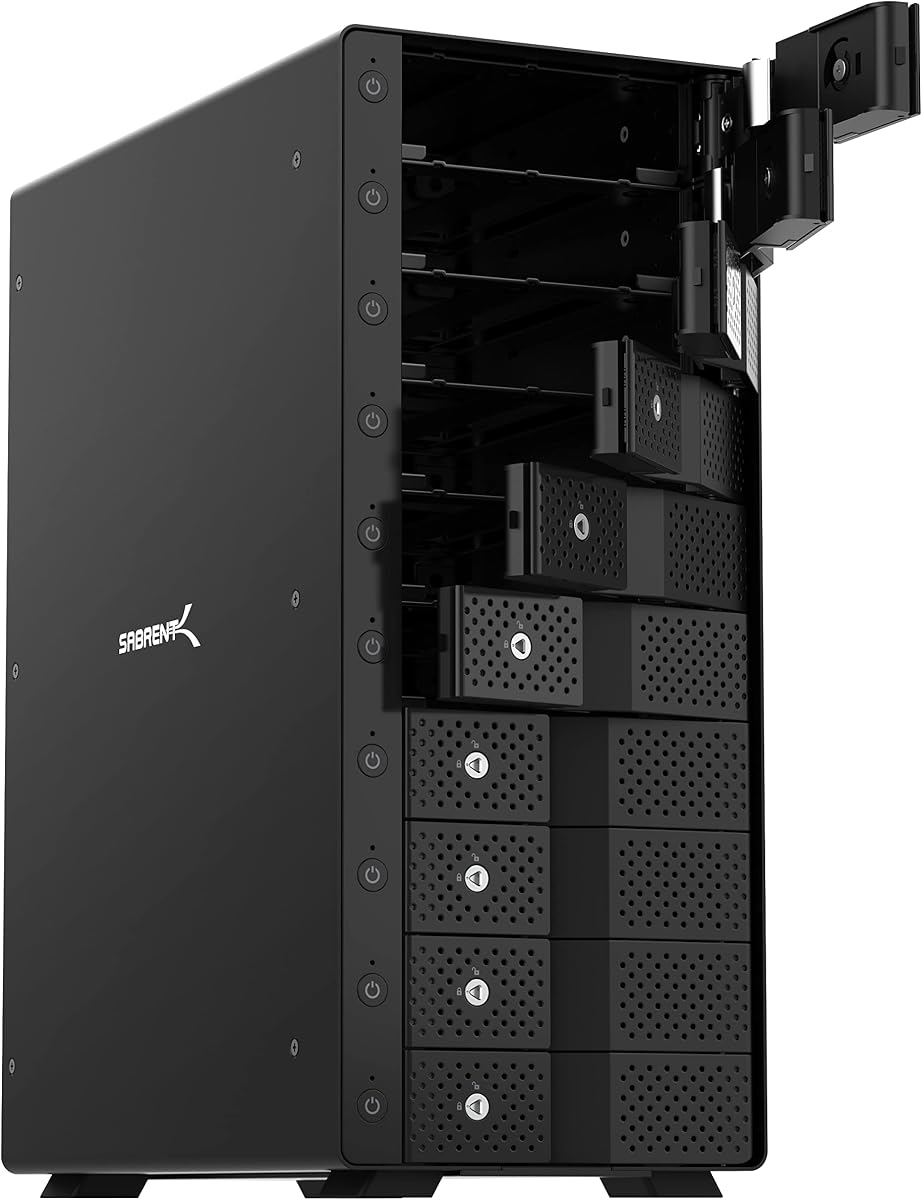
SABRENT 10-Bay USB-C 10Gbps 3.5in SATA Hard Drive Dock, 200TB (DS-UCTB)
10 Bays
USB-C 10Gbps
200TB Max Capacity
Per-drive Power Control
The SABRENT 10-Bay docking station delivers premium features for power users needing extensive storage expansion. Its 4.1 star rating highlights consistent performance across ten independent drive bays without RAID overhead.
Pros
Massive storage capacity
Individual drive power switches
High-speed USB 3.2 Gen2
Tray-less hot-swap design
Cons
Higher price point
Large physical footprint
We may earn a commission when you buy through this link, at no additional cost to you.
Each drive bay has its own power switch and status LED which offers precise control over active drives. This reduces power consumption and heat when you only need certain volumes for specific tasks.
Dual 120mm fans provide excellent cooling for sustained heavy loads making it suitable for media servers or large backup environments. The aluminum build ensures rigidity and longevity in demanding work settings.
This model is best for professionals managing huge libraries who value flexibility and speed. The USB-C 10Gbps interface keeps transfer times low while tray-less design makes adding drives fast and tool-free.
Independent Drive Management
Per-bay switches let you isolate specific drives for maintenance or power savings without affecting others in the array.
Thermal Efficiency at Scale
Dual large fans move enough air to prevent throttling even when all ten bays are populated with high-performance drives.
IO CREST Hard Drive Enclosure Supports Multi Bay via USB Interface, Black, 8-Bay
8 Bays
USB 3.0 5Gbps
192TB Max Capacity
Smart Fan Control
The IO CREST 8-Bay enclosure provides substantial storage room for those needing multiple independent volumes. With a 4.0 star rating it balances capacity and simplicity well for home and office use cases.
Pros
High total capacity support
Independent drive switches
Quiet operation in standby
Compatible with many drive sizes
Cons
Limited to 5Gbps speed
Fan requires manual mode tuning
We may earn a commission when you buy through this link, at no additional cost to you.
Smart fan control allows both automatic and manual adjustment to balance noise and cooling needs. Independent switches for each drive give you control over which units are active at any given time.
It supports drives up to 24TB each which means your total system can scale quite large without replacing the enclosure. The steel housing adds durability though it does add to the overall weight.
Consider this unit if you need more than four bays but do not require ultra-fast transfer speeds. It is ideal for archive storage where reliability and capacity outweigh raw throughput requirements.
Fan Control Flexibility
Adjustable fan modes let you prioritize silence during light use or maximum cooling when writing large batches of files.
Drive Compatibility
Support for both 2.5 and 3.5 inch drives lets you mix different form factors to use existing hardware efficiently.
QNAP TR-004 4 Bay USB Type-C Direct Attached Storage (DAS) with hardware RAID (Diskless)
4 Bays
USB Type-C
Hardware RAID Support
Lockable Bays
The QNAP TR-004 offers unique value by supporting both JBOD and hardware RAID through USB Type-C. Its 4.2 star rating reflects strong performance for users needing redundancy without full NAS complexity.
Pros
Supports multiple RAID modes
USB Type-C connectivity
Lockable drive bays
Compatible with QNAP NAS
Cons
RAID features require QNAP OS
Not compatible with all NAS models
We may earn a commission when you buy through this link, at no additional cost to you.
You can configure RAID levels using hardware switches which simplifies setup for shared storage scenarios. The lockable bays add security for offices where physical access control is important for data assets.
When paired with a QNAP NAS it can expand storage pools though limitations apply to NAS applications and volume migration. Standalone it acts as a fast external drive with flexible redundancy options available.
This enclosure suits IT admins or power users who want RAID flexibility in a compact package. Check compatibility with your NAS system before buying to ensure full feature utilization works smoothly.
Hardware RAID Configuration
Switch-based RAID setup eliminates need for software tools while giving you fast protection or performance tuning options.
Physical Security Features
Lockable bays prevent accidental drive removal which is critical for environments with multiple users accessing shared drives.
QNAP TL-R1200C-RP 12 Bay Rackmount JBOD Storage Enclosure
12 Bays
USB 3.2 Gen2
Rackmount Design
Redundant Power
The QNAP TL-R1200C-RP is designed for professional environments needing large scalable storage in standard racks. Its 4.1 star rating highlights reliability and performance for mission-critical backup and expansion needs.
Pros
Ideal for server environments
Redundant power supply
High-speed USB-C port
Supports QNAP NAS expansion
Cons
Requires rack installation space
Higher cost and weight
We may earn a commission when you buy through this link, at no additional cost to you.
Redundant power supplies ensure continuous operation even if one unit fails which is vital for businesses. The USB 3.2 Gen2 Type-C interface provides high-speed access to data across servers and workstations.
With twelve bays you can mount many drives in a small footprint to maximize data center efficiency. Compatibility with QNAP NAS systems allows seamless integration into existing storage management workflows.
Invest in this model if you manage servers or need enterprise-level redundancy without full SAN complexity. It delivers robust performance for teams that depend on constant availability and rapid data access.
Enterprise-Grade Reliability
Redundant power keeps storage online during hardware failures to prevent downtime during business-critical operations.
High-Speed Connectivity
USB-C 10Gbps ensures fast data flows between storage and servers even during heavy concurrent access loads.
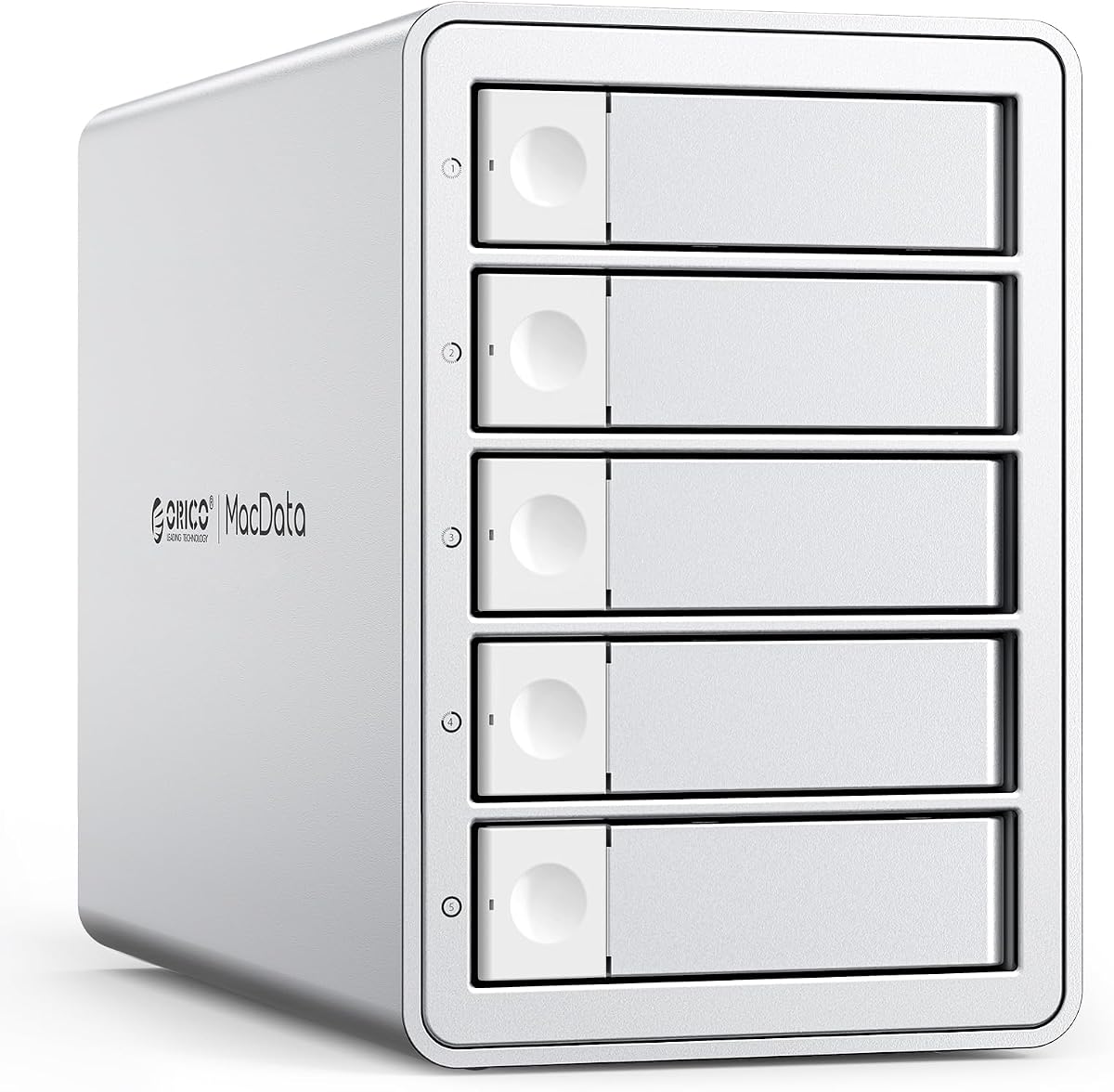
ORICO 5 Bay RAID External Hard Drive Enclosure 130TB Max
5 Bays
USB 3.0
110TB Max Capacity
Built-In Power
The ORICO 5 Bay RAID enclosure stands out with a 4.7 star rating for reliability and versatile RAID options. It supports eight configuration modes to meet diverse needs from speed to redundancy.
Pros
Multiple hardware RAID modes
High 4.7 star rating
Built-in 150W power
Aluminum alloy cooling
Cons
No USB-C option
Fan noise under load
We may earn a commission when you buy through this link, at no additional cost to you.
A built-in 150W power supply ensures stable operation even with all five drives running at once. The aluminum shell and 80mm silent fan keep temperatures low without requiring external power bricks.
USB 3.0 delivers transfer rates around 230MB/s which suits large file backups and media streaming well. Hardware switches let you change RAID levels without needing software tools or host computer intervention.
This model is perfect for creative studios or offices needing secure and flexible storage. Its balance of capacity speed and build quality makes it a trusted choice for demanding daily workloads.
Versatile RAID Configuration
Eight modes including RAID 0 1 5 and 10 let you tailor storage behavior to match security or performance goals.
Power and Cooling
Integrated power supply reduces cable clutter while advanced cooling maintains drive health during long continuous use.
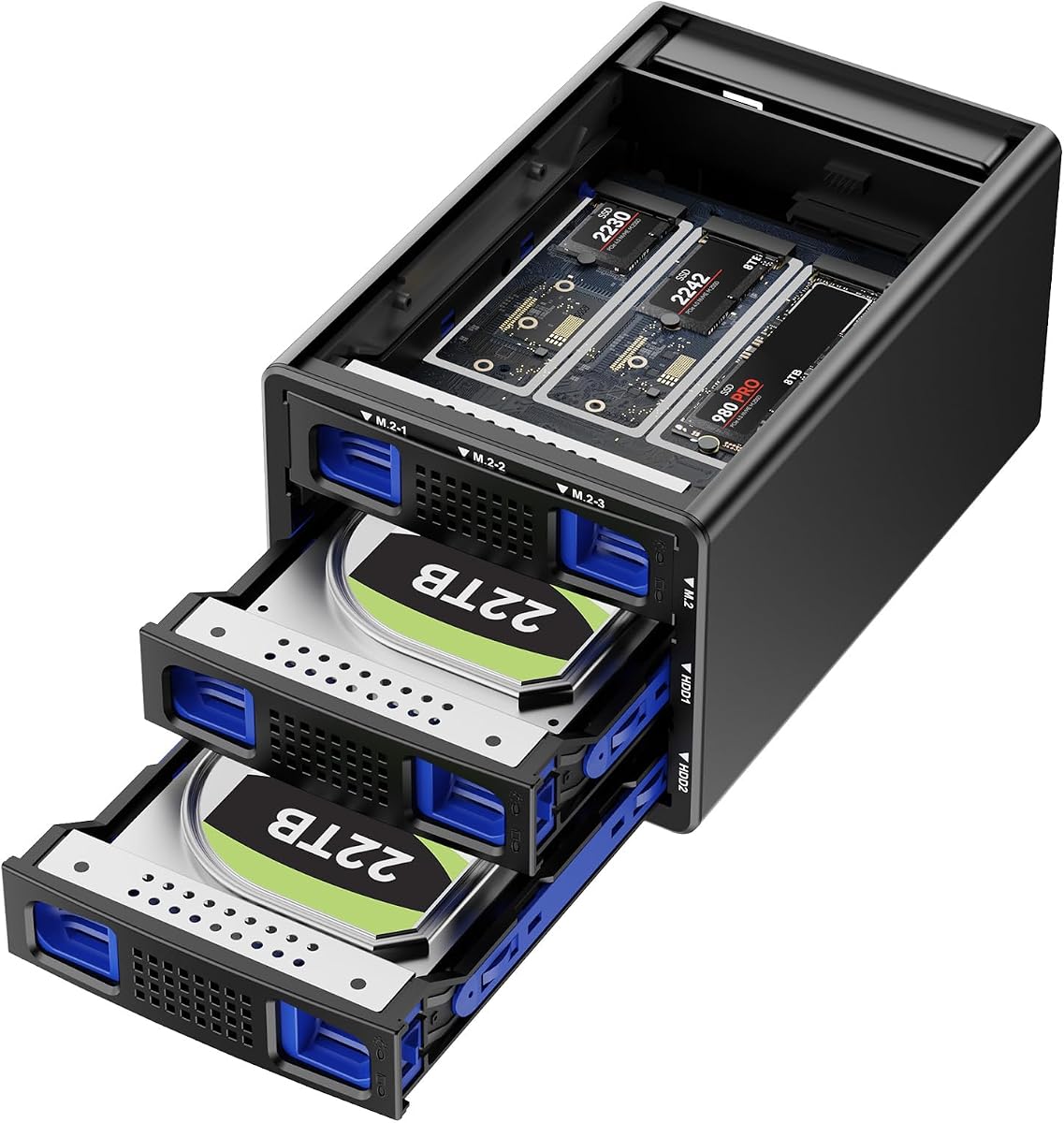
Hybrid 2*2.5/3.5" SATA HDD/SSD(Support RAID 1/0/JBOD/NORMAL)+3* M / B+M Key M.2 NVMe Enclosure with Fan, USB A/C 3.2 Gen 2, Hard Drive Enclosure Support 68TB(2*22TB HDD+3*8TB 2230/42/60/80/110 SSDs)
2 SATA + 3 NVMe
USB 3.2 Gen2 10Gbps
Up to 68TB Total
Hybrid Storage Support
This hybrid enclosure uniquely supports both SATA HDDs and M.2 NVMe SSDs in one unit. Its 4.6 star rating highlights innovative design for users needing speed and bulk storage in a single dock.
Pros
Combines HDD and NVMe drives
10Gbps transfer speeds
Four RAID modes
Silent cooling fans
Cons
Limited NVMe slot sizes
Fan noise at full load
We may earn a commission when you buy through this link, at no additional cost to you.
NVMe slots support common sizes like 2230 and 2280 giving you flexibility for fast cache or system drives. SATA bays hold up to 22TB drives for large media or document archives requiring little power.
USB 3.2 Gen2 provides 10Gbps bandwidth which fully utilizes modern NVMe performance without bottlenecks. Silent fans cool all drives continuously ensuring stability during heavy read write operations over long periods.
Buy this if you want to maximize speed and capacity using existing hardware. Its hybrid approach is rare and ideal for workflows mixing fast active data with large backup repositories.
Flexible Drive Types
Mixing SSDs and HDDs lets you allocate tasks efficiently while saving money on bulk storage for cold data.
Cooling Technology
Continuous cooling fans prevent NVMe throttling which maintains peak performance during intensive tasks like video editing.
ORICO 4 Bay Raid Hard Drive Enclosure Support 8 RAID Modes for 3.5inch HDD Max up to 88TB for External Direct Attached Storage, Efficient Expansion Backup(Alluminum Alloy)-9848RU3
4 Bays
USB 3.0
Up to 88TB Total
8 RAID Modes
The ORICO 9848RU3 offers compact RAID flexibility with support for eight different modes. Its 4.3 star rating reflects solid performance for users needing redundancy without complex software or external power units.
Pros
Eight RAID configuration options
Compact aluminum design
Safety lock included
Built-in 150W power
Cons
No USB-C support
Fan can be audible
We may earn a commission when you buy through this link, at no additional cost to you.
A built-in 150W power supply ensures stable operation across all four bays without extra adapters. The aluminum housing and 80mm fan provide efficient cooling which helps drives last longer under sustained loads.
Safety locks protect drives from accidental removal while silent vents manage airflow effectively. This model suits professionals who want simple secure storage for backups or shared office data projects.
Choose this for its balance of cost and feature set in a small footprint. It handles large capacity needs while keeping physical space and cable clutter to a minimum in any workspace.
Compact Footprint
Small size fits on desks or shelves without dominating space while still supporting high capacity drive configurations.
Drive Protection
Independent safety locks prevent accidental ejection that could cause data loss or drive damage during transport.
The OWC Mercury Elite Pro Quad targets users with Thunderbolt 3 systems needing fast external storage. Its 3.7 star rating reflects strong speed performance though support experiences vary compared to other brands.
Pros
Compatible with Thunderbolt 3
High 10Gb/s bandwidth
Universal drive bays
Strong build quality
Cons
Softer customer support reputation
Requires separate RAID software
We may earn a commission when you buy through this link, at no additional cost to you.
USB-C delivers up to 10Gb/s bandwidth which is ideal for video editing and large file transfers. Universal drive bays accept both 2.5 and 3.5 inch drives providing flexibility for different hardware types.
Build quality is robust ensuring durability for transport and long-term use. While SOFTRAID software is not included the enclosure works with host OS RAID tools for added flexibility.
Invest in this if you need Thunderbolt speeds in a compact unit. It works well for mobile professionals who prioritize speed and portability over extensive RAID features or bundled software tools.
Thunderbolt Compatibility
Works seamlessly with Thunderbolt 3 systems to deliver high bandwidth without needing extra adapters or hubs.
Drive Bay Flexibility
Universal bays accept multiple form factors so you can mix drive types to match specific speed and capacity needs.
We may earn a commission when you buy through this link, at no additional cost to you.
Buying Guide – How to Choose the Best Jbod Enclosure
Selecting the right JBOD enclosure requires considering speed capacity cooling and compatibility factors that match your workflow.
Interface Speed
USB 3.2 Gen2 offering 10Gbps is ideal for large media or database tasks while USB 3.0 with 5Gbps suits basic backups.
Look for USB-C or Thunderbolt support if your host device has these ports for future-proof connectivity.
Drive Capacity Limits
Check maximum per-drive and total capacity limits to ensure the enclosure supports drives you plan to buy.
Higher capacity options often cost more but save money by avoiding future hardware upgrades.
Cooling Solutions
Enclosures with fans and vents keep drives cool during long transfers reducing risk of thermal throttling.
Silent fans help maintain noise levels in office or home environments where quiet operation matters.
Hot-Swap Capability
Hot-swappable drives let you replace or add storage without powering down the system.
This feature is essential for 24/7 workflows needing minimal interruption for maintenance.
Compatibility
Ensure the enclosure supports your operating system and file format needs out of the box.
Most units support Windows Mac and Linux but check drivers or formatting tools before purchase.
Physical Design
Consider size weight and build materials like aluminum for durability and heat dissipation.
Rackmount models are ideal for server rooms while desktop versions fit typical workspaces.
Power Requirements
Built-in power supplies reduce cable clutter while external adapters offer flexibility for portable setups.
Check wattage to ensure it supports all drives fully under maximum load.
Additional Features
Features like drive locks tool-free trays and individual power switches add convenience and security.
Prioritize these if you need physical safety or fine-grained control over active drives.
How to Use and Care for Your Jbod Enclosure
Install drives into trays carefully ensuring they lock properly before connecting power and data cables to your host device.
Format new drives using your operating system disk utility with a file format that suits your needs like exFAT for compatibility.
Keep the enclosure in a cool well-ventilated spot and regularly clean dust from vents to maintain optimal drive cooling.
Frequently Asked Questions
What is the difference between JBOD and RAID?
JBOD exposes each drive as an individual volume allowing flexible use while RAID combines drives for performance or redundancy. JBOD is simpler and avoids data loss from single drive failures in RAID.
Can I mix different drive sizes in a JBOD enclosure?
Yes JBOD enclosures allow mixing drive capacities and models since each drive is treated separately. This is useful for upgrades or reusing existing hardware without losing flexibility.
Do JBOD enclosures require special drivers?
Most JBOD enclosures are plug-and-play and use standard USB drivers built into modern operating systems. Check vendor info if you use older OS versions or specialized Linux distributions.
How do I know which USB standard my enclosure uses?
Check product specs for USB 3.0 3.1 or 3.2 Gen2 labels which indicate speed tiers. USB-C often supports higher speeds but verify with host port capabilities.
Is JBOD suitable for video editing workflows?
JBOD is suitable for video editing if using fast USB-C or Thunderbolt connections and high-capacity SSDs or HDDs. Direct access to individual drives simplifies project management and backups.
Can I use JBOD with Mac and Windows simultaneously?
Yes most JBOD enclosures support Mac and Windows when drives use compatible file formats like exFAT. You can swap drives between systems without reformatting each time.
How do I maintain my JBOD enclosure for longevity?
Keep the enclosure clean and dust-free and ensure proper airflow to avoid overheating. Check connections periodically and avoid power surges with quality surge protectors.
Are JBOD enclosures compatible with NAS systems?
Some JBOD enclosures can expand NAS storage but features may depend on host OS compatibility. Always verify NAS vendor guidelines before connecting external enclosures to NAS units.
Final Thoughts on Choosing the Best Jbod Enclosure
Our top picks cover different needs from fast USB-C options to hybrid NVMe and RAID-flexible units for diverse users.
Prioritize interface speed cooling and capacity limits to match your current and future storage growth plans effectively.
Check current listings for updated pricing and availability to ensure you get the best value for your specific needs.