
Apple Magic Keyboard for iPad Air 11-inch
4.5Editor score
Floating Cantilever Design
Built-In Trackpad
USB-C Pass-Through Charging
This guide compares the top 10 iPad Air Folio Case with Keyboard options for 2026, evaluating protection, typing experience, and trackpad features to help you
Finding the right iPad Air Folio Case with Keyboard can transform your tablet into a powerful productivity machine. These versatile accessories combine protection with typing comfort, allowing you to work anywhere. We analyzed the latest models to help you find the perfect fit for your needs and budget.
Our team evaluated each option based on build quality, typing experience, trackpad performance, and overall value. We considered compatibility with the newest Air models and older generations to ensure you get a reliable accessory. This list covers a range of prices and features to suit every user preference and workflow requirement.
Each pick highlights key strengths and potential trade-offs so you can make an informed decision quickly. We included detailed specifications and real-world usage scenarios to guide your choice. Please note that product availability and pricing can change frequently, so verify details before purchasing your preferred item today.
4.5Editor score

4.5Editor score
4.3Editor score
The following table provides a side-by-side comparison of all ten top-rated iPad Air Folio Case with Keyboard options. It highlights key specifications, compatibility, and unique features to help you quickly identify the best match for your specific tablet model and usage requirements.




The Logitech Flip Folio Keyboard Case is our top pick for users seeking a premium typing experience with robust protection. It features a high-precision trackpad and backlit keys that adjust automatically to your environment, making it ideal for all-day productivity. Its Smart Connector connection ensures seamless pairing and power without needing separate cables.
We may earn a commission when you buy through this link, at no additional cost to you.
This case offers four distinct use modes allowing you to type, sketch, view, or read comfortably. The adjustable kickstand provides a 40-degree range of angles to suit any posture or task. Built with military-grade drop protection it safeguards your iPad against bumps and scratches while keeping all ports accessible.
While the price is higher than budget options the convenience of the Smart Connector and the quality of the trackpad justify the investment. The magnetic latch keeps the case secure on the go and the included space for the Apple Pencil adds extra utility. It is slightly heavier than some ultra-thin cases but feels sturdy.
We recommend this case for professionals and students who need reliable typing and navigation features daily. It is perfect for those who want a laptop-like experience without sacrificing portability. The durable build ensures longevity making it a smart choice for anyone wanting a high-quality Folio solution.
The trackpad supports all multi-touch gestures including swipe and pinch for intuitive control without touching the screen.
Using the Smart Connector means you never need to charge the keyboard separately as it draws power directly from your iPad.
We may earn a commission when you buy through this link, at no additional cost to you.
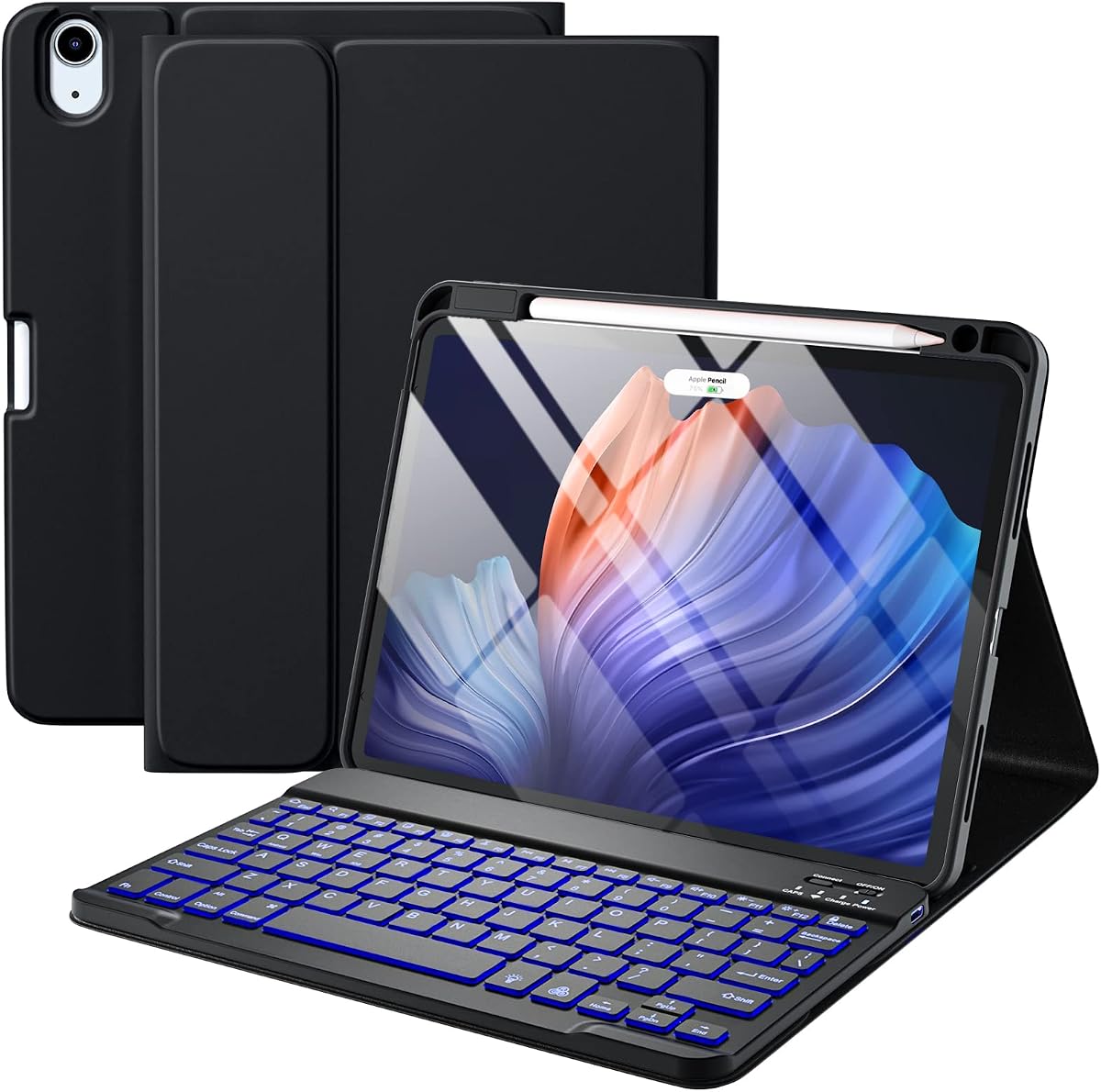
The Harvopu case offers excellent versatility by supporting a wide range of iPad Air models from the newest M4 to older generations. Its detachable keyboard connects via Bluetooth allowing you to use the iPad as a standalone tablet when needed. The backlight includes seven colors and three brightness levels for customizable typing in any light.
We may earn a commission when you buy through this link, at no additional cost to you.
Built-in charging for the Apple Pencil ensures your accessories stay powered while you work. The case uses durable PU leather on the front and a soft TPU back to protect against scratches and shocks. Adjustable viewing angles let you find a comfortable position for writing or browsing on the go.
Although it relies on Bluetooth pairing the connection is stable and reconnects quickly after turning on. The keyboard holds a charge for a long time thanks to its efficient energy mode. It lacks the trackpad found in premium cases but provides solid typing functionality at a budget-friendly price.
This option is ideal for students or casual users who want a full keyboard without spending too much. It works well for home or office use where portability and protection are key. Consider this if you need compatibility with older iPad Air models and value flexible keyboard attachment.
Check your model number starting with A to ensure fit across Air 11 inch and 4th or 5th generation iPads.
Choose from breathing colors or steady tones to match your mood and lighting conditions during evening work.
We may earn a commission when you buy through this link, at no additional cost to you.
The Apple Magic Keyboard delivers the most premium typing experience with its floating cantilever design and built-in trackpad. It attaches magnetically with a two-cantilever hinge that offers smooth adjustable angles for comfortable viewing during long sessions. The physical keycaps use a scissor mechanism for responsive and quiet typing in any environment.
We may earn a commission when you buy through this link, at no additional cost to you.
A full function key row allows you to use iPadOS shortcuts efficiently while you work or create content. The trackpad supports intuitive gestures making navigation as fluid as using a laptop mouse. USB-C pass-through charging ensures your iPad stays powered without needing to remove the keyboard or add extra cables.
Its protective design folds to cover both the front and back of your tablet securely while in transit. The build quality is exceptional though it comes at a higher cost than third-party alternatives. It is designed specifically for the latest Air models and older 4th and 5th generations ensuring a perfect fit.
We recommend this for professionals who need a seamless Apple ecosystem experience and maximum typing precision. The integrated trackpad and sturdy hinge make it a top choice for productivity on the go. Consider this premium pick if you want the closest experience to a Mac keyboard paired with your iPad Air.
The hinge design allows you to adjust the screen height effortlessly for better ergonomics and posture.
Trackpad gestures and function keys streamline workflows reducing the need to touch the screen constantly.
We may earn a commission when you buy through this link, at no additional cost to you.
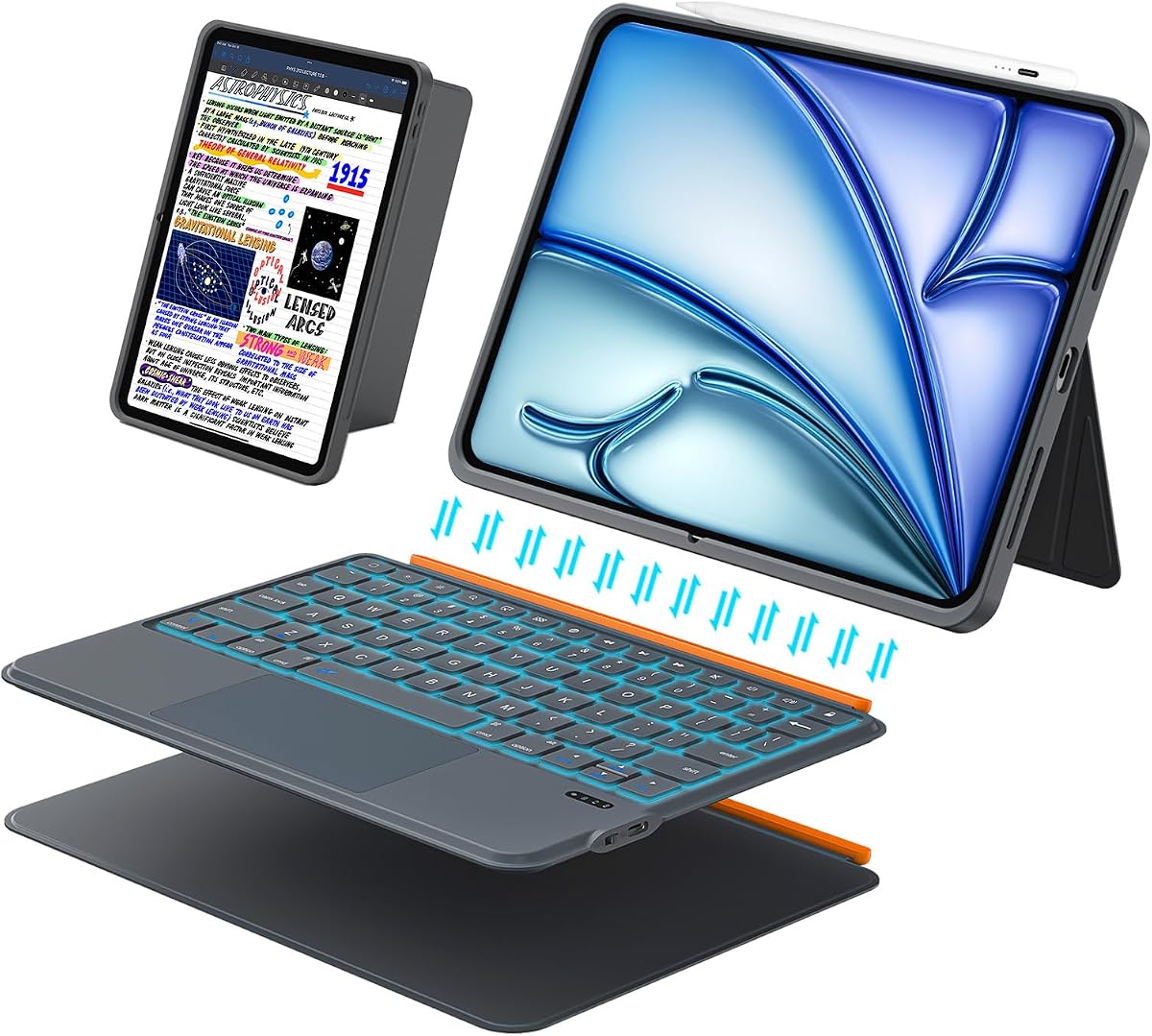
This ESR case stands out for its ultra-lightweight design making it easy to carry in your daily bag or backpack. The detachable keyboard connects via strong magnets allowing you to switch between typing and tablet modes seamlessly. Its trackpad is sixty-five percent larger than standard keyboards providing more space for navigation gestures.
We may earn a commission when you buy through this link, at no additional cost to you.
The case offers two stable viewing angles optimized for work or sketching without wobbling. Reinforced Air Guard corners protect your iPad from drops while precise cutouts ensure easy access to all ports and buttons. The form-fit cover keeps dust and scratches away while maintaining a slim profile overall.
Without a backlight it is best suited for daytime use or well-lit environments. The magnetic connection is secure and allows you to place the keyboard remotely while typing comfortably. It balances protection with portability well making it a strong contender for travelers who need a thin but capable setup.
Choose this option if you prioritize weight and ease of carrying over extra features like backlighting. It is great for students or casual users who value a clean and simple design. The trackpad size and magnetic detach feature provide a good mix of convenience and functionality.
The larger trackpad supports multi-finger gestures for scrolling and app switching with ease.
Air Guard corners and a tight fit keep your device safe from bumps during daily commutes.
We may earn a commission when you buy through this link, at no additional cost to you.
This case offers a wide range of compatibility covering multiple generations of iPad Air and Pro models. Its floating cantilever stand mimics premium designs allowing for smooth and adjustable viewing angles. The multi-touch trackpad supports iPadOS shortcuts and gestures enhancing productivity without needing to tap the screen directly.
We may earn a commission when you buy through this link, at no additional cost to you.
The keyboard includes three brightness levels for comfortable typing in low-light conditions. A 750mAh battery provides extended usage time between charges while the USB-C charging ensures quick power-ups when needed. The vegan leather case provides sturdy protection for the device during daily use and transport.
It transforms your iPad into a laptop-like machine efficiently with strong magnetic attachment for stability. The trackpad allows precise navigation which is ideal for editing documents or browsing the web. However the connection process may require some initial setup compared to direct Smart Connector options.
This is a solid choice for users with older Pro models or those wanting extensive compatibility. The trackpad and backlight features make it versatile for various tasks. Consider this if you need a reliable alternative that supports a broad range of iPad models with quality typing and navigation.
Works with multiple Pro and Air generations ensuring longevity if you upgrade your iPad later.
Backlight and ergonomic key layout help reduce fatigue during long work sessions.
We may earn a commission when you buy through this link, at no additional cost to you.
This versatile case supports a broad range of iPads including Air, Pro, and standard iPad models. The detachable magnetic design lets you use the keyboard separately or attach it for a laptop experience. A large precision trackpad supports multi-finger gestures for smooth navigation across apps and documents.
We may earn a commission when you buy through this link, at no additional cost to you.
The keyboard features a quiet and comfortable typing layout with dedicated iPadOS shortcuts. Bluetooth 5.3 ensures a stable connection with quick pairing and minimal lag during use. The adjustable stand supports both portrait and landscape modes with a 160-degree range for flexible viewing positions.
Full-edge coverage protects the device from scratches and drops while keeping access to ports smooth. The PU leather provides a soft feel and easy cleaning after long sessions. While the stand is robust the keyboard requires battery management separate from the main device.
Choose this if you need a flexible solution that adapts to various iPad models. The trackpad and adjustable stand make it suitable for diverse tasks from drawing to typing. It is an excellent pick for users wanting extensive device support with a polished finish.
Support for vertical and horizontal setups allows creative freedom and ergonomic adjustments.
Bluetooth 5.3 offers stable connectivity so you can work without interruptions or drops.
We may earn a commission when you buy through this link, at no additional cost to you.
The Apple Smart Keyboard Folio is a classic accessory that uses the Smart Connector for seamless pairing and power. It folds into a stand offering two viewing angles for typing or viewing content. The fabric-covered keys provide a soft feel and reliable typing performance across various conditions.
We may earn a commission when you buy through this link, at no additional cost to you.
This renewed option offers a cost-effective way to access genuine Apple quality without a premium price tag. It doubles as a front and back cover protecting the screen and rear from scratches. The design is simple and lightweight avoiding the bulk of more complex keyboard cases.
While it lacks a trackpad the keyboard layout is efficient for writing and basic navigation. The Smart Connector ensures you never need to charge or pair separately. It is ideal for those who prefer a minimalist approach to iPad accessories.
Select this for a straightforward typing solution that integrates perfectly with your iPad. It is great for users who do not need a trackpad and value simplicity. The renewed status makes it an attractive budget choice for reliable Apple accessories.
Direct power from iPad means zero extra charging or battery maintenance is needed at all.
The slim profile adds minimal weight while offering basic protection and typing utility.
We may earn a commission when you buy through this link, at no additional cost to you.
This renewed Logitech Folio Touch offers the same premium features as new units at a lower cost. It includes a high-precision trackpad and backlit keys that adjust to your surroundings automatically. The Smart Connector ensures instant pairing and power without separate battery charging or pairing steps.
We may earn a commission when you buy through this link, at no additional cost to you.
The case provides four use modes for typing, sketching, viewing, or reading with ease. An adjustable kickstand offers a 40-degree range of angles to fit your preferred posture. MIL-STD drop protection ensures your iPad stays safe during transport or accidental bumps.
The magnetic latch keeps the case closed securely while you travel or store it. Space for the Apple Pencil lets you store or charge it without removing the case. As a renewed item condition may vary but it still delivers excellent functional performance overall.
Choose this if you want a feature-rich experience with a trackpad but prefer to save money. It is ideal for users needing a versatile Folio that supports productivity and creativity. Verify condition details to ensure the quality meets your specific standards for use.
Store your Pencil securely with the case on for quick access when you need to draw.
Military-grade standards ensure the case withstands drops and scratches reliably over time.
We may earn a commission when you buy through this link, at no additional cost to you.
This Harvopu case provides a versatile setup with a detachable keyboard and built-in high-sensitive trackpad. The keyboard connects quickly via Bluetooth and supports seven backlit colors for customizable typing. Adjustable viewing angles allow you to optimize comfort for different tasks like reading or creating.
We may earn a commission when you buy through this link, at no additional cost to you.
The case offers precise cutouts ensuring full access to all ports and features without removing it. A strong magnetic adsorption keeps the keyboard stable while typing and easy to remove when needed. It fits multiple Air generations with a secure fit that protects the device well overall.
The trackpad enhances productivity by allowing gesture-based navigation on the screen. Battery management is simple with efficient energy modes supporting extended use periods. While it lacks some premium features it offers great value and flexibility for everyday use.
Select this if you want customization options like color backlights and adjustable stands. It is ideal for users who switch between work and leisure modes frequently. Consider this for its flexibility and solid protection at a competitive price point.
Color lighting options let you personalize your workspace and reduce eye strain.
Detachable keyboard allows smooth transitions between typing and creative touch tasks.
We may earn a commission when you buy through this link, at no additional cost to you.
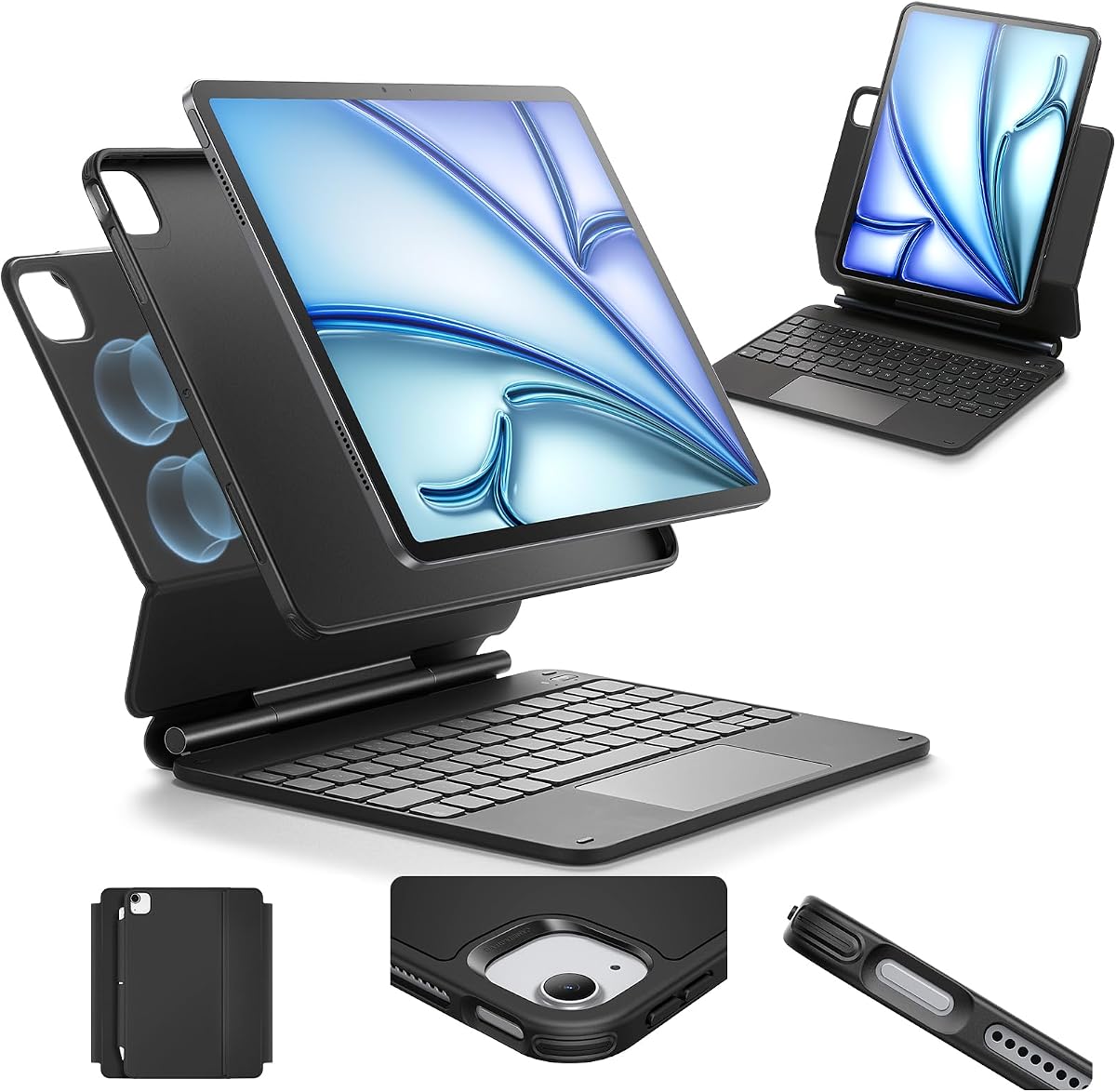
This ESR case transforms your iPad into a portable machine with multiple stand modes for different uses. The magnetic stand allows quick setup for raised screen or portrait views. The trackpad is extended to offer full multi-touch support for precise navigation.
We may earn a commission when you buy through this link, at no additional cost to you.
It supports a wide range of iPad Air and Pro models ensuring fit and function across years. The quick-set magnetic stand combines with the case for seamless transitions. Precise cutouts and easy access to ports make it practical for daily tasks.
Without backlight it works best in well-lit spaces. The design focuses on productivity and posture improvements while using the device. It provides full-body protection when the case is attached securely to the tablet.
Choose this if you need a multi-functional stand for varied tasks and modes. The trackpad and wide compatibility make it a strong utility option. It suits users prioritizing ergonomic adjustments and flexible viewing positions.
Raised screen views help reduce neck strain during extended work sessions.
Precise navigation supports productivity tasks without needing a mouse or finger taps.
We may earn a commission when you buy through this link, at no additional cost to you.
Choosing the right iPad Air Folio Case with Keyboard depends on your usage patterns, device model, and budget. This guide explains the essential factors to consider for making a smart and long-lasting purchase decision.
Ensure the case supports your specific iPad Air model and year. Newer models like the M4 require precise fit while older ones may need different connectors or mounts. Always check the model number starting with A to confirm support before buying.
Verify that all ports buttons and cameras are accessible when the case is attached.
If you plan to use apps that need navigation a built-in trackpad adds significant value. It reduces the need to touch the screen and supports multi-touch gestures for faster workflow.
Models without trackpads are cheaper but may require more manual tapping for navigation.
Decide between detachable or fixed keyboards based on flexibility needs. Detachable options let you remove the keyboard for pure tablet use while fixed ones offer stability for typing.
Fixed Smart Connector models often have better integration whereas Bluetooth models give more distance flexibility.
Backlit keys are crucial for working in low-light environments. Look for adjustable brightness or color options to suit your preferences and reduce eye strain.
Non-backlit models save battery and cost but limit usage after dark without extra lighting.
Protection should meet MIL-STD or durable material standards to safeguard your device from drops and scratches. Full-edge coverage is preferable for maximum security against daily wear.
Choose cases with reinforced corners and secure latches to keep the iPad safe when closed.
Bluetooth keyboards need pairing and charging while Smart Connector models connect instantly without extra batteries. Consider how much maintenance you want with your keyboard setup.
Bluetooth offers flexibility but adds connection steps that Smart Connector models avoid completely.
A stand with multiple angles helps maintain a comfortable viewing position for typing or media. Look for secure mechanisms that hold the angle firm during use.
Adjustable stands improve posture and reduce neck strain during long work sessions.
If your keyboard has a built-in battery check how long it lasts and charging time. Efficient energy modes help extend usage between charges.
Smart Connector cases draw power from the iPad so battery life is not a concern for those.
When you first receive your case inspect all parts to ensure proper fit and alignment. Connect the keyboard if using Bluetooth by turning it on and enabling pairing mode on your iPad.
For optimal use place your iPad in the stand at a comfortable viewing angle before typing. Use the trackpad to navigate apps or tap on the screen to switch tasks smoothly.
Regularly clean the case with a soft dry cloth to remove dust and fingerprints. Avoid exposing the keyboard to liquids and store it in a cool dry place when not in use.
No compatibility varies by model and connector type. Check the product specifications to ensure it supports your specific iPad Air version before buying. Some cases only fit newer models while others cover a wide range of generations.
Many cases include slots or magnets to store the Apple Pencil while attached. Some allow charging through the case depending on your iPad model. Always verify that the case supports Pencil storage without blocking the charging port.
A trackpad makes navigation smoother and reduces screen wear but is not strictly required. If you use apps heavily needing precise cursors it is highly recommended. Otherwise touch gestures may suffice for basic tasks.
Cases vary from ultra-thin to thicker protective styles. Detachable options add weight only when the keyboard is attached. Consider how much protection you need versus carrying weight for your daily routine.
Most Bluetooth cases use USB-C cables to recharge the keyboard battery. Check the included cables and charge fully before first use. Some have battery indicators so you know when to recharge.
Yes Smart Connector models pair instantly and draw power from the iPad eliminating extra battery steps. They offer seamless integration but only work with compatible devices that have the connector.
Double-check your model number and purchase the correct size variant. If it does not fit return it promptly to exchange for the right version. Contact support if you face issues with model numbers.
Our top picks highlight the Logitech Flip Folio for overall balance Apple Magic Keyboard for premium typing and Harvopu for budget versatility. Each offers unique strengths tailored to different productivity needs and device models.
Prioritize compatibility trackpad features and protection based on your workflow. Consider whether backlight and Bluetooth or Smart Connector suits your daily use best.
Prices and availability change frequently so always check current listings before purchasing. Select the model that best fits your specific iPad Air generation and style preferences.