
HDMI Extender Over Single Cat5e
4.9Editor score
Supports 1080p at 60Hz
Extends up to 196 feet
Single power supply required
Smart EDID copy function
This guide compares the top HDMI Extender Cat 5 6 7 Ethernet models for 4K and 1080p extension over single cable setups in October 2026.
Finding the right HDMI Extender Cat 5 6 7 Ethernet solution is essential for extending video signals without signal loss. These devices use existing network cabling to transmit high-quality audio and video over long distances efficiently.
We evaluated ten top-rated extenders based on range, resolution support, and ease of installation. Our analysis focuses on Power over Cable features, video quality retention, and compatibility with modern devices like consoles and media players.
Each pick highlights key specs and real-world performance notes to help you choose. Prices and availability change frequently, so check the latest offers before purchasing to ensure you get the best value for your setup needs.
4.9Editor score

4.6Editor score

5.0Editor score
This table provides a side-by-side look at the key specifications of every product reviewed. Compare resolution support, maximum range, and special features to find the best fit for your specific cabling and display requirements.




The OREI HDMI Over Ethernet Extender stands out as a top performer for extending HDMI signals. It supports 4K resolution at 60Hz with HDR and HLG, ensuring sharp visuals. The Power over Cable technology simplifies setup by needing power only at the transmitter.
We may earn a commission when you buy through this link, at no additional cost to you.
This device supports HDMI 2.0a and HDCP 2.2, making it suitable for modern Blu-ray players and gaming consoles. The metal housing helps with heat dissipation, which is crucial for stable long-term operation. It handles up to 18Gbps bandwidth for crisp video and high-fidelity audio.
While it is not compatible with network switches, this direct connection ensures zero latency. The 1-way IR pass-through allows control of devices from the receiver side, which is useful for hidden setups. The package includes a DC adapter and manual for easy installation.
This extender is ideal for professional or residential use where distance is a factor. Whether you are connecting a PC to a distant display or setting up a home theater, it delivers reliable performance. Its rugged design and warranty make it a solid long-term investment.
Supporting 4K at 60Hz with 4:4:4 color sampling ensures that text and images remain sharp even at long distances.
Power over Cable means you only need one outlet for the transmitter, reducing cable clutter at the display end.
We may earn a commission when you buy through this link, at no additional cost to you.
The OREI 4K@60Hz HDMI Over Cat6 Balun offers robust support for uncompressed video. It transmits signals up to 165 feet using Cat6/7 cables. The HDMI loop out allows you to view content locally while extending it to a remote display.
We may earn a commission when you buy through this link, at no additional cost to you.
This model supports 18Gbps bandwidth and HDR, making it a strong choice for media playback. Built-in EDID management helps optimize resolution compatibility between source and display devices. It also supports multiple audio formats like Dolby TrueHD and DTS-HD.
While the range is shorter than some competitors, the included IR pass-through simplifies remote control. The device requires a direct Cat6 or Cat7 connection and is not compatible with switches. This ensures signal integrity for long-distance transmission.
Ideal for home theaters and conference rooms, this extender provides reliable connectivity. It works with TVs, monitors, and projectors effectively. The 12-month warranty provides peace of mind for users investing in professional AV solutions.
The HDMI loop out feature allows you to keep a local screen active while sending the signal to a distant display.
Support for high-quality audio formats ensures your sound system delivers immersive performance alongside the video.
We may earn a commission when you buy through this link, at no additional cost to you.
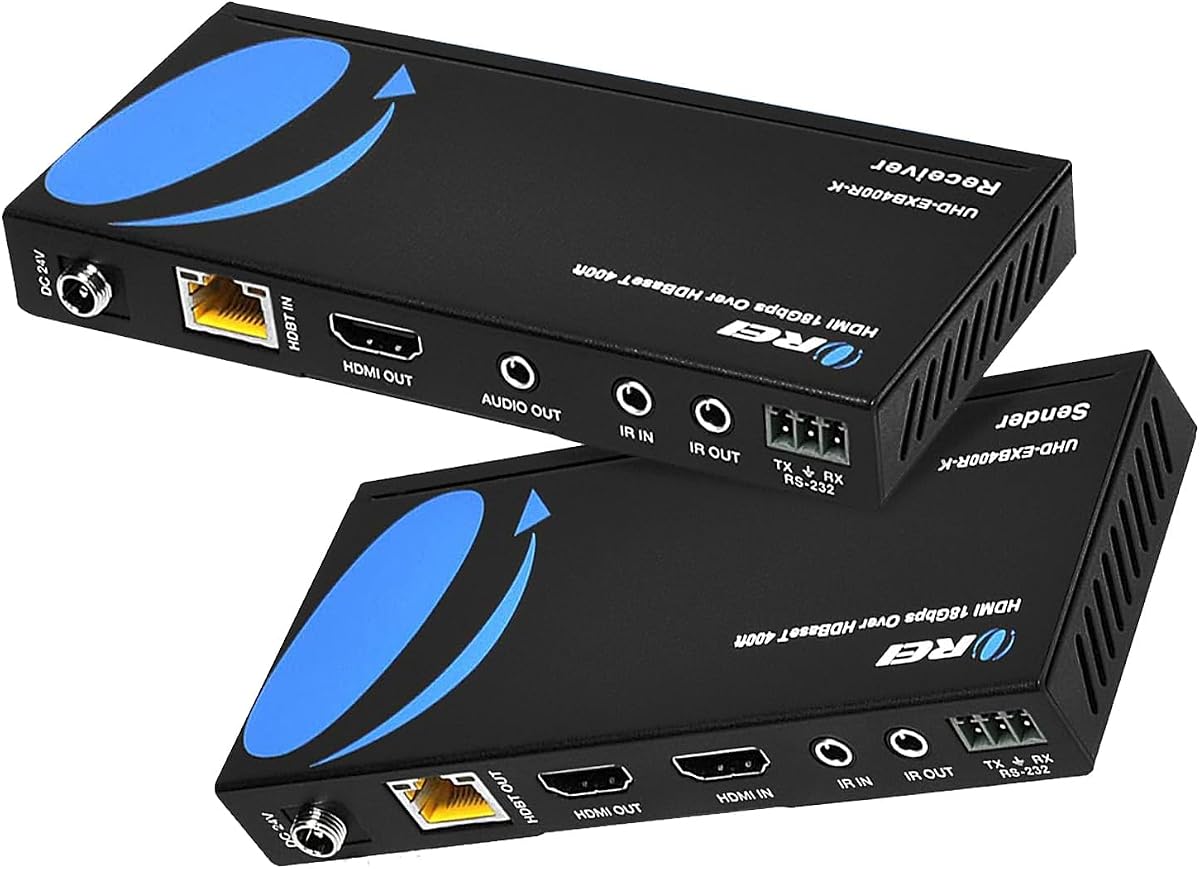
The OREI HDMI Extender HDBaseT extends signals up to 400 feet using LAN cables. It supports 4K at 60Hz and includes HDR10+ and Dolby Vision. The device uses HDBaseT technology for lossless and lag-free video transmission.
We may earn a commission when you buy through this link, at no additional cost to you.
This model features RS-232 command control, which is great for professional installations. Bi-directional IR control allows the source to recognize remote commands from the display side. Power over Cable means only one adapter is needed to power both units.
Note that this HDBaseT model is not interchangeable with other OREI models due to chip-set differences. It supports CEC and 18Gbps bandwidth. The package includes mounting ears and an IR kit for setup.
This solution is best for users needing maximum range without signal loss. It works well with Blu-ray players and game consoles. The 1-year warranty and OREI support add reliability for professional AV projects.
RS-232 command control allows for integration with complex AV systems and automation setups.
Reaching 400 feet allows placement in large venues where standard cables would fail.
We may earn a commission when you buy through this link, at no additional cost to you.
The OREI HDMI Extender Over Cat5 is a budget-friendly solution for extending HDMI signals. It transmits full HD and 4K at 30Hz over up to 165 feet. The device supports HDMI 2.0a and HDCP 2.2 for secure content playback.
We may earn a commission when you buy through this link, at no additional cost to you.
This extender uses video transmission technology for stable visuals over long distances. It includes a local loop out for dual-display setups. Power over Cable simplifies the installation process. It is not compatible with HDMI ARC or IP systems.
While it limits 4K to 30Hz, it is perfect for static displays or lower frame rate content. The package includes an adapter with a US plug for international compatibility. It is designed for PCs, consoles, and media players.
Ideal for basic home office setups or classrooms where budget matters. The 1-year warranty ensures reliable performance. Users should use Cat6/CAT7 for optimal performance though it supports Cat5e.
This model offers essential extension features at a lower cost, making it accessible for many users.
The loop out port allows you to maintain a local display while extending to a remote screen.
We may earn a commission when you buy through this link, at no additional cost to you.
This HDMI Extender Over Single Cat5e offers excellent value for extending Full HD signals. It supports uncompressed 1080p at 60Hz over up to 196 feet. The Power over Cable technology simplifies installation by using a single power supply.
We may earn a commission when you buy through this link, at no additional cost to you.
The device features smart EDID copy to ensure perfect handshake between devices. It solves common no signal issues found with other converters. The aluminum alloy design ensures durability and heat dissipation for long-term reliability.
While limited to 1080p, it is ideal for older displays or setups not needing 4K. The USB power cable is included but the adapter is not. You can plug it into a TV or PC USB port.
Best for classrooms or home offices where cost is a priority. It works with gaming consoles and media players seamlessly. The plug-and-play design requires no drivers making it easy for non-tech users.
Smart EDID copy ensures your display and source communicate perfectly to avoid compatibility errors.
Using USB power means you do not need extra outlets near the source or display devices.
We may earn a commission when you buy through this link, at no additional cost to you.
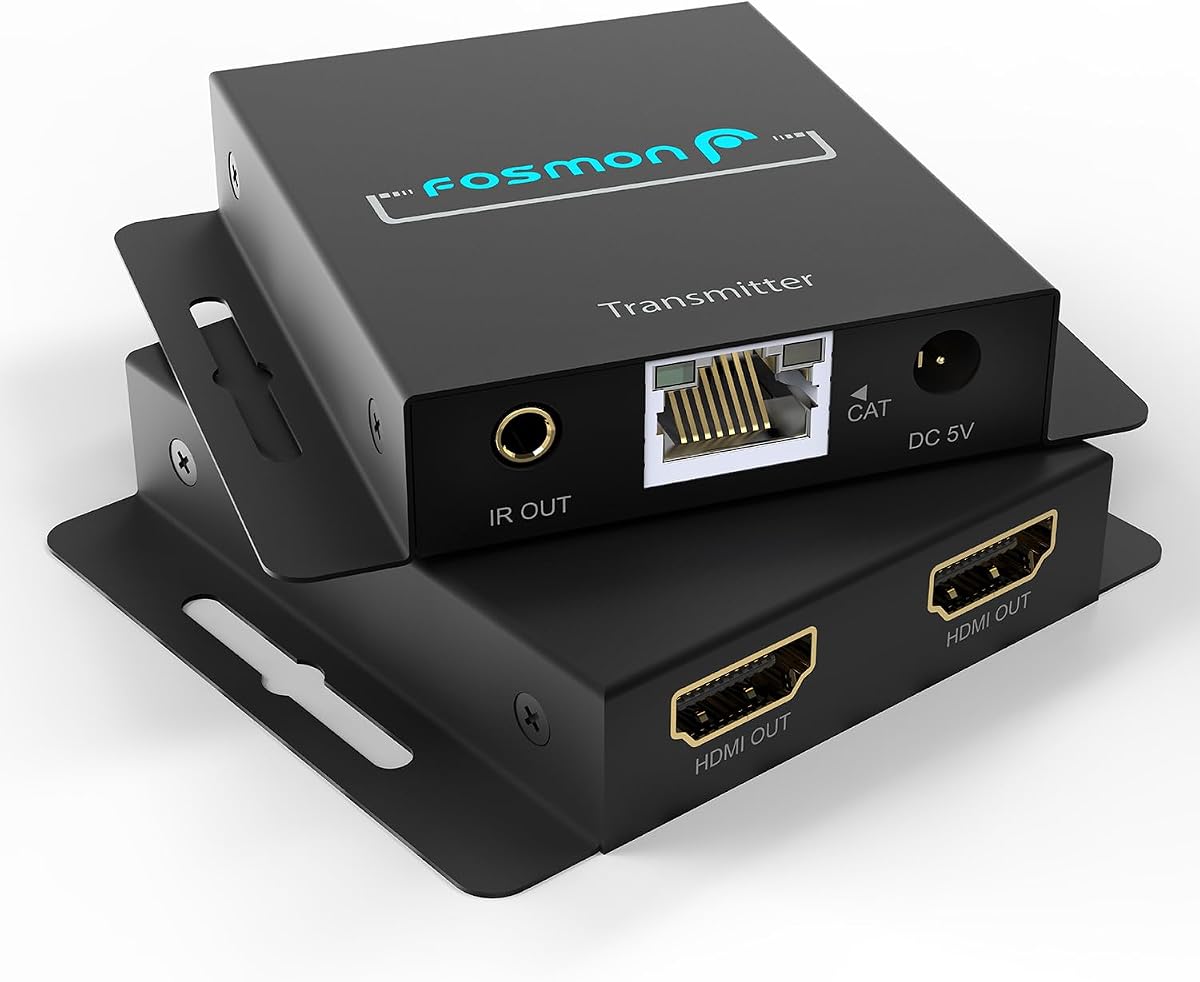
The Fosmon HDMI Extender transmits 1080p at 60Hz up to 230 feet. It supports Cat6a and Cat7 cables for optimal range. The device uses Power over Cable to streamline setup and reduce clutter.
We may earn a commission when you buy through this link, at no additional cost to you.
This model includes an EQ button to auto-adjust cable length settings ensuring stable performance. It features enhanced flexibility with local loop out for 1 in 2 out configurations. This allows combining extender and splitter functions.
Audio support includes DTS-HD and Dolby TrueHD for immersive sound. While it does not support 4K, it delivers pristine visuals for HD content. The IR remote control simplifies device control for users.
Ideal for gyms, bars, and meeting rooms where HD content is standard. The versatile applications make it a great choice for commercial use. The plug-and-play convenience is appreciated by installers.
The EQ button allows the device to tune itself for the specific length of cable you use.
Support for high-definition audio formats ensures your sound matches the crisp visuals provided.
We may earn a commission when you buy through this link, at no additional cost to you.
The avedio links HDMI Extender extends signals up to 196 feet using a single Cat5e cable. It supports 1080p and deep color up to 36 bits for lossless compressed digital audio. The device adopts POC technology for one adapter operation.
We may earn a commission when you buy through this link, at no additional cost to you.
EDID management allows it to recognize display parameters for better compatibility. The metal shell minimizes interference for stable transmission. It includes an automatic adjustment system to help PC and TV box users.
While limited to 1080p, it is compatible with modern consoles like PS5 for lower res displays. The setup requires no drivers making it user-friendly for quick installations. It works well for digital signage and home theater setups.
Ideal for projects where distance is moderate and 4K is not needed. The wide compatibility makes it a versatile choice. The deep color support adds value for those prioritizing color accuracy.
Deep color support up to 36 bits allows for smoother gradients and richer images.
The metal shell design helps minimize noise interference ensuring a clean video signal.
We may earn a commission when you buy through this link, at no additional cost to you.
The Monoprice 4K HDMI Extender offers reliable performance for professional needs. It supports 4K at 30Hz with YCbCr 4:4:4 over up to 229 feet. The device complies with HDMI 1.4 and HDCP 1.4 specifications.
We may earn a commission when you buy through this link, at no additional cost to you.
This model features bidirectional IR passthrough allowing control from either end. The HDMI loop-out connection on the transmitter is useful for local displays. Smart EDID management ensures compatibility with various devices.
Power over Cable allows the receiver to be powered by the transmitter reducing outlet needs. The Blackbird PRO-Sumer Series indicates a high-quality build standard. It supports lossless video transmission over Ethernet cables.
Ideal for conference rooms where 4K quality is needed but budget allows premium features. The 5-star rating reflects its consistent performance. Users appreciate the loop-out for monitoring.
The Blackbird PRO-Sumer Series is known for durable builds and consistent AV performance.
Bidirectional IR allows you to control source devices from the remote display location.
We may earn a commission when you buy through this link, at no additional cost to you.
The PWAY HDMI extender delivers uncompressed 4K resolution at 60Hz for stunning quality. It extends signals up to 200 feet using standard CAT5e, CAT6, or CAT7 cables. The POC function requires only transmitter-side power.
We may earn a commission when you buy through this link, at no additional cost to you.
This model includes HDR 10 support for better contrast and color. The loop-out port allows real-time local monitoring while extending the signal. This is ideal for technicians or multi-display setups.
Power over Cable technology is useful for ceiling projectors where outlets are scarce. The package includes a 12V adapter and manual for setup. It supports up to 200 feet reliably.
Best for home theaters or offices needing 4K performance. It works well with Blu-ray players and gaming consoles. The included power supply makes it ready to use out of the box.
4K at 60Hz ensures motion remains smooth on high frame rate content and gaming.
Loop-out allows you to keep a local monitor active while sending video to a distant screen.
We may earn a commission when you buy through this link, at no additional cost to you.
The J-Tech Digital HDMI Extender extends signals up to 400 feet. It converts HDMI to TCP/IP for data transfer over network cables. The device supports 1080p with M-JPEG image compressing to maintain quality.
We may earn a commission when you buy through this link, at no additional cost to you.
This extender supports HDCP and Dolby TrueHD for standard audio. It includes IR extension functionality for remote control of source devices. The maximum range makes it suitable for large industrial setups.
Note that it uses TCP/IP conversion which may not suit all network setups. It supports 24bit color on Cat6 and 36bit on Cat7. It is compatible with tablets and other devices supporting HDMI input.
Ideal for large halls or factories where distance is critical. The TCP/IP method allows using existing network infrastructure. It supports 3D and Dolby Trued formats effectively.
Converting to TCP/IP allows using network infrastructure for signal transfer over very long distances.
Reaching 400 feet makes this one of the longest range options available in this category.
We may earn a commission when you buy through this link, at no additional cost to you.
Choosing the right extender involves balancing range resolution and budget. These factors ensure compatibility with your devices and cabling infrastructure.
Look for extenders that support your display's native resolution. Models offering 4K at 60Hz provide the best visual fidelity for modern media. If you only need 1080p you can save money with budget options.
Determine the distance between your source and display. Standard Cat6 supports up to 165 feet for 4K and longer distances for 1080p. For 400 feet consider TCP/IP based extenders.
POC allows the receiver to be powered by the transmitter. This simplifies installation in hard-to-reach places. Ensure the package includes a suitable adapter.
Check if the device supports Cat5e Cat6 or Cat7. Higher quality cables reduce signal degradation over long distances. Solid copper cables are often recommended for best performance.
IR support lets you control devices remotely. Some models offer one-way IR while others offer bidirectional control. This feature is useful for hidden components.
Local loop out allows you to view the signal on a nearby display. This helps with testing and monitoring. It is common in professional AV setups.
Ensure the extender works with your source devices like consoles and PCs. HDCP compliance is necessary for protected content. Avoid IP-based switches unless specified.
Check the warranty period and customer support options. A 1-year warranty is standard. Look for brands with good reputations for reliability.
Connect the HDMI transmitter to your source device like a console or PC using a standard HDMI cable. Plug the receiver into your display TV or monitor. Use the Cat6 or Cat7 Ethernet cable to connect the TX and RX units securely.
Power the unit using the included adapter. If your extender supports Power over Cable connect the power adapter only to the transmitter. The receiver will draw power over the Ethernet cable automatically. Ensure all connections are firm to avoid signal loss.
Avoid exposing the units to extreme heat or moisture. Keep them well-ventilated during operation to prevent overheating. Do not use standard network switches unless the extender is specifically designed for IP networks.
Yes HDMI over Cat6 works for gaming but check latency and resolution support. Most extenders offer zero latency for gaming. Ensure you have a 60Hz 4K model for best performance.
Most HDMI extenders require direct cable connections. Do not use standard network switches unless the product supports IP-based transmission. Using switches can cause signal loss or latency issues.
Solid copper Cat6 or Cat7 cables are best for long-distance performance. Avoid cables that use copper-clad aluminum. Higher quality cables ensure stable 4K transmission over long distances.
Many models support HDR10 and Dolby Vision for better contrast. Check the specific product description to confirm HDR support. HDR requires a high bandwidth extender to function properly.
Yes Power over Cable is safe and standard for these devices. It uses low voltage to power the receiver. Ensure you use the adapter included with the package for best results.
These units are indoor rated so keep them dry. Outdoor use requires weatherproof enclosures for protection. Check product specs before exposing them to harsh elements.
Choosing the best extender depends on your needs. The OREI 4K model is excellent for 4K at 60Hz. The budget option saves money while delivering reliable performance for 1080p.
Prioritize range and power options. If you need 400 feet use TCP/IP extenders. If you want to avoid extra outlets Power over Cable is a must. Match your resolution needs with the product specs.
Prices and availability vary so verify offers before buying. These devices provide essential solutions for long-distance video transmission. Pick the model that fits your setup and budget for the best experience.