
Highwings 8K HDMI Cable
4.7Editor score
48Gbps Bandwidth
Anti-Bending Design
Nylon Braided
This guide compares the top HDMI cables for Roku Ultra devices to help you find the best connection for 4K streaming and optimal performance.
Finding the right connection for your streaming setup is crucial for enjoying high-quality video and audio. The Roku Ultra supports advanced features that require specific cable capabilities to function correctly without interruptions or quality loss.
We evaluated ten leading HDMI cables based on certification, build quality, bandwidth support, and compatibility with modern streaming standards. Each product was analyzed to ensure it meets the rigorous demands of high-resolution content delivery and stable signal transmission.
This list highlights the top performers with detailed breakdowns of their features and strengths. Remember that product availability and pricing can fluctuate over time, so always verify the latest details before making your final purchase decision.
4.7Editor score
4.8Editor score

4.8Editor score
This table provides a side-by-side comparison of the top-rated HDMI cables designed to work seamlessly with Roku Ultra and other high-definition devices.



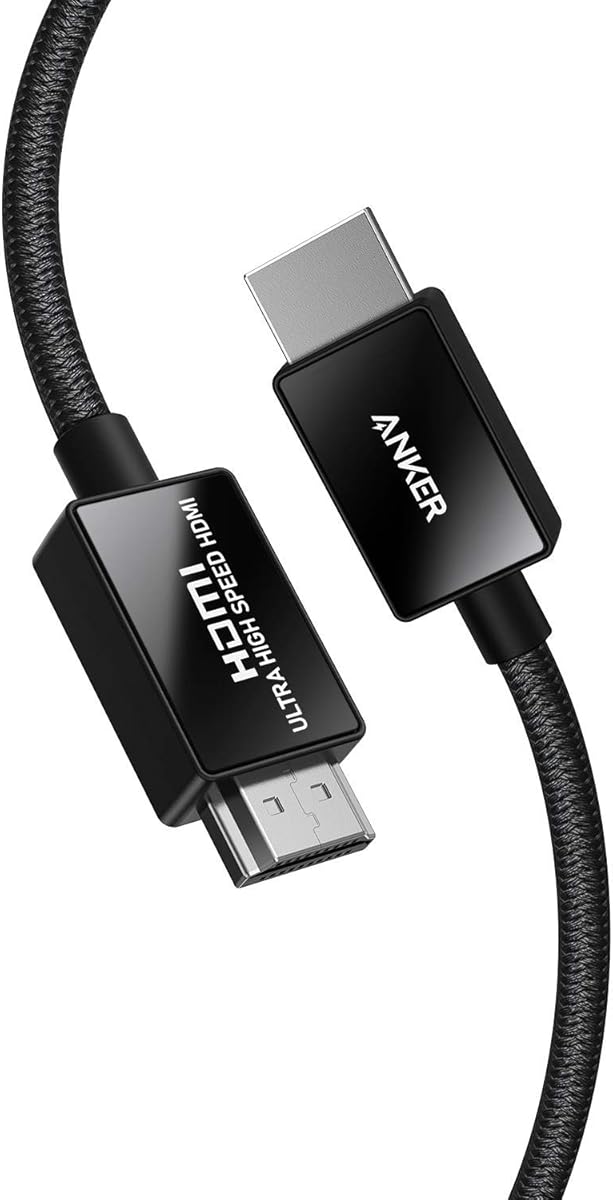
The Anker HDMI 2.1 Cable stands out as the top choice for users seeking reliability and performance. With an impressive 4.8 rating, it delivers on its promises of future-proof connectivity and high-definition support.
We may earn a commission when you buy through this link, at no additional cost to you.
This cable is officially certified by the HDMI Forum, ensuring it meets strict standards for Ultra High Speed transmission. The carbon steel connectors and gold-plated pins provide superior durability and signal integrity even after thousands of plugging cycles.
While the price point is higher than entry-level alternatives, the build quality justifies the investment. The double-braided nylon finish resists tangling and wear, making it a long-term solution for your entertainment setup.
If you prioritize certified performance and durability for your Roku Ultra, this cable is the ideal choice. It ensures your device operates at full capacity without signal degradation or compatibility issues.
Official certification guarantees that the cable meets all HDMI 2.1 specifications for bandwidth and feature support.
Gold-plated connectors and carbon steel casings resist corrosion and physical stress over extended use.
We may earn a commission when you buy through this link, at no additional cost to you.
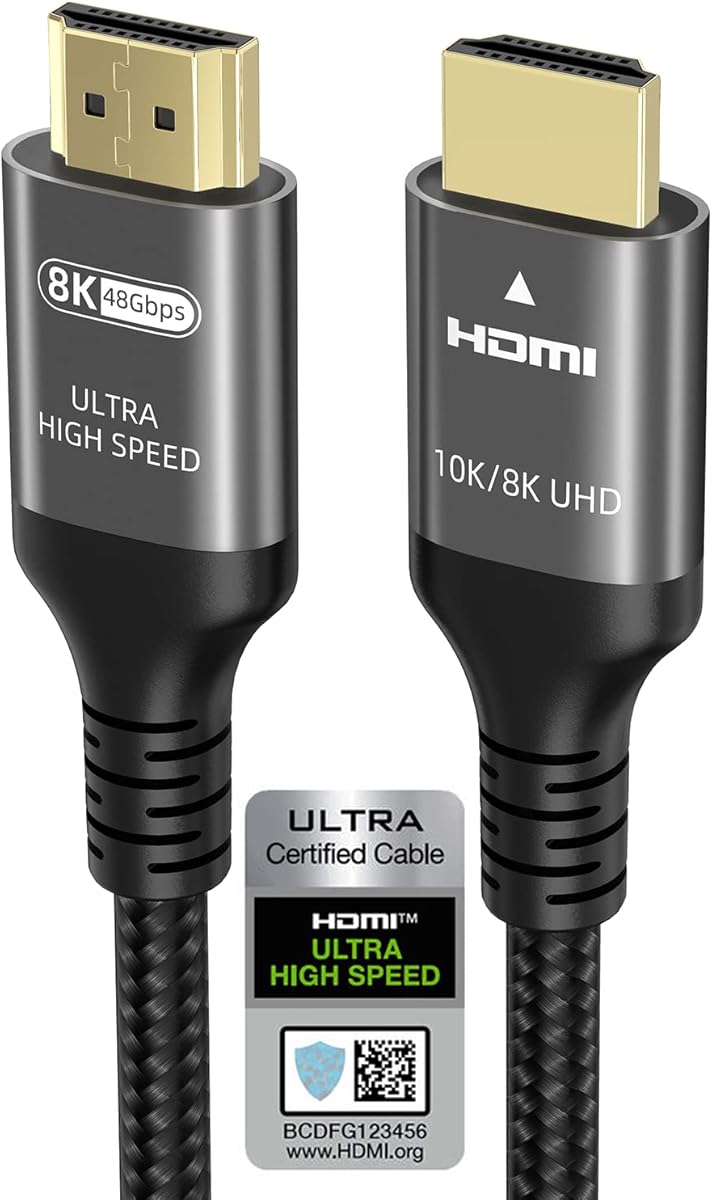
The Highwings 8K HDMI Cable offers exceptional value for users needing high-speed connectivity without a premium price tag. It supports up to 8K resolution at 60Hz and features a 48Gbps bandwidth.
We may earn a commission when you buy through this link, at no additional cost to you.
This cable includes military-grade tensile nylon material that significantly extends its lifespan. The anti-bending design at the tail prevents stress and wear at common connection points.
While it may not carry the official HDMI Forum certification stamp, real-world performance remains solid. Users report stable streaming and consistent resolution support across various devices.
Ideal for budget-conscious buyers who still want high-spec features, this cable balances cost and quality effectively. It is a practical solution for upgrading your Roku Ultra connection.
Delivers full 48Gbps Ultra High Speed performance at a fraction of the cost of premium brands.
The upgraded anti-bending design prevents damage where cables most often break from repeated bending.
We may earn a commission when you buy through this link, at no additional cost to you.
UGREEN delivers a premium HDMI 2.1 cable with official certification and advanced features like Dynamic HDR and eARC. It is a robust option for users who demand top-tier performance.
We may earn a commission when you buy through this link, at no additional cost to you.
The aluminum alloy case and nickel-plated connectors provide exceptional protection against physical damage. The nylon braided jacket adds flexibility while resisting bending and daily wear.
This cable supports uncompressed 8K video and advanced audio formats like Dolby Atmos. It ensures your Roku Ultra can output the highest quality content possible without bottlenecks.
For those willing to invest in maximum performance, UGREEN offers a reliable and durable choice. It is well-suited for high-end home theaters and future-proof setups.
Includes eARC and Dynamic HDR to enhance both visual clarity and immersive audio experiences.
Aluminum casing and nickel plating ensure the cable withstands frequent handling and environmental stress.
We may earn a commission when you buy through this link, at no additional cost to you.
This two-pack from Highwings provides an excellent way to outfit multiple rooms or devices with high-performance HDMI cables. Each cable supports 48Gbps bandwidth and up to 8K resolution.
We may earn a commission when you buy through this link, at no additional cost to you.
The cables feature an upgraded aluminum alloy shell that adds strength and durability. The anti-bending design at the tail ensures longevity even in frequently accessed connections.
While they lack official certification, user reviews suggest reliable performance across various streaming setups. The value of getting two cables makes this an attractive deal for multi-device households.
Perfect for users needing multiple cables without spending a fortune on premium options. These are practical and reliable choices for connecting various entertainment devices.
Buying a two-pack simplifies outfitting multiple rooms or devices with high-speed connections.
The upgraded aluminum alloy shell adds structural integrity against physical impacts and wear.
We may earn a commission when you buy through this link, at no additional cost to you.
Ubluker offers a fully certified cable that supports extreme resolutions up to 10K and includes the full range of HDMI 2.1 features. It is an overkill yet future-proof choice for advanced setups.
We may earn a commission when you buy through this link, at no additional cost to you.
Features include variable refresh rate, quick media switching, and deep color support. The cable ensures low electromagnetic interference for a clean signal even in crowded electronic environments.
While most current devices do not fully utilize 10K, this cable ensures compatibility with future standards. It supports all major audio and video formats including Dolby Vision and Atmos.
This option is best for users who want maximum headroom for future devices. It guarantees that your setup will not need cable upgrades for years to come.
Support for 10K ensures your cables remain compatible with next-generation display technologies.
Includes VRR, QMS, and dynamic HDR for the smoothest possible media switching and gaming.
We may earn a commission when you buy through this link, at no additional cost to you.
Silkland offers an officially certified cable that ensures strict compliance with HDMI standards. Its unique double-layer fishnet winding and nylon braiding enhance durability significantly.
We may earn a commission when you buy through this link, at no additional cost to you.
Ferrite magnetic beads inside the cable eliminate black screens and flickering by maintaining signal integrity. It supports refresh rates up to 144Hz for PC and console gaming.
The E-Braid technology provides a robust physical structure that resists bending and wear. Customer service is noted for quick response times within twelve hours.
This cable is ideal for users who want official certification with added durability features. It is a strong middle-ground option between budget and premium picks.
Ferrite magnetic beads filter noise to prevent common signal issues like flickering or dropouts.
The unique braiding method adds extra protection against wear and tear from frequent movement.
We may earn a commission when you buy through this link, at no additional cost to you.
Acer brings its reputation for reliability to HDMI accessories with this high-speed cable. It delivers solid performance with a braided design and sturdy connectors.
We may earn a commission when you buy through this link, at no additional cost to you.
The high-purity copper core ensures efficient data transmission. An aluminum alloy shell helps resist electromagnetic interference and physical bending during installation.
Support for VRR and eARC makes it suitable for gaming consoles and high-end soundbars. The braided jacket protects the internal wiring from daily wear.
This is a practical choice for users who trust established electronics brands. It provides consistent quality without excessive premium pricing.
Known for quality hardware, Acer extends that reliability to its cable accessories.
Shielding features protect the signal from interference in environments with many electronic devices.
We may earn a commission when you buy through this link, at no additional cost to you.
Zeskit provides a certified Ultra High Speed cable with a hologram sticker to verify authenticity. It supports all major HDMI 2.1 features for future-proofing your setup.
We may earn a commission when you buy through this link, at no additional cost to you.
The cable includes variable refresh rate and quick media switching for seamless transitions between content types. Audio features include support for Dolby Atmos and DTS:X.
This 5ft option is ideal for setups where the TV is close to the source device. It ensures a tidy connection without excess cable clutter around your entertainment center.
Good for users who value authentication and compact sizing. The hologram provides peace of mind regarding the cable's certified performance.
The hologram sticker allows users to verify that the cable is genuinely certified.
A 5ft length reduces cable clutter when devices are placed near the display.
We may earn a commission when you buy through this link, at no additional cost to you.
Stouchi offers a slim 4ft cable ideal for close-range connections between Roku Ultra and a nearby TV. It supports the full range of HDMI 2.1 bandwidth and resolutions.
We may earn a commission when you buy through this link, at no additional cost to you.
The triple tin shielding minimizes interference while gold-plated connectors ensure stable signal transmission. The slim braided design makes it easy to route through tight spaces.
It includes support for variable refresh rate and auto low latency modes which enhance gaming performance. The cable is rated for frequent plugging and unplugging.
This option suits users with short-distance setups who want a clean look. It is a practical solution for minimalist entertainment centers.
The slim profile allows for easier routing behind furniture or through tight cable channels.
A 4ft length prevents excess cable clutter in setups where the source is near the display.
We may earn a commission when you buy through this link, at no additional cost to you.
BlueRigger delivers a rare 15ft option that supports full 48Gbps bandwidth for high resolutions. This is ideal for larger rooms where the Roku Ultra is far from the TV.
We may earn a commission when you buy through this link, at no additional cost to you.
It features solid copper wires and 24K gold-plated connectors that maximize signal strength and resist corrosion. The cable is built to withstand over 25,000 bends.
A lifetime warranty and US-based customer support add significant value to this purchase. It ensures long-term reliability for your investment.
Best for users needing long-distance connectivity without signal loss. The robust build and warranty make it a confident choice.
A 15ft length bridges distances where standard cables would fail to maintain quality.
Comprehensive lifetime coverage ensures support and replacement if issues arise.
We may earn a commission when you buy through this link, at no additional cost to you.
Selecting the right HDMI cable involves understanding bandwidth requirements, certifications, and build quality. This guide breaks down the essential factors to consider before purchasing.
Ensure the cable supports at least 48Gbps bandwidth for full Ultra High Speed HDMI 2.1 functionality. This speed is necessary for 4K at 120Hz and 8K at 60Hz resolutions.
Look for cables rated as Ultra High Speed to guarantee they can handle the highest data throughput your device requires.
Cables certified by the HDMI Forum have passed strict testing to ensure reliability and compliance. This certification guarantees you are getting a genuine high-speed cable.
Official certification provides peace of mind that the cable will not cause signal dropouts or compatibility issues.
Inspect the jacket material such as nylon braiding which protects against wear and tangling. Connectors should be gold-plated to resist corrosion and ensure a stable connection.
Durable materials like aluminum shells and reinforced tails prevent the cable from breaking at stress points.
Choose a length that reaches comfortably between your Roku Ultra and your television. Common lengths include 6 feet for standard setups while 15 feet for larger rooms.
Avoid excessively long cables if not needed as shorter cables often maintain better signal integrity and reduce clutter.
Check for features like HDR, VRR, eARC, and ALLM which enhance audio video performance. These features ensure you get the full benefit of high-quality content.
Your cable should support the same audio video formats as your devices such as Dolby Atmos and Dynamic HDR.
Compare prices against the features offered to ensure you are not overpaying for unnecessary specs. Look for warranties that cover defects or damage over time.
Investing in a cable with a good warranty can save money if issues arise later during its lifespan.
Effective shielding protects the signal from electromagnetic interference caused by other electronics. Cables with metal shells or triple shielding usually perform better in crowded setups.
Proper shielding prevents flickering or dropouts that can disrupt your viewing experience.
Verify that the cable is backward compatible with HDMI 2.0 and older standards if you have mixed devices. This ensures it works with all your equipment not just the latest models.
A universally compatible cable offers more flexibility if you change your entertainment setup in the future.
Start by unplugging both the Roku Ultra and your television from the power source. This prevents any electrical surges or static damage while you are working with the cables.
Connect one end of the cable securely into the HDMI output port on the Roku Ultra. Ensure the connector is fully inserted before plugging the other end into the HDMI input on your TV.
Route the cable along the wall or behind furniture to avoid tripping hazards. Avoid bending the cable sharply at the connectors and pull gently to disconnect if you need to move devices.
Yes, Roku Ultra benefits from HDMI 2.1 cables to support the latest features like 4K at 120Hz. An Ultra High Speed cable ensures you get the best possible picture and audio quality.
The best length depends on your room setup. Most users find 6 feet sufficient for placing the Roku near a TV while 15 feet works for larger rooms.
A certified cable ensures consistent signal quality without dropouts or errors. While it may not change the inherent resolution, it maintains the quality your device produces.
Older cables may work for basic HD content but often fail at higher resolutions like 4K. For best performance, use a cable that supports Ultra High Speed standards.
Check the display settings on your TV to confirm the resolution and refresh rate match your expectations. If the image flickers or the sound drops, try a different cable.
Most certified Ultra High Speed cables support Dolby Atmos and other advanced audio formats. Ensure the cable meets HDMI 2.1 standards to handle these high-bitrate audio signals.
Premium cables often offer better build quality and warranties. If you want durability and peace of mind, investing in a reputable brand is usually worth the extra cost.
HDMI cables generally last many years without needing replacement. You should only consider changing one if it shows physical damage or causes signal issues.
Choosing the right cable enhances your streaming experience by ensuring stable high-speed connections. Whether you prioritize certification or budget options, there are many quality choices available.
Focus on finding a cable that matches your specific needs in length and bandwidth. This ensures your Roku Ultra can deliver its full potential to your television.
Check current prices and availability before making your final decision to get the best value. A reliable cable is a small investment that makes a big difference in entertainment quality.