
sata Power Splitter Cable 6 Way
4.7Editor score
Splits one to six ports
Durable sturdy construction
Easy tool-free installation
This guide compares the top hard drive power cables for reliability and performance, helping you choose the right SATA splitter or extension for your setup.
Finding the right hard drive power cables is essential for stable storage performance. A good cable ensures consistent voltage delivery without signal loss or overheating risks.
We evaluated ten top-rated options based on build quality, connector security, and real-world compatibility. Each pick offers unique benefits for different PC configurations.
Every review highlights key strengths and trade-offs to help you decide quickly. Prices vary over time so check current listings before purchasing your next cable.
4.7Editor score

4.8Editor score

4.7Editor score
This side-by-side comparison shows key specs for each product so you can quickly match cables to your specific needs and power supply configurations.


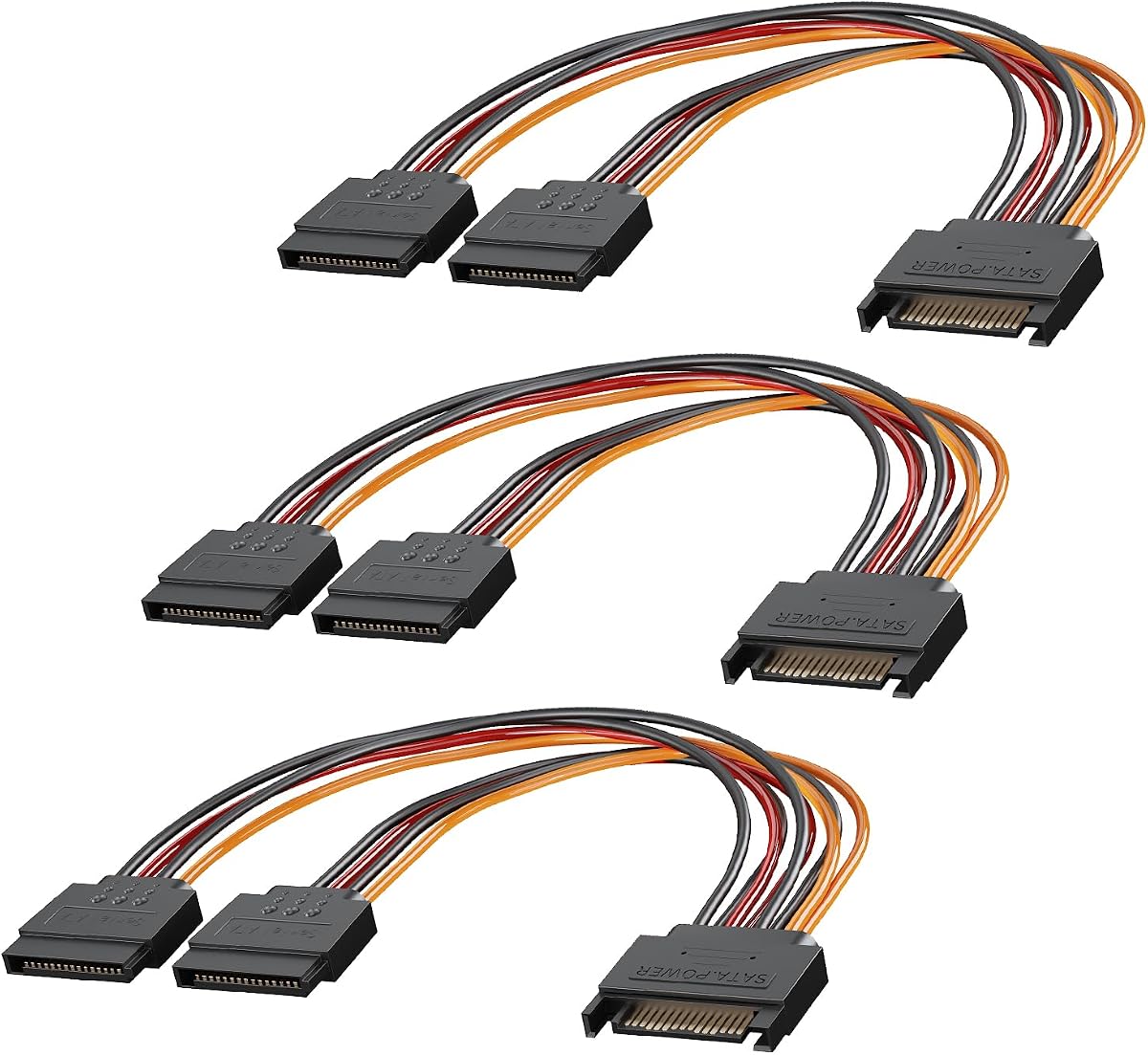



This Cable Matters Y-splitter earns the Editor's Choice badge for combining reliability with thoughtful design. It splits one male connector into two female outputs to power multiple drives from a single PSU port.
We may earn a commission when you buy through this link, at no additional cost to you.
Secure channel guides keep connectors snug without accidental disconnections. Heavy-duty conductors safely handle 3.3V 5V and 12V so you can use it with HDDs SSDs or optical drives without voltage worries.
The eight-inch length balances reach and tidy internal routing while three cables give you spares for future upgrades or replacement repairs that save money compared to a full PSU swap.
Buy it if you need a dependable splitter for internal storage builds or IT kits. It delivers stable performance at a fair cost for professionals and DIY builders alike.
Channel guides and snug connectors prevent loose links that cause drive disconnects or system instability.
Eight inches provides enough reach without excess slack that clutters the case interior.
We may earn a commission when you buy through this link, at no additional cost to you.
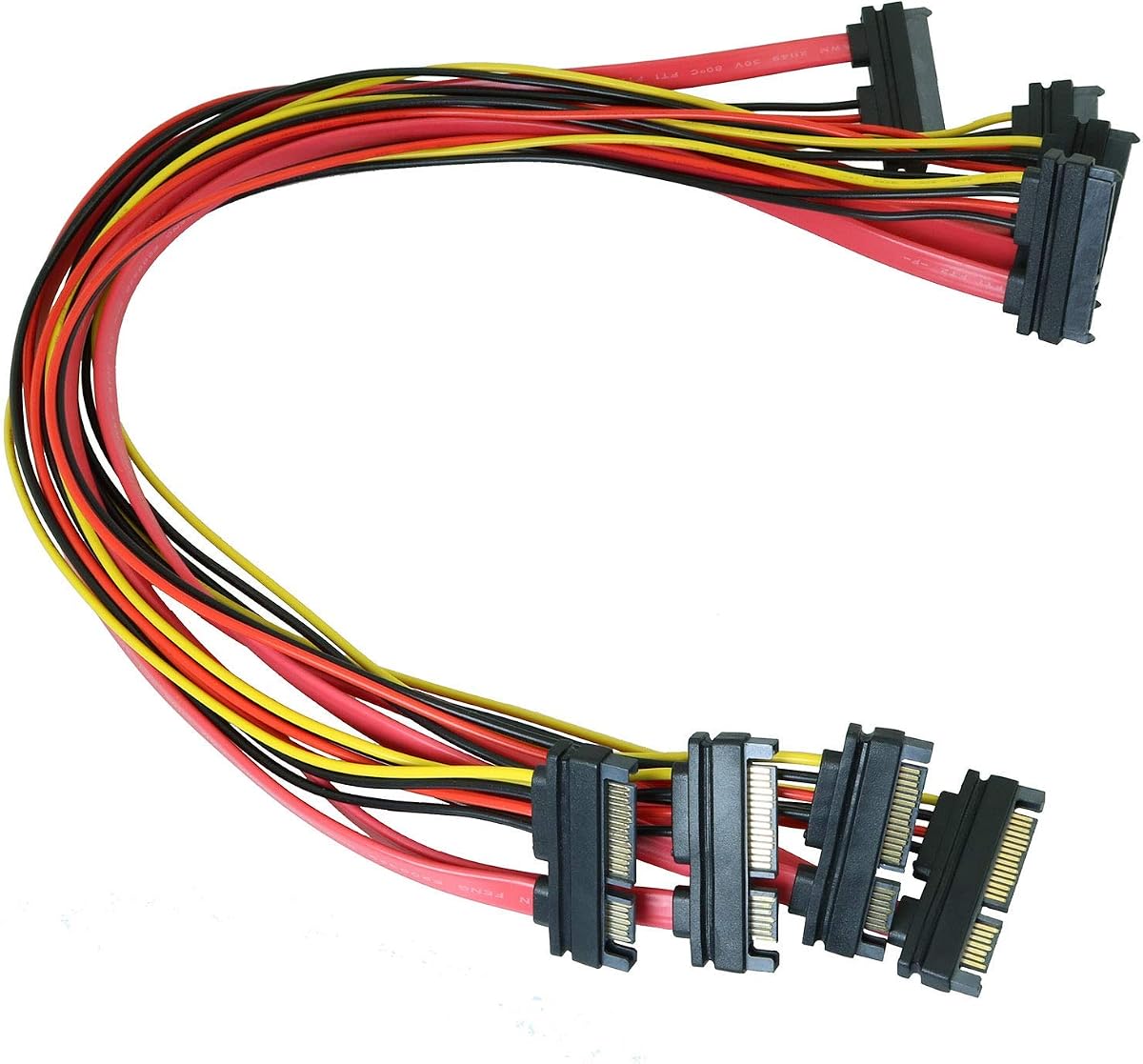
This splitter wins the Best Budget badge by delivering six ports from one input. It connects multiple storage drives to your power supply so you can expand capacity without buying a new unit.
We may earn a commission when you buy through this link, at no additional cost to you.
Reliable performance ensures each device gets steady power for smooth operations. Its durable construction resists wear while simple plug-and-play design means you do not need tools to install.
The single pack fits most builds but check your power supply can handle six drives at once. It remains a strong choice for affordable multi-drive expansions.
Choose this if you need maximum ports at a minimal price for a budget storage server or NAS project. It saves money while keeping your setup powered reliably.
Six female connectors let you power many drives from one PSU output to save ports.
Sturdy materials and tool-free connectors make it simple to deploy quickly.
We may earn a commission when you buy through this link, at no additional cost to you.
Be Quiet delivers a premium SATA power cable that prioritizes build quality and longevity. While details are minimal the strong brand reputation and high ratings suggest reliable performance for demanding workstations.
We may earn a commission when you buy through this link, at no additional cost to you.
Premium materials and connectors reduce wear and connection loss over time. It handles standard voltages safely to keep HDDs and SSDs running smoothly without interruptions or signal degradation.
The price is higher than budget splitters but the focus on quality justifies the cost for critical systems. It fits users who value durability above all.
Buy this for mission-critical storage where cable failure is not an option. It offers peace of mind through proven brand standards and robust construction.
High-quality materials ensure the cable lasts longer in daily use.
Engineered connectors stay secure to prevent accidental disconnections.
We may earn a commission when you buy through this link, at no additional cost to you.
This kit covers both data and power needs for a full storage upgrade. It includes SATA III data cables plus dual power splitters so you can replace old wiring while expanding drive count.
We may earn a commission when you buy through this link, at no additional cost to you.
Six gigabit speeds double transfer rates versus older standards. Latching locks and copper conductors keep signal and power stable during high-volume file transfers or RAID setups.
Right-angle data cables help in small cases but the pack size may not fit ultra-compact enclosures. It remains a solid all-in-one upgrade choice for most towers.
Choose it when you need both data and power replacements for a new PC build or major refresh. It streamlines wiring and boosts performance simultaneously.
Data cables plus power splitters let you replace and expand in one purchase.
SATA III 6Gbps support accelerates large file transfers and loading.
We may earn a commission when you buy through this link, at no additional cost to you.
These adapters let you reuse older power supplies that lack native SATA ports. Each cable converts a 4-pin Molex to a SATA connector to modernize legacy PCs without buying new hardware.
We may earn a commission when you buy through this link, at no additional cost to you.
Six inches keep internal routing tidy and reduce clutter. They handle standard SATA voltages reliably so drives run smoothly while you upgrade systems or add extra drives.
The three-pack gives spares for multi-drive builds or repairs but compatibility is limited to systems with Molex outputs. Check your PSU before ordering.
Buy this when you need to expand storage on an older machine without replacing the power supply. It saves money and extends the life of existing hardware.
Converts Molex outputs to SATA to enable modern drive upgrades.
Short six inch length fits neatly in compact cases.
We may earn a commission when you buy through this link, at no additional cost to you.
This three-pack offers reliable power splitting for builds needing multiple drives. Each cable splits one male port into two female connectors to expand capacity from available PSU ports.
We may earn a commission when you buy through this link, at no additional cost to you.
Eight inches provide enough reach for standard towers while the durable build resists daily wear. Power reaches each drive reliably without drops or performance interruptions.
The two-way split is simple but sufficient for most setups. More complex needs may require different adapters so review your port count before buying.
Choose this for budget-friendly expansion in standard towers or storage servers. It gives you extra ports without redesigning your power supply layout.
Three cables let you power multiple drives from fewer PSU ports.
Sturdy build and plug-and-play design make it easy to use.
We may earn a commission when you buy through this link, at no additional cost to you.
Extensions relieve stress when drives sit far from the PSU. These twelve-inch cables bridge the gap between power ports and drive bays without tight bends or loose slack.
We may earn a commission when you buy through this link, at no additional cost to you.
Stable transmission keeps HDDs and SSDs running smoothly even with longer runs. The three-pack suits builders needing several lengths or replacements for a clean layout.
Extra length can clutter cases if not managed but routing helps airflow. Use them when standard cables fall short.
Buy this to fix reach issues or tidy up internal wiring. It protects connectors and makes maintenance simpler.
Avoids tight bends that can damage ports or cables over time.
Flexible routing keeps cables away from fans and hot components.
We may earn a commission when you buy through this link, at no additional cost to you.
This combo cable merges data and power into a single run to simplify wiring. The forty-centimeter length reaches most drives while the thin profile reduces clutter inside the case.
We may earn a commission when you buy through this link, at no additional cost to you.
High ratings reflect reliable performance and neat installation. Using one instead of two cables improves airflow and makes future access easier for upgrades.
Combo cables reduce flexibility compared to separate lines. They suit systems where one route is fixed but may not fit custom layouts.
Choose this for clean media PC builds where routing is straightforward. It saves space and improves airflow effectively.
Data and power together reduce cable clutter and routing steps.
Thin profile leaves room for cooling fans to move air freely.
We may earn a commission when you buy through this link, at no additional cost to you.
StarTech delivers a four-way splitter ideal for dense drive builds. A single port powers up to four drives which helps in servers or storage arrays needing extra connections.
We may earn a commission when you buy through this link, at no additional cost to you.
Durable construction and professional standards keep power reliable under load. The longer length reaches rear bays easily without tight bends.
Ensure your power supply can handle four drives on one rail. It remains a smart choice for professional expansion.
Buy this for servers or NAS units that need many drives from limited ports. It simplifies wiring while maintaining reliability.
One connector becomes four to support multiple drives.
Durable materials and design ensure stable operation under load.
We may earn a commission when you buy through this link, at no additional cost to you.
Monoprice offers a strong legacy PSU adapter with a lifetime warranty. One Molex input becomes four SATA outputs to expand storage without changing your power supply.
We may earn a commission when you buy through this link, at no additional cost to you.
The rugged net jacket resists wear and tangles. Monoprice standards and warranty give confidence that the cable will perform reliably over years of use.
Two feet give enough reach for most cases but check clearance. It suits systems where legacy ports are all that remain.
Choose this for legacy PC upgrades where warranty support matters. It combines durability with peace of mind for long-term use.
Backed by a lifetime warranty for long-term reliability and trust.
Net jacket protects against wear and tangles during daily use.
We may earn a commission when you buy through this link, at no additional cost to you.
Selecting the right power cable depends on your drives connectors PSU ports and internal space. This guide explains factors to consider.
Ensure the cable matches your PSU ports and drive power inputs. SATA power ports require 15-pin connectors while legacy systems may have Molex outputs.
Verify connectors before buying to avoid incompatibility and extra adapter purchases.
Count how many drives you plan to connect at once. Splitters expand ports but your power supply must handle the total wattage demand.
Choose splitters that match your expansion needs without overloading your PSU.
Measure distance between PSU ports and drive bays. Cables that are too short cause tension and long ones clutter the case.
Select lengths that provide reach without excess slack for tidy cable routing.
Look for durable insulation copper conductors and secure connector housing. High-quality materials resist wear and maintain stable power over time.
Invest in robust cables for long-term reliability in any storage system.
Combo cables merge data and power into one run. They save space and improve airflow but reduce flexibility compared to separate cables.
Use combo options when routing is straightforward and you prioritize neatness.
Choose brands with strong track records and warranty support. Reliable manufacturers test cables for safety and provide protection against defects.
Check warranty terms before buying to ensure long-term support and confidence.
Older power supplies use Molex connectors not SATA. Adapters convert Molex to SATA to modernize systems without replacing the PSU.
Confirm your PSU type and required adapters before upgrading your storage.
Power off your computer and unplug it from the outlet. Ground yourself before touching internal components to prevent static discharge that could damage drives.
Connect one end to the PSU port and the other to the drive. Ensure connectors lock securely and cables follow clean paths away from hot components and fans.
Inspect cables regularly for wear kinks or bent connectors. Replace any damaged cables immediately to avoid power interruptions or hardware failure.
It depends on your power supply capacity and the splitter type. Common splitters support two to six drives but always check your PSU wattage to avoid overloading the rail.
SATA uses 15-pin connectors for modern drives while Molex uses 4-pin for legacy supplies. You need adapters to connect SATA drives to older power supplies.
Lengths up to several feet deliver power without loss when built with quality materials. Longer cables increase resistance so use high-quality conductors for stable power.
Yes splitters divide one PSU port into multiple connectors to power several drives. Ensure your power supply can handle the total load of all connected devices.
Latches keep connectors secure and prevent accidental disconnections. Splitters with locking latches offer more stable connections in systems with vibration.
Low-quality cables may use inferior materials that cause overheating or poor connections. Choose reputable brands with tested durability to protect your hardware.
Run cables behind the motherboard tray and secure them with ties. Keep them clear of fans and hot components to maintain good airflow.
Combo cables combine data and power into one cable to reduce clutter. They work well when routing is simple and you prefer fewer wires.
The Cable Matters Y-splitter and sata Power Splitter lead the list for reliability and value. Choose splitters for multi-drive builds or adapters for legacy PSU systems.
Prioritize secure connectors proper length and durable materials for stable power. Your PSU capacity must match your drive needs to avoid electrical issues.
Always check current listings and warranty details before buying. Prices vary and models may change so confirm compatibility with your system.