
MSI 7A64-001R Gaming Intel H270 DDR4 HDMI USB 3 Crossfire ATX Motherboard (H270 Gaming PRO Carbon)
4.0Editor score
Supports 7th Gen Intel Core
DDR4 boost with steel armor
Gaming LAN with LAN protect
This guide compares the top ten H270 motherboards available in October 2026 based on features, compatibility, and user ratings to help you build a reliable
Choosing the right motherboard is crucial for any PC build. The H270 chipset offers a balance of features for sixth and seventh generation Intel processors. It supports DDR4 memory and provides essential connectivity options for modern users.
We evaluated ten different models to find the best options for various needs. Our comparison focuses on build quality, expansion slots, and specific features like M.2 support. We looked at user feedback and technical specifications to ensure accuracy.
Each pick highlights unique strengths to help you decide based on your budget. You will find options for gaming, general use, and specific replacement needs. Please note that availability and pricing can change frequently over time.
4.0Editor score

4.4Editor score

4.2Editor score
The following table provides a side-by-side comparison of all ten models to help you visualize the differences in form factor, slot count, and key connectivity features at a glance.




The ASUS ROG Strix H270F stands out as a premium option for gamers who need reliability and speed. It holds a strong 4.2 rating from users who appreciate its build quality and advanced cooling features designed for sustained performance.
We may earn a commission when you buy through this link, at no additional cost to you.
This board offers Dual M.2 slots which allow for fast storage setups and Intel Optane Memory compatibility. The ROG exclusive SupremeFX S1220A audio driven by Japanese capacitors ensures immersive sound during gaming sessions without external DACs.
While it provides excellent features like AURA Sync RGB lighting and Safe Slot technology, the price is higher than entry-level boards. The BIOS can also be complex for those not familiar with ASUS UEFI interfaces.
Buyers looking for a high-end gaming board with excellent audio and storage options should choose this model. It is ideal for users who want to maximize their hardware potential with premium cooling and power features.
The SupremeFX technology ensures crystal clear sound with low impedance and high quality capacitors.
Dual M.2 slots allow you to install NVMe drives for faster boot times and data access.
We may earn a commission when you buy through this link, at no additional cost to you.
The ASUS Prime H270-PLUS earns the Editor's Choice title with a high 4.4 rating from satisfied users. It provides a reliable foundation for mid-range builds with essential features like Dual M.2 slots and robust protection.
We may earn a commission when you buy through this link, at no additional cost to you.
Its integrated Dual M.2 slots support Intel Optane Memory which speeds up system performance. The 5X Protection III hardware safeguards ensure component longevity while FanXpert 2 PLUS manages system cooling effectively.
This board lacks some of the RGB flair found on premium models but offers practical features like 3D-printing mounts. It is a solid choice for builders who prioritize stability and connectivity over flashy aesthetics.
We recommend this board for users seeking a reliable and well balanced motherboard for daily tasks and gaming. It offers excellent value and protection for those who want a trouble-free system build experience.
Dual M.2 slots allow for high speed storage configurations and Optane Memory acceleration.
5X Protection III includes safeguards like ESD guards and over voltage protection for reliability.
We may earn a commission when you buy through this link, at no additional cost to you.
The MSI H270 Gaming PRO Carbon is an excellent choice for budget conscious gamers. It offers a 4.0 rating and includes features like Mystic Light Sync and DDR4 boost to enhance performance without breaking the bank.
We may earn a commission when you buy through this link, at no additional cost to you.
This board supports both 7th and 6th Gen Intel Core processors making it versatile for upgrades. It includes Gaming LAN with LAN protect to ensure stable online connections and Audio Boost 4 for better sound quality.
While it lacks some advanced features like extensive RGB headers it provides solid core functionality for gaming. The budget friendly price makes it accessible for those building their first PC or upgrading an older system.
Choose this board if you need reliable performance at a lower cost. It is well suited for casual gamers and users who want good audio and network protection without paying for premium features.
Gaming LAN with LAN protect ensures stable connections for online gaming sessions.
Audio Boost 4 with Nahomi 2 delivers high quality sound for immersive gaming experiences.
We may earn a commission when you buy through this link, at no additional cost to you.
The ASRock H270 PRO4 offers a unique blend of features including an Intel Z270 Chipset. It scores a 4.2 rating for its solid connectivity options and support for Dual Channel DDR4 2133 memory standards.
We may earn a commission when you buy through this link, at no additional cost to you.
With 6 SATA3 ports and an Ultra M.2 slot this board allows for extensive storage configurations. The PCIe 3.0 x16 and x1 slots provide ample expansion for graphics cards and additional peripherals.
This model is a great choice for users who need many SATA connections for legacy drives. It lacks modern flashy features like RGB lighting but delivers reliable performance for standard office and gaming builds.
Select this board if you prioritize storage connectivity and expansion slots. It is a reliable workhorse for builds that require multiple hard drives without needing advanced gaming specific features.
Six SATA3 ports combined with an Ultra M.2 slot offer high capacity storage options.
The Intel Z270 Chipset ensures stable performance and compatibility with supported processors.
We may earn a commission when you buy through this link, at no additional cost to you.
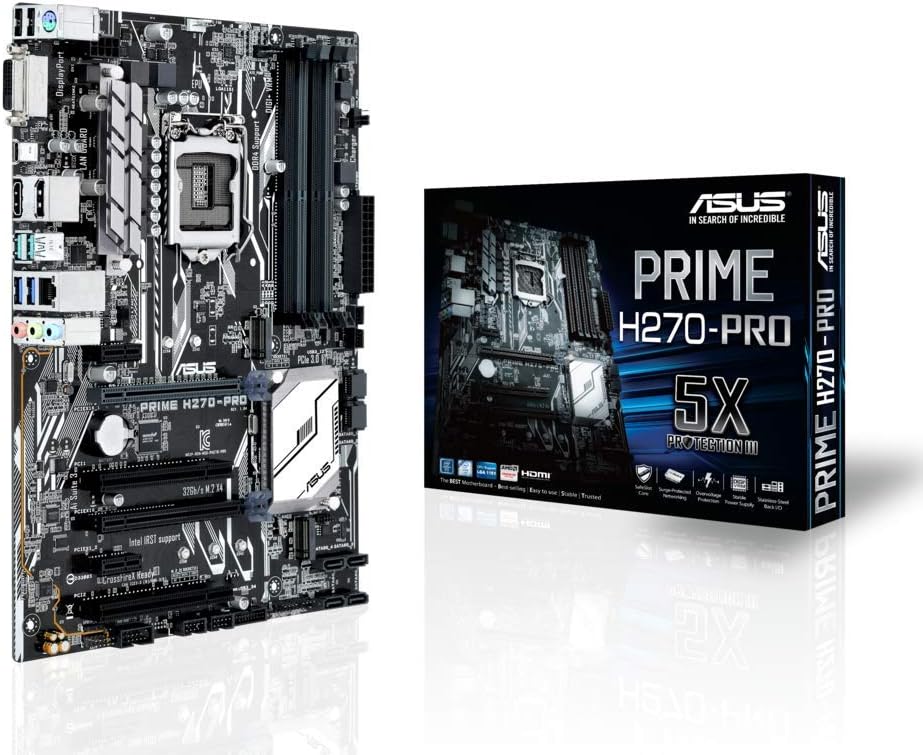
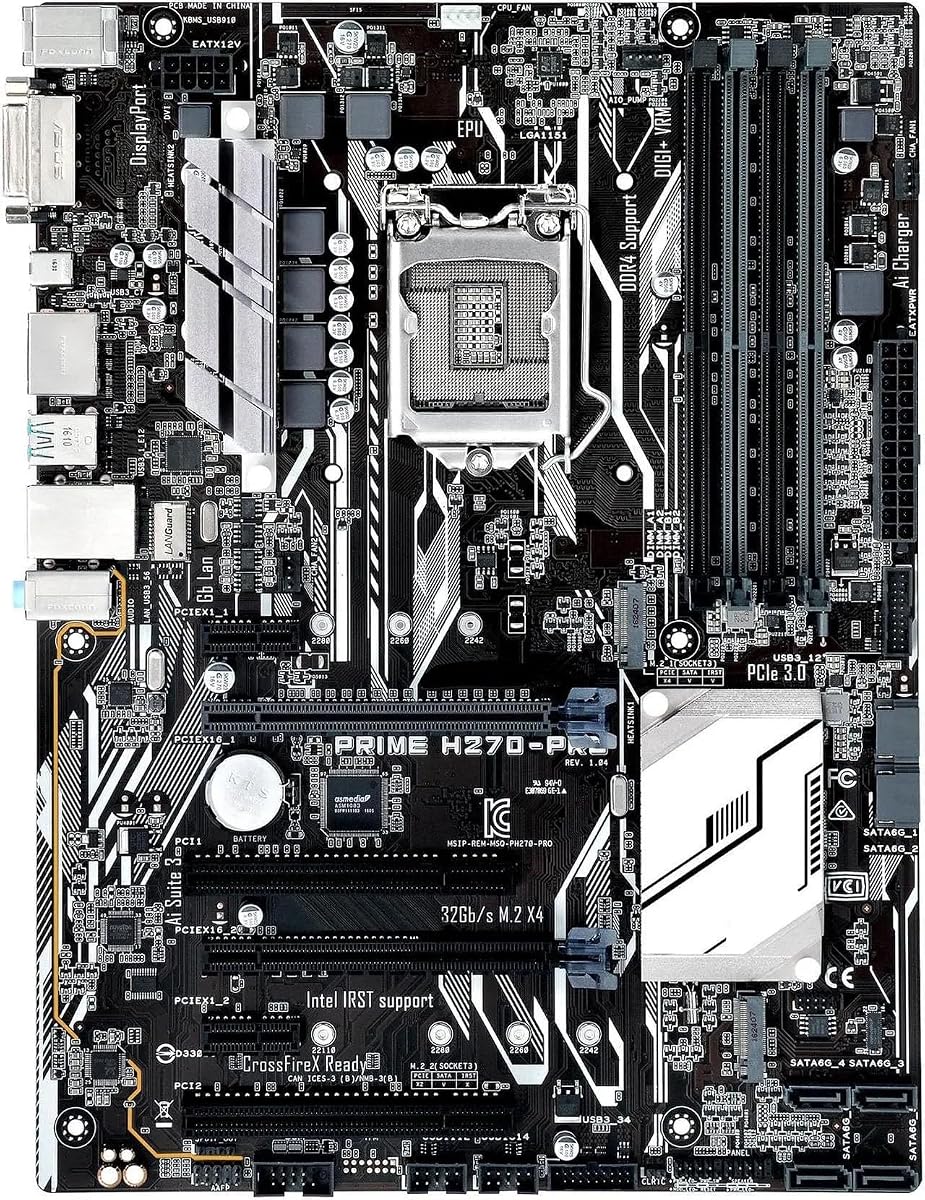
The Asus Prime H270-PRO is a feature rich ATX motherboard designed for stability. It holds a 4.3 rating and supports up to 64GB of Dual Channel DDR4 2133 memory for demanding applications.
We may earn a commission when you buy through this link, at no additional cost to you.
This board includes a variety of ports including USB 3.0 Type A and Type C for modern connectivity. It also features 5X Protection III which provides advanced hardware safeguards for all round system protection.
Users benefit from multiple video outputs like HDMI DVI-D and Displayport making it versatile for multi monitor setups. While it is priced higher than budget options the build quality justifies the investment.
Choose this board if you need high memory capacity and robust protection features. It is well suited for workstations or home PCs that require consistent performance and modern USB connectivity.
USB 3.0 Type C and multiple video outputs ensure you can connect modern displays easily.
5X Protection III safeguards components from electrical hazards ensuring long term reliability.
We may earn a commission when you buy through this link, at no additional cost to you.
The GIGABYTE GA-H270-Gaming 3 focuses heavily on networking and multi GPU capabilities. It scores a 4.3 rating from users who value its Killer E2500 Gaming Networks and 2-Way Crossfire Graphics Support.
We may earn a commission when you buy through this link, at no additional cost to you.
This board supports 4 DIMMs for Dual Channel DDR4 allowing for substantial memory upgrades. It also features a media USB3.1 Type-C port for fast data transfer and modern peripheral connectivity.
While it is a mid-range option it delivers strong performance for gamers who need fast network speeds. The integration of dedicated gaming networking helps reduce lag during online multiplayer sessions.
Select this board if you prioritize network performance and multi GPU setups. It is a strong contender for gamers who want dedicated network hardware and solid expansion options.
Killer E2500 Gaming Networks optimize traffic to reduce lag during online play.
2-Way Crossfire Graphics Support allows for connecting multiple GPUs for better performance.
We may earn a commission when you buy through this link, at no additional cost to you.
This motherboard is designed specifically as a replacement for units damaged by wear and tear. It features an optimized power design and advanced heatsink design to ensure the system operates normally after repair.
We may earn a commission when you buy through this link, at no additional cost to you.
It addresses common issues like poor contact or short circuits by ensuring professional-grade stability. The manufacturer commits to quality assurance allowing users to use the motherboard with confidence in its performance.
While it is not a general purpose retail board it offers a reliable fix for damaged components. Users should follow troubleshooting recommendations like cleaning memory contacts to ensure normal operation.
Choose this board if you need to replace a damaged unit in an existing build. It is a targeted solution for restoring functionality to systems that have suffered physical or electrical damage.
Optimized power design helps deliver a smooth user experience during high load tasks.
Advanced heatsink design increases heat dissipation area for effective thermal management.
We may earn a commission when you buy through this link, at no additional cost to you.
This H270 Performance Motherboard supports a range of Intel processors including the i5-7400 and i3-7300. It features a 1151 socket and supports DDR4 64GB memory for standard computing needs.
We may earn a commission when you buy through this link, at no additional cost to you.
It includes an M.2 ATX layout which allows for modern storage integration in a standard form factor. This board is designed to support multiple CPU generations offering flexibility for different processor choices.
As a general utility board it offers essential features without specialized gaming enhancements. It is useful for users who need a reliable base for a PC without spending on extra peripherals.
Choose this board for basic builds or repairs where standard performance is sufficient. It provides necessary connectivity and memory support for everyday computing tasks and light workloads.
Supports Intel Core i5 and i3 processors ensuring compatibility with common system configurations.
Supports up to 64GB of DDR4 memory for multitasking and general performance.
We may earn a commission when you buy through this link, at no additional cost to you.
This standard H270 Motherboard features an LGA 1151 socket and supports DDR4 64GB. It is a general board designed to support standard Intel processors and basic system requirements.
We may earn a commission when you buy through this link, at no additional cost to you.
It provides essential connectivity and memory support for everyday tasks without specialized gaming features. The design is straightforward making it suitable for users who prefer simplicity over advanced options.
As a basic model it meets the needs of standard office or home PC builds. It ensures system stability and compatibility with supported CPUs for reliable daily operation.
Select this board for standard builds where basic functionality is the main goal. It offers a reliable platform for users who do not need advanced gaming or server features.
Designed for general use ensuring reliable performance for standard computing tasks.
Supports up to 64GB of DDR4 RAM for effective multitasking.
We may earn a commission when you buy through this link, at no additional cost to you.
The H270-PLUS Motherboard supports a wide range of Intel processors from the i3-6100 to the i7-6700. It features an LGA 1151 socket and supports DDR4 64GB for versatile system configurations.
We may earn a commission when you buy through this link, at no additional cost to you.
This board includes M.2 ATX layout which allows for modern storage integration in a standard form factor. It provides essential connectivity and expansion options for general purpose computing needs.
It is a practical choice for users who need a standard ATX board with basic modern features. The design ensures compatibility with common CPUs and memory standards for stable system operation.
Choose this board for versatile builds requiring standard expansion and memory options. It offers a reliable platform for users needing broad processor support and M.2 storage capabilities.
Supports a range of Intel Core processors ensuring compatibility with many CPU options.
M.2 ATX layout allows for the use of modern storage drives in a standard chassis.
We may earn a commission when you buy through this link, at no additional cost to you.
Selecting the right motherboard requires evaluating several key factors to ensure compatibility with your chosen CPU and other components. This guide outlines the most important aspects to consider before making a purchase.
The H270 chipset uses the LGA1151 socket which supports 6th and 7th generation Intel Core processors. Ensure your CPU matches the socket type to avoid installation issues or performance bottlenecks.
Always verify that your processor is on the supported list before buying to ensure full functionality and stability.
Most H270 boards support DDR4 memory. Check the maximum supported RAM capacity such as 64GB to ensure it meets your multitasking or workstation needs.
Higher memory capacity allows for better performance in applications that require large amounts of system memory.
Modern builds benefit from M.2 slots which allow for faster NVMe drives. Look for boards with Dual M.2 slots if you plan to use high speed storage.
Having more SATA ports is also important if you have multiple hard drives or SSDs to connect for storage expansion.
Most of the models listed are ATX size which fits standard cases. Ensure your case supports the board dimensions to avoid physical installation problems.
Smaller cases may require micro ATX or mini ITX boards but ATX offers the most expansion options.
If you plan to use multiple graphics cards look for support like 2-Way Crossfire. Check the number of PCIe x16 and x1 slots for expansion cards.
More slots allow for sound cards capture cards or other peripherals to be added to the system.
Built-in LAN and USB ports vary by model. Look for USB 3.0 Type C or advanced networking like Killer E2500 for better performance.
A good network card ensures stable internet speeds which is vital for gaming and online work.
Features like 5X Protection III or Safe Slot Core help protect against electrical damage and heavy components. These add longevity to the system.
High quality materials ensure the board lasts longer and performs better under stress or high temperatures.
Premium boards include SupremeFX audio or RGB lighting like AURA Sync. These enhance the experience for gamers and enthusiasts.
If audio quality or aesthetics are not a priority standard features are often sufficient and save cost.
Install the motherboard in a static-free environment by using a grounded mat or touching the metal case before handling components. Align the standoffs with the ATX holes and secure it with screws without overtightening.
Connect the power cables to the 24 pin and CPU 8 pin ports firmly. Ensure all data and front panel cables match the pinout guide in your manual for proper function.
Keep the system clean by checking the heatsinks and fans for dust every few months. Good thermal management extends the life of your motherboard and CPU.
No, H270 motherboards typically support 6th and 7th generation Intel processors only. The 8th gen requires a 300 series chipset and different socket layout.
No H270 boards generally do not support CPU overclocking. You need a Z270 board for that feature. However you can still overclock RAM on some models.
Most H270 motherboards support up to 64GB of DDR4 RAM. Always check the specific model page to confirm the exact capacity and speed limits.
No M.2 support varies by model. Some boards have one or two slots while others may have none. Check the specs to confirm if it has the storage option.
You can usually clear the BIOS by removing the CMOS battery for a minute or using a jumper on the board. Refer to your manual for exact steps.
If the board has an M.2 slot it usually supports NVMe SSDs. However you should verify if the slot runs at PCIe or SATA speeds.
We have reviewed ten H270 motherboards ranging from budget options to premium picks with unique features. The ASUS Prime H270-PLUS and ROG Strix H270F stand out as top choices for reliability and performance.
Prioritize your needs when choosing whether it is storage capacity RAM support or audio quality. Ensure the board fits your case and CPU to avoid any installation issues.
Remember to check the latest prices and availability as they can change at any time. Selecting the right motherboard sets the foundation for a stable and long lasting computer system.