
MFi Certified USB 3.0 Flash Drive 128GB
4.3Editor score
MFi Certified for iPhone
3-in-1 Lightning USB-C
One-click backup app
This comprehensive guide compares the top flash drives for iPhone to help you choose the best storage solution for your photos, videos, and documents today.
Finding reliable flash drives for iPhone is essential for anyone needing extra storage without relying on cloud services. These devices allow seamless data transfer between your mobile device and computer.
We evaluated ten top-rated models based on compatibility, speed, durability, and ease of use. Our selection includes MFi certified options and versatile drives for various device types.
Each pick highlights key features and real-world performance. Prices may vary over time, so check current listings before purchasing to ensure you get the best deal available.
4.3Editor score

4.4Editor score

4.3Editor score
The following table provides a quick overview of the ten best flash drives for iPhone, highlighting their key specifications to help you make an informed decision.


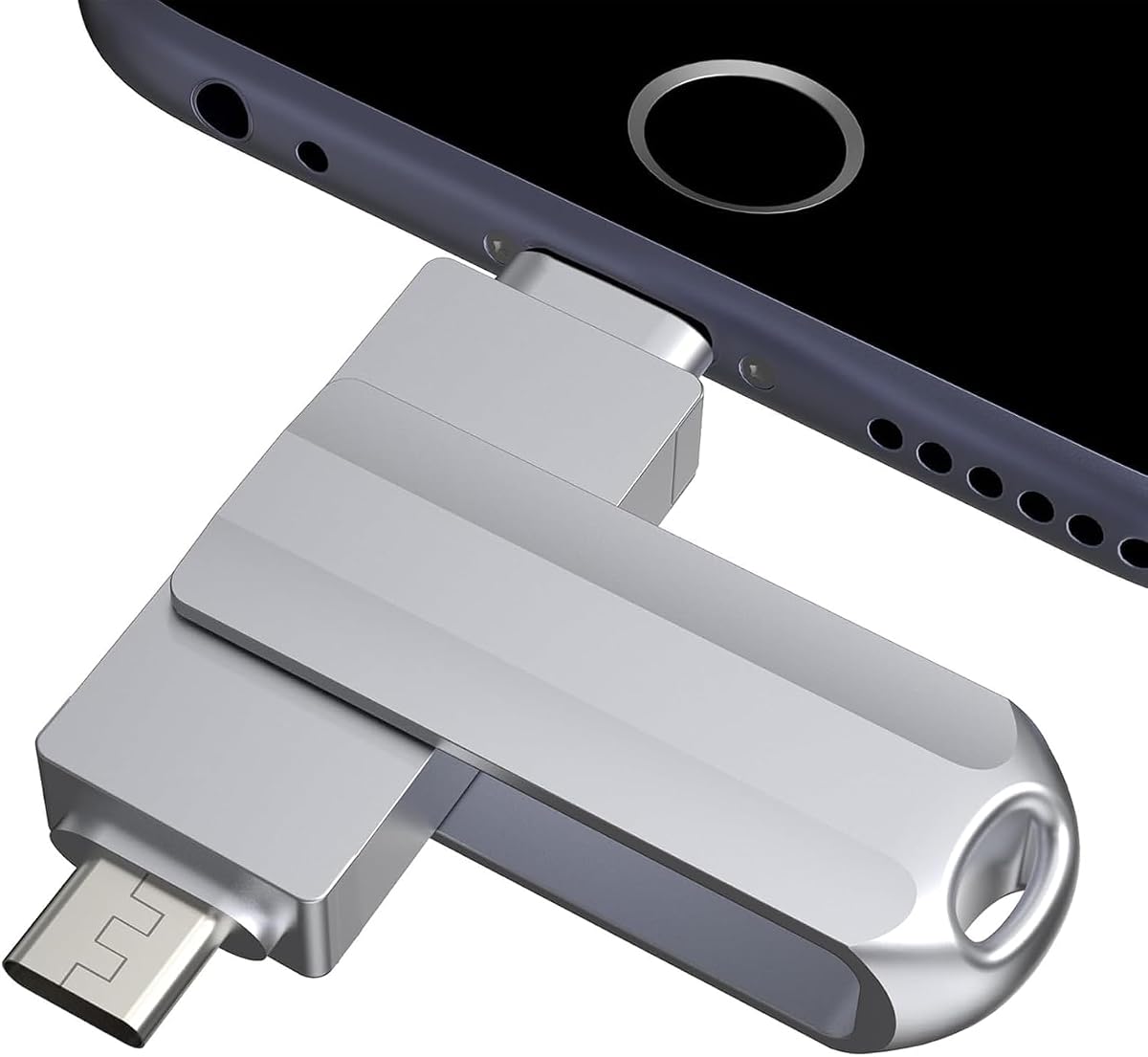


This MFi certified drive stands out for its reliability and performance when backing up iPhone photos and videos directly to external storage without cloud dependency.
We may earn a commission when you buy through this link, at no additional cost to you.
The drive supports Lightning, USB, and USB-C connections making it versatile across iOS Android and PC devices. The included app enables quick photo and contact backup with one click.
While requiring an app for iOS transfers is slightly less seamless than native file apps, the trade-off is robust encryption and management features that protect sensitive data effectively.
Anyone needing secure high-capacity portable storage for an iPhone will find this drive an excellent solution for daily backups and media sharing without losing valuable device space.
The three-in-one design allows users to transfer files between iPhone Android phones and computers effortlessly without needing extra cables or adapters for every device.
Built-in encryption options let you password protect specific files or the entire drive ensuring your personal photos and documents remain safe from unauthorized access.
We may earn a commission when you buy through this link, at no additional cost to you.
This budget-friendly drive delivers excellent value for users needing reliable external storage for their iPhone without spending too much on premium models.
We may earn a commission when you buy through this link, at no additional cost to you.
It features the same trusted MFi certification and three-in-one connectivity as higher-end options ensuring secure fast transfers across multiple devices and operating systems seamlessly.
While 128GB may not suit power users with large media libraries, it is perfect for occasional backups of photos and documents without needing expensive cloud subscriptions or larger drives.
Students or casual users looking to free up space on their iPhone devices will appreciate this affordable solution that balances cost performance and essential storage needs effectively.
Offering a low price without sacrificing essential features like MFi certification and multi-device compatibility makes this drive an attractive choice for budget-conscious buyers.
The metal casing protects internal components while the attached keychain prevents loss ensuring your valuable data stays secure even during travel or daily commuting.
We may earn a commission when you buy through this link, at no additional cost to you.
SanDisk offers a premium option tailored for iPhone 15 users with USB-C while maintaining Lightning support for older models ensuring future-proof storage across Apple devices.
We may earn a commission when you buy through this link, at no additional cost to you.
The Memory Zone app provides robust backup features including automatic transfers and real-time progress tracking making file management easier even for non-technical users needing reliable storage.
Its reliance on a proprietary app instead of native iOS file access may feel limiting to some but the added security and automatic backup features make it worth the extra cost.
Users seeking a trusted brand with seamless compatibility for both new and old iPhones will find this drive an excellent long-term storage investment despite the higher initial cost.
Supporting USB-C for the latest iPhones ensures you can use this drive seamlessly as Apple transitions away from Lightning connectors in future device generations.
Automatic backup options save your photos and contacts without manual effort ensuring your data is safely stored even if you forget to transfer files manually.
We may earn a commission when you buy through this link, at no additional cost to you.
The Lexar D50E delivers exceptional transfer speeds with solid-state technology making it ideal for users who need to move large files quickly without lag or slow read times.
We may earn a commission when you buy through this link, at no additional cost to you.
Its dual USB-A and USB-C connectors eliminate the need for cables ensuring seamless data transfer between phones laptops and tablets for enhanced convenience across all modern devices.
While it lacks Lightning support for older iPhones its high speed and compact design make it a perfect choice for Android users or those with newer USB-C compatible devices.
Professionals dealing with heavy media files or large datasets will appreciate the fast transfer capabilities and reliable durability that keeps data moving efficiently during work.
Transfer speeds up to 400MB/s allow you to move high-resolution photos and large videos in seconds saving valuable time compared to traditional USB drives.
Dual connectors mean no extra cables are needed to connect to different devices making it easy to plug in directly to phones or laptops instantly.
We may earn a commission when you buy through this link, at no additional cost to you.
This versatile drive offers four interface options including Micro USB providing broad compatibility across older and newer devices alongside reliable MFi certification for secure iPhone transfers.
We may earn a commission when you buy through this link, at no additional cost to you.
The retractable design protects the connector from physical damage while keeping it compact and convenient for carrying around in pockets bags or laptop cases easily.
Users who own a mix of Android iPhone and Windows devices will find the four interfaces particularly useful without needing separate drives for each type of connector.
Anyone prioritizing compatibility and security with encryption options should consider this drive despite the slightly higher weight due to its robust build and extensive port variety.
With four interfaces including Micro USB this drive connects to virtually any device ensuring you can transfer files between old and new tech effortlessly.
The retractable design prevents damage to exposed pins keeping the drive functional longer and reducing the need for replacements or repairs over time.
We may earn a commission when you buy through this link, at no additional cost to you.
The Lexar D40E combines style and function with its champagne silver finish and slim profile making it easy to carry while still offering reliable storage for files.
We may earn a commission when you buy through this link, at no additional cost to you.
Its USB-A and USB-C connectors allow seamless data transfer between modern smartphones and laptops without needing extra cables ensuring flexibility for daily use and travel.
The swivel design eliminates the need for removable caps reducing the risk of losing them while keeping the connectors protected from dust and debris effectively.
Users who prioritize a slim durable drive with a solid warranty can trust this Lexar model to provide long-term reliable storage despite lacking Lightning support for older phones.
The champagne silver finish and lightweight metal body make this drive as stylish as it is functional perfect for professionals who value aesthetics with storage.
A three-year limited warranty gives peace of mind ensuring that if any issues arise your investment remains protected with solid manufacturer support.
We may earn a commission when you buy through this link, at no additional cost to you.
This drive offers an impressive 512GB capacity ideal for users storing large volumes of photos videos and documents without needing to constantly manage or delete existing files.
We may earn a commission when you buy through this link, at no additional cost to you.
With USB-C and Type-iOS dual connectors it supports both new and older iPhones providing flexible connectivity while the included USB-A adapter allows PC laptop connections easily.
The mFlash app simplifies file management and backup ensuring you can organize your media efficiently and free up space on your device without hassle.
Power users or content creators needing substantial portable storage will benefit from this drive's capacity and versatility despite requiring an app for iOS-specific backup features.
With 512GB available this drive can hold thousands of photos and hours of video providing ample space for travel projects without running out of room.
The combination of USB-C Lightning and an adapter means you can connect to nearly any device making it a universal solution for diverse storage needs.
We may earn a commission when you buy through this link, at no additional cost to you.
This drive stands out with its waterproof and dustproof metal housing making it ideal for outdoor use or environments where devices might be exposed to harsh elements.
We may earn a commission when you buy through this link, at no additional cost to you.
It features three interfaces including Lightning USB and USB-C ensuring compatibility across iPhones Android phones and computers allowing versatile data transfers without extra cables.
The drive supports file encryption so users can protect sensitive documents or personal photos from unauthorized access keeping private data secure at all times.
Adventure seekers or those needing rugged storage solutions will appreciate this drive's durability and security features despite the reliance on an app for iOS transfers.
The waterproof and dustproof design ensures your drive survives drops spills or dusty conditions making it reliable for field work or outdoor activities.
File encryption capabilities allow you to password-protect individual files ensuring your most important data remains private even if the drive is lost.
We may earn a commission when you buy through this link, at no additional cost to you.
With blazing fast speeds up to 550MB/s this drive excels at handling large files ensuring quick transfers and minimal wait time for users with demanding storage needs.
We may earn a commission when you buy through this link, at no additional cost to you.
Its dual USB-C and USB-A connectors provide versatile connectivity with modern devices while its zinc alloy shell protects internal components from physical damage effectively.
Although it does not support Lightning ports its performance and durability make it a perfect choice for Android users and professionals working with high-speed data workflows.
Anyone needing rapid transfer speeds and a durable drive for laptops or Android phones will find this model reliable and efficient for all daily storage tasks.
Speeds up to 550MB/s mean you can move large files in seconds saving time and increasing productivity during critical data backup or transfer sessions.
The zinc alloy casing offers superior protection against drops and wear keeping your data safe even when the drive is carried in crowded bags or pockets.
We may earn a commission when you buy through this link, at no additional cost to you.
This drive is unique for allowing iOS users to access files directly through the system Files app without downloading a third-party app offering a simpler user experience.
We may earn a commission when you buy through this link, at no additional cost to you.
With four interface options including USB-C USB-L and Micro USB it provides exceptional compatibility across different devices ensuring flexible data transfers wherever you need them.
While iOS users must ensure they are on version 13 or higher to use this feature the ability to skip app downloads makes file management quicker and less cumbersome overall.
Anyone who prefers native file access and wants a straightforward solution for backing up photos and videos without extra software steps will find this drive ideal.
No need to download separate apps as the drive integrates directly with the Files app letting you manage files quickly without third-party software interference.
Multiple interface options including Micro USB ensure you can connect to almost any device making this drive a truly universal storage solution for all needs.
We may earn a commission when you buy through this link, at no additional cost to you.
Selecting the right flash drive requires careful consideration of compatibility capacity and performance to ensure your device remains secure and functional.
Compatibility is crucial when choosing an iPhone flash drive. Look for MFi certified models which guarantee they meet Apple's safety and performance standards preventing potential hardware issues.
Choosing MFi certified drives ensures seamless integration with your iOS device and avoids connectivity problems that can arise with uncertified third-party accessories.
Capacity depends on your typical storage requirements. If you only need occasional backups photos and documents 128GB or 256GB may suffice but larger files may need 512GB options.
Assess your current storage usage before buying to ensure the drive offers enough space without overpaying for capacity you do not need right now.
Modern iPhone drives often offer Lightning USB-C or USB-A connectors. Dual or triple connector drives give you flexibility to transfer files between iPhones Android phones and computers.
Choose a drive with connectors matching your devices to avoid buying extra adapters and simplify your workflow for seamless file management on the go.
Transfer speeds affect how quickly you can back up large videos or batches of photos. Faster speeds save time especially if you move many files regularly.
Look for USB 3.0 or higher drives with high read/write speeds to ensure efficient backups without long waiting times during data transfers.
Most drives require a companion app for iOS backups. Check if the app is user-friendly and offers features like automatic backups encryption and direct sharing options.
Select a drive with an intuitive app to simplify backup processes and enhance security features without requiring technical expertise from your.
Flash drives are often carried in bags or pockets making durability essential. Metal housings resist damage better than plastic and some drives offer waterproof or dustproof features.
Prioritize sturdy designs and weather-resistant materials to protect your drive from physical harm and ensure it lasts longer under daily use conditions.
Sensitive files benefit from encryption options. Some drives allow password protection or encryption for specific files preventing unauthorized access if the drive is lost or stolen.
Enable encryption features when available and use strong passwords to keep personal photos and documents safe from potential breaches or accidental exposure.
Prices vary based on capacity features and brand. Consider the value you get relative to cost and check if the drive comes with a warranty for added peace of mind.
A balanced budget approach includes comparing warranty terms to ensure reliability and customer support are available if you encounter hardware issues later.
First insert the drive into your iPhone Lightning or USB-C port ensuring it fits securely. Open the provided app or Files app to access the drive and browse available files.
To back up photos select the backup option within the app and choose which media you wish to transfer. The drive will save copies locally freeing up space on your iPhone.
After use safely eject the drive by closing the app or removing it carefully to prevent data corruption. Store it in a protective case when not in use to avoid damage.
Most MFi certified drives require downloading a dedicated app for iOS backups and file management. However, some models allow native access via the system Files app on newer iOS versions.
Many modern drives include dual connectors or adapters for both Lightning and USB-C devices ensuring compatibility across iPhone generations without needing multiple storage solutions.
Higher-quality drives with USB 3.0 speeds handle 4K videos well. Always check read/write speeds on product specs to confirm they meet your file transfer requirements.
MFi certified drives are tested to be safe with iPhone hardware. Using uncertified drives might risk charging or data issues so always choose reputable certified brands.
Many drives offer encryption features through companion apps allowing you to password protect specific folders or files to prevent unauthorized access if the drive is lost.
Most drives support Android OTG functionality via USB-C or USB-A ports enabling seamless file transfers between Android devices and computers without additional software.
Our top picks offer reliable secure and fast solutions for expanding iPhone storage without cloud reliance. Each model provides unique strengths tailored to different user needs and budgets.
Prioritize MFi certification capacity and connectivity options to ensure your chosen drive works seamlessly with your devices and supports your daily storage workflows.
Remember prices may change over time so check current listings for the best deals and ensure you are buying compatible accessories that match your specific device type.