
5-in-1 External CD/DVD Drive
4.2Editor score
USB 3.0 and Type-C ports
Includes SD and TF card reader
Built-in integrated cable design
We compare the top external DVD drives for Windows 11 based on speed, compatibility, and reliability to help you find the perfect optical solution for your
External DVD drives remain essential for many users who need to access optical media on modern laptops lacking internal slots. These portable devices enable data recovery, software installation, and media playback with minimal setup effort required.
We evaluated ten highly rated external drives focusing on Windows 11 compatibility, transfer speeds, build quality, and connectivity options. Our analysis includes real-world performance metrics, user feedback, and manufacturer specifications to ensure accurate comparisons.
Each product entry highlights key specifications, pros and cons, and practical use cases to guide your purchasing decision. Please note that prices and availability fluctuate frequently so verify current details before completing your transaction online.
4.2Editor score

4.4Editor score

4.3Editor score
This side-by-side comparison table summarizes the core technical specifications and connectivity options for all ten selected external DVD drives to help you quickly identify the model that best fits your specific hardware requirements and usage scenarios.


The ROOFULL External CD DVD Drive stands out as the most reliable option in our roundup with over 1.65 million units sold worldwide. It features a robust design with strong anti-interference technology and supports both USB Type-A and Type-C ports for maximum flexibility.
We may earn a commission when you buy through this link, at no additional cost to you.
Its standout qualities include the included protective carrying case which ensures safe transport and storage. The drive delivers high-speed data transfer up to 5 Gbps and maintains smooth operation with noise reduction features. Users report minimal freezing or skipping during playback.
While it performs exceptionally well, Mac users should note that physical tray buttons may not eject discs due to system restrictions requiring software commands. Additionally it does not support Bluetooth connectivity so wired connections remain necessary for all operations and data transfers.
This drive is ideal for professionals and students who need consistent performance for installing software or reading archival media. Its balance of speed, durability, and accessory inclusion makes it the top recommendation for most Windows 11 laptop users.
The included extra-thick protective sleeve guards against dust scratches and drops extending the overall lifespan of the device significantly.
USB 3.0 technology ensures that reading and writing data happens quickly without lag making it efficient for large file backups.
We may earn a commission when you buy through this link, at no additional cost to you.
This versatile 5-in-1 drive offers incredible value by combining optical drive functionality with additional USB hubs and card reading capabilities. It is perfect for users who want extra connectivity options without buying separate accessories. The integrated cable design keeps everything organized.
We may earn a commission when you buy through this link, at no additional cost to you.
Its key strengths lie in the two USB 2.0 ports and the SD TF card slot which allow direct transfer of photos and files. This multifunctional hub approach reduces cable clutter and enhances productivity. The included power cable helps ensure stable operation on low-power systems.
However the USB 2.0 hub ports are slower than USB 3.0 limiting transfer speeds for connected external hard drives or peripherals. The build quality is functional but lacks the premium feel of higher-end models which may concern users wanting rugged durability.
If you need a single solution for media and card data transfer this drive is the best budget choice. It handles standard optical tasks well while providing handy extra ports for keyboards mice or card readers effectively.
The extra USB ports allow you to connect multiple peripherals like keyboards or mice simultaneously while using the optical drive.
Built-in SD and TF slots let you directly import photos from cameras or phones without needing a separate card reader.
We may earn a commission when you buy through this link, at no additional cost to you.
The ASUS ZenDrive Black distinguishes itself with support for M-Disc technology which allows you to archive data on discs meant to last a century. This premium feature is essential for users needing secure long-term storage solutions. It also includes Nero BackItUp software for added functionality.
We may earn a commission when you buy through this link, at no additional cost to you.
Its standout qualities include the slim 13mm design which makes it highly portable and discreet in laptop bags. The drive supports password controls and hidden-file functionality for encrypted data protection. It works seamlessly across Mac and Windows platforms with included USB-C cables.
One trade-off is the use of USB 2.0 interface which limits transfer speeds compared to modern USB 3.0 drives. While reliable it may take longer for large file transfers. Additionally the premium price point places it above many standard external drive options on the market.
For professionals and archivists needing secure and durable storage solutions this drive is the best premium choice. The combination of M-Disc support encryption features and sleek design justifies the investment for critical data preservation needs.
M-Disc technology uses inorganic rock-like storage layers to ensure data integrity for over 100 years under normal conditions.
Nero BackItUp software is included to help manage backups and data transfers across Android devices efficiently.
We may earn a commission when you buy through this link, at no additional cost to you.
The Amicool External DVD Drive is designed with dual interfaces offering both USB Type-A and Type-C connections for maximum flexibility. It delivers stable data transmission up to 5 Gbps making it efficient for modern high-speed data transfers. Its slim portable form factor fits easily into bags.
We may earn a commission when you buy through this link, at no additional cost to you.
Its key strengths include the ability to connect directly to USB Type-C ports found on newer laptops without needing adapters. The intelligent error correction helps prevent read errors during playback. The integrated cable design eliminates the hassle of dealing with loose or detached cables during travel.
However stable operation requires connecting directly to a computer USB port rather than hubs which may limit flexibility for some setups. There is no included software so users must install their own media players or burning tools to fully utilize the drive's capabilities.
This drive is well-suited for travelers who need reliable connectivity options across various laptop models. Its dual interface support ensures compatibility with both older and newer ports while maintaining fast read and write speeds for most tasks.
The design encourages direct USB connection to ensure sufficient power is available for stable disc reading and burning operations.
A built-in cable design keeps the connection wire stored neatly on the drive to prevent loss and tangling during transport.
We may earn a commission when you buy through this link, at no additional cost to you.
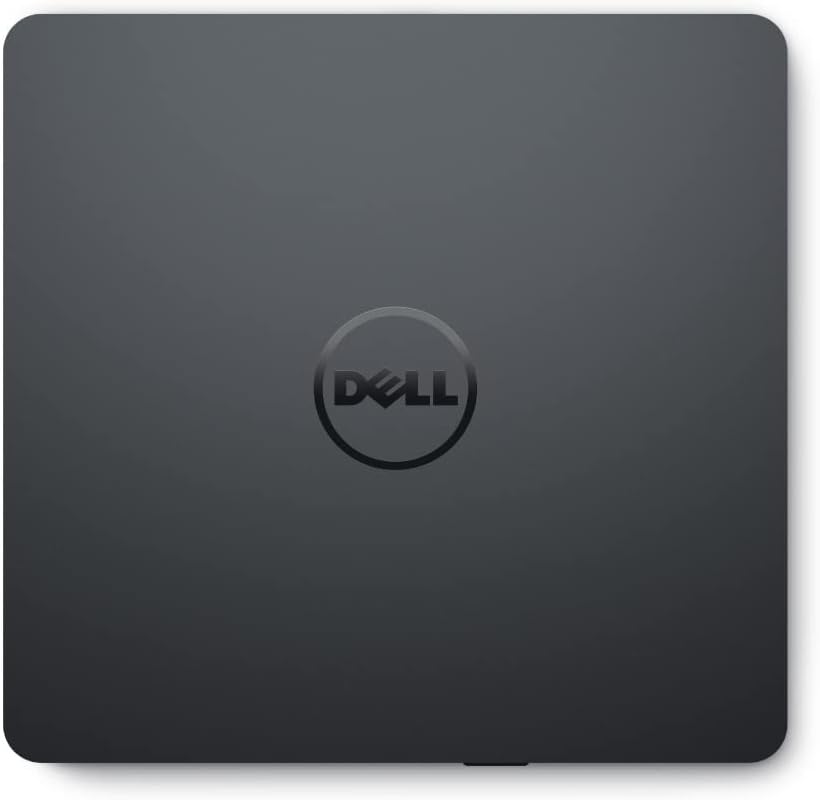
The Dell External USB Slim DVD RW Drive is a trusted option specifically designed to complement Dell notebooks and Ultrabooks. It boasts a high customer rating due to its reliable performance and seamless integration with Dell hardware. The included CyberLink Media Suite software simplifies media playback tasks.
We may earn a commission when you buy through this link, at no additional cost to you.
Its standout qualities include the 14mm low profile design which matches the aesthetic of modern notebooks. The lightweight 200g construction makes it easy to carry without adding bulk. It is a premium external optical drive that requires no external power sources for operation.
However it only supports USB 2.0 connections which are significantly slower than USB 3.0 standards available on modern computers. While sufficient for reading discs it may lag during large file transfers or burning processes. Users with USB 3.0 ports may not benefit from full speed potential.
This drive is the best choice for Dell owners wanting a branded reliable solution that fits their existing workspace. Its professional design and included software make it an appealing choice for business environments needing basic optical functionality.
The 1-Year Limited Hardware Warranty provides added peace of mind for business users relying on consistent performance.
It requires no drivers or setup making it ready to use immediately after connecting to a USB port.
We may earn a commission when you buy through this link, at no additional cost to you.
The HP Inc. USB External DVDRW Drive is a straightforward reliable option for users owning HP laptops. It delivers consistent performance for reading and burning discs without requiring additional configuration. The drive is compatible with Windows systems and supports standard optical media formats.
We may earn a commission when you buy through this link, at no additional cost to you.
Its key strengths lie in the trusted HP branding which often implies quality control and better hardware integration. The plug and play functionality ensures ease of use for non-technical users. It maintains a slim profile suitable for portable environments.
However detailed technical specifications are less prominent compared to other models in this list. It may lack specific features like high-speed USB 3.0 or bundled software that other competitors offer. This makes it a functional but basic choice for standard optical needs.
HP users seeking a branded external drive will find this unit aligns well with their existing ecosystem. It serves as a dependable backup solution for data recovery and media playback on modern laptops lacking internal drives.
As an official HP product it is designed to integrate seamlessly with HP notebooks for a uniform aesthetic and reliable performance.
We may earn a commission when you buy through this link, at no additional cost to you.
The Rioddas External CD/DVD Drive stands out for its physical eject button which safely releases discs even when the computer fails to recognize the drive. This feature is invaluable for preventing stuck media frustration. It supports USB 3.0 for fast data transfers and includes a physical eject button.
We may earn a commission when you buy through this link, at no additional cost to you.
Its standout qualities include copper mesh technology that ensures stable data transmission during read and write tasks. The brushed texture shell provides a modern aesthetic while the integrated cable design keeps storage organized. It works well with major brands like Dell and Lenovo.
While highly functional it is not compatible with ChromeOS or smartphones so users must verify their device compatibility before purchasing. It also relies on external software for burning and playback meaning no specialized proprietary tools are included with the hardware itself.
This drive is ideal for users who frequently travel and need reliable media access without technical complications. The physical eject button offers a practical safety net for data integrity and user convenience during stressful situations.
A dedicated physical button allows users to safely eject discs manually if the drive cannot be recognized by software.
Internal copper mesh technology helps minimize interference and ensures smooth data transmission during file transfers.
We may earn a commission when you buy through this link, at no additional cost to you.
The ORIGBELIE External CD DVD Drive offers one of the thinnest profiles available at just 13mm making it exceptionally portable for travel. It delivers fast data transfer rates up to 5 Gbps and includes essential accessories like a storage bag and charging cable. The slim design minimizes space usage.
We may earn a commission when you buy through this link, at no additional cost to you.
Its key strengths include the inclusion of a charging cable to prevent power issues on low-voltage USB ports. The drive supports multiple formats including DVD-RAM and provides noise reduction for smooth playback. It is a versatile tool for students and professionals on the go.
However the warranty period is only 90 days which is shorter than the industry standard of 12 or 24 months. This shorter coverage might concern users seeking long-term protection. Additionally the build materials are functional but lack the premium finish of more expensive drives.
This drive is best suited for budget-conscious travelers needing a compact solution that fits easily into tight laptop bags. Its portability and included accessories make it a practical choice for occasional use cases.
At just 13mm thick this drive fits easily into any compartment of your laptop bag or messenger case.
An included charging cable connects to 5V chargers to ensure stable performance when laptop power is insufficient.
We may earn a commission when you buy through this link, at no additional cost to you.
The Portable External USB DVD Drive features Pure-copper-knitted-net technology that provides superior resistance and shielding capability for stable data transmission. This technical feature minimizes interference and ensures reliable performance during burning and reading. Its slim design makes it highly portable for everyday carry.
We may earn a commission when you buy through this link, at no additional cost to you.
Its standout qualities include intelligent burning technology which supports various disc formats and rewrite speeds. The drive is compatible with a wide range of operating systems and brands including Dell and Apple. It is lightweight and compact enough to fit any bag.
However it is priced higher than some other budget options which may limit its appeal if you do not need the specific copper shielding. The design focuses on internal stability rather than unique external features like card readers or multiple USB hubs.
This drive is ideal for users prioritizing data integrity and long-term reliability over extra features. The copper technology ensures that connections remain stable even in environments with potential electrical interference or power fluctuations.
The pure copper knitted net in the cable provides stronger shielding and smaller resistance for more stable data transfers.
We may earn a commission when you buy through this link, at no additional cost to you.
The Dell Slim DW316 is a specialized drive designed specifically for select Inspiron OptiPlex and XPS models. It carries a very high rating among users who need precise hardware compatibility. The drive supports DVD-RAM and features an 8x write speed for standard disc burning tasks.
We may earn a commission when you buy through this link, at no additional cost to you.
Its key strengths include the high compatibility assurance for specific Dell laptop generations which reduces setup issues. The slim profile matches OEM aesthetics and it integrates well with existing Dell support infrastructure. It is a solid choice for business environments.
However it is limited to USB 2.0 which restricts transfer speeds compared to USB 3.0 options. Additionally it is optimized only for certain Dell models meaning other users might not find it fully compatible. This specificity limits its general appeal.
This drive is the best choice for IT departments managing specific Dell fleets that need consistent replacement hardware. The precise compatibility ensures fewer support tickets and reliable performance across designated business laptop models.
Designed specifically for Dell business lines this drive ensures seamless integration without driver conflicts.
We may earn a commission when you buy through this link, at no additional cost to you.
Selecting the right external DVD drive requires understanding your specific connectivity needs, speed requirements, and portability constraints.
Modern laptops often prioritize USB Type-C over traditional Type-A ports. Ensure the drive you select offers dual interfaces or includes adapters to match your laptop's physical ports without requiring extra dongles.
Check if the drive supports USB 3.0 for faster transfer speeds. Older USB 2.0 connections may bottleneck performance when burning large discs or transferring files.
Verify that the drive is explicitly compatible with Windows 11. Some older models may still require manual driver installation which complicates setup for non-technical users.
If you use multiple operating systems like macOS or Linux, confirm that the drive supports plug-and-play functionality across all your devices.
Look for drives offering at least 8x DVD read/write speeds and 24x CD speeds. Higher speeds reduce wait times when playing or creating discs.
Faster transfer rates are essential for efficient data backups. Slower drives may take significantly longer to complete large file transfers.
Consider the physical dimensions and weight of the drive. Slimmer profiles like 13mm or 14mm fit easier into laptop bags without adding bulk.
Integrated cable designs help prevent lost wires and make travel easier. Ensure the drive includes a protective sleeve if you plan to move it frequently.
Bus-powered drives draw power directly from the USB port which is convenient but requires a strong port connection.
If your laptop has limited power output, choose a drive that includes a supplemental power cable to ensure stable operations.
Prioritize brands that offer at least a 1-year warranty to protect your investment against hardware failures.
Good customer support can resolve recognition issues quickly. Look for companies with responsive technical service teams.
To use your external drive, simply connect it directly to a USB port on your computer. Avoid using unpowered USB hubs to prevent power issues that may cause connection drops.
Install a reliable media player or burning software such as VLC or ImgBurn if your operating system does not include native optical media support.
Keep your drive in a protective case when not in use to prevent dust buildup and physical damage. Always eject discs properly through software before unplugging the device.
Yes, most modern external DVD drives are fully compatible with Windows 11. They utilize standard drivers that operate without manual installation. Always check manufacturer specs for explicit Windows 11 support.
Most drives support plug-and-play functionality so no additional drivers are required. Your system will automatically recognize the device upon connection. Some specialized models may require software for advanced burning features.
This usually results from insufficient power or using an unpowered USB hub. Connect directly to a motherboard USB port and ensure your laptop is plugged into a power outlet.
Yes, drives supporting macOS can connect to Macs via USB-C or USB-A. Note that macOS may require a disc to be inserted before displaying the icon on the desktop.
USB 3.0 drives offer significantly faster data transfer speeds of up to 5 Gbps compared to USB 2.0. This reduces wait times during file transfers and disc burning operations significantly.
Yes, most models are designed to be slim and lightweight for easy transport. Look for integrated cables and protective cases to prevent lost wires and damage during travel.
The ROOFULL External CD DVD Drive stands out as the top pick due to its reliability and included carrying case. For budget-conscious users, the 5-in-1 drive offers unmatched versatility with card reader functions.
Prioritize connectivity options that match your current laptop ports. Ensure the drive supports USB 3.0 for the best performance and choose models with solid warranties for peace of mind.
Prices for external drives fluctuate frequently so verify current deals before purchasing. Select the model that best fits your specific workflow and portability needs today.