
Cooling Fan for Nintendo Switch 1/2
4.6Editor score
LED temperature and speed display
Adjustable fan speed control
Micro USB cable powered
This guide compares the best external cooling fan Nintendo Switch dock accessories to prevent overheating, reduce noise, and extend console life during long
External cooling fans for the Nintendo Switch dock help prevent overheating during extended gaming sessions. A good unit offers adjustable speeds, quiet operation, and secure fit without blocking vents. These accessories protect your console and ensure stable performance.
We compared ten top-rated external cooling fans based on performance, build quality, ease of use, and unique features. Our analysis covers options for original, OLED, and upcoming Switch 2 docks. Each product was evaluated for noise levels and cooling efficiency.
Each pick shows key specs, pros, cons, and who benefits most. Prices and availability change often so check current listings before buying. This guide helps you choose the right fan to keep your Switch cool and reliable while playing your favorite games.
4.6Editor score

4.4Editor score
4.4Editor score
Below is a side-by-side comparison of all ten external cooling fans for the Nintendo Switch dock. Each entry lists key specifications to help you quickly identify the right fit for your console model and gaming needs.


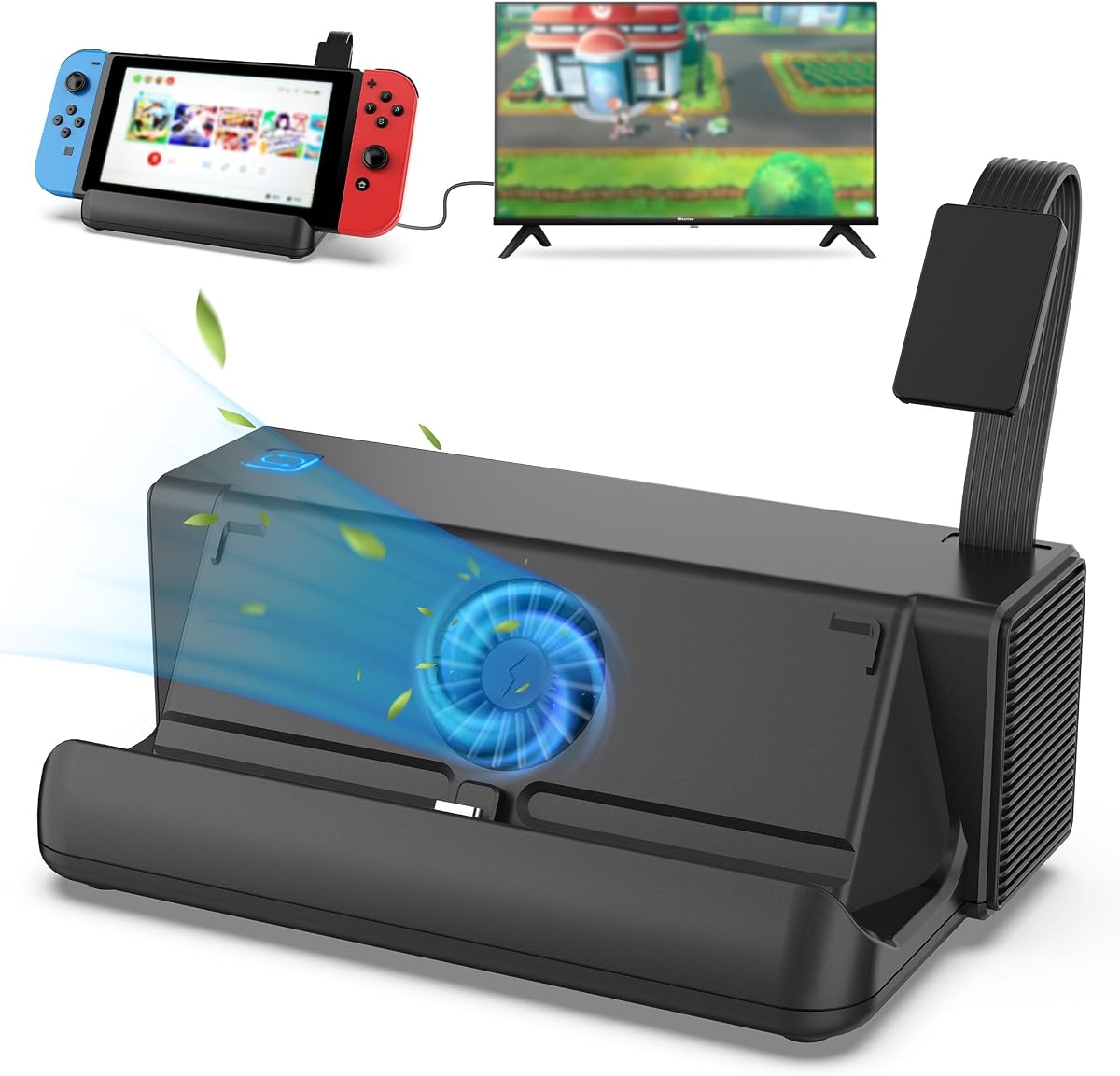
This budget-friendly cooling fan keeps your Nintendo Switch 1 or 2 cool in the original dock. With a 4.6 star rating, it prevents overheating and lets you play longer. The LED display shows fan speed and exhaust temperature for real-time monitoring.
We may earn a commission when you buy through this link, at no additional cost to you.
The adjustable fan speed ranges from 510 RPM to 6000 RPM, giving you control over airflow and noise. Below 2400 RPM it runs nearly silently. The package includes a Micro USB cable, a fixed pad to stabilize the fan, and two joystick caps for extra comfort.
While the fan can produce some spinning sound at higher speeds, the trade-off is strong heat exhaust and ventilation. The fixed pad has sponges on both sides to prevent slipping and scratching. This makes setup stable without tools or complex adjustments.
Ideal for casual gamers who want reliable cooling without spending much. If you play for multiple hours and worry about heat, this unit offers excellent value. It is a practical addition to your dock station setup.
The LED display shows exhaust temperature in degrees Celsius so you can verify cooling performance during gameplay.
The fixed pad inserts between the Switch and dock base, using sponges to prevent scratches and keep the fan secure.
We may earn a commission when you buy through this link, at no additional cost to you.
The TNP Cooling Fan is specially designed for the original Nintendo Switch dock. It uses three high-speed fans to improve heat dissipation and cool down the console quickly. This prevents overheating and system malfunctions during long gaming sessions.
We may earn a commission when you buy through this link, at no additional cost to you.
Installation is straightforward. You simply insert the product on the back of the original dock and connect to the dock's USB port for power. No additional tools are required. The compact design saves space on your TV stand or entertainment cabinet.
It includes Turbo, Normal, and Off switches to meet different needs. Whether you have a light session or are a hardcore gamer, you can adjust fan speeds accordingly. This flexibility helps keep your system in good shape without unnecessary noise.
This option is best if you want multiple fans for ventilation and prefer a simple plug-and-play setup. While the rating is lower, it still offers strong performance for its price point. Ensure your dock has a free USB port for power.
Three built-in fans work together to lower the console temperature fast and effectively while remaining quiet during normal use.
The design allows seamless compatibility with the original dock, fitting tightly without blocking other connections or ports.
We may earn a commission when you buy through this link, at no additional cost to you.
This dual-fan cooling stand is dedicated to the Nintendo Switch 2 dock. When connected to the charging dock, the fan operates at full speed automatically. You can press a button to switch between three cooling levels for control.
We may earn a commission when you buy through this link, at no additional cost to you.
The stand features six game card slots so you can insert cards and play different games immediately without swapping. It also has three USB expansion ports to connect controllers, smartphones, and accessories easily. This saves extra space in your setup.
Nine vibrant RGB light modes allow customization to match game scenes. Press and hold to turn off the light if you prefer a plain look. The cooling helps prevent lag and crashes, extending the lifespan of your Switch 2 console.
Ideal for Switch 2 owners who want integrated storage and cooling in one accessory. The 3-stage adjustment ensures stable performance during body protection. If you enjoy customizable lighting, this adds a cool effect to your gaming experience.
Six dedicated slots let you see all game cards at a glance and switch games quickly without opening the dock case.
Two USB-A and one USB-C output ports allow charging and connecting multiple peripherals without extra hubs or cables.
We may earn a commission when you buy through this link, at no additional cost to you.
The Bewinner USB Cooling Fan Base Stand Dock is a compact accessory for game consoles including the Nintendo Switch. It is equipped with three cooling fans inside to dissipate heat effectively and keep the console cool while gaming.
We may earn a commission when you buy through this link, at no additional cost to you.
There is a switch on the side that lets you adjust cooling speed between Turbo and Normal or turn it off. The small design makes it easy to set up and use anywhere. It is made from superior material for durability.
This model focuses on core cooling performance without extra lights or displays. If you want straightforward heat management with a simple switch, it delivers. The build quality supports long-term use on your desktop or TV stand.
Best for users who prefer minimalism and reliable airflow. It works well for standard gaming sessions where noise and temperature control matter. Check your dock compatibility before purchase to ensure proper fit and power access.
Three internal fans work together to move air quickly and lower console temperature during intensive gaming or charging.
The side switch provides quick access to speed settings so you can change cooling mode without unplugging the device.
We may earn a commission when you buy through this link, at no additional cost to you.
The ZMBESUP Switch Dock Station is an all-in-one portable docking solution. It features one-key game card switching technology to switch between four active cards without physical swapping. This protects your console from wear and damage.
We may earn a commission when you buy through this link, at no additional cost to you.
With eight total game card slots it stores all your favorites. The built-in cooling fan maintains optimal performance and prevents overheating. Three USB ports support wired controllers and an HDMI output delivers 1080P to your TV.
Independent power control switches let you turn off unused features to save energy and reduce noise. Desktop mode with a built-in stand enables portable gaming while connected to power. It requires the original Switch AC adapter.
Ideal for gamers who want a complete dock replacement with storage and cooling. If you own many game cards and hate swapping, this is a top choice. It combines functionality into one compact unit for home and travel use.
Seamlessly switch between four active game cards with a single button press to avoid physical wear on the console.
Supports both desktop portable gaming and TV mode with 1080P output for immersive home entertainment experiences.
We may earn a commission when you buy through this link, at no additional cost to you.
This cooler replacement is designed specifically for the 2021 OLED dock HEG-007. The high-efficiency fan blows super turbo fans inwards to speed up air circulation and dissipate heat faster. It helps avoid overheating the console while maintaining performance.
We may earn a commission when you buy through this link, at no additional cost to you.
There are 14 game card slots on top to store your favorite cards and avoid loss. The fan is made of ABS material which is light durable and small in size. It fits perfectly with the official dock design.
Installation is quick and easy. The fan includes a Type-C data cable for plug-and-play power. It comes with a control button to turn on or off at any time. The blue light syncs with the fan opening.
Best for OLED Switch owners who want extra card storage and reliable cooling. The tech-inspired appearance adds a cool effect to your setup. If you use the official dock and want enhanced airflow with storage, this is a strong pick.
Designed for the 2021 OLED dock HEG-007 to ensure perfect fit and optimal airflow alignment for heat dissipation.
Fourteen top slots keep cards organized and prevent loss so you can grab your game quickly before playing.
We may earn a commission when you buy through this link, at no additional cost to you.
This product is used for the SWITCH OLED MODEL base. The original power adapter TYPE-C header connects to the TYPE-C input port of this product for power supply. It includes a radiator adapter cable to connect to the OLED base.
We may earn a commission when you buy through this link, at no additional cost to you.
Install the product on the base in the right way and press the switch to turn on or off the fan. The lighting effect is synchronized on or off with the fan. There is one high-speed fan to speed up air circulation inside the base.
The blue LED inside the fan provides a blue lighting effect that matches the fan status. It helps achieve the purpose of heat dissipation for the host console. This model supports charging while keeping the equipment cool after hours of use.
Ideal for owners who want a quiet add-on fan with a matching light. If you like consistent aesthetics and simple power via Type-C this works well. It ensures better airflow and reduces input delay during extended gaming sessions.
The blue LED inside the fan turns on and off with the fan creating a synchronized visual effect that matches operation.
One high speed fan increases air flow inside the host base to dissipate heat and maintain stable performance.
We may earn a commission when you buy through this link, at no additional cost to you.
This cooling fan features three customizable wind speeds you can switch between with one button. Low is 4000 RPM, Medium is 5000 RPM, and Max is up to 6000 RPM. Match airflow to different gaming scenarios for effective heat dissipation.
We may earn a commission when you buy through this link, at no additional cost to you.
It uses a premium 45mm turbine fan that generates ample airflow to accelerate heat removal. The optimized blade structure cuts down operating noise greatly. You get powerful cooling performance without distracting loud sounds during games.
Smart auto on-off function starts and stops the fan along with your Switch 2 without manual operation. A vertical air duct design aligns perfectly with the console inlet for efficient airflow. Secure mount uses nano tape for stable placement.
Best for Switch 2 users seeking hands-free cooling with speed options. If you want quiet yet powerful performance and automatic operation this is a solid pick. Ensure you have space for the base and tape for a clean look.
The fan automatically starts and stops along with your Switch 2 console offering true hands-free use without manual buttons.
Vertical air duct aligns perfectly with the console air inlet delivering powerful and efficient airflow for fast heat removal.
We may earn a commission when you buy through this link, at no additional cost to you.
This cooling stand is tailor-made for the Nintendo Switch 2 Dock. It features a fanless silent cooling design with an elevated hollowed-out structure that boosts airflow circulation. This reduces overheating risks without requiring power or generating noise.
We may earn a commission when you buy through this link, at no additional cost to you.
Sturdy black acrylic construction paired with non-slip silicone pads locks the dock in place preventing slips and scratches. The setup is clean and sleek with no assembly needed. Just place your dock onto the stand for instant airflow enhancement.
It is an essential accessory to prolong dock lifespan and boost performance. Since it needs no electricity it is ideal for low-energy setups. The design ensures unobstructing ventilation channels for natural convection cooling.
Perfect for users who prefer passive cooling and want a tidy desk. If noise is a priority or you cannot add more cables this is a great choice. It works best during moderate gaming where passive airflow is sufficient.
Zero noise and zero power required as the elevated hollowed-out structure boosts natural airflow around the Switch 2 dock.
Sturdy black acrylic construction paired with non-slip silicone pads locks the dock in place to prevent slips and scratches.
We may earn a commission when you buy through this link, at no additional cost to you.
This cooling fan fits perfectly with the Switch original dock station. It effectively lowers operating temperature and avoids unexpected game pauses or lag caused by overheating. You can enjoy long-time gaming without interruption thanks to this accessory.
We may earn a commission when you buy through this link, at no additional cost to you.
It is equipped with an LED display to show real-time fan speed RPM and exhaust temperature clearly. Three physical buttons support power on-off and speed adjustment for easy daily operation. Support speed adjustment from 510RPM to 6000RPM.
Running nearly silent below 2400RPM it balances strong cooling and low noise. The package includes a Micro USB cable, fixed stabilizer pad, and joystick caps. The sponge pad is anti-slip and prevents the console from being scratched.
Ideal for Switch and OLED users needing a simple USB cooler. If you want clear speed and temp readout with adjustable power this meets your needs. Check current listings for availability and compatibility with your specific dock setup.
Equipped with LED display to show real-time fan speed RPM and exhaust temperature clearly for informed cooling adjustments.
Package includes Micro USB cable, fixed stabilizer pad, and joystick caps for secure placement and added accessory value.
We may earn a commission when you buy through this link, at no additional cost to you.
Choosing the right external cooling fan for your Nintendo Switch dock involves understanding your console model, preferred power options, and necessary features like displays or storage.
Ensure the fan matches your dock type. Some units work with original or Switch 1/2 models while others are built for OLED docks or the Switch 2 dock. Using a mismatched fan can block vents or fail to connect properly.
Always verify the product description states compatibility with your specific dock model to avoid fit issues.
Most fans run via Micro USB or Type-C cable. Type-C is common for newer docks and OLED models whereas Micro USB appears on older units. Check your dock ports to see which input is available for reliable power.
Choose a cable type that matches your dock so you do not need extra adapters that clutter your setup.
Adjustable speed is key for balancing cooling and noise. Units with low-speed silent settings under 2400 RPM help you play quietly while still dissipating heat. Higher speeds offer stronger airflow but may produce spinning sounds.
Look for multiple speed options or turbo modes to adapt to different game sessions and personal noise tolerance.
Some fans include LED displays showing fan speed and exhaust temperature. This lets you monitor heat in real time to ensure your console stays within safe limits. It adds useful feedback during long play sessions.
If you want to track performance choose a unit with clear readouts for RPM and temperature.
Certain models add game card slots or USB ports. Storage slots keep cards accessible and ports let you charge accessories without extra hubs. This helps reduce clutter and keeps your gaming area organized.
Consider whether you need extra storage or ports if you play with multiple games or controllers.
Durable materials like ABS or acrylic and non-slip pads protect your console from scratches and keep the fan in place. A stable base prevents accidental tipping and ensures consistent airflow during use.
Check for included stabilizer pads and sturdy construction to protect your hardware during long-term use.
Ideal fans install without tools or complex steps. Look for plug-and-play designs that slide onto the back of your dock or stand upright next to it. Simple installation saves time and reduces risk of damage.
Prioritize units that require no assembly or adhesives unless you prefer tape for added security.
Some brands offer lifetime warranties or 24-hour customer service. This gives you confidence in case of defects or issues with fan performance. Reliable support helps resolve problems quickly if they arise.
Check if the product includes a warranty or support promise before purchasing for peace of mind.
Begin by confirming your dock model matches the fan's requirements. Insert the fan into the designated slot or place it securely on your desk. Connect the provided USB or Type-C cable to an available port on the dock or power source.
Power on the fan and adjust the speed setting to your preference. If the unit has an LED display check the temperature reading to ensure the console stays cool. Use lower speeds for casual play and higher speeds for intense sessions.
Clean the fan blades and vents occasionally with a soft dry cloth to remove dust. Dust buildup can reduce airflow and increase noise. Avoid using water or cleaning solutions that could damage electrical components or the fan motor.
While the dock has internal fans an external unit can lower temperatures during long sessions. It helps prevent overheating and performance drops especially if you play demanding games frequently. If you notice lag or warm docks adding one may help.
Using an external fan typically does not void warranty as long as it does not damage the hardware. Ensure the unit is designed for your dock to avoid blocking vents or causing physical strain. Check warranty terms for accessory guidance if unsure.
Most fans use Micro USB or Type-C ports on the dock. Check your dock's available inputs to match the cable type. If the dock has limited ports use a powered USB hub or wall adapter if supported to keep other connections free.
Many fans run nearly silent below 2400 RPM and produce spinning sounds at higher speeds. Models with adjustable speeds let you balance noise and cooling. Choose one with low silent settings if noise is a concern during gameplay.
Yes but ensure the product explicitly lists OLED dock compatibility. Some fans are built for original docks and will not fit OLED units correctly. Check the product description and images for HEG-007 or OLED dock references.
Overheating can cause pauses or crashes and cooling fans help reduce thermal stress. By improving airflow they support stable performance during extended use. They are not a fix for hardware issues but can mitigate temperature-related interruptions.
Yes several dock accessories include slots to store game cards. Units like the ZMBESUP Switch Dock Station and GLDRAM Cooling Fan offer multiple slots. This keeps cards accessible without needing separate cases or loose storage on your desk.
This guide covered ten top external cooling fans for the Nintendo Switch dock. The best budget pick is the LED-enabled fan for original docks. The Editor's Choice is the OLED-specific cooler with card slots. The premium pick is the ZMBESUP dock with one-key switching.
Prioritize compatibility and adjustable speed to match your console and noise needs. Check if you need extra storage or ports to simplify your setup. A quality fan helps protect your console and supports longer uninterrupted gaming.
Prices and availability change often so review current listings before buying. Ensure the fan fits your specific dock model for proper performance. With the right unit you can keep your Switch cool and reliable across all your favorite games.