
Creality Ender 3 V3 SE
4.1Editor score
Auto leveling
Sprite direct drive
Fast setup
This guide compares the top easy to use 3D printers for beginners and kids, highlighting features like auto leveling, speed, and safety.
Finding an easy to use 3D printer can transform how you approach creating and making. Whether you are a student, hobbyist, or parent looking for a creative outlet, modern machines offer simplified setups and intuitive controls that reduce frustration.
We evaluated leading models based on calibration ease, print quality, speed, and safety features. Our analysis focused on systems that minimize manual tweaking while maximizing reliability. This list covers options ranging from compact desktop units to robust enclosed printers for advanced users.
Each pick highlights specific strengths such as multicolor capabilities, educational tools, or rapid printing speeds. Note that availability and pricing fluctuate frequently, so verify current stock before purchasing. We aim to help you choose a machine that fits your specific creative needs perfectly.
4.1Editor score

4.7Editor score

4.5Editor score
The following table provides a side-by-side look at the key specifications and strengths of each recommended model. Compare print sizes, speeds, and special features to find the best fit for your workflow and budget constraints quickly.




The Bambu Lab A1 stands out as a top-tier easy to use 3D printer for anyone seeking reliable results without complexity. It earned high marks for its seamless calibration and rapid printing capabilities. Users appreciate how it eliminates common setup hurdles like manual bed leveling.
We may earn a commission when you buy through this link, at no additional cost to you.
Its standout feature is full-auto calibration which manages Z-offset and leveling without user input. The active flow rate compensation ensures consistent extrusion for smooth surfaces. With acceleration up to 10,000 mm/s², it produces parts faster than most competitors while maintaining high detail.
The trade-off is that multi-color printing requires purchasing the AMS lite module separately. While the core unit is affordable, adding colors increases the cost. However, the ease of use and speed often justify this investment for serious hobbyists.
This machine is ideal for beginners who want professional results quickly. If you value time savings and simplicity, the A1 offers the best balance in its class. Its quiet operation also makes it suitable for home offices or shared living spaces.
The printer guides you through initial configuration with on-screen prompts that require minimal technical knowledge.
Noise canceling motors and enclosed design reduce distractions and keep filament dust contained during long prints.
We may earn a commission when you buy through this link, at no additional cost to you.
The FLASHFORGE Adventurer 5M delivers high-speed performance with a durable CoreXY metal structure. It simplifies maintenance with a three-second nozzle change system. This model is designed for those who want rapid prototyping without constant downtime.
We may earn a commission when you buy through this link, at no additional cost to you.
Its 280-degree direct extruder handles a wide range of filaments including ABS and PETG. The one-click automatic leveling ensures consistent adhesion for the first layer. Users can monitor progress remotely via the Flash Studio mobile application.
While the hardware is impressive, user reviews note a learning curve with the software interface. Some find the calibration steps less intuitive than competitors. Additionally, the rating suggests potential consistency issues for some early adopters.
Choose this if you need a robust machine for frequent large prints. The high speed and metal frame make it a solid choice for workshops. Just ensure you are comfortable with tweaking settings to get the best performance.
The tool-free nozzle design allows users to swap nozzles in seconds for different detail levels without tools.
Adjust settings and watch prints from your phone using the companion app for better workflow flexibility.
We may earn a commission when you buy through this link, at no additional cost to you.
The Bambu Lab A1 mini is perfect for those with limited desk space who still want high performance. It includes a creative LED Lamp Kit to turn prints into functional decor immediately. This bundle makes it an exciting entry point for new users.
We may earn a commission when you buy through this link, at no additional cost to you.
Like the larger A1, it features automatic calibration and high speed. You can access the Bambu Handy app to manage prints remotely. Its ecosystem offers a library of ready-to-print models that reduce the need for external slicing.
The build volume is smaller than standard printers, which limits large object creation. However, for miniatures and household items, it is more than sufficient. The compact size allows it to fit easily in dorm rooms or small apartments.
This model is recommended for students or casual creators. The included kit provides immediate project ideas. If you prefer a reliable machine that looks good on a desk, this is a top contender.
The included LED Lamp Kit encourages immediate engagement with finished projects that serve a practical purpose.
MakerWorld integration lets you find and print designs directly from the cloud without complex downloads.
We may earn a commission when you buy through this link, at no additional cost to you.
The Bambu Lab P1S is a premium option designed for serious makers who need reliability and versatility. Its fully enclosed body allows for consistent temperatures needed for ABS and ASA materials. This feature significantly reduces warping compared to open-frame printers.
We may earn a commission when you buy through this link, at no additional cost to you.
Setup takes about fifteen minutes with minimal assembly required. You can upgrade to multi-color printing by connecting the AMS unit. The speed and acceleration match the A1 but with a more robust chassis for advanced filaments.
The main drawback is the cost compared to non-enclosed models. However, the ability to print high-strength materials justifies the investment for functional parts. If you need durable components, this offers the best balance of speed and quality.
This printer is best for makers moving beyond PLA. It offers professional-grade performance in a compact design. Its ecosystem ensures you get the best results with minimal calibration effort.
The enclosure maintains temperature stability for engineering filaments like ABS and ASA without external heating.
You can add an AMS unit to print complex multi-material projects without changing the core printer.
We may earn a commission when you buy through this link, at no additional cost to you.
The AOSEED AI 3D Printer is tailored for children and families wanting safe creative fun. It includes AI tools that let kids draw or type to generate 3D models. This educational approach removes the need for complex CAD software.
We may earn a commission when you buy through this link, at no additional cost to you.
Safety is a priority with a fully enclosed and pinch-resistant design. A built-in camera allows parents to monitor prints remotely. The machine comes with over 8000 pre-tested models for toys and DIY projects.
While it lacks multi-color support, the focus on toys and gifts is appealing. The speed is high enough for small projects to finish quickly. However, it is specialized for educational use rather than industrial parts.
This is an excellent gift for curious minds. The AI integration makes it fun for non-technical users. If you want a safe and engaging printer for a child, this is the top choice.
Children can use voice or text prompts to design custom figures without prior design experience.
The camera and app allow parents to check progress and capture time-lapse videos of creation.
We may earn a commission when you buy through this link, at no additional cost to you.
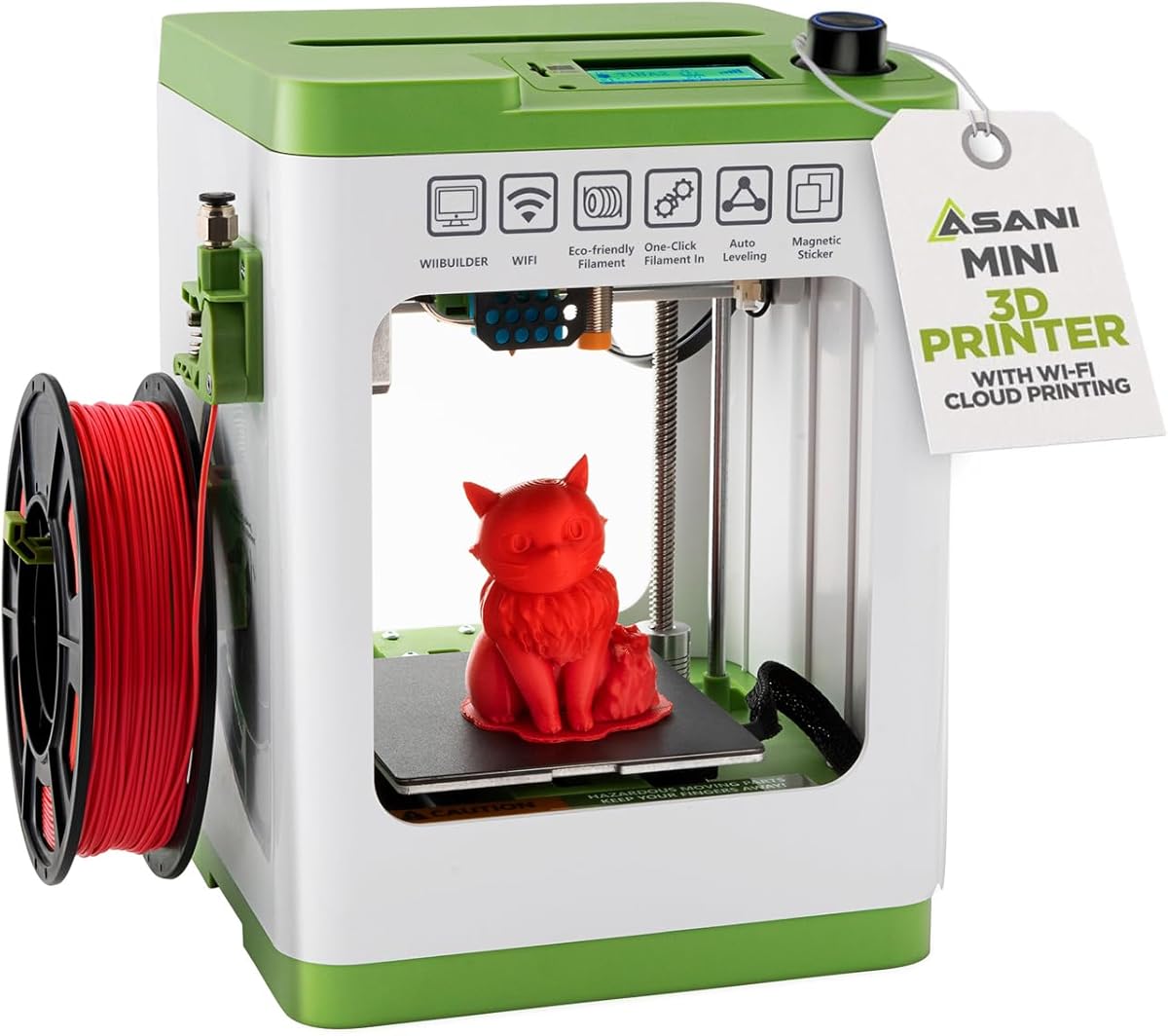
The Entina Tina2C is a fully assembled mini printer designed for STEM learning. It gets you started in minutes with guided setup. The small footprint makes it ideal for classrooms or small desks.
We may earn a commission when you buy through this link, at no additional cost to you.
It features a self-cleaning nozzle to reduce maintenance issues for beginners. The magnetic build plate allows for easy part removal. You can print via WiFi or offline for flexible learning scenarios.
Its compact size limits the maximum part size you can create. However, for small educational models, it is sufficient. The software includes many DIY modules to guide students through specific projects.
This printer is perfect for educational settings. The assembly-free nature saves setup time for schools. If you need a simple tool for teaching 3D design basics, this is a strong pick.
Self-cleaning nozzle technology minimizes clogs and ensures consistent flow for young users.
Interactive STEM courses and modules help guide users through specific educational projects easily.
We may earn a commission when you buy through this link, at no additional cost to you.
The FLASHFORGE AD5M offers a robust all-metal CoreXY structure for precise high-speed printing. It features one-click automatic leveling to simplify initial setup. The patent quick-release nozzle makes maintenance straightforward for all users.
We may earn a commission when you buy through this link, at no additional cost to you.
Its ability to resume prints after power outages helps prevent wasted material. The dual-sided PEI plate provides good adhesion for various filaments. This makes it reliable for long prints in environments where power may be unstable.
The noise level increases at maximum speed, which might be distracting in quiet spaces. However, the build quality supports consistent results over time. It balances performance and ease of use well.
Choose this for reliable production needs without complex setups. The resume feature is a major plus for long jobs. If you need a machine that can handle frequent large prints, this is a solid option.
Save ongoing layer data to resume from the exact point after an unexpected power failure.
Tool-free nozzle swapping allows quick changes between different print styles without extra tools.
We may earn a commission when you buy through this link, at no additional cost to you.
The TINA2S comes as a complete starter kit with everything needed to begin. It includes filament and a pre-installed SD card with designs. The fully assembled unit ensures you can start printing quickly without assembly errors.
We may earn a commission when you buy through this link, at no additional cost to you.
It features one-touch filament loading which simplifies changes for beginners. The dual Z-axis rail ensures stable prints. You can use open-source software like Cura for flexibility in customization.
A note on usage: always use the recommended magnetic plate to avoid sensor issues. The build volume is small but adequate for personal projects. It is a great way to learn the basics without frustration.
This kit is ideal for first-time users who want simplicity. The included accessories reduce initial costs. If you need a ready-to-go printer for learning, this is a reliable choice.
Load or retract filament with a single button press making material changes quick and easy.
Compatible with major slicing software to allow for advanced settings and custom printing workflows.
We may earn a commission when you buy through this link, at no additional cost to you.
The Creality Ender 3 V3 SE offers an accessible entry point into easy to use 3D printing. It features automatic Z-offset calibration for a reliable first layer every time. Its Sprite direct drive extruder ensures smooth feeding for flexible filaments.
We may earn a commission when you buy through this link, at no additional cost to you.
Assembly is designed to be simple with clear steps. The 32-bit silent mainboard keeps noise low. This is a cost-effective solution for hobbyists who want solid performance without breaking the bank.
While it lacks the advanced features of high-end models, it gets the job done well. The speed is respectable but not class leading. For beginners, this provides the best value for the price.
Choose this if budget is a primary concern. It delivers essential automation features that improve reliability. If you want a proven machine at a low cost, this is the top recommendation.
The Sprite direct drive extruder simplifies extrusion for a wider range of filament types.
Silent board technology minimizes operational noise for a more comfortable printing environment.
We may earn a commission when you buy through this link, at no additional cost to you.
The Anycubic Kobra X brings native multicolor printing to the table easily. It comes with four built-in colors which allows for vibrant prints without extra modules. Setup is quick with its LeviQ 3.0 auto bed leveling system.
We may earn a commission when you buy through this link, at no additional cost to you.
It includes spaghetti detection and foreign object alerts via the app. The large print size allows for bigger projects in a single session. This machine balances ease of use with advanced multi-material capabilities.
Note that the filament is not included in the package. You will need to purchase your own to start. Also, the native color system has limitations compared to full AMS setups. However, it simplifies the multi-color workflow significantly.
This is perfect for those wanting colorful prints with less hassle. The native setup reduces the need for additional hardware. If you want multicolor capability in one package, this is the best choice.
Built-in color system simplifies multi-color printing without needing complex external hardware modules.
Spaghetti detection prevents waste by alerting you when print failures occur during a job.
We may earn a commission when you buy through this link, at no additional cost to you.
Selecting the right printer involves balancing speed, ease, and features. Here are key factors to consider for a smooth experience.
Manual leveling can be frustrating for new users. Look for printers with automatic bed leveling or auto-calibration features. These tools ensure the first layer adheres correctly without tedious screw adjustments.
Prioritize models with full-auto systems to save setup time and reduce failure rates.
Faster printers reduce wait times significantly. High acceleration like 10,000 mm/s² allows quick moves without losing detail. Check maximum speeds to ensure they fit your production needs.
Choose high-speed options if you need to print many parts in a short window.
Enclosed printers maintain stable temperatures for materials like ABS. They also reduce noise and filament exposure. Open frames are cheaper but better for PLA.
Select enclosed designs if you plan to use engineering filaments.
Quick-release nozzles simplify swapping between different materials. Look for tool-free systems to avoid downtime. This feature is vital for maintaining print quality.
Easy maintenance features keep your workflow smooth and uninterrupted.
Good apps allow remote monitoring and status alerts. Some provide libraries of pre-made models. Ensure the ecosystem fits your workflow preferences.
Strong software support reduces the learning curve for beginners.
For home use, look for enclosed designs and pinch guards. Quiet operation helps keep the environment comfortable. Safety sensors prevent accidents.
Prioritize safety if kids or pets are around the machine.
Consider what size objects you need to print. Larger volumes allow bigger projects but cost more. Mini units save space but limit object size.
Match the build volume to your typical project needs.
Check supported materials like PLA PETG and TPU. Direct drive extruders handle flexible materials better. Ensure the extruder reaches required temperatures for your filament.
Broad compatibility expands what you can print.
Start by following the initial setup guide provided. Most modern printers offer on-screen tutorials to configure the machine. Ensure the build surface is clean before the first print.
Keep nozzles clean and dry to avoid clogs. Regularly check filament spools for moisture. Store unused materials in sealed containers to maintain print quality.
Update firmware periodically for new features. Monitor the printer remotely during long runs. Clean the build plate after every few projects to prevent adhesion issues.
Key features include automatic leveling, simple interfaces, and quick setup. Models with auto-calibration reduce manual work significantly. Look for machines with app support for remote monitoring.
Most modern printers require 15 to 30 minutes for initial configuration. Some mini units can be ready in under 10 minutes. Follow the provided steps carefully to avoid issues.
High speeds save time on frequent printing. They are ideal for prototyping or multiple copies. Ensure the printer maintains quality at top speeds.
PLA is the easiest to print with due to low warp and temperature. It works well on open frames. PETG and TPU are next but need slightly more tuning.
Apps make monitoring and file transfer easier. They allow you to stop or start prints remotely. While optional, they enhance the user experience.
Yes if they are enclosed and supervised. Models with safety features prevent burns. Always keep hands away from moving parts during operation.
The best options balance speed, automation, and reliability. The Bambu Lab A1 leads for ease and performance. Budget models like the Ender 3 V3 SE offer great entry points.
Prioritize features that match your specific needs. Safety and speed matter if you have a busy home. For education, simple interfaces are vital.
Prices fluctuate so check current listings before buying. Our guide aims to help you find the right machine quickly.