
Epson LQ-590II Dot Matrix Printer
4.3Editor score
24-pin impact technology
584 mono print speed
USB and parallel ports
Dot matrix printers remain essential for industries requiring multipart forms and carbon copies. They offer durability and impact printing that laser technology cannot match for specific document types. Choosing the right model depends on your volume needs and connectivity requirements.
We evaluated ten leading dot matrix computer printers based on performance and reliability. Our analysis considers print speed and connectivity options as well as duty cycle ratings. Each product offers unique advantages for different business environments and printing tasks.
Each pick highlights specific strengths and ideal use cases for various professionals. Prices and availability change frequently so verify current details before purchasing. This guide helps you navigate the market to find a reliable impact printer.
4.3Editor score

4.7Editor score

4.8Editor score
As an Amazon Associate we earn from qualifying purchases.
This table provides a side-by-side comparison of all ten models featured in our guide. Review the key specifications and features to find the best fit for your workflow.


The Epson LQ-590II is a monochrome dot matrix printer designed for high-volume environments. It features a 24-pin print head for detailed output. The model holds a solid 4.3 rating from users.
We may earn a commission when you buy through this link, at no additional cost to you.
Its standout qualities include a maximum mono print speed of 584 characters per second. This speed makes it suitable for business documents and invoices. The USB and parallel ports ensure compatibility with older systems.
Users note that the printer is loud during operation which may be a concern in quiet offices. It only supports monochrome output so it cannot print color documents. These trade-offs are acceptable for high-volume impact printing tasks.
Business owners needing affordable and reliable impact printing should buy this model. It balances performance and cost effectively for specific industry requirements.
The 584 cps speed ensures quick document turnaround for busy offices.
USB and parallel ports allow integration with diverse computer systems.
We may earn a commission when you buy through this link, at no additional cost to you.
The Epson LQ-590II NT is a monochrome dot matrix printer with Energy Star certification. It maintains the high-speed performance of the standard model. Users rate this version 4.2 for its energy efficiency.
We may earn a commission when you buy through this link, at no additional cost to you.
Its key strengths include 584 cps print speed and support for parallel and serial ports. The Energy Star label reduces power consumption during long printing sessions. This makes it ideal for eco-conscious businesses.
The higher price compared to non-energy versions may be a barrier. Noise levels are still significant during operation in shared workspaces. These factors are acceptable for organizations prioritizing energy savings.
Businesses seeking energy-efficient impact printing should buy this model. It delivers speed while reducing power costs over time.
Energy Star certification lowers operational costs significantly.
Serial and parallel ports support legacy system integration.
We may earn a commission when you buy through this link, at no additional cost to you.
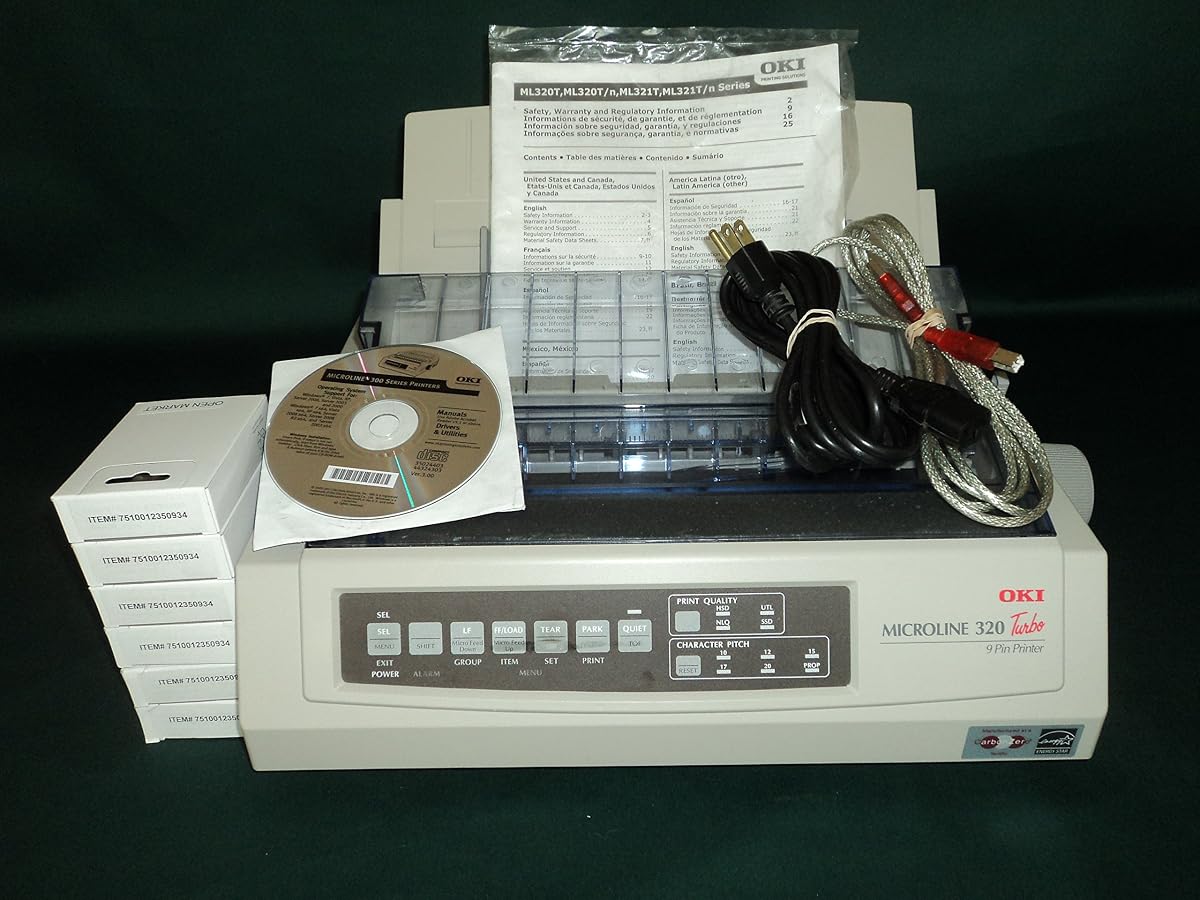
The Oki Microline 320 Turbo is a reliable dot matrix printer with a 4.7 rating. It uses a 9-pin system for solid monochrome printing. This model is often chosen for its consistent performance.
We may earn a commission when you buy through this link, at no additional cost to you.
Key strengths include high reliability and fast draft speeds suitable for quick documents. The 9-pin system ensures clear text quality for invoices and forms. It is designed for long-term use in demanding environments.
Like other impact printers it can be noisy during operation. It supports monochrome output which limits its use for color needs. These are standard limitations for this printer type.
Offices prioritizing reliability should buy this model. It offers a balance of speed and durability for everyday tasks.
Consistent operation reduces downtime and increases productivity.
Quick draft modes accelerate routine document printing tasks.
We may earn a commission when you buy through this link, at no additional cost to you.
The OKI MICROLINE 320 Turbo Mono is designed for high-volume printing. It has a 4.5 rating for its reliable output. The 9-pin system delivers consistent text quality for business use.
We may earn a commission when you buy through this link, at no additional cost to you.
Its key strengths include a max duty cycle of 20,000 pages. This capacity supports heavy usage without compromising durability. The USB and parallel interfaces offer flexible connectivity for various setups.
Users note that it prints only in mono and can be loud. These factors are typical for impact printers but may limit use cases. The performance justifies the trade-offs for volume printing.
Businesses with high-volume needs should buy this model. It ensures consistent output even under heavy workload conditions.
20,000 page duty cycle supports intense daily operations.
USB and parallel ports integrate with most systems easily.
We may earn a commission when you buy through this link, at no additional cost to you.
The OKI MICROLINE 420 is a 9-pin dot matrix printer with Energy Star certification. It holds a 4.5 rating for its balanced performance. The model is optimized for speed and efficiency.
We may earn a commission when you buy through this link, at no additional cost to you.
Its standout qualities include a 570 cps print speed and 128 KB memory. This memory buffer improves overall print performance during batch jobs. The high duty cycle ensures it handles heavy loads reliably.
It supports only monochrome output and operates with some noise. These are expected characteristics of impact printers but may not suit quiet offices. The speed and efficiency make it a strong candidate.
High-volume businesses needing speed should buy this model. It delivers consistent results while maintaining energy efficiency.
570 cps speed reduces wait times for document delivery.
Energy Star certification helps reduce power consumption costs.
We may earn a commission when you buy through this link, at no additional cost to you.
The Oki MICROLINE 320 Turbo is a dot matrix printer with a perfect 5.0 rating. It uses a 9-pin system for reliable mono output. Users praise its consistency and performance.
We may earn a commission when you buy through this link, at no additional cost to you.
Its key strengths include support for USB and serial ports. This versatility allows integration with diverse industrial or legacy systems. The duty cycle of 20,000 pages supports regular heavy usage.
It is limited to monochrome and can be noisy. These constraints are acceptable for environments prioritizing reliability over aesthetics. The high rating reflects its quality and consistency.
Businesses needing versatile connectivity should buy this model. It offers robust performance for complex environments.
A 5.0 rating indicates high user satisfaction and reliability.
USB and serial options support a wide range of systems.
We may earn a commission when you buy through this link, at no additional cost to you.
The Epson LQ-2090II is a 24-pin dot matrix printer with Energy Star certification. It has a 3.7 rating due to mixed performance feedback. It offers solid monochrome output for documents.
We may earn a commission when you buy through this link, at no additional cost to you.
Its key strengths include a 550 cps print speed and parallel port support. The 24-pin technology allows for more detailed text than 9-pin options. It is designed for efficiency and eco-friendly operation.
Users report mixed experiences regarding noise and performance stability. The energy efficiency may not compensate for operational noise in all cases. It suits specific needs requiring 24-pin clarity.
Offices needing 24-pin impact should buy this model. It balances speed and detail for specific document requirements.
24-pin heads provide sharper text quality than 9-pin models.
Reduced power consumption aligns with sustainability goals.
We may earn a commission when you buy through this link, at no additional cost to you.
The OKI MICROLINE 320 Turbo delivers reliable impact printing with a 4.2 rating. It features zero-tear technology and multi-copy capabilities for multipart forms. This makes it suitable for invoices and receipts.
We may earn a commission when you buy through this link, at no additional cost to you.
Its key strengths include up to 6 interleaf copies and 435 cps speed. The auto-park technology eliminates paper waste during operation. These features save time and material in busy workflows.
It prints only in monochrome and generates noise during use. These factors are standard for impact printers but limit quiet office use. The copy features justify the model for business needs.
Businesses needing multipart forms should buy this model. It efficiently handles copy tasks while maintaining speed.
Up to 6 copies support efficient invoice and form printing.
Auto-park ensures paper feeds properly to reduce waste.
We may earn a commission when you buy through this link, at no additional cost to you.
The Oki Microline 620 is a high-volume dot matrix printer with a 4.8 rating. It emphasizes versatile performance and precise printing quality. Users value its reliability for demanding environments.
We may earn a commission when you buy through this link, at no additional cost to you.
Its key strengths include simplified media loading and high-volume versatility. It ensures sharp output even under heavy loads. This design reduces downtime and improves overall efficiency.
The higher cost may be a barrier for smaller businesses. Noise during operation is also typical for high-performance impact units. The reliability and precision justify the investment.
Large businesses needing volume should buy this model. It delivers consistent precision for complex workflows.
Versatile handling supports diverse media types and heavy loads.
Sharp output ensures professional quality for all documents.
We may earn a commission when you buy through this link, at no additional cost to you.
The Epson LQ-590 is a 24-pin impact printer with a 3.7 rating. It offers classic reliability with USB ESC/P and IBM PPDS support. This ensures broad compatibility with business software.
We may earn a commission when you buy through this link, at no additional cost to you.
Its key strengths include 24-pin clarity and durable construction. The design supports consistent performance over time. It is suitable for environments needing impact printing capabilities.
Users report mixed feedback regarding performance stability and noise. The compatibility features may not compensate for operational noise in some cases. It suits legacy system needs best.
Organizations relying on legacy software should buy this model. It ensures compatibility while delivering reliable impact print quality.
IBM PPDS support ensures seamless integration with older systems.
Higher pin count improves text resolution and detail.
We may earn a commission when you buy through this link, at no additional cost to you.
Selecting the right dot matrix computer printers requires evaluating several technical and operational factors.
Print speed determines how quickly documents are produced. Look for models with higher characters per second ratings to improve workflow efficiency. High volume environments benefit significantly from faster speeds.
Prioritize models with speed ratings above 500 cps for optimal productivity.
The pin count affects the detail and quality of printed text. 24-pin models generally produce sharper output than 9-pin options. Consider your quality requirements when choosing a pin configuration.
Select 24-pin printers if text clarity is a top priority.
Modern dot matrix computer printers support USB and serial interfaces. Ensure the printer matches your computer or legacy system ports. USB is common but serial may be needed for industrial setups.
Verify connectivity options align with your existing infrastructure.
The duty cycle defines the maximum pages per month the printer can handle. Choose a model with a cycle that exceeds your monthly needs. This ensures longevity and reduces wear on the print head.
Look for duty cycles above 10,000 pages for regular business use.
Dot matrix printers excel at multipart forms and carbon copies. Check if the model supports the required paper thickness and copy count. Some models handle multiple interleaf copies more efficiently.
Ensure media support matches your specific form or invoice needs.
Impact printers generate noticeable noise during operation. Consider your office environment and whether noise is a concern. Quiet office settings may require sound mitigation strategies.
Expect noise during operation and plan accordingly.
While the initial purchase price varies maintenance costs matter long term. Impact printers often have lower consumable costs. Energy Star models help reduce ongoing power expenses.
Focus on total cost of ownership rather than just upfront price.
Leading brands like Epson and Oki offer proven reliability. Check user ratings and reviews to gauge satisfaction and durability. Established brands typically provide better support and spare parts availability.
Choose reputable manufacturers with positive track records.
Install the printer drivers and ensure the correct connectivity is established before printing. Use the recommended paper type to avoid jams and ensure clear output.
Regularly clean the print head and platen to prevent dust buildup. Replace ribbons when print quality starts to fade to maintain clarity.
Schedule regular maintenance checks to ensure long term reliability. Proper care extends the life of the unit and ensures consistent performance.
Dot matrix computer printers are best used for environments requiring multipart forms carbon copies or high volume impact printing. They excel in logistics and accounting where durable physical copies are needed. They are less suitable for color printing or quiet office settings.
Yes dot matrix printers remain highly reliable for specific tasks like invoice and form printing. Modern models include USB interfaces and improved durability. They continue to be a standard in industries needing impact output.
Dot matrix printers use continuous feed paper often with tractor holes for precise feeding. They can handle multipart forms with carbon sheets effectively. Ensure the paper type matches the printer's specifications for best results.
Dot matrix printers are generally louder than laser or inkjet models due to the impact mechanism. Noise levels can vary by model but expect noticeable sound. Consider placement in a dedicated area if noise is a concern.
Most modern dot matrix printers include USB connectivity for easy computer integration. Some models also support serial or parallel ports for legacy systems. Check the specs to confirm compatibility with your setup.
With proper maintenance dot matrix printers can last for many years of heavy use. The print head and ribbons are replaceable parts that extend usability. Regular cleaning and ribbon changes are key to longevity.
Many modern models carry Energy Star certification for improved power efficiency. They often use less energy than older impact models. Check for this label when selecting a printer for long term savings.
Standard dot matrix printers are limited to monochrome output. Color ribbons exist but are rare and generally offer limited quality. For color needs consider other technologies or specialized impact models.
The top picks include the Epson LQ-590II for budget needs the Oki Microline 320 Turbo for overall reliability and the Oki Microline 620 for premium high-volume use. Each model brings specific strengths to different business scenarios.
Prioritize speed duty cycle and connectivity when selecting a printer that matches your workflow. Consider noise levels and media support to ensure compatibility with your environment.
Prices and availability can change frequently so verify current details before purchasing. Check the links provided for the most accurate and updated information.