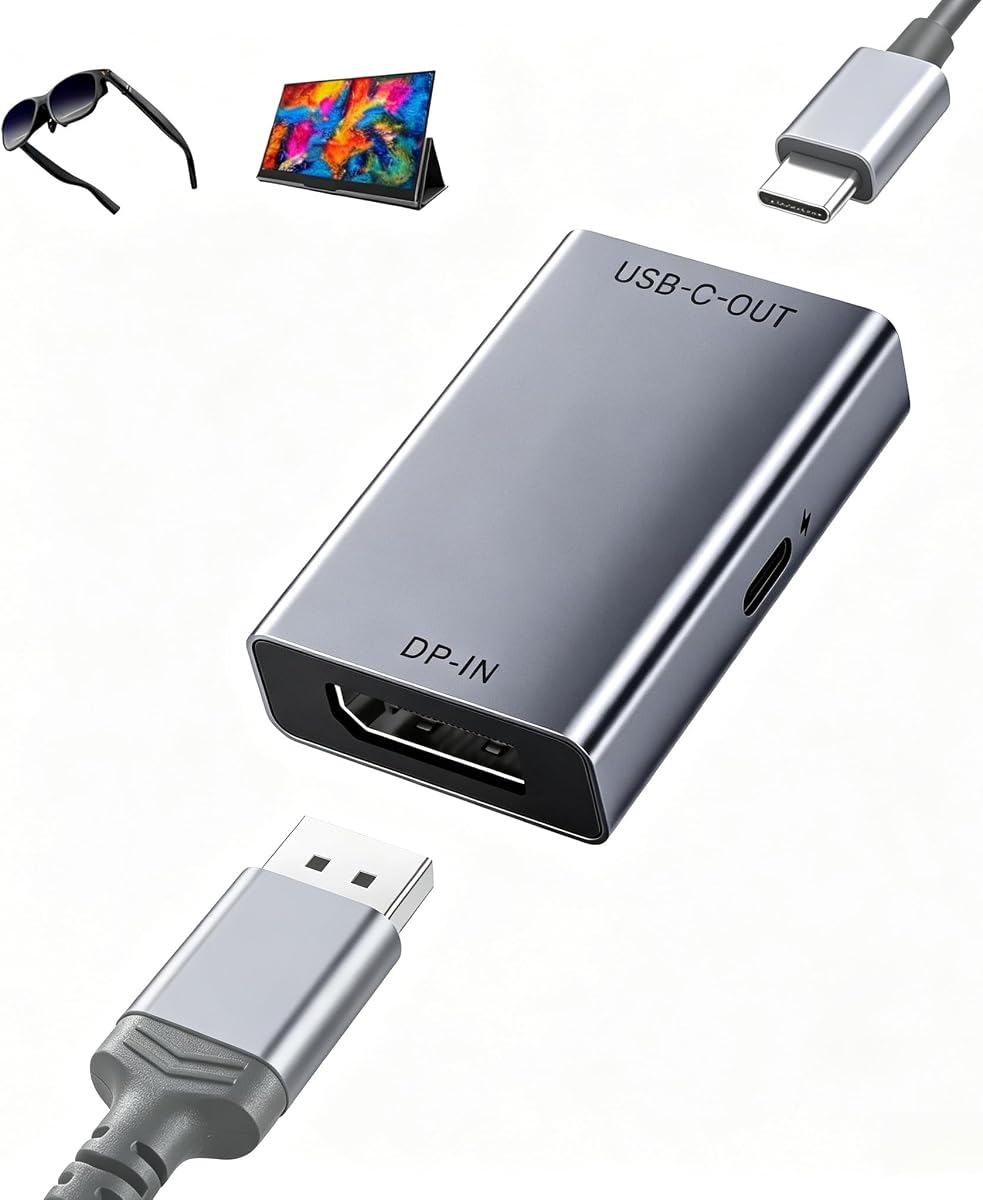
DisplayPort to USB-C Adapter with Power
4.5Editor score
4K 120Hz Support
Compact Aluminum Build
Wide AR Compatibility
True Plug and Play
Discover the top Displayport Adapter for AR Glasses options for immersive visuals. This guide compares ten leading adapters for resolution, compatibility, and
Finding the right Displayport Adapter for AR Glasses is crucial for immersive computing. These adapters bridge high-performance PCs with modern wearable displays. A good adapter ensures stable signal transmission and supports high refresh rates for smooth visuals.
We analyzed ten top-rated adapters focusing on resolution support and device compatibility. Our comparison highlights active and passive solutions for diverse setups. Each entry details connectivity options and power delivery capabilities for your specific needs.
Every pick showcases key strengths and ideal use cases for different users. Ratings reflect real-world feedback from gamers and professionals alike. Prices and availability may vary over time so check current listings before purchasing.
4.5Editor score

4.8Editor score

4.2Editor score
This side-by-side comparison highlights key specifications for all ten adapters. We evaluate resolution limits power methods and compatibility with popular AR brands. Use this table to quickly identify the model that fits your hardware ecosystem.
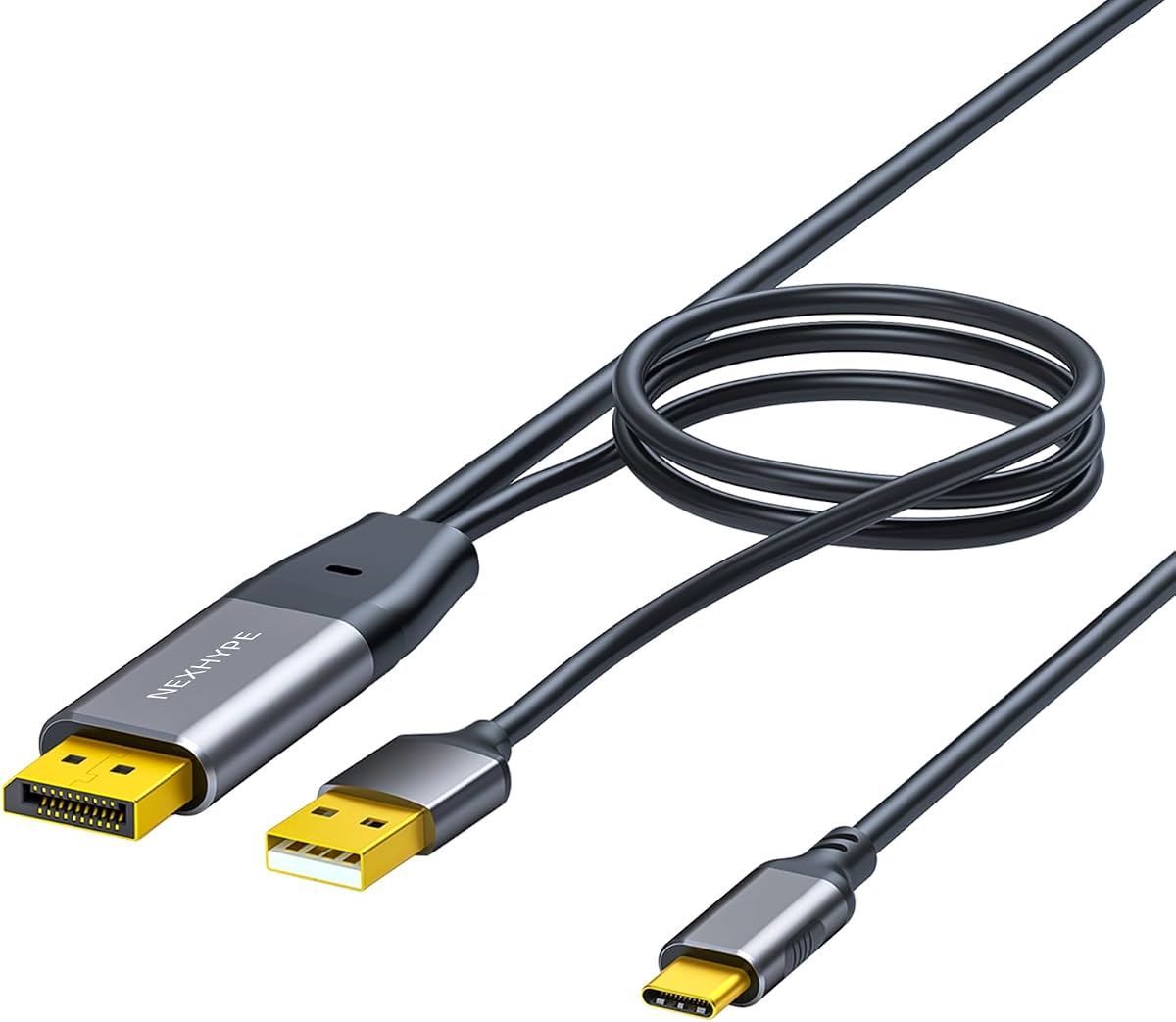


This adapter leads our list with top-tier resolution and touch capabilities. It delivers crisp 4K visuals while maintaining stable audio sync for AR setups. The graphene shielding ensures signal integrity during extended use sessions.
We may earn a commission when you buy through this link, at no additional cost to you.
The integrated USB-A power tail is essential for stabilizing signals. It enables full touch functionality on compatible monitors and glasses. This design makes it a strong choice for professionals needing reliable video input.
While it lacks Switch 2 compatibility, its focus on PC and Mac workflows is clear. The aluminum cooling casing helps prevent overheating under load. Users report excellent color accuracy for creative tasks.
Ideal for Mac Pro and Dell XPS owners seeking high fidelity. If you need reliable touch and audio this model stands out. Check GPU DSC support for Studio Display compatibility before buying.
Engineered for Mac Mini and MacBook Pro users needing color-accurate displays. Handles video audio and touch through one streamlined connection.
Graphene shielding and aluminum casing maintain signal integrity. The USB power port actively stabilizes touch interactions.
We may earn a commission when you buy through this link, at no additional cost to you.
This adapter brings high refresh rate gaming to AR glasses at a budget price. It supports 4K at 120Hz for smooth visuals during fast-paced sessions. The aluminum housing offers durability and effective heat management.
We may earn a commission when you buy through this link, at no additional cost to you.
Compatibility spans many popular AR brands like Xreal and Rokid. It works seamlessly with portable monitors and projectors for mobile setups. Users appreciate the plug-and-play simplicity without extra software.
Note that audio settings may require manual adjustment on some devices. The one-way signal flow limits flexibility for reverse use cases. Still it remains a top pick for gamers on a budget.
Choose this if you need 120Hz support without spending much. It pairs well with laptops and gaming PCs. Ensure your glasses support DP Alt Mode for best results.
Delivers 4K 120Hz resolution for fluid motion and minimal blur. Ideal for FPS racing games and action movies on AR displays.
Premium aluminum alloy ensures heat dissipation and longevity. The compact size slips easily into pockets and bags.
We may earn a commission when you buy through this link, at no additional cost to you.
This adapter offers cutting-edge resolution support up to 8K at 30Hz. It includes 65W power delivery to keep connected displays charged. The graphene-coated cable resists bending and tangles during travel.
We may earn a commission when you buy through this link, at no additional cost to you.
It excels in high-performance setups needing both video and power. Compatible with DP Alt Mode AR glasses and portable monitors. The short length suits tight desk environments or mobile use.
Touchscreen functionality is not supported which limits interactive use. The 0.5m length may restrict placement flexibility for some users. However it delivers exceptional fidelity for professional creative work.
Best for users needing maximum resolution and power in one unit. Verify your display supports external power for optimal function. This model prioritizes performance over convenience features.
Supports 8K 30Hz and 4K 144Hz output. Ideal for gaming design and virtual workspaces on AR displays.
Delivers 65W USB-C power to keep displays charged. Eliminates need for extra adapters during mobile setups.
We may earn a commission when you buy through this link, at no additional cost to you.
This cable offers a long 6.6ft length for flexible setups. It includes an integrated USB cable for power and data transmission. This makes it suitable for battery-free portable monitors up to 1080P.
We may earn a commission when you buy through this link, at no additional cost to you.
The gold-plated connectors resist corrosion and ensure stable signals. Users report reliable performance with AR glasses like Viture and Xreal. The PVC jacket adds flexibility for daily use without damage.
It cannot convert USB-C signals to DP which limits reversibility. HDMI sources require an extra adapter since there is no HDMI port. Still it provides solid value for portable display needs.
Ideal for users needing extra reach for their AR setup. Check your monitor size limits before purchasing. Lifetime technical support adds peace of mind.
Integrated USB cable provides power delivery and touch data. Supplies power to battery-free monitors and glasses.
Gold-plated connectors prevent rust while aluminum casing ensures smooth plugging. PVC jacket withstands bending without performance loss.
We may earn a commission when you buy through this link, at no additional cost to you.
This adapter combines video conversion with a 3-port USB hub for peripherals. It supports 32.4Gbps bandwidth for 4K at 120Hz output. The aluminum alloy housing with silicone pad aids heat dissipation.
We may earn a commission when you buy through this link, at no additional cost to you.
HDR and 10-bit color support benefit designers and video editors. It minimizes motion blur for FPS racing and action content. Users note the need for a separate data cable to activate the hub.
The 5W auxiliary power helps AR glasses but won't drive monitors. Long-press brightness buttons on some glasses for audio mode. This balance suits hybrid work and gaming setups.
Choose this if you need USB connectivity alongside video. Check your PC provides separate data connectivity. It offers a unique blend of features for mobile workflows.
Supports HDR and 10-bit depth for accurate reproduction. Leverages DP1.4 bandwidth for high image quality.
Achieves 4K 120Hz with low latency. Minimizes motion blur for responsive visuals in fast games.
We may earn a commission when you buy through this link, at no additional cost to you.
This adapter uses a female port for direct connection to AR glasses. It supports 4K at 60Hz for high-definition visual experiences. The 1.6ft length keeps the setup tidy and portable.
We may earn a commission when you buy through this link, at no additional cost to you.
Gold-plated connectors ensure stable transmission resistant to corrosion. Users report compatibility with Xreal Viture and portable monitors. Aluminum housing provides better heat dissipation than plastic alternatives.
The USB-A power design is compact but limited for high-power devices. If needed add an extra power source for larger monitors. Firmware updates may be required for sound on some glasses.
Great for minimalists wanting a direct solution. Ensure your phone supports wired screen casting if using mobile. Lifetime support is a strong plus for troubleshooting.
Features a compact design with 1.6ft length. Ideal for travel and tight desk setups.
Gold-plated connectors and aluminum casing ensure stable signal. Resists corrosion and improves heat management.
We may earn a commission when you buy through this link, at no additional cost to you.
This cable offers a straightforward 6FT connection for AR setups. It converts DP signals to USB-C for compatible displays. No driver installation is required for immediate use.
We may earn a commission when you buy through this link, at no additional cost to you.
The aluminum casing and gold connectors prevent rust and ensure smooth plugging. PVC jacket adds flexibility for various bending conditions. Users appreciate the reliable signal transmission for daily use.
It cannot supply power to portable screens so they need external power. Touch works only if the monitor has built-in touch. Unidirectional design means no reverse connection support.
Best for those wanting simplicity without extra complexity. Check your monitor power needs before buying. Works well with Xreal RayNeo and Rokid brands.
Plug and play design requires no drivers. Transmits DisplayPort signal directly to USB-C displays.
Aluminum casing and gold-plated connectors ensure longevity. PVC jacket withstands bending without compromising performance.
We may earn a commission when you buy through this link, at no additional cost to you.
This adapter stands out for Switch 2 handheld and dock support. It delivers 4K at 60Hz with up to 100W pass-through PD3.0. The aluminum alloy construction ensures efficient heat dissipation.
We may earn a commission when you buy through this link, at no additional cost to you.
Ideal for gamers wanting seamless gameplay on AR displays. High refresh support ensures smooth motion for fast-paced content. The short 0.18m length keeps the setup portable and neat.
It generates more heat so ventilation is key during long sessions. External power is needed for TV mode activation. Ensure proper airflow to maintain performance reliability.
Best for console gamers using AR glasses for output. If you need PD 3.0 charging this fits well. Check your device supports DP Alt Mode input.
Supports Switch 2 in Dock Mode for TV output. Enables seamless gameplay on AR glasses.
Pass-through PD3.0 charging keeps devices powered. Aluminum casing with effective heat dissipation.
We may earn a commission when you buy through this link, at no additional cost to you.
This cable features a long 6.6ft length for flexible placement. It converts DP to USB-C with support for 4K at 60Hz. Designed for touch functionality on compatible portable monitors.
We may earn a commission when you buy through this link, at no additional cost to you.
It works well with MacBook Pro and iPad setups. Users appreciate the direct connection without requiring drivers. However note potential incompatibility with certain AR glasses brands.
Power is provided to stabilize the signal not the monitor. This limits use for battery-free screens. Check your display requirements before purchasing to avoid issues.
Best for Mac users needing extended cable length. Verify compatibility with your specific AR brand. Touch function depends on monitor capabilities.
Works well with MacBook Pro and Air 2018.2020. Direct connection without drivers needed.
USB power stabilizes signal but does not power screens. Touch works if monitor supports it.
We may earn a commission when you buy through this link, at no additional cost to you.
This connector links VITURE neckband to any USB-C display. It supports up to 10 Gbit/s transfer for 4K at 60fps. You can pair it with the Mobile Dock for dual displays.
We may earn a commission when you buy through this link, at no additional cost to you.
Designed specifically for VITURE signature magnetic ports. This ensures seamless connection without manual adjustments. Ideal for users already invested in the VITURE ecosystem.
The accessory does not include XR glasses so plan accordingly. Check if you need dual display support before buying. High-speed transfer maintains quality for media streaming.
Best for VITURE owners wanting flexible neckband setups. If you need multi-display productivity check the Mobile Dock pair. It simplifies neckband to monitor connection.
Connects to VITURE signature magnetic port. Supports transfers up to 10 Gbit/s.
Pair with Mobile Dock to use Neckband on two displays. Enhances productivity with simultaneous views.
We may earn a commission when you buy through this link, at no additional cost to you.
Choosing the right adapter requires understanding resolution needs and power requirements.
Look for adapters supporting 4K 60Hz or higher for immersive visuals. Some models support up to 144Hz for smoother gaming experiences.
Ensure your AR glasses can handle the resolution to avoid bottlenecks.
Active adapters often include PD ports to power connected displays. Check wattage requirements for your specific monitor or glasses.
Battery-free monitors need external power sources if PD is insufficient.
Cable lengths vary from 0.5m to 6.6ft affecting desk flexibility. Longer cables suit larger setups while shorter ones aid portability.
Choose a length that avoids clutter and supports your workspace.
Verify DP Alt Mode support on your AR glasses. Some adapters work better with specific brands like Xreal or Viture.
Unidirectional designs mean signal flows from PC to AR only.
Aluminum casings offer better heat dissipation and durability. Gold-plated connectors resist corrosion and ensure stable signals.
Premium builds often come with longer warranties and better support.
Some models enable full touch functionality on compatible monitors. Audio may require separate settings adjustments for certain glasses.
Check if your display supports touch before expecting full interaction.
For fast-paced games prioritize low latency and high refresh rates. Active converters handle bandwidth demands better than passive ones.
Look for HDR and 10-bit color for enhanced visual fidelity.
Top models offer 12 to 18-month warranties for peace of mind. Responsive customer support helps troubleshoot signal issues quickly.
Lifetime technical support is available with select premium adapters.
Connect the DisplayPort end to your PC or laptop and the USB-C end to your AR glasses. Ensure the USB power cable is plugged into a power source if required.
Update your AR glasses firmware to support DP Alt Mode. Check audio settings to enable output through the glasses or connected speakers.
Store the adapter in a protective case when not in use to avoid bent connectors. Avoid exposing it to extreme heat to maintain optimal performance.
DP Alt Mode allows USB-C ports to transmit video and audio signals. Your AR glasses must support this to work with DisplayPort adapters directly.
Most adapters transmit audio but some glasses need manual settings changes. Always check device documentation for audio configuration steps.
Some adapters support Switch in dock mode but not handheld directly. Verify compatibility before purchasing to avoid signal issues.
Check if your glasses support USB-C video input. Also ensure firmware is updated and the DP source is active.
Most adapters are plug-and-play without drivers required. Ensure your OS is updated for best compatibility with AR glasses.
Use an adapter with 65W PD or connect a separate power source. Some adapters provide minimal power insufficient for larger screens.
Our top picks offer reliable 4K support and strong power delivery. Each adapter balances performance with specific use cases for AR glasses.
Prioritize resolution and compatibility to ensure smooth immersive experiences. Look for robust build quality and warranty support for longevity.
Check current listings for availability and ensure your hardware meets requirements. This guide helps you make an informed decision for AR display setups.