
EZ AD Digital Signage Display Player
4.1Editor score
Free plan available
4K content support
Easy content creation
Digital menu displays transform how businesses communicate with customers. These screens offer dynamic content, real-time updates, and enhanced engagement compared to static signs.
We analyzed ten top models based on brightness, connectivity, content management systems, and build quality. Our goal is to find reliable solutions for various commercial settings.
Each pick highlights specific strengths like portability or resolution. Note that prices fluctuate frequently. Check current listings for the latest deals before purchasing your display.
4.1Editor score

3.8Editor score

3.4Editor score
As an Amazon Associate we earn from qualifying purchases.
The following table provides a quick side-by-side overview of the top ten digital menu displays available today. Review these specs to match your business needs with the right hardware.


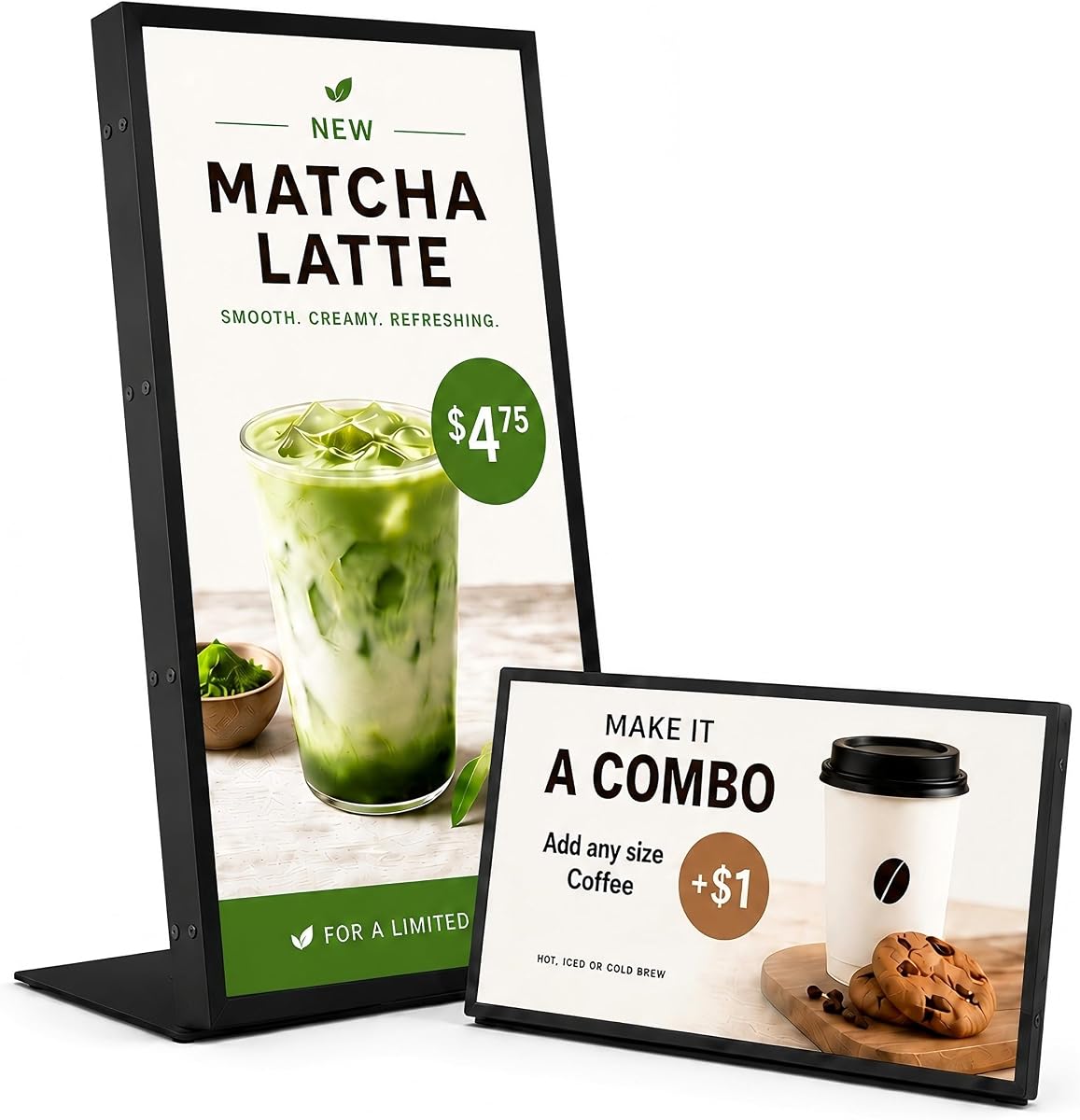


This 18.5-inch display is a robust choice for commercial counters. Its 700 nits brightness ensures visibility even in lit areas like cafes or hotels.
We may earn a commission when you buy through this link, at no additional cost to you.
The built-in lifetime free CMS allows remote management via PC or smartphone. You can schedule playlists and update promotions instantly without extra hardware costs.
It uses Android 12 with 2GB RAM for smooth playback. The sturdy desktop stand supports both landscape and portrait orientations for versatile setups.
Small businesses needing reliable digital menus should consider this unit. It balances cost and features well, though resolution is standard HD rather than 4K.
Remote updates via the cloud CMS save time and ensure menus stay accurate across multiple locations efficiently.
Built for 24/7 operation with reinforced packaging and a three-year warranty for long-term reliability.
We may earn a commission when you buy through this link, at no additional cost to you.
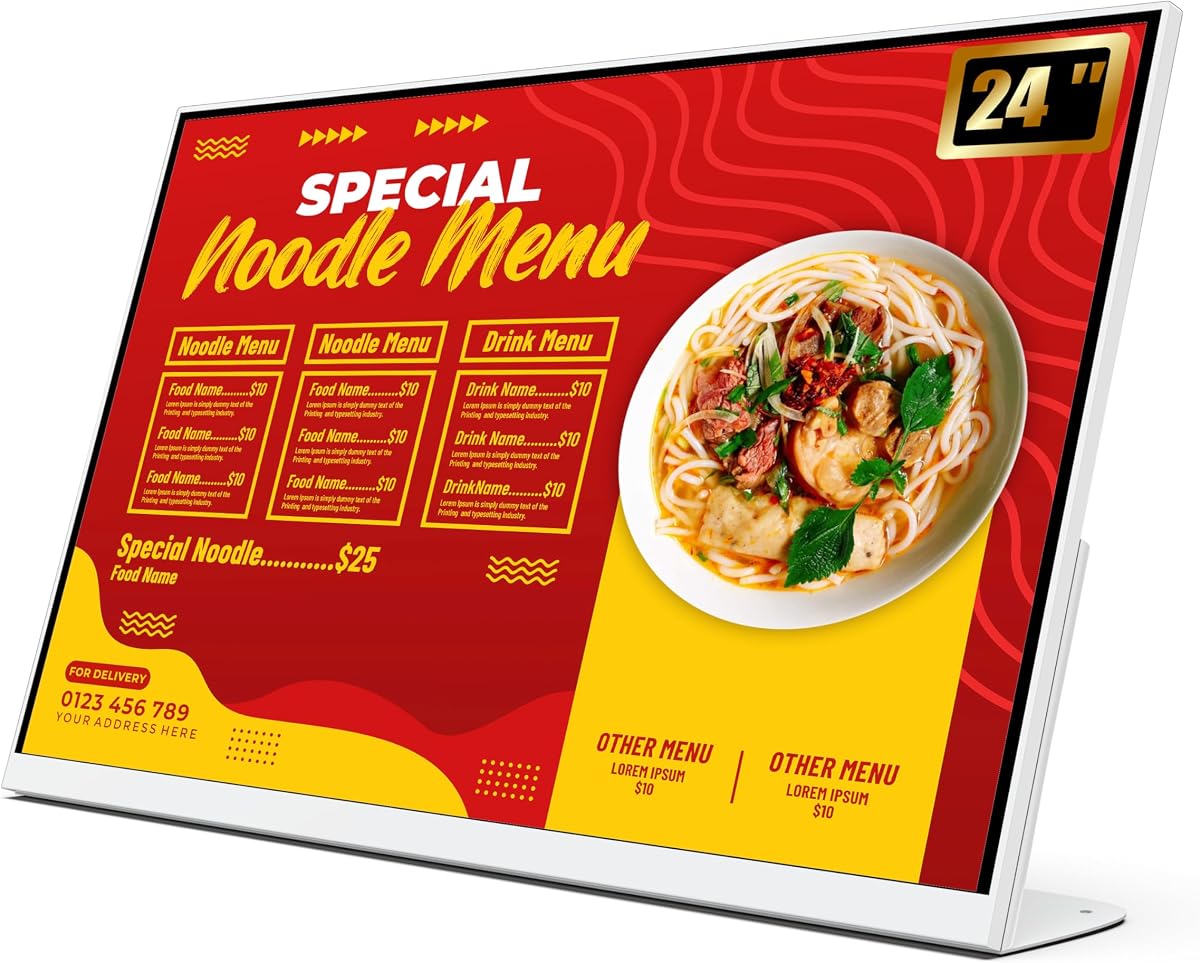
This 24-inch board offers crisp FHD visuals ideal for retail stores. Its desktop design saves counter space while displaying menus clearly to customers.
We may earn a commission when you buy through this link, at no additional cost to you.
The Android system supports easy app installation and centralized CMS. Updates happen remotely via WiFi or LAN without needing on-site computers.
Commercial-grade materials ensure durability for 24/7 continuous operation. Heat dissipation is effective to reduce maintenance costs over time.
Retailers wanting clear visuals and remote control will find this unit practical. Just ensure you have a stable connection for best results.
FHD resolution restores true product colors making items like milk tea look appealing to potential buyers instantly.
Multiple update methods via USB, app, or PC remote ensure you never struggle to change your daily specials.
We may earn a commission when you buy through this link, at no additional cost to you.
This kiosk features a 32-inch IPS screen with vivid visuals visible from any angle. It is perfect for busy environments needing broad visibility.
We may earn a commission when you buy through this link, at no additional cost to you.
The foldable design with wheels makes transport easy for events or temporary promos. Content plays automatically without manual intervention after startup.
Real-time CMS allows remote publishing for frequent updates. Timed settings help manage power usage during closed hours efficiently.
Businesses needing mobility like trade shows should prefer this. It offers great flexibility but needs more floor space than fixed units.
Built-in wheels allow staff to move displays quickly between locations or store them flat when not in use.
Loop playback ensures content runs continuously without needing staff to restart the display during long shifts.
We may earn a commission when you buy through this link, at no additional cost to you.
This player delivers 4K content and offers a free plan with tech support. You can add up to fifty slides per box on the basic plan.
We may earn a commission when you buy through this link, at no additional cost to you.
The template builder and video studio make content creation simple. A mobile app lets you manage content on the move easily.
It plugs into any HD TV to showcase ads instantly. Updates happen wirelessly from the cloud-based website for convenience.
If you already own a TV this is a cost effective upgrade. The free plan reduces entry barriers for new businesses significantly.
Built-in tools let you design slides and videos without needing expensive graphic design software or external tools.
Multiple ports like HDMI Ethernet and USB ensure compatibility with various existing hardware and network setups.
We may earn a commission when you buy through this link, at no additional cost to you.
This 10.1-inch model is great for tabletops and close range viewing. Its compact size fits easily on cafe tables or reception desks.
We may earn a commission when you buy through this link, at no additional cost to you.
The touchscreen allows simple tap and swipe browsing for customers. You can manage menu pages and notices via easy update methods.
Ideal for organized indoor information presentations it uses Android OS with WiFi. Content transfers via USB or local management tools efficiently.
Choose this for small desks needing digital info. It is not suitable for large rooms or where customers stand far away.
Touch functionality lets patrons browse items at their own pace without needing staff assistance nearby.
USB connectivity ensures you can update files quickly even if internet access is unreliable at your location.
We may earn a commission when you buy through this link, at no additional cost to you.
This unit features 700-nit brightness and 1080P resolution for clear indoor viewing. The tempered glass front and metal housing offer commercial-grade durability.
We may earn a commission when you buy through this link, at no additional cost to you.
It supports landscape or portrait stands for flexible placement. Remote publishing via CMS allows easy updates from any location quickly.
Scheduled content helps target messages during peak hours. This model is not a touchscreen but excels as a static info screen.
Counter environments like salons benefit from this sturdy display. Ensure it stays indoors as it is not waterproof.
High-traffic counter environments need tough materials and the metal housing here protects the screen effectively from damage.
Set content to display at specific times like breakfast or lunch menus without staff needing to touch the device.
We may earn a commission when you buy through this link, at no additional cost to you.
This 50-inch screen delivers ultra-thin bezels and 1000 nits brightness for stunning visuals. It supports 4K content ensuring lossless playback quality.
We may earn a commission when you buy through this link, at no additional cost to you.
You can divide the display into interactive zones for videos and feeds. Google Play Store is pre-installed for easy app installation and use.
CMS allows bulk editing and remote scheduling via mobile devices. The slim profile enables gap-free wall mounting for minimal setups.
Choose this for large halls needing massive impact. It demands high power but offers superior visibility and modern features.
Large 4K displays draw attention from afar making them perfect for waiting areas or main entrances.
Dividing zones allows you to show menus alongside promotions or social feeds simultaneously on one screen.
We may earn a commission when you buy through this link, at no additional cost to you.
The 29-inch model offers 700 nits brightness and intelligent heat dissipation. It supports 24/7 operation with flexible multi-screen zone designs.
We may earn a commission when you buy through this link, at no additional cost to you.
Google Play Store is included for immediate operation upon startup. You can adjust screen brightness and settings via the CMS software remotely.
It handles various settings like retail stores or cafes well. The 2K resolution ensures clear frames for video playback.
Consider this for medium spaces needing versatility. Lower ratings suggest checking support options before purchasing for your business.
All-metal chassis ensures heat is dissipated efficiently to protect internal components during long operation hours.
Adjust brightness or volume via CMS without sending staff to touch the display physically during business hours.
We may earn a commission when you buy through this link, at no additional cost to you.
This player features an AI tool to enhance images for optimized quality. The Canvas Designer lets you create menu boards without design skills.
We may earn a commission when you buy through this link, at no additional cost to you.
Setup takes minutes with HDMI and power cable connection. Upload and schedule content using LightningAds at no cost on the free plan.
Remote management allows menu changes from anywhere with clicks. PowerPoint uploads are supported for easy content creation workflows.
Use this if you want design tools built-in. The AI enhancer saves time improving your existing graphics for display.
Built-in canvas designer removes the need for expensive graphic designers to create simple menu layouts.
AI tools expand and enhance your images ensuring they look sharp on digital screens without pixelation.
We may earn a commission when you buy through this link, at no additional cost to you.
This player uses a dedicated Hexa Quad Core CPU and 4GB RAM for speed. It ensures smooth playback with 16GB local storage cache.
We may earn a commission when you buy through this link, at no additional cost to you.
It runs on custom Android OS with a Watchdog to prevent crashes. Supports both vertical and horizontal screen modes for versatile setups.
Connectivity includes HDMI WiFi and Ethernet for stable signal transmission. This works best when paired with a strong cloud service provider.
Performance-focused businesses needing reliable processing should choose this. Ensure you have a compatible cloud account for full functionality.
Quad Core CPU with 4GB RAM handles complex layouts smoothly without lag or frame drops.
Supports both vertical and horizontal modes adapting to various screen orientations without extra hardware.
We may earn a commission when you buy through this link, at no additional cost to you.
Selecting the right digital menu display depends on your environment, budget, and technical needs. These factors will help you narrow down the choices effectively.
Screen size determines visibility distance. A 10 to 18 inch display works for counters while 32 to 50 inches suit lobbies. Ensure resolution matches your content; 1080p is standard but 4K offers sharper visuals.
Choose size based on viewing distance and space. Higher resolution ensures text remains crisp even from afar.
Brightness measured in nits is critical for lit areas. Standard indoor screens offer 700 nits while outdoor models go higher. If your store is bright, prioritize higher nits to avoid washed-out content.
Aim for at least 700 nits for indoor use. Brighter screens reduce glare and improve readability significantly.
A CMS lets you update content remotely. Look for free or affordable plans that allow scheduling and multiple screen control. Cloud-based systems offer ease while local USB options save internet dependency.
Prioritize user-friendly CMS with remote access. This saves time and ensures menus stay current without manual changes.
Android-based displays allow app installation and flexibility. Check RAM and storage; 2GB RAM is sufficient for basic menus while 4GB helps with complex layouts. A Watchdog feature ensures crash recovery.
Choose Android for flexibility and app support. Higher RAM ensures smoother playback for video-rich content.
Ports like HDMI, USB, and LAN allow versatile input. WiFi and Ethernet enable cloud updates while USB supports offline backups. Ensure the display has enough ports for your setup needs.
Verify port availability matches your devices. Multiple connection types add flexibility for future changes.
Commercial displays must withstand 24/7 operation. Look for metal housing and tempered glass. Check warranties; a three-year warranty often indicates confidence in product longevity.
Metal builds and high warranties are essential for business use. They reduce long-term maintenance and replacement costs.
Some displays support landscape and portrait modes. This helps fit vertical menus or wide banners. Check if the stand or mounting allows both orientations easily.
Ensure the display fits your layout needs. Flexible orientation adds value to your space.
Prices range from affordable players to premium screens. Consider hidden costs like subscriptions or extra stands. Compare value against features like brightness and CMS access.
Balance upfront price with long-term value. Sometimes a higher initial cost saves money on replacements.
Place the display on a stable surface or mount it securely to the wall. Ensure ventilation space around the unit to prevent overheating during long hours.
Use the CMS dashboard to upload content like images or videos. Schedule playlists to rotate automatically. Connect via WiFi or LAN for seamless updates.
Clean the screen with a soft microfiber cloth to avoid scratches. Avoid harsh chemicals that damage coatings. Check cables regularly to ensure stable connections.
A digital menu display is an electronic screen used in businesses to show menus, promotions, or ads. Unlike paper, it updates digitally and captures more attention.
Not necessarily. Many displays have built-in Android systems allowing standalone operation. However, a PC helps for initial setup and bulk content uploads.
Yes. Most models include a cloud CMS allowing remote updates. You can change menus or schedules from your phone or computer.
For indoor use, 700 nits is usually sufficient. In bright areas, consider higher brightness to prevent glare and ensure visibility.
Many commercial models are built for 24/7 operation with proper cooling. Check product specs to ensure continuous run capability for your needs.
Most commercial displays come with at least a one-year warranty. Some offer three years or replacement support for business use.
Many models support both landscape and portrait orientations. Verify stand or mount compatibility before purchasing for vertical needs.
Not always. Some support USB playback for offline use. But WiFi or LAN is recommended for remote updates and flexibility.
Our top picks include the 18.5-inch model for overall value and the EZ AD player for budget software needs. Each offers unique strengths based on your business scale.
Prioritize brightness and CMS features to ensure clear visibility and easy updates. These factors impact daily operations and customer engagement significantly.
Always check current prices before buying as deals change often. Investing in a reliable display now saves hassle and costs in the long run.