
SANSUI 24 Inch Curved 160Hz Gaming Monitor
4.4Editor score
160Hz refresh rate
1500R curvature
1ms response time
Freesync compatible
Finding the right Curved 160Hz Gaming Monitor transforms your setup into an immersive arena where every frame counts. These displays offer smooth motion and deep immersion through curvature that wraps around your vision. They cater to competitive players who need speed and casual gamers who crave visual depth.
We evaluated ten leading models based on panel quality, refresh rates, response times, and connectivity options. Our analysis highlights how curvature radius affects immersion and whether high refresh rates deliver noticeable gains. We also consider build quality, ergonomic stands, and color fidelity for diverse use cases.
Each pick below showcases key strengths, trade-offs, and ideal user scenarios to help you decide. Note that availability and pricing fluctuate frequently due to market demand and seasonal sales. Always verify current stock and bundle offers before finalizing your purchase to ensure you get the best value.
4.4Editor score
4.5Editor score

4.6Editor score
As an Amazon Associate we earn from qualifying purchases.
This side-by-side comparison outlines the critical specifications and unique selling points of each monitor model. It helps you quickly identify which device matches your resolution needs, connectivity requirements, and budget constraints without getting lost in technical jargon.






This SANSUI model delivers exceptional value for gamers seeking a Curved 160Hz Gaming Monitor without breaking the bank. Its 24-inch VA panel offers deep blacks and a 1500R curve that draws your focus into the action. With a 160Hz refresh rate, it ensures smooth transitions even in fast-paced competitive titles.
We may earn a commission when you buy through this link, at no additional cost to you.
The monitor features a 3000:1 contrast ratio which enhances depth perception during dark scenes. It includes essential gaming tools like crosshairs and timers directly in the OSD. Connectivity is solid with HDMI 2.0 and DP 1.4 allowing you to run high refresh rates on modern setups.
While it lacks speakers and advanced ergonomic features, the performance per dollar is impressive. The tilt adjustment helps align the screen comfortably though height adjustment is absent. For budget-conscious users needing speed and immersion this unit stands out as a strong entry-level contender.
Buyers prioritizing high refresh rates over premium build quality should find this monitor satisfies their needs. It pairs well with mid-range GPUs aiming to hit high frame rates. If you want a functional gaming display that avoids unnecessary extras this SANSUI option is highly recommended.
This monitor brings 160Hz performance to a price point usually reserved for 75Hz panels making it ideal for competitive gaming on a budget.
The VA panel ensures high contrast ratios which helps highlight details in dark environments better than standard IPS alternatives.
We may earn a commission when you buy through this link, at no additional cost to you.
Upgrading to a 27-inch display provides more immersion for a Curved 160Hz Gaming Monitor setup without exceeding reasonable costs. The VA panel maintains excellent contrast making images pop with vibrant colors. The 160Hz refresh rate keeps motion fluid for both gaming and multimedia consumption.
We may earn a commission when you buy through this link, at no additional cost to you.
This model emphasizes eye comfort with Low Blue Light and Anti-Flicker technologies. It includes specific modes for different tasks such as RTS or Movie which optimize settings automatically. The HDR mode adds a layer of dynamic range though it requires an HDMI connection to function properly.
At 1080P on 27 inches pixel density might look softer than on smaller screens but it works well for casual gaming. The 4000:1 contrast ratio is a highlight for dark room usage. You get essential connectivity options including HDMI and DisplayPort for versatility.
This monitor suits users wanting a larger canvas on a budget who prioritize visual comfort. It is a solid choice for general productivity and entertainment alongside gaming. If screen size is a priority over sharpness this SANSUI model offers great utility.
Features like Low Blue Light and Anti-Flicker help reduce strain during long sessions ensuring you can play longer comfortably.
Preset modes adjust brightness and color profiles for specific activities enhancing your experience without manual tweaking.
We may earn a commission when you buy through this link, at no additional cost to you.
This unit stands out with its high color coverage making it a strong Curved 160Hz Gaming Monitor for mixed media use. The 97% DCI-P3 coverage ensures rich vibrant colors that appeal to content creators and gamers alike. It maintains a swift 1ms MPRT response time to minimize ghosting in action scenes.
We may earn a commission when you buy through this link, at no additional cost to you.
The 178-degree viewing angle is a benefit for shared viewing experiences. It supports Freesync to eliminate tearing during gameplay. The build includes a Kensington lock slot which is useful for public or office environments needing security.
While it lacks advanced stand features the display quality makes up for it. The HDMI and DP ports support full refresh rates ensuring you utilize the panel fully. It is a reliable workhorse for those needing color fidelity alongside gaming speed.
Users seeking a balance between gaming performance and visual quality will appreciate this model. It is particularly good for teams or households with multiple users. If accurate colors and smooth motion are your top priorities consider this option.
The high DCI-P3 coverage ensures colors are accurate and vivid which is rare in budget gaming monitors.
The inclusion of a Kensington lock slot provides physical security options for shared or public display setups.
We may earn a commission when you buy through this link, at no additional cost to you.
This CRUA monitor offers a rare combination of 4K resolution and 160Hz refresh rate making it a compelling Curved 160Hz Gaming Monitor. The 32-inch 1500R curve wraps around you delivering cinematic immersion. It supports AMD FreeSync for tear-free visuals and includes built-in speakers to reduce cable clutter.
We may earn a commission when you buy through this link, at no additional cost to you.
Connectivity is future-proof with HDMI 2.1 allowing for high bandwidth transfer suitable for next-gen consoles. The color accuracy is decent with 120% sRGB coverage making it suitable for creative work too. The contrast ratio enhances depth ensuring dark details remain visible.
Running 4K at 160Hz requires significant graphics power which is a consideration for PC builders. The speakers are basic but convenient for casual listening without external audio gear. The stand is functional but lacks advanced ergonomic adjustments.
If you have a powerful GPU and want high fidelity in both resolution and speed this monitor is an excellent choice. It bridges the gap between gaming and multimedia beautifully. For those wanting a clean desk setup with strong performance this unit delivers.
Achieving 160Hz on 4K allows for incredibly smooth gameplay with sharp details that 1080P cannot match.
HDMI 2.1 support ensures compatibility with modern consoles enabling high frame rates at higher resolutions.
We may earn a commission when you buy through this link, at no additional cost to you.
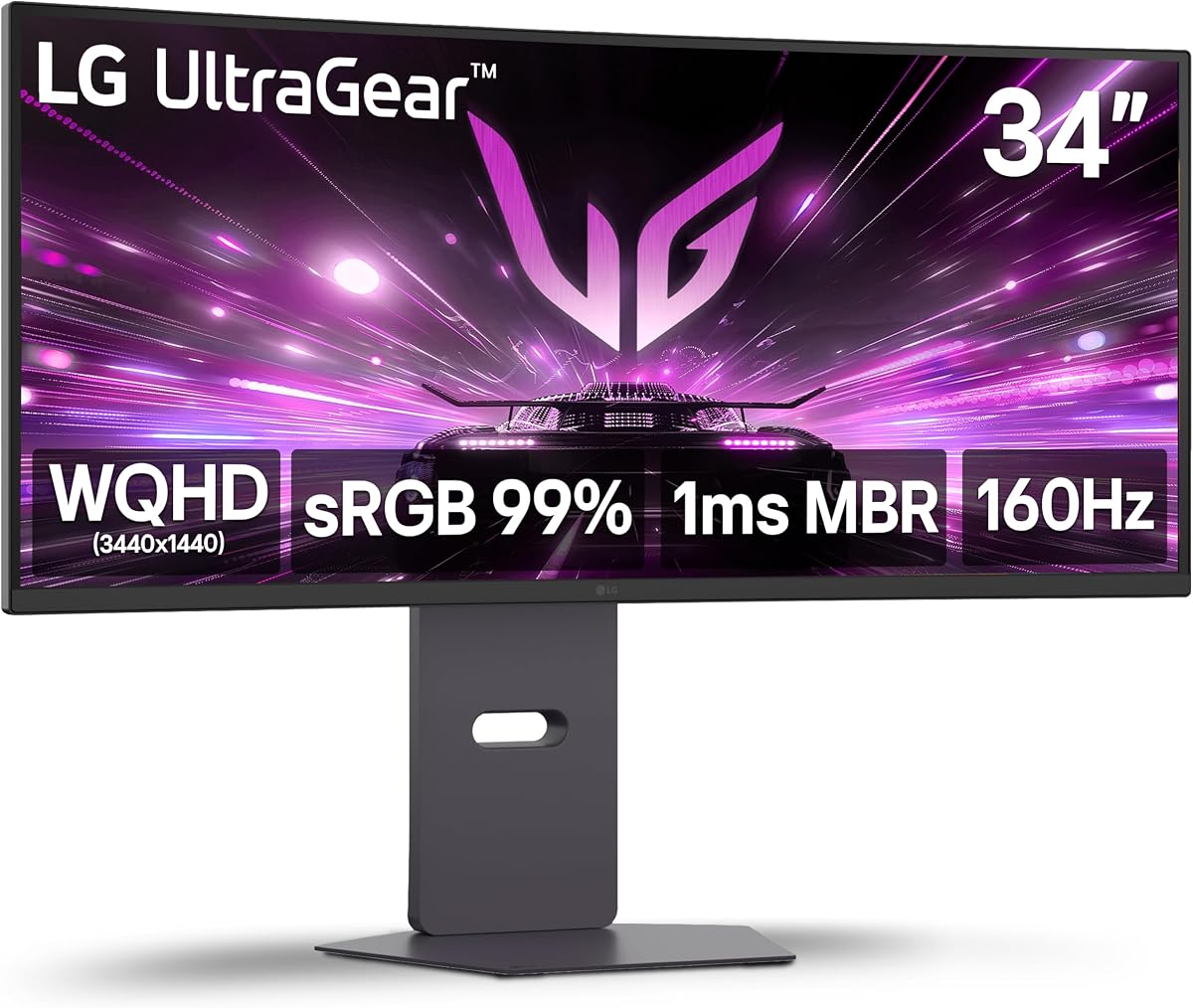
This LG UltraGear delivers a premium Curved 160Hz Gaming Monitor experience with its 34-inch ultrawide display. The WQHD resolution offers a perfect balance between clarity and performance. A 1800R curve provides immersion without extreme distortion. The stand includes height and swivel adjustments for ergonomic setups.
We may earn a commission when you buy through this link, at no additional cost to you.
Gaming features include Black Stabilizer to brighten dark areas and Crosshair for precision. AMD FreeSync Premium ensures smooth visuals even in HDR scenes. The built-in speakers with Waves MaxxAudio offer rich sound for casual use. Dynamic Action Sync reduces input lag for quicker reactions.
While the curve is less aggressive than 1500R models it is more comfortable for mixed use. The HDR10 support enhances color vibrancy significantly. It is a versatile monitor that handles gaming and productivity equally well.
Users seeking a top-tier gaming monitor with excellent build quality and features should choose this model. It is ideal for serious gamers who want a complete package. The combination of resolution, speed, and ergonomics makes it a standout choice.
The stand supports full height and swivel adjustments allowing you to find the perfect viewing angle for any setup.
Black Stabilizer and Dynamic Action Sync give you a competitive edge by improving visibility and reducing input lag.
We may earn a commission when you buy through this link, at no additional cost to you.
This renewed option offers the same features as the new model providing a Curved 160Hz Gaming Monitor deal for savvy shoppers. It retains the 34-inch ultrawide display and WQHD resolution. The refurbished process ensures it meets original performance standards. A perfect way to access premium tech without full price.
We may earn a commission when you buy through this link, at no additional cost to you.
You still get the height adjustable stand and 160Hz refresh rate. The AMD FreeSync Premium and HDR10 support remain fully functional. This is ideal for those who want high-end specs but prefer to save money. It is often tested rigorously before being listed.
The only downside is potentially limited availability compared to mass-market new units. However the potential savings are significant for budget-conscious buyers. It maintains the build quality of the original brand ensuring reliability.
If you are comfortable with certified pre-owned products this is a smart buy. It delivers top-tier performance for a fraction of the cost. Always check the seller's warranty policy before purchasing to ensure peace of mind.
Buying renewed allows you to access high-end gaming features while saving significantly on the overall cost.
Renewed products are typically tested to meet original manufacturing standards ensuring consistent performance.
We may earn a commission when you buy through this link, at no additional cost to you.
The Samsung Odyssey G55C stands out with its 1000R curvature which is the deepest curve available. This creates a truly immersive Curved 160Hz Gaming Monitor experience by matching the human eye. The QHD resolution ensures sharp visuals across the entire screen. AMD FreeSync keeps gameplay smooth.
We may earn a commission when you buy through this link, at no additional cost to you.
Eye Saver Mode and Flicker-free technology protect your eyes during long sessions. The 1ms response time ensures quick reactions in fast games. HDR10 support brings out details in bright and dark areas. The design is sleek and modern fitting many desk styles.
Some users might find the 1000R curve too strong for non-gaming work but it is excellent for immersion. The stand lacks height adjustment which may be a drawback for ergonomics. However the visual experience is unmatched at this price point.
Buyers who want maximum immersion and do not need a height-adjustable stand will love this monitor. It is a favorite for FPS and racing games. If deep curvature is your priority this Samsung model is a top contender.
The 1000R curve wraps around your vision providing a level of immersion standard monitors cannot achieve.
Eye Saver Mode helps reduce strain ensuring you can game for extended periods without discomfort.
We may earn a commission when you buy through this link, at no additional cost to you.
Sceptre offers an affordable entry into ultrawide gaming with this Curved 160Hz Gaming Monitor. The 34-inch 21:9 aspect ratio gives you 30% more width than standard monitors. It supports up to 180Hz refresh rate ensuring smooth motion. The 99% sRGB coverage keeps colors vibrant.
We may earn a commission when you buy through this link, at no additional cost to you.
Unique features include luminous backcover lights that add a modern touch to your setup. Built-in speakers reduce the need for external audio. Dual DisplayPort options offer flexibility for multi-monitor setups. The 1ms response time is sufficient for most gaming needs.
Ergonomics are basic with limited adjustments but the price reflects these trade-offs. It is a great option for those wanting wide real estate without overspending. The aesthetic lighting can be customized to match your room's vibe.
If you want an ultrawide experience on a budget this monitor is a solid choice. It handles multitasking and gaming well. For users prioritizing width and features over premium build this Sceptre model is recommended.
The ultrawide width allows for more workspace enabling better multitasking and broader in-game views.
The backcover LED lighting adds a unique visual flair making the monitor stand out in any setup.
We may earn a commission when you buy through this link, at no additional cost to you.
This Alienware monitor is a premium Curved 160Hz Gaming Monitor option with a focus on design and quality. It offers an 180Hz refresh rate and 1ms response time for competitive edge. The color coverage is high with 95% DCI-P3 ensuring vibrant visuals. The design is sleek and iconic.
We may earn a commission when you buy through this link, at no additional cost to you.
It includes a dedicated console mode and hardware-based low blue light solution which protects eyes without affecting color. The stand is robust and allows tilt and swivel. HDR performance is strong with DisplayHDR 400 certification. VESA Adaptive Sync adds flexibility for different GPUs.
Build quality is top notch with durable materials and attention to detail. It is a choice for enthusiasts who value aesthetics alongside performance. The price is higher but justified by the overall package quality and features.
Buyers willing to invest in top performance and design should choose this model. It is perfect for high-end gaming setups. If you seek the best in gaming monitors with premium features this is an excellent investment.
Unlike software filters this monitor reduces blue light at the hardware level preserving true color accuracy.
A dedicated console mode ensures optimal settings for console gaming making it versatile for all platforms.
We may earn a commission when you buy through this link, at no additional cost to you.
This AOC model pushes speed limits with a 200Hz refresh rate on a Curved 160Hz Gaming Monitor platform. The 0.3ms response time ensures minimal ghosting for ultra-fast gameplay. It offers a 34-inch WQHD ultrawide screen for a balance of clarity and smoothness. Height adjustability ensures comfort.
We may earn a commission when you buy through this link, at no additional cost to you.
It includes HDR Ready support for dynamic visuals though the implementation is basic. The stand provides full ergonomic adjustments which is rare at this price. It is ideal for competitive shooters where reaction times matter. The contrast is solid for deep blacks.
While the 0.3ms is MPRT not GTG it still delivers excellent perceived speed. The value proposition here is unmatched for high refresh rate ultrawides. It is a strong choice for those prioritizing motion clarity.
If speed is your main requirement this monitor is the top choice. It outperforms many rivals in response time. For competitive gamers who want ultrawide immersion without compromise this AOC model is highly recommended.
The 200Hz refresh rate and 0.3ms response time give you a tangible advantage in fast-paced games.
Full height and tilt adjustments allow you to maintain a healthy posture during intense gaming sessions.
We may earn a commission when you buy through this link, at no additional cost to you.
Selecting the right monitor involves understanding how specifications translate to real-world performance. This guide breaks down the essential factors to ensure you make an informed decision.
Refresh rate determines how many frames per second the display can show. A 160Hz refresh rate ensures smoother motion compared to 60Hz panels. It is critical for competitive gaming to reduce motion blur.
Higher refresh rates require compatible graphics cards to render enough frames. Look for monitors that support 160Hz on both HDMI and DisplayPort.
Response time measures how fast pixels change color. Look for 1ms MPRT or lower to minimize ghosting. This ensures sharp images during rapid movement in games.
While MPRT is often used for marketing GTG response time is more accurate. Always check detailed specs for the specific response claim.
Curvature affects immersion and eye comfort. 1000R is most immersive but may distort straight lines. 1500R is a balanced option for gaming and general use.
Choose a curvature based on your viewing distance. Closer users benefit more from tighter curves while wider desks suit flatter panels.
VA panels offer deep blacks and high contrast ideal for dark environments. IPS panels have better colors but lower contrast. TN panels are rare now due to poor viewing angles.
VA panels are common in curved monitors for their contrast ratio. If you work in a dark room VA is often the best choice.
Resolution defines image sharpness. WQHD offers a sweet spot between sharpness and performance. 4K provides detail but requires powerful hardware for high refresh rates.
Ensure your GPU can handle the resolution at 160Hz. For most gamers WQHD is the optimal balance of speed and clarity.
Check ports like HDMI 2.1 or DP 1.4 to ensure you can run high refresh rates. Audio jacks are useful if you lack external speakers.
USB-C with DP alt mode adds flexibility for modern laptops. Always confirm bandwidth limits match your intended refresh rates.
Adjustable stands allow for height tilt and swivel. This helps maintain good posture during long gaming sessions.
VESA compatibility lets you use a third-party arm if the stand is basic. Height adjustment is often the most important ergonomic feature.
Look for FreeSync or G Sync to prevent screen tearing. HDR support adds depth to colors though it varies by brightness.
Gaming tools like crosshairs and timers can enhance the experience. Decide which features add value to your specific gameplay style.
Start by connecting the monitor via DisplayPort or HDMI to ensure you access the full 160Hz refresh rate. Most default settings are 60Hz so adjust the refresh rate in your OS display settings after setup. This ensures you get the smooth motion the panel is capable of.
Adjust the stand tilt and height to align the screen with your eye level. A curved monitor works best when your head is at the center of the curve. This maximizes immersion and reduces neck strain over time.
Clean the screen with a soft microfiber cloth and avoid harsh chemicals. Dust and fingerprints can reduce image clarity. Regular cleaning keeps the display looking new and ensures optimal light transmission for vibrant visuals.
Yes 160Hz offers a smoother motion than 144Hz though the difference is subtle. It reduces frame time by about 1.4 milliseconds which helps in competitive scenarios. It is a worthwhile upgrade if your GPU can maintain high frame rates.
1000R is more immersive but can cause distortion for non-gaming tasks. 1500R is a balanced choice that works well for both gaming and productivity. Choose based on how much you value deep immersion versus versatility.
Yes to fully utilize 160Hz you need a GPU that can output high frame rates. Without this you won't notice the benefits. Ensure your graphics card meets the requirements for your chosen resolution and games.
Built-in speakers are convenient for casual use but lack quality. They save space but dedicated headphones or speakers are better for immersive audio. Consider them a backup option rather than a primary audio source.
Screen flicker is often caused by incompatible cable quality or refresh rate settings. Try updating graphics drivers and using certified HDMI or DisplayPort cables. Ensure your refresh rate matches the monitor's native rate.
Yes especially for creative work where immersion helps. However 1000R curvature may distort straight lines in design software. 1500R or 1800R curves are more suitable for mixed use cases like coding or design.
DisplayPort 1.4 is generally preferred for 1440p at 160Hz due to bandwidth. HDMI 2.0 may require compression or lower refresh rates. Always check the manual for supported resolutions and rates.
Choosing the right Curved 160Hz Gaming Monitor depends on your specific needs and budget. The SANSUI budget options offer speed without high costs while LG and Alienware provide premium features and design.
Prioritize factors like resolution and ergonomics to ensure long-term comfort. A monitor that fits your setup and workflow will enhance your experience more than raw specs alone.
Prices and availability change frequently so check current listings before buying. Always verify warranty and return policies to protect your investment. With the right choice you can enjoy smooth immersive gameplay for years.