
CORSAIR RS120 ARGB
4.6Editor score
Daisy-Chain Connection
Low-Noise Operation
Magnetic Dome Bearing
This guide compares the top Corsair case fans including RGB models reverse rotor designs and high static pressure options for optimized PC cooling performance.
Choosing the right case fans is crucial for maintaining optimal temperatures and ensuring system longevity. Corsair offers a wide range of options designed to meet various cooling and aesthetic needs for modern PC builds.
We evaluated ten distinct Corsair fan models based on airflow performance, noise levels, lighting customization, and ease of installation. Our analysis focuses on real-world utility and compatibility with popular motherboard ecosystems.
Each entry in this list highlights specific strengths and ideal use cases to help you make an informed decision. Keep in mind that availability and pricing may fluctuate so always verify details before purchasing.
4.6Editor score

4.6Editor score

4.5Editor score
The following table provides a side-by-side overview of key specifications for each Corsair fan model to simplify your selection process.




The CORSAIR iCUE Link LX120 RGB triple pack stands out as a top performer offering exceptional airflow and stunning visuals. With a high rating from users it delivers a balanced mix of performance and ease of installation.
We may earn a commission when you buy through this link, at no additional cost to you.
Its Dual Light Loops feature provides 18 LEDs per fan ensuring bright customizable lighting that integrates seamlessly with other iCUE devices. The included iCUE LINK bridge connectors simplify wiring allowing fans to connect directly to each other and the hub with a single cable.
While the system offers impressive cooling with up to 69.9 CFM of airflow it does require specific software and hardware to unlock full potential. The initial setup might seem complex for users unfamiliar with Corsair ecosystems but the benefits outweigh the learning curve.
This kit is ideal for builders seeking a clean look with robust cooling capabilities. If you prioritize cable management and synchronized RGB lighting this model is a strong recommendation for your next PC build.
The iCUE Link system reduces cable clutter by connecting fans in series to a single hub which simplifies installation and improves airflow.
AirGuide Technology uses anti-vortex vanes to direct airflow more efficiently toward components enhancing cooling performance without increasing noise.
We may earn a commission when you buy through this link, at no additional cost to you.
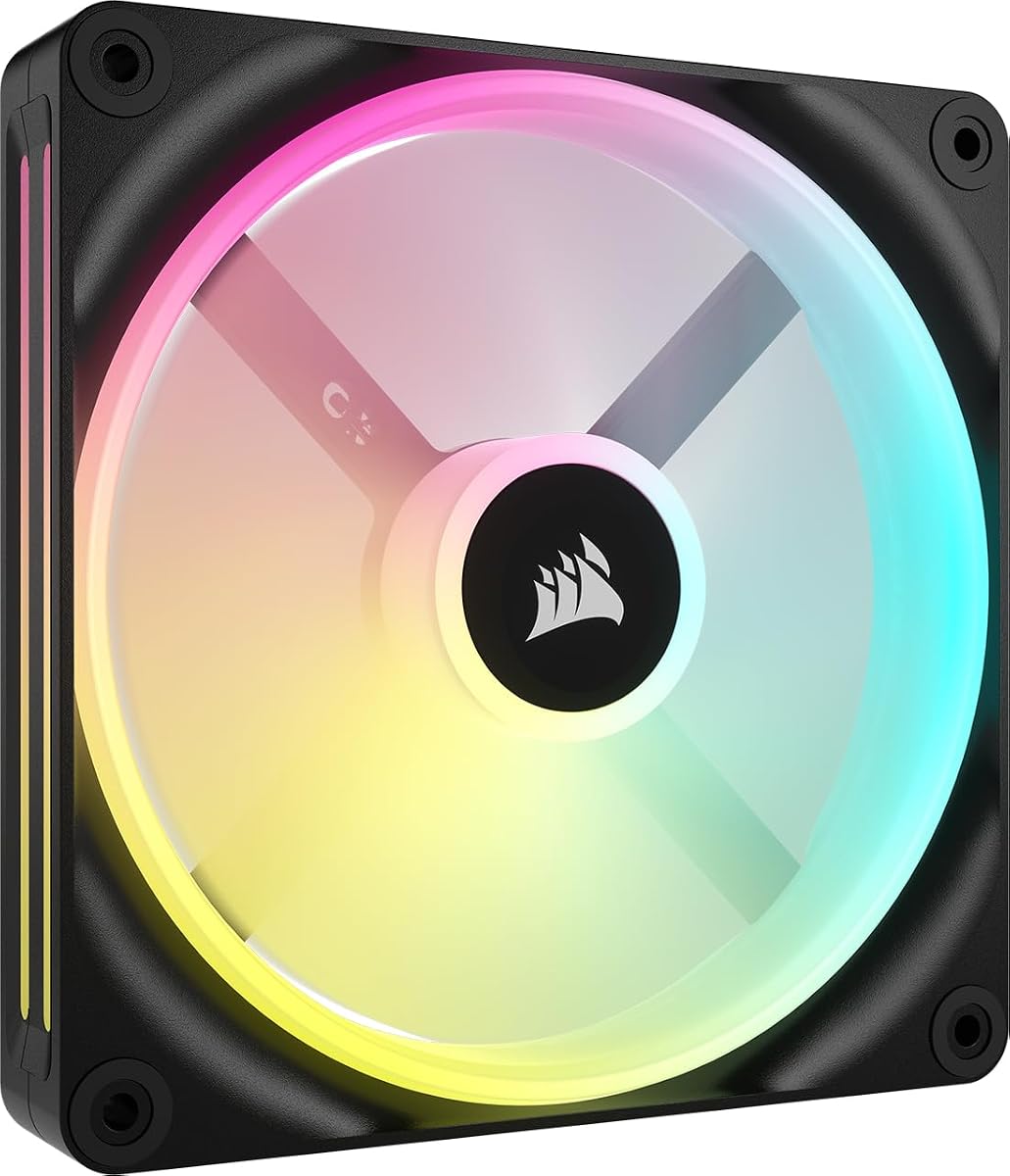
The CORSAIR RS120 ARGB triple pack offers excellent value for builders looking for reliable cooling without breaking the bank. It scores highly for its straightforward design and strong airflow performance.
We may earn a commission when you buy through this link, at no additional cost to you.
Featuring streamlined fan connections this model allows you to daisy-chain multiple fans using just one PWM and one ARGB connector. This reduces clutter and simplifies the installation process significantly compared to traditional wiring methods.
Although it lacks the advanced link technology found in premium models it still delivers up to 72.8 CFM of airflow. The anti-vortex vanes help direct air where it is needed most ensuring effective cooling for radiators and components.
This fan set is perfect for users who want solid performance and decent lighting on a budget. It is a practical choice for mid-range builds where ease of use and cost efficiency are top priorities.
Daisy-chaining capability means fewer cables to manage which speeds up the build process and keeps the interior of your case tidy.
AirGuide Technology ensures that air is pushed in the desired direction improving cooling efficiency when mounted to radiators or heatsinks.
We may earn a commission when you buy through this link, at no additional cost to you.
The CORSAIR iCUE Link RX140 MAX represents the pinnacle of fan engineering with its thick design maximizing airflow while minimizing noise. It is an exceptional choice for users seeking premium cooling performance.
We may earn a commission when you buy through this link, at no additional cost to you.
With a 5mm thicker blade this fan moves more air at slower speeds which results in reduced noise levels compared to thinner fans. The high static pressure makes it particularly effective for pushing air through dense radiators and filters.
While the thicker profile requires careful case selection the performance gains are substantial. The RGB lighting is vivid and customizable through the iCUE Link system ensuring it matches your aesthetic requirements seamlessly.
This fan is best suited for enthusiasts who prioritize cooling efficiency and are willing to invest in top-tier components. It is a standout option for high-end builds where every degree of temperature matters.
The unique thick fan design allows for greater air displacement even at lower RPMs which translates to better cooling and less acoustic noise.
Bridge connectors allow this fan to chain easily with other Link series fans reducing cable clutter and simplifying power distribution.
We may earn a commission when you buy through this link, at no additional cost to you.
The Corsair RS120-R ARGB Reverse White fan pack is designed for builders who demand flawless aesthetics without compromising on performance. It addresses the common issue of obscured lighting on intake fans.
We may earn a commission when you buy through this link, at no additional cost to you.
The reverse rotor design ensures that the RGB ring remains fully visible even when mounted as an intake fan which enhances the visual appeal of your build. It offers precise PWM performance allowing you to adjust speeds based on cooling needs.
While it shares many specifications with the standard RS series the reverse orientation adds value for those prioritizing looks. The high static pressure ensures it handles radiators well making it versatile for various cooling configurations.
This model is recommended for users building a white-themed PC or who want unobstructed lighting. It provides a balance of beauty and functionality that stands out in crowded market options.
Unlike traditional fans the reverse rotor keeps the LED ring visible from all angles ensuring your lighting effects are never hidden.
Zero RPM mode allows fans to stop spinning at low loads reducing noise when your system is idle or under light usage.
We may earn a commission when you buy through this link, at no additional cost to you.
The Corsair RS120-R ARGB Reverse Black fan pack delivers similar benefits to its white counterpart but in a sleek black finish. It is perfect for users who want to maintain a dark theme with bright accents.
We may earn a commission when you buy through this link, at no additional cost to you.
Its reverse rotor design ensures lighting is fully visible even when mounted for intake which solves a frequent aesthetic issue. The fans support precise PWM speeds allowing for quiet operation when full performance is not required.
The AirGuide Technology helps direct airflow efficiently toward your hottest components ensuring targeted cooling. With high static pressure it handles dense radiators well making it suitable for liquid cooling setups.
This fan set is a top recommendation for black-themed builds that prioritize lighting visibility. It combines practical cooling with visual flair to enhance the overall look of your system.
The black frame ensures that lighting does not clash with your case interior providing a cohesive look throughout your build.
Despite the focus on design these fans deliver strong airflow and static pressure suitable for demanding thermal loads.
We may earn a commission when you buy through this link, at no additional cost to you.
The Corsair iCUE Link QX140 RGB single fan is designed for users needing a single high-performance cooling unit with advanced lighting. It brings larger size advantages to the cooling equation.
We may earn a commission when you buy through this link, at no additional cost to you.
With up to 82.5 CFM of airflow it moves significant amounts of air which is ideal for cases that benefit from larger 140mm fans. The Time Warp lighting mode offers a unique strobing effect that adds visual interest.
Installation is straightforward with bridge connectors included for chaining to other fans later. However since the hub is sold separately users should plan accordingly if they want full Link ecosystem benefits.
This fan is a solid choice for expanding a setup or replacing an existing fan with better performance. It offers quality and reliability for those who need robust cooling in a single unit.
Time Warp mode creates dynamic lighting effects that require the iCUE Link System Hub for full functionality and customization.
The Magnetic Dome Bearing reduces friction allowing the fan to run quietly even under higher load conditions.
We may earn a commission when you buy through this link, at no additional cost to you.
The CORSAIR iCUE Link LX120-R RGB triple fan kit combines reverse rotor design with high performance. It ensures that your cooling system looks as good as it performs.
We may earn a commission when you buy through this link, at no additional cost to you.
With 18 LEDs per fan this kit offers vibrant lighting that remains visible even when mounted as an intake. The inclusion of QuikTurn screws makes installation faster and easier for builders.
This model supports PWM speeds up to 2400 RPM providing excellent airflow for its size. The high static pressure allows it to push through dense components like radiators effectively.
It is ideal for users who want a premium reverse fan experience with modern connectivity features. The kit simplifies setup and enhances the visual appeal of your case significantly.
QuikTurn screws allow for faster mounting and removal reducing the time spent installing fans in tight case spaces.
Two distinct LED loops provide more customization and a fuller light effect than single loop designs.
We may earn a commission when you buy through this link, at no additional cost to you.
The CORSAIR RS120 MAX fan offers a no-nonsense approach to cooling with a focus on raw performance. Its unique thickness allows for larger blades and better airflow.
We may earn a commission when you buy through this link, at no additional cost to you.
With a 30mm profile this fan can move more air than standard 25mm models. The Liquid Crystal Polymer construction ensures strength and reduces vibration for longer life.
It is an excellent choice for users who prioritize airflow over aesthetics. The high static pressure ensures it works well with radiators and filters without needing RGB distractions.
This fan is best for functional builds where performance is king. It delivers consistent cooling and durability without the extra cost of lighting features.
The increased thickness enables larger blades which increase airflow efficiency and reduce the need for higher noise levels.
Liquid Crystal Polymer construction is incredibly strong and rigid ensuring the fan maintains performance over time.
We may earn a commission when you buy through this link, at no additional cost to you.
The CORSAIR iCUE Link RX140 RGB single fan provides a large and efficient cooling solution with a clean white finish. It suits builds where a unified look is essential.
We may earn a commission when you buy through this link, at no additional cost to you.
Moving up to 95.7 CFM of air this fan delivers strong cooling performance. The frame includes a window for viewing the RGB lighting from the side adding to the visual appeal.
It is designed to integrate with the iCUE Link system allowing seamless cable management when paired with a hub. The high static pressure ensures it handles obstacles like radiator fins well.
This fan is recommended for white builds requiring reliable cooling. It offers a blend of style and performance that fits well in modern PC setups.
A window in the frame allows you to appreciate the RGB effects even when viewing the side of the case.
Large 140mm size combined with optimized blade design provides high volume cooling with minimal noise.
We may earn a commission when you buy through this link, at no additional cost to you.
This Corsair iCUE LINK QX140 RGB double fan starter kit offers a complete entry into the Link ecosystem. It includes the hub needed to connect fans directly without clutter.
We may earn a commission when you buy through this link, at no additional cost to you.
Buying a renewed kit can offer significant savings while maintaining quality standards. It allows you to start with two fans and a hub making it a cost-effective solution for new builds.
Performance matches the standard QX series with strong airflow and customizable lighting. The white color ensures it blends well with lighter case interiors.
This kit is ideal for budget-conscious buyers who want the benefits of Link technology. It simplifies setup and provides a solid foundation for future expansion.
Having the hub included in the box means you can start linking fans immediately without extra purchases.
Renewed options provide access to premium features at a lower price point for those looking to save.
We may earn a commission when you buy through this link, at no additional cost to you.
Selecting the right fan involves understanding key factors that impact cooling and aesthetics. Here is what you should consider before buying.
Ensure your case supports the fan size you plan to buy. Most cases support 120mm or 140mm fans but some specific models may require clearance checks.
Always measure available space and check mounting points before purchasing to avoid fit issues.
Airflow is measured in CFM and indicates how much air a fan moves. Static pressure indicates how well it pushes through obstructions like filters or radiators.
Choose high static pressure for radiators and high airflow for general case ventilation.
Check if your motherboard supports ARGB or standard RGB. Corsair fans often require iCUE Link or specific headers for control.
Verify connector types to ensure your system can control lighting without extra controllers.
Modern fans like those with iCUE Link reduce cable clutter by allowing daisy chaining. This simplifies installation and improves airflow.
Prioritize fans with bridge connectors if you plan to use multiple units.
Look for PWM support to adjust speeds based on system needs. Magnetic Dome bearings help reduce noise at lower speeds.
Zero RPM modes are useful for silent operation during light workloads.
Materials like Liquid Crystal Polymer enhance durability. Check warranty terms to ensure long-term support.
Higher quality builds often justify higher costs with better longevity.
Budget fans like the RS series offer great value for standard cooling. Premium models provide more features but cost more.
Balance your needs with cost to find the best fit.
Install fans by connecting the power and RGB cables to your motherboard or hub. Ensure the direction is correct for intake and exhaust.
Use Corsair iCUE software to adjust speeds and lighting profiles. This allows you to optimize performance based on your specific use case.
Regularly clean fans with compressed air to prevent dust buildup. Dust can reduce airflow and increase noise over time.
Most Corsair fans can work directly on motherboard headers without a hub. However Link ecosystem fans require the iCUE Link System Hub to function as intended and control lighting.
ARGB supports individually addressable LEDs for more detailed lighting effects. RGB typically shows one color per fan or ring limiting customization options.
Refer to your case manual or specifications. Most mid-tower cases support 140mm fans but slim cases may only support 120mm models.
You can mix models but compatibility depends on connection types. Link fans work best with Link hubs while standard fans use PWM and RGB headers.
Thicker fans have larger blades that move more air at lower speeds. This increases cooling efficiency and reduces noise compared to thinner fans.
A reverse rotor fan spins opposite to standard fans. This keeps the RGB lighting visible even when mounted as an intake fan.
Noise levels vary by model and speed. Magnetic Dome bearings help reduce friction for quieter operation especially at lower RPMs.
If you buy Link ecosystem fans you will need a hub for full functionality. Some kits include a hub so check the product details carefully.
We highlighted the CORSAIR iCUE Link LX120 RGB as the top overall choice for its balance of performance and aesthetics. The RS120 ARGB offers great value for budget builds.
Prioritize airflow and noise levels based on your specific cooling needs. Ensure compatibility with your motherboard to get the most out of your purchase.
Always check current availability and verify compatibility before finalizing your build. Prices and stock may change so keep an eye on updated listings.