
Charger Compatible with HP Laptop Computer 65W
4.6Editor score
Supports 45W and 65W
Lightweight portable design
Includes safety protections
Find the best battery backup for HP Laptop with our detailed guide comparing internal cells, chargers, and power stations for uninterrupted portable computing
Keeping your HP laptop running during power outages is essential for productivity. A reliable battery backup ensures you can finish tasks without interruption. Whether you need an internal replacement or an external power source, choosing the right option matters.
We compared ten top-rated products based on compatibility, capacity, and safety features. Our list includes internal batteries, versatile chargers, and robust UPS systems. Each selection meets strict criteria for performance and user satisfaction.
Every pick highlights key specifications to help you decide quickly. Note that availability and pricing may vary over time. Always verify model numbers before purchasing to ensure a perfect fit for your specific device.
4.6Editor score

4.7Editor score

4.4Editor score
This side-by-side comparison highlights the core specifications of each product to help you identify the best fit for your power needs.



This internal battery is the top choice for restoring runtime to older HP laptops. With a 5200mAh capacity it provides hours of usage for a power. It has a strong rating from users who value reliable power restoration.
We may earn a commission when you buy through this link, at no additional cost to you.
The compatibility list is extensive covering many Pavilion and CQ series models. Users appreciate that it fits perfectly without requiring modification. The voltage matches original specifications ensuring safe charging cycles.
Installation involves removing the old battery and sliding in this new unit. Some users note that the plastic housing may feel slightly different than original parts but functionality remains identical. It is a straightforward upgrade for aging devices.
Buy this if you need to extend the life of an existing HP laptop. It is ideal for home or office use where portability is less critical than runtime. Always confirm your part number before ordering.
Users report that the laptop runs as if it were new again with this battery installed.
The 6-cell design ensures balanced power delivery protecting your device from damage.
We may earn a commission when you buy through this link, at no additional cost to you.
This charger offers an affordable solution for users who need a replacement power adapter. It supports both 45W and 65W devices making it versatile for various HP laptops. The price point makes it accessible for students and budget-conscious buyers.
We may earn a commission when you buy through this link, at no additional cost to you.
The blue tip connector fits most EliteBook and Pavilion models. It is small enough to slip into a backpack without adding bulk. Safety features protect against overvoltage and short circuits ensuring safe daily use.
While the cord is standard length it might feel short for some desk setups. Some users suggest using an extension cable if needed. Overall the reliability and low cost make it a popular choice.
Choose this if you need a reliable power source without breaking the bank. It is perfect for travelers who need a backup charger or replacement. Always check your laptop wattage requirements before purchase.
Supports a broad range of HP laptops including EliteBook and Pavilion series.
Small footprint makes it easy to carry in any bag or pocket.
We may earn a commission when you buy through this link, at no additional cost to you.
This UPS is designed for desktop workstations needing comprehensive power protection. It provides backup for laptops and multiple peripherals simultaneously. The LCD panel displays battery status and load levels for better management.
We may earn a commission when you buy through this link, at no additional cost to you.
ECO mode helps save energy by turning off unused outlets when your PC sleeps. This reduces wasted power and lowers costs over time. The unit includes a connected equipment guarantee offering peace of mind.
It is bulkier than portable options so it requires dedicated floor space. Setup is easy with standard power cords included. This is ideal for home offices or small businesses prioritizing uptime.
Select this if you need a full backup system for your entire desk. It protects valuable equipment from surges and outages effectively. Ensure you have enough space before installation.
Six battery backup outlets and six surge-only outlets allow flexible device connection.
Downloadable software tracks performance and allows remote shutdown configuration.
We may earn a commission when you buy through this link, at no additional cost to you.
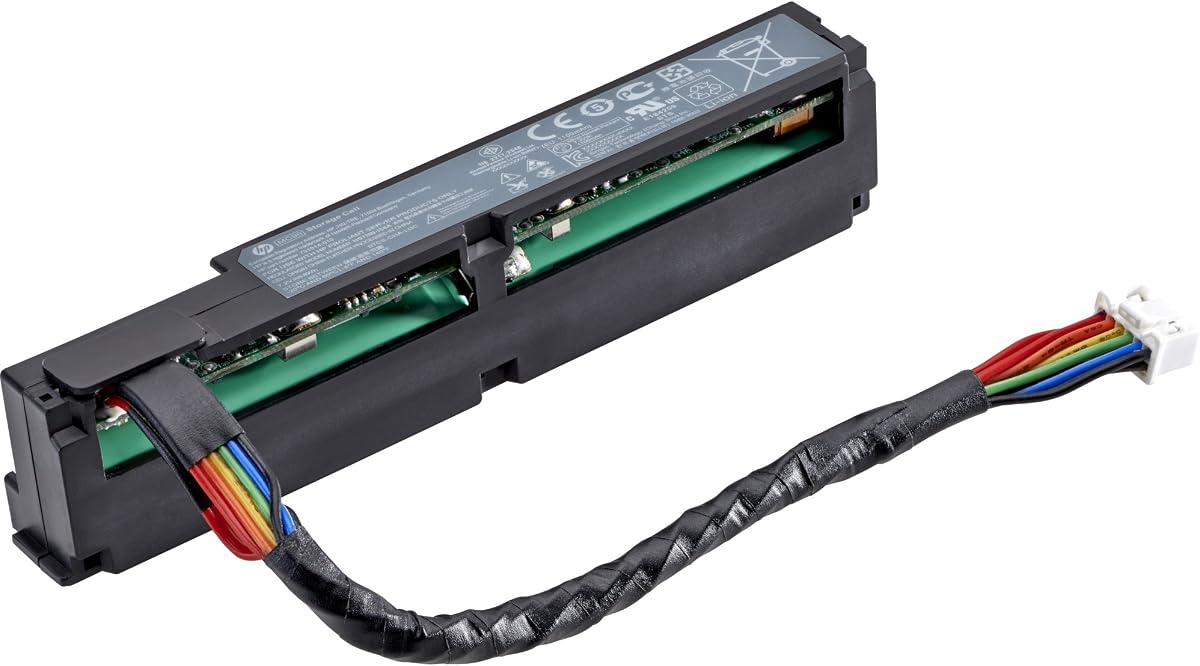
This battery serves a specialized role for HP server array controllers. It ensures that write cache data is preserved during unexpected power loss. For data centers it is a critical component for data integrity.
We may earn a commission when you buy through this link, at no additional cost to you.
Users report flawless integration with Gen10 systems. It maintains battery health effectively reducing the risk of corruption. The high capacity supports long runtimes for cache flushing tasks.
It is not designed for standard laptops or consumer use. IT professionals appreciate the reliability and performance consistency. For server maintenance this is a must-have component.
Purchase this if you manage HP Smart Array storage systems. It protects your infrastructure from data loss during power events. Always verify server model compatibility.
Protects volatile cache memory during power outages to prevent data loss.
The 96W storage provides ample time for data preservation tasks.
We may earn a commission when you buy through this link, at no additional cost to you.
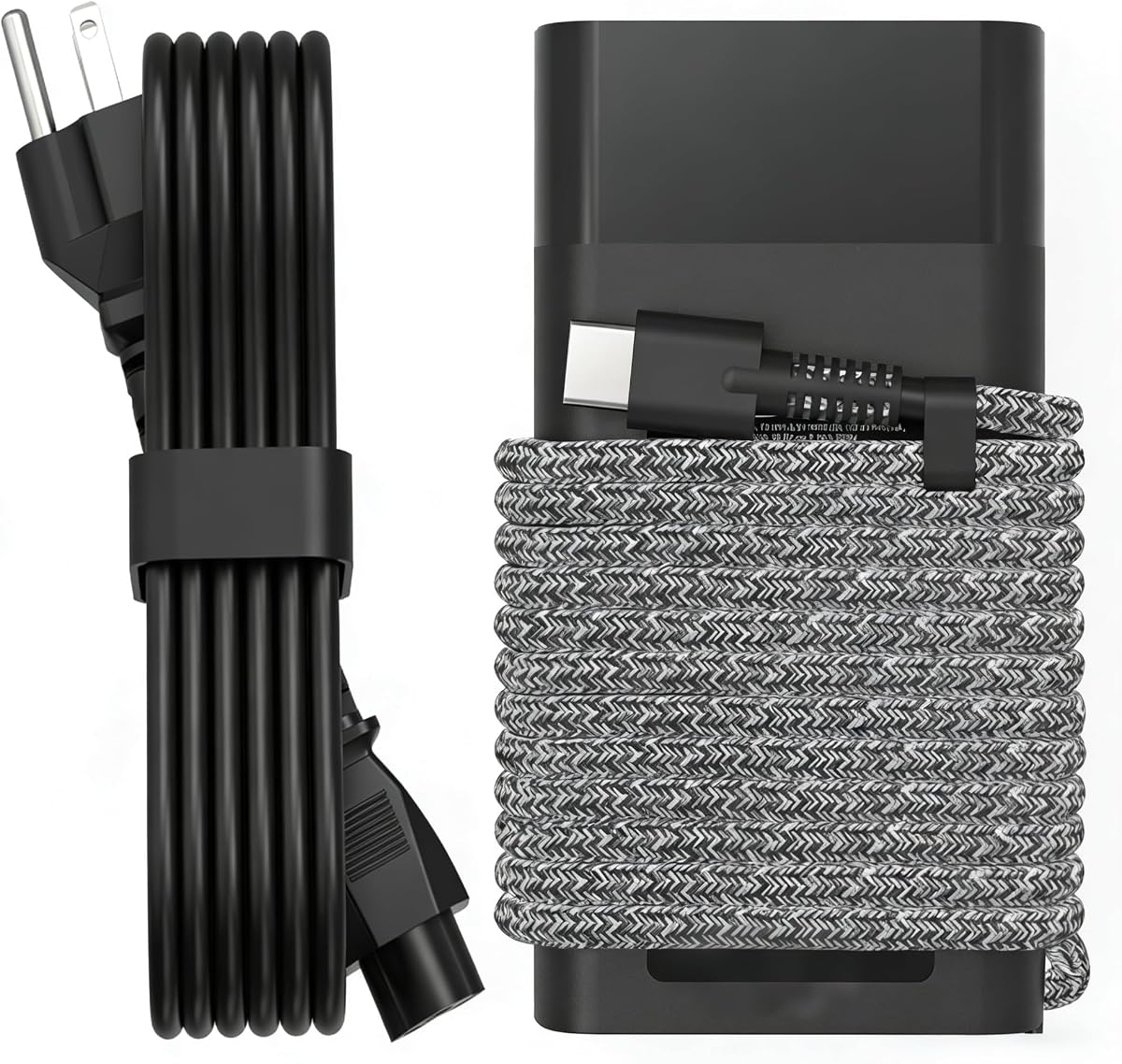
This USB-C charger is ideal for modern HP laptops with Type-C ports. It delivers 65W for efficient charging even during heavy use. Users love the compact design that saves space in bags.
We may earn a commission when you buy through this link, at no additional cost to you.
It works with Spectre x360 and EliteBook series. The fast charging capability means less downtime between uses. It replaces bulky legacy chargers with a streamlined alternative.
Some users note the included cable is not extra long. Ensure your desk setup accommodates this or get an extension. The value for money is excellent for USB-C devices.
Buy this if you have a newer HP laptop supporting USB-C power. It is great for students and professionals needing a portable solution. Verify wattage requirements for your device.
Delivers high wattage to reduce charging time significantly.
Lightweight and compact design makes it perfect for frequent travel.
We may earn a commission when you buy through this link, at no additional cost to you.
This charger is tailored for HP Pavilion laptops needing a reliable power source. It includes safety testing for durability and longevity. Users appreciate the flame retardant housing for safe operation.
We may earn a commission when you buy through this link, at no additional cost to you.
The blue tip connector ensures a snug fit for your device. It supports 45W models as well adding flexibility. It is a budget-friendly option that does not compromise on safety.
Some users mention the cord could be longer for flexibility. It is designed for standard use cases near power outlets. The value is hard to beat for this specific model range.
Choose this if you own a Pavilion laptop and need a replacement. It ensures consistent performance and safety standards. Always verify your model number before buying.
Passes rigorous drop and aging tests to ensure long-term durability.
Constructed with flame retardant material to protect against overheating.
We may earn a commission when you buy through this link, at no additional cost to you.
This budget-friendly charger is perfect for basic HP laptops. It delivers steady power for everyday tasks without breaking the bank. The lightweight design makes it easy to carry around.
We may earn a commission when you buy through this link, at no additional cost to you.
It supports many Pavilion and Stream models. The connector is a standard blue tip fitting most 45W devices. It is a great spare charger for home or office use.
Heavy users might find 45W insufficient for intense workloads. For general browsing and typing it performs well. The low price makes it a great backup option.
Buy this if you need a cheap replacement for a non-gaming laptop. It is suitable for students or light daily use. Always check your required wattage.
One of the most budget-friendly options on the market for HP laptops.
Weighs very little making it easy to pack in a backpack.
We may earn a commission when you buy through this link, at no additional cost to you.
This USB-C adapter is designed for a wide range of modern HP laptops. It supports both 65W and 45W requirements offering flexibility. The slim profile makes it ideal for commuters.
We may earn a commission when you buy through this link, at no additional cost to you.
It works with Spectre EliteBook and Dragonfly models. The built-in protections guard against overcharging and short circuits. Users report fast and reliable charging performance.
Ensure your laptop has a USB-C power port before purchasing. It is not compatible with older barrel plug models. The versatility makes it a strong choice for new devices.
Choose this if you want one charger for multiple HP devices. It simplifies travel and daily use. Always confirm your laptop specifications.
Supports a wide range of HP laptops making it a universal solution.
The compact form factor saves space in any travel bag.
We may earn a commission when you buy through this link, at no additional cost to you.
This official HP adapter ensures exact compatibility with your device. It delivers reliable power without worry of third-party issues. The compact square design fits easily in any travel kit.
We may earn a commission when you buy through this link, at no additional cost to you.
It supports standard voltage needs for most HP laptops. Users trust it for safety and consistency. It is a solid choice for those preferring original accessories.
While third-party options exist this offers guaranteed fit. It is slightly larger than some competitors but robust. Best for those prioritizing reliability over lowest price.
Buy this if you want an official HP power solution. It guarantees proper voltage and connection. Ideal for frequent travelers needing peace of mind.
Designed by HP to work seamlessly with your specific laptop model.
Built-in surge protection keeps your device safe during travel.
We may earn a commission when you buy through this link, at no additional cost to you.
This battery is essential for enterprise servers needing data protection. It provides backup power for storage arrays during outages. Users in data centers rely on it for uptime.
We may earn a commission when you buy through this link, at no additional cost to you.
The 96W capacity ensures adequate runtime for safety checks. It fits standard server chassis without modification. It is a critical part of professional infrastructure.
It is not suitable for personal laptops or small devices. IT admins value its consistency and integration. For enterprise hardware it is the standard choice.
Select this if you manage DL ML or SL series servers. It protects critical data assets effectively. Always verify your server model needs.
Designed specifically to protect enterprise storage systems from data loss.
Fits standard HP server chassis without requiring additional hardware.
We may earn a commission when you buy through this link, at no additional cost to you.
Selecting the right power solution requires understanding your device needs and usage environment.
Check your laptop model and part number to ensure the battery or charger fits perfectly. Mismatched parts can cause safety issues or failure to charge.
Always confirm compatibility lists before purchasing to avoid returns and inconvenience.
Choose a charger with at least the wattage required by your laptop. Higher wattage ensures stable charging under load while lower wattage may lead to slow charging.
Verify the output voltage and current match your device specifications.
Modern laptops may use USB-C or a standard blue tip plug. Ensure the connector matches your port to establish a secure connection.
Inspect the physical plug shape before ordering to prevent fitting issues.
For internal batteries higher mAh values provide longer usage between charges. For UPS systems check the runtime for your specific devices.
Match capacity to your daily usage needs and typical power outage duration.
If you travel often look for lightweight and compact chargers. Larger UPS units are better for home offices where space is available.
Balance weight against power needs to find the best fit for your routine.
Ensure the product has protection against overvoltage and overheating. Certified products reduce risks of damage to your laptop.
Look for safety marks like CE FCC or UL certification on the packaging.
A longer warranty indicates confidence in product quality. This protects your investment against premature failure.
Check the return policy duration to ensure coverage during testing.
Compare prices across sellers while considering quality and warranty. Budget options may lack protections while premium ones offer better support.
Invest in quality for critical usage to ensure reliable power when needed.
Always plug the charger directly into a wall outlet rather than a power strip when possible to ensure stable power input.
Keep your internal battery cool by avoiding direct sunlight and leaving space around your laptop during use.
For UPS units keep the battery plugged in to maintain charge and perform self-tests every few months.
No only laptops with a USB-C charging port will work. Older models require a barrel plug. Always check your port type before buying.
Check your battery label for part numbers like MU06. Match this to the replacement model. Consulting your laptop manual also helps ensure a match.
Higher wattage supports more demanding tasks and faster charging. Your laptop will draw what it needs but a 65W is better for high performance.
Third-party chargers are safe if they have safety certifications. Avoid cheap no-name products without reviews to prevent potential hazards.
Lithium-ion batteries typically last 2 to 3 years with regular use. Charge cycles and temperature affect this lifespan.
Yes if your internal battery is functional. Without a charger your laptop will drain the battery and shut down once it is depleted.
Allow it to cool down and ensure proper ventilation. If it stays hot after cooling consult support as this may indicate an issue.
Use your operating system tools to view wear levels. HP support tools can also provide detailed reports on current condition.
We covered top options from internal replacements to full UPS systems. Each choice serves different needs whether you need simple power or full backup.
Prioritize compatibility and safety to protect your device. Choosing the right wattage ensures your laptop runs smoothly during use.
Always verify current pricing and availability before buying. Small changes in specs can impact performance and compatibility.