
Blackmagic Design Mini Converter Audio to SDI 2
4.9Editor score
Redundant SDI Inputs
Auto Switching Support
Compact Design
This guide compares the top Audio to Sdi Embedder models for 2026, evaluating features, compatibility, and reliability to help you choose the right tool.
Finding the right Audio to Sdi Embedder is crucial for professional video workflows. These devices ensure high quality audio is seamlessly integrated into SDI video signals for broadcasting and production environments.
We compared ten leading models based on compatibility, features, and reliability. Our analysis covers everything from entry level converters to advanced 12G SDI units used in critical live events.
Each pick highlights specific strengths and ideal use cases for different needs. Please note that prices and availability can change frequently so verify current details before making your final purchasing decision.
4.9Editor score

4.5Editor score

3.8Editor score
This side-by-side comparison reviews all ten selected models to highlight their unique specifications and capabilities for various professional audio and video integration needs.
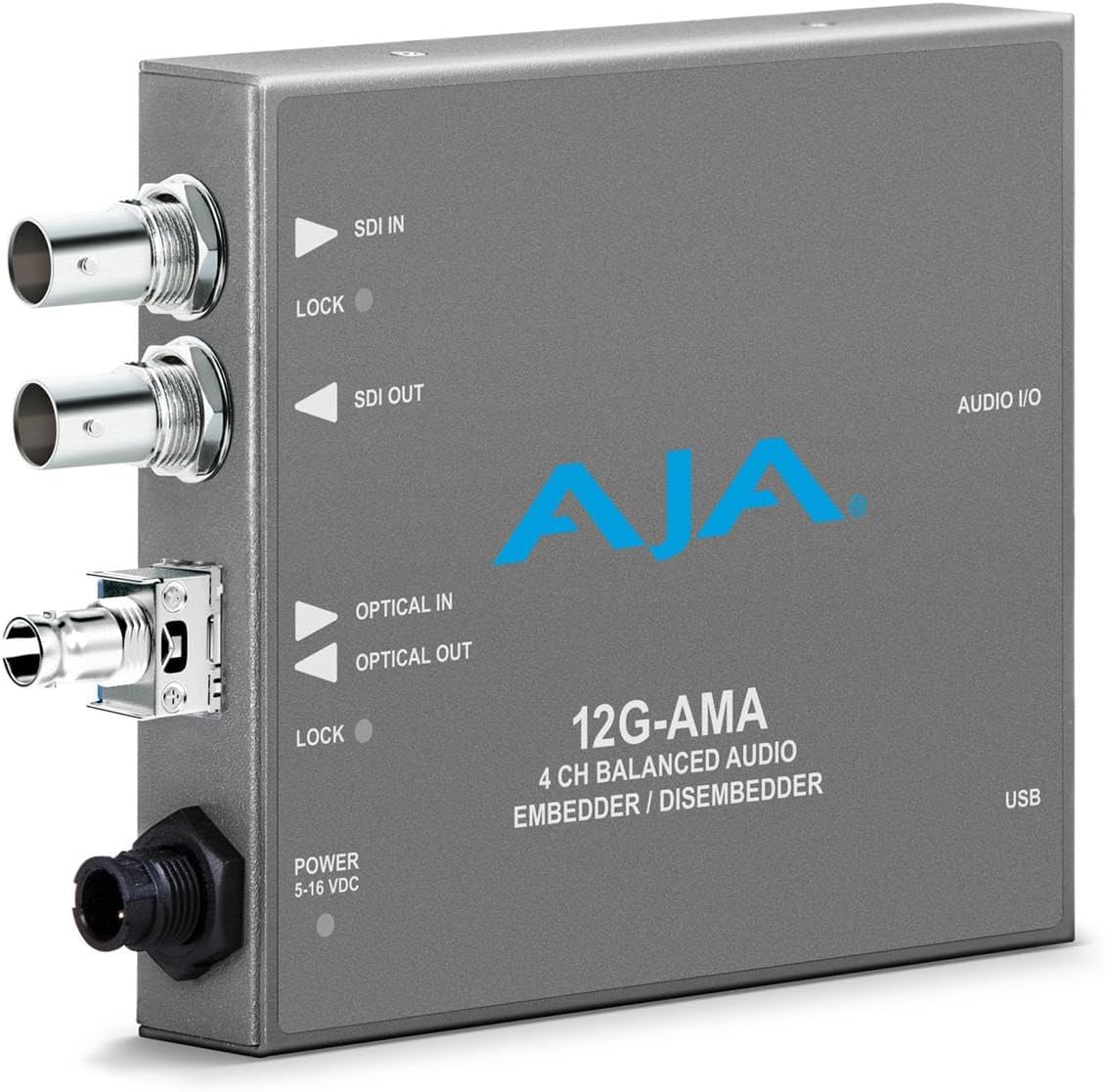


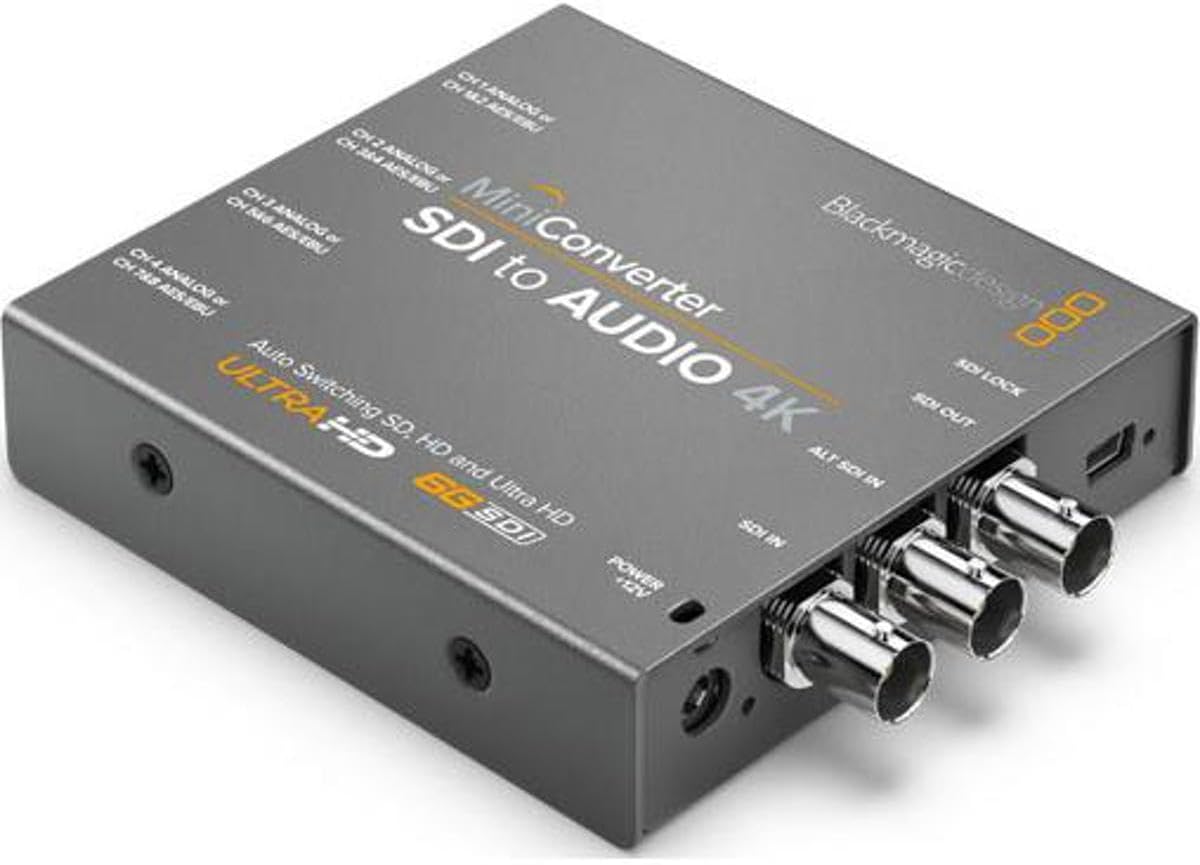


This unit stands out for its reliability and ease of use in various production environments. With a high rating from users, it offers essential features needed for embedding audio into SDI signals without complications.
We may earn a commission when you buy through this link, at no additional cost to you.
The redundant SDI inputs are a critical feature for live events where signal loss cannot be tolerated. This model automatically switches to the backup input ensuring continuous operation even if the primary cable fails unexpectedly.
While it lacks some advanced processing features found in higher end models, it excels at its core function of embedding audio efficiently. The automatic format detection means you do not have to manually adjust settings for different video standards.
It is ideal for small studios and field production teams who need a robust and affordable solution. The compact size makes it easy to carry in a kit for remote shooting locations or temporary broadcast setups.
The redundant input ensures continuous operation during critical broadcast moments.
Its small size makes it easy to transport for remote and field production work.
We may earn a commission when you buy through this link, at no additional cost to you.
This model is an excellent choice for those looking to integrate audio into SDI workflows without breaking the budget. It supports a wide range of video formats including NTSC and PAL which makes it versatile for international use.
We may earn a commission when you buy through this link, at no additional cost to you.
The universal power supply is a standout feature for global travel. You can plug it directly into local power sockets anywhere in the world which simplifies logistics significantly for international productions.
It uses the latest 3 Gb/s SDI technology which ensures compatibility with modern high definition equipment. The ability to load upgrades via USB means the device can adapt to future video formats as they emerge in the industry.
Ideal for small to mid-sized production houses this converter delivers consistent performance. It provides the essential tools needed to embed audio professionally without unnecessary complexity or high costs.
The included universal power supply allows direct connection to local sockets worldwide.
USB connectivity allows for firmware updates to support new video formats later.
We may earn a commission when you buy through this link, at no additional cost to you.
This converter is designed for high-end production environments requiring 12G SDI and 4K capabilities. It handles SD, HD, 2K and 4K formats automatically which makes it suitable for modern ultra HD workflows.
We may earn a commission when you buy through this link, at no additional cost to you.
The AES EBU audio input provides four channels of professional digital audio via XLR connectors. This ensures high fidelity sound is embedded directly into the video signal without degradation or interference from analog noise.
While it is a premium unit it justifies the cost with superior build quality and signal integrity. The optical audio input using TOSLINK adds flexibility for connecting devices that do not have direct digital outputs.
It is best suited for broadcast studios and post-production facilities dealing with 4K content. Users looking for top tier performance and future-proof compatibility will find this model meets their demanding technical standards.
Automatic switching between SD HD 2K and 4K ensures seamless format handling.
Balanced AES EBU inputs guarantee pristine digital audio quality for broadcast.
We may earn a commission when you buy through this link, at no additional cost to you.
This embedder is built for professional environments where reliability and signal quality are non-negotiable. It supports 12G SDI which ensures it can handle the highest bandwidth video signals available in modern broadcast systems.
We may earn a commission when you buy through this link, at no additional cost to you.
The option to use fiber connections makes it ideal for long distance signal runs without signal degradation. This is particularly useful in large venues or stadiums where equipment is spread out over significant distances.
It includes balanced audio inputs which maintain signal integrity and reduce noise interference. The build quality reflects its intended use in critical production scenarios where failure is not an option during live events.
While it is a significant investment it offers robust performance for high-end facilities. Users needing advanced connectivity options and top-tier audio fidelity will appreciate the comprehensive feature set provided.
Support for fiber optic connections enables long distance signal transmission without loss.
Designed for mission critical environments requiring consistent and reliable operation.
We may earn a commission when you buy through this link, at no additional cost to you.
This converter is designed to de-embed audio from SDI signals into analog or digital outputs. It is essential for monitoring audio separately from video or routing sound to mixing consoles independently.
We may earn a commission when you buy through this link, at no additional cost to you.
The compact form factor makes it easy to integrate into existing rack setups or mobile kits. It includes multinational adapters which means it can be used anywhere in the world without needing additional power conversion.
Users appreciate its reliability and straightforward operation. It consistently delivers high quality audio extraction without adding latency or noise to the signal chain during live or recorded production workflows.
Ideal for broadcast facilities and recording studios needing flexible audio routing. It ensures that audio signals are accessible for monitoring or processing without affecting the main video signal path.
Included adapters allow seamless connection to local power outlets worldwide.
Small size ensures it fits easily into space-constrained production setups.
We may earn a commission when you buy through this link, at no additional cost to you.
This device converts SDI signals to analog formats while also handling audio de-embedding. It is useful for connecting modern SDI equipment to older analog displays or mixing consoles that do not support digital signals.
We may earn a commission when you buy through this link, at no additional cost to you.
The de-embedded audio can be sent to balanced analog or AES EBU outputs ensuring professional quality. Video conversion maintains signal integrity so the image quality remains sharp when moving to analog systems.
Its durable build and simple controls make it a workhorse for facilities with mixed signal environments. You can trust it to perform consistently over long periods of daily use without requiring frequent maintenance.
Perfect for broadcast facilities updating equipment gradually without replacing all analog infrastructure. It bridges the gap between new digital cameras and legacy monitoring or mixing systems effectively.
Enables connection between new SDI gear and older analog displays or mixers.
Maintains video clarity and audio fidelity during SDI to analog translation.
We may earn a commission when you buy through this link, at no additional cost to you.
This unit is designed to handle 4K video signals while providing robust audio extraction capabilities. It supports both analog and AES EBU digital outputs which offers flexibility in how audio is routed from the SDI signal.
We may earn a commission when you buy through this link, at no additional cost to you.
With four channels of analog and eight channels of digital audio support it meets diverse production needs. The redundant SDI input ensures that audio extraction continues even if the main video signal is interrupted unexpectedly.
Automatic reclocking helps maintain signal integrity and reduces jitter which is critical for high resolution formats. This ensures that the audio extracted from the video signal remains synced and free of distortion artifacts.
Ideal for facilities transitioning to 4K workflows that still rely on analog monitoring. It provides a reliable way to ensure audio quality remains high even when dealing with complex ultra HD signal chains.
Supports high resolution 4K signals ensuring future proof audio extraction capabilities.
Both analog and digital AES EBU options allow connection to various equipment types.
We may earn a commission when you buy through this link, at no additional cost to you.
This converter transforms analog video sources into SDI output with embedded audio support. It is essential for integrating legacy cameras or monitors into modern SDI workflows without losing audio synchronization.
We may earn a commission when you buy through this link, at no additional cost to you.
The ability to accept component NTSC PAL or S-video signals makes it versatile for older equipment. Audio is embedded from balanced AES EBU or analog inputs ensuring a complete signal path is created in one step.
Its compact design allows it to fit easily into camera kits or small production racks. Users appreciate the reliability and ease of use when dealing with mixed signal environments requiring conversion.
Best suited for facilities with legacy gear that need to interface with new digital broadcast systems. It ensures analog feeds maintain professional quality and audio integration for consistent broadcast standards.
Accepts multiple analog formats including component and S-video for versatile integration.
Allows audio to be embedded directly into the converted SDI video signal seamlessly.
We may earn a commission when you buy through this link, at no additional cost to you.
This embedder is optimized for low latency applications which is critical for live broadcast and streaming. It supports 3G SDI inputs ensuring high resolution video capture and conversion for professional grade results.
We may earn a commission when you buy through this link, at no additional cost to you.
Four channels of balanced analog audio are available via an XLR breakout allowing seamless integration with mixing consoles. This ensures high-quality sound is embedded alongside your video signals for pristine audio output.
The latency is ultra low at just 3.2 microseconds which maintains real-time synchronization for live audio and video. This is essential for scenarios where delay between lip sync and speech must be imperceptible to viewers.
It is ideal for live production studios and broadcast environments requiring precise timing. You can configure settings precisely using the MiniConfig software to optimize performance for your specific workflow.
Minimal delay ensures real-time synchronization critical for live broadcast and audio.
MiniConfig software allows precise control over audio levels and settings easily.
We may earn a commission when you buy through this link, at no additional cost to you.
This converter integrates four channels of balanced analog audio into SDI signals efficiently. It supports 4096x2160p30 which makes it suitable for modern ultra HD workflows without compromising on quality.
We may earn a commission when you buy through this link, at no additional cost to you.
The SDI redundant input automatically switches over if the main input is lost ensuring uninterrupted feeds. This feature is vital for critical production environments where continuity cannot be compromised during live events.
Advanced signal processing offers 4:4:4 video sampling with 24-bit audio sampling ensuring high color precision and audio fidelity. This ensures that both the image and sound maintain professional broadcast quality standards throughout production.
Ideal for broadcast and post production facilities handling high resolution content. It guarantees that audio is embedded with pristine quality while maintaining compatibility with diverse SDI formats and resolutions.
Advanced sampling ensures high color precision and audio fidelity for broadcast use.
Automatic redundant input switching guarantees uninterrupted feeds for critical tasks.
We may earn a commission when you buy through this link, at no additional cost to you.
Selecting the right embedder requires understanding your specific workflow needs and equipment capabilities.
Ensure the device supports the highest resolution you need such as 4K or HD. Using a lower resolution converter can limit your workflow and degrade output quality.
Check compatibility with 4K HD and SD formats to future-proof your setup.
Determine whether you need analog balanced or AES EBU digital inputs. Different microphones and mixers use different connection types so match the embedder to your gear.
Digital inputs often provide cleaner signal paths but analog is common for standard gear.
For live events redundancy is vital to prevent signal loss. Look for models with redundant SDI inputs that switch automatically to a backup source.
Reliable operation during critical moments ensures broadcasts are not interrupted by technical failures.
Consider whether you need a universal power supply for international travel or a standard one for home studio use. Some models require external power bricks which can clutter setups.
Universal power allows seamless travel without needing extra adapters or voltage converters.
Low latency is critical for live productions where sync between audio and video must be perfect. High latency can cause lip-sync issues that are unacceptable for professional broadcasting.
Check specs for microseconds of delay to ensure it fits your real-time needs.
The physical size matters if you are building a portable kit or a fixed rack. Compact models are easier to transport but may have fewer cooling features.
Rackmount or small boxes offer different trade-offs in terms of portability and airflow.
Some devices allow firmware updates via USB to add support for new standards. This extends the lifespan of your investment as video standards evolve over time.
USB connectivity for updates ensures the unit stays current with industry advancements.
Prices vary significantly based on features and resolution support. Balance your budget with the essential features needed for your specific applications.
Investing more for critical features like redundancy can save money on potential downtime.
Connect your audio source to the embedder inputs and the embedder to your SDI video source. Ensure all cables are properly seated to avoid signal loss or interference during use.
Power the device using the included power supply and plug it into a standard outlet. Verify the power light is on before connecting to your main production gear.
Check that your video source formats match the embedder settings. Some models auto-detect formats while others may require manual adjustment via software to ensure proper signal handshake.
An embedder combines audio and video signals into a single SDI stream. It allows you to carry audio alongside video through SDI cables so separate audio cables are not needed for transport.
Not necessarily. If you only shoot in HD a 4K embedder is not required. However a 4K model ensures future compatibility if you upgrade your camera or editing workflow later.
Many devices use front panel buttons or software utilities. Models with USB connections allow you to use software on your computer to access detailed configuration settings easily.
Redundant input allows you to connect a backup video source. If the main video source fails the device automatically switches to the backup ensuring uninterrupted video and audio feeds.
Yes many embedders support analog audio inputs alongside SDI video. This lets you connect microphones or mixers directly to the embedder for audio integration.
Firmware support depends on the manufacturer. Some brands offer years of updates via USB while others may have limited support. Always check update policies before buying.
Latency is less critical for recorded video than for live events. But keeping it low ensures proper synchronization between audio and video during the recording process.
These top picks offer reliable solutions for integrating audio into SDI video workflows across various production scales. Whether you need basic conversion or advanced 4K support there is a model suited to your needs.
Prioritize features like redundancy if reliability is critical for your daily work. Also consider resolution requirements and budget to make a decision that supports your current and future production goals.
Prices and availability change so double-check current listings before purchasing. Always verify compatibility with your specific cameras and monitors to ensure seamless integration into your existing setup.