
US Online Passport photo prints
4.7Editor score
Fast shipping option
Cut to size
Home photo upload
Finding the right at Home Passport Photo Solutions can save you time and money when applying for travel documents. Whether you prefer printing your own images or using an online service, there are many ways to meet strict government requirements from your living room.
We evaluated ten popular products based on ease of use, photo quality, and compliance with official standards. Our comparison covers dedicated printer systems, smartphone-compatible kits, and professional online printing services that deliver ready-to-use photos by mail.
Each pick in this list highlights specific strengths like speed, cost-effectiveness, or professional finishing. Remember that product availability and pricing can change quickly, so verify details on the retailer page before making your final decision today.
4.7Editor score

4.6Editor score

3.1Editor score
As an Amazon Associate we earn from qualifying purchases.
Below is a detailed side-by-side comparison of all ten products evaluated in this guide. Each entry lists key specifications to help you understand what is included and how the system operates before you purchase.


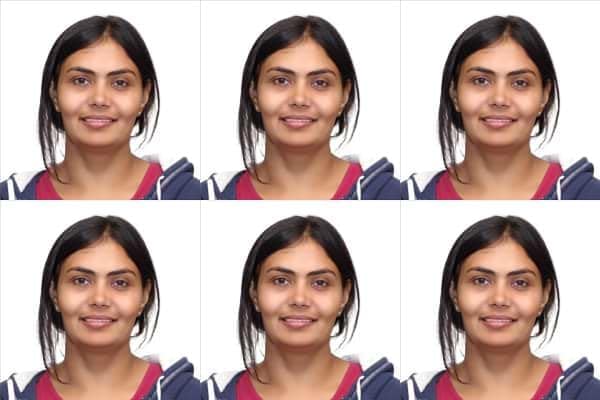


This complete kit offers a straightforward way to produce compliant photos without visiting a studio. It holds a strong rating from users who appreciate its turnkey design and reliable output quality.
We may earn a commission when you buy through this link, at no additional cost to you.
The system comes pre-programmed so you can start printing immediately after unboxing. It includes a camera and a tabletop cutter to ensure every photo meets exact size requirements.
Transferring images via SD card or USB makes the workflow simple for most households. While the upfront price is higher than printing a single sheet, it pays off if you need frequent photo updates.
Families or small businesses needing regular ID photos will find this system valuable. It eliminates the guesswork of online uploads and ensures you have physical prints ready whenever needed.
The preconfigured nature means no complex driver installation or software downloads are required before printing.
The included 2×2 tabletop cutter ensures every photo meets strict government size standards without manual trimming errors.
We may earn a commission when you buy through this link, at no additional cost to you.
For those who prefer not to buy hardware, this service allows you to upload a photo and receive prints by mail. It boasts a high satisfaction score due to its ease of use and reliable results.
We may earn a commission when you buy through this link, at no additional cost to you.
You simply take a picture against a plain wall and follow lighting tips provided on the page. The team reviews and adjusts your image to meet official standards before printing.
While you must wait for delivery, the speed is competitive and the price is significantly lower than buying a printer. The option to receive uncut sheets gives you flexibility for extra copies.
Travelers or people applying for visas should consider this if they want professional results without the hassle of equipment maintenance or storage.
This service removes the need for any special equipment by handling all editing and sizing adjustments remotely.
The team ensures your photos meet requirements like neutral expressions and proper lighting before sending them to you.
We may earn a commission when you buy through this link, at no additional cost to you.
This system is designed for high-volume needs or professional settings where speed and variety matter most. It features a wireless LCD console to manage images efficiently without needing a separate computer.
We may earn a commission when you buy through this link, at no additional cost to you.
You can review multiple shots on the gallery and swap templates for different passport or visa types instantly. The setup aims to reduce operator error and save time during busy periods.
Despite the premium price, some users note mixed reviews regarding reliability. It is best suited for organizations that need consistent output rather than occasional personal use.
Offices or immigration consultants might appreciate the ability to produce diverse photo sizes from a single machine with minimal manual intervention.
Choose from a vast selection of foreign and domestic passport sizes without needing separate tools or templates.
The console shows past captured images to help you select the best shot before printing.
We may earn a commission when you buy through this link, at no additional cost to you.
This kit bridges the gap between your mobile device and a dedicated printer for official photos. It is rated well for its convenience and ability to integrate with devices you already own.
We may earn a commission when you buy through this link, at no additional cost to you.
The printer connects wirelessly so you can send images directly from your camera roll. It comes with enough paper and ink for over a hundred prints so you do not run out quickly.
Since the system is preprogrammed, you do not need to configure settings or install drivers on a PC. This makes it ideal for those who want a simple plug-and-play experience.
Parents or individuals who frequently need updated IDs will find the wireless capability particularly useful for quick reprints when a previous photo gets lost.
Send photos directly from your iOS or Android device without transferring files through a computer.
The included paper and ink provide a significant volume of prints so you do not need immediate refills.
We may earn a commission when you buy through this link, at no additional cost to you.
This similar model to the top pick offers a dependable way to capture and print compliant photos at home. It maintains a solid rating from users who value straightforward functionality over extra features.
We may earn a commission when you buy through this link, at no additional cost to you.
The kit includes a digital camera and printer pre-programmed for US passport standards. You can transfer images via SD card or USB to maintain flexibility in your workflow.
While it might lack some modern wireless features found in newer sets, it gets the job done efficiently. It is a safe choice for users who prefer wired connections for reliability.
Individuals needing occasional passport or visa photos will appreciate the self-contained nature of this system that requires minimal technical knowledge.
The USB transfer option ensures a stable link between your camera and printer without relying on Wi-Fi signals.
Pre-programmed settings ensure that every print meets the specific dimensions required for US documents.
We may earn a commission when you buy through this link, at no additional cost to you.
This service focuses on high quality and professional handling to ensure your photos are ready for submission. It offers a convenient way to get four prepared prints without stepping out the door.
We may earn a commission when you buy through this link, at no additional cost to you.
You upload a clear front-facing photo and the team adjusts and crops it to meet strict specifications. Every print is checked before shipping to avoid errors that could delay your application.
The glossy finish and secure packaging ensure your photos arrive in pristine condition. This makes it a trustworthy choice for urgent applications where presentation matters.
Travelers applying for visas online or at embassies will find this service helpful for getting multiple copies without printing issues at home.
Your photo is carefully reviewed and adjusted by staff to ensure it meets all official requirements.
High-quality glossy paper and careful inspection guarantee sharp results ready for immediate use.
We may earn a commission when you buy through this link, at no additional cost to you.
This option offers a hybrid approach where you can choose between digital sheets or ready prints. It emphasizes speed and efficiency to help you meet application deadlines quickly.
We may earn a commission when you buy through this link, at no additional cost to you.
The service allows for adding more photos if you need multiple copies for different applications. You can also get same-day pickup at a local drugstore which saves shipping time.
Having the option for unlimited copies via sheet printing gives you flexibility to share photos with family members. It is efficient for urgent needs where time is a constraint.
Families applying for passports together will benefit from the ability to order extra copies without paying per individual photo.
Same-day pickup at local stores ensures you have your photos immediately for urgent travel applications.
Get a sheet for self printing unlimited copies so everyone in the family has a copy of the photo.
We may earn a commission when you buy through this link, at no additional cost to you.
This service provides a bulk option for those needing multiple sets of photos for different applications. It is rated highly for its consistency in delivering compliant prints ready for submission.
We may earn a commission when you buy through this link, at no additional cost to you.
The guidelines focus on lighting and composition to help you take a good photo at home. You can choose to have them cut to size or on a sheet for easier storage.
Eight prints cover the need for multiple forms without needing to order again soon. It saves you from dealing with the hassle of local stores that may not be open.
Anyone applying for work visas or immigration documents will appreciate the volume provided and the focus on meeting standard requirements.
Ordering eight photos at once often offers better value than buying fewer prints separately.
The prints arrive ready to use for visa immigration or work applications without extra preparation.
We may earn a commission when you buy through this link, at no additional cost to you.
This service stands out for its commitment to speed and reliability for urgent applications. It holds a perfect rating from users who valued the quick turnaround and consistent quality.
We may earn a commission when you buy through this link, at no additional cost to you.
You can choose to have six prints shipped immediately or order different quantities as needed. The team ensures every photo meets the exact specifications for US government IDs.
The ability to get photos shipped the same day is rare in this category and very valuable for last-minute needs. It removes stress when deadlines are approaching quickly.
Individuals needing to submit passport applications urgently will find this option highly reassuring due to the fast delivery promise.
Same-day shipping ensures you can meet tight deadlines without waiting days for photos to arrive.
Order quantities ranging from one to twenty so you get exactly what you need for your applications.
We may earn a commission when you buy through this link, at no additional cost to you.
This light box helps you take high-quality photos that meet lighting requirements without professional gear. It is rated well for its ability to eliminate shadows and ensure even illumination.
We may earn a commission when you buy through this link, at no additional cost to you.
You can adjust brightness and choose from multiple backgrounds to create a clean look for your image. It is portable and sets up quickly so you can start shooting in minutes.
While it does not print photos directly, using this tool ensures the raw image you take is ready for printing. It is essential for anyone who wants to optimize their home setup.
Content creators or those who want precise control over how their photo appears before printing should consider this accessory for better results.
The 120 LED lights provide uniform illumination that helps avoid shadows on your face.
Eight backdrops give you options to choose a background that meets official light-colored requirements.
We may earn a commission when you buy through this link, at no additional cost to you.
Selecting the right solution depends on your budget, technical comfort, and how often you need photos.
Decide if you want to own a printer or use an online service. Owners gain flexibility while users save on maintenance.
Choose a printer for frequent needs and a service for occasional applications.
Look for systems that promise high resolution and proper color reproduction to meet standards. Poor quality can cause rejection at government offices.
Prioritize systems that include color calibration or professional review.
Simple interfaces reduce frustration and ensure you can produce photos quickly without technical help. Features like pre-programming or app integration help.
Choose setups that minimize steps to get the final image printed.
Evaluate both the upfront cost and ongoing expenses like ink and paper. A cheap printer might cost more over time if ink is expensive.
Calculate the cost per print to find the most economical solution.
Wireless or mobile connectivity offers convenience but wired connections may be more reliable. Consider how you prefer to transfer images to the printer.
Pick the connection type that fits your existing devices and workflow.
Some systems print individual photos while others print sheets for you to cut. Decide if you want pre-cut photos or want to manage cutting yourself.
Choose based on whether you value convenience or cost savings on paper.
Ensure the product states compliance with US or local government standards to avoid rejection. Look for mentions of specific size and lighting rules.
Select options that offer guarantees or support if a photo is rejected.
For online services check how fast they ship since travel applications often have tight deadlines. Same-day or next-day shipping is a major advantage.
Prioritize services that deliver quickly if you have an urgent appointment coming up.
Start by setting up the printer or service account according to the instructions. Ensure your workspace has good lighting and a stable surface to prevent accidents.
When capturing images ensure your face is well-lit and centered. Follow the specific background and expression rules provided with the product to meet standards.
Clean the printer lenses and store paper in a dry place to maintain quality. Regular maintenance helps avoid jams and ensures your prints look sharp.
Yes many systems allow you to upload photos directly from your phone. Ensure the image is high resolution and meets the required dimensions before uploading.
The background must be plain white or off-white without patterns. Some services accept light gray or cream if it contrasts with your clothing.
Quality prints can last years if stored properly away from direct sunlight. Use glossy paper for better durability against fading and moisture.
Many services guarantee compliance with standards but final acceptance is up to the government office. Check the policy for refunds if your photo is rejected.
Printers are better for frequent use while services are better for occasional needs. Consider how often you need photos to decide the best option.
Yes but ensure you use a ruler or cutter to get the exact size. Manual cropping can lead to errors if you do not measure carefully.
Generally you should remove glasses to avoid reflections or shadows. Some exceptions exist for medical reasons but check current guidelines first.
Contact the service provider to see if they offer a free reprint. If using a printer check your guidelines to avoid common mistakes.
These ten solutions offer a range of ways to create compliant photos at home without visiting a studio. From printer systems to online services there is an option for every budget.
Prioritize compliance and ease of use to avoid delays in your application process. A reliable system saves time and ensures your documents are accepted the first time.
Prices and availability may change so check current listings before buying. With the right choice you can handle your photo needs quickly and confidently.