
Standard 5ft (1.5m) 10 Amps 125 Volts Black 3 Prong AC Power Cord
4.7Editor score
Flexible design
Universal 3 prong
Heavy duty gauge
This guide compares the top ASUS Monitor Power Cord Replacement options available in October 2026 to help you choose the safest and most reliable power adapter
When your ASUS monitor loses power, finding the right replacement cord is critical for safety and performance. A mismatched adapter can damage your screen or cause flickering issues that disrupt your workflow. We have analyzed numerous options to ensure you get a reliable power source.
Our team evaluated ten top-rated power cords based on compatibility, safety features, and user feedback. We focused on models that support the specific voltage and connector sizes required by ASUS monitors. This ensures you avoid buying the wrong adapter and wasting time on returns.
Each pick below shows detailed specifications and verified compatibility lists for various ASUS series. Prices and availability change frequently so check the current listings before purchasing. This guide helps you make an informed decision quickly without technical guesswork.
4.7Editor score

4.8Editor score

4.6Editor score
This table provides a side-by-side comparison of all ten power cords to help you quickly identify the right match for your ASUS monitor based on output specs and compatibility.

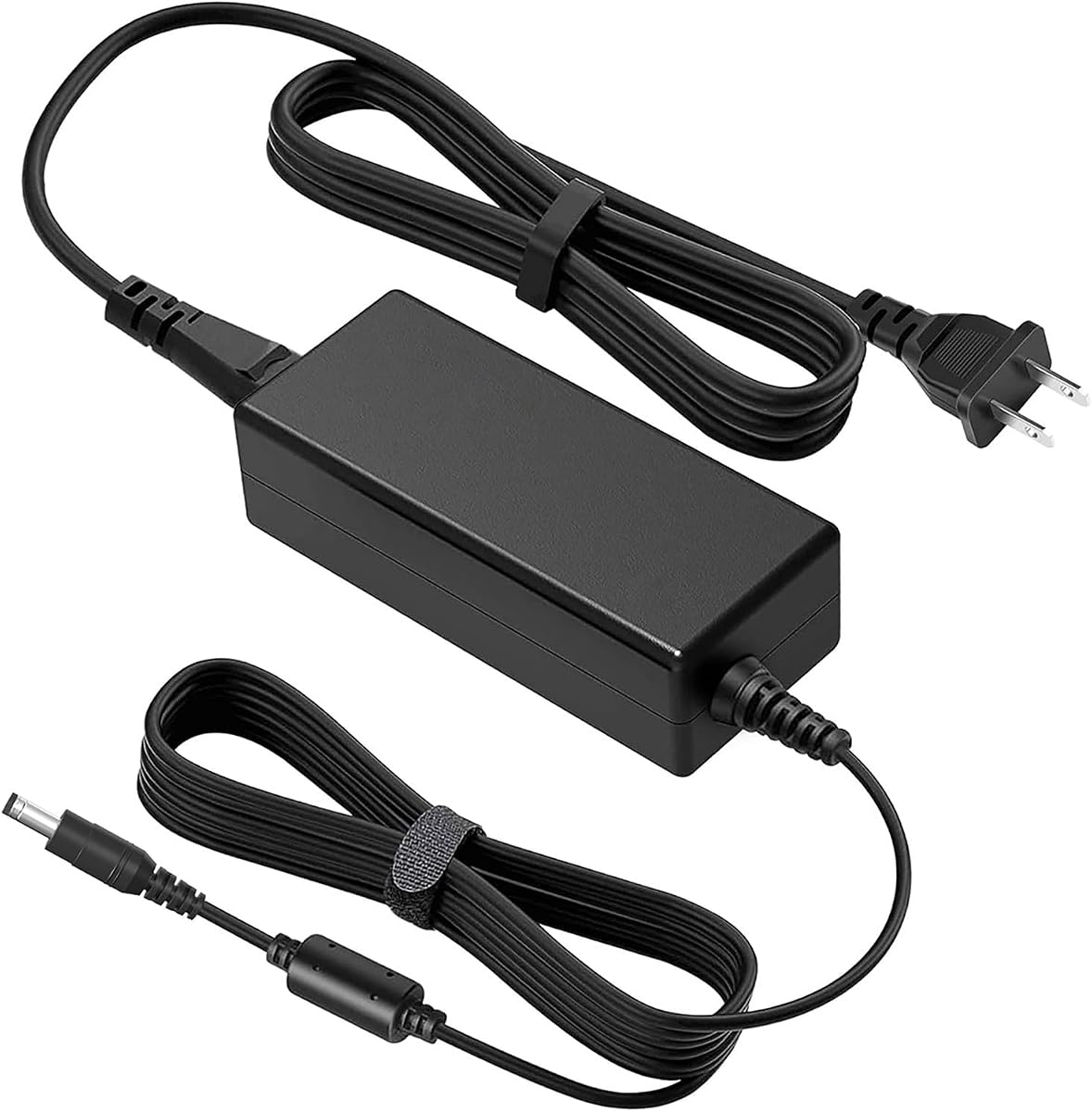


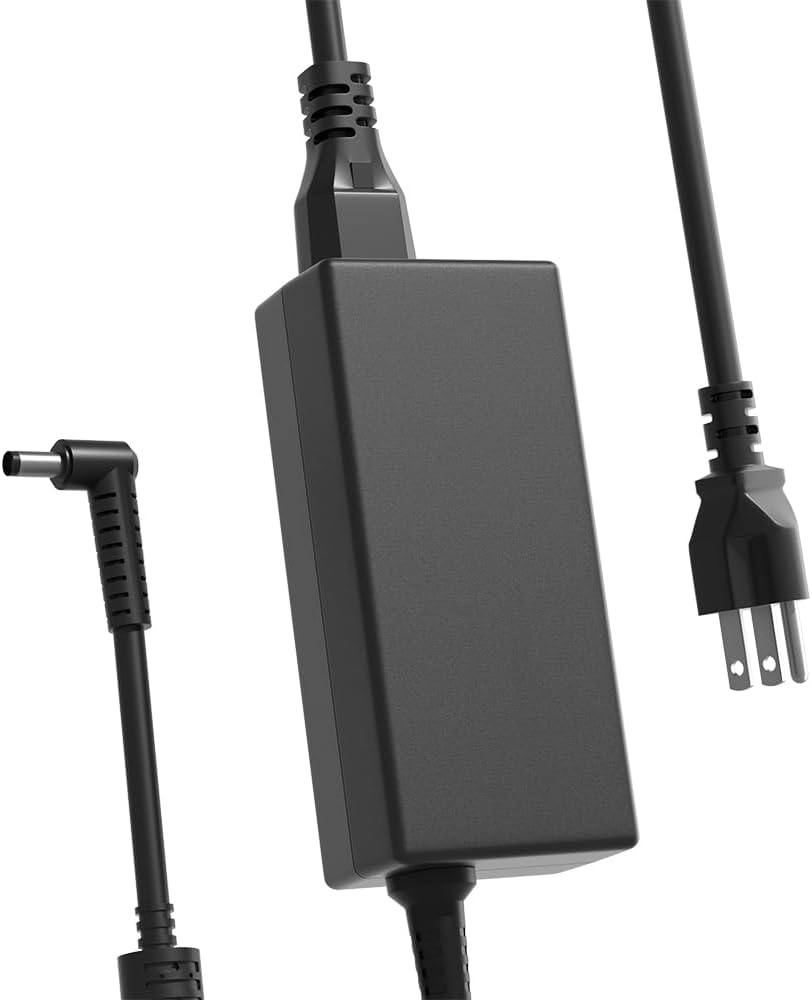


This 19V charger stands out as a top recommendation due to its extensive compatibility with ASUS monitors ranging from 22 to 27 inches. With a 4.8 rating it has proven reliable for users needing a direct replacement for original adapters that may have failed or been lost.
We may earn a commission when you buy through this link, at no additional cost to you.
The adapter delivers up to 90W of power which is significantly higher than standard 40W units. This ensures it can handle high refresh rate gaming monitors like the VG278Q without straining the power supply. The connector size of 5*2.5mm fits most standard ASUS ports securely.
While the power output is a major advantage users must verify their monitor requires 19V before purchasing. Some newer slim models may use different voltages or smaller tips which could lead to incompatibility. Ensuring your port matches the 5*2.5mm spec is crucial.
For users seeking a robust replacement that handles high-end gaming displays this option offers peace of mind. Its broad compatibility and strong power headroom make it a versatile choice for both office and gaming setups that demand consistent performance.
The 90W output ensures stable power delivery even for demanding gaming monitors that require more electricity to sustain high refresh rates.
The 5*2.5mm connector size is designed to fit standard ASUS ports snugly reducing the risk of loose connections or intermittent power loss.
We may earn a commission when you buy through this link, at no additional cost to you.
This standard power cord is an excellent budget solution if you only need to replace the cable connecting your adapter to the wall. With a 4.7 rating it is known for its flexibility and durability which helps prevent wear and tear at the connection points.
We may earn a commission when you buy through this link, at no additional cost to you.
It features a fully molded design that provides maximum durability and long life. The 18 AWG gauge cord is heavy duty and supports 10 amps which is sufficient for most monitor power adapters. The 5ft length offers reasonable reach for desktop setups.
Users should note that this item is a cable and not a full AC adapter. It is designed to fit the standard 3 prong input found on most external power bricks. If your original brick is broken this will not fix the issue alone.
This cord is perfect for extending reach or replacing a frayed cable while keeping the original adapter. Its universal design works with many electronics making it a practical spare for home and office use where flexibility is key.
The standard 3 prong plug fits virtually all monitor power adapters ensuring you can use it with most existing bricks without compatibility issues.
Heavy duty 18 AWG wire and molded strain relief joints ensure the cable withstands daily bending and moving without internal wire breakage.
We may earn a commission when you buy through this link, at no additional cost to you.
This complete power cord kit is a premium choice for users needing a reliable replacement for their ASUS monitor. It offers 65W of power which is ideal for standard monitors and runs cooler than lower wattage adapters reducing heat buildup over time.
We may earn a commission when you buy through this link, at no additional cost to you.
The adapter is CE FCC and RoHS certified ensuring it meets strict safety standards for electrical devices. It includes both the AC adapter and the power cord which simplifies the purchase process. The 5.5mm tip fits a wide range of popular ASUS models.
It is important to check your monitor requires 19V before buying as this does not support 12V models. Also verify the port size is 5.5mm x 2.5mm because some slim models use smaller connectors. This ensures a proper fit without damage.
For users wanting a safe and efficient replacement this adapter delivers stable power without flickering. Its global voltage input means it works worldwide making it a great backup for travelers or international setups that need consistent power delivery.
The inclusion of CE FCC and RoHS certifications guarantees the adapter meets international safety standards for electrical and environmental compliance.
Operating at 65W allows the adapter to run cooler and last longer than standard 40W units by not constantly running at maximum capacity.
We may earn a commission when you buy through this link, at no additional cost to you.
The HHZ 65W charger is designed to deliver steady power for high refresh rate gaming setups. It has a strong rating and is compatible with popular gaming series like VG278Q and PG278Q. The 5.5mm x 2.5mm connector is standard for many ASUS monitors.
We may earn a commission when you buy through this link, at no additional cost to you.
It can safely replace lower wattage supplies like 40W or 33W because it has enough capacity to handle the load without overheating. The built-in protection circuitry guards against short circuits and over voltage events which protects your valuable monitor from electrical surges.
Users should verify their monitor requires 19V and uses a 5.5mm port before purchase. It will not fit 12V models or those with smaller 4.0mm tips. Checking the port on the back of your monitor prevents costly compatibility errors.
This adapter is a solid choice for users needing a reliable replacement for gaming monitors. Its focus on stability and safety ensures your display runs smoothly during intense gaming sessions without power interruptions or performance drops.
The adapter provides steady current that prevents flickering on high refresh rate screens ensuring smooth gameplay without power fluctuations.
Over current and over voltage protection circuits prevent damage to your monitor from electrical surges or short circuit events.
We may earn a commission when you buy through this link, at no additional cost to you.
This adapter stands out for its 9ft total cable length which is useful for setups where the outlet is far from the monitor. It delivers 65W at 19V and is compatible with many Tuf Gaming and ROG models that require specific power inputs.
We may earn a commission when you buy through this link, at no additional cost to you.
It features a high efficiency smart chip that ensures precise conversion from AC to DC. This helps maintain stable operation even under high brightness settings. The 6 layer protection includes overcurrent and overvoltage safeguards to keep your monitor safe.
The connector size is 5.5×2.5mm which fits standard ports on most 24 to 32 inch monitors. It works with 0.5A to 3.42A devices making it versatile for various power needs. Always confirm your monitor accepts 19V before connecting.
For users needing extra reach and robust safety this option is highly practical. The combination of long cable and smart chip technology ensures reliable performance across a wide range of ASUS monitor sizes without frequent power drops.
With a total length of 9ft this adapter allows flexible placement options when outlets are located far from the desk or monitor setup.
The smart chip ensures precise power conversion and dynamic response to prevent flickering during high brightness usage.
We may earn a commission when you buy through this link, at no additional cost to you.
This 65W adapter is designed for wide compatibility across ASUS monitors including the popular ROG Swift series. It supports models like PG278Q and PG279Q which require stable power for G SYNC features. The 5.5×2.5mm connector fits most standard ports securely.
We may earn a commission when you buy through this link, at no additional cost to you.
It delivers 19V at 3.42A ensuring it can handle high refresh rate gaming monitors without power drops. The input supports 100 to 240V making it usable worldwide. It also comes with an AC power cable for a complete solution.
Users must ensure their monitor has a 5.5mm port as this will not fit 6.5mm tips or 12V models. Checking the specifications on the back of the monitor prevents connection issues. This ensures a safe and proper fit.
This adapter is an excellent choice for users with high-end gaming monitors needing reliable power. Its compatibility with ROG models and strong output make it a trustworthy replacement for maintaining performance during intense gaming sessions.
Specifically designed to support ROG Swift monitors with G SYNC ensuring they receive stable power for smooth gaming performance.
Input range of 100 to 240V allows usage in different regions without needing extra transformers for global travelers.
We may earn a commission when you buy through this link, at no additional cost to you.
This power supply is tailored for ASUS Tuf Gaming monitors providing the necessary 65W to handle demanding display settings. It is compatible with VG series models like VG245H and VG278Q ensuring stable power during gameplay. The 5.5×2.5mm connector is standard for these units.
We may earn a commission when you buy through this link, at no additional cost to you.
It operates on global voltage from 100 to 240V which makes it flexible for international use. The adapter delivers 19V at 3.42A which ensures your monitor runs smoothly without flickering. It is a reliable replacement for damaged original adapters.
Users must confirm their monitor requires 19V and uses a 5.5mm port. It will not fit smaller 4.0mm tips or 12V monitors. Checking the port specification prevents purchase errors and ensures a secure connection to your device.
For gamers needing a durable adapter this power supply offers consistent performance. Its design prioritizes reliability for daily use and it is well suited for maintaining high refresh rates during extended gaming sessions without power interruptions.
Designed specifically for Tuf Gaming monitors to ensure they receive the power needed for high performance and stability.
Supporting 100 to 240V input means this adapter can be used in various countries without additional voltage conversion equipment.
We may earn a commission when you buy through this link, at no additional cost to you.
This power cord is built with flame retardant and fire resistant materials which adds a layer of safety to your desk setup. It delivers 65W at 19V and is compatible with many MS and ML series monitors. The 5.5mm*2.5mm jack fits standard ports.
We may earn a commission when you buy through this link, at no additional cost to you.
It features heat resistant materials and built-in safeguards against overcurrent and short circuit events. This ensures reliable power delivery even during long use. The adapter is compact and lightweight making it easy to carry for business trips or travel.
Please note this is not fit for monitors requiring more than 65W. Always verify your device needs 19V and a 5.5mm tip before ordering. Checking these specs prevents damage and ensures the adapter works correctly with your monitor.
For users prioritizing safety and durability this adapter is a smart choice. The flame retardant materials and compact design make it suitable for both office and home environments where reliable and safe power is essential for daily work.
The use of flame retardant materials reduces fire risks during operation providing a safer environment for your electronics.
Its lightweight and compact size make it easy to pack for travel while maintaining reliable power for your monitor.
We may earn a commission when you buy through this link, at no additional cost to you.
This AC adapter is unique because it is compatible with both ASUS and certain HP monitors. It delivers 65W at 19V and is a practical spare for office workstations. The 5.5×2.5mm connector fits the majority of standard monitors in this category.
We may earn a commission when you buy through this link, at no additional cost to you.
It includes built-in protection against overvoltage and short circuits to ensure safe daily use. The adapter is lightweight which helps with easy cable management on crowded desks. It comes with a US 2-pin plug that fits standard wall outlets.
Users should check their monitor has a 5.5mm port before ordering as it will not fit 6.5×4.4mm or USB-C ports. Verify the monitor requires 19V to avoid compatibility issues. This step ensures the adapter will work correctly with your device.
For those needing a spare adapter for multiple brands this is a versatile option. It is ideal for home offices where different monitors may require the same power standards. Its safety features make it a reliable choice for consistent performance.
This adapter works with both ASUS and select HP monitors making it a versatile solution for multi-brand office setups.
Built-in safety circuits protect your monitor from voltage spikes and ensure stable power for daily charging.
We may earn a commission when you buy through this link, at no additional cost to you.
This charger features an extended 8-foot cable which provides flexible placement options for larger gaming setups. It is compatible with ASUS Tuf Gaming monitors and ROG Swift models like PG278Q. The 5.5×2.5mm connector fits standard ports securely.
We may earn a commission when you buy through this link, at no additional cost to you.
It uses a pure copper wire core which ensures stable output and low heat generation during continuous power delivery. The 65W output supports high refresh rate displays without power drops. It is certified for safety with overvoltage and short circuit protection.
Users must confirm their monitor requires 19V and uses a 5.5mm port. It is not suitable for 12V monitors or those with different connector sizes. Verifying these details ensures a proper fit and prevents potential damage to your equipment.
For users needing extra cable reach this charger is an excellent choice. The combination of extended length and safe materials makes it practical for setups where the outlet is far from the desk. It maintains stable performance for all gaming needs.
The 8-foot cable allows you to place the power adapter far from the monitor which is useful for large desks or wall mounted setups.
Using pure copper wire core reduces heat and ensures efficient continuous power delivery for stable monitor performance.
We may earn a commission when you buy through this link, at no additional cost to you.
Choosing the right power cord involves checking voltage output and connector size to ensure safe operation for your monitor model.
Always check the required voltage on the back of your monitor before buying. Most ASUS monitors use 19V and require specific wattage like 65W or 90W for high performance models. Using a mismatched voltage can damage the screen.
Confirm the output power matches or exceeds your original adapter to prevent overheating. Higher wattage is generally safe as long as the voltage matches exactly.
The connector size is critical for a secure fit. Most ASUS monitors use a 5.5mm x 2.5mm tip but some newer models use 4.0mm or 6.5mm. Measure the port on your device before purchasing.
Incorrect tip sizes may fit loosely or not at all leading to power loss. Verify the exact dimensions to avoid return hassles.
Look for adapters that have CE FCC or RoHS certifications. These mark that the product meets international safety standards for electrical and environmental compliance.
Certified adapters include built-in protection against overvoltage and overheating which keeps your monitor safe from electrical surges.
Check the total length of the power cord and adapter cable. Standard lengths are often short so you may need an 8ft or 9ft solution for larger desks or wall mounted monitors.
Longer cables offer flexible placement options ensuring you can reach outlets without strain or trip hazards.
Review the compatibility list provided by the seller to ensure it includes your specific monitor model. Most listings specify series like VG VX or PG which helps narrow down choices quickly.
Matching your model number or series on the list ensures you get a reliable power source designed for your device.
Opt for adapters made with heat resistant and flame retardant materials. High quality builds use pure copper wires and heavy duty gauges to prevent internal wire breakage.
Durable materials extend the lifespan of the adapter reducing the risk of failure during use and ensuring stable power delivery.
Consider an adapter that accepts 100 to 240V input if you travel or live in different regions. This ensures the power supply works safely without needing extra transformers.
Universal input provides flexibility and ensures your adapter functions correctly regardless of local power standards.
Verify what is included in the package before purchasing. Some kits include both the adapter and the power cable while others only provide the brick.
A complete set saves you from having to buy a separate cable which adds value and convenience to your replacement purchase.
Plug the adapter into a grounded wall outlet and ensure the connector fits snugly into the monitor port without forcing it. A secure fit prevents intermittent power loss and protects the internal contacts from damage.
Avoid bending the cable at sharp angles and keep the connection points free from dust and debris. Regular cleaning with a dry cloth extends the life of the cord and maintains a safe connection.
Do not leave the adapter on hot surfaces or direct sunlight as heat can degrade the materials over time. Store the cord in a dry and cool place when not in use to preserve its durability.
Yes using a higher wattage adapter is generally safe as long as the voltage matches exactly. The monitor will only draw the power it needs. However the voltage must match your monitor requirement precisely to avoid electrical damage.
If your monitor uses a 4.0mm tip you must select an adapter that specifies this smaller connector size. Standard 5.5mm adapters will not fit securely and may cause power connection issues. Check the port size carefully before purchase.
You can verify the connector size by measuring the diameter of the round port on your monitor with calipers. Alternatively check the old adapter label or the monitor manual which lists the exact dimensions required for power input.
Flickering may occur if the new adapter does not provide enough wattage for your monitor model. It could also indicate a loose connection or incompatible voltage. Ensure the adapter meets the required power and fits the port properly.
Third party cords are safe if they have safety certifications like CE or FCC and match your monitor specifications exactly. These certifications guarantee the adapter meets electrical safety standards and protects against overheating or short circuits.
Most adapters support universal input from 100 to 240V which works in most countries. You may only need a simple plug adapter to match the local outlet shape. Always check the input label on the adapter to confirm.
This guide highlights ten top picks including our top budget and premium choices to help you find the right power solution. The 19V chargers with high wattage are ideal for demanding gaming monitors while standard cords serve basic needs.
Prioritize checking the connector size and voltage requirements to ensure compatibility. Safety certifications and build quality are equally important for protecting your monitor from electrical issues.
Prices and availability change frequently so check the current listings before making a purchase. Verify your specs with the manufacturer to ensure a seamless replacement and long lasting performance.