
Heavy Duty 3D Printer Stand with Filament Storage 23.6"×23.6"
4.8Editor score
Wobble-free thick steel base
Dual-tier 32 spool storage
Adjustable leveling feet
Finding the right workspace is crucial for successful 3D printing projects. A dedicated table stand with integrated filament storage keeps your materials organized and your printer stable during operation.
We evaluated ten top-rated models based on build quality, storage capacity, and stability features. Each option offers unique benefits for hobbyists and professionals seeking an efficient printing setup.
Every pick highlights key specifications and real-world performance insights. Please note that availability and pricing may change, so check current listings before purchasing your ideal workstation.
4.8Editor score

4.3Editor score
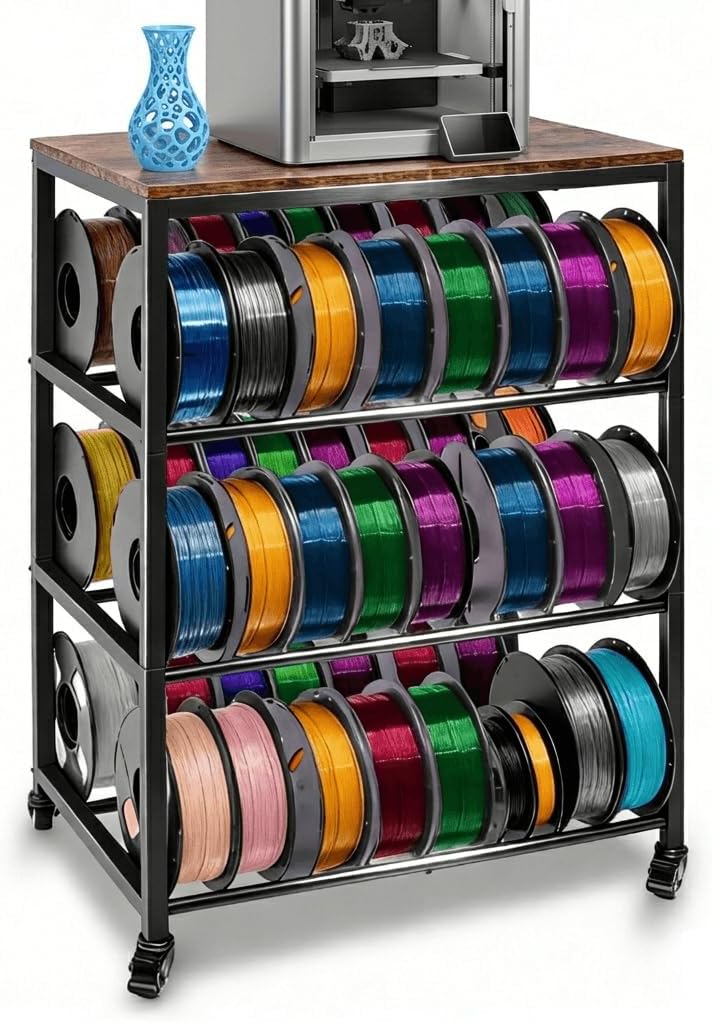
4.6Editor score
As an Amazon Associate we earn from qualifying purchases.
This side-by-side comparison highlights the unique strengths and specifications of each model to help you find the perfect match for your printing needs.
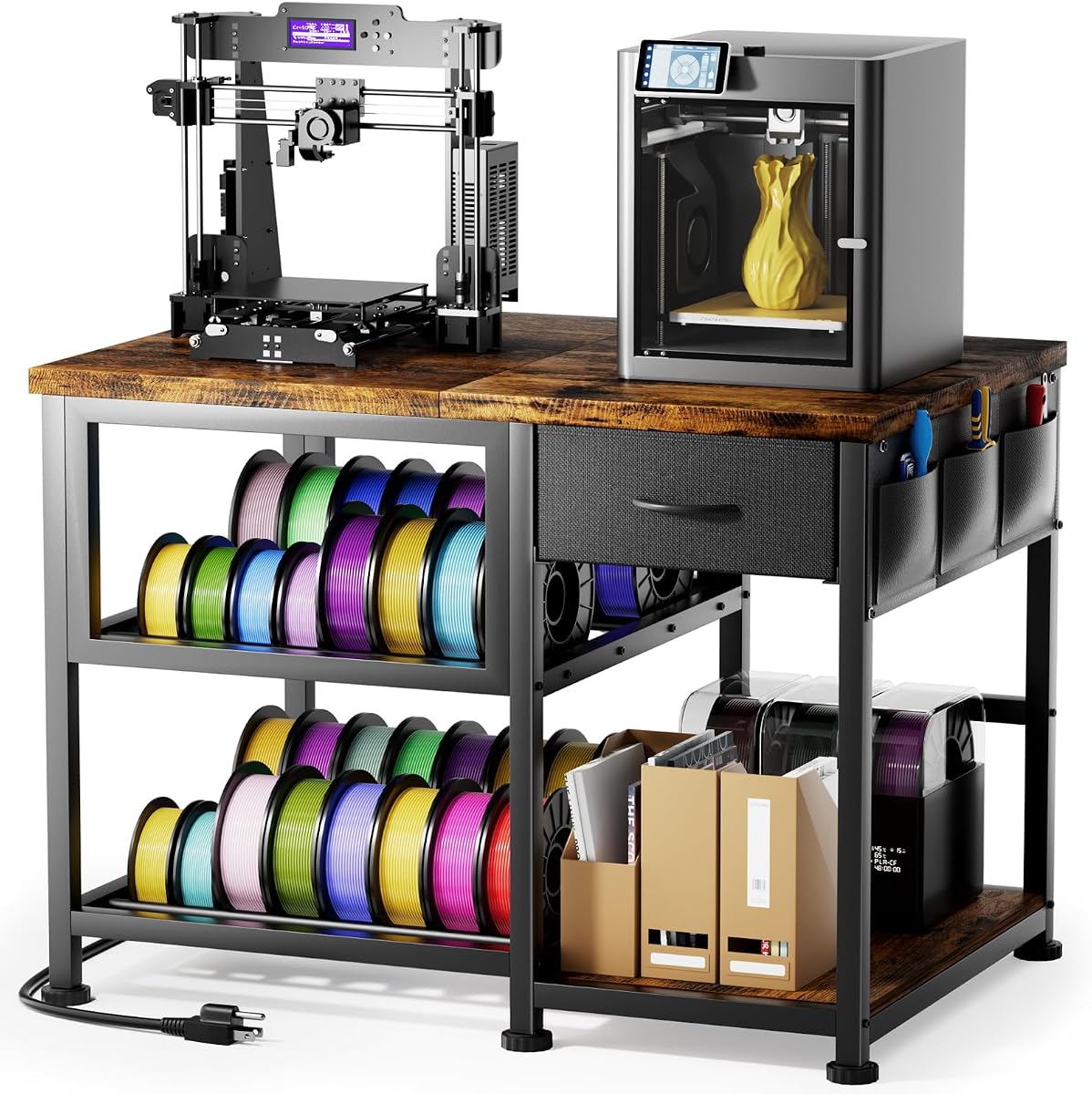


This heavy-duty stand ranks highest due to its vibration absorption and massive storage. It holds up to 56 spools while keeping your printer stable for clean prints.
We may earn a commission when you buy through this link, at no additional cost to you.
The metal drawer ensures accessories stay organized. Its 36-inch width fits most printers, and the powder coating resists scratches in busy workshops.
While the drawer is compact, it fits essential tools like scrapers. The lack of power outlets means you may need extra strips nearby.
Ideal for makers needing serious storage without sacrificing desk space. It offers excellent stability and organization for serious hobbyists.
The metal construction absorbs shaking, preventing ghosting on tall prints for smoother surface quality.
With 56 spool slots, you can run multi-day projects without constantly restocking materials nearby.
We may earn a commission when you buy through this link, at no additional cost to you.
This model blends wood and metal for a sleek look that fits any space. Its vertical design saves floor area while keeping spools accessible.
We may earn a commission when you buy through this link, at no additional cost to you.
The side pockets offer quick access to tweezers and scrapers. The drawer handles larger parts like nozzles or documentation neatly.
While it lacks built-in power, the organization is top-notch. The natural wood finish may need care to avoid scratches during heavy use.
Great for studios prioritizing aesthetics alongside function. It provides balanced storage and looks professional in shared workspaces.
The natural wood finish paired with metal accents creates a modern aesthetic that elevates your workspace.
Side pockets and drawer design ensure tools are within arm's reach without cluttering the main surface.
We may earn a commission when you buy through this link, at no additional cost to you.
This all-in-one hub features a built-in power strip for streamlined setup. The X-bracket reinforcement minimizes vibration for cleaner prints on large models.
We may earn a commission when you buy through this link, at no additional cost to you.
Outlets and USB ports let you power laptop and printer easily. The storage compartments are purpose-built for spools and tools.
While cable length is decent, it may need extension for some spots. Assembly benefits from help but remains straightforward with clear guides.
Perfect for users wanting centralized power without extra strips. It balances stability and power needs efficiently.
The integrated power strip with USB ports eliminates messy cables and multiple power strips, streamlining your workspace.
Constructed from heavy-duty steel frame with X-shaped bracket reinforcement to reduce vibration and wobble by up to 40%.
We may earn a commission when you buy through this link, at no additional cost to you.
This stand earns top premium status for unmatched stability. The thick steel base ensures zero vibrations during high-resolution printing.
We may earn a commission when you buy through this link, at no additional cost to you.
The 32 spool capacity is enough for most setups. Adjustable feet protect floors and ensure level alignment on any surface.
While it lacks extra drawers, the focus is on pure print quality. The compact square shape saves space in smaller workshops.
Best for professionals demanding flawless layer consistency. Its build quality justifies the price for serious production runs.
Thick steel tubing and solid MDF top hold heavy 3D printers stably, eliminating vibrations for smooth precise printing.
Rotatable bottom pads easily balance the stand on uneven floors while protecting wood and tile from scratches.
We may earn a commission when you buy through this link, at no additional cost to you.
Unique for hosting two printers simultaneously, this stand isolates vibration between units. Each zone has its own structural frame for better stability.
We may earn a commission when you buy through this link, at no additional cost to you.
The hanging mesh racks provide extra storage without taking floor space. With 300 lb capacity, it handles heavy industrial machines.
The assembly is detailed but time-consuming. The footprint is large, so measure your room before buying.
Ideal for users running multiple jobs. Its dual-zone layout is unmatched for productivity-focused setups.
Each frame bears the weight placed on its own working zone without transferring loads through cross-unit connecting screws.
Unique dual-side hanging mesh racks combined with shelves neatly hold over 48 filament spools maximizing available storage.
We may earn a commission when you buy through this link, at no additional cost to you.
This unit stands out with fabric drawers for quick tool access. The spacious top area is great for displaying finished models.
We may earn a commission when you buy through this link, at no additional cost to you.
It holds over 50 spools on structured shelves. The black steel frame supports weight well despite the particleboard top.
Fabric is convenient but may wear with rough tools. It is a budget-friendly choice for casual printing.
Best for hobbyists needing extra tool organization. It balances cost with decent storage volume.
Features dual fabric drawers to store 3D printing tools partitioning scrapers, pliers, and extra replacement nozzle tips.
The shelf provides a spacious area to display printed products assembled parts or fit a home office printer.
We may earn a commission when you buy through this link, at no additional cost to you.
This workstation includes modern Type-C ports alongside AC outlets. The 4-tier spool holder keeps filaments visible and organized.
We may earn a commission when you buy through this link, at no additional cost to you.
The wood-style desktop adds a polished look. The drawer protects small tools from damage during transport.
Power options are good but limited. The simple instructions mean you may need tools not included.
Ideal for tech-focused users needing laptop charging. It blends modern connectivity with classic storage.
Equipped with 2 AC outlets, 1 USB port and 1 type C port providing convenient power access for 3D printers.
Pull-out drawer keeps nozzles and scrapers close at hand while lower side shelf offers additional space for toolboxes.
We may earn a commission when you buy through this link, at no additional cost to you.
Compact yet functional, this table fits small spaces easily. The built-in power strip with a long cord reduces extension needs.
We may earn a commission when you buy through this link, at no additional cost to you.
Fabric drawers are excellent for keeping screws organized. Metal tube racks hold spools securely without rolling.
The top may be too small for industrial printers. Capacity is moderate compared to larger units.
Best for compact home studios. It offers high utility in a small footprint.
Embedded power strip featuring 2 AC outlets and 2 USB ports making it easy to connect multiple devices simultaneously.
Two levels of storage with metal tube rack ensure your filaments stay organized and easily accessible.
We may earn a commission when you buy through this link, at no additional cost to you.
Unique for its dustproof design, this cart protects hygroscopic filaments from humidity. The enclosed lower compartment keeps spools safe.
We may earn a commission when you buy through this link, at no additional cost to you.
Locking wheels ensure stability during printing. The height reduces bending over for better workflow comfort.
Higher price reflects premium protective features. Ensure room height fits before purchasing.
Best for humid environments or professional labs. It prioritizes material longevity and safety.
Includes an enclosed compartment to protect sensitive spools from dust and moisture keeping everything within easy reach.
Three hundred sixty degree swivel casters with locking brakes provide perfect balance of convenient portability and firm stability.
We may earn a commission when you buy through this link, at no additional cost to you.
This value leader offers massive storage for the lowest cost. The 480 lb load ensures it won't sag even with heavy gear.
We may earn a commission when you buy through this link, at no additional cost to you.
Silent lockable wheels allow safe movement. The four tiers provide plenty of space for varied spool sizes.
Assembly needs time but remains simple. Wood surface requires care to avoid dents.
Best for budget-conscious buyers needing space. It proves you don't need to overspend for organization.
Bottom three layers provide ample storage space for 48 rolls of standard filament spools keeping filaments tidy and preserving space.
Astonishing overall load capacity of up to 480 pounds with each layer bearing over 120 pounds ensuring stability.
We may earn a commission when you buy through this link, at no additional cost to you.
Selecting the right stand involves evaluating build stability, storage capacity, and additional features like power ports.
Stability is critical to prevent print failures. Look for reinforced frames like X-brackets or thick steel tubing to absorb vibrations.
Prioritize models with adjustable leveling feet for uneven floors to ensure the printer stays level during long prints.
Consider how many spools you need to store. Models range from 32 to 56 spool slots, so calculate based on your material variety.
Check for dedicated drawers for tools to keep scrapers and nozzles organized and ready for quick access.
Built-in power strips with USB outlets reduce cable clutter. This allows you to power printers and laptops from one central point.
Verify the number of outlets and USB ports to ensure they match your current setup needs.
Measure your available floor space carefully. Standard stands are 36 inches wide, but compact models may be smaller.
Ensure the height allows comfortable working height to prevent back strain during maintenance tasks.
Lockable casters allow you to move the entire setup easily. This is helpful if you need to reposition for light or airflow.
Look for silent industrial casters to avoid noise when rolling the stand across hard floors.
Metal frames offer better longevity compared to particleboard. Metal resists warping under heavy loads and provides better stability.
Check the weight capacity to ensure the stand can support your printer and accessories without bending.
Enclosed cabinets or dustproof covers protect moisture-sensitive filaments like Nylon or TPU. This prevents print issues caused by humidity.
If you live in a humid environment, look for stands with sealed lower compartments or moisture-blocking features.
Most models require 20 to 30 minutes to assemble. Clear instructions and included tools make the process easier for first-time builders.
Check if two people are recommended for assembly to avoid dropping parts during construction.
Start by assembling the frame on a flat surface. Use a level to ensure the tabletop is perfectly horizontal before mounting your printer to prevent bed calibration issues.
Load filament spools onto the shelves carefully to avoid tangling. Place heavier reels on the bottom tiers to lower the center of gravity and increase stability.
Clean the drawers and shelves regularly to remove plastic dust and filament shavings. Wipe down the metal surfaces with a damp cloth to maintain the protective coating.
Most stands are designed to fit standard desktop printers like Creality, Prusa, and Bambu Lab. Check the tabletop dimensions in the product details to ensure your printer base fits within the surface area.
Yes, heavy-duty metal frames absorb vibrations that contribute to mechanical noise. While they do not eliminate motor sounds, the solid construction helps dampen rattling during high-speed printing.
Some models with metal rods allow you to adjust the spacing between holders. Fixed shelves require you to arrange spools vertically to maximize the available storage space.
Most drawers are metal or fabric and are not waterproof. To protect tools from moisture, store them in sealed cases inside the drawer or use stands with enclosed compartments.
Load capacities vary from 150 to 480 pounds depending on the model. Verify the static load rating for the specific product you choose to ensure it supports your printer weight.
Dual-zoned models are specifically designed to hold two printers side by side. Standard single-unit stands may not have the width or structural rigidity to support two heavy machines.
The options reviewed offer robust solutions for organizing your workshop and protecting your prints. Stability and storage capacity are the top factors to consider.
Prioritize models with vibration absorption if you need high print quality. Power integration and mobility features add convenience for daily workflows.
Always check current availability and specifications before buying. With the right stand, your workspace will be cleaner and more efficient for every project.