
MEKIOJEO Aluminum Alloy
4.3Editor score
260W max capacity
Seven port configuration
Aluminum alloy shell
This guide compares the top 250w Gan fast charger options for 2026, evaluating power output, port counts, safety features, and value for modern tech setups.
Modern tech setups demand robust power solutions that can handle laptops, phones, and tablets simultaneously. A high wattage GaN charger delivers the speed and efficiency needed for daily productivity without bulky adapters cluttering your desk or travel bag.
We analyzed ten leading models based on total output, port configuration, safety certifications, and real-world performance metrics. Our comparison focuses on how well each unit manages heat, distributes power across devices, and maintains compatibility with the latest USB PD protocols.
Each pick highlights specific strengths like display feedback, travel readiness, or multi-device flexibility. While pricing fluctuates due to market demand, these selections represent the current best values for users seeking reliable fast charging in November 2026.
4.3Editor score

4.6Editor score

4.5Editor score
This table provides a side-by-side overview of all ten reviewed chargers, highlighting key specifications like total wattage, port types, and unique features to help you decide quickly.





The Anker Prime Charging Station stands out as a top choice for power users needing reliable 250W output. With a rating of 4.6 stars, it delivers consistent performance for laptops and accessories simultaneously.
We may earn a commission when you buy through this link, at no additional cost to you.
Its standout feature is the 2.26 inch LCD display that shows real time charging data. This transparency helps users manage power allocation effectively. The smart control dial allows instant adjustments to output levels.
While highly capable, it is designed for desktop use rather than travel. Its weight and dimensions make it best suited for home offices. Also, it supports only 2.4 GHz Wi-Fi for app connectivity.
Buy this if you need maximum power for a permanent setup. It excels at charging a MacBook Pro to 50 percent in 25 minutes. For those prioritizing speed and visibility, it is the recommended pick.
The LCD screen updates charging status instantly, letting you verify device speed without guesswork.
The control dial ensures each device charges at its optimal speed, preventing energy waste.
We may earn a commission when you buy through this link, at no additional cost to you.
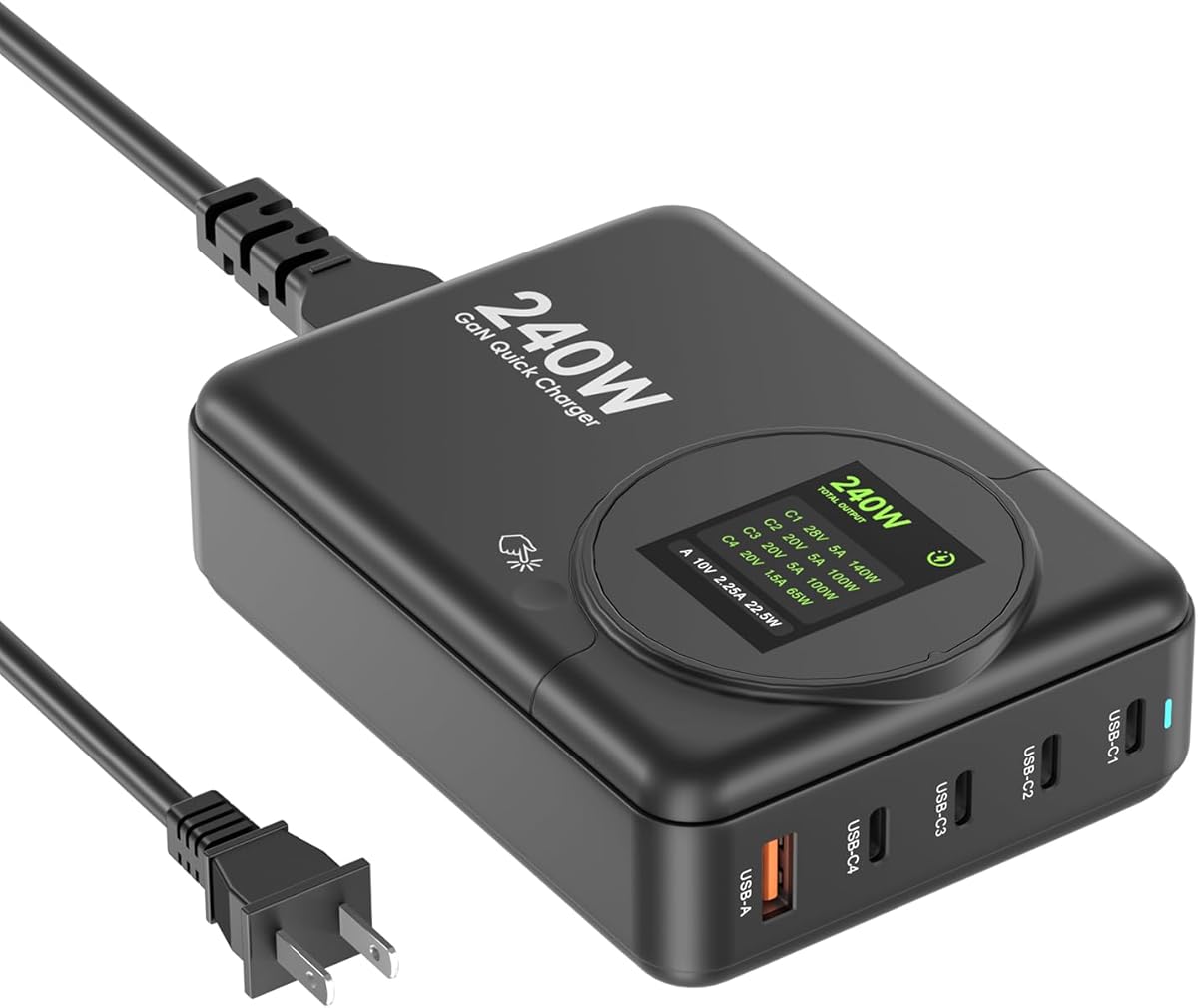
This 240W GaN charger offers a strong balance between power and portability. It is ideal for travelers who need to charge a laptop and phone at once. The primary C1 port supports 140W PD 3.1.
We may earn a commission when you buy through this link, at no additional cost to you.
It distributes up to 240W total across four ports. The design is significantly smaller than traditional silicon chargers. This makes it easy to pack for business trips or daily commutes.
Lack of a display means you rely on LED indicators or device screens. The limited port count might not suit heavy multi-device setups. However, for most users, it covers essential needs well.
Choose this for reliable travel charging with high wattage capability. It handles MacBook Pro and other high performance laptops effectively. Ensure you have a PD 3.1 compatible cable for full speed.
GaN technology reduces heat and size, allowing for a compact build that doesn't sacrifice power.
Supports PD 3.1, QC3.0, and more, ensuring optimal speeds for diverse devices from phones to tablets.
We may earn a commission when you buy through this link, at no additional cost to you.
This model improves on previous designs with a dedicated LED display. It monitors current output status for each device in real time. This feature aids in troubleshooting and ensuring safety during charging cycles.
We may earn a commission when you buy through this link, at no additional cost to you.
It offers 240W total power across five ports. The 140W PD 3.1 port handles high performance laptops efficiently. The GaN tech keeps the unit compact compared to older models.
The display is functional but basic compared to full LCD interfaces. It is designed for desktop use, which may limit portability for some. Still, the visibility adds value for tech managers.
Buy this if you want visual feedback without high cost. It is suitable for home offices with multiple devices. The universal voltage makes it adaptable for international travel needs as well.
The digital display shows current output, helping you track charging progress and ensure device safety.
Gallium Nitride technology delivers massive power in a smaller, cooler form factor.
We may earn a commission when you buy through this link, at no additional cost to you.
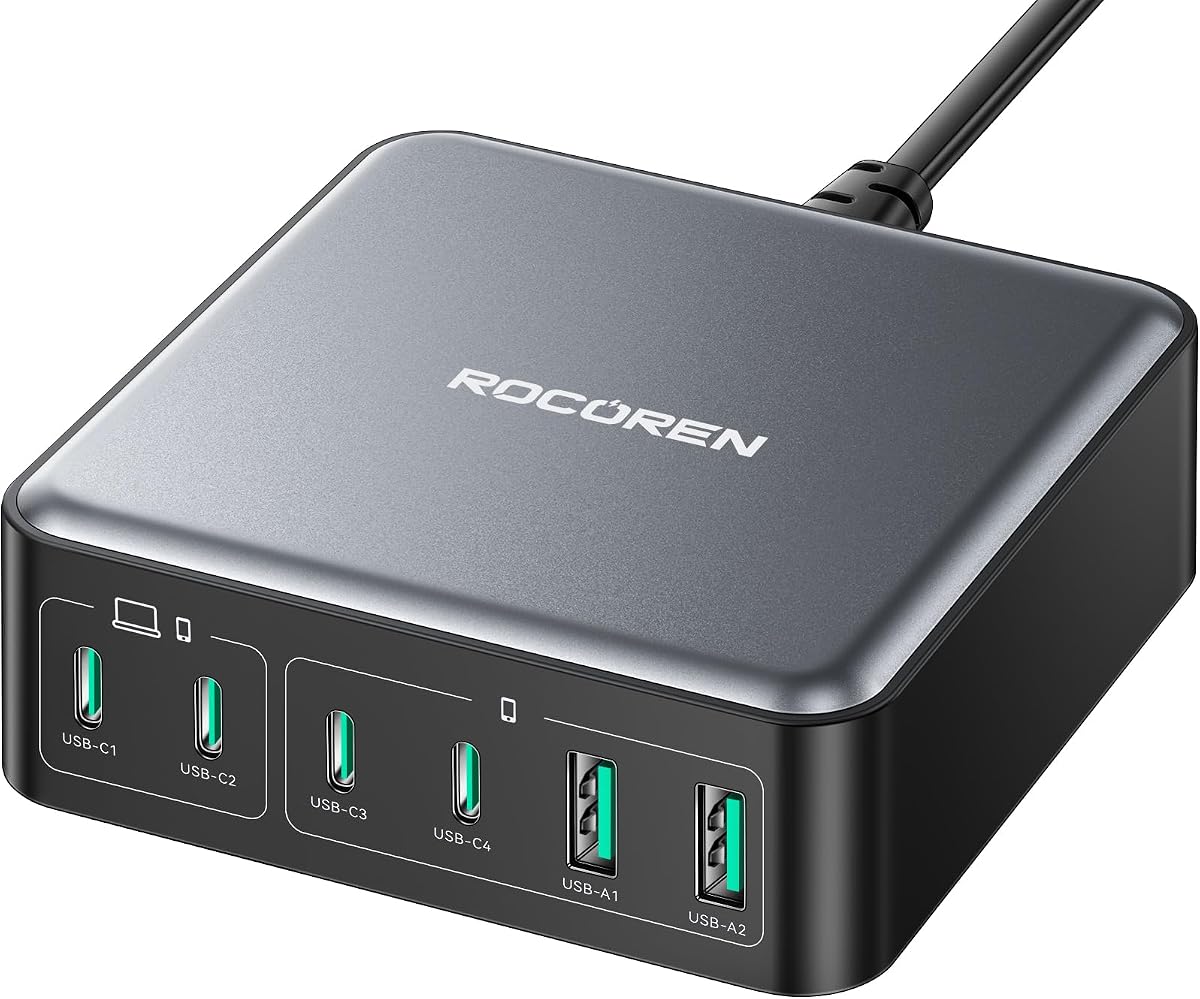
This charger offers excellent value with 260W total output at a budget price. Its aluminum alloy shell provides durability and stability on desks. Seven ports allow charging of laptops, phones, and accessories all at once.
We may earn a commission when you buy through this link, at no additional cost to you.
It supports two laptops simultaneously with dedicated 65W ports. The included power cord extends reach for flexible placement. Despite lower cost, it includes seven safety protection systems.
Lacks smart features like displays or app control found in premium models. The design is functional but not visually sleek. However, for practicality and price, it is a strong contender.
Select this for cost-effective multi-device charging solutions. It handles daily needs well without breaking the bank. Ideal for users who prioritize raw port count and build material over extras.
Seven layers of protection including temperature and over-current safeguards ensure safe operation.
Anti-slip aluminum shell prevents tipping even when multiple heavy devices are connected.
We may earn a commission when you buy through this link, at no additional cost to you.
This station features an LCD touch display for real-time power monitoring. It shows total and individual port output, aiding management. Six ports cover laptops, tablets, and smartphones in one hub.
We may earn a commission when you buy through this link, at no additional cost to you.
Supports PD 3.1, QC4+, and Samsung 45W protocols for wide compatibility. The included stand keeps the unit elevated for better airflow and access. Power cord length is suitable for most desks.
Ratings suggest some variability in long term reliability. Build quality feels functional but less premium than top brands. It works well for standard home or office setups needing multiple outputs.
Buy if you need touch-controlled visual feedback on a budget. It is a good compromise between features and cost. Ensure cables are PD 3.1 compatible for maximum 140W performance.
The screen shows real time power for each port and total output, keeping you informed.
Compatible with major fast charging protocols, ensuring optimal speeds for varied devices.
We may earn a commission when you buy through this link, at no additional cost to you.
UGREEN is known for reliable chargers, and this 200W model lives up to that. It supports two laptops simultaneously and offers a 140W single port. The foldable design makes it excellent for travel.
We may earn a commission when you buy through this link, at no additional cost to you.
With a 4.7 rating, users praise its stability and efficiency. It charges a MacBook Pro 16 to 56 percent in 30 minutes. Four ports handle most setups without clutter.
Total wattage is lower than 250W options, limiting total device capacity. Port count is minimal for large setups. However, for focused power delivery, it is highly efficient.
Choose this for reliable portable power with laptop support. It is perfect for professionals traveling with a laptop and phone. The foldable plugs save space in bags significantly.
Specifically designed to power two laptops simultaneously, ideal for heavy workflows.
Delivers 140W to a single device, ensuring rapid charging for high demand electronics.
We may earn a commission when you buy through this link, at no additional cost to you.
This charger offers 270W total output in a 3.34 cube design. It is ultra-compact yet supports two laptops at once. Six ports allow simultaneous fast charging for workstations or families.
We may earn a commission when you buy through this link, at no additional cost to you.
It uses GaN II tech for heat dissipation and safety. Three certifications like UL and CE assure quality. The small size saves desktop space while delivering massive power.
Brand recognition is lower than established names, raising reliability questions. Max single port power is limited to 100W. Still, total output is impressive for the size.
Pick this for space-saving multi-device power. It is a strong option for crowded desks or travel kits. Ensure your cables match the PD 3.0 protocol for correct speed.
The compact cube design ensures cool operation even during extended multi-device charging.
Certified by UL and CE with built-in surge and temperature controls for device safety.
We may earn a commission when you buy through this link, at no additional cost to you.
This charger is unique for supporting DC ports on gaming laptops plus USB-C. It allows charging a laptop and two devices simultaneously. The design is lighter than traditional bulky laptop bricks.
We may earn a commission when you buy through this link, at no additional cost to you.
It is compatible with Dell, HP, Razer, and others using DC adapters. With 240W DC plus two USB-C ports, it handles heavy gaming rigs. Perfect for gamers needing all-in-one power.
Note that DC adapter must be bought separately for your specific brand. Limited USB count means fewer peripheral connections. But for specific laptop needs, it is unmatched.
Select if you need a versatile solution for gaming laptops. It replaces bulky bricks with a compact unit. Ensure you have the right DC adapter before purchase to avoid extra costs.
Works with most gaming laptops with DC ports, offering a versatile multi-brand solution.
Smaller and lighter than standard bricks, ideal for gamers on the move.
We may earn a commission when you buy through this link, at no additional cost to you.
This unit features a TFT screen display for advanced monitoring. It tracks current output status to ensure device safety. With 140W PD 3.1, it handles demanding laptops efficiently across six ports.
We may earn a commission when you buy through this link, at no additional cost to you.
The display helps users avoid overcharging by showing real-time data. GaN tech keeps it compact compared to similar wattage units. Universal voltage supports travel for international trips.
It is designed primarily for desktop use, not ideal for travel. The TFT screen adds slight weight. However, for visual control, it is one of the best options available.
Buy this for detailed visual control and high performance. It is best for home offices where you want to see power usage. The safety focus makes it reliable for expensive tech.
The TFT screen tracks output in real time to ensure the safety of connected devices.
GaN technology offers higher efficiency and reduced heat, improving longevity and safety.
We may earn a commission when you buy through this link, at no additional cost to you.
This block features six independent ports that do not slow down when multiple are used. It avoids common issues like power sharing drops. The GaN III chip ensures stable delivery across all outputs.
We may earn a commission when you buy through this link, at no additional cost to you.
It supports 100W + 65W for two laptops. The design is compact enough for pockets or travel bags. Safety certifications back its performance, ensuring secure charging cycles.
It lacks visual feedback displays found in premium models. Brand recognition is lower, but features match top-tier products. Ideal for those needing independent high-speed channels.
Select this for dedicated power to each device. It ensures no speed loss when multiple cables are plugged in. Great for tech users who need consistent performance across many gadgets.
Each port operates independently, ensuring all devices charge at full speed without power sharing.
The third-generation GaN chip delivers stable power with better heat management and safety.
We may earn a commission when you buy through this link, at no additional cost to you.
Choosing the right charger requires balancing total power, port layout, and features. This guide breaks down critical factors to help you select a unit that fits your specific workflow.
Total wattage determines how many devices you can charge at full speed simultaneously. For a desktop setup with a laptop and phone, 200W to 250W is ideal. If you need fewer ports, 100W might suffice.
Prioritize models with enough total wattage to cover your most demanding devices without slowing down.
Count your devices to decide on port layout. USB-C ports are essential for modern laptops, while USB-A handles older accessories. Aim for a mix that matches your hardware inventory.
Ensure you have at least one high-wattage port for laptops and enough auxiliary ports for phones.
Gallium Nitride (GaN) chargers are smaller and cooler than traditional silicon models. They allow for higher power density in portable sizes. Always look for GaN labeled chargers for efficiency.
GaN tech reduces heat generation and extends the lifespan of both the charger and connected devices.
Safety is paramount when dealing with high voltage power. Look for certifications like UL, CE, or FCC that verify surge and temperature protection. Poor safety can damage expensive electronics.
Verify the product includes protections against over-current, over-voltage, and overheating events.
Some models offer LCD or TFT screens to show real-time power output. This helps users track charging status and avoid overcharging. It is a premium feature for power users.
If you value visibility, choose a model with a display. Otherwise, standard LED indicators are sufficient for basic needs.
Materials like aluminum alloy offer better heat dissipation and durability than plastic. Check the dimensions and weight to ensure it fits your desk or travel bag. Stability on a desktop is key.
Prioritize solid build materials if you plan to use the charger in high-traffic areas.
High-wattage chargers can be complex. A minimum one-year warranty ensures you are covered against defects. Some brands offer longer terms or responsive customer support.
Look for brands with clear return policies and professional support channels.
Desktop models are heavier and have more ports but are not ideal for travel. Travel units fold and are lighter but may offer fewer ports. Decide where you will use it most.
Choose travel-ready designs if portability matters, or desktop hubs if power density is key.
Place the charger on a flat, stable surface near an outlet. Ensure at least two inches of clearance around vents for proper airflow to prevent overheating during high-load sessions.
Connect devices using high-quality cables rated for the power required. For 140W charging, use E-Marker cables to ensure safe delivery of power to your laptop or tablet.
Unplug the charger when not in use for long periods to save energy and reduce wear. Periodically inspect the cables and plug pins for signs of damage or wear to maintain safety.
No, a 250W charger will not damage your device because it intelligently negotiates power delivery. Devices only draw the wattage they need, such as 20W for a phone or 100W for a laptop, ensuring safe operation.
Yes, to achieve speeds above 100W, you need E-Marker certified USB-C cables. Standard cables may cap output at 60W, limiting your laptop charging speed even with a high-wattage brick.
GaN technology reduces internal resistance and heat, allowing the charger to run cooler and more efficiently. This means less power is lost to heat, directing more energy to your devices faster.
Most modern GaN chargers support 100V to 240V input, making them compatible with global outlets. You may only need a physical plug adapter, not a voltage converter.
Yes, models with high total wattage like 240W or 250W can charge two laptops simultaneously. Ensure the combined demand of both laptops does not exceed the charger's total output.
The charger will redistribute power based on demand, slowing down some ports to protect others. It will not overheat if the total draw stays within rated limits, but charging times may increase.
Desktop models are heavy and not optimized for bags. For travel, pick a wall adapter with foldable plugs to avoid damage and save space in your luggage.
Quality GaN chargers typically last five to ten years with proper care. Avoid exposing them to extreme heat or moisture to maximize their lifespan and reliability.
The 250W Anker Prime Charging Station remains the top pick for its high power and smart display. It balances performance and features effectively for power users who need visibility and speed.
If you need a portable solution, the UGREEN Nexode 200W offers reliability with foldable plugs. For gaming setups, the SlimQ Universal charger provides necessary DC ports alongside USB-C flexibility.
Prices and availability change quickly, so verify current listings before buying. Always match your devices' power needs to the charger's output to ensure safe and efficient operation.