
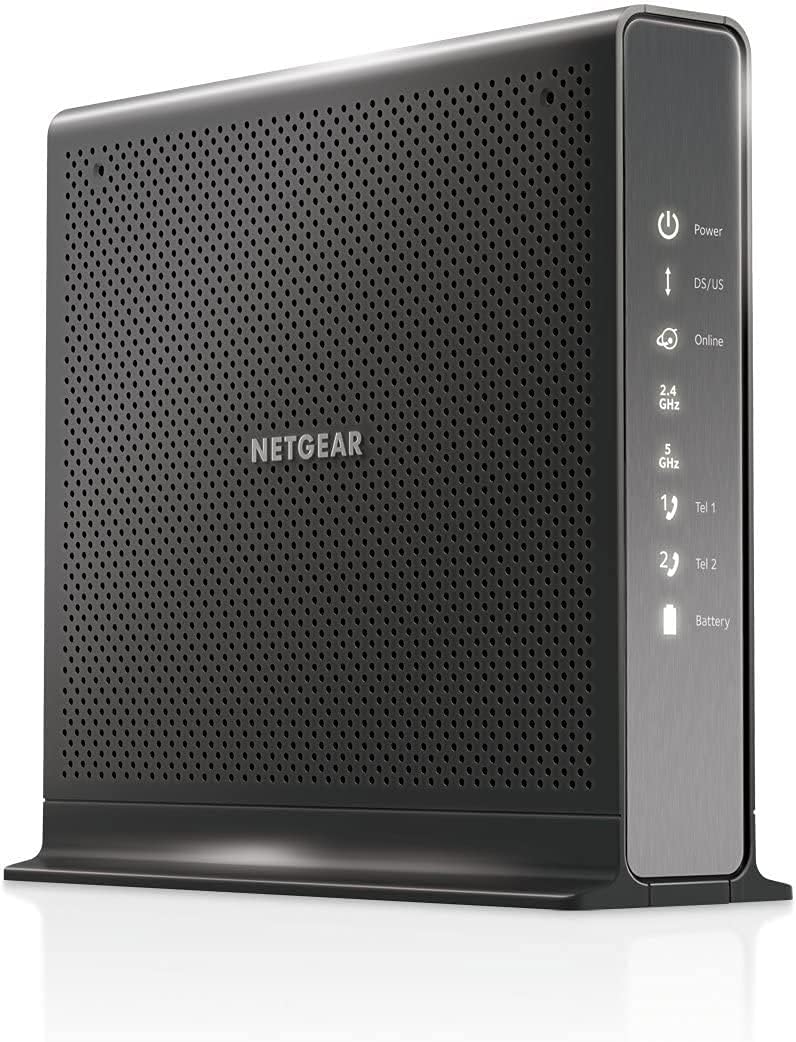
NETGEAR Nighthawk C7000
4.2Editor score
AC1900 WiFi 5 speeds
DOCSIS 3.0 support
Compact space saving design
This guide compares the top cable modem wifi router combo units for performance compatibility and value helping you choose the right all in one device for your
Finding the right home internet device can be challenging with so many options available today. A cable modem wifi router combo simplifies your setup by combining two essential devices into one sleek unit. This integration reduces clutter and often saves money on monthly rental fees from your internet service provider.
We have carefully evaluated ten leading models based on speed capabilities coverage area and compatibility with major providers. Our analysis focuses on real-world performance metrics and user feedback to ensure you get reliable connectivity. Each product was assessed for its ability to handle modern smart home demands efficiently.
Each pick in this list highlights specific strengths whether you need maximum speed budget friendly performance or voice support. You will find detailed breakdowns of features pros and cons to help you decide. Please note that availability and pricing may vary so check current details before purchasing.
4.2Editor score

4.1Editor score

3.9Editor score
The following comparison table provides a side-by-side look at the key specifications of each model to help you quickly identify the best fit for your specific internet plan and home layout requirements.





The NETGEAR Nighthawk CAX30 stands out as a top choice for users seeking a powerful all-in-one solution. With its DOCSIS 3.1 modem and WiFi 6 technology it delivers blazing fast speeds suitable for heavy usage. The device is certified for major cable providers ensuring smooth activation and reliable performance from day one.
We may earn a commission when you buy through this link, at no additional cost to you.
Its AX2700 speeds combined with OFDMA technology make it ideal for congested households with many connected devices. Users can stream 4K video game online and video call simultaneously without significant lag. The four Gigabit Ethernet ports provide stable wired connections for gaming consoles and desktop computers that require low latency.
While it lacks voice line support which some legacy users may need the performance benefits outweigh this limitation for most modern homes. The coverage extends up to 2000 square feet which suits most average sized houses effectively. Setup is straightforward via the Nighthawk app which guides you through the process easily.
This model is perfect for families who want a single device to handle their entire internet needs without monthly rental fees. It supports plans up to 800 Mbps on Xfinity and 1 Gbps on Spectrum and Cox making it future proof. We recommend it for anyone prioritizing speed and reliability in their home network setup.
The dual band AX2700 system handles up to 25 devices efficiently using OFDMA for better performance during peak hours.
Multi-gigabit DOCSIS 3.1 technology ensures you can fully utilize high speed cable internet plans with headroom for upgrades.
We may earn a commission when you buy through this link, at no additional cost to you.
The NETGEAR Nighthawk C7000 offers an excellent balance of performance and price for budget conscious shoppers. It combines a DOCSIS 3.0 modem with an AC1900 router providing reliable speeds for most internet plans. This model is a great way to eliminate monthly equipment rental fees while maintaining quality connectivity throughout your home.
We may earn a commission when you buy through this link, at no additional cost to you.
With up to 1.9 Gbps combined wireless speeds it handles streaming gaming and browsing comfortably for families. The beamforming+ technology helps reduce dead spots ensuring every room gets a decent signal. Four Gigabit Ethernet ports allow you to connect multiple wired devices for maximum stability on critical tools.
The only trade-off is the older WiFi 5 standard which may not support the absolute fastest devices available today. However for typical home use the performance is more than sufficient. The setup process is simple and the app lets you manage devices and run speed tests easily.
This unit is best for those who want to save money without sacrificing too much performance. It works well with Xfinity plans up to 800 Mbps and Cox plans up to 500 Mbps. If you do not need the absolute latest WiFi 6 speeds this is a smart and economical choice.
Save up to 150 dollars annually on rental fees while getting solid 1900 Mbps WiFi speeds for daily tasks.
Beamforming+ boosts range and reduces dead spots to keep every device connected throughout your home effectively.
We may earn a commission when you buy through this link, at no additional cost to you.
The NETGEAR Nighthawk CAX80 is the ultimate choice for users who demand top tier speed and coverage in one device. Its AX6000 WiFi 6 system combined with DOCSIS 3.1 handles the fastest internet plans available today. This model is designed for large homes where extensive range and device capacity are critical priorities.
We may earn a commission when you buy through this link, at no additional cost to you.
With a 2.5 Gigabit Multi-Gig port you can connect high end NAS devices or gaming PCs for maximum wired performance. The coverage extends up to 2500 square feet ensuring strong signals even in multi story houses. It supports over 30 connected devices making it perfect for smart homes with many IoT devices.
The only consideration is the higher price point compared to other options on this list. However for those with gigabit plus plans the investment pays off in performance and future proofing. The Nighthawk app provides full control over network settings security and device management anytime.
We recommend this unit for power users who need every ounce of speed and stability. It is ideal for gaming streamers and large families who all use the internet heavily at once. If budget is less of a concern than performance this is the best premium choice available.
The dual band AX6000 system delivers ultra fast wireless speeds to handle heavy gaming and 4K streaming easily.
One 2.5G port plus four Gigabit ports keep your fastest devices hardwired for the lowest latency possible.
We may earn a commission when you buy through this link, at no additional cost to you.
The NETGEAR Nighthawk CAX30 appears again as a value option providing the same performance as the top pick at a lower price. This model offers DOCSIS 3.1 modem and WiFi 6 tech making it suitable for modern high speed internet plans. It is an excellent alternative for those who want premium features without the premium price tag.
We may earn a commission when you buy through this link, at no additional cost to you.
Its AX2700 speeds cover up to 2000 square feet ensuring reliable connectivity across a typical home. The four Gigabit Ethernet ports and one USB 3.0 port provide flexible connectivity for various devices. OFDMA technology keeps speeds steady even when multiple devices are online during peak hours.
One thing to note is that availability can fluctuate so check current stock before ordering. Also verify warranty terms as they might differ from standard retail items. Overall the core functionality matches the highest rated version ensuring you get great performance.
This unit is perfect for cost conscious buyers who still want the latest WiFi 6 standards. It works with major providers like Xfinity Spectrum and Cox for seamless setup. If you find this at a good discount it is a highly recommended purchase.
Four Gigabit Ethernet ports plus one USB 3.0 port give you endless options for fast wired connectivity.
Replaces your cable modem and WiFi router to save you up to 168 dollars per year in equipment rental fees.
We may earn a commission when you buy through this link, at no additional cost to you.
The ARRIS Surfboard G34 delivers multi-gigabit speed performance for users preparing for the fastest cable plans. Its DOCSIS 3.1 modem supports internet plans up to 2.5 Gbps making it ready for future upgrades. The AX3000 WiFi 6 router ensures wireless speeds keep pace with the high speed wired connection provided.
We may earn a commission when you buy through this link, at no additional cost to you.
With four Gigabit Ethernet ports and easy LED indicators setup is straightforward for most users. The design is compact and space saving fitting easily into home entertainment centers without taking much room. It is tested and qualified for Cox Xfinity and Spectrum for reliable connectivity across major networks.
While the user rating is lower than competitors the specifications are strong for the price point. You should check with your specific provider to confirm device model support before purchasing. This ensures there are no activation issues once you receive the unit at your location.
This device is ideal for those who want a clean modern look and top tier speed potential. It allows you to own your equipment and save on monthly rental fees over time. For users on high speed plans this is a solid choice to consider.
DOCSIS 3.1 performance supports cable internet plans up to 2.5 Gbps delivering ultrafast streaming and downloads.
Simple LED indicators show power upstream downstream and online status for quick visual checks.
We may earn a commission when you buy through this link, at no additional cost to you.
The NETGEAR Nighthawk C7000 Renewed offers the lowest entry point for a reliable combo unit. It provides the same AC1900 speeds and DOCSIS 3.0 performance as the new version at a fraction of the cost. This is an excellent option for renters or those with smaller budgets who still need quality internet.
We may earn a commission when you buy through this link, at no additional cost to you.
With coverage up to 1800 square feet it handles typical apartment or small home layouts well. It connects up to 30 devices so it supports multiple phones laptops and smart devices simultaneously. The renewal process ensures the unit works properly with necessary testing before sale.
Make sure to check the warranty included with the renewed item as it may differ from new products. The price point allows you to save money while avoiding rental fees from your internet provider. It is a smart choice if you do not need the absolute latest WiFi technology.
We recommend this for budget shoppers who want to eliminate monthly charges immediately. It works well with plans up to 800 Mbps on Xfinity and similar tiers on other providers. Verify your plan details before buying to ensure full compatibility.
Save up to 150 dollars per year in equipment rental fees by choosing this cost effective renewed option.
Best for cable provider plans up to 800Mbps with fast WiFi performance for most daily home needs.
We may earn a commission when you buy through this link, at no additional cost to you.
The NETGEAR Nighthawk CAX80 excels in large homes where standard routers struggle to maintain signal strength. With coverage up to 2500 square feet and capacity for 30+ devices it ensures every corner gets connected. The DOCSIS 3.1 modem pairs perfectly with this powerful WiFi 6 system for total home internet control.
We may earn a commission when you buy through this link, at no additional cost to you.
Its AX6000 speeds handle heavy usage across multiple floors without dropping connection quality. The inclusion of a 2.5G Multi-Gig port supports advanced wired setups for power users or home offices. You can manage the network remotely via the Nighthawk app for convenience and security.
While it comes at a premium price it is worth it for those with expansive living spaces. The security features include WPA3 encryption and firewall protection to keep your data safe. For big households needing reliable coverage this is a top tier choice.
We suggest this for owners of large houses with many family members online at once. It supports fast cable plans up to 1 Gbps and is compatible with Xfinity Spectrum and Cox. Prioritize coverage needs when considering this high performance model.
DOCSIS 3.1 OFDMA improves response times during peak hour congestion keeping speeds steady for everyone.
NETGEAR routers include WPA3 encryption and firewall protection to help keep your family and devices safe.
We may earn a commission when you buy through this link, at no additional cost to you.
The NETGEAR Nighthawk C7100V Voice is designed specifically for households that keep landline service bundled with internet. It supports two phone lines directly allowing you to replace separate modems for voice and data. This unit is compatible with Xfinity Cable and Voice Plans up to 600Mbps speeds.
We may earn a commission when you buy through this link, at no additional cost to you.
With AC1900 WiFi speeds it delivers solid wireless performance for streaming and browsing alongside voice calls. The optional battery backup feature keeps your phone service working during power outages for hours. This is crucial for staying connected when the grid goes down unexpectedly.
Keep in mind that this model is tailored for Xfinity Voice users and may not suit other providers. If you do not need landline service a standard combo might be more efficient. The two USB ports allow you to connect external storage or devices easily.
We recommend this for those who rely on home phone service and want one device for everything. It simplifies your setup and ensures voice quality remains high. Verify your plan details with Xfinity before purchasing for full compatibility.
Two Voice over IP ports support Xfinity Cable and Voice Plans up to 600Mbps speed effectively.
Optional battery backup provides up to 8 hours of standby and 5 hours of talk time during power outages.
We may earn a commission when you buy through this link, at no additional cost to you.
The NETGEAR C6250 is a reliable choice for households on entry level cable plans under 300 Mbps. It supports major providers like Xfinity Spectrum and Cox ensuring easy activation and broad compatibility. This unit saves you on rental fees while providing stable internet for everyday browsing and streaming.
We may earn a commission when you buy through this link, at no additional cost to you.
With AC1600 speeds and coverage up to 1500 square feet it suits apartments and smaller homes well. It connects up to 25 devices making it suitable for a small family with phones laptops and smart devices. Parental controls are built in to help manage online time for children safely.
While it has only two Gigabit Ethernet ports most users will not notice this limitation in standard setups. The DOCSIS 3.0 technology ensures you get good speeds without needing the latest modem standards. It is a practical option for those who do not need high end performance.
We suggest this for budget shoppers with moderate internet needs. It works well with plans up to 300 Mbps on major networks. Check your plan tier before buying to ensure it supports your speed requirements.
Compatible with all major cable internet providers including Xfinity by Comcast COX and Spectrum certification.
Includes parental controls and supports WEP and WPA/WPA2 wireless security protocols for family safety.
We may earn a commission when you buy through this link, at no additional cost to you.
The ARRIS SBG7600AC2 comes from a trusted name in home connectivity with over 260 million modems sold. It offers AC2350 WiFi speeds and DOCSIS 3.0 performance for reliable internet in most homes. This unit supports up to 800 Mbps plans and includes four Gigabit Ethernet ports for wired connections.
We may earn a commission when you buy through this link, at no additional cost to you.
The SURFboard Central App makes setup easy with step-by-step instructions and real-time monitoring of devices. You can control parental controls like time limits and pausing internet directly from the app interface. It is approved for Cox Xfinity and others ensuring broad compatibility across cable networks.
While it uses DOCSIS 3.0 it delivers solid speeds for daily use and streaming. The design is straightforward and simple to use for non-technical users. Just plug in and follow the app guidance to get your network up and running quickly.
We recommend this for users who want a reliable device from a well known manufacturer. It works well with plans up to 800 Mbps on major providers. Confirm compatibility with your ISP before purchasing to ensure smooth activation.
The app provides real-time monitoring of devices and enhanced parental controls like time limits and pausing internet.
From a trusted brand with over 260 million modems sold and growing reliability.
We may earn a commission when you buy through this link, at no additional cost to you.
Selecting the right combo device requires understanding your internet plan home size and device needs to ensure optimal performance and savings.
Ensure the device is approved by your specific ISP such as Xfinity Spectrum or Cox to avoid activation issues. Most combos work with cable providers but not with fiber DSL or bundled voice plans. Check the provider list on the product page before buying to confirm support.
Always verify your ISP's approved device list to ensure smooth activation and avoid compatibility problems.
Look for DOCSIS 3.1 support if you have plans over 400 Mbps to get the best speeds. Older DOCSIS 3.0 models work well for slower plans but may limit future upgrades. The modem standard determines the maximum data throughput your home can handle from the provider.
Prioritize DOCSIS 3.1 for future proofing and faster download capabilities on modern internet plans.
WiFi 6 offers better performance in crowded networks than older WiFi 5 standards. Consider the square footage coverage listed on the product page to match your home size. Larger homes may need models with range extending to 2500 sq ft or more for full coverage.
Choose WiFi 6 and enough coverage for your home size to avoid dead spots in every room.
Count how many devices connect to your network daily and pick a combo that handles that number. Most models support 25+ devices but high performance units can handle 30+. Also check the number of Ethernet ports for wired connections to gaming consoles or PCs.
Ensure the combo supports your device count and provides enough Ethernet ports for stable wired connections.
Features like built-in parental controls VPN support or security suites add value for families. Some units include USB ports for network storage which can be useful for backups. Security features like WPA3 encryption keep your data safe from online threats effectively.
Look for essential security and management features that fit your family's specific safety and convenience needs.
Calculate how long it will take to recoup the purchase price by saving monthly rental fees. Most combos save around 150 to 168 dollars per year on ISP charges. A higher upfront cost can be worth it if you plan to keep the device for several years.
Choose a model that pays for itself within a year or two through rental fee savings.
Apps that guide you through setup and let you manage the network remotely are very convenient. Check if the device has an iOS or Android app for easy control of settings and devices. User friendly interfaces reduce the time needed to get your network running smoothly.
Select a combo with an easy-to-use app for setup and ongoing network management on your phone.
If you have home phone service ensure the combo supports VoIP lines if needed. Some units like the C7100V include phone ports specifically for Xfinity Voice plans. Confirm your need for voice support before choosing a standard data-only model to avoid limitations.
Verify voice line support if you bundle home phone service with your internet provider.
Start by connecting the coaxial cable from your wall outlet to the modem port on the back of the device. Then plug in the power adapter and connect a computer to one of the Ethernet ports or join the default WiFi network. Follow the on-screen setup instructions or use the provided app to activate the service with your ISP.
Place the combo unit in a central open location away from thick walls or metal objects for best WiFi performance. Keep it off the floor and ensure proper ventilation to prevent overheating. Do not stack other electronics on top of it which can block signals or trap heat.
Regularly update the firmware through the app or settings page to get security patches and performance improvements. Restart the device every few weeks to clear cache and improve stability. If you experience connection issues try resetting the combo by unplugging it for 30 seconds before plugging it back in.
No a combo device combines both modem and router functions into one unit which simplifies your setup. It connects to your cable line directly and broadcasts WiFi to your devices at the same time. This eliminates the need for separate boxes and reduces clutter in your home network.
Not every combo works with all providers so you must check compatibility lists before buying. These units generally work with cable ISPs like Xfinity Spectrum and Cox but not with fiber DSL or DSL. Verify your specific plan and provider on the product page to avoid activation issues.
Most users save around 150 to 168 dollars per year by avoiding monthly equipment rental fees. The upfront cost of the device usually pays for itself within the first year or two. This makes owning your combo a smart financial move for long term internet users.
DOCSIS 3.1 supports faster internet plans up to 2 Gbps and is more efficient for heavy usage. DOCSIS 3.0 works well for speeds up to 1 Gbps but may not support future upgrades. Choose 3.1 if you want to prepare for higher speed plans later on.
Only specific combos with voice support work with home phone bundles like Xfinity Voice. Standard data-only combos will not provide phone line functionality. Check for models with VoIP ports if you rely on landline service with your internet.
Unplug the power cord from the device and wait 30 seconds before plugging it back in. This reboot process clears temporary glitches and often resolves connection issues. You can also use a physical reset button on the back for a full factory reset.
Check your plan tier and ensure your combo supports those speeds via DOCSIS standards. Move the device to a central location and close unused apps on your devices. Run a speed test using the Nighthawk app or another tool to confirm actual performance.
Yes most include guided setup apps that walk you through connecting and activating the device. They are designed to be plug and play with clear instructions on the packaging. Basic computer skills are all you need to get started quickly.
We explored ten top combo units ranging from budget friendly options to high performance premium models. The NETGEAR Nighthawk CAX30 offers the best balance of speed and coverage for most families today. The NETGEAR C7000 remains a solid budget pick for those wanting to save on rental fees.
When choosing prioritize compatibility with your ISP plan speed and home coverage needs. Ensure the device supports your provider and handles your device count without lag. Look for DOCSIS 3.1 and WiFi 6 for future proof performance in your home.
Prices and availability may change so verify current details before finalizing your purchase. Check your plan tier and provider compatibility to ensure the unit works right out of the box. Investing in the right combo will streamline your setup and save money over time.