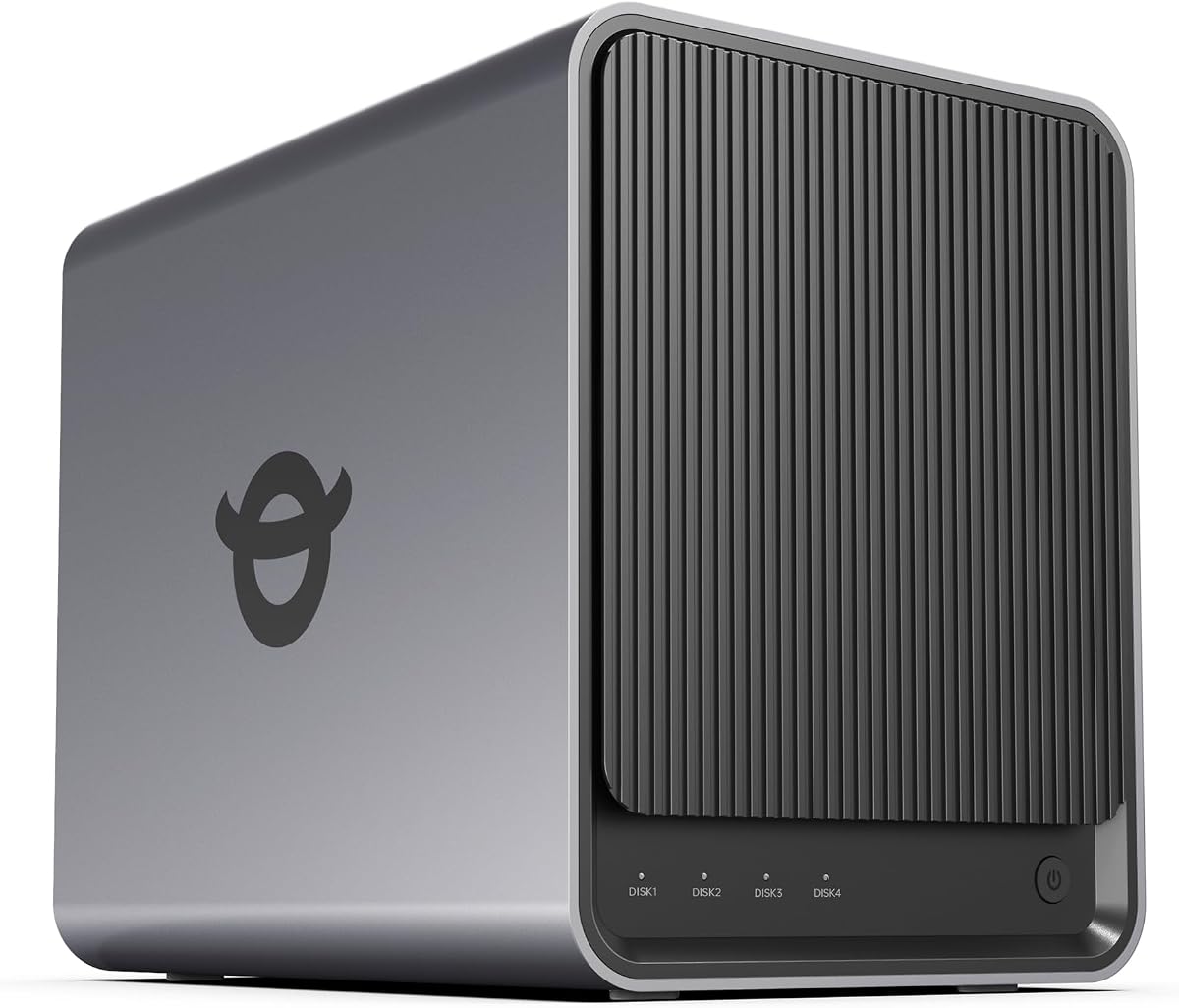
Yxk Zero1 Pro
4.4Editor score
Intel N100 processor
Affordable entry price
Supports third-party OS
This guide compares the top 4 Bay NAS models for home and business, evaluating performance, storage capacity, and software features to help you choose.
Choosing the right 4 Bay NAS can transform how you store and access your data. These devices offer reliable private storage with room to grow as your needs change over time.
We compared ten leading models based on processor power, network speeds, and software capabilities. Each entry was analyzed for real-world usability and long-term value for users.
Every pick highlights specific strengths like media transcoding or security features. Keep in mind that availability and pricing can change, so check current listings before deciding.
4.4Editor score

4.6Editor score

4.4Editor score
The following table provides a side-by-side overview of all ten selected models. It highlights key hardware specifications and unique capabilities to aid your decision process.





The TERRAMASTER F4-425 offers solid entry-level performance for home users needing reliable storage. Its Intel Quad-Core CPU and 4GB RAM handle standard file transfers and media streaming efficiently without breaking the budget.
We may earn a commission when you buy through this link, at no additional cost to you.
This model shines in multimedia tasks with hardware-level 4K H.265 decoding. It integrates smoothly with Plex and Emby for streaming. The TNAS Mobile app allows for easy initialization without needing a PC.
While the default RAM is modest, the tool-free design makes upgrades manageable. The quiet operation ensures it fits in living spaces without noise disruption. Users should verify compatibility for larger drive capacities.
Home buyers seeking a cost-effective way to centralize photos and videos will find this unit suitable. It balances performance and price well for those not requiring enterprise-grade features or heavy multitasking.
Designed for quiet environments, the F4-425 operates at just 21dB(A), making it ideal for bedrooms or living rooms where noise is a concern.
Support for TRAID and TRAID+ arrays provides more storage space than traditional RAID while ensuring data redundancy for peace of mind.
We may earn a commission when you buy through this link, at no additional cost to you.
The UGREEN NAS DXP4800 GT stands out for creators needing raw speed and flexibility. Powered by an AMD Ryzen Embedded CPU, it handles virtual machines and Docker apps smoothly for advanced workflows.
We may earn a commission when you buy through this link, at no additional cost to you.
Its dual 10GbE ports deliver blazing fast transfers ideal for editing large video files directly from the drive. The Surveillance Center feature allows for secure local recording without cloud dependencies.
Privacy-conscious users appreciate the local account mode and robust encryption options. The included SD card slot adds convenience for photographers importing media quickly without extra readers.
Tech enthusiasts will enjoy the open ecosystem allowing various self-hosted workflows. While it requires some setup effort, the performance and control offered justify the investment for demanding users.
Dual 10GbE ports support up to 2.5GB/s theoretical throughput, enabling smoother large file transfers and faster backups for professional workflows.
The system supports ECC RAM upgrades for error correction during long-term operation, enhancing stability for server-like usage scenarios.
We may earn a commission when you buy through this link, at no additional cost to you.
The Synology DS425+ is designed for environments where data integrity and team collaboration are paramount. It offers robust file management tools suitable for small offices needing secure document access.
We may earn a commission when you buy through this link, at no additional cost to you.
With support for up to 30 IP cameras, it doubles as a comprehensive surveillance system. The granular access controls ensure only authorized personnel can view sensitive client files.
Automated backups combined with snapshot technology protect against accidental deletion or ransomware attacks. Audit logs help track who accessed what data when for enhanced security oversight.
Business users prioritizing security and reliability will find this unit reliable. While it commands a premium price, the enterprise support and stability provide significant value for professional environments.
Share large files efficiently with concurrent access support for 10+ users, ensuring smooth teamwork across different locations and devices.
Multi-layered data protection combines RAID redundancy with automated backups to prevent data loss from any cause effectively.
We may earn a commission when you buy through this link, at no additional cost to you.
The UGREEN DXP4800 Plus strikes a perfect balance for families needing secure storage. Its powerful processor ensures smooth media streaming and backup tasks without lag or freezing during peak usage.
We may earn a commission when you buy through this link, at no additional cost to you.
The AI-powered photo album automatically organizes photos by faces and scenes. This saves time manually sorting through millions of images, making memory management seamless for busy households.
Security is handled through advanced encryption ensuring full data ownership. The intuitive app allows easy sharing across all devices, removing the complexity often associated with network storage setups.
Families looking for a private cloud alternative will appreciate this model. It offers massive capacity options while maintaining simplicity through a user-friendly interface that anyone can navigate.
The system automatically organizes photos by recognizing faces, scenes, objects, and locations to free up storage and save time.
Store up to 144TB capacity to ensure you never worry about storage limits again for photos, videos, and work files.
We may earn a commission when you buy through this link, at no additional cost to you.
The UGREEN NAS DH4300 Plus is tailored for beginners transitioning from external drives to a private cloud. Its intuitive setup process via NFC removes technical barriers often faced by new users.
We may earn a commission when you buy through this link, at no additional cost to you.
Cost-effectiveness is a major highlight. Unlike recurring cloud subscription fees, this device requires only a one-time purchase. This makes it an economically sound investment for long-term storage needs.
Security standards are met with certifications like ETSI EN 303 645 ensuring your data remains protected locally. The magnetic dust cover adds a touch of practicality to the enclosure design.
Remote workers and families looking for basic file sharing will find it sufficient. It supports Docker for expanding functionality without the complexity of managing full virtual machines.
Connect quickly via NFC and follow guided instructions to ensure you can easily take full advantage of its features immediately.
TRUSTe certified encryption provides advanced security for your files ensuring total control over your data without third-party clouds.
We may earn a commission when you buy through this link, at no additional cost to you.
The Synology DS925+ continues the brand's reputation for reliability. With dual 2.5GbE ports, it ensures fast network transfers essential for environments where speed is critical for daily productivity.
We may earn a commission when you buy through this link, at no additional cost to you.
File management is streamlined through built-in tools that simplify organizing and accessing documents. The system handles virtualization tasks smoothly allowing for flexible deployment of various server applications.
Data protection is maintained through snapshot technology and automated backups. This combination effectively guards against accidental deletions or system errors that could lead to data loss.
Small businesses needing a dependable file server will value this model. Its comprehensive feature set covers most networking needs, backed by Synology's reputation for customer support and warranty.
Dual 2.5GbE ports provide fast network transfer speeds and increased redundancy ensuring continuous operation if one port fails.
Built-in surveillance solutions allow you to monitor your premises directly from the NAS without needing separate recording hardware.
We may earn a commission when you buy through this link, at no additional cost to you.
The Yxk Zero1 Pro offers exceptional value for budget-conscious users needing a robust home server. Its Intel N100 processor provides enough power for media streaming and basic file hosting tasks efficiently.
We may earn a commission when you buy through this link, at no additional cost to you.
Connectivity is strong with dual 2.5GbE ports ensuring fast local transfers. The 4K HDMI output allows you to connect directly to a TV for a direct home theater experience.
Flexibility is a key feature as it supports third-party operating systems like TrueNAS or OMV. This appeal makes it attractive for hobbyists who want to customize their environment freely.
Families seeking a private cloud without high costs should consider this unit. It delivers solid performance for streaming and backups at a price point that undercuts many competitors.
Connect the 4K HDMI output to a compatible TV or monitor as part of a home theater setup for direct playback.
Support compatible Docker apps for Plex media libraries and Home Assistant smart-home projects for versatile home server uses.
We may earn a commission when you buy through this link, at no additional cost to you.
The Asustor Drivestor 4 Gen 2 focuses on efficient data protection for small office backups. Its upgraded Quad-Core processor handles daily storage needs smoothly without consuming excessive power.
We may earn a commission when you buy through this link, at no additional cost to you.
Enterprise-grade data protection features like Btrfs snapshots ensure files can be restored instantly after accidental deletion. WORM technology keeps critical documents immutable against malicious attacks.
Networking is improved with a 2.5GbE port offering significantly faster file transfers than traditional gigabit systems. This boost helps reduce backup times and improves streaming performance.
Small offices needing reliable security will find this unit practical. While it lacks advanced features of higher-end models, its focus on protection and efficiency makes it a strong contender for budget-conscious businesses.
Supports Btrfs snapshots allowing you to restore data to a previous point in time instantly after accidental deletion or errors.
Equipped with 2.5-Gigabit Ethernet for significantly faster file transfers compared to traditional Gigabit NAS systems.
We may earn a commission when you buy through this link, at no additional cost to you.
The Synology DS423 combines family-friendly features with robust business backup capabilities. It acts as a central hub for secure file sharing ensuring friends or partners stay on the same page.
We may earn a commission when you buy through this link, at no additional cost to you.
Surveillance tools allow protection of up to 30 IP cameras with archiving and analysis features. This integration simplifies home security monitoring without needing separate systems.
Ransomware-resistant backup strategies protect your digital assets effectively. Multi-destination backup ensures your data exists in multiple locations reducing the risk of total loss.
Families and small businesses needing a balance of media and security will find it useful. The reliable hardware backed by expert support makes it a trustworthy long-term investment.
Safely access and share files and media from anywhere ensuring teams and partners stay aligned without exposing data.
Back up your media and documents to multiple destinations and leverage snapshots to protect against malware effectively.
We may earn a commission when you buy through this link, at no additional cost to you.
The UGREEN NAS DXP4800 Pro is engineered for demanding workflows requiring serious performance. Its Intel Core i3 processor and DDR5 RAM provide speed comparable to a high-end desktop workstation.
We may earn a commission when you buy through this link, at no additional cost to you.
This unit serves as an IT hub capable of running virtual machines and Docker containers simultaneously. Dual M.2 PCIe slots eliminate HDD bottlenecks for faster caching and storage access.
Privacy is handled locally with AI processing happening on-device ensuring sensitive data stays off external servers. Granular user permissions allow management of thousands of accounts efficiently.
IT professionals and developers needing an advanced local workstation will appreciate this model. It offers enterprise-grade security and massive storage capacity in a unified home-friendly system.
Built for offices and power users needing serious performance for virtualization tasks and growing teams with advanced workflows.
Certified for strong privacy and data protection by TÜV SÜD and TRUSTe ensuring enterprise-grade security for your files.
We may earn a commission when you buy through this link, at no additional cost to you.
Selecting the right unit involves balancing processor speed, memory, and storage capacity. Consider these factors to find a model matching your specific needs.
The CPU determines how fast your system handles media transcoding and data transfers. Intel x86 processors are generally preferred for compatibility with third-party software like Plex.
Look for Quad-Core or higher to ensure smooth multitasking between file backups and media streaming tasks simultaneously.
Sufficient RAM is essential for running virtual machines or multiple apps. Most entry-level units come with 4GB but check if expansion is possible for future-proofing.
Aim for 8GB or higher if you plan on using advanced features like Docker or running a private server environment.
Standard Gigabit Ethernet is common but 2.5GbE or 10GbE ports offer significantly faster transfer speeds. This is crucial if you edit video directly from the network.
Verify your router supports these speeds to fully utilize the potential of the network ports available on the unit.
A 4 Bay NAS supports four drives allowing you to choose capacities based on budget. Total capacity depends on the drive size you purchase separately.
Ensure the unit supports large individual drives so you do not outgrow the storage potential quickly as your data needs expand.
The operating system controls how easily you access your files. User-friendly interfaces with mobile apps simplify remote access and management.
Check if the software supports your preferred media players or backup tools to avoid compatibility headaches after purchase.
Look for built-in encryption and user permission controls. Some models offer snapshot technology to protect against accidental deletion or ransomware.
Security is vital for private clouds ensuring only authorized users can access sensitive data stored on the system.
Consider models with M.2 slots or extra USB ports for additional storage or peripherals. Expansion allows the device to grow with your needs over time.
Extra slots are useful for caching frequently accessed files to speed up overall system performance without buying more HDDs.
A solid warranty indicates confidence in the hardware quality. Reliable customer support helps resolve software issues or hardware failures quickly.
Always check the support documentation available before buying to ensure the brand provides clear instructions for troubleshooting.
Start by installing your hard drives into the bays using the provided trays. Ensure they are securely locked before powering on the device to avoid physical damage to the connectors.
Initialize the system through the web interface or mobile app provided by the manufacturer. Create administrative accounts and set up RAID configurations to maximize data protection.
Regularly update the firmware to keep security patches current. Monitor drive health periodically and replace aging drives promptly to prevent data loss incidents.
Yes, most 4 Bay NAS units listed are diskless meaning you must purchase hard drives separately. Ensure you choose drives compatible with the NAS for best reliability and performance.
Most models offer remote access via dedicated apps or web interfaces. This allows you to retrieve files from anywhere with an internet connection securely.
RAID is a method of storing data across multiple drives for redundancy or speed. It is highly recommended to protect against drive failure and data loss in home environments.
Enable strong passwords, two-factor authentication, and keep firmware updated. Configure user permissions to restrict access to sensitive folders effectively.
Many models come with surveillance apps to record camera feeds. Check compatibility with your cameras and licensing costs before setting up a security system.
It is suitable for small teams needing centralized storage and backups. Ensure you back up critical data to an offsite location for complete disaster recovery.
We reviewed ten top models ranging from budget-friendly entry points to high-performance workstations. Each offers distinct advantages depending on your specific needs for speed, security, or simplicity.
Prioritize processor speed and network capabilities if you plan on editing media directly. Security features are critical if storing sensitive business or personal documents.
Always check current availability and pricing before making a purchase decision. Investing in a reliable 4 Bay NAS ensures your data remains safe and accessible for years.