
A-Tech 8GB DDR4
4.7Editor score
Affordable 8GB capacity
Standard 2400MHz speed
Lifetime warranty included
Discover the top DDR4 Sodimm Laptop RAM options for 2026. This guide compares speed, capacity, and reliability to help you choose the perfect memory upgrade.
Upgrading your laptop memory is one of the most effective ways to boost performance. DDR4 Sodimm Laptop RAM offers a reliable solution for enhancing multitasking and system responsiveness across various devices.
We have carefully evaluated ten top-rated modules based on speed, capacity, compatibility, and user feedback. Our selection includes trusted brands known for quality and durability in the memory market today.
Each pick highlights key features and ideal use cases to simplify your decision. Keep in mind that availability and pricing may fluctuate, so verify details before purchasing your preferred module.
4.7Editor score
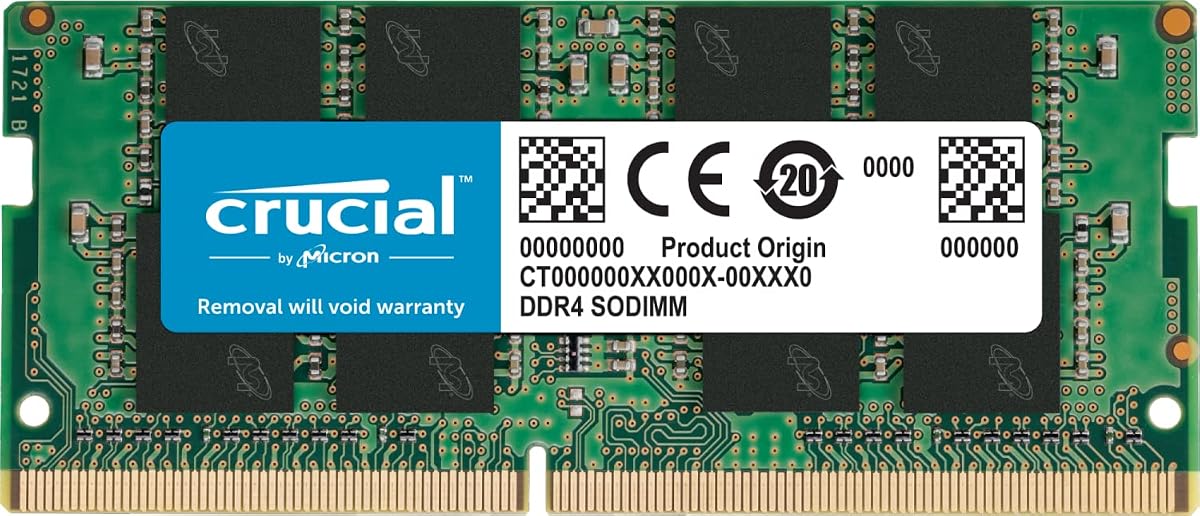
4.8Editor score
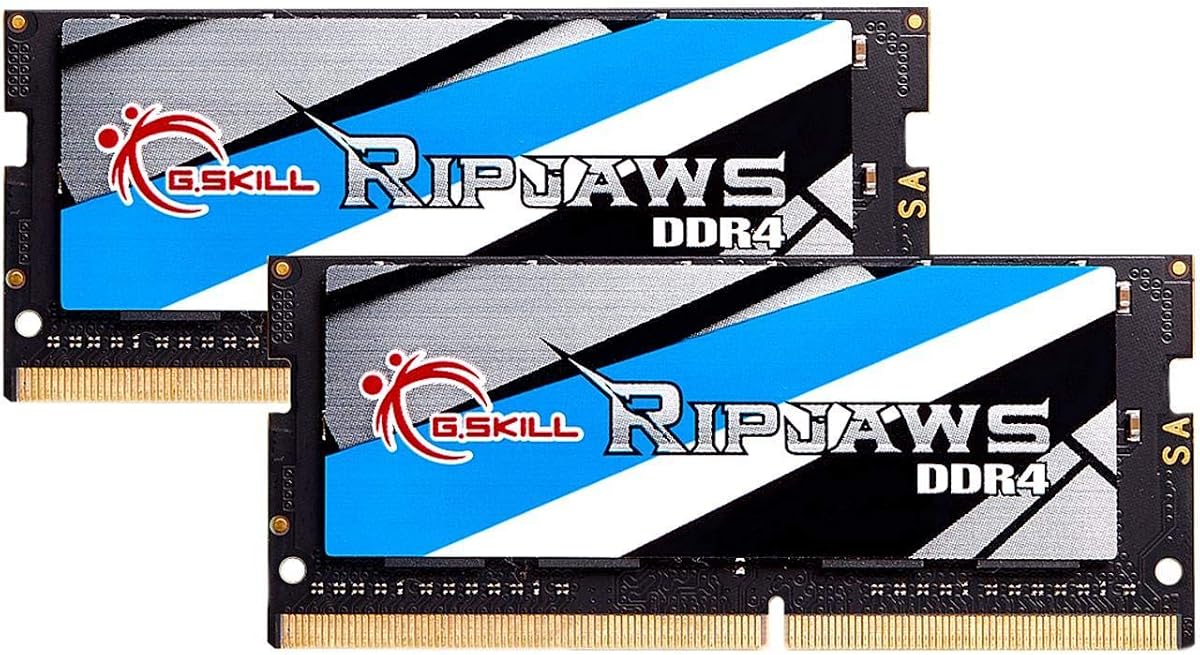
4.7Editor score
This side-by-side comparison highlights the technical specifications and key attributes of each selected module to help you find the best fit for your system.


This module delivers excellent performance with 16GB capacity and 3200MHz speed. It earns a strong 4.8 rating for reliability and system compatibility.
We may earn a commission when you buy through this link, at no additional cost to you.
Its key strength lies in seamless integration with 13th Gen Intel and Ryzen 7000 systems. The Micron-backed quality ensures stable operation under heavy workloads.
Users may find the cost higher than lower capacity options. This trade-off is acceptable given the significant performance boost it provides.
Ideal for professionals needing robust memory. It stands out as the top choice for balanced speed and capacity.
The 16GB capacity allows smooth switching between applications without slowdowns or lag.
Supports modern processors ensuring long-term usability as software demands increase.
We may earn a commission when you buy through this link, at no additional cost to you.
Samsung offers a solid 16GB DDR4 module with 3200MHz speed and CL22 timings. It is known for dependable performance across various laptops.
We may earn a commission when you buy through this link, at no additional cost to you.
The dual rank design supports better throughput and stability during demanding tasks. This makes it suitable for users needing consistent system responsiveness.
While highly rated, it may be less common than other brands. Availability can vary by region and retailer stock levels.
Recommended for those prioritizing brand reliability. It provides a balanced upgrade for general computing and productivity.
Samsung memory undergoes rigorous testing to ensure long-term durability and reliability.
The 2Rx8 configuration improves data handling for smoother multitasking performance.
We may earn a commission when you buy through this link, at no additional cost to you.
This 8GB module offers flexibility with downclockable speeds for broader system support. It shares the trusted Crucial quality and high ratings.
We may earn a commission when you buy through this link, at no additional cost to you.
Its main strength is balancing cost and performance for standard users. The downclocking feature ensures compatibility with older or varied hardware.
Capacity may limit heavy multitasking compared to larger modules. However, it remains efficient for everyday tasks and light applications.
Best for budget-conscious upgrades needing reliability. It delivers smooth performance for general laptop use cases.
Can adjust to 2933MHz or 2666MHz if your system requires lower speeds.
Backed by Micron expertise ensuring consistent quality and support.
We may earn a commission when you buy through this link, at no additional cost to you.
A powerful 32GB kit ideal for creative professionals. It features dual sticks for optimized channel performance and stability.
We may earn a commission when you buy through this link, at no additional cost to you.
The matched kit design ensures balanced performance across memory channels. This reduces latency and improves overall system throughput significantly.
Users must avoid mixing kits to prevent instability. The investment is justified for heavy workloads needing maximum memory.
Recommended for demanding workflows like video editing. It provides ample capacity for smooth operation under load.
Two sticks work together to boost data transfer rates effectively.
Designed to handle professional software with memory-intensive demands.
We may earn a commission when you buy through this link, at no additional cost to you.
This kit offers excellent value with 32GB capacity and strong reviews. It supports multiple speeds for wider compatibility across laptops.
We may earn a commission when you buy through this link, at no additional cost to you.
The dual channel setup improves efficiency and the lifetime warranty adds peace of mind. Users appreciate the balance of cost and capability.
Some may prefer more established brands for support. However the technical specs match leading options closely for most users.
Ideal for budget-focused performance seekers. It delivers robust memory for multitasking and daily tasks.
Lifetime warranty ensures long-term protection for your investment.
Operates at 2933MHz or 2666MHz if your system requires it.
We may earn a commission when you buy through this link, at no additional cost to you.
An affordable solution for those needing a simple capacity boost. It delivers solid basic performance at a budget-friendly price.
We may earn a commission when you buy through this link, at no additional cost to you.
The lifetime warranty and technical support provide confidence in the purchase. It is suitable for older laptops needing memory expansion.
Speed is lower than modern standards but adequate for general use. This limits performance for speed-dependent applications.
Best for cost-sensitive upgrades. It provides essential memory improvement without breaking the bank.
Offers essential memory at the lowest price point available.
Designed for easy home installation without special tools.
We may earn a commission when you buy through this link, at no additional cost to you.
A versatile 32GB kit supporting various speeds and devices. It aims to provide broad compatibility for different notebook systems.
We may earn a commission when you buy through this link, at no additional cost to you.
The multiple speed settings help ensure the module works across older and newer hardware. This flexibility reduces the risk of purchase errors.
Support infrastructure may be less robust than major brands. Users should verify compatibility details before proceeding.
Suitable for flexible upgrade needs. It offers strong capacity with adaptable performance settings.
Ensures fit across many laptop models with flexible speed support.
Adjusts to match system requirements for smooth operation.
We may earn a commission when you buy through this link, at no additional cost to you.
This module combines speed and reliability with 3200MHz operation. It is ideal for users needing fast single stick upgrades.
We may earn a commission when you buy through this link, at no additional cost to you.
Single rank design keeps it compatible with systems limiting rank counts. The high rating reflects consistent performance and low failure rates.
Capacity limits heavy multitasking but suits standard use. It is efficient for boosting system responsiveness effectively.
Recommended for speed-focused single upgrades. It ensures quick loading and smooth operation.
Operates at top DDR4 speeds for quick data access.
Single rank structure ensures compatibility with many systems.
We may earn a commission when you buy through this link, at no additional cost to you.
This 32GB module delivers heavy-duty performance for demanding users. It is engineered for stability under maximum load conditions.
We may earn a commission when you buy through this link, at no additional cost to you.
The 2Rx8 rank ensures robust data handling and system stability. It is suited for professionals managing large files and applications.
Price and availability might be limiting factors for some. The investment is justified for those needing reliable high capacity.
Best for power users and heavy workflows. It ensures uninterrupted performance during intensive tasks.
Provides ample memory for extensive multitasking and data handling.
Built to maintain consistent performance under high load conditions.
We may earn a commission when you buy through this link, at no additional cost to you.
A premium single stick option with 16GB and 3200MHz speed. It features a slim design for physical compatibility in tighter spaces.
We may earn a commission when you buy through this link, at no additional cost to you.
Auto-overclocking with compatible systems simplifies setup. The brand reputation ensures high stability and reliability for users.
The higher cost reflects the build quality and features. Overclocking may require BIOS adjustments depending on hardware.
Ideal for enthusiasts wanting performance and style. It delivers smooth operations with minimal configuration.
Design fits snugly in compact laptops without interfering with other parts.
Adjusts speed automatically to maximize performance when supported.
We may earn a commission when you buy through this link, at no additional cost to you.
Selecting the right memory requires evaluating several technical factors. This guide outlines key considerations to help you make an informed decision.
Determine how much memory you need based on your usage. Most users benefit from at least 16GB for smooth multitasking.
Higher capacity ensures future-proofing and handles heavy applications better.
Look for modules with speeds matching your laptop's supported range. DDR4 speeds typically range from 2400MHz to 3200MHz.
Faster speeds improve data transfer rates and overall system responsiveness.
Latency affects how quickly the memory responds to requests. Lower CL values indicate faster response times.
Aim for CL22 or lower for better performance in most modern systems.
Rank configuration impacts compatibility and throughput. Dual rank modules offer better performance but may have compatibility limits.
Check your system documentation to ensure rank compatibility before purchase.
Standard DDR4 modules operate at 1.2V. Ensure your motherboard supports the voltage for stable operation.
Deviating from standard voltage can cause instability or hardware issues.
Choose established brands with proven track records for quality. Reputable brands offer better quality control and support.
Trusted brands often provide warranties that protect your investment.
Verify that the module is compatible with your specific laptop model. Use tools like Crucial's System Scanner for accurate recommendations.
Compatibility ensures the module works properly without causing errors.
Balance cost with performance needs to stay within budget. Higher capacity and speed usually come with a higher price tag.
Prioritize essential specs that matter most for your use case.
Turn off your laptop and disconnect power before installation. Use an anti-static wrist strap to prevent static discharge that could damage components.
Open the access panel and gently press the new module into the slot until it clicks into place. Ensure the contacts are firmly seated for a solid connection.
Close the panel and restart the computer. Check system settings to confirm the total memory is recognized by the operating system.
It is generally recommended to use matching kits to avoid compatibility issues. Mixing brands can lead to stability problems or reduced performance.
Use Task Manager or System Information in Windows to view installed memory. On Mac, check About This Mac under the Overview tab.
Yes, 16GB is sufficient for multitasking and everyday use. Most users find it offers a good balance between cost and performance.
Higher speed helps but compatibility matters most. Your laptop must support the speed for it to be effective.
CL22 refers to the column address strobe latency of 22 cycles. Lower numbers indicate faster response times for the memory.
Most laptops only require a small screwdriver for the access panel. No special tools are needed for the module installation itself.
We have highlighted top options ranging from budget picks to premium kits. Each serves different needs based on capacity and performance requirements.
Prioritize compatibility and capacity first to ensure smooth system operation. Speed and brand reputation further refine your choice for long-term satisfaction.
Always verify current availability and details before purchasing. Prices and stock may vary so confirm specifics with the seller.