
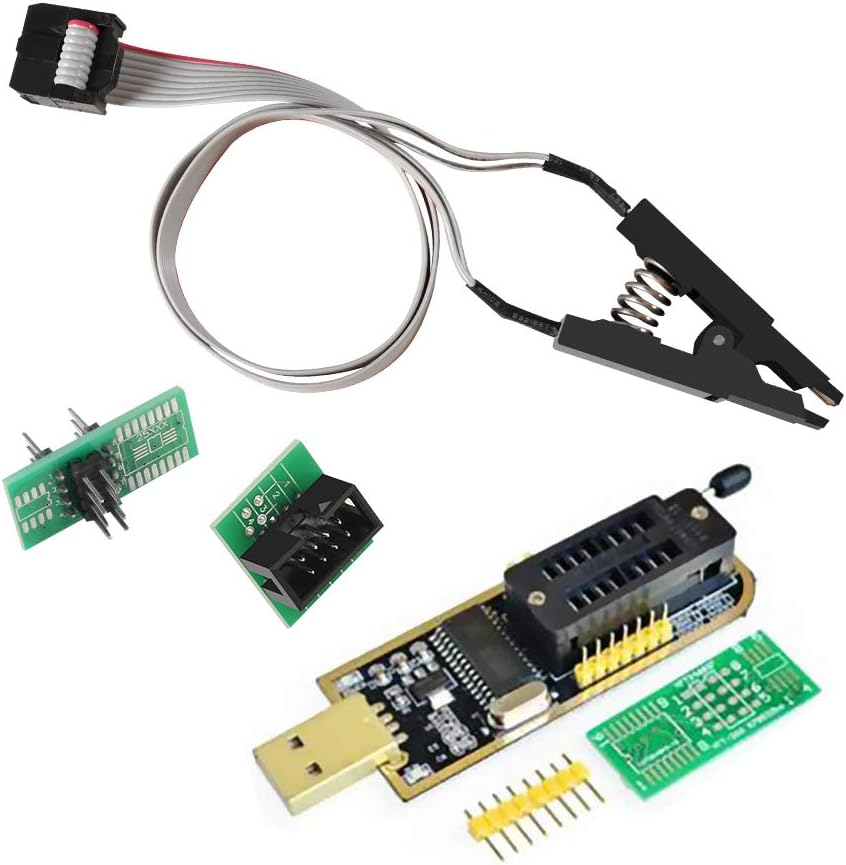
WWZMDiB CH341A EEPROM BIOS Programmer
4.1Editor score
Supports 24 and 25 series chips
Includes SOIC8 SOP8 test clip
No soldering required for most tasks
This guide compares the top bios flash tool options for programming EEPROM and SPI chips across laptops, motherboards, and embedded devices.
Selecting the right bios flash tool is critical for technicians who need to recover damaged firmware or update system chips efficiently. These devices allow direct interaction with memory components without needing complex soldering setups in most cases.
We evaluated ten distinct products based on compatibility, speed, ease of use, and reliability across different chip series. Our analysis focuses on real-world performance metrics and user feedback from professional repair environments.
Each pick highlights specific strengths such as adapter support or speed. Please note that availability and pricing may shift frequently so always verify current details before placing an order.
4.1Editor score
4.4Editor score

4.3Editor score
This side-by-side comparison examines each device features specifications and intended use cases to help you find the exact tool matching your specific repair needs.





This CH341A EEPROM BIOS Programmer stands out as an entry-level solution for technicians needing basic flash capabilities. It supports common 24 and 25 series chips effectively while offering a straightforward workflow for backup and erase tasks.
We may earn a commission when you buy through this link, at no additional cost to you.
The kit includes an SOIC8 SOP8 clip that allows you to clamp directly onto chips without removing them from the board. This feature saves significant time during repair operations and reduces the risk of physical damage to components.
While it lacks advanced voltage flexibility found in premium units, the 3.3v and 5V switching covers most standard applications. Users should confirm chip voltage before use to avoid burning sensitive components during programming.
Budget-conscious users or hobbyists seeking a reliable tool for occasional motherboard repairs will find this device highly useful. It provides essential functions without the complexity or cost of industrial-grade programmers.
The low price point makes this accessible for individuals entering the field of hardware repair without requiring a large initial investment.
The included test clip simplifies the process by allowing direct contact with the chip pins for immediate read and write operations.
We may earn a commission when you buy through this link, at no additional cost to you.
This product offers a robust combination of test clips and a CH341A programmer module tailored for EEPROM and flash operations. It is specifically designed to make BIOS flashing simpler by enabling in-circuit programming without chip removal.
We may earn a commission when you buy through this link, at no additional cost to you.
The inclusion of a double clip enhances usability when working on different chip configurations. Users benefit from the ability to test multiple components quickly while maintaining secure connections throughout the programming process.
Note that ESMT SST class 25 chips may only be read rather than written with this setup. Additionally checking the chip location on the motherboard is recommended to avoid peripheral circuit interference affecting performance.
Technicians looking for a reliable upgrade to basic programmer kits will appreciate this balanced tool. It bridges the gap between simple clips and full programming stations with proven effectiveness in repair settings.
Users can update firmware directly on the board which reduces downtime and prevents potential damage from desoldering processes.
The double clip feature provides redundancy and convenience ensuring you always have a functional connector available during complex tasks.
We may earn a commission when you buy through this link, at no additional cost to you.
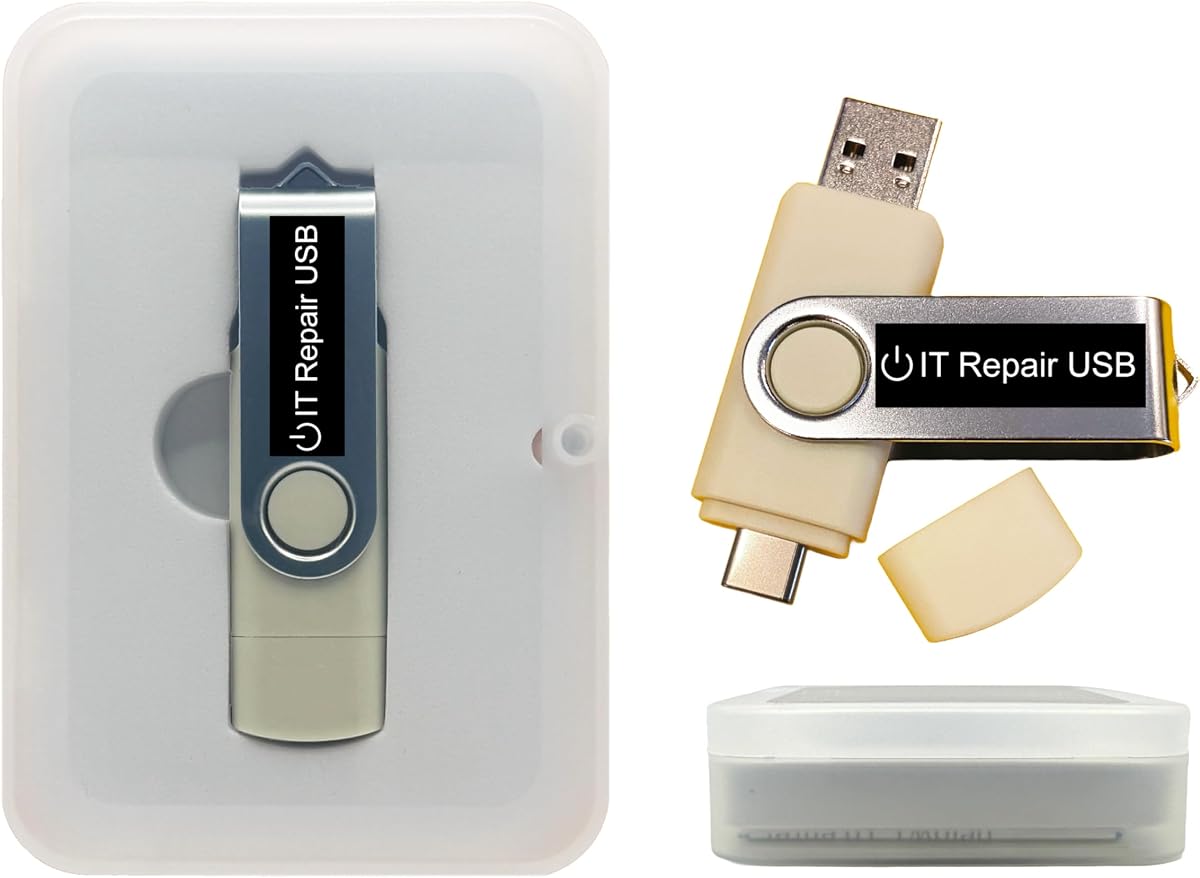
While not a dedicated hardware programmer this bootable USB tool is valuable for accessing locked systems quickly. It allows technicians to reset forgotten passwords on Windows or Linux accounts without reinstalling the operating system entirely.
We may earn a commission when you buy through this link, at no additional cost to you.
The drive supports both Legacy BIOS and UEFI boot modes ensuring compatibility across a wide range of laptops and desktops. This flexibility makes it a practical addition for general system maintenance workflows.
Users should be aware that it does not resolve hardware failures like dead motherboards or failing drives. Its primary function is restoring access rather than deep firmware reprogramming or physical repairs.
IT professionals who need a reliable recovery option for account lockouts will find this utility effective. It provides secure step-by-step guidance to restore access while preserving existing user data.
From Windows 2000 to modern Windows 11 plus major Linux distributions this tool covers legacy and current environments efficiently.
On-screen instructions guide users through the process reducing the likelihood of errors during password recovery operations.
We may earn a commission when you buy through this link, at no additional cost to you.
This bootable USB drive simplifies Windows 11 installation and recovery without requiring TPM hardware checks. It serves as a handy alternative for systems that cannot meet strict modern security requirements for native installs.
We may earn a commission when you buy through this link, at no additional cost to you.
The UEFI and Legacy compatibility ensures it works on a diverse set of devices ranging from newer machines to older desktops. This versatility supports repair shops managing mixed hardware inventories effectively.
Be advised that it cannot resolve underlying hardware problems like faulty RAM or failing drives. It focuses strictly on OS installation and recovery tasks requiring a functional power and boot path.
Users seeking a straightforward way to reinstall Windows without extra licensing hurdles will benefit from this option. It is tested manually to ensure reliability for setup scenarios.
The removal of TPM requirements allows installation on hardware that might otherwise be blocked by modern system policies.
Each drive undergoes manual verification in Texas to ensure consistent performance before reaching customers.
We may earn a commission when you buy through this link, at no additional cost to you.
This kit extends the capabilities of standard CH341A programmers by adding a 1.8V adapter and multiple socket adapters. It is suitable for amateur programmers working with 24 and 25 series flash chips across various devices.
We may earn a commission when you buy through this link, at no additional cost to you.
Eras and programming speeds are notably faster than older ATMEGA8 solutions providing quicker turnaround times for repair tasks. This efficiency is beneficial when handling multiple units in a repair workflow.
The package includes tools for TV memory LCD routers and set-top boxes making it a versatile option for electronics repair. However it remains tailored for hobbyists rather than high-volume industrial applications.
Enthusiasts needing extra adapter support for different pin counts will appreciate this comprehensive set. It balances performance and cost effectively for general flash memory tasks.
Users experience up to three times faster erasing speeds which reduces wait time during batch programming sessions.
The kit covers diverse electronics from routers to DVDs making it a go-to choice for multi-platform repair needs.
We may earn a commission when you buy through this link, at no additional cost to you.
The EZP2023 USB Programmer delivers top-tier performance with read and write speeds that outpace many competitors. It can read EN25T80 in three seconds and write it in nine seconds making it ideal for high-throughput environments.
We may earn a commission when you buy through this link, at no additional cost to you.
Automatic chip model identification streamlines the workflow by reducing manual configuration steps. It supports 25 SPI FLASH and EEPROM series ensuring broad compatibility across modern memory types.
The inclusion of fifteen adapters covers a wide range of physical pin configurations reducing the need for additional purchases. This makes it a comprehensive standalone solution for professional technicians.
Professionals seeking reliability and speed will find this investment worthwhile despite the higher cost. Its automation features significantly reduce errors and time spent on setup.
The rapid read write capabilities allow technicians to complete firmware updates faster than with standard alternatives.
Fifteen included adapters ensure compatibility with nearly any chip variant you encounter in the field.
We may earn a commission when you buy through this link, at no additional cost to you.
This bootable toolkit provides a comprehensive suite of utilities for diagnosing and fixing Windows systems. It includes system diagnostics malware removal and file recovery options accessible directly from the USB drive.
We may earn a commission when you buy through this link, at no additional cost to you.
Technicians can run tools in a Live environment without modifying the PC storage making it safe for sensitive data recovery. The customizable nature allows users to add their own ISO apps for tailored workflows.
While it does not fix hardware failures it excels at software-level repairs and system restoration. It is particularly useful for resellers preparing refurbished systems for resale quickly.
Users seeking a single drive for multiple repair tasks will find this kit practical. It balances ease of use with a broad range of recovery capabilities for general PC issues.
Built-in diagnostic tools help identify boot issues or file corruption without needing external software installations.
Running directly from USB ensures the system drive remains untouched until repairs are confirmed necessary and safe.
We may earn a commission when you buy through this link, at no additional cost to you.
This SOP16 test clip is designed to simplify refreshing and programming tasks on 25 series chips. It features a hardened clip structure with a thick gold-plated layer ensuring a stable electrical connection during operations.
We may earn a commission when you buy through this link, at no additional cost to you.
The long 40cm connection line provides flexibility when working with larger boards or difficult reach areas. It supports both wide and narrow body chips making it versatile for different component sizes.
Success depends on the specific board circuitry so users may need to remove chips if peripheral circuits interfere. Despite this limitation it remains a valuable addition to any technician's tool collection.
Users working with Rt809F or TL866 programmers will find this clip highly compatible and efficient. It enhances workflow by allowing direct clamping without complex soldering setups.
The gold-plated pins minimize signal loss ensuring accurate data transfer during read and write cycles.
The extended cable length allows comfortable positioning even when the programmer is far from the board.
We may earn a commission when you buy through this link, at no additional cost to you.
This bootable recovery solution ensures compatibility with modern Secure Boot settings which often block generic USB drives. It downloads genuine Windows directly from Microsoft ensuring users never deal with outdated or pirated ISOs.
We may earn a commission when you buy through this link, at no additional cost to you.
The tool is designed exclusively for UEFI BIOS systems covering most PCs from 2013 onwards. This focus on modern standards means it may not work on older hardware requiring Legacy Boot modes.
US-based support offers real assistance via live chat or email which adds significant value for non-technical users. The clear on-screen instructions guide users through installation without confusion or technical jargon.
Users prioritizing official software sources and modern hardware compatibility will find this option reliable. It provides a secure path to reinstallation without requiring deep technical knowledge.
Unlike many recovery drives this tool operates seamlessly with Secure Boot enabled reducing BIOS configuration steps.
Direct downloads from Microsoft guarantee that the installed system is fully legal and up to date with current patches.
We may earn a commission when you buy through this link, at no additional cost to you.
This specialized USB drive offers a complete Kali Linux environment tailored for ethical hacking and cybersecurity tasks. It includes over 600 pre-installed tools for network and wireless auditing providing a portable workstation.
We may earn a commission when you buy through this link, at no additional cost to you.
It works on both Intel AMD and supported ARM PCs with dual USB ports for maximum compatibility. Users can run directly from the drive or install permanently for full performance depending on their needs.
While not a traditional firmware flash tool it can be used for system testing and security assessments. Its customizable nature allows users to replace ISO apps or utilities to fit specific workflows.
IT security professionals and researchers will benefit from this ready-made secure operating system. It simplifies deployment of complex security tools without requiring local installation steps.
Hundreds of pre-installed tools allow immediate network and wireless testing without further configuration or downloads.
With both AMD64 and ARM64 builds it covers a wide range of modern hardware platforms for versatile usage.
We may earn a commission when you buy through this link, at no additional cost to you.
Selecting the right tool depends on your specific repair needs and the devices you typically work on.
Ensure the tool supports the specific chip series you encounter such as 24 25 or 93 series. Mismatched compatibility can lead to failed writes or damaged components.
Always verify chip types before purchase to avoid unnecessary returns.
Look for devices that offer adjustable voltage settings to match your chips requirements. Standard 3.3V and 5V options are common but some specialized chips may need different levels.
Correct voltage selection prevents permanent damage to memory components.
A high-quality test clip ensures stable connections without soldering. Gold-plated pins and reinforced designs improve reliability during repetitive use.
Invest in clips that fit snugly to avoid data transfer errors.
Faster read write speeds reduce overall repair time significantly. Professional units often offer rapid processing compared to basic hobbyist tools.
Prioritize speed if you handle high volumes of devices regularly.
Check if the tool includes software that works on your operating system. User-friendly interfaces make programming accessible even for less experienced technicians.
Compatible software simplifies setup and reduces configuration errors.
Included adapters for different pin counts expand the tool utility. Kits with multiple converters allow you to handle various chip sizes without extra purchases.
A broad adapter selection saves money in the long run.
Durable construction ensures the tool withstands daily use in a workshop environment. Look for sturdy connectors and reliable internal components.
Robust build quality prolongs the lifespan of your investment.
Balance cost with features to find a tool that meets your needs without overspending. Entry-level options work for occasional use while premium units suit professionals.
Evaluate long-term utility to determine the best value for your budget.
Begin by connecting the programmer to your computer via USB and installing any required drivers from the manufacturer. Ensure the chip is properly seated in the clip or socket before starting any operations.
Always select the correct chip model and voltage settings in the software to match your hardware. Incorrect configurations can lead to write failures or permanent chip damage during the process.
Store the device in a dry place away from extreme temperatures to maintain internal electronics. Clean the clip contacts periodically to ensure stable electrical connections over time.
Most tools support the 24 and 25 series which are common in EEPROM and flash memory. Some also cover the 93 series for specialized applications.
Many tools offer in-circuit programming with clips so desoldering is not always required. However peripheral circuits may interfere so removal is sometimes necessary.
Yes manufacturers provide specific software to control read and write operations. Ensure this software is compatible with your operating system version.
Yes many models are designed to work with laptop BIOS chips including SPI flash types. Verify specific compatibility with your laptop model before purchasing.
Standard flash chips typically use 3.3V or 5V. Always check the chip markings or datasheet to avoid damage from incorrect voltage.
Entry-level kits with clips and simple software are great for beginners. Start with basic tasks to build familiarity before attempting complex repairs.
With proper care and storage most units last for several years of regular use. High build quality models offer even longer lifespans in professional settings.
Always create a backup copy of the existing firmware before writing new data. This allows you to restore the original state if errors occur.
The top picks cover a range of needs from budget-friendly starters to professional premium units. Selecting based on your specific chip types and volume requirements ensures optimal performance.
Prioritize tools that offer reliable connections and software support to reduce repair time. Investing in quality adapters and voltage control features adds long-term value.
Always verify current availability and specifications before ordering since product details may change. This ensures you receive the exact capabilities needed for your repair tasks.