
RisoPhy Mechanical Gaming Keyboard
4.5Editor score
Clicky Blue Switches
Rainbow Backlit Design
Spill-Resistant Build
This guide compares the top loud mechanical keyboards for gamers and typists seeking satisfying clicky switches and robust build quality in October 2026.
Finding a loud mechanical keyboard means searching for switches that deliver crisp audible feedback with every keystroke. These keyboards are popular among typists and gamers who enjoy the tactile satisfaction of traditional switch designs.
We evaluated ten top-rated models based on switch type, build quality, and customization options. Our comparison focuses on keyboards known for their distinct clicky sound and reliable performance across various computing environments.
Each pick highlights unique features like hot-swap capabilities or retro styling. Please note that prices and availability can change frequently on retailer sites, so verify current details before purchasing your next keyboard.
4.5Editor score
4.6Editor score

4.6Editor score
The following table provides a side-by-side comparison of all ten keyboards featured in this guide. We highlight key specifications to help you quickly identify the model that best fits your specific typing or gaming needs.





The Redragon K671 offers an impressive entry point into hot-swap mechanical keyboards. With a rating of 4.3 stars, it stands out for its ability to customize switches without soldering.
We may earn a commission when you buy through this link, at no additional cost to you.
Its hot-swappable design allows you to experiment with different switch types. The double-shot PBT keycaps ensure durability and clear backlighting for night sessions.
While it features red switches which are generally quieter, it still provides a mechanical feel. The macro editing feature adds significant value for productivity tasks.
This keyboard is ideal for budget-conscious users wanting customization. Its solid build quality and warranty support make it a reliable daily driver.
The socket design accepts most standard switches for easy customization without tools.
Eleven unique backlight modes provide ample variety for personalizing your setup.
We may earn a commission when you buy through this link, at no additional cost to you.
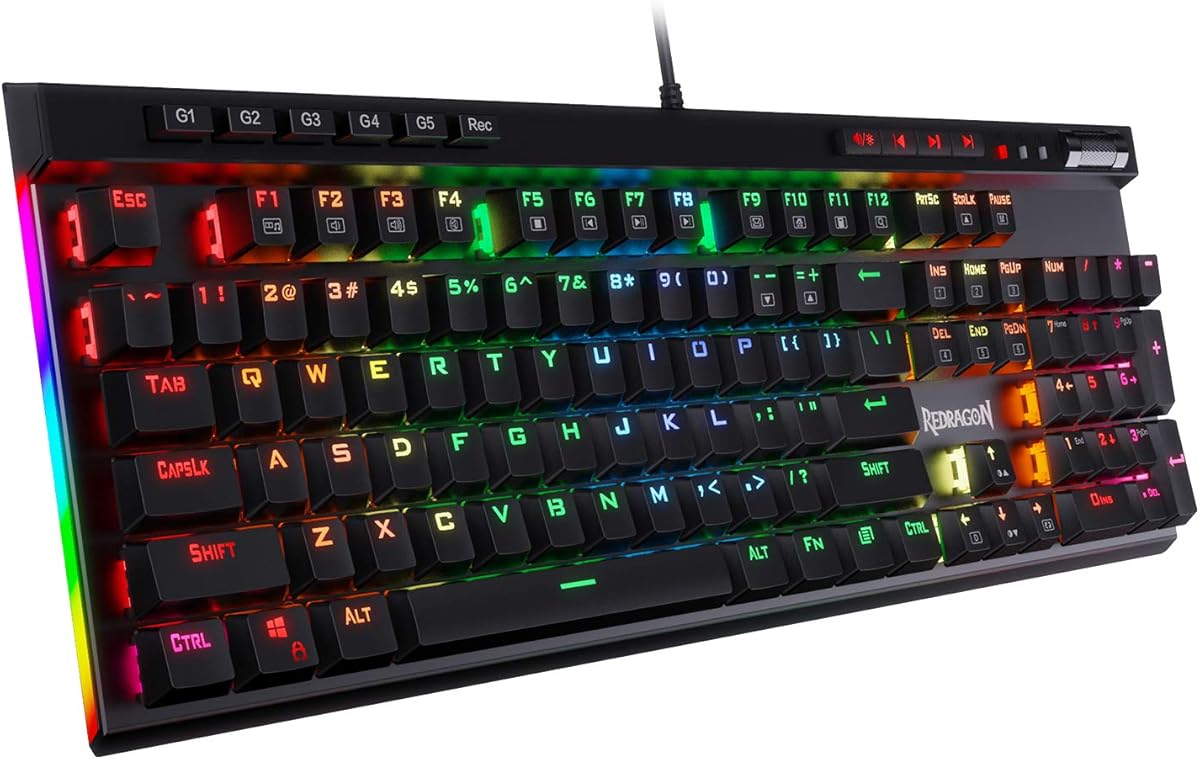
The RisoPhy Mechanical Gaming Keyboard delivers a classic clicky experience at a budget price. Its blue switches provide distinct tactile feedback and audible clicks.
We may earn a commission when you buy through this link, at no additional cost to you.
Built with durability in mind, this model includes hydrophobic holes to manage liquid spills. The ultra-slim design saves desk space while maintaining a full-size layout.
The rainbow backlit modes enhance visibility in low-light environments. Keycaps are pluggable for easy cleaning and maintenance over time.
This keyboard is perfect for typists seeking loud feedback on a budget. Its spill-resistant features offer extra peace of mind for daily use.
Hydrophobic holes allow water to flow away quickly protecting internal components.
Stair-up keycap design and foldable kickstands improve posture during long sessions.
We may earn a commission when you buy through this link, at no additional cost to you.
The SteelSeries USB Apex 5 combines mechanical tactile feel with membrane smoothness. This hybrid blue switch delivers a unique clicky feedback loved by many gamers.
We may earn a commission when you buy through this link, at no additional cost to you.
Its aircraft-grade aluminum frame ensures durability and a premium feel. The OLED smart display allows customization of GIFs and game info directly on the keyboard.
Dynamic per-key RGB illumination offers stunning visual effects for your setup. A magnetic wrist rest is included for additional palm support.
This keyboard is a top choice for enthusiasts wanting premium build quality. The hybrid switch offers a distinct typing experience different from standard mechanical options.
Combines tactile click with smooth membrane action for 20 million keystrokes.
Customize with game stats and messages to enhance your desktop visual experience.
We may earn a commission when you buy through this link, at no additional cost to you.
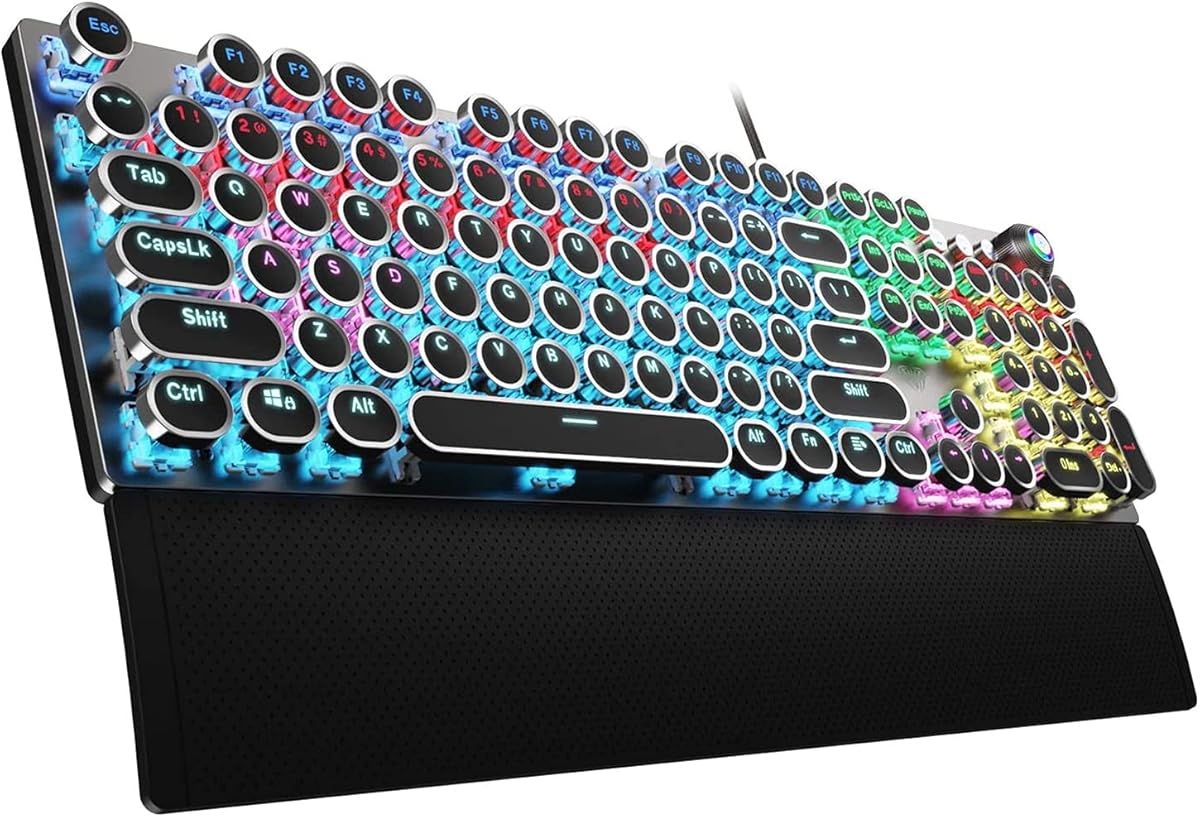
The RK ROYAL KLUDGE S108 brings a vintage typewriter feel to modern computing. Its round keycaps and yellow backlight create a unique steampunk vibe.
We may earn a commission when you buy through this link, at no additional cost to you.
Clicky blue switches provide tactile feedback with an audible click for precision. The aluminum alloy metal panel adds scratch resistance and durability.
A detachable wrist rest is included to reduce pressure during long sessions. Full-size layout ensures a number pad for data entry tasks.
This keyboard suits users who appreciate retro design and loud typing. The stable clicking touch offers a comfortable experience for extended use.
Retro round keycaps inspired by classic typewriters offer a vintage aesthetic.
Sturdy aluminum alloy metal panel ensures scratch resistance and stability.
We may earn a commission when you buy through this link, at no additional cost to you.
The Redragon K668 features four extra hotkeys for quick access to system controls. It allows switch swapping without soldering for customized typing feel.
We may earn a commission when you buy through this link, at no additional cost to you.
Vibrant RGB lighting includes a music-sync mode that reacts to desktop audio. Ergonomic feet help relax your wrists during prolonged gaming sessions.
Pro software enables deep customization of macros and lighting effects. Two sets of mixed color keycaps are included for style changes.
This keyboard works well for power users needing extra shortcuts. Its quiet stock switches make it suitable for shared office environments.
Four dedicated keys handle mute calculator and desktop lock tasks easily.
Pro software allows you to design custom lighting effects and keybindings.
We may earn a commission when you buy through this link, at no additional cost to you.
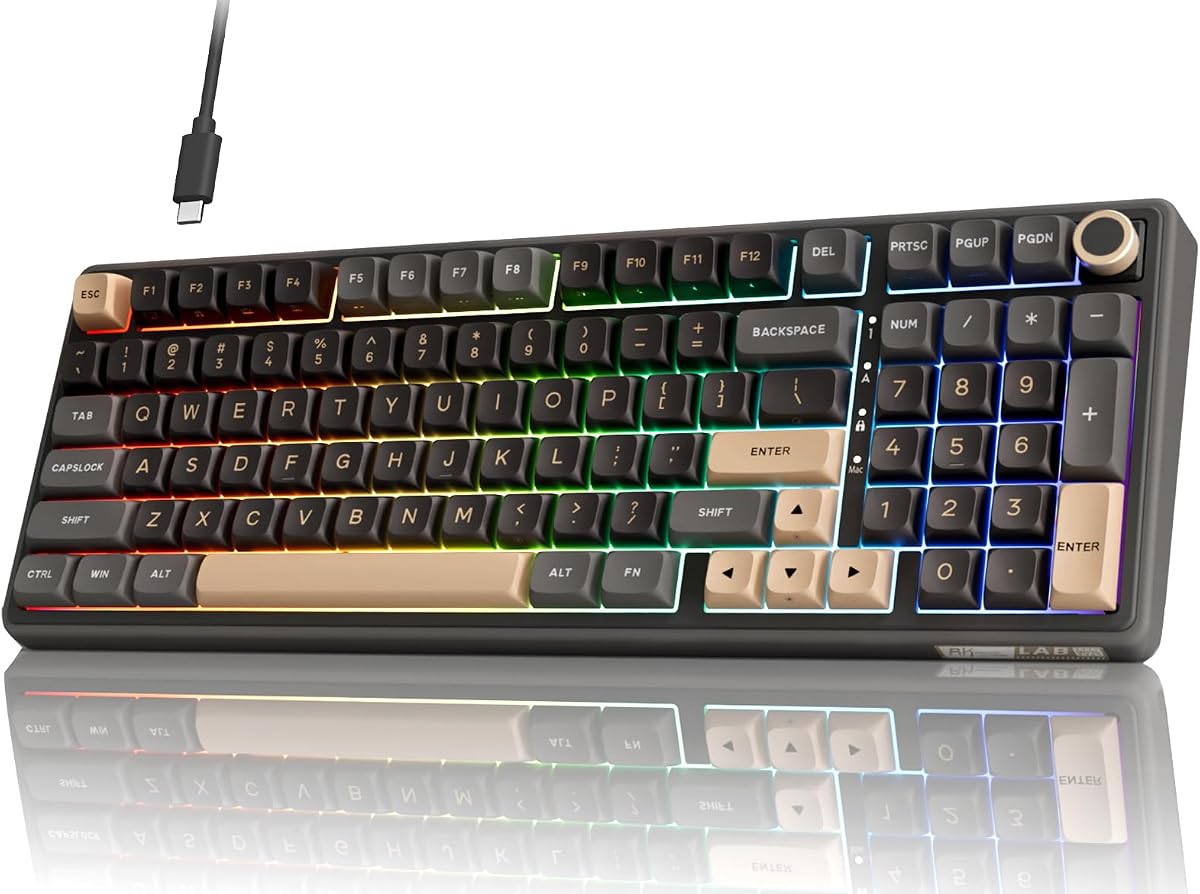
The RK ROYAL KLUDGE R98 Pro features a gasket mount for a softer typing feel. Pre-lubed linear switches provide a unique creamy sound and smooth stroke.
We may earn a commission when you buy through this link, at no additional cost to you.
A detachable volume knob allows quick audio adjustments without leaving the keyboard. The 96% layout saves desktop space while keeping essential keys.
MDA profile PBT keycaps offer a strong sense of wrapping around fingers. Online driver support enables macro settings and custom RGB configurations.
This keyboard is great for users wanting a soft tactile feel. The sound-absorbing foam ensures a thocky experience typical of high-end boards.
Five layers of sound-absorbing foam ensure a thocky and creamy typing experience.
MDA profile keycaps provide better fit and wrapping feeling during typing.
We may earn a commission when you buy through this link, at no additional cost to you.
The Logitech G413 SE is built for durability with an aluminum magnesium alloy top case. Tactile mechanical switches offer uncompromising performance for gaming.
We may earn a commission when you buy through this link, at no additional cost to you.
PBT keycaps provide heat and wear resistance compared to standard ABS. The brushed aluminum top case elevates the look of any gaming setup.
Six-key rollover anti-ghosting ensures all your inputs register simultaneously. FN media controls give quick access to volume and playback functions.
This keyboard suits users preferring a minimalist robust design. Its reliable performance and premium materials make it a solid long-term choice.
PBT keycaps and magnesium alloy frame resist wear and ensure longevity.
Six-key rollover guarantees accurate input during complex gaming commands.
We may earn a commission when you buy through this link, at no additional cost to you.
The AULA F2088 combines a typewriter style with convenient media controls. Its media control knob handles volume and lighting adjustments efficiently.
We may earn a commission when you buy through this link, at no additional cost to you.
Blue switches offer a crisp click sound and precise tactile feedback. Double-shot vintage keycaps ensure durability and clear backlighting.
A magnetic wrist rest provides ergonomic support to reduce wrist pressure. The metal panel protects the keyboard from scratches and daily wear.
This keyboard fits those who want style and function without software. Its straightforward operation makes it easy to use across various systems.
Long press the knob to switch between media and lighting control modes easily.
Magnetic wrist rest alleviates pressure on wrists during long gaming sessions.
We may earn a commission when you buy through this link, at no additional cost to you.
The AULA F99 offers three connection modes including Bluetooth and 2.4GHz wireless. It supports connecting up to five devices for seamless switching.
We may earn a commission when you buy through this link, at no additional cost to you.
Hot-swappable PCB allows replacing switches without soldering for customization. A gasket structure provides a softer and more elastic hand feel.
An 8000mAh battery ensures long usage time on a single charge. Double shot PBT keycaps maintain vibrance and resist fading over time.
This keyboard is ideal for multi-device users needing flexibility. Its wireless capability combines well with premium mechanical features.
Switch between up to five devices easily with FN and key combination keys.
An 8000mAh battery provides extended power for continuous use.
We may earn a commission when you buy through this link, at no additional cost to you.
The Redragon K580 allows recording combos on the fly without software. Five dedicated macro keys let you save complex shortcuts directly on the board.
We may earn a commission when you buy through this link, at no additional cost to you.
Stock blue switches deliver a distinct tactile bump and audible click. The upgraded socket accepts almost any switch for future customization.
Full anti-ghosting ensures inputs land accurately during rapid key combos. Rated for 50 million keystrokes, it holds up to heavy daily gaming use.
This keyboard stands out for productivity and gaming flexibility. The combination of macro keys and media wheel makes it highly efficient.
Record combos and shortcuts directly without needing companion software installed.
Upgraded socket accepts almost any switch allowing easy personalization later.
We may earn a commission when you buy through this link, at no additional cost to you.
Choosing a loud mechanical keyboard involves considering switch type, build quality, and features. This guide outlines key factors to help you make an informed decision.
Switches are the core of any mechanical keyboard and determine the sound and feel. Blue switches are known for being loud and clicky which fits your search for a noisy board. Other options like Brown switches are tactile but quieter while Red switches are linear and smooth.
Look for blue or clicky switches if you want audible feedback with every keystroke.
The material of the keyboard frame affects stability and durability. Aluminum alloys offer a premium feel and resist flexing during intense typing or gaming. Plastic cases are lighter and often cheaper but may feel less sturdy over time.
Prioritize aluminum or metal frames for a solid and durable typing experience.
Keycaps shape and height influence your comfort and typing sound. PBT keycaps are more durable and do not shine like ABS caps over time. Profile shapes like OEM or Cherry affect how your fingers rest during use.
Choose PBT keycaps for longevity and a consistent sound over the keyboard life.
The layout size determines how much desk space the keyboard occupies. Full-size boards have a number pad which is useful for data entry. Compact layouts like tenkeyless save space but remove the number pad.
Select a full-size layout if you need a number pad for work or gaming.
Hot-swap boards let you change switches without soldering for easy customization. This feature is great if you want to experiment with different sound profiles later. Non-hot-swap boards are cheaper but lock you into the stock switches.
Look for hot-swap sockets if you plan to customize your switch setup later.
Backlighting helps visibility in low-light conditions and adds visual style. RGB lighting allows color customization while single color backlights are simpler. Ensure the keycaps allow clear light transmission for best visibility.
Check for clear keycaps if you want your lighting to shine through effectively.
Software enables macro programming and lighting customization for advanced users. Some boards work well with basic driver support while others need heavy software. Ensure compatibility with your operating system before buying.
Verify software availability if you need macros or complex lighting control.
Loud mechanical keyboards range from budget-friendly to premium options. Higher prices often mean better build quality and additional features like wrist rests. Determine your budget to find the best balance of sound and features.
Set a budget early to narrow down the choices that fit your financial plan.
To maximize lifespan avoid spills and dust by using a cover when not in use. Clean keys regularly with a brush to remove debris that can affect switch performance.
Use the provided software to remap keys for your workflow. This helps avoid repetitive strain and improves efficiency during long sessions.
Store the keyboard in a dry place to prevent moisture damage. If the board has a detachable wrist rest wash it periodically to maintain hygiene and comfort.
Loud mechanical keyboards can be disruptive in quiet office spaces due to their clicky switches. If your office is open plan consider quieter tactile switches or use a wrist rest to dampen sound. However some users prefer the feedback for productivity.
Blue switches provide a distinct audible click and tactile bump on every keystroke. This feedback confirms inputs which many typists find satisfying. They are ideal for those who enjoy a loud and responsive typing experience.
If the keyboard has hot-swap sockets you can replace switches without soldering. Many modern boards feature this capability for customization. Always check product specs to confirm if switches are replaceable before purchase.
Use a keycap puller to remove keycaps and clean underneath with a brush or compressed air. For the surface wipe with a slightly damp cloth and avoid harsh chemicals. Regular cleaning keeps the keyboard hygienic and functional.
Most mechanical keyboards are compatible with Mac but some keys may need remapping. Check product descriptions for Mac support or use software to change function keys. Wired options generally have broader compatibility than wireless ones.
Loud mechanical keyboards offer precise tactile feedback that can improve gaming reaction times. The click confirms actions which helps in competitive games. However some gamers prefer quieter switches to avoid distraction.
Most keyboards have adjustable feet or kickstands on the rear. Adjust these to find a comfortable angle that reduces wrist strain. Some models also come with wrist rests for additional ergonomic support.
Anti-ghosting ensures multiple keys register simultaneously during fast typing. This is crucial for gaming to prevent missed inputs. Modern keyboards often feature full anti-ghosting so all keys work together.
We reviewed ten loud mechanical keyboards ranging from budget models to premium options. Our top picks include the RisoPhy Mechanical Gaming for budget and the SteelSeries Apex 5 for premium features.
Prioritize switch type and build quality when making your decision. Loud switches like blues provide the feedback you need for satisfying typing and gaming experiences.
Prices fluctuate so verify current deals on retailer sites before purchasing. Use our comparison table to narrow down the model that fits your specific needs and space.