
HDMI Media Player, Black Mini 1080p Full-HD Ultra HDMI Digital Media Player
4.1Editor score
Compact aluminum alloy design for portable use
Supports 1080p Full HD video at 60Hz
Includes HDMI and composite AV output options
This guide compares the top external hard drive media players for 4K playback, USB support, and digital signage needs to help you choose the right device.
Finding the right external hard drive media player can transform any television into a smart hub capable of playing high-definition videos from local storage. These devices bridge the gap between traditional TVs and modern media consumption, offering versatile connectivity options for USB drives and external hard drives.
We have evaluated ten top-rated models based on video quality, format compatibility, storage support, and ease of use. Our comparison focuses on devices that handle 4K content smoothly while providing reliable playback for music, photos, and digital signage applications in various environments.
Each pick highlights specific strengths such as budget-friendly pricing, advanced 4K support, or integrated hard drive enclosure features. Prices and availability change frequently, so please verify current details on the product pages before making your final purchase decision.
4.1Editor score

4.1Editor score

3.5Editor score
The following table provides a side-by-side comparison of all ten products to help you identify key specifications and features at a glance.


The Micca 4K Ultra-HD media player is a top choice for upgrading any television into a smart display capable of playing local files. It carries a solid rating from users who appreciate its intuitive interface and versatile connectivity options. This device stands out for its ability to handle high-resolution content without needing internet connectivity or subscription services.
We may earn a commission when you buy through this link, at no additional cost to you.
Its primary strength lies in the seamless playback of 4K video up to 60Hz over HDMI, ensuring crisp visuals on modern displays. The dual USB and microSD card readers allow you to access media from various sources, including hard drives up to 8TB. Users particularly value the digital signage features that support automatic looping and resume functionality for unattended displays.
While the player is highly capable, the remote control relies on line of sight, which may limit placement options if you want to hide the device behind a TV. Additionally, specific codec compatibility depends on the file container format, so checking specifications before purchase is wise. These trade-offs are acceptable given the price and performance.
This player is ideal for home entertainment enthusiasts, digital signage applications, or anyone needing a reliable standalone device. It simplifies media access by turning any HDMI display into a smart hub. We recommend this unit for those seeking a balance of performance, ease of use, and affordability.
The inclusion of dual USB ports and a microSD slot means you can connect multiple storage types without needing additional hubs or adapters for most common file formats.
Features like auto playback, looping, and resume from the last stop make this device perfect for retail displays or information screens that run content continuously.
We may earn a commission when you buy through this link, at no additional cost to you.
This mini HDMI media player offers an excellent entry point for users who need basic functionality without the cost of 4K hardware. It holds a strong user rating due to its reliable performance and portability. The device is designed to be compact, making it perfect for travel or spaces where desk space is limited.
We may earn a commission when you buy through this link, at no additional cost to you.
Key strengths include its ability to output crisp 1080p video at 60Hz through HDMI, ensuring smooth playback on standard high-definition TVs. The aluminum alloy construction provides durability, and the inclusion of composite AV output ensures compatibility with older television models. It supports a wide variety of video and image formats out of the box.
The main limitation is the lack of 4K support, which may not suit users with newer high-resolution displays. Additionally, it does not support H.265 HEVC decoding, so very large files might not play depending on encoding. However, for standard Full HD needs, these constraints are minor considering the low cost.
Buyers looking for a simple, travel-friendly solution will find this device meets their needs without unnecessary complexity. It is also suitable for office presentations or basic home media playback where 4K is not required. We recommend it for those prioritizing budget and portability over maximum resolution.
The aluminum alloy case not only looks professional but also protects the internal components during travel, making it a safe choice for frequent movers.
Most common video files including MP4, AVI, and MKV play without requiring conversion, saving time and effort for users with diverse media libraries.
We may earn a commission when you buy through this link, at no additional cost to you.
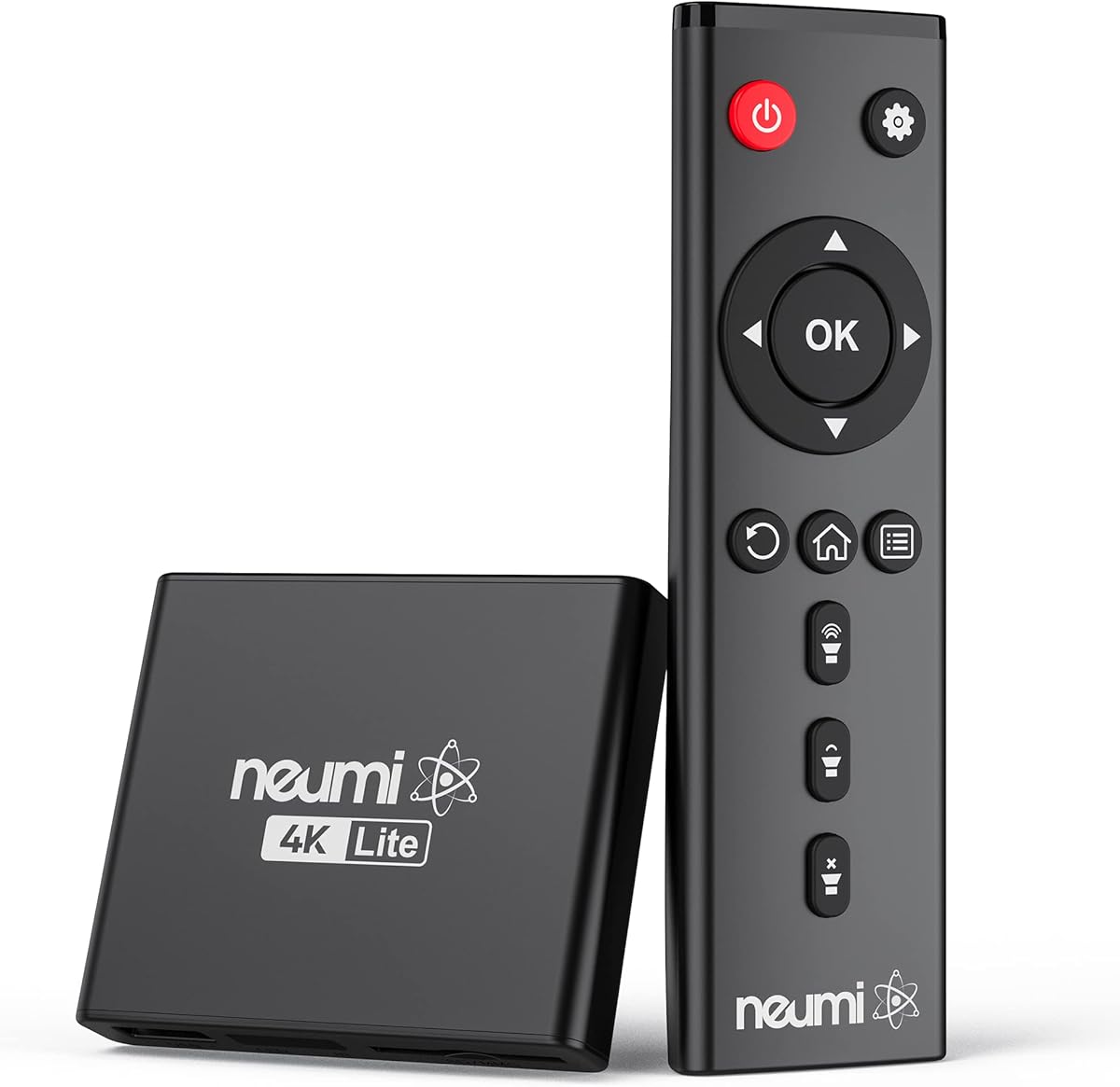
The NEUMI Atom 4K Lite is designed for users who want to go beyond standard playback into interactive applications. It carries a high user rating for its balance of simplicity and advanced features. This device is particularly notable for its trigger sensor input which allows it to play specific content based on external events.
We may earn a commission when you buy through this link, at no additional cost to you.
Its standout feature is the ability to loop one video continuously and switch to a different video when triggered by a push-button or motion sensor. This makes it ideal for digital signage art galleries, or museum installations where engagement is key. The 4K output ensures high visual fidelity when the content is displayed.
Potential buyers should note that the optional sensors are not included in the package, requiring additional purchase to fully utilize interactive features. Furthermore, the documentation may not cover every advanced configuration scenario. These limitations are acceptable for most general users who might not need the extra functionality immediately.
This player is best suited for small businesses or hobbyists creating interactive displays. It provides a professional result without the cost of custom software solutions. We recommend it for those looking to add a unique interactive element to their media displays.
The sensor input opens up possibilities for motion-activated videos or button-pressed content that adds a dynamic layer to presentations or exhibits.
Being smaller than a deck of cards means it can be easily hidden or mounted discreetly in tight spaces where other players would not fit.
We may earn a commission when you buy through this link, at no additional cost to you.
This ACEMAX player stands out as a premium solution by integrating a 2.5-inch SATA HDD enclosure directly into the unit. Users appreciate the dual functionality which saves space and cables for desktop setups. The device supports 4K video at 60Hz with H.265 HEVC decoding for high quality playback.
We may earn a commission when you buy through this link, at no additional cost to you.
The metal housing is a key benefit for extended playback scenarios as it helps dissipate heat more effectively than plastic enclosures. This makes it suitable for continuous running in retail or office environments. The inclusion of auto play and loop functions simplifies setup for unattended displays.
Users should be aware that the internal drive requires specific formatting to be recognized by the player, which adds a step to the setup process. Additionally, the remote control needs a clear line of sight, limiting placement options. These issues are manageable with proper preparation and planning.
This unit is perfect for businesses that need a reliable signage solution without the complexity of networked devices. It combines storage and playback into one compact device. We recommend it for users who want integrated hardware solutions for their media playback.
By combining the enclosure and player, you reduce cable clutter and points of failure which improves overall system reliability for commercial use.
The aluminum enclosure aids in passive cooling, which can extend the lifespan of the device during long hours of continuous operation.
We may earn a commission when you buy through this link, at no additional cost to you.
This 4K media player is notable for its robust audio capabilities which support up to 7.1 surround sound through HDMI. It maintains a good user rating for delivering rich sound alongside high-resolution video. The device is built from aluminum alloy which provides durability and heat resistance.
We may earn a commission when you buy through this link, at no additional cost to you.
The H.265 decoding allows files to load faster and use less bandwidth, resulting in smoother playback for large files. Users can also connect a USB mouse or keyboard to navigate menus or type searches, making it more versatile. The vertical screen support is a unique feature for specific display needs.
While the video refresh rate is limited to 30Hz, this is standard for many 4K players at this price point. Vertical playback support is useful but may not work perfectly with all content types. These limitations are minor for most home theater setups.
Ideal for home cinema enthusiasts who want high-quality audio without additional audio processors. The support for peripheral input makes it feel more like a full smart TV system. We recommend it for those prioritizing sound quality and interface flexibility.
The HDMI audio support allows you to utilize high-end sound systems easily which enhances the overall viewing experience significantly.
Supporting mouse and keyboard input gives you more control options than typical remotes which can be helpful for navigating complex menus.
We may earn a commission when you buy through this link, at no additional cost to you.
This HDMI media player is designed to handle a wide range of multimedia content for advertising and home use. It has a strong user rating due to its reliability in playing common file formats. The device supports 4K output and H.265 decoding for quality performance.
We may earn a commission when you buy through this link, at no additional cost to you.
The variety of output interfaces including HDMI AV and fiber optic makes it adaptable to many different audio and video setups. Users appreciate the included AV cable which simplifies setup for older televisions. The support for large drives allows for extensive media libraries.
Some formats may require specific placement in the file directory to play automatically which can be a minor inconvenience. The lack of internal storage means you must bring external drives for media. These factors are typical for external players.
Best suited for commercial advertising or home entertainment where varied content needs to be played. The versatility of connections ensures it works with most existing equipment. We recommend it for users needing a general-purpose player with broad support.
With HDMI AV and fiber optic outputs you can connect to almost any TV or speaker system without buying extra adapters.
The ability to read drives up to 8TB means you can store thousands of hours of video content in one device.
We may earn a commission when you buy through this link, at no additional cost to you.
While not a media player itself this external hard drive is the perfect companion for any device in this roundup. It carries an excellent user rating for reliability and ease of use. The drive is designed to be lightweight and portable making it easy to carry media libraries around.
We may earn a commission when you buy through this link, at no additional cost to you.
Its main strength is the high-speed USB 3.2 interface which ensures quick file transfers to your computer or media player. It works seamlessly with both Windows and Mac without requiring software installation. The plug-and-play feature makes it accessible even for non-technical users.
Because it is just storage you must pair it with a separate media player to view videos on a TV. It also does not include backup software for automatic protection of your files. These expectations are clear for any standard external drive.
This is an essential buy for anyone looking to expand their local media storage. It is reliable enough for daily use and large enough for personal libraries. We recommend it as the ideal partner for high-capacity media playback.
Works with both Mac and PC systems so you can share media between devices without worrying about format incompatibilities.
SuperSpeed USB ensures that you spend less time copying files and more time enjoying your media content.
We may earn a commission when you buy through this link, at no additional cost to you.
This player offers a near-perfect user rating due to its strong performance and feature set. It combines a media player with a hard drive enclosure to reduce hardware needs. The device supports 4K at 60Hz which provides smooth motion for video content.
We may earn a commission when you buy through this link, at no additional cost to you.
The inclusion of a Type-C cable allows for direct data transfer to laptops making it versatile for content creation workflows. It supports multiple file systems including FAT32 exFAT and NTFS so you do not need to format drives often. Auto loop playback is ideal for signage.
Buyers should note that the internal drive is not included so you must purchase a SATA drive separately. The enclosure only fits 2.5-inch drives which limits capacity compared to larger desktop drives. These constraints are acceptable for portable and compact needs.
This is the best option for users needing both storage and playback in one device. It simplifies setup and delivers high-quality video output. We recommend it for those who want a unified hardware solution.
The 60Hz support means video moves smoothly which is better for sports and action content than standard 30Hz models.
Using the included Type-C cable you can move files quickly to a computer without needing extra adapters or cables.
We may earn a commission when you buy through this link, at no additional cost to you.
This media player is designed to combine playback and storage in a single device for convenience. It supports 4K video at 60Hz for clear motion on modern displays. The built-in enclosure simplifies the setup process for external drives.
We may earn a commission when you buy through this link, at no additional cost to you.
The H.265 decoding ensures efficient playback which helps with large high-resolution files. Auto-play and resume features make it easy to use for unattended displays. Users can connect a Type-C cable to transfer data to laptops easily.
The internal drive must be purchased separately which is a common cost consideration. Batteries for the remote are not included requiring an extra purchase. These are standard for hardware in this category.
Best for users who want to manage both storage and playback from one device. It is suitable for commercial signage and home theaters. We recommend it for those needing a complete hardware solution.
Having the player and enclosure combined reduces cable clutter and physical space usage on your desk or shelf.
The H.265 support allows for smaller file sizes without losing quality which saves space on your drive.
We may earn a commission when you buy through this link, at no additional cost to you.
This device is tailored for digital signage applications that require automatic looping and resume functionality. It allows playback of local storage without needing subscriptions or internet. The unit supports 4K output and a wide range of video formats.
We may earn a commission when you buy through this link, at no additional cost to you.
The auto-play and resume features are particularly useful for business displays that need to maintain consistency over long periods. Support for 8TB drives means you can store extensive content libraries locally. The included AV output helps with older display hardware.
Users note that the documentation is limited compared to higher rated models which may increase setup time. Support issues can take longer to resolve due to lower volume. These trade-offs are typical for budget-focused hardware.
It is suitable for small businesses looking for a cost-effective signage solution. We recommend it for users who need basic looping and storage features without complex management.
Built-in looping allows screens to show content continuously without manual intervention which is vital for public displays.
The ability to resume from the last position helps manage long videos by keeping the same view for returning audiences.
We may earn a commission when you buy through this link, at no additional cost to you.
Choosing the right external hard drive media player involves considering resolution, storage compatibility, and specific features for your needs.
Video resolution and refresh rate determine the visual quality you will see on your display. For modern high definition TVs 4K support is essential to match the screen capabilities. Look for refresh rates of 60Hz or higher for smooth motion especially when watching sports or action content. If your TV is older 1080p might be sufficient and can save you money on unnecessary features. Always check the HDMI output specifications to ensure compatibility with your display device.
The types of storage you plan to use dictate the interface requirements of your player. Most models support USB flash drives and external hard drives up to 8TB. SD card slots offer another option for smaller media files or portable usage. Ensure the player supports the file systems your drives are formatted in such as FAT32 exFAT or NTFS. Mismatched file systems can prevent the device from reading your media entirely.
Video codec support determines whether specific files will play smoothly on your device. H.265 HEVC is the modern standard for efficient high-resolution video playback. Older codecs like H.264 are still widely supported but may require larger files. Check the supported formats list to ensure your existing media library is compatible. Conversion can take time so a player with broad native support is preferred.
For commercial or public displays digital signage features are critical for automated operation. Auto play looping ensures your content runs continuously without interruption. Resume functionality allows the player to return to where it stopped if power is lost. Look for devices that offer these features natively rather than relying on software. These tools save significant time in managing public screens.
Input and output options define how the player connects to your audio and video equipment. HDMI is the standard for high definition video and audio transmission. AV output is useful for older TVs that lack digital inputs. Audio outputs like optical or 3.5mm jack allow connection to external sound systems. Verify the ports match your existing setup to avoid buying extra adapters.
The remote control quality affects how easy it is to navigate your media library. Some remotes require line of sight which can limit where you place the player. Air mouse remotes offer non-line-of-sight control which is more convenient for hidden setups. Check if the remote supports mouse or keyboard input for advanced navigation. A user-friendly interface saves frustration during daily use.
Build quality impacts the durability and longevity of the device especially during extended use. Metal housings dissipate heat better than plastic which is vital for 4K playback. If you plan to run the device for hours daily consider models with aluminum enclosures. Good cooling prevents performance throttling or hardware failure over time. This factor is often overlooked until problems arise.
Budget should align with your specific needs to avoid overspending on unnecessary features. Entry-level models offer basic 1080p playback at a lower cost. Premium models include advanced features like integrated enclosures or higher refresh rates. Calculate the total cost including drives and remotes for a true value assessment. Often mid-range options offer the best balance of price and performance.
To set up your media player connect it to your TV via HDMI and plug in the power adapter. Insert your external drive into the USB port or built-in slot. Turn on the player and select the HDMI input on your TV to see the interface. Use the remote to navigate to the media player and select your drive to browse files.
For optimal performance ensure your storage drives are formatted correctly in FAT32 exFAT or NTFS. If files do not play check the video codec compatibility on the product specification sheet. Adjust video rotation settings if you need to display content vertically on specific screens. Always eject drives safely through the menu before unplugging to prevent data corruption.
To extend the life of your device keep it in a cool dry place away from direct sunlight. If it is housed in a metal case ensure vents are not blocked by clutter. Dust the device regularly with a soft cloth to prevent overheating. Store remote batteries separately if not using for long periods to avoid corrosion and battery leaks.
Most media players allow connection of one external hard drive and one USB flash drive simultaneously. If your player has dual USB ports you can connect two drives at once. Check the product specifications to confirm how many devices are supported at the same time.
You may need to format your drive if it is not in a supported file system like FAT32 exFAT or NTFS. If the drive is new it is best to format it before transferring media to avoid compatibility issues.
Your file might use a codec or container the player does not support. Check that the player supports H.265 or H.264 codecs and verify your file container type. Sometimes lowering the file bitrate helps if the player cannot handle high data rates.
A media player processes and outputs video to a TV while an enclosure simply stores data for a computer. Some units combine both functions allowing playback and storage in one device.
Many models offer composite AV output specifically for older TVs without HDMI inputs. Check the product details for AV cable inclusion to confirm compatibility with your specific TV model.
Most players support external subtitle files like SRT or SSA. Some formats support embedded subtitles within the video file. Verify subtitle support on the product specification sheet for your specific model.
The Micca 4K Ultra-HD and ACEMAX 4K@60Hz Offline represent excellent choices for different user needs depending on features like integrated enclosures. The mini 1080p player remains a great budget option for basic connectivity without the need for high resolution playback.
Prioritize models with broad file system support and robust 4K capabilities if you want to future-proof your setup. Ensure the player fits your physical space and connects easily to your existing audio video equipment.
Always verify current pricing and availability on the product pages as hardware costs fluctuate frequently. Check your drive compatibility before purchasing to avoid unnecessary returns or formatting issues.