
EVGA SuperNOVA 1600 G2
4.6Editor score
80 Plus Gold certified efficiency
140mm double ball bearing fan
Heavy duty protection suite included
This comprehensive guide compares the top 1600W power supplies for high-end gaming and workstations, evaluating efficiency, noise, and reliability.
Choosing a 1600W power supply is critical for modern high-performance systems that demand stable and efficient energy delivery for extreme workloads and gaming setups.
We evaluated ten top models based on efficiency ratings, noise performance, cable management, and compliance with the latest ATX 3.1 and PCIe 5.1 standards for future proofing.
Each pick highlights unique strengths and trade-offs to help you match the right unit to your build needs while keeping in mind that prices fluctuate regularly online.
4.6Editor score

4.4Editor score

4.7Editor score
This side by side comparison lists every model reviewed with key specifications to help you quickly identify which unit fits your specific power and noise requirements.




The ASRock PG 1600G stands out as a top contender for high end systems needing massive power delivery with modern standard compliance and reliable cooling.
We may earn a commission when you buy through this link, at no additional cost to you.
It delivers stable power for multi GPU setups and extreme overclocking with dual native 12V-2×6 connectors and a robust cooling solution featuring a large FDB fan.
While the unit is deep and may require case clearance checks the included TempGuard technology and physical switches for cooling modes add valuable safety and usability.
This PSU is ideal for builders wanting gold efficiency and ATX 3.1 readiness without paying premium prices while ensuring long term stability with Japanese components.
The dual color 12V-2×6 connectors ensure secure fit confirmation while TempGuard monitors terminal temperature for added safety during high load usage.
iCool mode keeps the fan off during low loads for silent operation and includes a physical switch to enable continuous cooling when needed.
We may earn a commission when you buy through this link, at no additional cost to you.
This unit combines Seasonic PR electrical performance with Noctua cooling technology to deliver a quiet and efficient power solution for demanding workstations and silent gaming PCs.
We may earn a commission when you buy through this link, at no additional cost to you.
The NF-A12x25 fan ensures noise levels stay near inaudible even under load while the titanium certified efficiency reduces heat waste and power consumption significantly.
Semi passive operation keeps the fan off until 50 percent load which is perfect for users prioritizing silence but the high price reflects the premium brand collaboration.
Buyers seeking a whisper quiet build with top tier efficiency and reliable power delivery should consider this Noctua edition despite the higher cost.
The custom optimized fan grill and Noctua fan work together to achieve Lambda A++ certification ensuring minimal noise during operation.
Meeting ATX 3.1 standards and boasting titanium efficiency this PSU delivers steady power while minimizing energy loss and heat generation.
We may earn a commission when you buy through this link, at no additional cost to you.
The be quiet! Dark Power Pro 13 offers unmatched signal stability through digital control and full bridge LLC technology making it ideal for overclocking and stable workloads.
We may earn a commission when you buy through this link, at no additional cost to you.
It features a titanium efficiency rating up to 94.5 percent and supports modern PCIe 5.0 GPUs with full ATX 3.0 PSU compliance for future proofing.
The overclocking key switches between rail configurations which adds flexibility but the high cost and dense cabling might challenge casual builders.
Enthusiasts valuing digital precision and peak efficiency will appreciate this unit while others might find simpler options better suited to their needs.
An overclocking key allows switching between six 12V rails or one massive rail to match specific workload demands effectively.
The full mesh front with funnel shaped inlet ensures optimal airflow to maintain low temperatures under heavy use conditions.
We may earn a commission when you buy through this link, at no additional cost to you.
This Seasonic model delivers titanium efficiency and robust power stability ideal for AI workstations and high end computing tasks requiring consistent voltage under heavy loads.
We may earn a commission when you buy through this link, at no additional cost to you.
Features include dual native 12V-2×6 connectors and 100 percent Japanese capacitors ensuring long term reliability and readiness for the latest hardware standards.
Hybrid fan control helps manage noise while the unit remains powerful enough for extreme multi GPU setups although the price is premium compared to standard units.
It is a solid choice for professionals needing dependable power without compromise on quality or future proofing for next generation GPU demands.
Using 100 percent Japanese capacitors ensures exceptional stability and long term performance even under continuous high load usage.
Dual native 12V-2×6 connectors provide safe and direct power for high end graphics cards without adapters or compromises.
We may earn a commission when you buy through this link, at no additional cost to you.
The CORSAIR HX1500i offers comprehensive software monitoring and control through iCUE allowing users to manage fan curves and overcurrent protection dynamically.
We may earn a commission when you buy through this link, at no additional cost to you.
It meets ATX 3.1 standards with transient spike resistance and features a 140mm FDB fan that stops completely under low loads for near silent operation.
While fully modular and powerful the reliance on software for some features and slightly lower wattage may not suit those wanting pure standalone hardware.
This unit suits CORSAIR ecosystem users who value customization and real time power monitoring over raw wattage numbers.
Toggle between single to multi-rail overcurrent protection on-the-fly using CORSAIR iCUE Software for flexible system safety.
Zero RPM Fan Mode switches the cooling fan off entirely at low loads ensuring silent operation when power demand is minimal.
We may earn a commission when you buy through this link, at no additional cost to you.
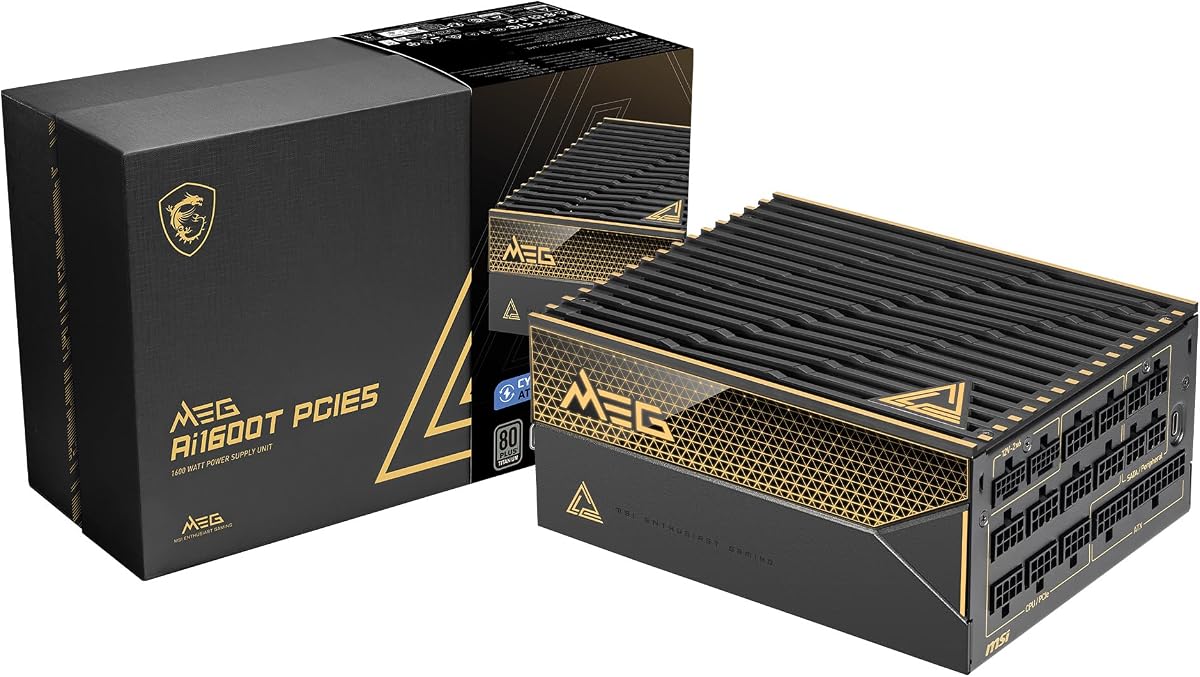
MSI MEG Ai1600T focuses on reliability with server-grade capacitors and an extensive industrial level protection suite ensuring safety during power spikes or instability.
We may earn a commission when you buy through this link, at no additional cost to you.
Tri-certified titanium efficiency guarantees high performance and it includes dual native 12V-2×6 connectors for safe GPU power with a twelve year warranty backing.
The low noise braided design and fully modular cables simplify builds but the price reflects the premium component choice rather than extra features.
Buyers prioritizing component durability and safety for demanding gaming or workstation builds will find this unit a trustworthy investment.
Industrial level protection includes OCP OTP OPP SCP OVP UVP SIP and NLO to safeguard components against electrical faults.
100 percent all Japanese 105 C capacitors ensure stability and longevity even under sustained high thermal conditions.
We may earn a commission when you buy through this link, at no additional cost to you.
This ROG Thor unit delivers unmatched performance with GaN MOSFET technology and a magnetic OLED display showing real-time power consumption for visual system monitoring.
We may earn a commission when you buy through this link, at no additional cost to you.
The patented voltage stabilizer improves voltage to graphics cards by up to 45 percent ensuring smoother gaming while turbo mode supports extended power excursions.
High quality components and aluminum housing ensure superior cooling but the high price and unique display feature may not suit all budgets or cases.
PC enthusiasts wanting top tier voltage regulation and cool visual feedback will find this PSU a standout choice for ultimate setups.
GaN MOSFET offers up to 30 percent higher energy efficiency and cooler internal layout compared to standard MOSFETs.
Intelligent Voltage Stabilizer improves voltage delivered to graphics cards for smoother gaming and performance stability.
We may earn a commission when you buy through this link, at no additional cost to you.
The EVGA SuperNOVA 1600 G2 offers strong value with 80 Plus Gold efficiency and heavy duty protections making it reliable for multi-GPU SLI and Crossfire setups.
We may earn a commission when you buy through this link, at no additional cost to you.
It features a 140mm double ball bearing fan and full modular design ensuring long life and easy installation while keeping costs lower than newer units.
Lacking ATX 3.1 standards this unit may not suit newest GPUs but remains excellent for existing high end builds needing stable power.
Budget conscious buyers seeking proven reliability without premium features will appreciate this unit's performance and price balance.
Delivers 90 percent efficiency at 115VAC and 92 percent at 220VAC for solid performance across global voltages.
Heavy-duty protections include OVP UVP OCP OPP and SCP to keep your system components safe from power anomalies.
We may earn a commission when you buy through this link, at no additional cost to you.
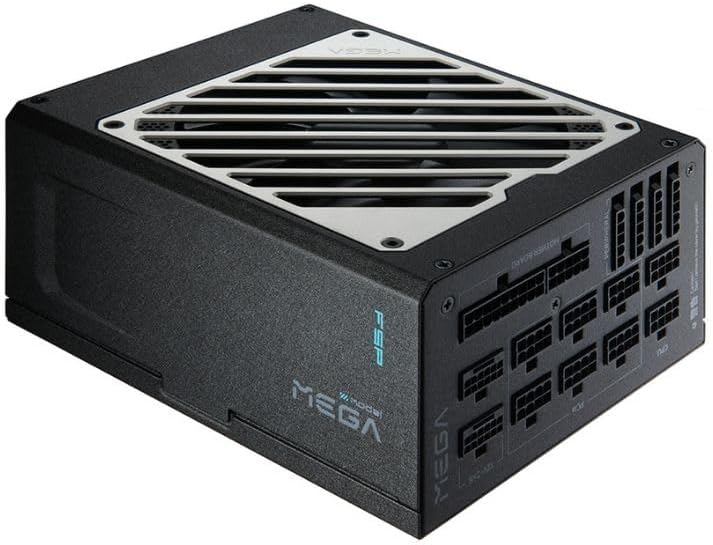
FSP MEGA TI 1650W provides extra headroom with 1650W continuous output and titanium efficiency ideal for extreme multi GPU configurations and workstation loads.
We may earn a commission when you buy through this link, at no additional cost to you.
It supports ATX 3.1 with dual native 12V-2×6 connectors and includes a fluid dynamic bearing fan with eco mode for quiet operation below 40 percent load.
The compact modular design simplifies cable management but the high cost may not appeal to average builders without extreme power requirements.
This unit is best for users needing maximum wattage and efficiency for future proofing against next generation hardware demands.
Delivering 1650W continuous power ensures ample headroom for future GPU upgrades and extreme overclocking scenarios.
Certified Titanium with at least 94 percent efficiency at typical load reduces heat and power waste effectively.
We may earn a commission when you buy through this link, at no additional cost to you.
The EVGA SuperNOVA 1600 P2 combines platinum efficiency with 100 percent Japanese capacitors to deliver long term reliability and reduced heat for high end systems.
We may earn a commission when you buy through this link, at no additional cost to you.
ECO Mode enables silent operation at lower loads while the fully modular design and double ball bearing fan ensure easy installation and durability.
Although it lacks ATX 3.1 readiness the high efficiency and strong build quality make it a solid choice for stable multi GPU builds.
Buyers seeking premium efficiency without the newest connector standards will find this unit a reliable and quiet option.
Platinum certified with 92 percent efficiency at 115VAC and 94 percent at 220VAC ensures minimal energy loss.
100 percent Japanese capacitors ensure long-term reliability supporting sustained high performance under continuous load.
We may earn a commission when you buy through this link, at no additional cost to you.
Selecting a 1600W power supply requires balancing efficiency, noise, features, and future hardware support to match your system demands.
Efficiency ratings like 80 Plus Gold or Titanium indicate how much power is converted to usable output versus lost as heat. Higher efficiency means lower electricity bills and cooler operation.
Always look for Platinum or Titanium rated units if you want minimal waste heat and maximum cost savings over time.
Modern high-end GPUs require new power connectors and transient surge tolerance. ATX 3.1 and PCIe 5.1 compliance ensures support for 12V-2×6 connectors and handles power spikes safely.
Choose a unit explicitly stating ATX 3.1 support to future-proof your build against next-gen hardware.
Native 12V-2×6 connectors reduce reliance on adapters and lower fire risk compared to older 6+2 pin solutions. Ensure your unit includes these native connectors for new GPUs.
Verify the cable set includes enough PCIe and EPS cables for your specific hardware configuration.
Large fans with Fluid Dynamic Bearings or Noctua technology provide efficient cooling with minimal noise. Semi-passive modes keep the fan off during low loads for silence.
Prioritize units with high noise ratings like Lambda A or quieter decibel levels for quiet builds.
Fully modular designs allow you to connect only needed cables, reducing clutter and improving airflow. Sleeved cables also add durability and ease of handling.
Check cable length and thickness to ensure they reach your components without stretching or blocking vents.
High-quality Japanese capacitors provide better stability and longer lifespans compared to cheaper alternatives. This reduces failure rates and voltage ripple under load.
Always verify the manufacturer specifies 100 percent Japanese capacitors for top reliability.
Protection features like OCP, OVP, UVP, and SCP safeguard your system from electrical faults and power surges. Comprehensive suites reduce component damage risk.
Look for industrial-level protection lists to ensure full coverage against common electrical failures.
Long warranties like 10 or 12 years indicate manufacturer confidence and provide peace of mind. Good support channels help resolve issues quickly.
Prioritize brands with proven track records for warranty service and responsive customer support teams.
Ensure the PSU is securely mounted in your case with proper ventilation clearance to avoid overheating and airflow restrictions.
Connect all necessary power cables firmly to the motherboard and GPU to prevent loose connections that can cause instability.
Regularly clean dust from the fan and vents using compressed air to maintain efficient cooling and reduce noise over time.
Most gaming systems do not require 1600W unless using multiple high-end GPUs or extreme overclocking. Single GPU builds typically need less but future proofing may justify higher wattage.
ATX 3.1 supports 12V-2×6 connectors for safe GPU power, handles transient power spikes, and ensures compliance with latest hardware standards for improved stability.
Yes, native 12V-2×6 connectors reduce adapter reliance and lower fire risks compared to older adapters ensuring secure and stable power delivery to GPUs.
Physical size may be an issue since 1600W units are large. Verify case clearance before purchasing to ensure fit and adequate airflow for the system.
Single high-end GPUs consume up to 500-600W. Total system draw rarely exceeds 1000W unless multiple GPUs are used justifying 1600W for multi-GPU setups.
Semi-passive mode keeps the fan off at low loads for silent operation and ramps up when power demand increases to maintain adequate cooling.
No, only ATX 3.1 compliant units include native 12V-2×6 connectors. Older models require adapters which may not be as safe or reliable.
Japanese capacitors offer better reliability and stability under heat reducing failure rates. The cost increase is justified by longer lifespan and consistent performance.
Top picks include the ASRock PG 1600G for overall performance, Seasonic Prime TX-1600 Noctua for silence, and EVGA SuperNOVA G2 for budget value.
Prioritize ATX 3.1 compliance, native connectors, and efficient cooling to match your system needs while avoiding overheating issues.
Check current prices before buying since costs fluctuate and finding the best deal can save money without sacrificing quality or safety.