
Acer Aspire 16
4.2Editor score
Snapdragon X processor
120Hz WUXGA screen
Wi-Fi 7 support
AI Laptops with Npu are transforming how we work by integrating dedicated neural processing units directly into the system architecture. These devices handle complex machine learning tasks locally, ensuring faster performance and enhanced privacy for users who need intelligent tools daily.
We evaluated ten top-rated models based on their NPU performance, battery life, display quality, and overall user experience. Our analysis focuses on real-world applications like video conferencing, content creation, and multitasking to ensure every recommendation meets high standards for reliability.
Each pick highlights specific strengths such as screen clarity, processing power, or portability to match diverse professional needs. Please note that product prices and availability change frequently, so check the latest listings before making your final purchase decision for the best value.
4.2Editor score

5.0Editor score

5.0Editor score
As an Amazon Associate we earn from qualifying purchases.
The following table provides a side-by-side comparison of all ten selected AI Laptops with Npu to help you quickly identify the most suitable model for your specific workflow requirements and budget constraints.



The ASUS Vivobook S16 leads our list with a perfect rating due to its powerful AMD Ryzen AI 9 processor and exceptional OLED display. It delivers seamless AI workloads locally making it ideal for creative professionals who need accuracy and speed in their daily tasks.
We may earn a commission when you buy through this link, at no additional cost to you.
Its 50 TOPS NPU ensures that features like Recall and Windows Search run smoothly without relying on cloud connectivity. The 32 GB of RAM allows for heavy multitasking while the 1 TB SSD provides ample space for large datasets and project files essential for modern workflows.
While the price is higher than many competitors the build quality and screen clarity justify the investment for users who prioritize visual fidelity. The 70Wh battery ensures you can work through long meetings or creative sessions without constantly searching for an outlet.
If you are looking for a laptop that balances high-end performance with portability this model is the top recommendation. It is perfect for graphic designers and video editors who need reliable AI tools and a vibrant screen for content review and presentation.
The 16 inch WUXGA OLED panel offers deep blacks and vibrant colors that enhance viewing for design and media consumption tasks.
With up to 50 NPU TOPS the system handles complex machine learning tasks locally ensuring privacy and responsiveness without lag.
We may earn a commission when you buy through this link, at no additional cost to you.
The Acer Aspire 16 offers excellent value by packing a Snapdragon X processor and a capable 45 TOPS NPU at a very competitive price. It is designed for students and professionals who need reliable AI features without breaking the bank on a flagship model.
We may earn a commission when you buy through this link, at no additional cost to you.
Its 16 inch 120Hz display provides smooth visuals for both work and entertainment while the 100% sRGB coverage ensures colors are accurate for standard creative tasks. The inclusion of Wi-Fi 7 means you will be ready for future network standards with faster connectivity speeds.
While it comes with 16 GB of RAM which may limit extreme multitasking it is sufficient for most daily workflows and web browsing. The battery life is robust allowing for a full day of use on campus or in the office without needing to carry a charger.
This laptop is the best choice for budget-conscious buyers who still want access to the latest Copilot+ PC features. It strikes a great balance between cost and performance making it accessible for anyone looking to upgrade their tech stack affordably.
You get access to advanced AI capabilities like Recall and Click to Do without the high price tag of premium competitors.
Wi-Fi 7 support ensures your laptop can leverage the fastest wireless speeds available for seamless data transfers and cloud sync.
We may earn a commission when you buy through this link, at no additional cost to you.
The ASUS Zenbook A16 represents the pinnacle of AI laptop performance with a Snapdragon X2 Elite processor delivering up to 80 TOPS. It is tailored for power users who demand the absolute fastest processing speeds for complex local AI tasks and heavy multitasking scenarios.
We may earn a commission when you buy through this link, at no additional cost to you.
Its 3K OLED touchscreen offers incredible clarity and responsiveness making it a joy to use for both touch navigation and detailed content creation. With 48 GB of high-speed RAM and 2 TB of storage there is no bottleneck to holding you back from running multiple demanding applications simultaneously.
While the price reflects its premium status the build quality and feature set are unmatched in the current market. The inclusion of Windows 11 Pro adds enterprise-grade security and management tools which are essential for professional environments requiring strict data protection.
If budget is not a constraint this laptop delivers the most powerful AI experience available today. It is perfect for executives and creative leads who need a reliable high-performance machine that can handle any workload efficiently throughout the workday.
With 80 TOPS of performance this device handles the most intensive generative AI tasks with ease and minimal latency.
Windows 11 Pro provides enhanced security features and remote management capabilities ideal for business and professional use cases.
We may earn a commission when you buy through this link, at no additional cost to you.
The Acer Aspire 14 brings AI capabilities to a smaller form factor making it ideal for frequent travelers who need portability. It features an Intel Core Ultra 7 processor with a 47 TOPS NPU ensuring that productivity tools work smoothly even on the go.
We may earn a commission when you buy through this link, at no additional cost to you.
Its 14 inch screen is vibrant and sharp while the lightweight aluminum chassis fits easily into any bag without adding unnecessary weight. The battery life is exceptional reaching up to 22 hours in specific scenarios so you can work through long flights or commutes uninterrupted.
While the screen size is smaller than larger laptops it is sufficient for most work tasks and media consumption. The inclusion of a full 1 TB SSD ensures you have plenty of space for your files without needing to rely on external drives often.
This laptop is perfect for students and professionals who prioritize mobility without sacrificing AI performance. It offers a balanced package that delivers essential Copilot+ features in a convenient portable form factor for daily use.
The slim aluminum design and lightweight build make it easy to carry everywhere for a flexible working experience.
Up to 22 hours of battery life ensures you stay productive all day without worrying about charging near an outlet.
We may earn a commission when you buy through this link, at no additional cost to you.
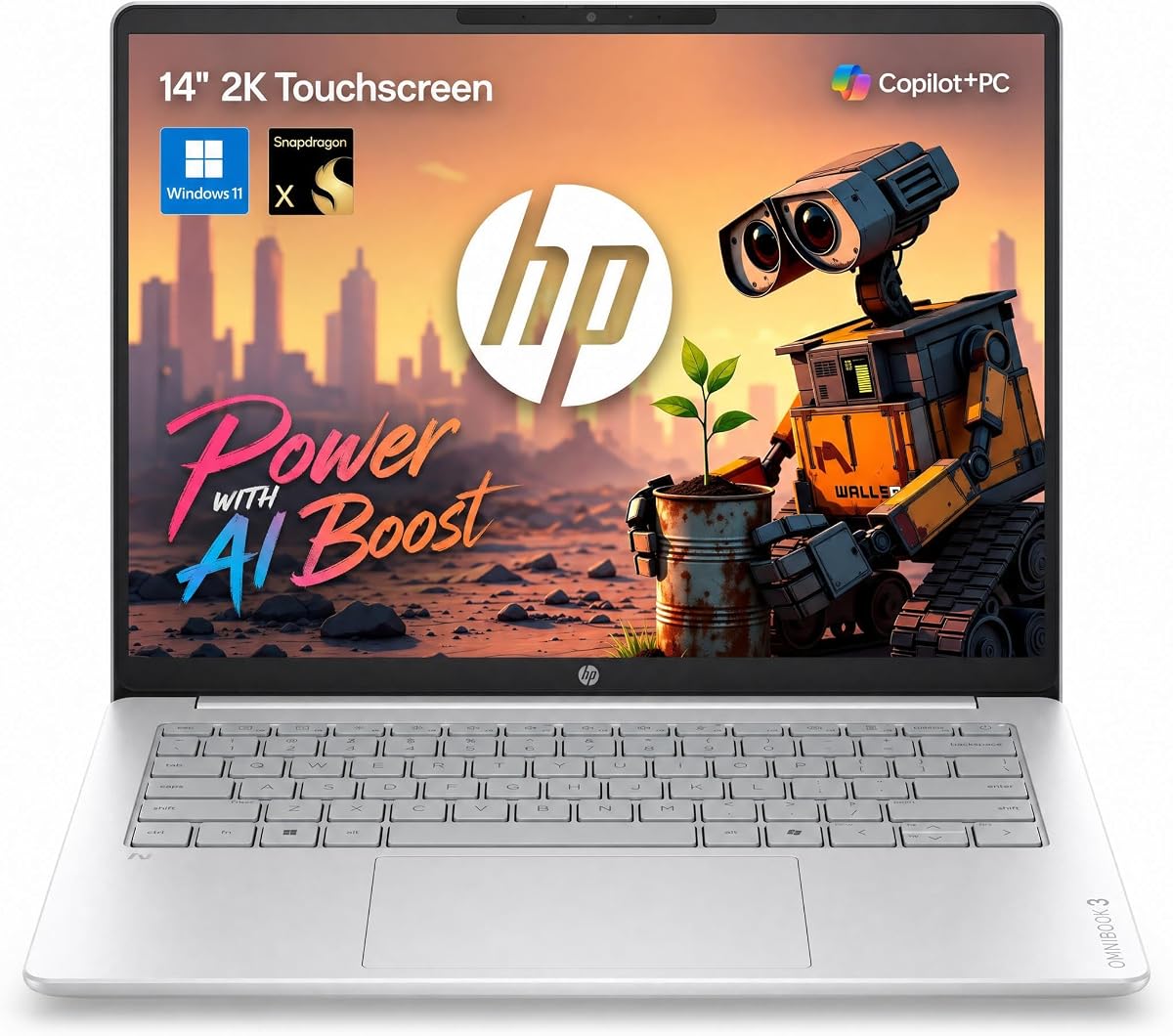
The HP OmniBook 3 stands out with a crisp 2K touchscreen that enhances interaction with Windows AI features and apps. Powered by Snapdragon X it delivers consistent AI performance for tasks like summarization and search with a dedicated 45 TOPS NPU.
We may earn a commission when you buy through this link, at no additional cost to you.
Its battery life is outstanding offering up to 30 hours of local video playback which is rare in this class. Fast charging capabilities mean you can get back to work quickly with a 50 charge in just 45 minutes when you need a quick boost.
While the 16 GB of RAM is not expandable it handles typical daily workflows smoothly for most users. The physical privacy shutter on the camera adds an extra layer of security which is a thoughtful addition for privacy-conscious professionals.
This device is an excellent choice for users who want a responsive touch interface and long battery life. It combines style and substance in a lightweight chassis that is easy to carry while delivering strong performance for everyday computing.
The 2K IPS display provides vibrant colors and precise touch input for intuitive navigation and creative tasks.
With up to 30 hours of battery life you can use the laptop for days on a single charge for low power tasks.
We may earn a commission when you buy through this link, at no additional cost to you.
The NIMO 16 is built for developers who need to run local language models without cloud fees due to its massive 128 GB of unified memory. It features a powerful AMD Ryzen AI Max+ processor with a 50 TOPS NPU designed to handle heavy AI workloads efficiently.
We may earn a commission when you buy through this link, at no additional cost to you.
Its 165Hz display provides smooth visuals for coding and editing while the OCuLink port allows for external GPU expansion when more graphical power is needed. The 99Wh battery ensures you have enough energy for long coding sessions or rendering tasks on the go.
While it is priced at a premium this machine offers hardware that rivals desktop workstations in a laptop form factor. The dual SSD slots allow for further storage expansion which is essential for managing large datasets and multiple project environments effectively.
This laptop is perfect for AI engineers and developers who need high-end local compute power. It is the ideal tool for prototyping models and running complex simulations without relying on external servers or cloud computing resources constantly.
The massive memory allows for running large local LLMs directly on the device ensuring privacy and no subscription fees.
OCuLink support enables external GPU connection for even faster rendering and compute tasks when needed for work.
We may earn a commission when you buy through this link, at no additional cost to you.
The NIMO 17.3 offers a spacious 17.3 inch display perfect for multitasking and creative work where screen real estate is key. It runs on an AMD Ryzen AI 9 HX processor with a 50 TOPS NPU that ensures smooth performance for both work and entertainment tasks.
We may earn a commission when you buy through this link, at no additional cost to you.
Its Radeon 890M graphics provide console-quality visuals for gaming and rendering while the 144Hz refresh rate ensures fluid motion during video playback. The inclusion of USB4 allows for high-speed data transfer and external display connectivity which is useful for professional setups.
While the device is heavier than ultrabooks it compensates with a larger keyboard and more physical ports for connectivity. The expandable memory and storage options mean you can upgrade the system as your needs grow over time without buying a new machine.
This laptop is ideal for professionals who work from home or use a docking station where portability is less critical. It provides a powerful and versatile platform for those who value a large workspace and high performance in a single machine.
The large 17.3 inch screen reduces the need for external monitors and allows for comfortable multi-window productivity.
Integrated Radeon 890M graphics deliver solid performance for AAA gaming and 3D rendering tasks efficiently.
We may earn a commission when you buy through this link, at no additional cost to you.
The HP Omnibook 16 offers a strong configuration for business users with 32 GB of DDR5 RAM and 2 TB of storage for ample workspace. It features a Ryzen AI 7 processor that ensures efficient performance for daily productivity tasks and virtual meetings.
We may earn a commission when you buy through this link, at no additional cost to you.
Its 2K touchscreen provides clear visuals and touch input which makes navigating documents and apps more intuitive. The inclusion of Windows 11 Pro adds enterprise features like BitLocker and Remote Desktop which are essential for secure corporate environments.
While the battery life is decent it may not last as long as competitors on heavy loads due to the powerful processor. The keyboard is comfortable for long typing sessions and the build quality is solid for daily office use and travel.
This laptop is a great choice for professionals who need reliable business features without a high price tag. It balances performance and capacity well making it a practical option for users who handle large files and multiple applications regularly.
Windows 11 Pro offers advanced security tools and management capabilities that are vital for professional work environments.
With 32GB RAM and 2TB SSD you have plenty of headroom for multitasking and storing large project archives locally.
We may earn a commission when you buy through this link, at no additional cost to you.
The Dell 16 Plus is designed for enterprise users with the Intel vPro platform which offers enhanced security and remote management capabilities. It features a Core Ultra 9 processor with a 48 TOPS NPU to handle AI tasks efficiently for business applications.
We may earn a commission when you buy through this link, at no additional cost to you.
Its 16 inch display is sharp and bright with a comfortable viewing angle for long hours of work. The 32 GB of LPDDR5X memory ensures fast access to data and smooth multitasking even with many browser tabs and applications open.
While it uses Windows 11 Home some enterprise features might be limited compared to Pro versions. The Wi-Fi 7 support ensures you are connected with the latest standards for high-speed internet access in crowded networks like offices or hotels.
This laptop is perfect for IT departments that need secure and manageable devices for their workforce. It offers a premium build and reliable performance that can withstand daily business use and support complex workloads effectively.
The Intel vPro platform provides hardware-based security and manageability essential for protecting business data and devices.
Wi-Fi 7 support ensures your device can access the fastest wireless speeds for seamless cloud sync and collaboration.
We may earn a commission when you buy through this link, at no additional cost to you.
The HP 16 Touch delivers a premium experience with a 2K touchscreen that supports intuitive gestures for easy navigation. It includes an Intel Ultra 7 processor with a dedicated AI Boost NPU for efficient smart multitasking and responsive system performance.
We may earn a commission when you buy through this link, at no additional cost to you.
Its display offers a 16:10 aspect ratio which provides more vertical space for documents and web pages. The physical camera shutter and microphone mute key offer peace of mind for users who value privacy during video calls and work sessions.
While the battery life is good it is not the longest in this list for heavy usage. The keyboard includes a numeric keypad which is helpful for data entry and financial work making it a versatile tool for various professional tasks.
This laptop is a solid choice for users who want a reliable touch interface and strong AI performance. It balances productivity features with privacy controls making it a trustworthy companion for daily work and creative projects.
The 2K touchscreen makes interacting with windows and apps fluid and natural for a modern user experience.
Physical switches for camera and microphone ensure you can disable inputs completely when privacy is required.
We may earn a commission when you buy through this link, at no additional cost to you.
Selecting the right AI laptop requires understanding key factors that impact performance and usability in real-world scenarios.
The Neural Processing Unit (NPU) is critical for running AI tasks like background noise cancellation and image generation locally. Look for models with at least 40 TOPS of processing power to ensure smooth operation of future software features.
Higher NPU power means faster AI workflows and better battery efficiency during intensive tasks.
AI applications often require significant memory to handle large datasets and multitasking. A minimum of 16 GB RAM is recommended while 32 GB or more is ideal for heavy creative work.
Ensure you have at least 512 GB of SSD storage to accommodate large files and software installations without slowdowns.
A high-quality display is essential for content creation and visual tasks. Look for resolutions of 2K or higher with accurate color reproduction like sRGB or OLED panels.
Touchscreens add versatility for navigating AI features and drawing directly on the screen.
AI tasks can drain battery quickly so look for models with large batteries and efficient processors. Aim for laptops that promise at least 15 hours of battery for all-day productivity.
Fast charging capabilities help you get back to work quickly when you are away from an outlet.
Modern laptops should support Wi-Fi 6E or Wi-Fi 7 for fast internet speeds. Ports like USB4 and Thunderbolt are useful for connecting external displays or storage drives.
Ensure the laptop has enough physical ports to connect your peripherals without needing multiple adapters.
Check if the laptop is certified as a Copilot+ PC to guarantee access to advanced AI features. Regular Windows updates are necessary to keep AI tools secure and up to date.
Compatible software ecosystems ensure that you can fully utilize the hardware capabilities.
A durable chassis is important for portability and longevity. Aluminum builds often offer better heat dissipation and a premium feel compared to plastic options.
Look for designs that are thin and light if you plan to carry your laptop daily.
Prices vary widely based on specifications and brand. Determine your needs and set a budget to avoid overspending on features you may not use.
Entry-level AI laptops often provide sufficient power for general users while premium models suit professionals.
To get the most out of your AI laptop ensure you install all available system updates. These updates often improve NPU drivers and unlock new features like improved search or recall tools.
Keep your device clean by using a soft cloth to wipe the screen and keyboard regularly. This prevents dust from entering the vents which can help maintain proper cooling during heavy workloads.
Use power management settings to optimize battery life when you are away from an outlet. Adjusting screen brightness and closing unused apps will help your laptop last longer on a single charge.
An NPU or Neural Processing Unit is a specialized processor designed to handle AI workloads efficiently. It allows the laptop to perform tasks like background blur and voice isolation locally without relying on cloud servers.
For basic tasks like web browsing you may not need an NPU. However if you use features like real-time translation or AI photo editing an NPU makes these tasks faster and more energy efficient.
AI laptops offer better efficiency for specific tasks and often have longer battery life. They are designed to support future software features that rely on on-device intelligence for better performance and privacy.
At least 16 GB of RAM is recommended for smooth operation of AI tools. For heavy creative work or running local models 32 GB or more is ideal to prevent slowdowns.
No the NPU is integrated into the processor so it cannot be upgraded separately. You must choose a model with the NPU performance you need at the time of purchase.
Yes most models support external monitors via HDMI or USB-C ports. You can connect to multiple screens for extended workspaces and better productivity.
We reviewed ten top AI Laptops with Npu ranging from budget-friendly options to premium workstations. Each model offers unique strengths suited for different needs such as portability performance or screen quality.
When choosing prioritize the NPU performance and RAM capacity to ensure your device handles future AI software efficiently. Also consider the display quality and battery life for your daily work habits.
Prices and availability can change so always check the latest listings before making your purchase. Select the model that best matches your budget and workflow requirements for the best long-term value.