
Dell Wired Mouse MS116
4.6Editor score
Plug and play
Reliable wired connection
Affordable price point
Discover the top external mouse for Dell laptop options ranked by performance, battery life, and comfort to help you choose the right device today.
Finding the right external mouse for Dell laptop can significantly boost your productivity and comfort during long work sessions. Whether you need precision for design work or reliability for daily tasks, the right peripheral makes a difference.
We compared ten top-rated models based on connectivity, battery life, ergonomics, and user reviews. Our analysis focuses on compatibility with Dell systems and overall value for money across different budget ranges.
Each pick highlights key features and potential trade-offs to help you decide quickly. Please note that product availability and pricing can change frequently, so verify details before making your final purchase decision.
4.6Editor score

4.9Editor score

4.6Editor score
The following table provides a side-by-side comparison of all ten products included in this guide to help you evaluate their key specifications at a glance.






This Dell Advanced Wireless Compact Mouse stands out as the top choice for Dell laptop users due to its exceptional battery life and dual-mode connectivity. It achieves a high user rating reflecting strong satisfaction with its reliability and performance.
We may earn a commission when you buy through this link, at no additional cost to you.
The mouse features a versatile dual-mode connection allowing users to switch seamlessly between 2.4GHz wireless and Bluetooth 5.0. Its precise tracking sensor handles high-resolution screens easily while the Dell Display and Peripheral Manager optimizes performance.
While it requires AA batteries which some users may prefer rechargeable options the 36-month runtime significantly reduces maintenance frequency. The adjustable DPI settings ensure adaptability across different tasks and screen sizes.
Users prioritizing productivity and seamless Dell ecosystem integration should choose this model. It offers the best balance of features reliability and battery longevity for daily professional or personal computing needs.
Connect via Bluetooth or 2.4GHz wireless to switch devices easily without reconfiguration hassle.
Enjoy up to 36 months of use on a single set of AA batteries reducing replacement frequency.
We may earn a commission when you buy through this link, at no additional cost to you.
The Dell Wireless Gaming Mouse MS5120W offers high performance tailored for demanding tasks with a 4000 DPI sensor and robust connectivity. It is well rated by users seeking speed and precision beyond standard office requirements.
We may earn a commission when you buy through this link, at no additional cost to you.
Its dual-mode connectivity ensures flexibility while the customizable buttons streamline navigation across applications. The Dell Peripheral Manager software allows detailed customization to match specific workflow needs efficiently.
The mouse is heavier than standard office mice which may cause fatigue during very long sessions for some users. However the extended battery life offsets this by reducing interruptions for charging or battery swaps.
Gamers and power users needing high DPI and customization will find this model ideal. It balances performance features with reliable wireless connectivity to enhance productivity and precision significantly.
A 4000 DPI sensor delivers fast cursor movement and precise control for gaming or detailed design work.
Use Dell Peripheral Manager to customize buttons and optimize workflow without installing complex software.
We may earn a commission when you buy through this link, at no additional cost to you.
The Dell Wired Mouse MS116 is the go-to budget option for those who prefer simplicity and reliability without wireless complexity. It maintains a strong user rating for its dependable performance and ease of use.
We may earn a commission when you buy through this link, at no additional cost to you.
As a wired mouse it eliminates battery concerns and connectivity issues making it perfect for static workstations. Its compact design fits easily into laptop bags for those who occasionally need to move setups.
The main limitation is the lack of wireless freedom which can restrict movement during long sessions. However for basic tasks the plug-and-play simplicity offers unmatched convenience and value for money.
Students or users on a tight budget needing a straightforward solution should consider this mouse. It provides essential functionality at an accessible price point ensuring compatibility with Dell systems reliably.
Eliminate battery replacements entirely with a reliable wired USB connection for consistent performance.
Connect instantly without software installation ensuring immediate usability across all Dell laptops.
We may earn a commission when you buy through this link, at no additional cost to you.
The VssoPlor Wireless Mouse combines style and function with a slim profile perfect for travel and compact workspaces. It is well reviewed for its quiet clicks and stable wireless connection on various surfaces.
We may earn a commission when you buy through this link, at no additional cost to you.
Its intelligent sleep mode extends battery life by activating when not in use for five minutes. The anti-interference connection ensures reliable performance even in busy Wi-Fi environments typical of offices.
Ergonomics are basic compared to larger models which may not suit long sessions for users with larger hands. The non-rechargeable aspect requires occasional battery changes though the power management helps mitigate this.
Travelers needing a portable and quiet mouse will appreciate this model. It balances aesthetic appeal with practical features making it a solid choice for mobile professionals.
The slim lightweight design fits easily into laptop bags without adding bulk to your setup.
Whisper-quiet clicks allow for undisturbed work in shared spaces like libraries or open offices.
We may earn a commission when you buy through this link, at no additional cost to you.
The Logitech M510 Full Size is renowned for its comfort features including rubber grips and a contoured shape ideal for extended use. It enjoys a high user rating reflecting satisfaction with its ergonomic design and utility.
We may earn a commission when you buy through this link, at no additional cost to you.
Horizontal and vertical scrolling plus programmable buttons enhance navigation through long documents and spreadsheets. The Unifying receiver allows pairing multiple devices while the two-year battery life minimizes maintenance.
Its size might be too large for small hands and desks with limited space. However for users prioritizing comfort the design benefits outweigh these physical constraints for most daily tasks.
Office professionals spending hours at a desk will find this mouse ideal for reducing wrist strain. It offers premium ergonomics and productivity features at a competitive price point.
Contoured shape with soft rubber grips reduces hand fatigue during long working sessions significantly.
Side-to-side scrolling lets you navigate wide spreadsheets and maps effortlessly with a single click.
We may earn a commission when you buy through this link, at no additional cost to you.
The Logitech M185 Compact is a versatile wireless option designed for users who value portability and reliability. It holds a solid rating for its durability and comfortable contoured shape suitable for various hand sizes.
We may earn a commission when you buy through this link, at no additional cost to you.
The nano receiver stays plugged into the laptop and the smart sleep mode extends battery life up to a year. Its ambidextrous design ensures comfort for both left and right-handed users equally.
Lack of DPI switching limits precision for tasks requiring variable cursor speeds. The scroll wheel is functional but basic compared to more advanced models available in this roundup.
General users needing a reliable portable mouse for travel or daily tasks will find it perfect. It combines Logitech quality with essential features in a compact package.
The tiny receiver stays plugged into your laptop so you never lose it when moving around.
Smart sleep mode conserves power allowing up to one year of use on a single AA battery.
We may earn a commission when you buy through this link, at no additional cost to you.
The TECKNET Compact Wireless Mouse in mint green stands out for its unique aesthetic and functional simplicity perfect for personalization. It receives strong ratings for its quiet buttons and reliable wireless performance.
We may earn a commission when you buy through this link, at no additional cost to you.
Three adjustable DPI levels allow customization for different tasks while the compact size ensures easy portability in bags. The USB receiver stores inside the mouse preventing loss during transit.
Its ergonomic design is basic which may not provide long-term comfort for users with larger hands. The color choice is attractive but limited compared to neutral standard options available elsewhere.
Users who enjoy adding color to their tech setup will find this mouse appealing. It balances playful design with reliable performance for students and casual users alike.
A vibrant mint green finish adds personality to your workspace while maintaining a sleek low profile.
Responsive buttons provide soft clicks that reduce noise in shared or quiet environments effectively.
We may earn a commission when you buy through this link, at no additional cost to you.
The Logitech M330 Silent Plus excels in noise reduction making it ideal for shared workspaces and libraries. It is praised by users for combining quiet operation with comfortable ergonomics and solid reliability.
We may earn a commission when you buy through this link, at no additional cost to you.
SilentTouch technology reduces clicking sounds by over 90% while maintaining performance. The contoured shape supports right-handed comfort and the auto-sleep mode helps extend battery life to 18 months.
As a right-handed model it does not fit left-handed users well. It also relies on batteries which may require occasional replacement despite the extended life compared to standard mice.
Office workers needing quiet productivity tools will appreciate this mouse. It delivers essential ergonomic benefits and silent operation without sacrificing performance.
SilentTouch technology reduces click noise significantly for distraction-free work in public spaces.
A contoured shape with rubber grips ensures comfortable use throughout the workday without strain.
We may earn a commission when you buy through this link, at no additional cost to you.
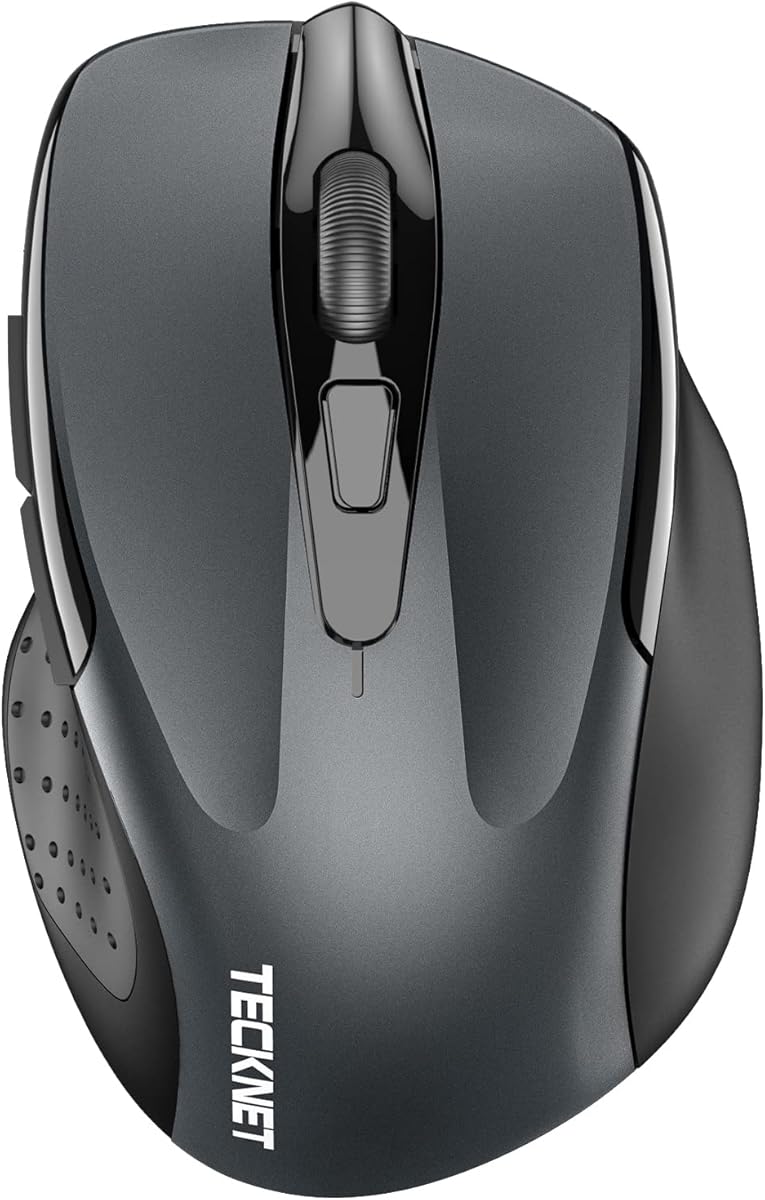
The TECKNET Wireless Mouse BT simplifies multi-device workflows by allowing seamless switching between two computers via Bluetooth or USB. It holds a strong rating for versatile connectivity and high DPI performance.
We may earn a commission when you buy through this link, at no additional cost to you.
Six adjustable DPI levels allow precise control for various tasks while silent clicks maintain a quiet environment. The auto-sleep technology extends battery life significantly ensuring minimal interruptions during daily use.
It requires two AAA batteries which increases initial setup cost. Side buttons may not function correctly on macOS limiting usability for some Mac users relying on full customization.
Power users managing multiple systems will find this mouse invaluable for workflow efficiency. It combines high DPI performance with the convenience of instant device switching.
Toggle between two computers instantly using Bluetooth or USB connectivity for streamlined multitasking.
Adjust sensitivity across six levels to match tasks from detailed editing to casual browsing.
We may earn a commission when you buy through this link, at no additional cost to you.
The TECKNET Rechargeable Mouse offers an eco-friendly alternative to disposable batteries with quick recharge times and solid usability. It earns high marks for reliability and seamless connectivity across multiple devices.
We may earn a commission when you buy through this link, at no additional cost to you.
The built-in battery lasts up to three months on a single charge which reduces waste significantly. Dual device connection and silent clicks make it suitable for professional and home environments alike.
Instability may occur when the battery is low requiring users to monitor charge levels regularly. A cable is required for charging which may be less convenient for some setups compared to wireless charging.
Environmentally conscious users needing versatile connectivity should consider this model. It reduces battery waste while offering strong performance for daily professional tasks.
Eliminate disposable batteries with a built-in rechargeable cell that charges fully in just 2 hours.
Switch between Bluetooth and USB connections instantly to manage multiple computers efficiently.
We may earn a commission when you buy through this link, at no additional cost to you.
Selecting the right external mouse involves evaluating key factors that impact comfort usability and performance with your Dell laptop setup.
Wireless mice offer freedom of movement but require batteries or charging while wired options provide consistent connectivity without maintenance. Bluetooth connects directly to modern Dell laptops but 2.4GHz receivers offer better stability in crowded Wi-Fi environments.
Choose wireless for mobility or wired for zero-latency reliability depending on your primary usage scenario and workspace setup.
An ergonomic design reduces strain during long sessions with contoured shapes rubber grips and adequate palm support. Consider hand size and grip style since models designed for right-handed use may not fit left-handed users comfortably.
Prioritize shapes that support natural hand posture to prevent fatigue or wrist pain over extended work hours.
Battery longevity varies significantly from weeks to years depending on technology and usage habits. Rechargeable options reduce waste but require cable charging while AA battery models offer quick swaps but recurring costs.
Evaluate expected daily usage to choose between rechargeable convenience and long-life disposable options that minimize interruptions.
DPI determines cursor sensitivity where higher values suit large high-resolution screens and lower DPI supports precise tasks. Adjustable DPI settings allow switching between fast navigation and detailed control without changing mouse hardware.
Select a sensor with adjustable DPI levels if you switch frequently between detailed editing and general navigation tasks.
Programmable buttons increase productivity by assigning shortcuts for specific applications or actions. The number of buttons varies from two to seven or more allowing deeper customization for power users needing rapid navigation.
Look for mice with customizable buttons if you want faster access to common commands without using keyboard shortcuts.
Compatibility ensures seamless functionality across Windows Mac or Chrome OS systems with minimal configuration. Manufacturer software may offer advanced customization but basic plug-and-play functionality is often sufficient for standard tasks.
Confirm system compatibility and decide if you need specialized software for advanced customization or just basic usage.
Durable materials ensure the mouse withstands daily wear and tear over years. Manufacturer warranties like Dell's three-year Advanced Exchange Service provide peace of mind and quick replacements in case of hardware failure.
Prioritize reputable brands with solid warranties to protect your investment against potential defects or failures.
Travelers need compact lightweight designs that fit easily in laptop bags without taking up much space. Larger full-size models offer better ergonomics but may be cumbersome for on-the-go usage.
Choose a compact form factor if mobility is key or a full-size model if you work primarily at a fixed desk.
Connect your mouse by inserting the USB receiver into an available port or enabling Bluetooth in your Dell laptop settings. Follow any on-screen prompts to ensure the device recognizes the mouse for immediate use.
Clean the sensor and bottom surface regularly with a soft dry cloth to prevent dust accumulation that affects tracking accuracy. Avoid using harsh chemicals which might damage the finish or internal components of the device.
Store your wireless mouse in a protective case or dedicated pocket when traveling to prevent scratches or physical damage. Replace or recharge batteries promptly to avoid losing connectivity unexpectedly during important tasks.
The Dell Advanced Wireless Compact Mouse offers the best compatibility and battery life for Dell users. It integrates seamlessly with Dell systems and provides long-lasting performance for daily tasks.
Dell mice typically last several years depending on usage and model. Battery-powered options can last up to 36 months while wired models avoid battery replacements entirely.
Yes wireless mice are fully compatible with Dell laptops via Bluetooth or USB receivers. Ensure your Dell laptop supports Bluetooth 5.0 or has an available USB port for optimal connectivity.
The Dell Wired Mouse MS116 is the top budget choice due to its affordability and reliable plug-and-play functionality. It meets basic needs without extra features or cost.
Yes gaming mice work seamlessly on Dell laptops and often offer higher precision and customization options. They are suitable for both gaming and productivity tasks requiring detailed control.
Most Dell mice work without additional software using basic plug-and-play functionality. Dell Peripheral Manager software is optional for advanced customization and optimization features.
The Dell Advanced Wireless Compact Mouse leads as the top choice for its balance of battery life compatibility and performance. For tight budgets the Dell Wired Mouse MS116 delivers reliable simplicity without unnecessary features.
Prioritize ergonomics and battery life based on how much time you spend working at your Dell laptop daily. Wireless models offer greater flexibility while wired options eliminate maintenance requirements entirely.
Always verify current pricing and availability before purchasing since details may change over time. Consider your specific needs such as portability or noise levels when making your final decision.