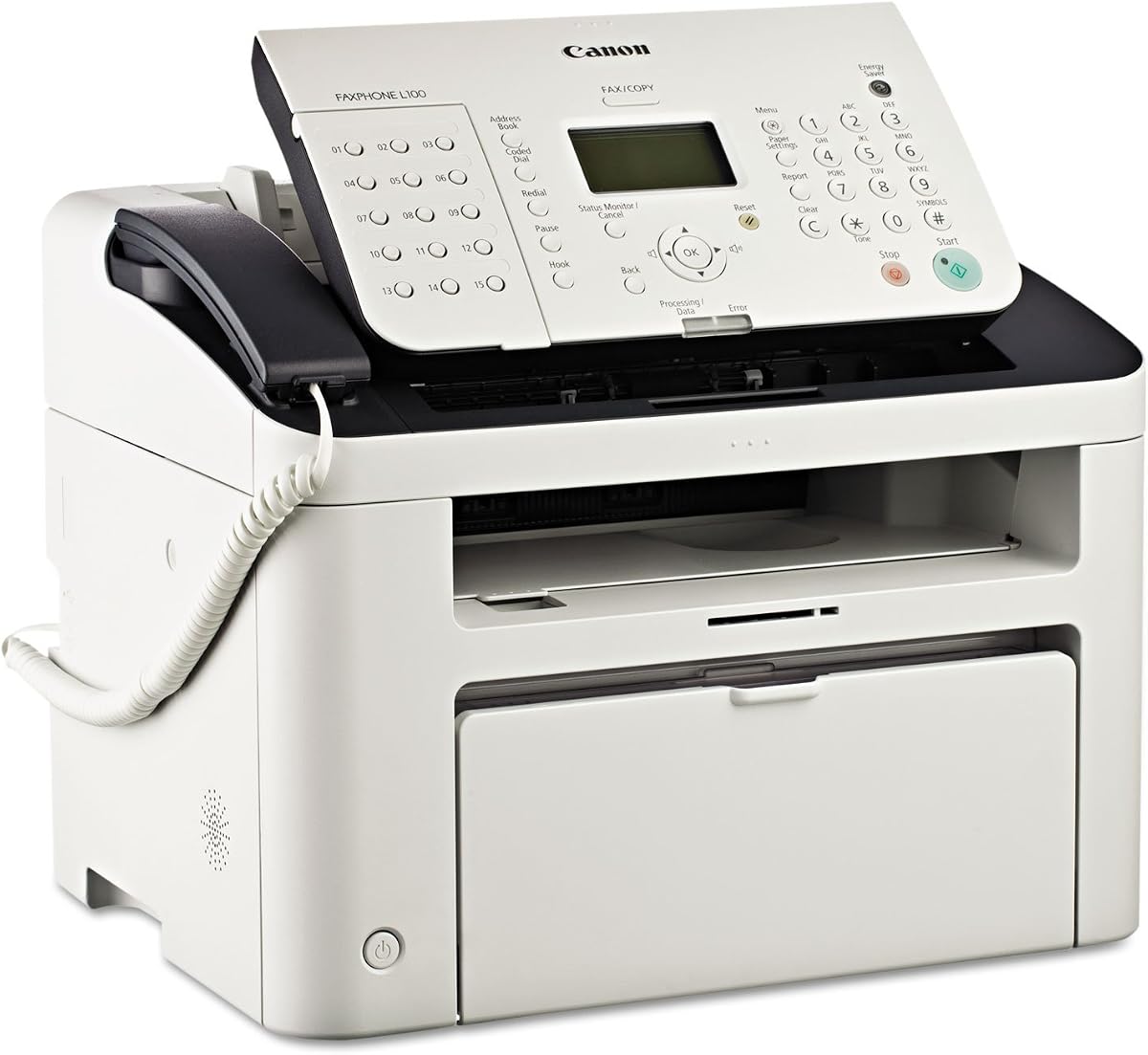
Canon FAXPHONE L100
4.1Editor score
19 PPM print speed
30 sheet feeder
Plain paper output
Finding a reliable fax machine with phone capabilities is essential for many businesses that still require secure document transmission. Modern units combine printing, scanning, and faxing into one convenient device to streamline your office workflow efficiently.
We evaluated ten top-rated models based on transmission speed, memory capacity, and ease of use. Our analysis focuses on laser and inkless options that support plain paper and include handset functionality for clear voice calls alongside fax tasks.
Each pick highlights key strengths and potential limitations to help you make an informed decision. Note that availability and pricing may vary by retailer and region, so verify current stock before placing your order online.
4.1Editor score

4.4Editor score

4.0Editor score
As an Amazon Associate we earn from qualifying purchases.
This side-by-side comparison outlines the core specifications of each selected model. Use this table to quickly identify which device matches your specific office needs and budget constraints.


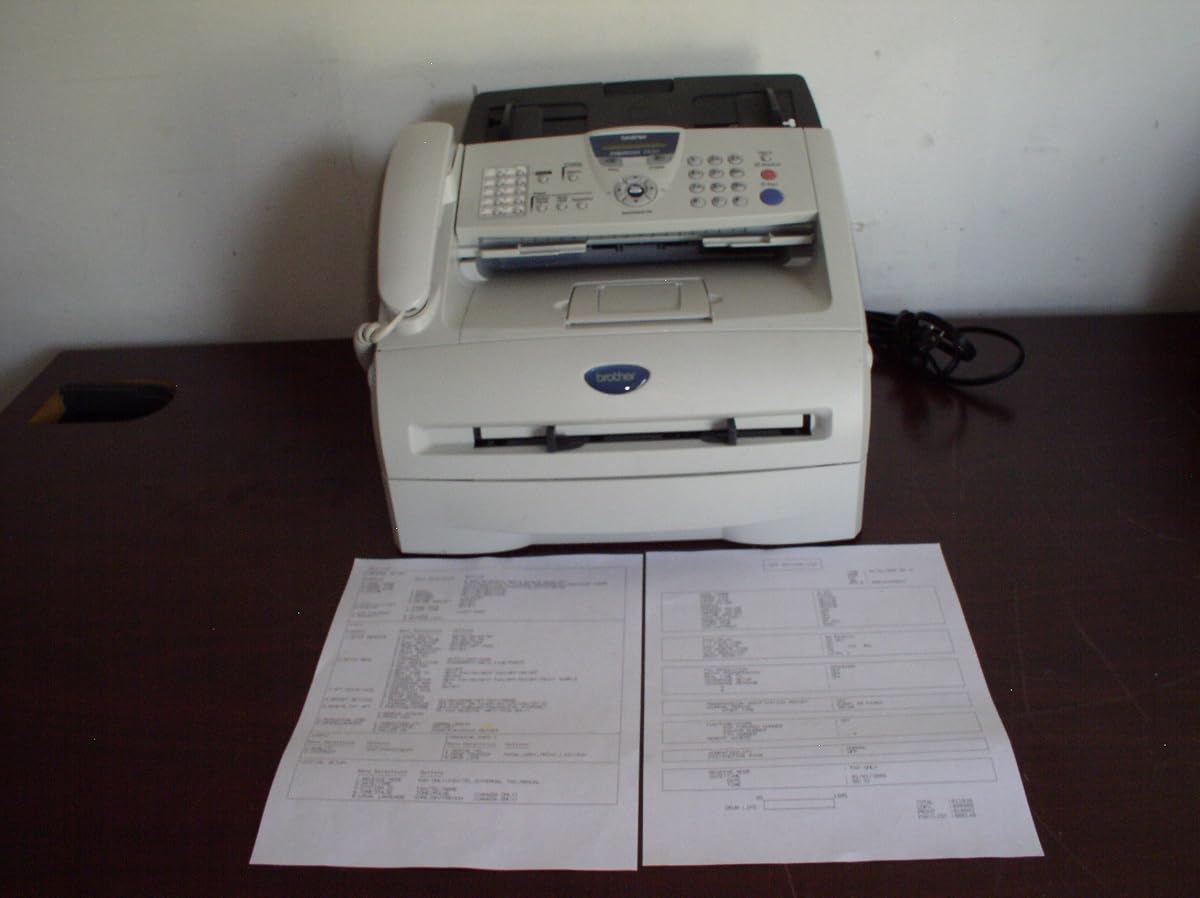

This model stands out as a top choice for businesses needing robust fax and phone integration. With a high rating and proven reliability, it delivers consistent performance for daily office communication tasks efficiently.
We may earn a commission when you buy through this link, at no additional cost to you.
Its laser technology ensures sharp text documents while the Super G3 fax type guarantees fast sending times. The unit includes a telephone handset for voice calls, making it a complete communication hub for small offices.
While it lacks color capabilities, monochrome printing is sufficient for most legal and business documents. The lack of advanced mobile apps may inconvenience users expecting smartphone integration, but desktop drivers work well.
Choose this device if you prioritize print quality and transmission speed over color features. It is an excellent fit for offices handling high volumes of faxes and need a dependable phone line device.
The laser engine produces crisp text ideal for contracts and invoices without smudging over time.
The plain paper design eliminates the need for thermal paper rolls, saving money on consumables.
We may earn a commission when you buy through this link, at no additional cost to you.
The Canon FAXPHONE L100 offers exceptional value for users seeking a laser fax with phone capabilities. Its 19 PPM speed makes it one of the faster options in this price range for document handling.
We may earn a commission when you buy through this link, at no additional cost to you.
A generous memory capacity allows storing multiple faxes before printing which prevents paper jams from overloading the tray. The auto document feeder simplifies multi page sending so you do not have to load sheets manually.
Power consumption is minimized with an energy saver mode that keeps operational costs low during idle periods. The lack of wireless connectivity means you must rely on a physical phone line for all fax operations.
This model is ideal for small offices wanting speed and efficiency without breaking the budget. It balances performance and cost effectively for standard document transmission needs.
High pages per minute rating ensures you can clear your inbox faster during busy workdays.
Energy saver mode reduces electricity usage significantly when the machine is not actively printing.
We may earn a commission when you buy through this link, at no additional cost to you.
This unit redefines faxing by removing paper requirements and allowing sending from computers and phones directly. It appeals to modern offices looking to digitize workflows and reduce physical storage needs immediately.
We may earn a commission when you buy through this link, at no additional cost to you.
The ability to drag and drop files to send faxes saves significant time compared to scanning and loading paper. Incoming faxes are automatically saved as PDFs to shared folders or emails ensuring you never lose a document.
While it lacks a physical handset, it functions effectively as a digital bridge for traditional fax lines. Users might find the subscription model or initial setup less straightforward than a plug and play hardware device.
Choose this premium option if you want to go paperless and integrate fax into your digital workflow. It is perfect for teams that need secure file transfers without using physical paper.
Drag and drop functionality makes sending faxes as simple as attaching a file to an email.
Faxes are saved locally or on network shares so they are easily accessible for future reference.
We may earn a commission when you buy through this link, at no additional cost to you.
Designed for personal use, this unit combines fax, phone, and copier functions in a compact form. It is a solid choice for home offices that need a simple device to handle occasional document tasks.
We may earn a commission when you buy through this link, at no additional cost to you.
The 9,600 BPS modem ensures quick transmission times while the 512 KB memory allows for some buffering of incoming pages. Copying is supported at a decent resolution suitable for internal documents and drafts.
Using thermal paper is a drawback that may increase ongoing costs and reduce longevity of stored documents. The memory capacity is limited compared to laser units so large jobs might require more user intervention.
This device is best for users with basic fax needs and limited desk space. It offers a straightforward experience for those who do not require advanced features.
Controls are intuitive and easy to learn for anyone setting up a home office quickly.
Combining multiple functions reduces clutter on your desk by replacing separate machines.
We may earn a commission when you buy through this link, at no additional cost to you.
Buying a renewed model offers the same functionality as a new unit at a lower cost. This option is attractive for budget conscious buyers who want the reliability of a known brand without the premium price.
We may earn a commission when you buy through this link, at no additional cost to you.
It includes all the same fax and phone capabilities of the standard version including memory and speed. The testing process ensures the device works well though minor cosmetic imperfections may exist on the exterior.
Warranty coverage is typically shorter than new products which requires careful consideration if you rely on it daily. The used condition means you should inspect the unit upon arrival to ensure it meets your needs.
Opt for this if you are comfortable with refurbished electronics to save money on office equipment. It provides the same utility for a reduced initial investment.
Renewed products provide significant savings while maintaining the core performance of original devices.
Testing protocols confirm the fax and print functions operate correctly before shipping to you.
We may earn a commission when you buy through this link, at no additional cost to you.
This multifunction printer adds scanning capabilities to your fax and phone setup for a complete office hub. It is suited for workstations that need to digitize documents alongside sending faxes regularly.
We may earn a commission when you buy through this link, at no additional cost to you.
A large paper tray reduces refills while the scanner allows you to email or save documents directly. The fax function is integrated seamlessly into the device so you can manage all tasks from one place.
Connectivity is limited to USB which restricts sharing across a network unless you use a host computer. The physical size is larger than dedicated fax machines so ensure you have enough desk space.
Select this unit if you need a scanner and fax combined in a single reliable package. It is excellent for small teams needing multifunctional tools.
Printing copying scanning and faxing are unified here to save space and increase productivity.
The 250 sheet tray minimizes interruptions so you can focus on tasks instead of refilling paper.
We may earn a commission when you buy through this link, at no additional cost to you.
Panasonic provides a solid option for plain paper faxing with added telephone features like caller ID. It is suitable for users who want standard faxing without the expense of laser technology.
We may earn a commission when you buy through this link, at no additional cost to you.
The answering machine interface allows you to integrate voice and fax handling on a single line. This can be convenient for home offices with a single phone jack serving multiple purposes.
A lower rating suggests users have experienced issues with reliability or ease of use. The slower modem speed might cause delays when sending large or complex documents compared to newer models.
Consider this if you need basic plain paper faxing on a strict budget. It covers the essentials but may not offer the speed of premium units.
The answering interface simplifies call management by handling voice messages and faxes together.
Standard paper usage means you can print documents on any office supply without special rolls.
We may earn a commission when you buy through this link, at no additional cost to you.
This model offers a balance of simplicity and features for users needing basic fax and phone functions. It supports plain paper to ensure documents remain legible and professional for business use.
We may earn a commission when you buy through this link, at no additional cost to you.
An auto document feeder saves time on multi page jobs so you do not have to load sheets one by one. Speed dialing allows quick access to frequent contacts which improves daily workflow efficiency.
Print speed is moderate which may be a bottleneck if you send a high volume of faxes daily. The memory capacity is sufficient for small jobs but might be exceeded during peak hours.
Ideal for low volume offices that want a reliable machine without complex menus. It handles routine fax and phone tasks effectively.
Feeding multiple pages automatically ensures your work continues smoothly without manual reloading.
Store frequent numbers to dial recipients instantly without searching through a contact list.
We may earn a commission when you buy through this link, at no additional cost to you.
The IntelliFax 2820 delivers laser quality faxing with an impressive memory capacity to store pages. It is a workhorse for offices that handle many faxes without needing to print them immediately.
We may earn a commission when you buy through this link, at no additional cost to you.
A large auto dialing memory allows you to broadcast to many locations which is great for mass notifications. The ADF simplifies sending multi page documents so you do not have to load the machine manually.
While it lacks color support, monochrome laser is sufficient for most document types and costs less to run. Connectivity is limited to wired options which may not suit flexible workspace setups.
This unit is recommended for small businesses needing high capacity and speed. It provides a professional output for daily communications.
Storing pages in memory ensures faxes are received even if the paper tray is empty.
Sending to many numbers at once saves time when distributing documents to multiple recipients.
We may earn a commission when you buy through this link, at no additional cost to you.
Canon offers a laser fax solution with a fast modem for quick data transmission. It includes a telephone handset for clear voice calls making it a versatile tool for office communication.
We may earn a commission when you buy through this link, at no additional cost to you.
The laser print quality ensures professional looking documents without smudging on standard paper. A USB interface allows connection to computers so you can manage drivers and settings easily.
Print speed is lower than some competitors which might impact productivity in high volume scenarios. It is a basic model with fewer advanced features compared to multifunction units.
This device is suitable for offices needing a dedicated fax and phone with decent quality. It is a straightforward choice for essential tasks.
The fast modem reduces the time spent waiting for faxes to send completely.
Laser technology produces sharp text that is clear and easy to read for recipients.
We may earn a commission when you buy through this link, at no additional cost to you.
Selecting the right machine requires understanding your specific needs regarding volume speed and connectivity.
Transmission speed is measured in bits per second (bps) and determines how fast a page is sent. Models with higher modem speeds reduce wait times especially when sending multi page documents frequently.
Look for modems rated at 33.6 kbps or higher to ensure efficient communication without delays.
Plain paper models are preferred for longevity and professional appearance compared to thermal paper which fades. Paper capacity determines how much you can load before needing to refill the tray.
Choose a model with at least 150 sheets if you send large volumes to avoid frequent interruptions.
Memory allows you to store incoming faxes when the paper tray is empty or during busy periods. Larger memory buffers prevent lost data and ensure you can print faxes later when convenient.
Prioritize models with high MB capacity if you handle many incoming documents daily without supervision.
An ADF lets you load multiple pages at once which is crucial for sending multi page documents. This feature saves time and effort compared to manually feeding each sheet into the scanner.
Check the ADF capacity to ensure it fits your typical document size and volume needs.
Laser technology generally offers sharper text and better durability than inkjet or thermal options. High resolution settings ensure documents look professional and are easy to read for all recipients.
Select laser if you need long term archives or official looking documents for clients.
Connectivity options like USB or Ethernet determine how the machine integrates with your network. Wired models are stable but may limit flexibility if you need to place the device away from a PC.
Ensure the connection type supports your current office setup to avoid installation issues.
A built-in handset is essential for making and receiving voice calls on the same line. Caller ID and answering machine interfaces add convenience for managing communications efficiently.
Verify that the phone functions work well if you rely on it for daily business calls.
User friendly menus and intuitive controls help staff operate the machine without training. A good warranty provides peace of mind against defects and ensures you get support if problems arise.
Opt for a unit with clear labels and a warranty that covers key components adequately.
To start use insert paper and power on the device allowing it to initialize fully before sending. Ensure the phone line is connected securely to the port marked fax or line on the back.
Regularly clean the scanner glass with a soft cloth to prevent streaks on copied or sent documents. Check for error lights periodically to catch issues like paper jams before they disrupt work.
Replace toner or cartridges only when notified by the machine to avoid print quality degradation. Keep the unit in a cool dry place to protect sensitive electronics and ensure consistent performance.
Yes many modern fax machines are designed to work with VoIP or digital lines though quality can vary. It is recommended to test transmission on your specific line to ensure reliability before relying on it.
You can use online fax services or paperless models that send faxes over the internet via email. These solutions remove the need for a physical phone line entirely.
Thermal paper is cheaper but fades over time while plain paper is durable and ideal for archiving. Plain paper is generally preferred for business documents that need to be retained.
Yes most fax machines allow computer printing via drivers to send documents directly. Some models also support mobile apps for sending faxes from smartphones or tablets.
For low volume use 256 KB might suffice but larger offices should look for at least 512 KB or more. Higher memory prevents data loss when the paper tray runs out during busy hours.
Laser machines use toner which is cost effective for high volume printing but replacement can be pricey. Routine cleaning and paper handling help extend the lifespan and reduce unexpected maintenance costs.
Paper jams often occur due to humidity or worn rollers so ensure you use fresh dry paper. Cleaning the internal rollers and adjusting the paper guides can resolve most jamming issues.
A good warranty should cover parts and labor for at least one year. Check if the manufacturer offers support services to handle technical issues efficiently.
Choosing the right fax machine with phone capabilities depends on your office size and specific document needs. We highlighted top options that balance speed quality and reliability for various budgets.
Prioritize models with features like auto document feeders and high memory if you handle large volumes of communication. Laser technology is recommended for professional output that lasts over time.
Always check current availability and support policies before purchasing to ensure you get the best value. A reliable machine will streamline your communication workflow for years to come.