
Ordilend Keyboard Cleaner
4.6Editor score
Retractable Large Brush
Keycap Puller Included
Multiple Microfiber Cloths
This guide compares the top 10 laptop fan cleaning kits including electric dusters and brush sets to help you maintain your devices effectively.
Keeping your laptop fans clean is essential for performance and longevity. Dust buildup can cause overheating and system throttling. A good cleaning kit includes tools to reach vents and keyboards safely.
We evaluated ten highly rated products based on power, versatility, and ease of use. The list covers rechargeable air dusters, comprehensive brush sets, and all-in-one kits designed for electronics care.
Each pick highlights specific strengths for different needs and budgets. Prices and availability change frequently so check the links for the most current details before making your final purchase decision.
4.6Editor score
4.4Editor score

4.5Editor score
This side by side comparison highlights the key specifications of each top rated kit to help you find the right tool for your specific cleaning needs.




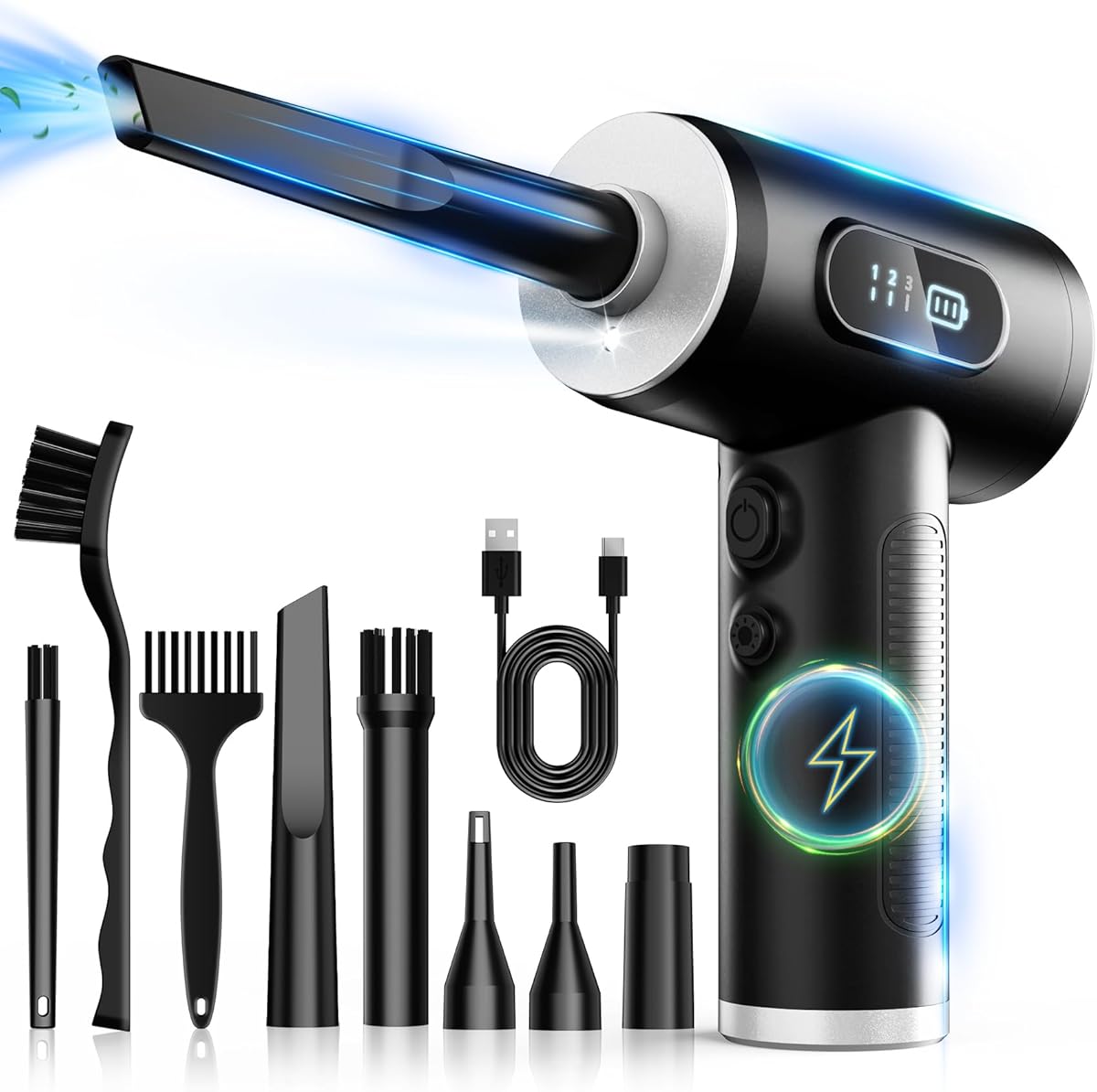
The FRESMOL Compressed Air Duster stands out as a reliable tool for deep cleaning electronics. With a rating of 4.4 stars it offers consistent airflow to remove dust from hard to reach places.
We may earn a commission when you buy through this link, at no additional cost to you.
Its 100000RPM motor provides strong air pressure ideal for laptop fans and keyboard gaps. The 3 adjustable speeds let you choose between gentle cleaning or powerful blasts without risking damage.
While the battery life is decent it is not the longest on the market. The noise level is manageable but noticeable when running at top speed during extended cleaning sessions.
This kit is perfect for users who want a cordless solution that balances power and portability. It is a solid choice for daily maintenance of laptops and other sensitive electronics.
Replacing disposable cans with this rechargeable unit saves costs and reduces waste over time significantly.
The five included nozzles help target specific areas like vents and tight corners with ease.
We may earn a commission when you buy through this link, at no additional cost to you.
The iFixit Laptop Cleaning Kit is a comprehensive set designed to keep your device looking pristine. With a rating of 4.9 stars it covers both surface cleaning and dust removal effectively.
We may earn a commission when you buy through this link, at no additional cost to you.
It includes a dust blower for debris and microfiber cloths for screens. The anti-static brush helps with stubborn grime while the pouch keeps everything organized during travel.
The manual blower may not be as powerful as electric dusters for deep internal cleaning. It is more focused on general maintenance rather than heavy duty dust removal tasks.
Ideal for users who want a reliable set for screens and keyboards. This kit ensures your laptop stays spotless without needing multiple separate purchases for different tasks.
Microfiber cloths and screen saver ensure your display stays streak free and protected from scratches.
The included tool pouch makes it easy to store all accessories together when not in use.
We may earn a commission when you buy through this link, at no additional cost to you.
This duster delivers professional grade cleaning with a motor reaching 280000 RPM. It is designed for users who need maximum power to clear stubborn debris from PC components efficiently.
We may earn a commission when you buy through this link, at no additional cost to you.
The smart LCD screen shows battery status and speed levels to prevent interruptions. With up to 150 minutes of runtime and fast charging it offers excellent convenience for long sessions.
The premium features come at a higher cost compared to basic kits. It is also slightly heavier which might reduce comfort during extended handheld use compared to lighter alternatives.
Best for tech enthusiasts who value performance and data monitoring. This unit provides the speed and control needed for detailed maintenance of complex electronics and gaming rigs.
The brushless motor generates strong high-pressure airflow to clear tough dust quickly.
The LCD display keeps you informed so you never run out of power unexpectedly.
We may earn a commission when you buy through this link, at no additional cost to you.
The WOLFBOX MegaFlow 50 offers strong cleaning performance in a compact lightweight package. It reaches 110000 RPM to remove dust efficiently from laptops and keyboards.
We may earn a commission when you buy through this link, at no additional cost to you.
Three adjustable speed settings allow for different cleaning tasks. The fast charging feature ensures the battery is ready quickly for use when needed without long wait times.
While durable the build feels lightweight which may lack premium heft. Battery life varies by speed and may need recharging after prolonged use on high settings.
Great for portable cleaning needs where weight is a factor. This duster provides reliable power for home office and car use without needing heavy equipment.
Weighing only 0.45 lb it is easy to carry in a bag for cleaning on the go.
The Type-C cable supports rapid charging to get you back to cleaning quickly.
We may earn a commission when you buy through this link, at no additional cost to you.
This kit offers a wide range of tools at an accessible price. It includes a retractable brush keycap puller and multiple cloths for a complete cleaning experience.
We may earn a commission when you buy through this link, at no additional cost to you.
The metal pen tip helps remove stubborn stains while the soft brush handles delicate areas. The multiple replacement cloths ensure you always have a clean one available.
It lacks an air blower which may be a limitation for deep internal dust removal. The build is basic but functional for surface cleaning and keyboard maintenance tasks.
Perfect for budget conscious users needing a complete set. This kit covers essential needs for laptops and keyboards without requiring expensive investment.
All the essential tools are included at a low cost making it easy to maintain your device.
The retractable brush and puller handle different cleaning jobs in one convenient kit.
We may earn a commission when you buy through this link, at no additional cost to you.
This duster uses a 130000 RPM motor to deliver strong airflow for deep cleaning. It replaces thousands of disposable cans and offers a cost effective reusable solution.
We may earn a commission when you buy through this link, at no additional cost to you.
Four gear speeds let you tailor power to the task. The 6 nozzles and 10 brushes provide tailored solutions for delicate keyboards and heavy duty tasks alike.
Managing many attachments can be slightly cumbersome during use. The case is functional but may add bulk if portability is the highest priority.
Best for users wanting maximum attachment variety and power. This unit ensures you have the right tool for any cleaning scenario around your electronics.
The ultra-powerful brushless motor blasts dust away in seconds for efficient results.
With 6 nozzles and 10 brushes every cleaning task has a dedicated tool.
We may earn a commission when you buy through this link, at no additional cost to you.
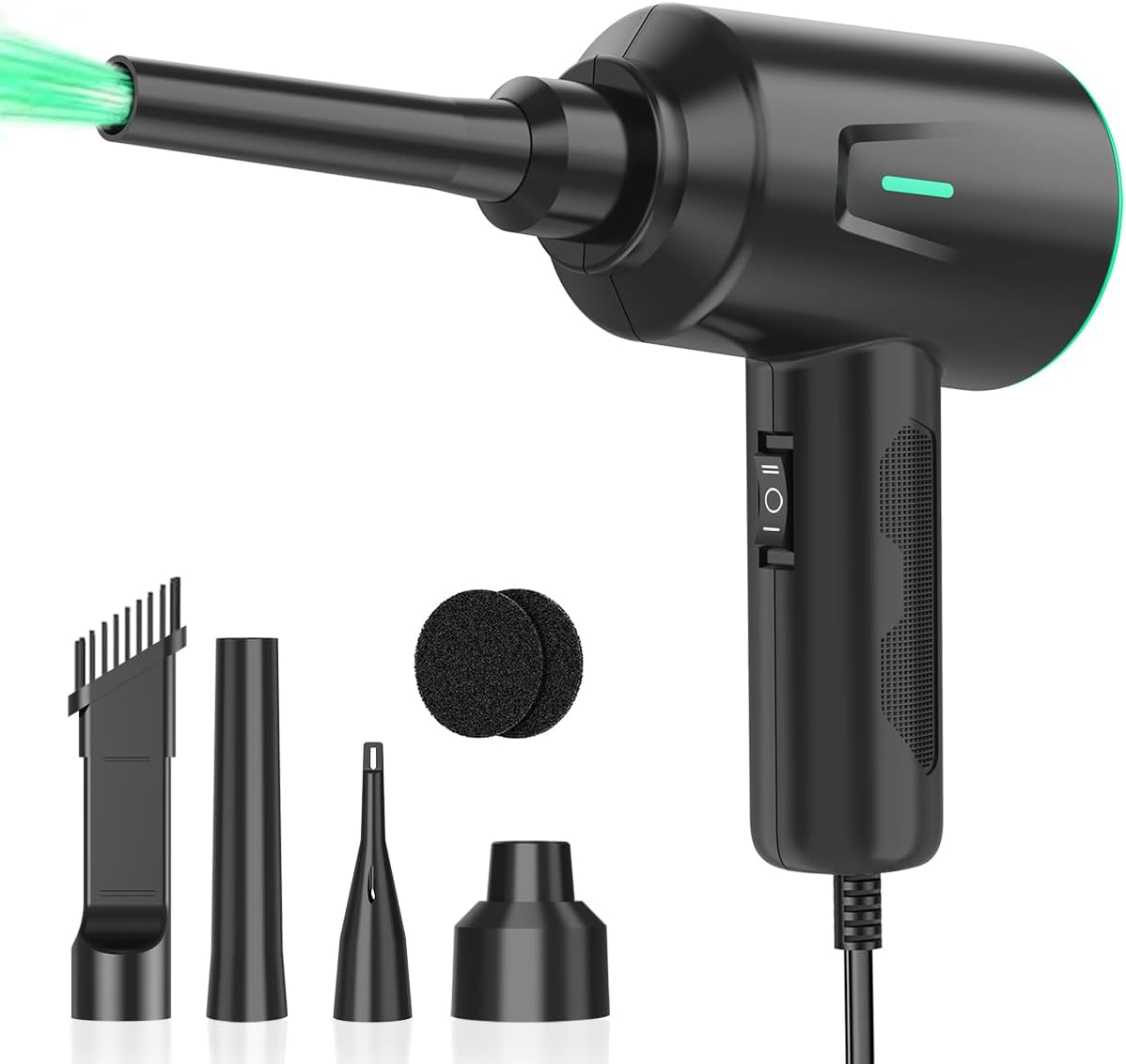
The Meudeen Air Duster offers high power without the need for recharging. With an 8.2 foot cord it works directly from the mains power for continuous cleaning sessions.
We may earn a commission when you buy through this link, at no additional cost to you.
The motor reaches 200000 RPM on high speed to remove dust effectively. Two-speed settings provide flexibility while the low noise design makes use more comfortable.
It requires a nearby outlet which limits portability compared to cordless models. The weight is higher due to the motor and cord which may affect long use.
Ideal for users with fixed workspaces who need consistent power. This duster removes the hassle of battery management while delivering strong cleaning performance.
The corded design means you never have to stop to recharge the battery.
The upgraded air duct reduces noise for a more comfortable cleaning experience.
We may earn a commission when you buy through this link, at no additional cost to you.
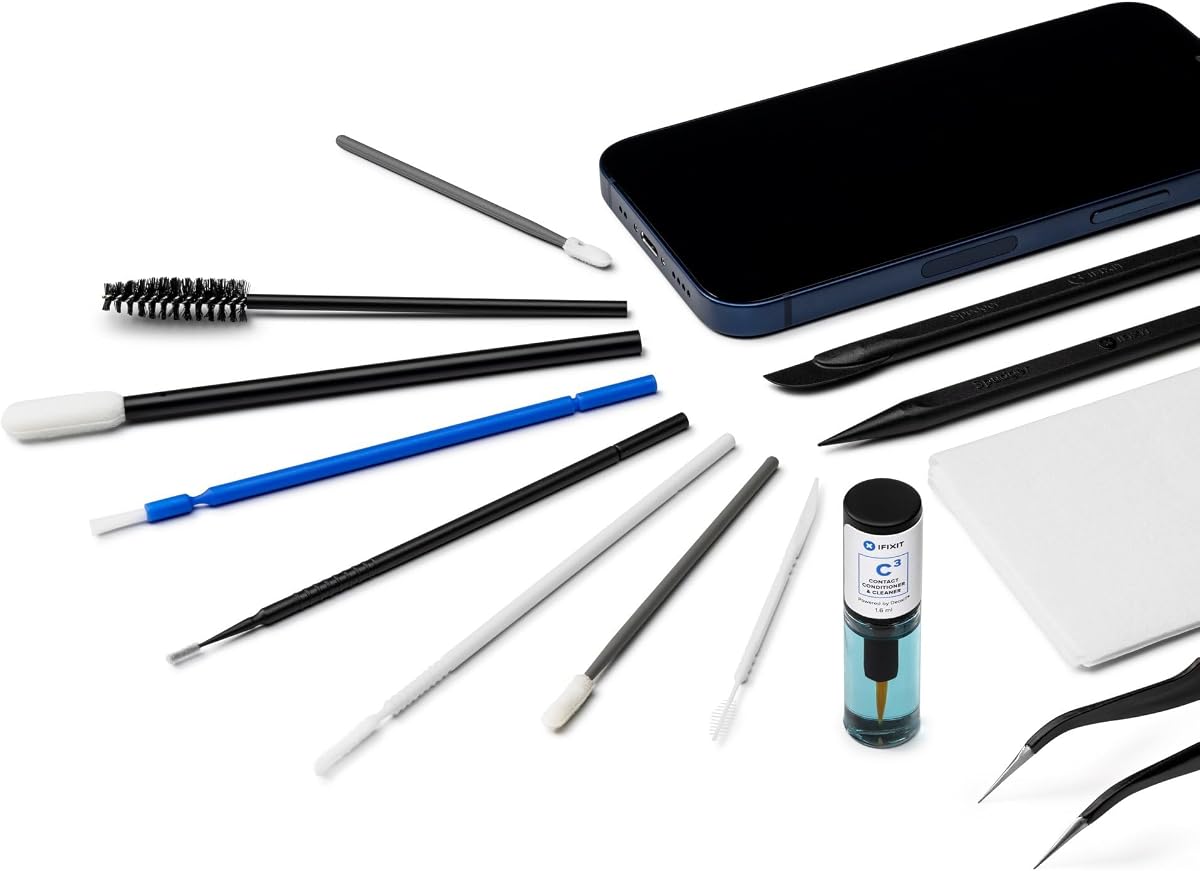
This kit focuses on precision cleaning for hard to reach areas inside devices. It includes spudgers tweezers and swabs to handle delicate tasks without damage.
We may earn a commission when you buy through this link, at no additional cost to you.
The lint-free wipes are ideal for screens and internal components. Tools like the angled tweezers help remove debris from small ports and tight spaces effectively.
It does not include an air blower for general dust removal. This kit is best as a supplement to an air duster for internal maintenance work.
Perfect for users doing repairs or deep internal maintenance. This set provides the precision tools needed to keep small components clean and functional.
Spudgers and tweezers allow precise manipulation of small components without damage.
Cleanroom wipes ensure no fibers are left behind on sensitive surfaces.
We may earn a commission when you buy through this link, at no additional cost to you.
This set offers ten different sizes to handle various cleaning needs effectively. The anti-static nylon material is safe for computer motherboards and sensitive electronics.
We may earn a commission when you buy through this link, at no additional cost to you.
Soft bristle brushes are perfect for delicate surfaces like monitors and lenses. The hard brushes help scrub debris from keyboard gaps and vents with ease.
It relies on manual scrubbing which may be slower than air flow. The brushes may need replacement over time if used aggressively on tough stains.
Ideal for users needing diverse brush shapes for electronics. This set ensures you have the right size tool for every small space on your devices.
Ten different sizes ensure you can reach every gap and corner of your devices.
High-quality nylon material protects sensitive parts from static discharge damage.
We may earn a commission when you buy through this link, at no additional cost to you.
This duster is a versatile tool for home office and automotive cleaning. It delivers strong airflow to remove dust from keyboards and car vents easily.
We may earn a commission when you buy through this link, at no additional cost to you.
The LED light brightens dark spaces making it easier to see dust. Five nozzles and four brushes cover many different tasks from cleaning to inflating.
The battery life varies by speed and may need recharging during long sessions. A case is not included so storing attachments may be less organized.
Best for users needing a flexible cleaning tool for multiple environments. This unit saves money on canned air while providing consistent power for daily dust removal.
The nozzles allow use on electronics furniture and outdoor tasks like inflating.
The light helps you spot dust in dark corners and narrow vents.
We may earn a commission when you buy through this link, at no additional cost to you.
Choosing the right kit depends on your needs for power portability and attachments. This guide breaks down key factors to help you select the best tool.
Motor power measured in RPM determines how effectively the kit removes dust. Higher RPM values like 280000 or 130000 provide stronger airflow for deep cleaning fans and vents.
Look for models with sufficient power to clear stubborn dust without needing to apply physical pressure.
Rechargeable dusters offer cordless convenience and portability for use anywhere. Corded models provide continuous power without the need to manage battery charging cycles.
Choose cordless if you need mobility or corded if you prefer unlimited runtime.
Battery runtime varies by model and speed setting. Long lasting batteries ensure you can clean multiple devices without interruption.
Check for fast charging options like Type-C to reduce downtime between uses.
Attachments like nozzles and brushes determine versatility. More attachments allow you to target specific areas like keys and vents.
Ensure the kit includes a variety of shapes to cover different cleaning needs.
Brushes made from anti-static nylon protect sensitive electronic components. Static discharge can damage motherboards and internal parts.
Always prioritize tools that explicitly mention anti-static safety features.
Lightweight designs make cleaning easier for extended periods. Consider the weight if you plan to travel with the kit.
Compact sizes fit better in bags for cleaning on the go.
Kits often include cloths wipes or tools for general cleaning. These extras reduce the need for separate purchases.
Check for microfiber cloths and alcohol wipes in comprehensive sets.
Budget kits may lack advanced features but cover basic needs. Premium models offer higher power and better durability over time.
Balance cost against features to get the best value for your specific tasks.
Turn off your laptop and unplug it before cleaning to ensure safety and avoid short circuits during the process.
Use the air duster at a moderate angle to blow dust out of vents while holding the fan blades to prevent them from spinning.
Clean brushes and nozzles regularly to remove accumulated dust so the tool remains effective over time.
Yes compressed air is safe if used correctly. Hold the can or duster upright to avoid moisture and keep the fan blades stationary with a finger to prevent damage.
Clean your laptop fans every three to six months depending on usage. Frequent use in dusty environments may require more regular cleaning intervals.
No avoid using water directly on keys. Use a slightly damp microfiber cloth to wipe surfaces and let them dry completely before using the device.
An anti-static brush is made from materials that reduce static buildup. This protects sensitive electronic parts from damage caused by static electricity during cleaning.
Electric dusters are reusable and cost effective over time. They avoid the moisture issues sometimes found in canned air and provide consistent airflow.
Many kits include microfiber cloths and wipes for screens. Check the product details to confirm what surface cleaning tools are included with the kit.
The FRESMOL Compressed Air Duster leads the list for balance of power and portability. The iFixit kit is ideal for surface maintenance while the 280000 RPM duster offers premium performance.
Consider your specific needs such as battery life and attachments before purchasing. A kit with anti-static brushes is essential for protecting internal components during cleaning.
Prices change frequently so review current availability before making a final decision. Maintaining your laptop regularly ensures better performance and extends its lifespan effectively.