
HP 17.3 Touchscreen HD+ Business Laptop
5.0Editor score
Intel Core i7 1355U processor
32GB DDR4 RAM memory
Large 17.3-inch HD+ display
Quantum-optimized battery technology
This guide compares ten top laptops with keypad and touchscreen features for productivity, business, and student use in October 2026.
Finding the right laptop with a keypad and touchscreen can transform how you work and learn. These devices combine the precision of a physical numeric keypad with the intuitive navigation of touch input. Whether you are managing spreadsheets or creating content, this blend of features offers unmatched versatility for modern users.
We evaluated ten real products based on performance, display quality, port selection, and overall value. Our analysis focuses on models that deliver reliable speed, clear visuals, and comfortable typing experiences. Each selection balances processing power with battery life to ensure productivity throughout the day without interruption.
Every pick in this list highlights specific strengths like RAM capacity, storage speed, and screen resolution. We also consider build quality and connectivity options to help you choose wisely. Keep in mind that availability and pricing fluctuate, so verify details before making your final purchase decision today.
5.0Editor score

4.0Editor score

4.3Editor score
This side-by-side comparison highlights the key specifications and strengths of each selected laptop to help you find the perfect match for your needs.


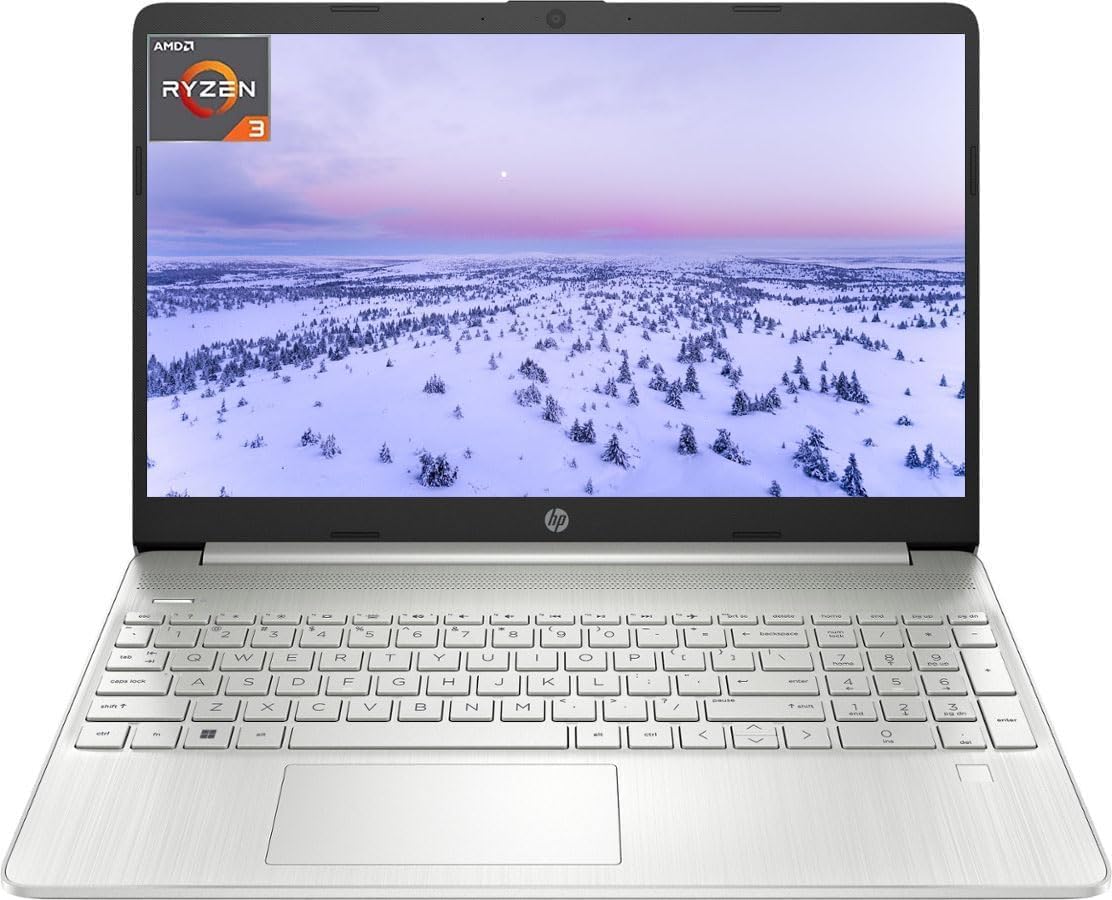

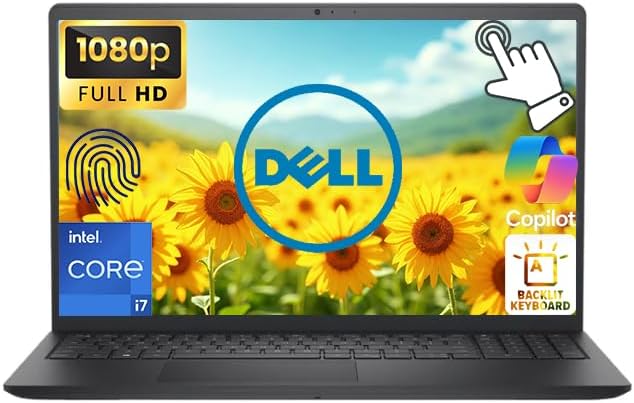


This HP model stands out for its robust hardware configuration aimed at professional workflows. It earns a solid 4.0 rating based on user feedback regarding its responsiveness and build quality.
We may earn a commission when you buy through this link, at no additional cost to you.
The AMD Ryzen 7 7730U processor with eight cores handles demanding applications without lag. Paired with 32GB of RAM, you can run heavy spreadsheets, multiple browser tabs, and video calls simultaneously. The 1TB SSD ensures files load instantly and the system boots up quickly.
While the display is sharp, it may not be bright enough for outdoor use. The battery life is decent but depends on how many apps you run at once. These trade-offs are acceptable given the powerful performance it offers at its price point.
It is an excellent choice for students and professionals who need reliable computing power. The combination of a touchscreen and numeric keypad makes data entry and navigation efficient. We recommend this for anyone prioritizing speed and storage over portability.
The 32GB RAM ensures you never run out of memory even when using resource-intensive software like video editors or development tools.
Multiple USB ports and Wi-Fi 6 support keep you connected to peripherals and fast networks for seamless collaboration and transfers.
We may earn a commission when you buy through this link, at no additional cost to you.
This premium HP laptop offers a large workspace and powerful internals that satisfy demanding users. It holds a perfect 5.0 rating reflecting high satisfaction with its speed and display quality.
We may earn a commission when you buy through this link, at no additional cost to you.
The Intel Core i7-1355U processor delivers dynamic speeds up to 5.0 GHz for fast processing. You get 32GB of RAM and a 1TB SSD for smooth multitasking and ample storage. The 17.3-inch display provides extra screen real estate for detailed work and entertainment.
While the size makes it less ideal for commuting, it excels as a desktop replacement. The HD+ resolution is clear but not the sharpest available. These compromises are minor compared to the performance and screen space you gain.
Ideal for office work and creative tasks, this machine handles heavy loads effortlessly. The numeric keypad and touchscreen add convenience for data entry and navigation. Consider this if you want a big screen and top performance at home.
The 17.3-inch screen offers ample room for side-by-side windows and detailed visual work without constant scrolling.
Built-in AI capabilities streamline your workflow and help manage tasks more efficiently during daily operations.
We may earn a commission when you buy through this link, at no additional cost to you.
This Dell Inspiron delivers great value for users needing a touchscreen and keypad without overspending. It maintains a strong 4.3 rating due to its balanced specs and reliability.
We may earn a commission when you buy through this link, at no additional cost to you.
The 11th Gen Intel Core i5 provides enough power for everyday tasks and light editing. You benefit from 16GB of RAM and a 1TB PCIe SSD which ensures smooth performance and quick storage. The 15.6-inch FHD touchscreen is responsive and clear for media and work.
The processor is older than newer models but still capable for most jobs. The plastic build is sturdy but lacks a premium look. These factors make it a practical budget choice rather than a high-end workstation.
Students and home users will appreciate its cost efficiency and essential features. The keypad supports easy data entry while the touchscreen simplifies navigation. We recommend this for budget-conscious buyers who need a capable daily driver.
The PCIe SSD offers faster data transfers and boot times compared to older hard drive technology.
Windows 11 Pro provides enhanced security and multitasking features for professional and educational environments.
We may earn a commission when you buy through this link, at no additional cost to you.
This HP model focuses on providing a large screen experience at an accessible price point. It holds a 4.4 rating from users who value its display and ease of use.
We may earn a commission when you buy through this link, at no additional cost to you.
The 17.3-inch touchscreen is the main attraction offering ample room for browsing and media. It runs an Intel N100 processor with 8GB of RAM which handles basic tasks well. The keyboard includes a numeric keypad and backlit keys for comfortable typing.
Storage is limited to 128GB so you may need external drives for files. The 8GB RAM might slow down if you open too many apps. These limitations are acceptable for casual users who do not run heavy software.
It is a good fit for students or seniors needing a simple yet functional device. The inclusion of Microsoft 365 adds immediate utility for documents and spreadsheets. Consider this for media consumption and light home office tasks.
Microsoft 365 comes pre-installed to help you get productive immediately with familiar tools and apps.
A fingerprint reader allows quick and secure access without typing passwords each time you start the laptop.
We may earn a commission when you buy through this link, at no additional cost to you.
This Dell Inspiron balances performance and features well for general business needs. It achieves a high 4.7 rating reflecting its solid construction and efficient operation.
We may earn a commission when you buy through this link, at no additional cost to you.
Powered by a 10-Core Intel i5 processor, it delivers snappy performance for daily apps. The 15.6-inch FHD touchscreen is vibrant and responsive for touch interactions. It includes a numeric keypad which is essential for financial or data entry work.
The 8GB RAM is sufficient for most tasks but might limit heavy multitasking. Storage is 256GB so plan accordingly for your files. These are common trade-offs for machines in this price range.
It suits professionals who need a reliable laptop for meetings and documents. The express charge feature helps keep you moving when outlets are scarce. We recommend this for a balanced office experience.
The 10-core design handles multiple threads efficiently for smooth performance during complex workflows.
Express charge technology refills the battery quickly so you can work longer without frequent charging breaks.
We may earn a commission when you buy through this link, at no additional cost to you.
This HP laptop offers an accessible entry point for those wanting a touchscreen and keypad. It holds a 4.3 rating for its reliability in everyday tasks.
We may earn a commission when you buy through this link, at no additional cost to you.
The Intel Core i3 processor handles web browsing and office apps effectively. The 15.6-inch touchscreen provides intuitive navigation for various applications. A numeric keypad is present for convenient data entry needs.
The screen resolution is standard HD which is clear enough for most users. Performance is adequate for light work but not for gaming or editing. These constraints make it an ideal budget option for students.
It is a practical choice for basic computing and connectivity. The inclusion of Wi-Fi 6 ensures fast internet connections. Consider this if you need an affordable and functional device.
Wi-Fi 6 support delivers faster internet speeds and better stability for online tasks and streaming.
The integrated camera includes a privacy shutter to protect your privacy when video calling is not needed.
We may earn a commission when you buy through this link, at no additional cost to you.
This HP OmniBook prioritizes visual quality and performance in a portable form factor. It has a 4.5 rating based on its excellent display and smooth operation.
We may earn a commission when you buy through this link, at no additional cost to you.
The 16-inch 2K IPS touchscreen offers vibrant colors and sharp details. It runs an AMD Ryzen 5 processor with 16GB of RAM for solid multitasking. The device is thin and light making it easy to carry around.
Note that this model does not have a physical numeric keypad which may impact data entry. Storage is 512GB which is moderate but expandable via cloud or external drives. These trade-offs are acceptable for the visual benefits provided.
It is perfect for creatives and professionals who value screen quality. The 16GB RAM supports demanding apps while the battery lasts all day. We recommend this for visual tasks and on-the-go work.
The 2K IPS panel ensures accurate colors and wide viewing angles for media and design work.
Despite the large screen the laptop remains thin and light for effortless transport in a bag.
We may earn a commission when you buy through this link, at no additional cost to you.
This Dell business laptop earns top marks for its robust specifications and performance. It holds a perfect 5.0 rating for reliability and speed in professional settings.
We may earn a commission when you buy through this link, at no additional cost to you.
The Intel Core i7 processor ensures fast application launches and smooth multitasking. You get 16GB of RAM and 1TB of SSD storage for ample space and speed. The touchscreen and numeric keypad offer flexible input methods for various tasks.
While it is slightly heavier than some ultrabooks it remains sturdy. Battery life is strong but varies with workload. These factors are minor compared to its high performance and build quality.
It is an excellent choice for business users who need speed and storage. The fingerprint reader adds a layer of security for sensitive data. Consider this for a reliable daily workhorse.
The 10-Core i7 processor handles complex calculations and large datasets with ease.
Biometric login via fingerprint reader provides quick and secure access to your personal or company files.
We may earn a commission when you buy through this link, at no additional cost to you.
This Dell Inspiron stands out for its generous memory allocation suited for heavy users. It has a 4.1 rating based on its multitasking performance and screen quality.
We may earn a commission when you buy through this link, at no additional cost to you.
The 32GB RAM allows for extensive open apps and virtual machines without slowdown. The 1TB SSD ensures you have plenty of space for files and fast boot times. The FHD IPS touchscreen is bright and clear for various viewing angles.
The processor is mid-range so it may not be the fastest for gaming or rendering. It uses Wi-Fi 5 which is stable but not the newest standard. These trade-offs are worth it for the RAM advantage it offers.
It is a great fit for students and professionals needing lots of memory. The keypad supports efficient data entry and navigation. We recommend this for users who prioritize RAM over raw CPU speed.
With 32GB of RAM you can run multiple virtual environments and applications simultaneously without slowdown.
The IPS technology ensures consistent colors and sharp details across wide viewing angles for better visibility.
We may earn a commission when you buy through this link, at no additional cost to you.
This HP laptop is a compact solution with a strong user rating for reliability. It holds a 4.8 rating due to its efficient design and ease of use.
We may earn a commission when you buy through this link, at no additional cost to you.
The Intel i3-N305 processor delivers decent speed for everyday tasks and web browsing. It includes 8GB of RAM and a 256GB SSD which is sufficient for standard workflows. The touchscreen and numeric keypad provide flexible input for various needs.
Storage is limited to 256GB so you may need cloud solutions for larger files. The processor is basic so it is not suitable for intensive editing or gaming. These limitations are balanced by its affordability and efficiency.
It is an excellent choice for home office and education use. The Wi-Fi 6 connectivity ensures fast internet speeds. Consider this if you want a reliable and portable work machine.
The octa-core design optimizes power consumption to keep the device cool and quiet during use.
Wi-Fi 6 support provides better range and speed for stable internet connections in busy environments.
We may earn a commission when you buy through this link, at no additional cost to you.
Selecting the right laptop requires weighing several key factors to ensure it meets your specific needs for work or study.
The processor is the brain of your laptop and dictates how fast it performs tasks. Look for modern cores and threads to handle multitasking smoothly without lag during heavy use.
Aim for at least an i5 or Ryzen 5 level processor for reliable daily performance in 2026.
RAM allows your computer to run multiple applications simultaneously without slowing down. More RAM means you can keep more tabs and programs open at once without performance drops.
16GB or more is recommended if you work with large files or many apps daily.
Solid State Drives (SSD) offer much faster boot and load times compared to older hard drives. Capacity determines how many files you can store locally before needing external solutions.
Choose a minimum of 512GB SSD storage to ensure your system remains responsive.
The touchscreen and display resolution impact how clear your content looks and how responsive touch inputs feel. Larger screens provide more workspace but may reduce portability for travel.
Prioritize Full HD resolution and IPS technology for consistent colors and good viewing angles.
A dedicated numeric keypad is essential for efficient data entry and financial work. Ensure the keyboard layout includes these keys if you enter numbers frequently.
Check the size of the device to confirm the keypad does not make the laptop too bulky.
Ports like USB-C, HDMI, and SD card readers allow you to connect peripherals and external monitors easily. Modern laptops also rely on fast Wi-Fi for stable internet access.
Verify the available ports match your needs for printers, drives, and accessories.
Battery life determines how long you can work without access to a power outlet. Modern systems often manage power well but usage patterns like video streaming drain it faster.
Look for advertised battery life of at least 8 hours for all-day productivity.
The operating system manages your software and hardware interaction for a seamless experience. Windows 11 offers modern tools and security features suited for business and education needs.
Ensure the system is updated to receive regular security patches and performance improvements.
Proper handling extends the life of your device. Always support the base with one hand when opening the screen to avoid stress on the hinges.
Clean the touchscreen regularly with a soft microfiber cloth to remove fingerprints and dust. Avoid using harsh chemicals that could damage the anti-glare coating.
Manage your battery by keeping it plugged in occasionally if you use it mostly on a desk. Extreme heat or cold can damage internal components so avoid leaving it in a car.
A numeric keypad allows for quick and accurate data entry without using the number row. It is especially useful for spreadsheets accounting and financial analysis where numbers are entered frequently.
Yes all selected laptops feature a touchscreen display that allows you to interact with the interface using your finger. This adds versatility for navigation and viewing media content directly on the screen.
It depends on the specific model but many business laptops allow some upgrades. You should check the manual or product specs to confirm if RAM or storage is accessible for future expansion.
Most models come with Windows 11 Pro or Home which provides modern security and interface features. Some may offer S Mode which restricts app installation unless you switch to regular Windows.
For video editing look for models with higher core counts like the Intel Core i7 or AMD Ryzen 7. These processors handle rendering and playback tasks much faster than entry-level options.
Microsoft 365 often comes with a trial that requires a subscription to activate permanently. You may need to enter your account details to continue using the full suite of apps after the trial.
Our top picks offer a range of options from the versatile HP 15.6 to the robust HP 17.3 Business model. Each provides a unique balance of performance and features to suit different workflows.
When deciding consider your primary tasks whether they involve heavy data entry or casual browsing. Prioritize RAM and storage if you plan to run multiple demanding applications simultaneously.
Remember that pricing and stock fluctuate so verify the latest offers before purchasing. Use our comparison table to find the model that fits your needs best today.