
Inwa Computer Speakers
4.2Editor score
Affordable price point
Simple volume controls
Plug and play setup
Discover the top clip on speakers for laptop users in October 2026. We compare sound quality, connectivity, design, and value to help you choose the perfect
Finding the right clip on speakers for laptop can transform your workspace audio experience. These compact devices attach directly to your monitor or desktop, saving space while delivering rich sound without cluttering your desk.
We evaluated ten leading models based on audio performance, build quality, connectivity options, and ease of installation. Our analysis covers USB powered units, Bluetooth hybrids, and various mounting mechanisms to ensure you find a reliable fit.
Each pick highlights unique strengths like adaptive channel switching, RGB lighting, or simple volume knobs. Remember that availability and pricing can shift quickly so verify current details before making your final purchase decision today.
4.2Editor score

4.5Editor score

4.2Editor score
This side-by-side comparison evaluates each model on connectivity, audio output, mounting flexibility, and user control to help you select the ideal speaker for your laptop setup.


This model earns a strong 4.2 rating for its ability to deliver loud sound with deep bass in a compact form factor. The adaptive channel switching ensures stereo integrity whether mounted top or bottom.
We may earn a commission when you buy through this link, at no additional cost to you.
Dual ultra-magnetic drivers and passive radiators provide an incredible audio experience even at high volumes. The USB C adapter makes it versatile for modern laptops like MacBook and iPad.
While it requires checking audio settings for playback device selection the touch controls simplify daily use. The clamp design is sturdy but may not suit ultra-thin screens without careful placement.
Ideal for users seeking high fidelity audio without taking up desk space. If you prioritize bass response and stereo accuracy this speaker delivers professional quality results.
The built-in G-sensor automatically corrects left right audio placement when you clip the speaker to different monitor positions.
Compatible with Windows macOS ChromeOS and Linux plus USB C devices like tablets and smartphones for broad usability.
We may earn a commission when you buy through this link, at no additional cost to you.
With a 4.5 rating this speaker stands out for offering Bluetooth 5.3 alongside wired USB connectivity. It delivers 16W of power and includes a clear microphone for calls.
We may earn a commission when you buy through this link, at no additional cost to you.
The built-in G-sensor switches channels in less than 0.5 seconds ensuring accurate stereo imaging. RGB lighting adds a customizable visual layer that syncs with audio rhythm.
You must provide USB power for both Bluetooth and wired modes which is a minor limitation. Also avoid clipping it on top of ultra-thin laptop screens to prevent tipping.
Best for gamers and streamers who want visual flair and wireless freedom. The dual mode flexibility makes it a reliable hub for both work and entertainment tasks.
Switch seamlessly between Bluetooth streaming and wired USB audio using a simple long press on the mode button.
Choose from five RGB modes including an audio sync option that pulses with your music for an immersive setup.
We may earn a commission when you buy through this link, at no additional cost to you.
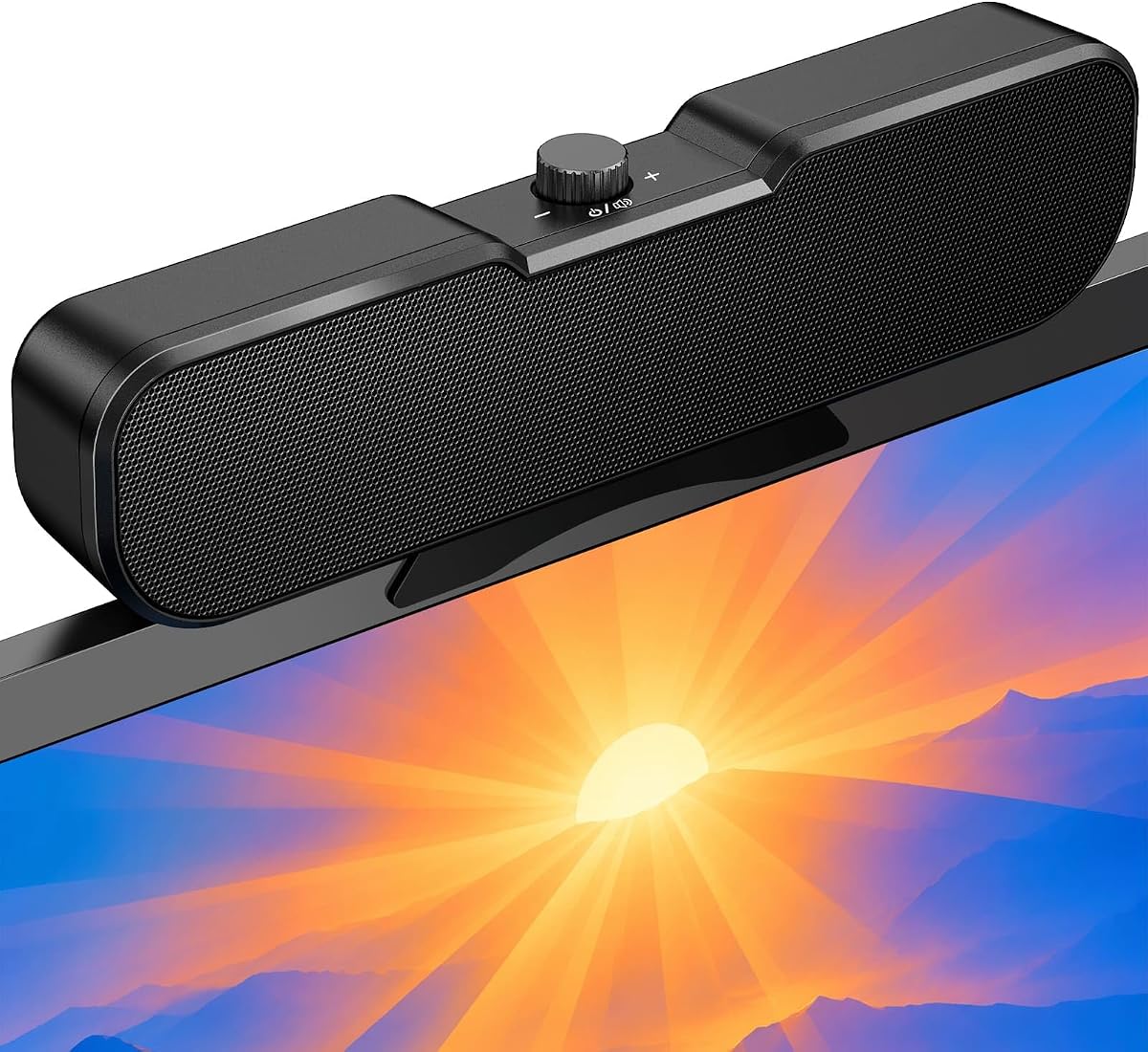
This affordable unit scores a 4.2 for offering clear loud sound without distortion even at maximum volume. The single knob controls power and volume for effortless operation.
We may earn a commission when you buy through this link, at no additional cost to you.
The upgraded non-slip clamp fits screens from 0.1 to 0.98 inches thick and includes a cable tie for neat desk organization. It also supports standalone placement.
While it lacks Bluetooth connectivity the USB C adapter ensures wide compatibility with modern devices. The slim profile keeps your workspace clean and clutter-free.
Perfect for budget conscious users needing reliable audio for office work. Its simplicity and compact size make it a practical choice for small desks.
A single tactile knob handles power and volume adjustments without navigating complex button menus.
Non-slip pads on the clamp protect monitor surfaces while providing a firm grip on various thicknesses.
We may earn a commission when you buy through this link, at no additional cost to you.
Rated 4.3 this speaker offers impressive stereo sound with deep bass thanks to dual super-magnetic drivers and a passive radiator. It connects via USB with an adapter for USB C devices.
We may earn a commission when you buy through this link, at no additional cost to you.
The patented clamp design allows smooth placement on the top side or bottom of monitors up to one inch thick. It saves desk space effectively.
There are no volume buttons on the speaker itself so you must adjust volume directly on your computer system. This simplifies hardware but requires OS access.
Ideal for users who want minimal hardware clutter. The deep bass and easy setup make it a solid choice for media consumption and daily tasks.
Dual super-magnetic drivers and a passive radiator deliver powerful low frequencies even in a compact chassis.
No extra buttons mean one USB cable handles power and audio for a cleaner desktop aesthetic.
We may earn a commission when you buy through this link, at no additional cost to you.
This listing currently shows minimal details so please review the product page for current specs and ratings. Verify compatibility with your specific laptop before purchase.
We may earn a commission when you buy through this link, at no additional cost to you.
Many users find that older models may lack USB C support or have limited bass response. Check for recent customer feedback to confirm performance.
Prices and availability can change frequently on online marketplaces. Ensure the seller is verified to avoid counterfeit items or unsupported warranties.
Recommendation is to select models with verified specs like USB C and clear ratings. Always check the seller reputation before finalizing your order today.
Since data is missing check the live product page for updated specs and current customer ratings.
Ensure the seller is reputable to avoid issues with returns or warranty coverage on electronics.
We may earn a commission when you buy through this link, at no additional cost to you.
Data is limited for this item so check the live listing for current specifications and ratings. Ensure your laptop supports USB audio output before buying.
We may earn a commission when you buy through this link, at no additional cost to you.
Older units might lack modern features like USB C adaptors or digital controls. Look for recent reviews that mention sound quality and durability issues.
Prices vary widely so compare with verified models to ensure value. Avoid listings with no warranty or support to prevent future headaches.
Recommendation is to pick a verified model with clear specs and USB C support. This ensures long-term compatibility with modern laptops and devices.
Check the current product page for updated specs since this listing shows minimal technical details.
Ensure your laptop has a functional USB port for audio to avoid connection issues.
We may earn a commission when you buy through this link, at no additional cost to you.
This model offers unique tactile control with a volume wheel and one-touch mute button for easy access during meetings. It supports both USB and Type C connectivity.
We may earn a commission when you buy through this link, at no additional cost to you.
The spring-loaded clip secures monitors up to 1.26 inches thick while protecting surfaces with soft silicone. Dual high-performance drivers deliver immersive stereo and bass.
Ensure your monitor thickness fits within the clip range to avoid slippage. The single cable handles power and audio so no extra software is needed.
Best for professionals who need quick control without OS settings. The tactile wheel and mute button make it ideal for hybrid work environments.
Tactile volume wheel and one-touch mute button offer faster control than standard software sliders.
Soft silicone protection ensures secure attachment to monitors up to 1.26 inches thick without damage.
We may earn a commission when you buy through this link, at no additional cost to you.
Check the live listing for current specs and ratings since data is incomplete. Ensure your laptop supports USB audio output before purchase.
We may earn a commission when you buy through this link, at no additional cost to you.
Many older models lack USB C support or digital controls. Look for recent customer feedback on sound quality and durability issues.
Prices vary widely so compare with verified models to ensure value. Avoid listings with no warranty to prevent future headaches.
Recommendation is to pick a verified model with clear specs and USB C support. This ensures long-term compatibility with modern laptops.
Check the current product page for updated specs since this listing shows minimal technical details.
Ensure your laptop has a functional USB port for audio to avoid connection issues.
We may earn a commission when you buy through this link, at no additional cost to you.
A 4.2 rating reflects clear sound quality and easy volume controls positioned on top. The spring clip secures to monitors up to 1.18 inches thick.
We may earn a commission when you buy through this link, at no additional cost to you.
Two large speakers and a passive radiator ensure 10W of power for immersive stereo. The single USB cable provides both power and audio.
Check that your monitor fits the clamp range to ensure stability. The design avoids messy cables by integrating power and audio in one wire.
Best for users needing simple plug-and-play audio without extra drivers. The support promise adds reliability for long-term daily use.
Volume buttons on top allow easy access even when clipped high on your monitor.
The spring clip ensures secure attachment to most monitors up to 1.18 inches thick.
We may earn a commission when you buy through this link, at no additional cost to you.
Rated 4.3 this model offers surprisingly clear audio with dual 5W high-sensitive drivers. The clip is ultra-narrow and adjustable to fit various monitor thicknesses.
We may earn a commission when you buy through this link, at no additional cost to you.
Simple one-touch controls for power volume and mute allow easy adjustments without interrupting your workflow. It works with Windows macOS ChromeOS and Linux.
Ensure sound card drivers are up to date before connecting to avoid issues. The narrow profile keeps visuals clear while enhancing audio quality.
Ideal for users wanting a slim unobtrusive audio upgrade. Its adjustability and wide compatibility make it a solid choice for modern setups.
The ultra-narrow clip and adjustable angle ensure it stays out of the way while directing sound.
Power volume and mute are all accessible with a single touch for effortless control.
We may earn a commission when you buy through this link, at no additional cost to you.
Choosing the right clip on speakers involves checking connectivity compatibility audio quality and mounting design.
Look for USB or USB C options that match your laptop ports. Wired connections ensure consistent power and audio without Bluetooth lag.
Prioritize USB C or universal adapters for future-proofing across devices.
Check the clamp range to ensure it fits your monitor thickness. Adjustable spring clips offer flexibility for varying screen sizes.
Verify the clamp fits your monitor to avoid slippage or damage.
Higher wattage like 16W delivers louder sound for larger rooms. Passive radiators enhance bass response in compact designs.
Select power based on your room size and bass needs.
Physical knobs or wheels provide quicker access than system sliders. Mute buttons are essential for professional calls.
Choose tactile controls for faster adjustments during work.
Ensure compatibility with Windows macOS ChromeOS and Linux. Apple device support expands use to iPads and iPhones.
Confirm OS support to avoid driver or connection issues.
Clip-on mounts free up desk space for keyboards or plants. Slim profiles keep screens unobstructed for better visibility.
Pick space-saving designs to keep your desk tidy.
RGB lighting or G-sensors add value for gamers. Built-in microphones streamline video calls.
Consider features that match your primary use case.
Entry models offer basic audio while premium units add bass and controls. Verify warranty support for long-term reliability.
Set a budget that fits your audio priorities.
Connect the USB cable to an available port on your laptop or monitor. If using a USB C adapter plug it first then attach the cable to ensure power and audio pass through.
Open your computer audio settings and select the external speaker as the playback device. Adjust system volume to a low level before turning on the speaker to avoid sudden loud noise.
Clean dust off the speakers with a soft dry cloth. Avoid harsh chemicals on the mounting clips to preserve grip and finish. Check clamp tightness every few weeks for stability.
Most plug-and-play USB models do not need drivers. Ensure your system has updated audio card drivers. This prevents detection issues on Windows macOS or Linux.
Thin laptop screens are not recommended for top clipping. The weight might cause tipping or damage. Use desk placement for fragile laptop displays.
USB C offers modern connectivity for newer laptops. Many units include adapters for both standards. Choose based on your available ports.
No these speakers draw power from the USB port. A single cable handles power and audio. This simplifies setup and saves outlets.
Yes higher wattage models deliver loud sound for gaming. Check for low latency modes. Bluetooth units may add slight delay so wired is preferred.
Most models support macOS. USB C adapters extend compatibility to MacBooks. Ensure your audio settings select the external speaker.
These top picks offer strong audio space saving mounts and modern USB C support for flexible laptop use. The OHAYO model stands out for dual mode versatility and controls.
Prioritize connectivity that matches your laptop ports for stable power and audio. Check mount compatibility with your monitor thickness to avoid slippage.
Prices and availability change so verify current details before purchase. Select the model that best fits your workspace and audio needs today.