
ASUS RT-AX1800S
4.3Editor score
WiFi 6 with MU-MIMO
AiProtection Classic Security
Gigabit LAN Ports
This guide compares the top ASUS WiFi routers for performance, security, and coverage to help you find the right model for your home or office network needs.
Choosing the right wireless router is essential for a smooth online experience. ASUS offers a wide range of models featuring the latest standards like WiFi 7 and strong security tools. This guide helps you navigate the options to find the best fit for your specific network demands.
We have carefully evaluated ten distinct ASUS routers based on their speed capabilities, coverage area, and advanced features like Mesh support and parental controls. Each product was analyzed to understand how it handles multiple devices, gaming traffic, and smart home integration effectively.
Every pick in this list highlights specific strengths and potential trade-offs to ensure you make an informed decision. Please note that product prices and availability can fluctuate frequently, so check the latest details before making your final purchase.
4.3Editor score

4.3Editor score
3.4Editor score
This side-by-side comparison highlights the key specifications and features of the top ten ASUS routers to help you quickly identify which model meets your bandwidth and coverage requirements.
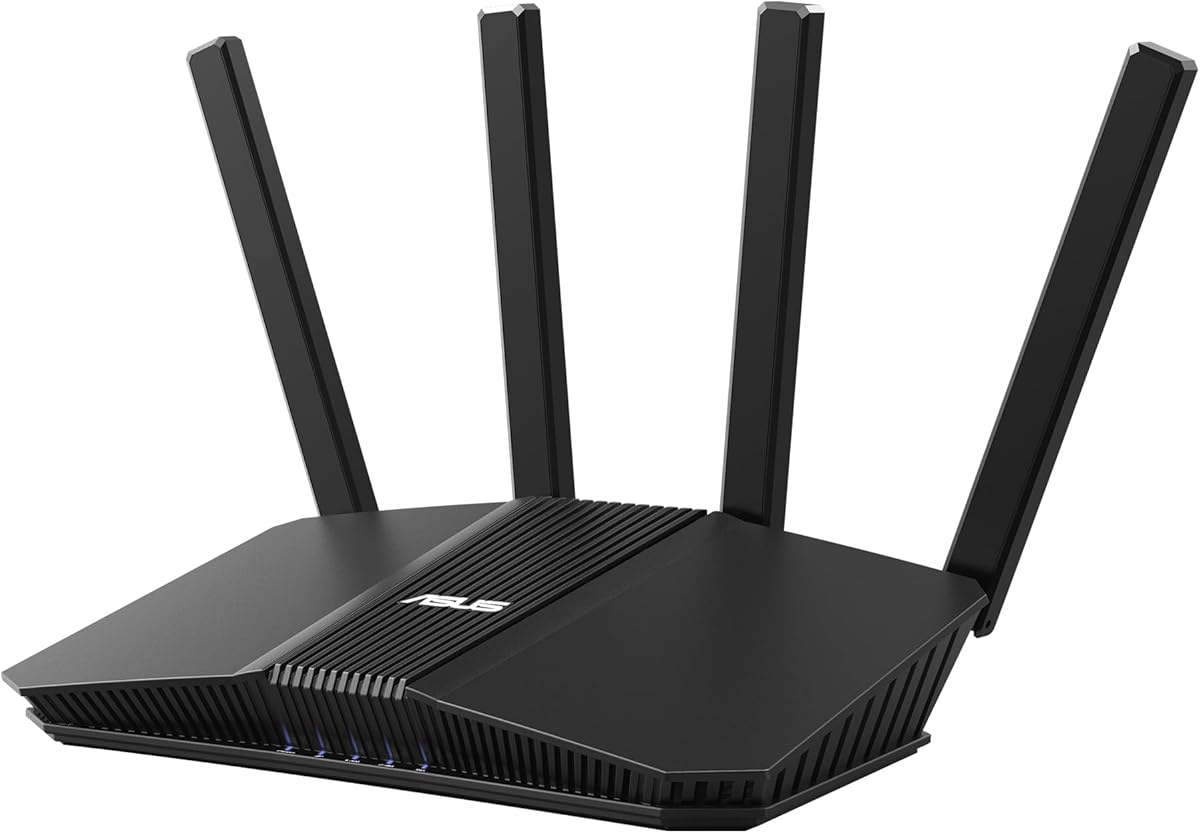



The ASUS RT-AX1800S is an excellent entry-level option for those seeking reliable WiFi 6 performance without breaking the bank. It holds a solid 4.3 rating and is designed to handle everyday streaming and browsing with ease. Its standout quality lies in its subscription-free security and parental controls which protect your home network automatically.
We may earn a commission when you buy through this link, at no additional cost to you.
This router supports WiFi 6 standards like MU-MIMO and OFDMA to efficiently manage multiple devices simultaneously. It features four external antennas to boost signal strength and includes five Gigabit ports for wired connections. The inclusion of AiProtection Classic powered by Trend Micro ensures your devices are protected from threats without extra costs.
While the throughput may not match high-end gaming routers, it is perfectly adequate for standard home use. The coverage might be limited in very large homes, but its AiMesh compatibility allows for future expansion if needed. These trade-offs are acceptable given its budget-friendly positioning and robust core features.
Anyone looking for a dependable primary router or a simple extender should consider this model. It balances cost and performance well, making it a top choice for average households. We recommend it for users who prioritize security and basic speed over advanced gaming tweaks.
This model offers subscription-free network security with AiProtection Classic which helps block threats automatically. Parental controls allow you to manage internet usage effectively for all family members.
With MU-MIMO and OFDMA technology this router allocates channels efficiently to communicate with multiple devices at once. This ensures smoother performance even when several gadgets are online simultaneously.
We may earn a commission when you buy through this link, at no additional cost to you.
The ASUS RT-BE58U brings the latest WiFi 7 standard to the mainstream market with impressive speeds and features. It currently holds a 4.0 rating and serves as a powerful option for early adopters. Its standout quality is the Multi-link operation which ensures ultra-smooth connectivity by linking multiple bands.
We may earn a commission when you buy through this link, at no additional cost to you.
This router delivers speeds up to 3.6 Gbps using 4096-QAM technology to increase transmission efficiency. It offers versatile WAN options including AI detection and USB ports for 4G or 5G tethering. The Smart Home Master simplifies IoT setup while AiProtection Pro keeps your network safe from vulnerabilities.
While it offers top-tier specs, the cost is higher than standard models and full benefits require compatible clients. The coverage is solid for most homes but it is not a mesh system on its own. These limitations are acceptable for users seeking future-proof performance in a standalone unit.
Tech enthusiasts and power users who want the fastest available speeds should look at this router. It prepares your network for upcoming devices without requiring a full mesh investment. We recommend it for those ready to embrace the next generation of wireless technology.
Linking to multiple bands simultaneously ensures stable connections and efficient data transfers for your devices. This feature significantly reduces latency and improves overall network responsiveness.
Establish always-on internet through AI WAN detection or use the USB port for mobile tethering. This flexibility ensures you stay connected even if your primary connection fails.
We may earn a commission when you buy through this link, at no additional cost to you.
The ASUS ROG Rapture GT-BE98 Pro is a beast of a router designed for heavy gaming and high-bandwidth households. It boasts a 4.3 rating and is the top choice for performance enthusiasts. Its standout quality is the massive 30Gbps speed enabled by new 320MHz channels in the 6GHz band.
We may earn a commission when you buy through this link, at no additional cost to you.
This device uses Multi-link Operation to ensure stable connections while offering dual 10G ports for wired speed. External antennas boost coverage to handle large spaces effectively. The triple-level game acceleration optimizes traffic from your PC to the game server for a seamless competitive experience.
The price is very high and it is likely overkill for average internet browsing. You need specific high-end devices to fully utilize the 30Gbps potential. These trade-offs are acceptable if you demand the absolute fastest wired and wireless speeds available today.
Serious gamers and users with massive smart homes should consider this top-tier model. It sets a new benchmark for what a standalone router can achieve. We recommend it for those who want the best possible hardware without compromise.
Triple-Level Game Acceleration boosts PC gaming traffic at every step to reduce lag effectively. This ensures your gameplay remains smooth even during peak network usage times.
Maximize flexibility with dual 10G ports and quad 2.5G ports for connected wired devices. This offers unparalleled speed for desktop PCs and NAS storage systems.
We may earn a commission when you buy through this link, at no additional cost to you.
The ASUS RT-BE92U offers a balanced approach to WiFi 7 with tri-band speeds up to 9.7 Gbps. It holds a 4.0 rating and is ideal for smart homes needing robust performance. Its standout quality is the integration of Smart Home Master for easy IoT device segmentation.
We may earn a commission when you buy through this link, at no additional cost to you.
This router utilizes 4096-QAM to significantly increase network capacity. You can establish always-on internet through AI WAN detection or use USB tethering for reliability. The AiProtection Pro service ensures commercial-grade network security with one-tap scans and safe browsing features.
While powerful, it may be costly for standard internet plans that do not utilize full speed. It is a single unit so large coverage areas might require a mesh system later. These factors are manageable for those wanting top wireless performance in a classic router form.
Homeowners with many smart devices and gigabit internet should look at this model. It offers great speed and security features in a versatile package. We recommend it for users who want advanced features without the extreme gaming focus.
Easily establish up to three SSIDs to manage IoT devices securely and efficiently. This keeps your main network separate and safe from compromised smart gadgets.
AI WAN detection and USB tethering options help you maintain a reliable connection even during outages. This ensures your home network stays online when it matters most.
We may earn a commission when you buy through this link, at no additional cost to you.
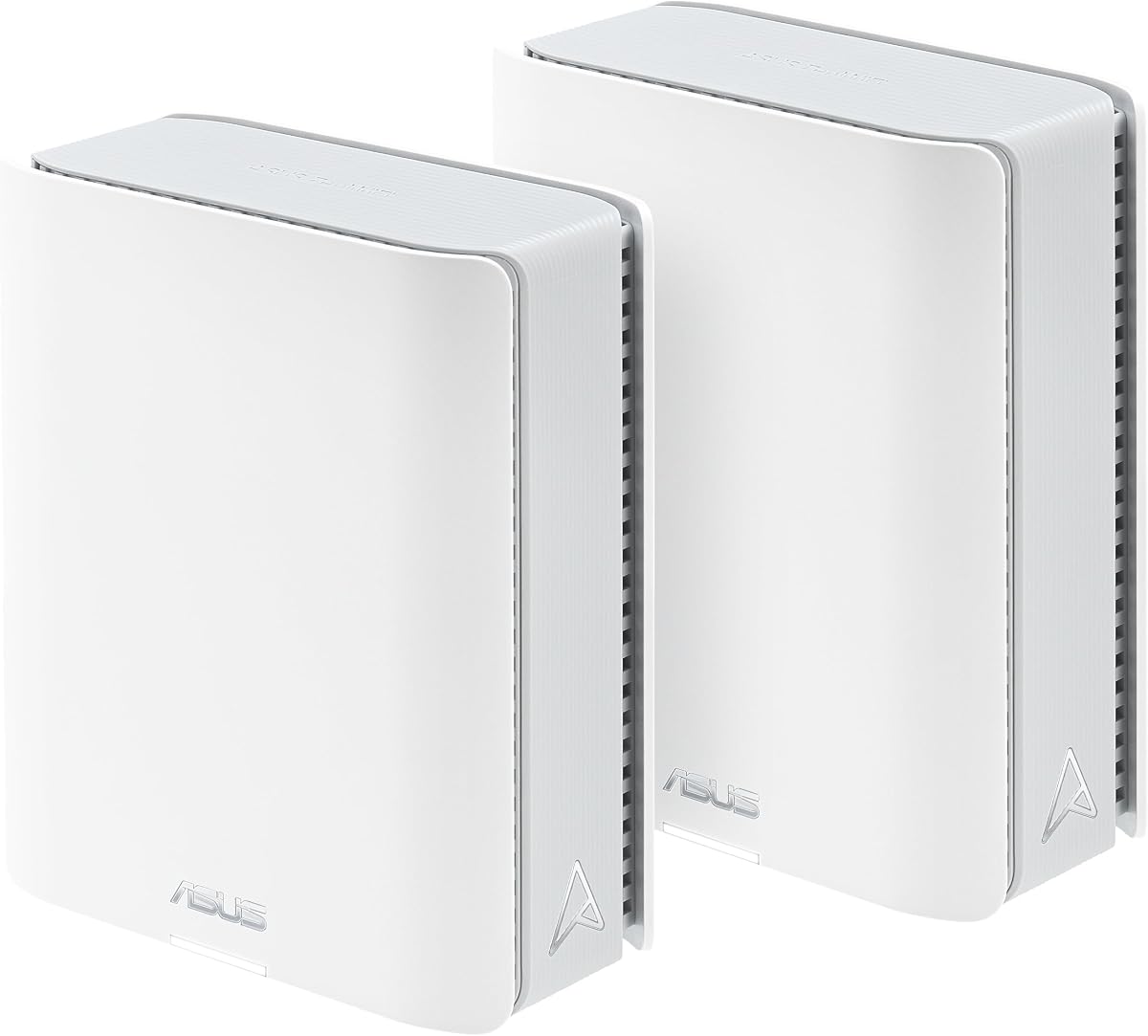
The ASUS ZenWiFi BT10 is a powerful mesh system designed to cover large areas with blazing fast speeds. It holds a 3.4 rating and offers up to 6000 sq ft coverage in a two-pack. Its standout quality is the tri-band connectivity that future proofs your smart home for next-gen devices.
We may earn a commission when you buy through this link, at no additional cost to you.
This mesh system provides ultimate AiMesh powered by AI for robust backhaul and seamless connectivity. It includes dual 10G Ethernet ports for ultrafast wired connections and ten high-power modules to eliminate dead zones. Smart Home Master allows easy network segmentation for all your devices.
While the coverage is excellent, the rating suggests some users face setup or stability hurdles. The price is high due to the dual 10G ports and mesh hardware. These trade-offs are acceptable if you need reliable coverage across a very large home or office.
Residents in spacious homes needing seamless whole-home WiFi should consider this system. It combines speed and scale better than any single router unit. We recommend it for those prioritizing coverage and future-proof speeds over budget constraints.
Ultimate AiMesh powered by AI ensures robust backhaul connections and seamless connectivity for all devices. The network scales effortlessly with any other ASUS extendable router.
Eight internal antennas and high-power modules eliminate WiFi dead zones in all directions effectively. Robust heat dissipation also enhances overall WiFi reliability for continuous use.
We may earn a commission when you buy through this link, at no additional cost to you.
The ASUS RT-AX82U is a gaming-focused router that offers incredible speed and customization at a great price. It holds a 4.4 rating and is available as a renewed unit to save money. Its standout quality is the Mobile Game Mode which minimizes lag for smartphone gamers.
We may earn a commission when you buy through this link, at no additional cost to you.
This router supports WiFi 6 speeds up to 5400 Mbps with 160MHz channels for faster throughput. You can choose your lighting vibe with Aura RGB effects to match your setup. AiMesh support allows flexible whole-home mesh networks while lifetime free AiProtection Pro keeps it secure.
Buying a renewed unit means you should check the warranty details before purchase. It may not have tri-band separation which could be a limit for dense homes. These trade-offs are acceptable for gamers wanting high performance without spending premium cash.
Gamers on a budget who want style and speed will love this renewed option. It balances performance and aesthetics perfectly for a gaming desk. We recommend it for those looking for a great entry into WiFi 6 gaming.
Minimize lag and latency for mobile gaming with just a tap on the ASUS Router app. This dedicated mode ensures your phone gets priority for smooth gameplay.
Get lifetime free ASUS AiProtection Pro and Aura RGB lighting to align with specific modes. This ensures your network stays secure and looks great visually.
We may earn a commission when you buy through this link, at no additional cost to you.
The ASUS ZenWiFi BT8 offers a balanced mix of next-gen WiFi 7 speed and ease of use. It holds a 4.0 rating and is designed to be easily extendible with other routers. Its standout quality is the tri-band performance that reaches up to 14 Gbps total speed.
We may earn a commission when you buy through this link, at no additional cost to you.
This router uses AI-powered Smart AiMesh to boost coverage to 3000 sq ft. Seven internal antennas and high-power modules eliminate dead zones in all directions. Smart Home Master makes setting up multiple SSIDs for IoT easy while commercial-grade security protects 24/7.
While the speed is impressive, a single pack might not cover very large properties alone. It requires buying more units to create a full mesh system if needed. These trade-offs are acceptable for users wanting flexible scalability and fast speeds.
Small to medium homes looking for WiFi 7 mesh capabilities should consider this unit. It offers great value for the features included in the box. We recommend it for users who want a balance of coverage and speed.
Seven internal antennas and high-power front-end modules eliminate dead zones in all directions. AI-powered Smart AiMesh boosts coverage for a seamless secure whole home network.
24/7 end-to-end protection with commercial-grade AiProtection Pro and advanced VPNs ensures safety. IoT Network setup makes managing multiple devices easier for everyone.
We may earn a commission when you buy through this link, at no additional cost to you.
The ASUS RT-AX3000 is a reliable workhorse that delivers next-gen WiFi 6 speeds consistently. It holds a 4.5 rating and is ideal for families needing stable internet. Its standout quality is the Adaptive QoS which prioritizes gaming and streaming traffic automatically.
We may earn a commission when you buy through this link, at no additional cost to you.
This router boasts total speeds of 3000 Mbps using 160MHz bandwidth and 1024-QAM. You can establish a stronger mesh system with other AiMesh compatible routers to expand coverage. AiProtection Pro protects all connected devices from network threats effectively and reliably.
Coverage might be limited in very large homes without additional nodes. It lacks the latest WiFi 7 standards but covers the current needs well. These trade-offs are acceptable for users prioritizing reliability over bleeding-edge technology.
Families needing a reliable and secure router for daily use should choose this model. It offers great performance for streaming and gaming without complexity. We recommend it for users wanting a balanced and proven solution.
Adaptive QoS allows you to prioritize gaming and streaming traffic automatically. This ensures your critical activities get the bandwidth they need.
AiProtection Pro protects all connected devices while AiMesh allows stronger whole home coverage. This ensures safety and speed across your entire living space.
We may earn a commission when you buy through this link, at no additional cost to you.
The ASUS RT-AC68U is a classic router that provides solid performance for users on a budget. It holds a 4.5 rating and has been a staple for many years. Its standout quality is the 1GHz dual-core CPU that enables smart multitasking efficiently.
We may earn a commission when you buy through this link, at no additional cost to you.
This router offers speeds up to 1900 Mbps with Broadcam TurboQAM acceleration. It supports extensive WAN options and has a powerful CPU for handling USB data. You can monitor your network with ease from a mobile device using the intuitive app.
Since it is WiFi 5 it may not support the latest WiFi 6 devices fully. It lacks modern features like AiMesh which limits scalability. These trade-offs are acceptable if you need a reliable basic router at a low cost.
Users needing a dependable router for basic tasks should consider this legacy model. It offers great features for its age and remains highly compatible. We recommend it for budget-conscious buyers needing proven performance.
The 1GHz dual-core CPU enables smart multitasking by dedicating separate lanes for Wi-Fi and USB data. This ensures smooth performance even when connected devices are active.
Multiple WAN options include PPPoE PPTP and Android tethering for flexible connection types. This ensures you can adapt to various internet service requirements easily.
We may earn a commission when you buy through this link, at no additional cost to you.
The ASUS ExpertWiFi EBR63 is a professional router designed to handle business networking needs efficiently. It holds a 4.2 rating and offers scalable features for small offices. Its standout quality is the customizable guest portal which lets you brand your network for visitors.
We may earn a commission when you buy through this link, at no additional cost to you.
This router supports up to five SSIDs to separate and prioritize devices for different scenarios. You can setup remote management and receive free commercial-grade security with the ExpertWiFi app. It supports scalable ExpertWiFi AIMesh to grow your network as needed effectively.
The features are tailored for business which might be overkill for a home. Setup might be more complex than consumer models requiring some technical knowledge. These trade-offs are acceptable for those needing professional network segregation.
Small business owners needing secure guest access and VLANs should choose this model. It offers enterprise-level tools at an accessible price point. We recommend it for businesses wanting professional-grade network control.
Customize the SSID portal type and templates to fit your business style. This ensures your guests receive a branded and professional experience.
Receive a free subscription to ASUS AiProtection Pro and safe browsing features to secure your environment. This ensures your business network remains safe from threats.
We may earn a commission when you buy through this link, at no additional cost to you.
Selecting the right router depends on several key factors including your home size internet speed and specific needs like gaming or security. This section breaks down the most important aspects to consider before you buy.
The WiFi standard determines how fast and efficiently your network can operate. Current options include WiFi 6 and the newer WiFi 7 which offer faster speeds and better device handling. Look for routers that match your internet plan to avoid bottlenecks and ensure smooth streaming.
Always choose a router with a standard equal to or higher than your ISP plan speed.
Coverage is critical for ensuring your signal reaches every room. Single routers work well for apartments but larger homes often need mesh systems. Check the square footage rating to ensure the unit can handle your specific space size.
Match the coverage rating to your home size to avoid dead zones effectively.
Mesh compatibility allows you to expand your network by adding more units later. Many ASUS routers support AiMesh which creates a seamless whole-home system. This flexibility ensures you can start small and grow as your needs increase.
Prioritize AiMesh support if you plan to expand your network coverage later.
Security is essential to protect your data and devices from online threats. Most modern ASUS routers include AiProtection Pro which offers commercial-grade security. Look for subscription-free security to save money and ensure continuous protection.
Ensure your router includes robust built-in security like AiProtection Pro for safety.
The number and type of ports affect how you connect wired devices. Gaming and streaming devices benefit from Gigabit or 10G ports for stability. Check if the router supports USB for file sharing or mobile tethering backups.
Count the required Ethernet ports and check for USB support for your setup.
Gamers need routers that minimize lag and prioritize traffic. Look for game acceleration features or dedicated gaming ports that boost performance. Adaptive QoS can also help by prioritizing gaming traffic over other downloads.
Select a router with gaming optimization features if you play online competitively.
Parental controls help manage internet usage and protect children from inappropriate content. Many routers offer app-based control to set schedules and filter sites easily. Check if these features are included free without extra subscription fees.
Choose routers with robust parental controls if you need to manage family usage.
Setup simplicity ensures you can get online quickly without technical frustration. Modern routers often offer intuitive apps that guide you through installation. Look for models that support auto-firmware updates and one-tap configuration.
Prioritize routers with intuitive mobile apps and simple setup instructions.
To set up your router place it in a central location elevated off the floor. Avoid placing it near metal objects or thick walls that block signals. Plug it into a surge protector to prevent power spikes from damaging the hardware.
Use the ASUS Router app to configure your network settings and update firmware. Keep the app updated to access the latest features and security patches. Regularly check the dashboard to monitor connected devices and ensure performance.
Clean the vents regularly to prevent dust buildup which can cause overheating. Ensure the router has enough airflow to dissipate heat effectively. If you notice slow speeds restart the router every few weeks to clear temporary glitches.
Yes these routers work with most major internet providers including cable and fiber. They typically include a WAN port that connects to your modem. Just ensure your modem supports the speed you need for the router to perform well.
Most ASUS routers include free lifetime subscriptions for AiProtection Pro. This ensures your network stays secure without extra monthly fees. Always check the product details to confirm the specific security offering.
WiFi 7 offers faster speeds and better efficiency compared to WiFi 6. It supports wider channels and better handling of multiple devices. If you need future-proof performance WiFi 7 is worth the extra investment.
Many ASUS models support AiMesh to create a mesh network easily. You can combine multiple routers for seamless whole-home coverage. This is a flexible solution for large homes without complex wiring.
You can update firmware through the web interface or the ASUS app. The app usually notifies you when a new update is available. Automatic updates are recommended for keeping your router secure and up to date.
Most modern models include advanced parental controls as standard features. You can manage internet usage and set schedules through the app. Check individual product specs to ensure it fits your family needs.
Many ASUS routers offer gaming features like Game Acceleration or ports. These tools prioritize gaming traffic to reduce lag effectively. Look for gaming-focused models if you play online games regularly.
Most routers come with a standard warranty covering manufacturing defects. Some models may offer extended warranties if purchased through certain retailers. Always check the specific terms listed with your purchase.
We have covered ten excellent options ranging from budget-friendly to premium WiFi 7 models. The ASUS RT-AX1800S offers great value while the ROG Rapture delivers top gaming performance. The ZenWiFi BT10 leads the pack for large home mesh coverage.
When choosing a router prioritize the factors that matter most to your home such as coverage or security. Consider if you need gaming features or just reliable speed for daily use. Matching the router to your internet plan is key for satisfaction.
Remember that prices and availability can change quickly so verify details before buying. Check the latest reviews to ensure the model meets your current needs. We hope this guide helps you find the perfect router for your setup.