
Brother Sublimation Printer
4.4Editor score
Artspira app integration
Fast custom project speeds
Durable sublimation ink
Choosing the right fabric printing printer can transform your creative projects into professional merchandise. Whether you run a small home business or just enjoy customizing gifts, having a reliable machine ensures vibrant colors and durable results on various textile materials.
We evaluated ten leading models based on print quality, speed, maintenance needs, and overall value. Our analysis covers direct-to-film sublimation, and specialized fabric printers to provide a comprehensive overview of what each option offers to users at different skill levels.
Each selection highlights key strengths, potential drawbacks, and ideal use cases to help you make an informed decision. Please note that pricing and availability fluctuate regularly, so check current listings before purchasing to ensure you get the best deal available today.
4.4Editor score

4.9Editor score
4.6Editor score
As an Amazon Associate we earn from qualifying purchases.
This side-by-side comparison highlights the core specifications and unique selling points of each selected fabric printing printer to help you quickly identify the model that fits your specific workflow and production requirements.




The DXZ 2026 14-inch A3 DTF Printer Bundle stands out as a top performer in the fabric printing market. With a high rating of 4.9 stars, it delivers professional-grade quality that appeals to serious crafters and small business owners alike.
We may earn a commission when you buy through this link, at no additional cost to you.
Its standout feature is the genuine 14-inch print width, allowing users to print on larger garments without splicing. The F1080 printhead ensures ultra-sharp details at 2880×1440 DPI, while the auto-maintenance system keeps the machine running smoothly even during idle periods.
While the price point is higher than entry-level options, the included two-year ink supply and professional support justify the cost. The only trade-off is the physical footprint required, but the output quality and efficiency make it a worthy investment.
This printer is ideal for entrepreneurs looking to scale their custom apparel business quickly. If you need reliability and versatility across different fabric types, the DXZ 2026 is the best choice available right now.
The 14-inch width allows printing transfers for plus sizes and hoodies without needing to splice images together.
Vacation mode keeps the printhead protected and ready to print, ensuring you do not lose time to clogs.
We may earn a commission when you buy through this link, at no additional cost to you.
The Brother Sublimation Printer is an excellent starting point for those interested in fabric customization without a massive investment. Its 4.4-star rating reflects solid performance and reliability for DIY projects and light commercial use.
We may earn a commission when you buy through this link, at no additional cost to you.
Using the Artspira app, users can access over 100 sublimation designs and convert images into poster-style drawings easily. The printer works with Brother Genuine Sublimation Ink, which creates vibrant, long-lasting results on polyester-coated items once heat-pressed.
The main limitation is that it requires a separate heat press to transfer the image onto the final product. Additionally, sublimation only works well on polyester or coated materials, limiting versatility compared to DTF options.
For individuals looking to create custom mugs, shirts, or bags on a budget, this model offers great value. Its reliability and ease of use make it a favorite among hobbyists starting their journey in custom printing.
The Artspira app allows easy access to templates and the ability to swap images or change backgrounds instantly.
Sublimation ink melts into polyester items, ensuring prints stay vibrant through many wash and wear cycles.
We may earn a commission when you buy through this link, at no additional cost to you.
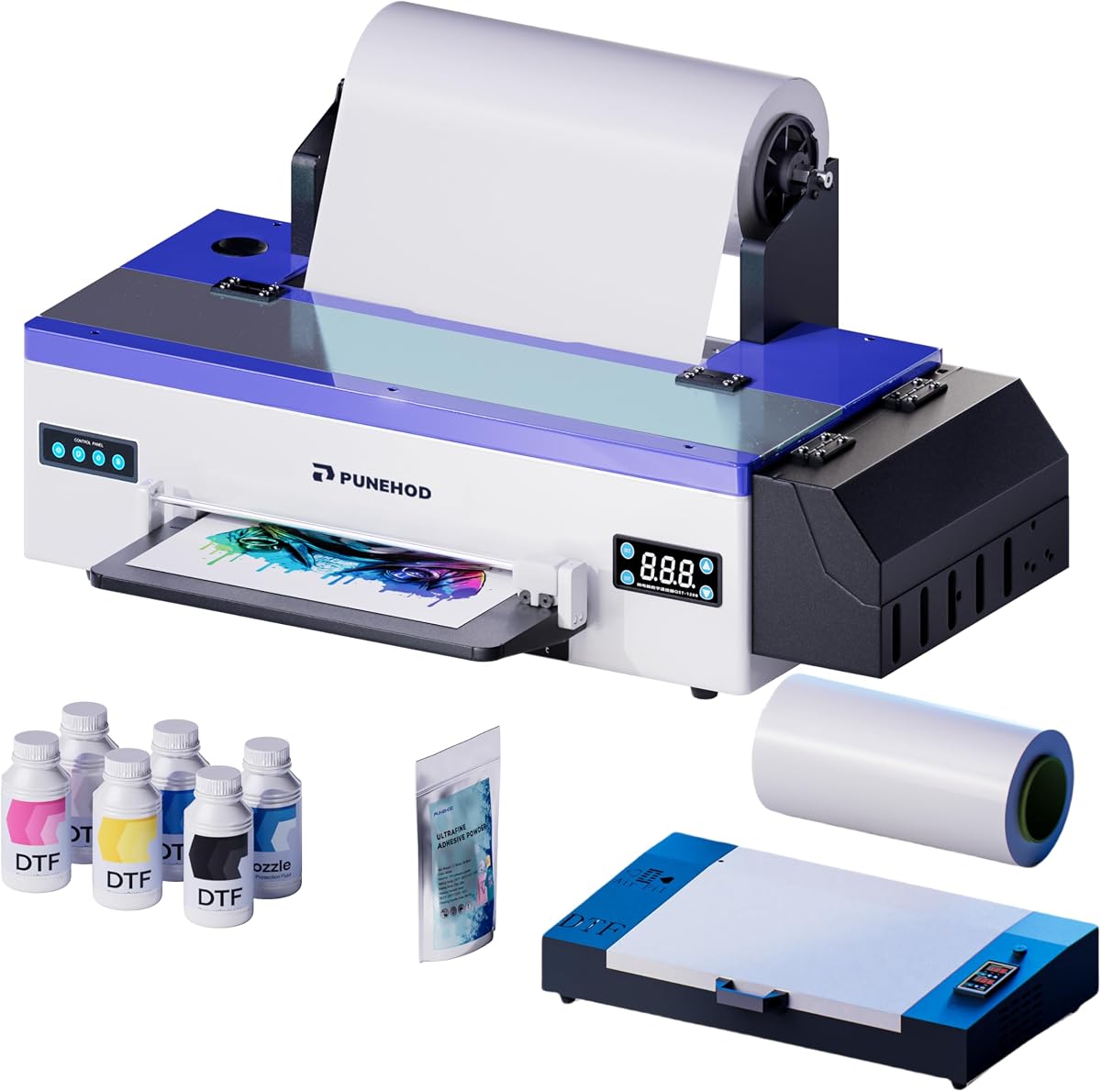
The PUNEHOD A3 L1800 DTF Printer represents a premium option for those serious about launching a custom apparel business. With a 4.6-star rating, it balances high fidelity output with efficient workflow features that save time and materials.
We may earn a commission when you buy through this link, at no additional cost to you.
Its upgraded roll feeder system includes an automatic cutter, which cuts film waste by 30 percent compared to sheet-only printers. The built-in white ink system with agitation and circulation ensures consistent white underbases and extends the print head lifespan.
While it is a significant investment, the all-in-one kit means you do not need to buy additional supplies immediately. The only downside is the size of the unit, which requires a dedicated workspace to operate effectively.
This machine is perfect for home studios or small businesses that need professional results on various textiles. If you want efficiency and high quality without compromising on workflow features, this printer is the top choice.
The continuous long film printing and automatic cutter reduce material waste and improve working efficiency significantly.
Three core maintenance functions keep white pigment evenly mixed and unobstructed for solid white layers.
We may earn a commission when you buy through this link, at no additional cost to you.
The Brother PrintModa Studio Fabric Printer is designed specifically for crafters who want to create custom fabric prints easily. Although it holds a 3.7-star rating, it offers unique features like dedicated fabric trays and wireless connectivity for seamless design workflows.
We may earn a commission when you buy through this link, at no additional cost to you.
Users can enjoy rich color printing or switch to eco mode depending on the design needs. The Artspira App provides access to banners, quilt blocks, and bag designs, making it simple to edit text and backgrounds without advanced software skills.
The main drawback is its lower rating compared to other industrial options, which may indicate reliability concerns for heavy use. Additionally, it is tailored more towards specific craft sizes rather than full garment transfers.
For hobbyists needing a dedicated device for home decor or craft supplies, this printer offers convenience and speed. It is best suited for those who prioritize ease of use over high-volume industrial production capabilities.
Two dedicated trays allow switching between paper and fabric rolls without hassle.
The app provides templates for labels and patterns, making design editing straightforward for beginners.
We may earn a commission when you buy through this link, at no additional cost to you.
The InkSonic A3 R1390 DTF Printer focuses on providing robust support for small businesses and beginners. With a 4.5-star rating, it stands out for its extensive technical guidance, ensuring users can navigate setup and daily production with confidence.
We may earn a commission when you buy through this link, at no additional cost to you.
The bundle includes 3500ml of premium ink and essential consumables, which helps start production immediately. Its white ink protection system helps prevent settling, while the adjustable air suction keeps film feeding smooth for consistent daily results.
Some users may find the setup requires patience, but the 24/7 support mitigates this risk. The inclusion of the oven simplifies the curing process but adds to the space requirements needed in a workspace.
This printer is ideal for those who value ongoing support and comprehensive bundles over standalone units. If you are building a side business and need hand-holding through setup, InkSonic provides the necessary resources.
One-on-one technical guidance and installation videos help users build a smoother workflow from day one.
Large ink volume reduces refill frequency, allowing for longer uninterrupted production sessions.
We may earn a commission when you buy through this link, at no additional cost to you.
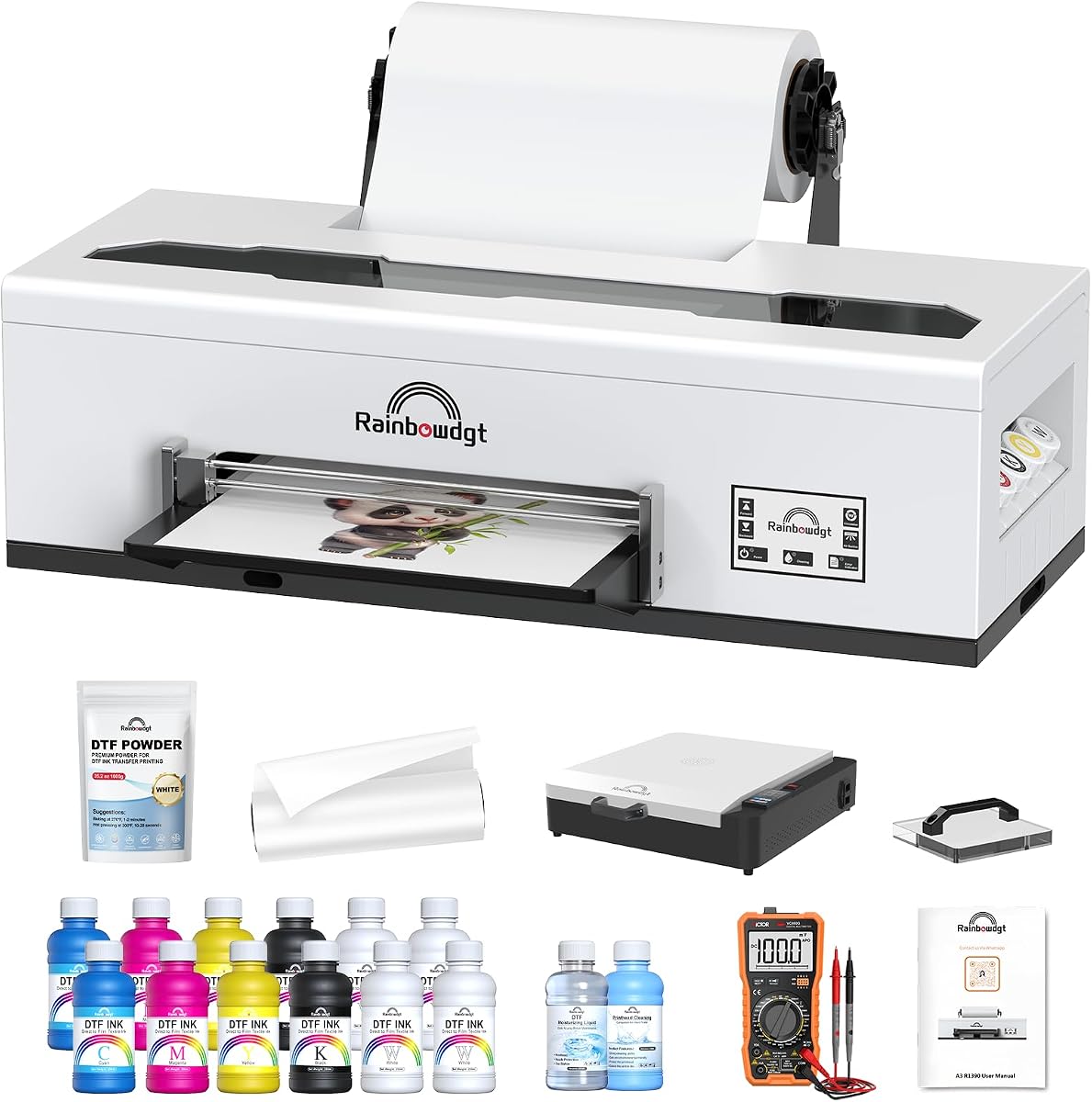
The RAINBOWDGT R1390 A3 DTF Printer Bundle has earned a perfect 5.0-star rating from users who appreciate its comprehensive startup package. It includes a two-year ink supply, which is a significant advantage for maintaining consistent production costs over time.
We may earn a commission when you buy through this link, at no additional cost to you.
Advanced nozzle protection and smart adsorption ensure high-quality results and prevent wrinkles during printing. The integrated heating system cures ink instantly, preserving image integrity before powder application for professional-grade transfers.
One consideration is that items may ship in multiple packages due to weight, so patience is needed during delivery. Additionally, the unit requires physical assembly and oven setup before the first print run can begin.
For entrepreneurs launching a custom apparel brand, this bundle provides almost everything needed in one purchase. Its high satisfaction rating and extensive warranty coverage make it a reliable choice for serious buyers.
The exclusive service minimizes production costs by including a two-year supply of ink with the purchase.
Vibrant photorealistic printing ensures 100% true-to-image color reproduction for high-end custom work.
We may earn a commission when you buy through this link, at no additional cost to you.
The Epson SureColor F170 Sublimation Printer Bundle is designed for users seeking high clarity and consistent color performance. With a 4.5-star rating, it leverages Epson's PrecisionCore printhead technology to deliver outstanding image clarity on the market.
We may earn a commission when you buy through this link, at no additional cost to you.
Its high-capacity ink bottles with auto-stop features reduce waste and simplify filling, offering an economic solution for long-term use. The printer supports versatile Wi-Fi and USB connectivity, making it easy to print from various devices without cables.
The main limitation is its focus on sublimation, meaning it cannot print directly on untreated cotton fabrics. Additionally, direct email printing is not supported, which might inconvenience users who rely on cloud-based workflows.
For those specializing in sublimation transfers for mugs and polyester apparel, this printer provides exceptional color saturation. Its reliability and efficient ink system make it a strong contender for small business owners.
Precision Droplet Control ensures the most outstanding image clarity and color contrast available.
High-capacity bottles save money and ensure you get every drop of your sublimation ink.
We may earn a commission when you buy through this link, at no additional cost to you.
The Spark F13 A3 DTF Printer brings 13-inch printing capabilities to home studios and side businesses. With a 4.0-star rating, it offers a balance of performance and cost that appeals to creators starting their custom apparel ventures.
We may earn a commission when you buy through this link, at no additional cost to you.
Its L1800 printhead delivers fine image detail and smooth gradients, supported by G7-certified color performance to keep colors close to original designs. The lower long-term ownership cost is achieved through 12-hour auto cleaning and efficient ink circulation.
While maintenance is reduced, routine care is still necessary to ensure optimal performance. Some users might find the control interface basic, but it is designed to keep daily functions accessible without hiding routine tasks.
This printer is best for home-based sellers who want professional results without a commercial footprint. If you need guidance through setup and support for growth, the included technical assistance adds significant value.
Design choices like auto cleaning help reduce the ongoing cost of owning a DTF printer over time.
G7-certified performance and dense white underbases give customer orders a polished, professional finish.
We may earn a commission when you buy through this link, at no additional cost to you.
EQ Printables Inkjet Fabric Sheets offer a simple alternative for those who already own an inkjet printer. With a high 4.7-star rating, these sheets allow you to become a fabric designer without investing in specialized hardware.
We may earn a commission when you buy through this link, at no additional cost to you.
The sheets are soft to the touch, avoiding the rubbery feel found in some transfer papers. You can scan in photos or create designs on your computer and print them directly onto these sheets for custom projects.
The main limitation is that they are consumable sheets rather than a full printer, so they are less efficient for large batches. Additionally, they are limited to 8.5×11 inch sizes, which restricts the scope of the final design.
For small DIY projects like custom labels or personalized fabric items, these sheets are an ideal choice. If you need occasional fabric printing without a dedicated machine, this product provides a convenient solution.
These soft sheets never feel rubbery, ensuring comfortable wear for custom printed garments.
Standard inkjet compatibility means you can print designs instantly without new equipment setup.
We may earn a commission when you buy through this link, at no additional cost to you.
TransOurDream Upgraded Iron on Heat Transfer Paper provides a versatile solution for customizing light-colored fabrics. With a 4.4-star rating, it offers high durability and ease of use for home users and small business owners.
We may earn a commission when you buy through this link, at no additional cost to you.
The second-generation paper requires no mirror printing, which simplifies the workflow. It features a lower melting point for easy ironing and is extremely bright and stretchable, ensuring comfortable and vibrant custom designs.
One limitation is that it is designed only for light fabrics, so it cannot be used on dark garments without additional layers. Also, it requires a heat press or iron, which means extra steps compared to integrated printers.
For occasional transfers or holiday gifts, this paper is an effective and affordable option. Its durability and bright colors make it suitable for creating lasting custom items like T-shirts and bags.
No mirror printing is needed, saving time and reducing potential errors during the design phase.
The material is extremely bright and stretchable, ensuring designs look vibrant on custom items.
We may earn a commission when you buy through this link, at no additional cost to you.
Selecting the right fabric printing printer depends on your budget, production volume, and the types of materials you plan to customize.
Direct-to-Film (DTF) and sublimation are the primary technologies used for fabric printing. DTF works on a wide range of fabrics including cotton and polyester without pretreatment, while sublimation requires polyester or coated items for best results.
Choose DTF if you need versatility across multiple fabric types, and sublimation for durability on synthetic materials.
Print width determines the size of designs you can produce. A 14-inch width allows for full-garment transfers without splicing, while 13-inch models are more compact but might require image splitting for larger prints.
Ensure the width matches your typical order size to avoid extra work and potential quality loss from splicing images.
DTF printers require regular maintenance to prevent white ink clogs. Look for models with auto-cleaning or circulation systems that keep the printhead moist and ready to print even after long periods of inactivity.
Prioritize models with automated maintenance features to reduce downtime and extend the lifespan of your expensive components.
Operating costs are influenced by ink prices and availability. Some bundles include large ink supplies or offer subscription services that lower long-term expenses. Always calculate the cost per print before buying to understand true operational costs.
Select printers that offer affordable and readily available ink to keep your business margins healthy over time.
Technical support is critical when learning to use these machines. Brands offering 24/7 assistance, setup videos, and replacement part warranties help resolve issues quickly and ensure your business stays operational.
Choose a brand with strong after-sales support to safeguard your investment and reduce setup challenges.
Automation features like roll feeders, automatic cutters, and curing ovens streamline production. These tools reduce manual effort and waste, which is essential for scaling production from hobbyist levels to commercial volumes.
Opt for bundles that include necessary workflow tools to save time and improve efficiency in your workspace.
Modern printers often connect via Wi-Fi and integrate with design apps. Look for units that support easy file transfer and have user-friendly software that simplifies the design-to-print process for various skill levels.
Good connectivity ensures you can work from your laptop and manage designs without complex setups or cables.
These machines often require dedicated space for the printer, oven, and maintenance area. Ensure your workspace can accommodate the physical size and airflow requirements of the unit to maintain optimal performance.
Check the dimensions before buying to ensure the printer fits comfortably in your intended production area.
Start by installing the printer software and running the initial calibration tests provided by the manufacturer. Ensure you connect the printer to your network and download any required design tools or RIP software to manage print jobs efficiently.
Regularly check the white ink levels and run cleaning cycles to prevent clogs. If using DTF, apply hot melt powder after printing and cure it in an oven at the recommended temperature to ensure the transfer adheres permanently to the fabric.
After completing a print run, perform the automatic maintenance cycle to keep the printhead clean. Store the printer in a dust-free environment and cover it when not in use to protect internal components from debris and humidity.
Yes, DTF printers can print on cotton without pretreatment. The ink and powder adhere directly to the fabric, making DTF ideal for cotton and blends unlike sublimation which is limited to polyester.
DTF prints on various fabrics including cotton and uses powder curing. Sublimation requires polyester and uses heat to bond ink to fibers. DTF is more versatile while sublimation is durable on synthetics.
DTF printers require a heat press to apply the transfer to the fabric after curing. Sublimation printers also need a heat press to transfer the image from paper to the final garment.
With proper maintenance like regular cleaning and auto-circulation, printheads can last for years. Neglecting maintenance or ignoring clogs can significantly shorten the lifespan of these critical components.
Yes, DTF printers with white ink systems can print on dark shirts by laying a white underbase before color. This ensures vibrant colors stand out on dark garments effectively.
Most printers work with standard design software, but some require RIP software for color management. Bundles often include this software to streamline the workflow from design to final print.
The DXZ 2026 stands out as the top pick for its maintenance width and automatic maintenance. The Brother Sublimation Printer offers a great budget option for hobbyists, while the PUNEHOD A3 provides premium features for businesses.
Prioritize models that offer strong support and auto-maintenance to avoid production delays. Ensure the printer fits your available space and budget while meeting your production volume needs.
Prices and availability change frequently so verify current listings before purchasing. Check for any bundle deals that include ink or accessories to maximize your value when buying a new machine.