
HP 17 Laptop
4.2Editor score
17.3-inch HD+ touch
64GB RAM capacity
2TB SSD storage
Finding a laptop with 2 HDMI ports can streamline your workflow by allowing direct connections to multiple monitors without extra adapters. This guide highlights models that support expanded screen real estate for enhanced productivity and multimedia tasks efficiently.
We compared ten top-rated laptops based on processor power, RAM capacity, storage speed, and specific port configurations. Our analysis focuses on devices that offer robust connectivity options alongside strong performance metrics for diverse professional and academic needs effectively.
Each pick showcases key specifications, real-world usability, and connectivity strengths to help you decide. Prices fluctuate regularly, so verify current deals before purchasing to ensure you get the best value for your specific computing requirements this month.
4.2Editor score

4.4Editor score
4.6Editor score
As an Amazon Associate we earn from qualifying purchases.
This side-by-side comparison outlines the core specifications of each selected laptop to help you evaluate performance, display quality, and connectivity options quickly for your specific needs.


This Dell Inspiron stands out as a top choice for professionals needing expansive screen real estate and reliable connectivity. Its high-resolution display and robust processor make it ideal for multitasking across multiple windows and applications.
We may earn a commission when you buy through this link, at no additional cost to you.
The 16-inch 2.5K display offers sharp visuals that reduce eye strain during long work sessions. Coupled with a powerful Intel Core i7 processor, it handles demanding tasks smoothly while maintaining responsiveness.
While it carries a higher price point, the included onsite service adds significant value for business users who cannot afford downtime. The military-grade testing ensures durability under daily use conditions effectively.
Buyers seeking a premium all-in-one laptop for productivity will find this model compelling. It balances performance, screen quality, and support services better than many competitors in its class today.
The 2.5K resolution provides crisp text and images that enhance clarity for detailed work and media consumption.
Powered by the latest Intel Core i7 processor, this laptop ensures smooth operation for complex spreadsheets and creative software.
We may earn a commission when you buy through this link, at no additional cost to you.
The HP 17 Laptop delivers unmatched storage and memory capabilities for users managing large datasets or media files. Its 64GB RAM ensures seamless multitasking without slowdowns even with dozens of open applications.
We may earn a commission when you buy through this link, at no additional cost to you.
With a massive 2TB SSD and large 17.3-inch touchscreen, this laptop excels as a desktop replacement for power users. The touchscreen adds intuitive navigation options for interactive work and presentations.
Portability is limited due to its size and weight, making it better suited for stationary setups. However, the extensive connectivity options including HDMI ports make it a versatile hub for multiple displays.
Consider this if you prioritize raw performance and storage over portability. It serves well as a central workstation where multiple external monitors are connected for extended workflows.
64GB RAM allows dozens of browser tabs and heavy apps to run simultaneously without any performance lag.
The 17.3-inch screen provides ample room for split-screen work and detailed visualization tasks.
We may earn a commission when you buy through this link, at no additional cost to you.
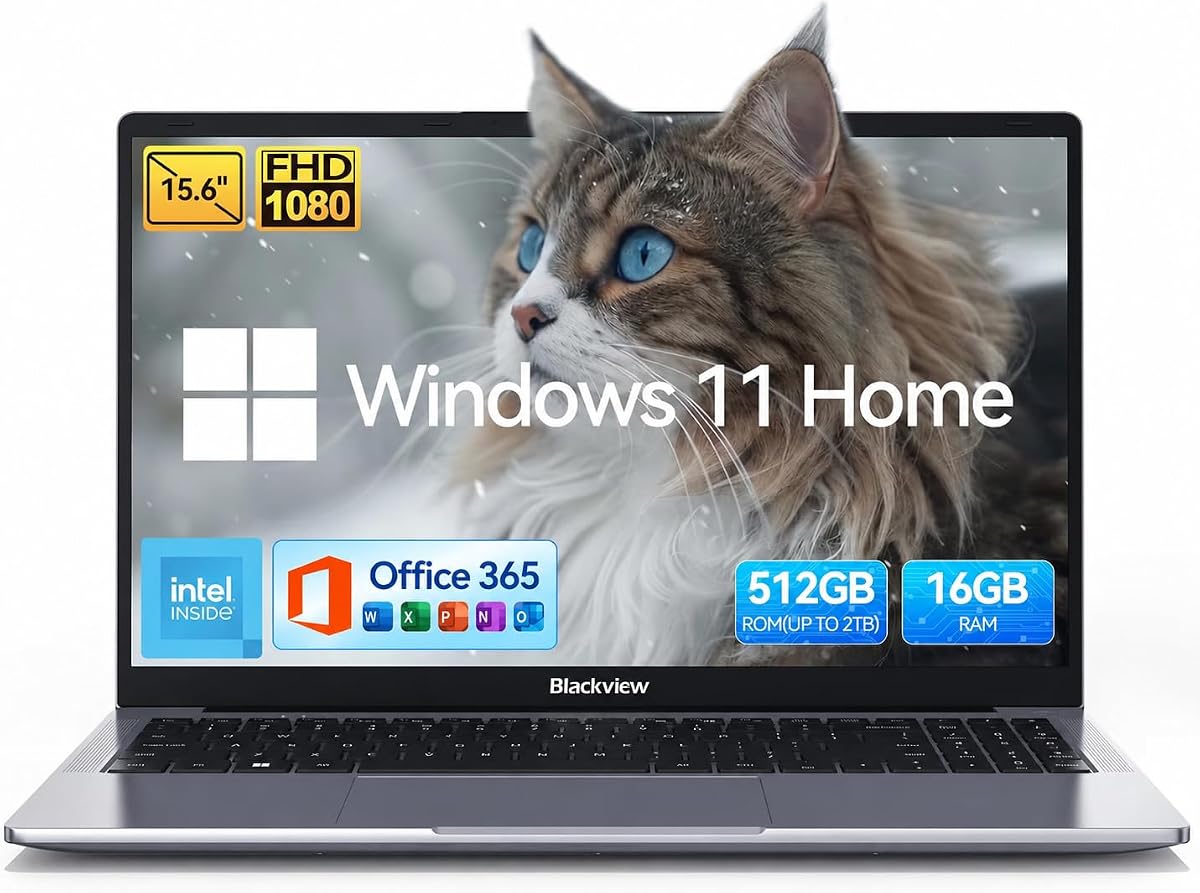
BlackView Acebook 6 offers an affordable entry into triple-display productivity without breaking the bank. Its lightweight build makes it easy to carry between classes or meetings while maintaining solid daily performance.
We may earn a commission when you buy through this link, at no additional cost to you.
The ability to connect two external monitors via HDMI and USB-C expands your workspace significantly. This feature is particularly useful for students comparing notes or professionals managing multiple data streams.
While the processor is basic, it suffices for web browsing, document editing, and streaming. The included MS 365 subscription adds value for users needing productivity tools right away upon purchase.
This model is ideal for budget-conscious buyers needing multi-monitor support. It balances essential specs with a low price point effectively for everyday computing tasks.
Supports simultaneous use of two external monitors for enhanced workflow efficiency in small spaces.
Offers high RAM and SSD storage at a fraction of the cost of competing premium laptops.
We may earn a commission when you buy through this link, at no additional cost to you.
This HP model blends touch capability with powerful processing for versatile use cases. Its AMD Ryzen processor handles daily office tasks efficiently while the 32GB RAM supports heavy multitasking needs.
We may earn a commission when you buy through this link, at no additional cost to you.
The FHD IPS touchscreen offers accurate colors and responsive input, ideal for presentations or creative work. Built-in AI tools streamline workflows, making it a strong choice for business users.
Connectivity includes HDMI ports that allow quick projection to external screens. While slightly heavier, the robust build quality justifies the weight for users who prioritize performance over portability.
It suits students and professionals needing a responsive system with touch features. The combination of specs delivers a balanced experience for varied computing demands.
FHD IPS touch allows intuitive interaction for presentations and note-taking applications effectively.
AMD Ryzen 5 processor ensures smooth performance for everyday productivity and light creative tasks.
We may earn a commission when you buy through this link, at no additional cost to you.
This Inspiron 15 focuses on business features with Windows 11 Pro and substantial storage. The 2TB SSD and 32GB RAM allow storing large projects while keeping multiple apps running smoothly.
We may earn a commission when you buy through this link, at no additional cost to you.
Connectivity is robust with HDMI and multiple USB ports to manage peripherals and external displays. The touchscreen adds flexibility for interactive tasks without requiring a separate mouse.
Battery life is moderate due to the powerful hardware components. However, the device excels as a workstation where constant power is available for intensive operations.
It is recommended for business users needing enterprise features. The balance of storage, memory, and connectivity makes it a strong choice for professional environments.
Windows 11 Pro provides enhanced security and management features for business users effectively.
2TB SSD offers massive capacity for extensive files, applications, and multimedia projects.
We may earn a commission when you buy through this link, at no additional cost to you.
This HP laptop balances performance and battery life efficiently for professionals on the move. The Intel Core i7 processor delivers strong speeds while the lightweight chassis ensures easy portability.
We may earn a commission when you buy through this link, at no additional cost to you.
Privacy features like a camera shutter add security during video calls. The FHD anti-glare display reduces eye strain, making it suitable for long working hours.
Connectivity includes HDMI for dual monitor setups without needing dongles. While RAM is standard, the overall package offers excellent value for academic and business tasks.
Buyers prioritizing battery efficiency and security will appreciate this model. It provides reliable performance with added peace of mind through privacy features.
Built-in camera shutter allows users to physically block the lens for enhanced security during meetings.
Designed for long usage times, making it suitable for travel or remote work without chargers.
We may earn a commission when you buy through this link, at no additional cost to you.
This Dell model is designed for everyday computing with fast memory technology. The 120Hz refresh rate makes scrolling smoother while DDR5 RAM provides better efficiency than older models.
We may earn a commission when you buy through this link, at no additional cost to you.
Its compact size makes it ideal for students or those who travel often. HDMI connectivity ensures it can still function as a secondary screen source for presentations.
Storage is modest, so cloud options or external drives are necessary for large files. The processor handles basic tasks well but may struggle with heavy multitasking.
It fits users who want a lightweight, responsive machine. The modern memory and display tech offer a fresh experience at a reasonable price.
DDR5 RAM ensures quicker data access and better multitasking compared to standard DDR4 units.
120Hz refresh rate delivers fluid motion for browsing and media consumption experiences.
We may earn a commission when you buy through this link, at no additional cost to you.
This Lenovo business laptop emphasizes security and connectivity with dedicated Ethernet and TPM features. Its MIL-SPEC tested design ensures durability for demanding environments where reliability is key.
We may earn a commission when you buy through this link, at no additional cost to you.
The inclusion of Windows 11 Pro adds enterprise-level management features. AMD Ryzen 3 processors provide solid power for standard office applications without overheating issues.
Connectivity is well-covered with HDMI and RJ-45 ports for stable network links. While not the lightest option, its build quality supports consistent performance over time.
It is perfect for organizations needing secure, reliable machines. The mix of physical security and robust connectivity makes it a practical choice for business settings.
TPM 2.0 chip encrypts data and protects passwords from unauthorized access attempts.
Dedicated Ethernet port provides stable internet connections for critical business operations.
We may earn a commission when you buy through this link, at no additional cost to you.
The Lenovo V-Series offers high-end specs with 40GB RAM and a Ryzen 7 processor. This configuration handles complex calculations and large datasets smoothly, ideal for data-heavy workflows.
We may earn a commission when you buy through this link, at no additional cost to you.
A numeric keypad simplifies data entry for accountants and analysts. The 2TB SSD ensures plenty of space for files while HDMI ports support dual external displays.
Despite its power, the device remains relatively portable for its specs. Connectivity is thorough, including Ethernet for stable networking during critical operations.
This model fits users needing high memory and processing power. It balances professional features with strong hardware capabilities effectively.
40GB RAM supports heavy multitasking and large datasets without slowdowns during complex operations.
Dedicated number keys speed up data entry tasks for financial and analytical work.
We may earn a commission when you buy through this link, at no additional cost to you.
This Essential model provides basic computing with modern DDR5 memory and a privacy-focused design. Its low price point makes it accessible for those needing simple browsing and document editing.
We may earn a commission when you buy through this link, at no additional cost to you.
HDMI connectivity allows connection to external screens despite the modest internal specs. The privacy shutter on the camera adds security for online learning or casual use.
Storage is limited to 128GB, so cloud or external solutions are required for larger files. It serves well as a secondary device or primary for light users.
It is a solid budget option for basic tasks. The combination of DDR5 RAM and privacy features adds value beyond the standard expectations.
Brings DDR5 memory to budget-friendly laptops improving performance over older models.
Built-in shutter allows physical blocking of the webcam for enhanced security.
We may earn a commission when you buy through this link, at no additional cost to you.
Choosing a laptop with multiple HDMI outputs requires balancing processing power with port configuration. This guide explains the key factors that affect your workflow and productivity.
Ensure the laptop supports dual HDMI or HDMI plus USB-C for video. Some models allow triple displays when combined with docking ports for maximum flexibility.
Verify that the graphics card can handle the resolution you need across all connected screens simultaneously.
Dual screens increase CPU load significantly. Aim for Intel Core i5 or i7 and AMD Ryzen 5 or 7 for smooth performance.
Higher core counts ensure that background tasks do not interfere with active applications.
Minimum 16GB RAM is recommended for effective multitasking across multiple displays. Larger workloads require 32GB or more.
Sufficient RAM prevents stuttering when switching between windows on different monitors.
SSDs provide the fastest boot times and file access. Choose at least 512GB for comfortable space with multiple media files.
Faster storage helps applications load quickly on all screens without delay.
Check for additional USB and Ethernet ports alongside HDMI. These enable connection of peripherals and stable internet links.
A good mix of ports reduces dependency on external hubs.
Driving multiple displays drains battery faster. Look for models with long battery ratings to maintain productivity on the go.
Carry a charger for extended work sessions away from power sources.
Windows 11 Pro offers better multi-monitor management features than Home. Enterprise tools enhance security and device control.
Choose OS based on your need for advanced management tools.
Durable materials like MIL-SPEC testing ensure longevity. Heavy use demands a sturdy chassis that withstands frequent travel.
High-quality hinges support screens that stay stable during multi-monitor setups.
Connect external monitors using the HDMI ports and power them on first to ensure detection. Adjust display settings in Windows to extend or duplicate screens as needed for your workflow.
Clean the HDMI ports regularly using compressed air to remove dust. This prevents connection issues and ensures stable video signals over time.
Avoid bending cables sharply near the laptop edge to prevent wear. Use a quality docking station if you need more than two displays for future expansion.
Most laptops have two HDMI ports at most. To get three displays, you need HDMI plus USB-C with video output or a docking station that supports multi-monitor setups.
HDMI 2.0 supports up to 4K at 60Hz. Older versions may be limited to 1080p or 4K at 30Hz. Check the model specs for maximum resolution and refresh rate details.
Integrated graphics can handle dual displays but may struggle with 4K. Dedicated cards provide better performance for high-resolution setups or gaming on multiple screens.
Use Windows Settings to access Display Settings. Select Extend these displays to spread your desktop across connected screens for more workspace.
High RAM and SSD storage models are suitable for light editing. For professional 4K editing, consider laptops with dedicated GPUs and better thermal management.
Many models support video output through USB-C using DisplayPort Alt Mode. Check the port specs to confirm if it supports video transfer alongside data.
The Dell Inspiron 16 Plus and HP 17 lead in overall performance and display quality. They offer robust specs that support extensive multi-monitor setups effectively.
Prioritize RAM and CPU strength based on your workload intensity. Budget-friendly options like the BlackView Acebook provide solid value for students.
Check current pricing and availability before buying to get the best deals. Prices fluctuate frequently so verifying them ensures you secure a good value.