
ASUS GeForce GT 1030 2GB GDDR5 Graphics Card
4.6Editor score
Low power passive cooling
Compact single slot design
Basic multimedia support
This guide compares the top 10 GPUs compatible with the ASUS Prime A320M K motherboard, covering performance, power requirements, and value to help you upgrade
Finding the right graphics card for your system is crucial for gaming and productivity. The ASUS Prime A320M K offers solid basics, but upgrading the GPU unlocks significant performance gains for modern tasks and games.
We evaluated ten distinct options based on compatibility, power efficiency, and real-world performance. Our list includes new and renewed cards ranging from budget-friendly to high-end, ensuring you find a match for your specific needs and budget.
Each pick highlights key features, pros, and cons to help you decide quickly. Prices fluctuate often, so check current listings before buying. This guide ensures you get the most value for your investment in a reliable graphics solution.
4.6Editor score

4.7Editor score

4.6Editor score
This table compares all ten selected GPUs side by side. Look at memory size, architecture generation, and key features to find the card that best fits your specific upgrade goals for the ASUS Prime A320M K motherboard.


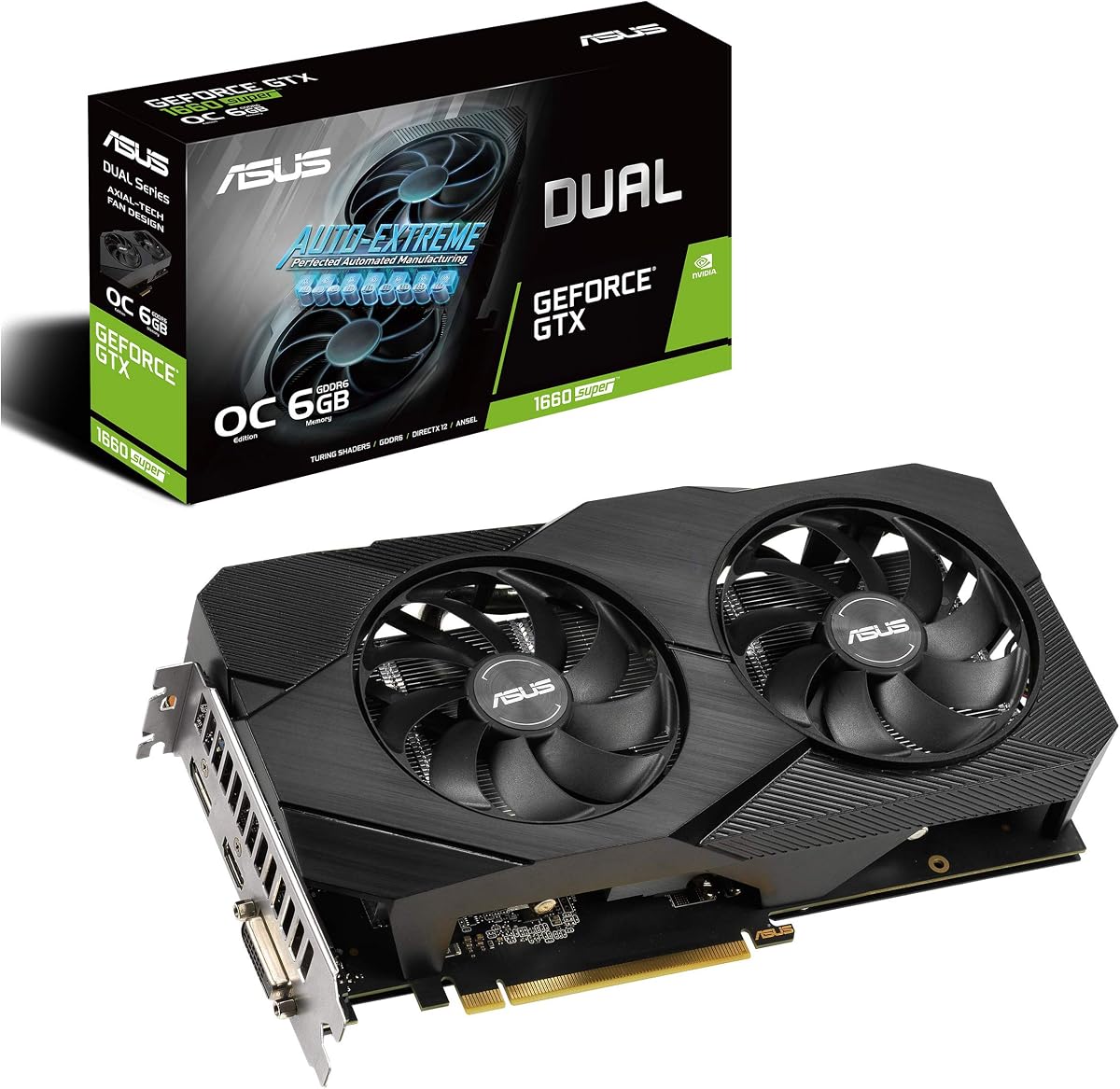


The ASUS Dual GeForce RTX 3050 stands out as the top choice for most users. It balances modern features like ray tracing with efficient power use. This card delivers solid 1080p performance without demanding a massive power supply upgrade.
We may earn a commission when you buy through this link, at no additional cost to you.
Its Ampere architecture brings significant improvements over older generations. Features like DLSS boost frame rates efficiently. The compact dual fan design ensures it fits easily into smaller cases while maintaining excellent cooling for stable performance.
One trade-off is the 6GB of VRAM. While sufficient for current 1080p titles, it might limit longevity for high-resolution texture packs. However, the overall efficiency and feature set make this a smart investment for most gamers.
Buy this if you want reliable modern gaming without breaking the bank. It is ideal for upgrading older systems like the Prime A320M K. This card offers the best mix of performance and compatibility on the market today.
This card runs modern games smoothly at 1080p. It uses less power than older high-end cards.
The dual fan setup fits in small cases. It keeps noise levels low during gaming sessions.
We may earn a commission when you buy through this link, at no additional cost to you.
This card is a powerhouse for budget gaming. It handles many popular titles well at high settings. The TUF branding ensures durability with military grade components that stand the test of time.
We may earn a commission when you buy through this link, at no additional cost to you.
The 6GB GDDR6 memory helps with texture fidelity. The factory overclock provides a boost out of the box. You get multiple outputs for connecting several monitors if needed for work or play.
Lacking ray tracing is a drawback for modern aesthetics. However, traditional rasterization performance remains strong. The build quality offsets this with reliable operation over long periods of heavy use.
Choose this if you prioritize raw performance over new features. It is perfect for pure gaming rigs without extra frills. This card ensures you get the most frames per dollar spent on hardware.
TUF components ensure longevity. Military grade materials resist wear and tear effectively.
Games run smoothly on this card. It balances heat and performance well.
We may earn a commission when you buy through this link, at no additional cost to you.
The RTX 2060 brings ray tracing to more builds. As a renewed item, it offers value without sacrificing core tech. It handles VR workloads surprisingly well for its price point today.
We may earn a commission when you buy through this link, at no additional cost to you.
Performance is comparable to newer mid-range cards. The 6GB memory is a standard fit for 1080p. Phoenix fan design keeps noise down while maintaining stable thermal profiles during long sessions.
Buying renewed means accepting potential wear. But the warranty mitigates this risk. Just ensure your power supply can handle the draw compared to modern efficient alternatives available now.
This pick suits those wanting advanced features on a budget. It is great for VR enthusiasts needing entry level gear. Consider this if you value cutting edge tech over brand new hardware.
Handles VR headsets well. Provides smooth immersive experiences.
Renewed price beats new. You get high performance for less.
We may earn a commission when you buy through this link, at no additional cost to you.
This renewed card offers excellent reliability. Users rate it highly for stable operation. It brings the robustness of the TUF series to budget-conscious buyers easily.
We may earn a commission when you buy through this link, at no additional cost to you.
Performance matches new models closely. The factory overclock adds extra speed immediately. TUF durability means fewer issues over time. The cooling system is efficient enough for most cases.
The main con is the lack of new tech. But for gaming, raw speed matters most. Renewed items often look and function like new products do.
Buy this if you need a reliable card fast. It works well for general gaming. This option delivers consistent results without needing premium hardware costs.
Runs games smoothly. Minimal issues reported by users.
Built tough. Uses quality components for long life.
We may earn a commission when you buy through this link, at no additional cost to you.
This dual fan model focuses on airflow. It keeps temperatures low without loud noise. The Evo edition offers a refined look and better internal build quality.
We may earn a commission when you buy through this link, at no additional cost to you.
VR Ready support is a nice bonus. Most games run well here. It fits standard slots easily. The warranty offers peace of mind with renewed units.
It lacks modern features like ray tracing. But traditional gaming performance remains strong. It is a great middle ground between entry and high end.
Select this for a balanced experience. It handles mixed workloads well. This card is great for general PCs needing a graphics boost.
Better airflow than single fan. Keeps heat levels low.
Supports VR applications. Adds flexibility to your setup.
We may earn a commission when you buy through this link, at no additional cost to you.
The Phoenix model prioritizes airflow. The design is sleek. It fits well in smaller cases. The performance matches the Super series expectations consistently.
We may earn a commission when you buy through this link, at no additional cost to you.
Outputs support up to three monitors. This is useful for productivity. The build quality ensures stability. Warranty protection covers potential issues.
It costs slightly more than some rivals. But the compact design justifies it. Lack of ray tracing is typical for this class.
Choose for small form factor builds. It delivers reliable speed. This card is a good fit for standard gaming setups.
Fits tight spaces easily. Ideal for compact desktops.
Supports multiple screens. Great for work or multi-tasking.
We may earn a commission when you buy through this link, at no additional cost to you.
This Evo edition is built for consistency. Fans work quietly. It delivers steady frame rates. The warranty is generous for peace of mind.
We may earn a commission when you buy through this link, at no additional cost to you.
It handles 1080p gaming effortlessly. Ports are versatile. No extra connectors are needed. Installation is straightforward for most users.
It lacks new features like AI upscaling. But raw power is sufficient for titles. It is a workhorse without flashy extras.
Pick this for dependable performance. It suits general gaming needs. This card is perfect for upgrading a budget rig effectively.
Delivers steady frame rates. Avoids stuttering issues.
Includes full coverage. Protects your investment well.
We may earn a commission when you buy through this link, at no additional cost to you.
The RTX 3060 is the top pick for high performance. It offers 12GB VRAM for future-proofing. Ray tracing is significantly better than older cards. The V2 model ensures optimized efficiency.
We may earn a commission when you buy through this link, at no additional cost to you.
This card handles 1440p gaming. Ports support latest standards. Auto-Extreme tech ensures quality. The dual fan bearings last long.
It needs a stronger PSU. But the power draw is reasonable for its class. It is worth the investment for serious gamers.
Buy for max performance. It handles all modern titles. This card is a top choice for upgrading a high-end build.
12GB memory handles textures. Reduces stuttering.
Supports latest standards. Good for long term use.
We may earn a commission when you buy through this link, at no additional cost to you.
This card is the cheapest option. It requires no external power. The passive cooling is completely silent. Perfect for office PCs or basic media tasks.
We may earn a commission when you buy through this link, at no additional cost to you.
It boosts video output significantly. It handles light gaming well. It fits small cases easily. The power draw is negligible.
Performance is limited to basic tasks. It cannot handle heavy games. But for simple needs, it is efficient and reliable.
Choose for minimal upgrades. It solves display issues cheaply. This card is best for non-gamers needing a visual boost.
Passive cooling is silent. No fans to fail or make noise.
Uses very little electricity. Works with weak power supplies.
We may earn a commission when you buy through this link, at no additional cost to you.
The GTX 970 is a classic. It still runs older titles well. As renewed, it offers extreme value. The STRIX model ensures durability.
We may earn a commission when you buy through this link, at no additional cost to you.
It supports many ports well. The 4GB VRAM is standard. It is cheaper than modern options. Power draw is acceptable for most.
It lacks modern features. But performance remains solid for its price. It is good for retro gaming setups.
Pick for budget legacy builds. It works well for older games. This card is a smart choice for retro enthusiasts.
Still fast for older games. Good for retro setups.
Uses durable components. Built to last longer.
We may earn a commission when you buy through this link, at no additional cost to you.
Choosing the right GPU involves balancing budget, case size, and power supply. This guide breaks down the key factors to help you upgrade your Prime A320M K system efficiently.
Ensure your case fits the card length. The Prime A320M K uses PCIe 3.0. Most cards work, but faster cards may lose slight bandwidth.
Check your slot height. Small cases need low profile cards to fit properly without blocking airflow.
Check your PSU wattage. High end cards like the 3060 need 650W. Entry level cards need less than 300W.
Verify connectors. Most modern cards need PCIe power cables. Older cards might run directly from the slot.
Modern games need 6GB or more. Avoid cards with less than 6GB if playing new titles. VRAM stores textures and data.
For older games, 4GB is acceptable. But 6GB ensures better longevity for your setup.
Fans keep the GPU cool. Dual fan designs are common. Single fan cards fit smaller spaces.
Passive cooling is silent. It works for low power cards. Ensure your case has good airflow.
New cards come with full warranties. Renewed cards offer savings. Check seller ratings before buying.
Renewed often looks new. Ensure return policies are clear for safety.
Check monitor inputs. HDMI and DisplayPort are standard. DVI is rare on new cards.
Ensure your monitors match. If you have old displays, you might need adapters.
Look for modern features. Ray tracing and DLSS boost performance. They extend the life of your setup.
Higher VRAM helps future titles. Aim for at least 6GB if possible.
Prices vary widely. Entry level cards cost under $100. High end cards cost $400 or more.
Set a budget. Balance cost with performance needs for your use case.
Install drivers after hardware installation. Download the latest drivers from NVIDIA to ensure stability. Uninstall old drivers to avoid conflicts.
Keep the case clean. Dust clogs fans and causes heat. Clean filters regularly to maintain cooling efficiency.
Monitor temperatures during use. High heat reduces lifespan. Use tools to track performance and adjust fan curves.
Yes, it works perfectly. The card uses PCIe slots which are standard. The motherboard supports PCIe 3.0 which handles most cards well. You just need a compatible power supply.
A 650W PSU is recommended for the RTX 3060. It needs extra power for peak performance. Ensure your supply has the right connectors. Check capacity to avoid system crashes.
Yes, some budget cards like the GT 1030 do not need extra cables. They draw power directly from the motherboard slot. High end cards require cables for stability.
Yes, 6GB is sufficient for most 1080p gaming. It handles texture quality well. For future titles, 8GB is better but 6GB works now for most games.
Yes, most renewed cards include a warranty. Check the listing for details. Amazon Renewed items have a return guarantee. This protects you against defects.
The RTX 3060 is a 2 slot card. It fits most standard cases. Check your case height and length before buying. Small cases may not fit large cards.
Yes, NVIDIA drivers are free for all listed cards. Download them from the official website. New drivers optimize performance for new games.
The RTX 3060 or 3050 are best for streaming. They have encoders that reduce CPU load. The Turing cards are okay for basic streaming tasks.
We reviewed 10 cards ranging from budget to premium. The RTX 3050 is our top pick for most users. It balances cost and performance perfectly.
Prioritize your needs. Do you need ray tracing or just smooth gaming? Check your power supply and case size before buying.
Prices change fast. Check current prices before deciding. This guide ensures you make a smart upgrade for your PC.