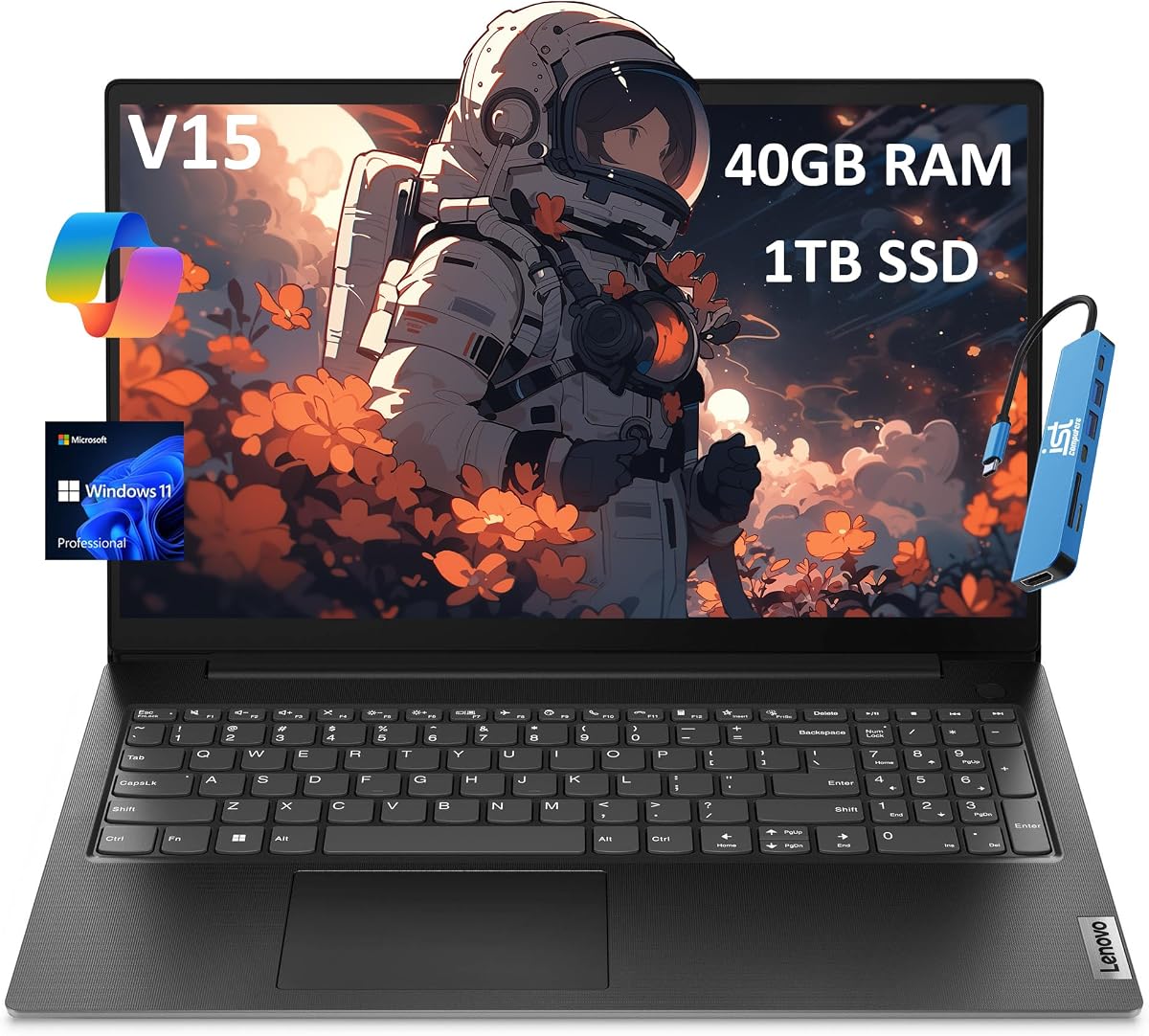
Lenovo V15 Gen 4
4.0Editor score
Affordable performance core
40GB memory capacity
Military grade durability
Finding a laptop that grows with your needs is essential for long-term value. Laptops with upgradeable RAM allow you to increase memory without replacing the entire device, saving money and reducing e-waste over time.
We analyzed ten current models known for their memory accessibility and performance potential. Our comparison focuses on processors, storage options, port availability, and the ease of accessing memory slots for future upgrades.
Each pick highlights specific strengths like business durability, creative power, or budget friendliness. Prices and availability change frequently, so check current listings before purchasing to ensure you get the best deal available today.
4.0Editor score

4.9Editor score

4.5Editor score
As an Amazon Associate we earn from qualifying purchases.
The following table provides a side-by-side overview of all ten models selected for their memory upgrade potential. Compare processors, RAM sizes, and storage capacities to find the right fit for your workflow.


This ASUS Vivobook stands out as the top choice for users needing extreme performance and memory capacity. It features a powerful Intel Core i9 processor and a massive 48GB of RAM that handles heavy multitasking with ease.
We may earn a commission when you buy through this link, at no additional cost to you.
The laptop includes a bundled PCO cooler which helps maintain peak performance during intense workloads. The 2TB SSD provides ample space for large files and fast data access times for productivity.
While the price is higher than average, the included accessories and raw power justify the investment for professionals. The thermal management solutions are a notable bonus compared to standard configurations.
If you need a workstation class laptop that can handle AI workloads and creative tasks, this model is the ideal choice. Its upgradeable nature ensures longevity for years of demanding use.
The included PCO cooler prevents overheating during long sessions ensuring sustained performance levels without throttling.
With 48GB of RAM already installed, this machine is ready for heavy professional software without immediate upgrades.
We may earn a commission when you buy through this link, at no additional cost to you.
The Dell Latitude 5531 offers reliable business class performance at a renewed price point. It features a 14-core Intel Core i7 processor and 32GB of RAM suitable for office productivity tasks.
We may earn a commission when you buy through this link, at no additional cost to you.
Windows 11 Pro provides enterprise grade management tools and security features essential for business users. The 1TB SSD ensures quick boot times and ample storage for documents and projects.
Buying renewed allows you to access premium hardware features at a lower cost. While warranty options differ from new units, the durability of Latitude models is well established.
This laptop is perfect for small business owners needing robust performance without the premium price tag. It supports memory upgrades for long-term use in professional environments.
Windows 11 Pro includes advanced security and management tools tailored for business environments and remote work.
Renewed units provide significant savings while maintaining reliable hardware performance and durability standards.
We may earn a commission when you buy through this link, at no additional cost to you.
Lenovo V-Series V15 delivers strong AMD Ryzen performance with a generous 40GB of RAM for smooth multitasking. It is designed for business users needing reliability and connectivity features.
We may earn a commission when you buy through this link, at no additional cost to you.
The numeric keypad is essential for data entry tasks and financial work. Windows 11 Pro ensures secure and efficient collaboration features for teams working remotely or in offices.
AMD processors often provide better battery efficiency compared to Intel equivalents. This model balances performance with practical features for everyday business use.
Ideal for accountants and analysts needing memory and numeric input, this laptop is a solid choice. Its upgradeable RAM ensures it stays relevant for years.
The included numeric keypad speeds up data entry workflows making it ideal for finance professionals and analysts.
Ryzen 7 processors offer excellent performance to watt ratios which can extend usage time on battery.
We may earn a commission when you buy through this link, at no additional cost to you.
The HP 255 G10 features a modern AMD Ryzen 7 processor and 32GB of RAM for responsive performance. It supports Wi-Fi 6 for faster wireless connections in busy offices.
We may earn a commission when you buy through this link, at no additional cost to you.
Business durability is key with this model ensuring it can withstand daily travel and use. The numeric keypad adds utility for those who frequently input numerical data.
HP provides a reliable platform for small business owners. The combination of modern connectivity and RAM makes it a versatile tool for general office tasks.
This laptop is a strong contender for those needing reliable performance and modern connectivity standards. Its upgradeable nature extends its useful lifespan significantly.
Wi-Fi 6 support ensures faster data transfer speeds and better performance in crowded wireless networks.
Integrated numeric keypads streamline data entry making spreadsheets and financial software usage more efficient.
We may earn a commission when you buy through this link, at no additional cost to you.
This model offers a larger 16-inch display which provides more workspace for multitasking applications. It features a powerful Intel Core i9 processor and 40GB of RAM for demanding workloads.
We may earn a commission when you buy through this link, at no additional cost to you.
The included docking station adds connectivity options and storage expansion capabilities. Fingerprint recognition enhances security for professional environments where data protection is crucial.
The extra screen real estate is beneficial for developers and creative professionals. Storage is split between internal SSD and docking station which is a unique configuration.
Ideal for stationary workstations needing display space and memory, this laptop excels. It supports future memory upgrades to maintain performance over years.
The 16-inch WUXGA screen offers more vertical space for code editors and spreadsheets compared to standard 15-inch models.
Fingerprint readers provide quick secure login reducing reliance on passwords for daily business use.
We may earn a commission when you buy through this link, at no additional cost to you.
HP 15 offers a balanced configuration for general users and students. The 32GB of RAM allows for smooth operation of multiple browser tabs and applications simultaneously.
We may earn a commission when you buy through this link, at no additional cost to you.
The Intel Core i5 processor provides reliable performance for everyday tasks and light creative work. USB Type-C support ensures compatibility with modern peripherals and charging options.
Windows 11 Home is sufficient for most personal and educational needs. The design is sleek and portable for students moving between classrooms and study areas.
This laptop is a great value for those needing high memory without enterprise features. Its upgradeable nature allows for future adjustments to meet changing needs.
High memory allows for running multiple study tools and video streaming services without lag during lectures.
USB Type-C ports enable fast data transfer and charging for compatible devices and peripherals.
We may earn a commission when you buy through this link, at no additional cost to you.
This model features the latest 13th Gen Intel processor with high clock speeds up to 5.0GHz for peak responsiveness. It includes 40GB of RAM and a massive 2TB SSD for extensive data storage.
We may earn a commission when you buy through this link, at no additional cost to you.
Privacy features like the camera shutter are critical for professional security. Windows 11 Pro adds management tools essential for business users managing multiple devices.
The combination of speed and storage makes it a versatile premium option. The 2TB drive eliminates the need for external storage drives in most cases.
Ideal for professionals needing top-tier speed and storage, this laptop delivers. The memory upgrade capability ensures it remains competitive for future software demands.
Physical camera shutters provide a hardware level privacy guarantee preventing unauthorized access to the webcam.
2TB of SSD storage holds thousands of large files ensuring fast access to media and project archives.
We may earn a commission when you buy through this link, at no additional cost to you.
This Lenovo model stands out by offering 40GB of RAM at a budget friendly price point. The 13th Gen Intel Core i5 processor delivers performance comparable to older i7 models.
We may earn a commission when you buy through this link, at no additional cost to you.
Military grade testing ensures it can withstand harsh conditions and travel demands. Windows 11 Pro with AI Copilot offers productivity enhancements suitable for business and home use.
The non-backlit keyboard is a trade-off for the price but remains functional for daylight work. Ethernet port availability supports stable network connections for offices.
If you need high memory and durability on a budget, this is the top pick. Upgradeable memory ensures it stays relevant as software requirements increase.
MIL-STD tested design ensures reliable performance even in rough environments or frequent travel scenarios.
Built-in AI Copilot offers intelligent assistance for tasks like summarizing text or optimizing workflows.
We may earn a commission when you buy through this link, at no additional cost to you.
This HP laptop serves as an entry level option for basic computing needs. It includes 16GB of RAM which is sufficient for general browsing and productivity tasks.
We may earn a commission when you buy through this link, at no additional cost to you.
AMD Ryzen 3 processor provides reliable performance for everyday use. The design is light and portable for students or casual users needing a primary device.
Storage is limited but the system supports upgrades. The graphics capabilities handle casual multimedia without issues.
Ideal for students or home users on a tight budget, it offers value. Memory upgrades can extend its life for heavier usage later.
Provides essential computing features like high memory at a very low price point for budget conscious buyers.
Lightweight design makes it easy to carry for commuting or daily travel without significant weight burden.
We may earn a commission when you buy through this link, at no additional cost to you.
This model is unique because it includes one empty slot specifically for future memory upgrades. It starts with 4GB but allows adding more RAM easily to boost performance.
We may earn a commission when you buy through this link, at no additional cost to you.
The 128GB SSD is small but boot times are fast. It is ideal for users who want to customize the device themselves after purchase.
A privacy shutter on the camera provides essential security at a low cost. The lightweight design supports casual mobile use for web browsing.
If you want to learn upgrades or build a custom laptop cheaply, this is the choice. Adding memory transforms it into a capable machine for general use.
The single empty slot allows users to add memory cards easily without voiding the device warranty.
Physical shutter slider allows users to block the camera lens completely for security during non-call times.
We may earn a commission when you buy through this link, at no additional cost to you.
Choosing a laptop with upgradeable RAM requires looking beyond the initial specs. This guide explains the critical factors to consider to ensure your device remains fast and relevant for years.
The most critical factor is whether the laptop has accessible RAM slots. Some laptops have soldered memory which cannot be upgraded later so always check if slots are user accessible.
Look for laptops that explicitly mention open slots or upgradeable memory in the technical specifications before purchasing.
Consider how much RAM the laptop supports maximum. Many business models support up to 64GB or 128GB while consumer laptops might be limited to 32GB.
Ensure the RAM type matches your needs such as DDR4 or DDR5 which can impact performance and upgrade costs significantly.
A strong processor is necessary to utilize high memory effectively. A weak processor paired with massive RAM will not improve overall system responsiveness.
Choose a processor that matches your workload whether it is multi core AMD Ryzen or high clock speed Intel Core for best results.
Storage performance impacts boot times and file access. Ensure the laptop includes a PCIe NVMe SSD rather than an older SATA drive for speed.
Capacity should match your data needs but consider that external drives can be added if internal storage is limited.
Laptops intended for travel should be durable. Check for MIL-STD ratings or reinforced chassis designs that can handle daily drops and bumps.
Business grade models often offer better build quality than consumer grades making them better for long term upgradeable use.
Ports like HDMI and USB-C ensure you can connect external displays and accessories. Lack of ports might require dongles which adds clutter.
Wi-Fi 6 support ensures you have the latest wireless speeds for streaming and large file transfers in modern networks.
Upgrades can sometimes affect warranties so check the manufacturer policy carefully. Some third party sellers offer extended warranties on upgrades.
Ensure you have support options for both the original hardware and any added components in case of failure.
Windows 11 Pro includes enterprise features like encryption and better security tools. Home versions lack some business capabilities.
Choose the OS edition that fits your usage whether for personal learning or professional business security.
To upgrade your RAM safely turn off the laptop completely and unplug all power cables. Use an anti-static wrist strap to prevent damage from static electricity before opening the bottom panel.
Align the new memory module with the slot carefully and press down until the clips lock into place. Close the panel securely to avoid loose parts causing internal damage over time.
Keep the laptop cool by using it on hard flat surfaces. Dust the vents regularly with compressed air to prevent overheating which can throttle performance and harm components.
Not all laptops support RAM upgrades. Many thin laptops use soldered memory that is built into the motherboard. Check the specific model specs to see if there are open RAM slots available for expansion.
Most business models in this list support up to 64GB or 128GB. Consumer models often cap at 32GB. Always verify the motherboard limit on the manufacturer website before buying larger modules.
Yes adding RAM helps when your current memory is full. It prevents lag during multitasking and speeds up virtual machines or heavy software. However it will not make a slow processor faster.
No adding RAM does not erase files. Your data stays on the hard drive or SSD. However back up your important files before any hardware work just in case of accidental power loss.
You can mix speeds but the system will run all sticks at the slower speed. Try to use identical modules for best performance. Check your laptop manual for compatibility rules on mixing memory.
Standard configs are 8GB 16GB 32GB. 40GB is usually a custom configuration found with third party sellers using non standard module sizes like 4x8GB or 1x32GB plus 1x8GB.
We explored ten models ranging from budget friendly to premium choices. The ASUS Vivobook 15 leads with power while the Lenovo V15 Gen 4 offers strong budget value.
Prioritize memory slot access and processor strength to ensure your device lasts. Choose models that match your specific workflow needs for professional or personal use.
Check current prices and availability before buying as deals change daily. Verify that the seller guarantees memory upgrades to avoid extra costs later.