
GLOTRENDS 2-Pack M.2 SSD Heatsink
4.5Editor score
Fits 2280 NVMe and SATA drives
Passive aluminum fins for silent cooling
Tool-less installation with metal clasps
Discover the top low profile SSD heatsinks for PS5 and PC. This guide compares cooling performance, compatibility, and ease of installation for 2280 drives.
Modern SSDs generate significant heat during heavy workloads, leading to thermal throttling and reduced performance. A low profile heatsink offers an efficient solution to manage temperatures without adding bulk to compact systems or gaming consoles.
We evaluated ten leading models based on material quality, thermal conductivity, fitment accuracy, and installation ease. Our analysis focuses on devices designed for 2280 NVMe drives in tight spaces like laptops and PlayStation 5 consoles.
Each selection highlights specific strengths such as graphene layers, copper cores, or slim aluminum fins. Note that availability and stock levels fluctuate frequently, so verify current details before finalizing your purchase decision today.
4.5Editor score

4.6Editor score

4.7Editor score
The following table provides a side-by-side overview of material composition, dimensions, and key features for each selected low profile heatsink model. Use this comparison to quickly identify which design best suits your specific device constraints and cooling requirements.

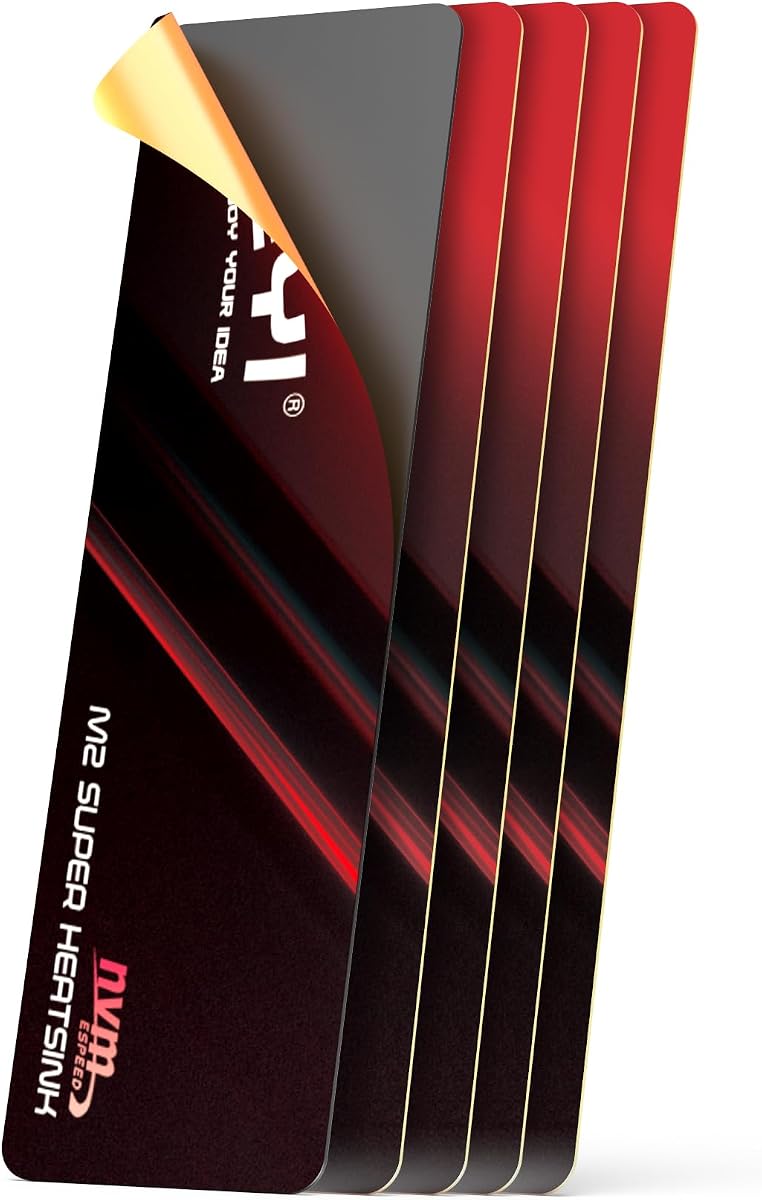


This two-pack option offers exceptional value for users needing cooling for multiple drives. The aluminum fins effectively pull heat away from controllers during sustained file transfers or gaming sessions.
We may earn a commission when you buy through this link, at no additional cost to you.
Its low profile design ensures it fits under covers without requiring motherboard standoff adjustments. The tool-less installation means you can secure the unit using clasps or bands within minutes of unboxing.
While it lacks the thermal mass of copper options, the aluminum construction is sufficient for most standard workloads. The passive design ensures zero noise and zero additional power draw from your system.
It is ideal for budget-conscious builders or PS5 owners looking to secure reliable thermal management without spending significantly. The included manual guides you through proper alignment and pad placement easily.
Passive aluminum fins maximize surface area to dissipate heat efficiently without any moving parts or noise.
Designed to fit every 2280 M.2 NVMe and SATA drive including those inside PS5 and desktop riser cards.
We may earn a commission when you buy through this link, at no additional cost to you.
This radiator utilizes graphene coating to enhance heat transfer efficiency beyond standard copper. Users report significant temperature drops after installation due to the advanced material properties.
We may earn a commission when you buy through this link, at no additional cost to you.
The air duct design increases contact area with ambient air for faster heat exchange. This makes it suitable for environments where airflow is restricted or temperatures run high.
Its aesthetic appeal with slanted slots makes it a good choice for visible drives in open chassis or cases. The silicone pads ensure the unit stays fixed without needing screws.
Buyers seeking maximum thermal reduction and visual style will appreciate this model. Ensure you place the pad correctly to avoid damage and extend the drive life significantly.
Graphene provides superior thermal conductivity allowing rapid heat transfer from the SSD to the heatsink structure.
Designed specifically for laptops and narrow spaces where traditional bulky coolers would not fit properly.
We may earn a commission when you buy through this link, at no additional cost to you.
Engineered for compact spaces, this copper heatsink reduces heat effectively without adding bulk. The 1.5mm profile is critical for slim laptops where clearance is minimal.
We may earn a commission when you buy through this link, at no additional cost to you.
Copper material ensures superior thermal conductivity compared to aluminum alternatives. This helps maintain safe operating temps during intensive gaming or rendering tasks on mobile devices.
Installation flexibility is provided through rubber rings or insulation stickers. This allows users to adapt the mounting method to their specific laptop chassis constraints.
It is highly recommended for users needing reliable cooling in thin form factors. The two-pack allows you to keep a spare or cool additional devices if needed.
Polished copper provides excellent heat dissipation while maintaining a minimal height for tight laptop interiors.
Works universally with major 2280 NVMe drives ensuring broad support across various brands and models.
We may earn a commission when you buy through this link, at no additional cost to you.
This ultra-thin thermal film is ideal for scenarios where every millimeter counts. The graphene copper blend cuts peak temperatures by significant margins during heavy loads.
We may earn a commission when you buy through this link, at no additional cost to you.
It fits perfectly into PS5 and ultrathin laptop slots due to its minimal footprint. The adhesive ensures the film stays in place without mechanical screws.
Dual-sided cooling allows users to apply pads on both sides of the drive for maximum effect. This approach prevents throttling effectively during long data migrations.
Buyers should handle the film gently during application to avoid bending. If bent, it can be flattened back. Proper contact is essential for effective cooling performance.
At 0.5mm thickness this film fits into the tightest spaces where traditional bulkier units cannot be used.
Utilizes graphene and copper foil materials for extremely high thermal conductivity and cooling efficiency.
We may earn a commission when you buy through this link, at no additional cost to you.
Designed for both PS5 and standard PC slots, this heatsink offers broad compatibility for common NVMe drives. The aluminum alloy body provides reliable passive cooling under sustained usage.
We may earn a commission when you buy through this link, at no additional cost to you.
Silver plating helps eliminate static electricity while the anodic oxidation treatment ensures durability. The low viscosity thermal pads prevent damage to sensitive components on the drive.
Its double-sided clip design accommodates various SSD heights securely. This stability prevents movement that might lead to connection issues over time.
Ideal for PS5 owners or desktop users needing simple effective cooling. It cools drives to safe temps to avoid throttling and improve performance significantly.
Perfectly fits Samsung and other major 2280 NVMe drives compatible with PS5 and desktop PC environments.
The double-sided clip design ensures stable installation that protects your drive during transport or use.
We may earn a commission when you buy through this link, at no additional cost to you.
This heatsink adopts high quality pure copper material for efficient thermal conductivity. The groove design increases heat dissipation area allowing accumulated heat to release faster.
We may earn a commission when you buy through this link, at no additional cost to you.
It is thin enough for most computers without interference. The silicone thermal pad included enhances the cooling effect by ensuring good contact on the surface.
Users note a significant drop in temperature with this model. It helps maintain reliable data transfer speeds by keeping the drive within safe limits.
Satisfaction guarantees and responsive support add value to this purchase. Check space availability carefully before buying to ensure proper fit in your device.
High quality pure copper offers much more efficient thermal conductivity than aluminum alloy alternatives.
Groove design greatly increases the heat dissipation area for faster heat release into the air.
We may earn a commission when you buy through this link, at no additional cost to you.
This cooler provides efficient cooling that enables maximum read/write speed for various modules. It fits both single and double sided M.2 2280 modules making it highly versatile.
We may earn a commission when you buy through this link, at no additional cost to you.
The MC1 enables lower temperatures which allows the drive to run at full performance for an extended timespan. This prevents thermal throttling during heavy workloads effectively.
It is ideal for PlayStation 5 expansion slots where cooling is required for extended memory. The dimensions are suited perfectly to provide necessary cooling power for upgrades.
Investors seeking reliability for high-end systems will appreciate this choice. It ensures your drive maintains speed during long sessions without dropping performance due to heat.
Supports both single and double sided M.2 modules for maximum compatibility across different drive brands.
Lower temperatures allow drives to run at full performance longer without throttling during intensive tasks.
We may earn a commission when you buy through this link, at no additional cost to you.
This radiator uses graphene coating to deliver high thermal conductivity exceeding standard metals. Users find it more efficient than other radiators when tested with temperature software.
We may earn a commission when you buy through this link, at no additional cost to you.
It features professional air duct design increasing contact area with air for faster heat exchange. This makes it suitable for laptops and narrow spaces needing rapid dissipation.
The slanted slot design adds aesthetic appeal to your build while maintaining function. Silicone thermal pads enable easy fixing without tools on your SSD.
For those needing effective cooling and style this model fits well. Proper installation with pads protects your drive and extends its service life significantly.
Graphene coating offers superior conductivity allowing faster heat dissipation than pure copper or aluminum alone.
Professional air duct design increases contact area for heat exchange dissipating heat more quickly.
We may earn a commission when you buy through this link, at no additional cost to you.
Adopting high quality pure copper material this heatsink releases accumulated heat faster than aluminum. It is slim enough for laptops and desktop computers alike.
We may earn a commission when you buy through this link, at no additional cost to you.
Exact dimensions help prevent installation misalignment and short circuits which protects your drive. Chemical polishing of thermal pads ensures smooth surface and prevents rust.
Package contents include necessary tools like a screwdriver and spudger for setup. This convenience makes installation straightforward for most users.
Buyers needing slim reliable cooling will find this useful. Satisfaction guarantee ensures support if any issues arise after purchase.
Adopts high quality pure copper material which is much more efficient than aluminum alloy.
Exact dimensions to prevents installation misalignment and short circuits for safer operation.
We may earn a commission when you buy through this link, at no additional cost to you.
This heat sink supports 2280 length M.2 SSD with a 5mm low-profile height designed for tight spaces. It works on motherboards or M.2 adapters efficiently.
We may earn a commission when you buy through this link, at no additional cost to you.
Cross-cut aluminum alloy fins provide optimal heat dissipation for standard loads. Heat resistant silicone rings help secure heat sinks safely without sliding.
It is compatible with PS5 M.2 NVME storage upgrades ensuring no clearance issues. Installation is easy with provided thermal pads for proper contact.
Users needing a black aluminum option for visible areas will prefer this. It ensures reliable cooling for gaming systems without adding significant bulk.
5mm low profile height allows work around tight spaces in gaming consoles and compact computers.
Cross-cut aluminum alloy fins provide optimal heat dissipation ensuring the drive stays within safe temps.
We may earn a commission when you buy through this link, at no additional cost to you.
Selecting the right low profile heatsink requires understanding materials, dimensions, and compatibility. These factors determine how effectively your SSD manages heat without interfering with your device's case or components.
Material choice impacts thermal conductivity and durability. Copper offers superior heat transfer but is heavier. Aluminum is lighter and cheaper but less efficient. Graphene coatings can enhance performance significantly.
Choose copper for maximum cooling or aluminum for budget and weight savings.
Low profile models are critical for laptops and consoles like PS5 where space is limited. Check your case clearance before buying to ensure the heatsink fits without modification.
Always verify maximum height limits for your specific device model.
Thermal pads bridge the gap between the drive and heatsink. Quality pads ensure efficient heat transfer and prevent movement. Some kits include multiple thickness options for uneven surfaces.
Ensure pads are included and match the thickness needed for your drive.
Installation methods vary from screws to rubber bands or adhesive clips. Tool-less designs simplify setup but may be less secure. Secure mounting prevents the heatsink from falling during transport.
Select a mounting system that balances ease with stability.
Most heatsinks target 2280 NVMe drives. Check if your specific SSD has controllers on both sides which might require double-sided cooling. Compatibility lists on product pages help confirm fit.
Always check if your drive is single or double sided before purchasing.
For open cases or visible drives design matters. Fin patterns or slanted slots improve airflow and look better. Black finishes blend well in modern setups.
Consider style if the drive will be visible after installation.
Pricing varies based on materials and brand. Aluminum options are usually cheaper while copper or graphene models cost more. Balance performance needs with available budget.
Higher cost often means better cooling but not always necessary.
Review what is included in the box. Some kits offer multiple units or tools like screwdrivers. Comprehensive packages save time and ensure you have everything needed.
Check if thermal pads and installation tools are included.
Start by turning off your computer or console and unplugging it. Locate your M.2 slot and remove the existing drive carefully to avoid damage.
Clean the SSD surface with a soft cloth. Apply the thermal pad evenly ensuring full contact with the controller. Place the heatsink over the pad and secure it with clips or screws.
Regularly inspect the unit for dust buildup. Clean fins gently with compressed air if necessary to maintain airflow. Avoid using liquids directly on the heatsink.
Sony recommends cooling for M.2 upgrades to maintain performance. While some drives have built-in coolers, adding an external heatsink helps manage temperatures during long gaming sessions.
Most laptops use 2280 M.2 slots. Look for models around 1.5mm to 5mm height. Always check your laptop manual for clearance limits before purchasing.
Thermal pads lose efficiency once removed. For best cooling always use new pads included with your heatsink. Reusing old ones may lead to higher temperatures.
These heatsinks are passive and have no fans. They operate silently without adding noise to your system unlike active cooling solutions.
Most manufacturers allow third-party cooling. The heatsink does not alter the drive. Always check warranty terms to ensure compliance with your specific brand.
Measure the space above your SSD slot. Include clearance for the heatsink thickness and any surrounding components. Compare this to the product dimensions before buying.
Yes these heatsinks are designed for NVMe SSDs specifically. Ensure the length matches your drive model such as 2280 or 2260 for proper fit.
We explored ten top models ranging from budget aluminum to premium graphene copper options. Each offers unique advantages for different setups and cooling needs.
Prioritize material quality and height based on your device constraints. Reliable cooling protects your data and keeps performance steady over time.
Verify current availability and details before purchasing since stock changes often. This guide helps you choose confidently for your specific storage upgrade.